
Unclaimed: Are you working at Front?
Front Reviews: 4.7/5 — Highly Rated
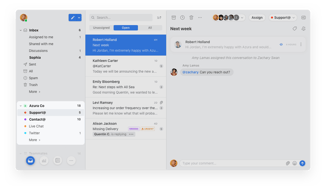
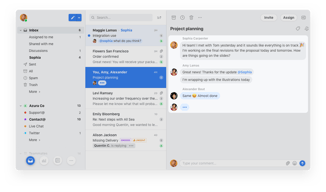
Front is a customer communication hub that features a highly lauded modern interface inspired by email clients, which team members love because it’s familiar and easy to use. Front features powerful automation capabilities that eliminate manual workflows across systems, and provide essential analytics to boost team performance and the health of customer relationships.

| Capabilities |
API
|
|---|---|
| Segment |
Small Business
Mid Market
Enterprise
|
| Deployment | Cloud / SaaS / Web-Based, Desktop Mac, Desktop Windows, Mobile Android, Mobile iPad, Mobile iPhone |
| Support | 24/7 (Live rep), Chat, Email/Help Desk, FAQs/Forum, Knowledge Base, Phone Support |
| Training | Documentation |
| Languages | English |

Front’s Starter plan is capped at 10 seats, so hiring an eleventh person moves you to Professional and takes the bill from $250 a month to $715. That is not an upgrade you choose on features — it is a ceiling you hit on headcount, and it costs $465 a month for one hire. Anyone planning to grow past ten support or sales people should price Front from $65 a seat, not $25.
- What it is: A shared inbox and customer communication platform — email, SMS, social, and WhatsApp in one queue — sold as a help desk alternative.
- Best for: Teams who want conversations to feel like email rather than tickets, at moderate scale.
- Pricing: Starter $25, Professional $65, Enterprise $105 per seat monthly on annual billing. Verified July 2026.
- The honest catch: Starter supports a single channel type, so email-plus-chat already requires Professional.
What Is Front?
Front is a shared inbox that behaves like email rather than like a ticketing system. Customer messages land in a familiar threaded interface where a team can assign, comment internally, and reply — which suits businesses whose customer relationships are ongoing conversations rather than discrete tickets. Front cites more than 9,300 companies including Navan, Branch, Culture Amp, Uber Freight, and ClickUp.

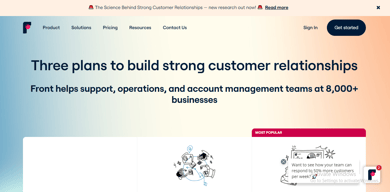
Two things about the plan structure are worth noticing before the features. The tiers carry seat ceilings — up to 10 on Starter, up to 50 on Professional — rather than seat minimums. And Enterprise, not the middle tier, is flagged “most popular”, which usually indicates that whatever sits only on the top plan is the thing people are actually buying.
Here, that is the AI bundle: Copilot, Smart QA, and Smart CSAT are add-ons on Starter and Professional, and included on Enterprise.
How Front Works
- Priced per seat, with a seat ceiling on each of the lower tiers.
- Starter is single-channel. Omnichannel requires Professional.
- Automation rules ladder — 10, then 20, then unlimited.
- Workspaces ladder — 1, up to 5, then unlimited.
- AI Copilot, Smart QA, and Smart CSAT are add-ons below Enterprise.
- AI Autopilot is an add-on on every tier, Enterprise included.
Front Pricing
Captured from Front’s pricing page in July 2026 in US dollars with annual billing, which is the page default.
| Plan | Per seat | Seat cap | Channels | Rules | Workspaces |
|---|---|---|---|---|---|
| Starter | $25 | Up to 10 | Single channel type | Up to 10 | 1 |
| Professional | $65 | Up to 50 | Omnichannel | Macros + up to 20 | Up to 5 |
| Enterprise | $105 | — | Omnichannel | Unlimited | Unlimited |

What actually decides your cost:
- The seat cap is the real pricing mechanism. Ten seats on Starter is $250 a month. Eleven seats means Professional at $65 each — $715. That is a 186% increase triggered by one hire, with no intermediate option. If your team is at eight or nine people and growing, model Professional now.
- Starter handles one channel type. The comparison table is explicit: “single channel type”, with messaging and live chat available only “if single channel type”. So a team wanting email and chat is on Professional regardless of headcount. For a product whose pitch is unifying customer communication, that is the most consequential gate on the page.
- The AI tools are add-ons until Enterprise. Copilot, Smart QA, and Smart CSAT all read “ADD-ON” on Starter and Professional and are included at $105. Given Enterprise is marked most popular, the AI bundle appears to be what pulls buyers up — so price the add-ons on Professional before assuming $65 is your number.
- AI Autopilot is an add-on everywhere. Including on Enterprise. It is the one AI feature no plan includes.
- Workspaces matter for multi-team use. One on Starter, up to five on Professional, unlimited on Enterprise. An agency or a company with separate support and sales queues will hit that before the rule limits.
- Automation is tightly capped low down. Ten rules on Starter and twenty on Professional; only Enterprise is unlimited.
Who Should Use Front
- Teams with ongoing customer relationships. The clearest case — Front’s email-like model suits account management and B2B service far better than ticketing.
- Small teams on one channel. Under ten people doing email-only support get a genuinely good product at $25.
- Companies needing omnichannel with internal collaboration. Comments and assignment inside the thread are Front’s real strength.
- Organisations wanting AI QA and CSAT. Bundled at Enterprise rather than assembled from separate tools.
It fits poorly for teams about to cross ten people, where the cliff is severe; for ecommerce support, where Gorgias charges by ticket rather than by seat; and for high-volume ticket deflection, where Freshdesk includes 500 AI sessions on a €17 plan.
Honest Pros and Cons
Strengths
- The best shared-inbox experience for teams who think in conversations, not tickets.
- Genuine omnichannel from Professional — email, SMS, social, and WhatsApp in one queue.
- Internal comments and assignment inside the thread, which competitors bolt on.
- AI QA and CSAT included at Enterprise, rather than sold separately.
- Strong customer roster — 9,300+ companies including well-known names.
- A free trial on Starter without a sales call.
Limitations
- A 10-seat cap on Starter, so growth forces a 2.6× per-seat increase.
- Single channel type on Starter, which undercuts the core proposition.
- AI Copilot, QA, and CSAT are add-ons below Enterprise.
- AI Autopilot costs extra on every plan, including the top one.
- Only 10 automation rules on Starter, 20 on Professional.
- Professional and Enterprise require a demo — no self-serve purchase.
Front Alternatives and How It Compares
- Gorgias prices by ticket rather than by seat and is built for ecommerce, which suits teams with many agents.
- Freshdesk is a conventional help desk at roughly a quarter of Front’s entry price, with AI sessions included.
- Zoho Desk covers similar ground inexpensively, with less polish on the shared-inbox model.
- HubSpot Service Hub suits teams already inside HubSpot’s CRM.
- Help Scout and Missive are the closest philosophical competitors — shared inboxes rather than ticketing systems — and generally cheaper.
- LiveChat covers the chat channel specifically rather than a unified inbox.
For a broader survey, browse our help desk directory.
The Verdict
Front is the best product available for teams whose customer communication is genuinely conversational. If your support or account management involves ongoing relationships rather than discrete tickets — B2B service, logistics, professional services — the email-like model is materially better than a ticketing queue, and the ability to comment internally inside a thread is the feature people stay for. The customer roster reflects that: these are not companies short of options.
The pricing needs modelling before you commit, because the tiers are capped by headcount rather than by capability. Starter allows up to ten seats. An eleventh hire moves you to Professional at $65 a seat, taking a $250 monthly bill to $715 — a 186% increase caused by one person joining, with nothing in between. If you are at eight or nine seats and hiring, Professional is your real price and you should plan around it now rather than discovering it in a renewal conversation.
The second gate arrives sooner for many teams. Starter supports a single channel type, so the moment you want email and live chat together — or email and SMS, or anything plus WhatsApp — you are on Professional regardless of team size. Since unifying channels is the reason to buy Front rather than a mailbox, that constraint reaches most buyers before the seat cap does. And check the AI line items too: Copilot, Smart QA, and Smart CSAT are add-ons on both lower tiers and included only at $105, which is likely why Enterprise rather than the middle plan carries the “most popular” badge. Price those add-ons on Professional before assuming the gap between $65 and $105 is real.
FAQ
How much does Front cost?
Captured in July 2026 in US dollars with annual billing: Starter $25 per seat per month for up to 10 seats, Professional $65 per seat for up to 50 seats, and Enterprise $105 per seat. Front advertises a 24% saving on annual billing. Starter can be started with a free trial; Professional and Enterprise both require a demo request rather than self-serve purchase.
Does Front have a seat limit?
Yes, and it works as a ceiling rather than a minimum. Starter supports up to 10 seats and Professional up to 50. That means growth forces an upgrade: a team of ten on Starter pays $250 a month, and adding an eleventh person moves them to Professional at $715 — an increase of $465 for one hire, since every seat reprices at $65.
What does Front’s Starter plan include?
Shared inbox and ticketing, AI Topics, up to 10 automation rules, basic analytics, a no-code public knowledge base, and one workspace — for a single channel type. Messaging and live chat are available only if that is your single channel. Omnichannel support across email, SMS, social, and WhatsApp requires Professional at $65 per seat.
Are Front’s AI features included?
Only on Enterprise. AI Copilot, Smart QA, and Smart CSAT are marked as add-ons on Starter and Professional and are included at $105 per seat. AI Autopilot is an add-on on all three tiers, including Enterprise. Since Enterprise carries the “most popular” label, the bundled AI appears to be the main reason buyers choose it over Professional.
Front or Gorgias?
They meter on opposite things. Front charges per seat with tiers capped by headcount, which suits smaller teams handling complex conversations. Gorgias charges by ticket volume and never per agent, which suits teams with many agents handling high volumes of simpler requests — and it is purpose-built for ecommerce. Choose Front for relationship-led communication, Gorgias for transactional support at scale.

I love how Front has helped me become more organized with my daily work tasks and the snooze feature is great so I don't have too many emails cluttering my inbox all at once.
I haven't found anything I dislike at this very moment, all the features have helped me with my day to day tasks.
Front is helping me become more organized with the tags feature !
The tag system! I can keep my inbox organized with automatic tagging. It changed my life.
It's hard to think of any. I wish I could make it pink to match my laptop's theme???
I need to find the context for issues all the time. Tags let me see everything related to one thing quickly.
All the tools that it has right off the bat, if you texted someone before, Front automatically directs you to the same customer. I like the UI a lot, and it works seamlessly on Chrome.
Nothing. Maybe the dark mode is not so dark, and the profile pictures are too tiny. A character counter would be nice as we must comply with QA guidelines and rely on other tools/extensions. A personal message template would help a lot too.
Mostly customer service inquiries, we don't solve complex problems. This tool allows us to respond promptly, but we get the occasional "webhook error" Not sure if this is related to the platform or internet issues.
I love that you can tag other team members in an email and go back and forth without having to reply to the email - the messaging feature really is the best part. The app generally works pretty well on an iPhone as well, again with the messaging.
My biggest issue is with the phone app - it is very clunky to try to delete messages (versus just archive them) - it takes way too many steps/actions to be able to delete an email - I should be able to either swipe on the message or have a delete button but you have to go into the email, touch for a menu and then delete, which is fine if you're in the message, but if I know I want to delete it from the outset, let me delete it.
We are able to better communicate as a team, without all the back and forth - clearer communication. It is easier to manage our inboxes and the shared feature helps with management being able to cover for a report.
clear view, nice layout, for me all front is the best, thanks
echo - when email is in box but message arrive like that will be new email in box
i can see all my meetings on right side at the moment when i need to write email
The ability to share emails with coworkers and have conversations on the message itself. The ability to clear your inbox with snooze or auto archives also has helped me stay organized and set follow up reminders with ease. I also love the ability to answer from other email addresses, not just my own to fit the nature of the conversation (if I don't want to use my actual email address for a client, I can send them something from our generic inbox).
The search feature could be a bit better and sometimes it is down. I would love to be able to customize my searches and even save custom searches. Also, once you share a message with a participant, I would like the ability to take them off (even if they've muted) since it most likely is a conversation they no longer need to be looped in on.
Collaboration, having multiple inboxes in one place, cannot live without "send and snooze" after using this feature in front
I love that I can share drafts with colleagues and leave comments to troubleshoot amongst our team. As a new employee to a collaborative team, I feel more confident with email responses to clients because of the opportunity to work to formulate a perfect communication to clients!
Nothing - this is a very useful feature!
I have been able to view and find other colleagues' emails to help further client engagement.
I love the internal comment feature, which is so beneficial when working as a team. It allows us to communicate directly within the conversation and not explain everything over new emails or a different platform. Everything in one place is so efficient! The snooze and archive features are the best. Having the option to archive something over deleting it is excellent. I can always search and not worry that someone has permanently deleted an important email. The snooze feature helps me focus on what I need to do while knowing that things I need to work on later will pop back up when required, plus my inbox is always clean! Send &Snooze is my favorite! As a Customer Service specialist, this feature allows me to always follow up with customers if they haven't responded. The "seen" feature is also great! Knowing that my customers have seen my response is reassuring and allows me to know that my message made it to the intended recipient.
I wish there were a way to include all subtags in a report by only adding the main tag for metrics and even searches. Right now, subtags are only for visual organization. We have to individually include all subtags if we want to report or search tagged emails that were nested under this main tag for a reason. I've reached out about it, and the good news is that they currently have a feature request for this!
Front helps me make sure that every email is addressed with the help of my team when needed.
Front is easy to use and intuitive tool. It's great to have in the same tool all the options to manage and communicate with your customers.
Nothing, maybe having a chat option to ask for things that could be done in Front.
Having multiple emails in the same place, communicating internally with the team to manage and answer to customers.
The ability to use tags, @mentions, and the productivity it's created
I haven't found anything I don't like yet.
Forwarding emails, being held accountable
The ability to collaborate with members. The UI and cleanliness of using the mailing feature
The analytics aren't too accurate for us
Scalability with serving clients & share a 1 to Many model for our Company. My team created a new model to better service our growing clients and we really needed a way to "share" an inbox but, also collaborate together. Front is our favorite tool to share thoughts and ideas to answer questions. It also makes it easy to manage our emails which we receive over the hundreds throughout the day. Love it and would recommend to all Professionals in Services.
Tag feature and sharing system are the best. You never miss an email, and you can stay highly organized with crazy email traffic.
Assign rule can be inefficient sometimes as some emails don't hit the right inbox
I can categorize emails easily with the tag feature and keep tabs of items that I need to take care of urgently vs. snoozing to address later—almost a planner in itself.
Snooze/Tags. Being able to snooze and tag individual rentals for a length of time helps prevent missed off rents and ensures customer satisfaction. When an order comes in for a specific amount of time, you can tag that order and snooze it until the day of off rent. It helps ensure we do not miss anything therefore, we can guarantee accurate billing.
There is not much to dislike about Front.
We don't miss off rents. We can search a specific rental agreement with ease. It keeps an entire conversation in one thread making it easier to understand the history of a rental.
UI, ease to find stuff shared inbox task maanagement tagging non instant email sending
not really something that i dislike about front
Saves time.
The snooze and tagging features in Front are my favorite. Less things fall through the cracks because as a team, we can snooze, tag, chat until an issue is resolved.
I do not love the mobile version of Front. Specifically, there are features like the vacation responder, that if I do not turn on in the browser version, i am stuck and unable to manage.
We are using Front to help us with account segmentation and where we should be spending our time. The rules in Front allow us to have different inboxes, telling us what's important and what can wait.
I like being able to add comments under email threads, than having to respond in email threads. Also the system is very user friendly.
I do not have anything I dislike about Front.
Using team inboxes helps organize emails, and assigning emails to coworkers also helps.
The integrations and constant improvements.
No built-in calendar. I'd love to schedule appts directly in front without linking to a different site.
With shared inboxes, we can find all customer conversations, no matter who they were chatting with. We can easily see past conversations from customers, and any notes left on their account. This has been a big help for all involved.
M favorite part about the FRONT APP is that it is so simple to use. I can communicate fast and easy with people all over the world
I do not have any woes with the app I definitely enjoy everything I've experienced thus far.
I use front for work so I get to resolve all sorts of issues in a 14 hour day
Interface with the option to copy ID history if the message and notes
It could be included more emo icons and reactions.
Business communication and personalization.
The interface is smooth and intuitive and never lags. I can view any conversation going on at any time. I have multiple ways to communicate with my team immediately.
I need to be able to get certain emails to my box, even when I am out of office. I may be at lunch but there may be an urgent email that only I, the manager, should be working on. It's hard to manage this with comments.
I have great control over my whole team's shared inbox. I can find emails from months ago in less than a second and use them when dealing with variances, back end charges, etc. Overall, it is just a speed issue and I can move so quickly with the software!
Its amazing user interfaces with multiple features available within the software. One can draft an email and share it among team members without sending it by sharing it in draft mode and can get their inputs. One can segregate the email according to defined segments created by a person. It also allows you to re-review your email within 3 seconds even after clicking the send button. We can maintain track much more easily, and most of all, one can connect multiple accounts to keep track of everything. It also enables you to see who saw your email and who didn't.
The search bar has been moved at the top of the page which makes it difficult at times to locate the email which you are searching for. A spell checks or autocorrect tool should also be included on the front which is missing at the moment. It's difficult for me to sort out old emails that have been achieved using the front. I occasionally have to check my archived emails to see if a quote I sent to a client has been received. It fails to show who saw your mail if the mail has been sent to more than 5 members
Front enables to generate a text dialogue that is hidden from the client. It also allows my team members to review the email before sending it. One can see what emails are being sent by your team member and helps you to monitor them.
Snoozing emails, tagging colleagues on discussions
Sometimes the sync between Front and Gmail is not optimal
We save so much time for all our collaborators! And by using Team inboxes we empower collaboration.

The hands-down best feature to me with Front is the ability to converse with teammates within an email chain.
Locating closed/archived emails is a bit cumbersome, I find myself reverting over to Gmail to track these down.
Quickly and efficiently serving customers by being able to find a solution with the associated teams. Being able to run reports on ticket volume quickly has been handy as well.
Comparing Front to other email apps, tagging on emails is really helpful to avoid overwhelming your teammates with forwarded emails.
As a Front beginner, archiving emails was a different experience to remove them from your notification number. Once used to it, it's really convenient!
Keep plenty of communication with remote team members by tagging/sharing conversations.
The comments, the send later option, the snooze options, the fact that we can share personal emails between teams without the need of actually adding a new email into the chain
That sometimes can be a bit slow if I do not have a super good wifi signal
I love that we have shared inboxes; when someone is out of the office, there´s no need to re-sending emails since everything is in the shared inbox
Front integrates all your emails into one inbox. You can seamlessly organize, assign, and set time reminders on emails in just a few clicks. I couldn't imagine working with any other email system.
My only complaint would be the ease of assigning emails from the mobile app. It would be nice if you could check multiple participants to assign an email to.
Front keeps my team organized and ontop of things. Nothing falls through the cracks with the system front has in place.
You can see who has read your emails and can filter the emails as per your requirements. For ex- emails having attachemnts only.
There is nothing that I dislike about Front
Easy for communication and tracking the emails with so many facilities like snooze, mute, urgent tags etc
I like that I can put emails in a "tagged" area and make my emails more organized.
So far, I have not noticed anything that I dislike with Front. Everything has been very user-friendly so far.
I use Front every day for my job. It helps me contact my representatives, and I love being able to link a URL.
Highly intuitive and transparent team collaboration. The real-time messaging and email draft sharing make it easy for everyone to be on the same page before sending out an email.
Lack of Grammarly integration. Sequences are ok but could improve.
Visibility across multiple people and multiple teams (such as sales and support) so that there is unified, cohesive communication with our customers.
I love how easy it is to collaborate with my colleagues!
I used to dislike the amount of features Front provided, but Front has added to their toolbelt and mitigated the need to look elsewhere.
We can communicate more efficiently as well as effectively, both within our team and with customers.