

Unclaimed: Are you working at HubSpot CMS Hub?
HubSpot CMS Hub Reviews: 4.5/5 — Highly Rated
Hubspot CMS Hub is a content management platform that makes website management simple and accessible so users can focus on managing their audience and customers with ease. It lets users create and manage website pages with personalized features. The platform is also optimized for various devices and conversions making it a particularly powerful and easy-to-use CRM system.

| Capabilities |
AI
API
|
|---|---|
| Segment |
Small Business
Mid Market
Enterprise
|
| Deployment | Cloud / SaaS / Web-Based |
| Support | 24/7 (Live rep), Chat, Email/Help Desk, FAQs/Forum, Knowledge Base, Phone Support |
| Training | Documentation |
| Languages | English |
HubSpot CMS Hub Pros and Cons
- Lets users keep all their marketing data in one centralized place
- Extensive integration partners
- Access to Hubspot Academy
- Platform easily scales to your needs
- More expensive than alternative options
- Limited customizablility and configurations







CMS Hub is now HubSpot Content Hub, and the gap between its Starter and Professional tiers is roughly eight times. A three-person team pays about €60 a month on Starter at standard rates and €490 on Professional. There is nothing in between. That cliff, not the feature list, is what decides whether HubSpot is the right CMS for you.
- What it is: A content management system built into HubSpot’s platform, so pages, forms, and CRM records share one database.
- Best for: Companies already running HubSpot CRM or Marketing Hub who want the website on the same system.
- Pricing: Free for 2 users. Starter €20/seat standard (€7 promotional). Professional €490/mo, Enterprise €1,470/mo. Verified July 2026.
- The honest catch: The advertised €7 per seat is a limited-time, new-customers-only rate against a struck-through standard price of €20.
What Is Content Hub?
HubSpot renamed CMS Hub to Content Hub, and the change is more than cosmetic — HubSpot’s own pricing URL for /pricing/cms now redirects to /pricing/content. The repositioning reflects a broader remit than page management: content creation, AI assistance, and multi-format publishing rather than a website builder alone.

Its genuine differentiator has never been the CMS itself, which is competent rather than remarkable. It is that pages, forms, and contact records live in the same database. A visitor fills in a form, becomes a CRM contact, enters a workflow, and their page-level behaviour is visible to sales — with no integration to build or maintain. For companies already inside HubSpot, that is a real advantage no standalone CMS can replicate.
The trade-off is equally clear. Judged purely as a website tool against Webflow or Framer, Content Hub is more constrained and considerably more expensive.
How Content Hub Works
- Native CRM integration. The whole point: pages and contacts share one data layer.
- Priced by Core Seats. Professional includes 3, Enterprise 5, with extras at €45 and €75 a month.
- HubSpot Credits. A newer meter — 500 on Starter, 3,000 on Professional, 5,000 on Enterprise — consumed by AI and certain automated actions.
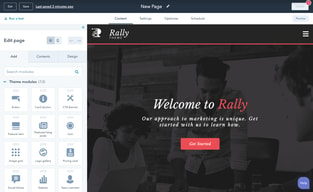
- Drag-and-drop editing with themes and modules, plus developer tooling for custom builds.
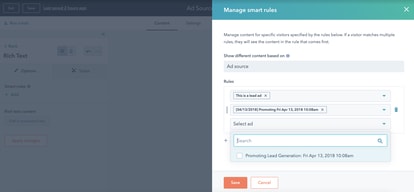
- Personalisation. Content that adapts to CRM data, which is the capability that justifies the price when used.
- A genuine free tier for up to two users, including launching a website.
Content Hub Pricing
Captured from HubSpot’s pricing page in July 2026 in euros; HubSpot localizes currency. Note carefully that the headline figures are promotional.
| Plan | Standard | Promotional | Seats | Credits |
|---|---|---|---|---|
| Free | €0 | — | 2 users | — |
| Starter | €20/seat/mo | €7/seat/mo | Per seat | 500 |
| Professional | €490/mo | €441/mo | 3 Core Seats, +€45 each | 3,000 |
| Enterprise | €1,470/mo | — | 5 Core Seats, +€75 each | 5,000 |

What actually determines your cost:
- Budget from the struck-through price, not the banner. HubSpot displays €7 per seat with €20 crossed out, under a notice reading “Save up to 65% on Starter… New customers only. Select offers available for a limited time.” The €20 is the price you will pay ongoing.
- The Starter-to-Professional cliff is the whole decision. Three seats on Starter is about €60 a month at standard rates. Professional is €490. That is more than eight times, with no intermediate tier, and it is where most Content Hub evaluations actually resolve.
- Professional’s three included seats soften it slightly. At €490 including 3 Core Seats, the per-seat maths is less brutal than the headline — but only if you need three seats and the Professional features.
- Credits are a newer meter worth watching. 500 on Starter against 3,000 on Professional. As HubSpot pushes more AI functionality through credits, this dimension is likely to matter more over time than it does today.
- The free tier is real but capped at two users. Genuinely usable for launching a small site, and a hard stop the moment a third person needs access.
- This is one product in a platform. Most buyers also pay for Marketing or Sales Hub, so Content Hub’s cost is rarely the whole bill — price the bundle.
Who Should Use Content Hub
- Existing HubSpot customers. The clearest case by a wide margin. If your CRM and marketing already run on HubSpot, putting the website on the same data layer removes integration work permanently.
- Marketing teams doing personalisation. Content that adapts to CRM data is the capability worth paying for, and it is genuinely hard to replicate with a standalone CMS plus connectors.
- Companies wanting one vendor and one invoice. Fewer systems, fewer integrations, fewer failure points.
- Small teams on the free tier. Two users and a working website for nothing is a real offer.
It fits poorly for design-led websites, where Webflow and Framer offer far more control at a fraction of the cost; for content-heavy publishing, where WordPress.com is cheaper and more flexible; and for anyone not otherwise using HubSpot, since the integration advantage is the only thing justifying the price.
Honest Pros and Cons
Strengths
- Unmatched CRM integration. Pages, forms, and contacts on one database with nothing to maintain.
- Strong personalisation. Content driven by CRM data, which standalone systems approximate at best.
- A genuine free tier. Two users and a live website, no credit card.
- Included seats at Professional. Three Core Seats bundled rather than charged separately.
- Reliable hosting and security handled entirely by HubSpot.
- One vendor. No integration layer between website and CRM.
Limitations
- An 8x cliff between Starter and Professional. With nothing in between.
- Promotional pricing dominates the page. €7 against a standard €20, new customers only.
- Expensive as a CMS alone. Professional at €490 buys far more website elsewhere.
- Less design freedom than Webflow or Framer.
- Free tier caps at two users. A hard stop for most teams.
- Credits add a second meter whose importance is likely to grow.
Content Hub Alternatives and How It Compares
- Webflow offers far greater design control and is the standard choice for design-led marketing sites.
- WordPress.com is cheaper and more flexible for content-heavy publishing, with a much larger ecosystem.
- Framer suits design-first teams shipping fast, at a small fraction of the cost.
- Wix and Squarespace are simpler and cheaper for straightforward business websites.
- Duda and 10Web target agencies managing many client sites.
- HubSpot CRM is free and the reason most people end up considering Content Hub at all.
For a broader survey, browse our web content management directory.
The Verdict
Content Hub is not really a CMS purchase — it is a decision about consolidation. As a website tool judged on its own, it is competent but constrained, and at €490 a month for Professional it is expensive against Webflow, Framer, or WordPress, all of which give you more website for less money. Nobody should choose it because it builds better pages.
The reason to choose it is that pages and CRM records share one database. A form fill becomes a contact, enters a workflow, and shows up in a sales rep’s view with no integration to build, maintain, or debug. For a company already running HubSpot CRM or Marketing Hub, that removes a recurring category of work, and it is the one thing a standalone CMS plus connectors cannot properly replicate. If you are already in the ecosystem, this is a sensible purchase. If you are not, the price makes very little sense.
Two things to be precise about before committing. The €7 per seat on the pricing page is promotional — new customers only, time-limited, with €20 struck through beside it — so budget from €20. And the step from Starter to Professional is roughly eight times for a three-person team, with no tier in between, which means the real question is not “which plan” but “do I need Professional at all”. Start on the free tier or Starter, and move up only when a specific Professional capability, most likely CRM-driven personalisation, is solving a problem you can name.
FAQ
Is CMS Hub the same as Content Hub?
Yes. HubSpot renamed CMS Hub to Content Hub, and its own pricing URL for /pricing/cms now redirects to /pricing/content. The rename reflects a broader positioning around content creation and AI assistance rather than website management alone. Older reviews and comparisons still refer to CMS Hub, and describe the same product.
How much does HubSpot Content Hub cost?
Captured in euros in July 2026: Free for up to 2 users, Starter at a standard €20 per seat per month (promotionally €7 for new customers), Professional at €490 per month including 3 Core Seats, and Enterprise at €1,470 including 5. Additional Core Seats cost €45 and €75 respectively. HubSpot localizes currency, so check your own market.
Why is the advertised Starter price so low?
Because it is promotional. HubSpot displays €7 per seat with a struck-through €20 alongside, under a banner stating “Save up to 65% on Starter” for new customers only and for a limited time. The €20 figure is the standard ongoing rate and the correct one to budget from, particularly since the discount does not apply to renewals.
Is Content Hub worth it if I do not use HubSpot CRM?
Generally no. Its defining advantage is that website pages and CRM records share one database, which removes integration work entirely. Without the rest of the HubSpot platform you are paying premium prices for a CMS that offers less design freedom than Webflow or Framer and less flexibility than WordPress, both of which cost considerably less.
What is HubSpot Content Hub best for?
Companies already using HubSpot CRM or Marketing Hub that want their website on the same data layer, particularly marketing teams doing personalisation driven by CRM data. It is a poor fit for design-led sites, for content-heavy publishing, and for any organization not otherwise invested in HubSpot’s platform.

Compare HubSpot CMS Hub with other popular tools in the same category.
The ease of use of the platform and how it all works together.
Some clients think HubSpot will "own" their code and it may be hard to move off in the future.
Easy-to-update websites for our clients and easy-to-navigate experience for the users
I love the ease of using the interface, the richness that the data provides, and the amount of items we can use.
I wish that I could update the social media image preview within Hubspot.
It's making it super easy to automate certain parts of our business.
If you are security conscious person and care about your website uptime and want to give the power to your Marketing team to own website growth, then HubSpot CMS is your best friend!
mobile page speed score neds improvement
None

The drag-and-drop functionality makes building easy and powerful.
Since I am not a developer, there are tools I am unable to access.
Now with the free version, companies and organizations have access to tools to grow their business.
The user interface and the fact I am able to empower my clients to make changes. Also, it is really easy to make changes. It also offers way more integration than other cms's like Wordpress.
The only thing I dislike is how hard it is to build custom templates and new designs. Also the price can be a barrier for entry for some of our clients. They resent it.
IT is solving the problem of integrating the entire sales and marketing function and inbound strategy into the website. no other competitor does it quite like hs.
It allows me connect with everything else in hubspot
it can be less intuitive than id like it
new and custom objects which help with attribution and dm
Very user friendly in general. I like that everything is in one place
Rich Text editor isnt as user friendly as I would like it to be
Campaign management
how easy it is to build stuff, how I dont have to worry about maintainance
caching is bad, versioning is though for themes
plugin maintainance, custom code maintainance, integrations
Working through a brand refresh and creating topic cluster content works like a dream with the HubSpot CMS Hub. The sandbox, the UX, and the support are clutch.
Learning the navigation and where to find things with all of the product updates. Also keeping up with updates.
Growth Driven Design projects
Themes can be applied for consistent branding across pages, and section layouts can be saved and applied on other pages with ease. Analytics are clearly presented and integrated into the crm.
Would like to see more variety in dynamic modules and updated customizations to assets. Specifically, I'd like to see more customization for the navigation and blog pages.
CMS allows us to easily host our website, make changes to our website without an agency, and connect analytics and traffic directly to our crm to manage lead generation efforts.
Building pages with custom modules is so freaking easy for a marketer like me. There are so many great modular themes and apps out there (we use Sprocket Rocket) that you don't have to be or have an in-house dev or designer to make pages super fast and amazing looking.
Honestly, nothing. I feel like I'd have something if I couldn't use custom modules.
Getting pages up and live quickly while ensuring they look professional.
Conversions are really easy with hubspot
I don't like that there are so many calling platforms!
All of my problems!
No hazzle, no slow plugins or updates that ruin all. Just a great crm.
Can be a bit pricy for pro and enterprise, but worth every penny.
They deliver a super fast CMS
So simple to learn with customers, and promote the migrations form WS to Hubspot
maybe the marketplace show you more modules and templetes
migrations from wordpress
CMS hub is very easy to develop on. The drag and drop features also make it very easy to maintain once the development of the module is completed.
There arent that many things that are able to customize.
The drag and drop feature. So it is very user friendly
Drag and drop feature help non tech to create and build pages as they want with a theme.
Some tab are difficult to find so you should know your way to use a theme
Create a website or landing pages easily without coding.
Very easy to use and intuitive - I really like how simple it is
Nothing really comes to mind. I would like the option to build a website on my phone rather than only on a desktop.
Branding and building my website

It's really easy to use, you don't need developer knowledge, you can create a fantastic website like a slide in PowerPoint. HubSpot CMS is the CMS for Marketers.
Local billing in all the countries, it's a US invoice.
Easy to use, fast and secure. We really save time with this solution.

The customizable capabilities of HubSpot CMS Hub make it stand out from the crowd; its native marketing hub integration makes it more proficient at using by marketers as well.
HubSpot CMS Hub has the drag-and-drop builder, but it's not that user-friendly compared to other cms out therein the market, and need loads of improvement in the ease of use.
It's marketing integrations where marketers can capture the leads on cms hub and flow leads into the marketing hub for furthere nurturing.
The CMS Hub is fantastic and can be easily customizable. You can virtually create anything with custom code or use HubSpot's intuitive drag-and-drop feature.
Some downsides of the CMS Hub are the lack of third-party plugins to add and integrate. It's not as always easy as WordPress to quickly add advanced functionality. Such features would then have to be custom coded.
HubSpot CMS makes it quick and easy for any business to create an awesome looking website... all without a developer!
CMS Hub has a lot of features and flexibility, but very easy to use for makerters. Maketers can build website easly with drag and drop system. It`s so good product not only for maketers, but also developers.
Because it`s SaaS, we can`t extend backend codes by ourselves. So need to be very careful that what CMS Hub can do, and can`t do. But Enterprise plan has the system wrapping API Gateway and Lambda, so we can build original endpoint.
I`m a web site developer. It`s so customizable for developers. It`s SaaS but so customizable with local developing tools (CLI). You can build templates from scratch with HubL(compatible with jinja2).
The customer support experience. The company culture of education and sharing value well before receiving payment. It permeates every aspect of the product and the experience.
It's expensive and I sometime hold them in such high regards I forget they are human too. As the company has continued to grow some features have been discontinued and/or replaced and has lead to massive frustration maintaining funcationality I had grown to rely on.
Stable platform with exceptional support. INtegration with CRM and other HubSPOt features in marekting and automation. Pretty much everything I want for a website.
Once you do your research about the theme developer you can truly build a website in HubSpot CMS with so many custom option that DO NOT require a developer. Love the platform and the theme options currently in the marketplace.
I wish there were more out of the box free options that do not require code support especially for the free and starter CMS Hub levels.
Getting a website up and running WITH customer database via HhbSpot CMS that has intuitive functionality is unmatched in the industry. Huge help for startups and small businesses. With the HubSpot Payments connection (for no extra money!) even makes it easy for e-commerce!

Hubspot's CRM tool is a great fit for businesses looking to streamline their sales and marketing processes. It's all in one, and it provides lots of opportunities for customization. The CRM makes use of the same technology as HubSpot's marketing products, so you can use it to manage your entire account. It's also effective at keeping records of your contacts and their interactions with your company, so you can be sure you're getting the most out of your efforts.
You have to figure out how things work, and you have to do it quickly. If you're not up to speed, it can be overwhelming. And even if you are, there isn't a lot of time in the day for you to experiment with all of the features and different ways that they can be used. But if you're willing to put in some time learning how things work—and then take advantage of all of the great features that HubSpot has to offer—it's overwhelmingly beneficial.
HubSpot CMS Hub is a tool that helps you create beautiful, custom landing pages for your website. HubSpot CMS Hub makes it easy for anyone to create a landing page, no matter how technical or non-technical they are. You can customize your landing pages with templates that you can use to present yourself and your company in the best possible light. The benefits of using HubSpot CMS Hub include: -Faster and easier content management -Easy access to analytics and reporting on how people are interacting with your site -Integrated tools for social media marketing and personalization
HubSpot CMS Hub helps me be in touch with my entire community, and to assist to answer their queries and concerns, it's super easy to have all the important details handy to ensure that quality service is given.
To be honest, there's nothing I dislike about HubSpot; perhaps it would be fantastic if they could create a "to-do" section, and it would make HubSpot the most complete software out there.
HubSpot CMS Hub helps me have all the important and essential details handy, so we can ensure to provide world-class customer support; it also makes it super easy to handle whatever complaint we might get.
Being a developer I like HubSpot's Drag & Drop builder. DB speed, Forms, Emails, Workflow everything is great! You can create a custom theme according to yourself and backend functionality as well with hubDB.
Nothing much, everything is up to date. rest HubSpot make sure to update itself timely. so we cant say and disappointing thing about CMS hub.
Everything is under one hood. Marketing, ads, email, LP and WEBSITE as well as forms and hubDB. so it feels good to have everything under one hood with top-notch security and easy to use.

Hubspot CMS offers a couple of very exciting features like Content staging, a design tool for the custom theme and widget creation. It is very easy to create private content as well with Hubspot cms.
There is a slight learning curve for HubSpot CMS, though free courses provided by HubSpot academy are really good to get started. Some features are not yet mature such as customization of sign up page etc.
As we use Hubspot for our CRM as well it makes it very easy to handle everything in one place. The combination allows us to make our content more personalized and dynamic. Hubspot CMS also helps to handle private content which reduces the need of paying for another service.
The updside is the orgranization of assets within the tools. You can easily bucket/organize your emails, your blogs, your workflows, and the dashboards you can build to track all of these buckets are amazing! The downside: a few small ones, one being you can't attribute more than one campaign to a piece of content
I don't have experience working with another CMS, so it's a bit of "I don't know what I don't know" for me. I've used HubSpot for four years and still haven't mastered everything in it -- it's that robust and dynamic!
Keeping our content organized, optimized for SEO, allowing us to protect our email domain, and alerting us (by using all of the data anaylytics) if something gets dropped or starts to breakdown.
The ability to co-create a whole website in a very little amount of time.
The interface is not fully transparent to a new user.
It let's us create a website without having to worry about destroying the source code
It's crafted, not cobbled, so it works! Everything is simple to use, find and manager.
Reporting isn't as flexible as SFDC. I wish there were more report types, and that combo charts could be filtered at the top of dashboards like single item charts can be.
Data management, marketing automation and sales operations