

Unclaimed: Are you working at HubSpot CMS Hub?
HubSpot CMS Hub Reviews: 4.5/5 — Highly Rated
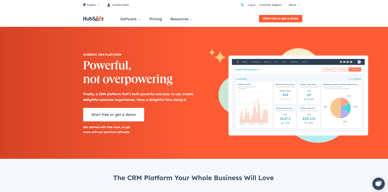
Hubspot CMS Hub is a content management platform that makes website management simple and accessible so users can focus on managing their audience and customers with ease. It lets users create and manage website pages with personalized features. The platform is also optimized for various devices and conversions making it a particularly powerful and easy-to-use CRM system.

| Capabilities |
AI
API
|
|---|---|
| Segment |
Small Business
Mid Market
Enterprise
|
| Deployment | Cloud / SaaS / Web-Based |
| Support | 24/7 (Live rep), Chat, Email/Help Desk, FAQs/Forum, Knowledge Base, Phone Support |
| Training | Documentation |
| Languages | English |
HubSpot CMS Hub Pros and Cons
- Lets users keep all their marketing data in one centralized place
- Extensive integration partners
- Access to Hubspot Academy
- Platform easily scales to your needs
- More expensive than alternative options
- Limited customizablility and configurations







CMS Hub is now HubSpot Content Hub, and the gap between its Starter and Professional tiers is roughly eight times. A three-person team pays about €60 a month on Starter at standard rates and €490 on Professional. There is nothing in between. That cliff, not the feature list, is what decides whether HubSpot is the right CMS for you.
- What it is: A content management system built into HubSpot’s platform, so pages, forms, and CRM records share one database.
- Best for: Companies already running HubSpot CRM or Marketing Hub who want the website on the same system.
- Pricing: Free for 2 users. Starter €20/seat standard (€7 promotional). Professional €490/mo, Enterprise €1,470/mo. Verified July 2026.
- The honest catch: The advertised €7 per seat is a limited-time, new-customers-only rate against a struck-through standard price of €20.
What Is Content Hub?
HubSpot renamed CMS Hub to Content Hub, and the change is more than cosmetic — HubSpot’s own pricing URL for /pricing/cms now redirects to /pricing/content. The repositioning reflects a broader remit than page management: content creation, AI assistance, and multi-format publishing rather than a website builder alone.

Its genuine differentiator has never been the CMS itself, which is competent rather than remarkable. It is that pages, forms, and contact records live in the same database. A visitor fills in a form, becomes a CRM contact, enters a workflow, and their page-level behaviour is visible to sales — with no integration to build or maintain. For companies already inside HubSpot, that is a real advantage no standalone CMS can replicate.
The trade-off is equally clear. Judged purely as a website tool against Webflow or Framer, Content Hub is more constrained and considerably more expensive.
How Content Hub Works
- Native CRM integration. The whole point: pages and contacts share one data layer.
- Priced by Core Seats. Professional includes 3, Enterprise 5, with extras at €45 and €75 a month.
- HubSpot Credits. A newer meter — 500 on Starter, 3,000 on Professional, 5,000 on Enterprise — consumed by AI and certain automated actions.
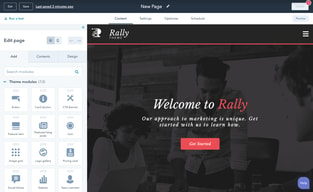
- Drag-and-drop editing with themes and modules, plus developer tooling for custom builds.
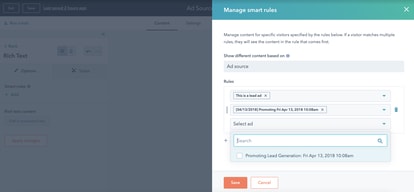
- Personalisation. Content that adapts to CRM data, which is the capability that justifies the price when used.
- A genuine free tier for up to two users, including launching a website.
Content Hub Pricing
Captured from HubSpot’s pricing page in July 2026 in euros; HubSpot localizes currency. Note carefully that the headline figures are promotional.
| Plan | Standard | Promotional | Seats | Credits |
|---|---|---|---|---|
| Free | €0 | — | 2 users | — |
| Starter | €20/seat/mo | €7/seat/mo | Per seat | 500 |
| Professional | €490/mo | €441/mo | 3 Core Seats, +€45 each | 3,000 |
| Enterprise | €1,470/mo | — | 5 Core Seats, +€75 each | 5,000 |

What actually determines your cost:
- Budget from the struck-through price, not the banner. HubSpot displays €7 per seat with €20 crossed out, under a notice reading “Save up to 65% on Starter… New customers only. Select offers available for a limited time.” The €20 is the price you will pay ongoing.
- The Starter-to-Professional cliff is the whole decision. Three seats on Starter is about €60 a month at standard rates. Professional is €490. That is more than eight times, with no intermediate tier, and it is where most Content Hub evaluations actually resolve.
- Professional’s three included seats soften it slightly. At €490 including 3 Core Seats, the per-seat maths is less brutal than the headline — but only if you need three seats and the Professional features.
- Credits are a newer meter worth watching. 500 on Starter against 3,000 on Professional. As HubSpot pushes more AI functionality through credits, this dimension is likely to matter more over time than it does today.
- The free tier is real but capped at two users. Genuinely usable for launching a small site, and a hard stop the moment a third person needs access.
- This is one product in a platform. Most buyers also pay for Marketing or Sales Hub, so Content Hub’s cost is rarely the whole bill — price the bundle.
Who Should Use Content Hub
- Existing HubSpot customers. The clearest case by a wide margin. If your CRM and marketing already run on HubSpot, putting the website on the same data layer removes integration work permanently.
- Marketing teams doing personalisation. Content that adapts to CRM data is the capability worth paying for, and it is genuinely hard to replicate with a standalone CMS plus connectors.
- Companies wanting one vendor and one invoice. Fewer systems, fewer integrations, fewer failure points.
- Small teams on the free tier. Two users and a working website for nothing is a real offer.
It fits poorly for design-led websites, where Webflow and Framer offer far more control at a fraction of the cost; for content-heavy publishing, where WordPress.com is cheaper and more flexible; and for anyone not otherwise using HubSpot, since the integration advantage is the only thing justifying the price.
Honest Pros and Cons
Strengths
- Unmatched CRM integration. Pages, forms, and contacts on one database with nothing to maintain.
- Strong personalisation. Content driven by CRM data, which standalone systems approximate at best.
- A genuine free tier. Two users and a live website, no credit card.
- Included seats at Professional. Three Core Seats bundled rather than charged separately.
- Reliable hosting and security handled entirely by HubSpot.
- One vendor. No integration layer between website and CRM.
Limitations
- An 8x cliff between Starter and Professional. With nothing in between.
- Promotional pricing dominates the page. €7 against a standard €20, new customers only.
- Expensive as a CMS alone. Professional at €490 buys far more website elsewhere.
- Less design freedom than Webflow or Framer.
- Free tier caps at two users. A hard stop for most teams.
- Credits add a second meter whose importance is likely to grow.
Content Hub Alternatives and How It Compares
- Webflow offers far greater design control and is the standard choice for design-led marketing sites.
- WordPress.com is cheaper and more flexible for content-heavy publishing, with a much larger ecosystem.
- Framer suits design-first teams shipping fast, at a small fraction of the cost.
- Wix and Squarespace are simpler and cheaper for straightforward business websites.
- Duda and 10Web target agencies managing many client sites.
- HubSpot CRM is free and the reason most people end up considering Content Hub at all.
For a broader survey, browse our web content management directory.
The Verdict
Content Hub is not really a CMS purchase — it is a decision about consolidation. As a website tool judged on its own, it is competent but constrained, and at €490 a month for Professional it is expensive against Webflow, Framer, or WordPress, all of which give you more website for less money. Nobody should choose it because it builds better pages.
The reason to choose it is that pages and CRM records share one database. A form fill becomes a contact, enters a workflow, and shows up in a sales rep’s view with no integration to build, maintain, or debug. For a company already running HubSpot CRM or Marketing Hub, that removes a recurring category of work, and it is the one thing a standalone CMS plus connectors cannot properly replicate. If you are already in the ecosystem, this is a sensible purchase. If you are not, the price makes very little sense.
Two things to be precise about before committing. The €7 per seat on the pricing page is promotional — new customers only, time-limited, with €20 struck through beside it — so budget from €20. And the step from Starter to Professional is roughly eight times for a three-person team, with no tier in between, which means the real question is not “which plan” but “do I need Professional at all”. Start on the free tier or Starter, and move up only when a specific Professional capability, most likely CRM-driven personalisation, is solving a problem you can name.
FAQ
Is CMS Hub the same as Content Hub?
Yes. HubSpot renamed CMS Hub to Content Hub, and its own pricing URL for /pricing/cms now redirects to /pricing/content. The rename reflects a broader positioning around content creation and AI assistance rather than website management alone. Older reviews and comparisons still refer to CMS Hub, and describe the same product.
How much does HubSpot Content Hub cost?
Captured in euros in July 2026: Free for up to 2 users, Starter at a standard €20 per seat per month (promotionally €7 for new customers), Professional at €490 per month including 3 Core Seats, and Enterprise at €1,470 including 5. Additional Core Seats cost €45 and €75 respectively. HubSpot localizes currency, so check your own market.
Why is the advertised Starter price so low?
Because it is promotional. HubSpot displays €7 per seat with a struck-through €20 alongside, under a banner stating “Save up to 65% on Starter” for new customers only and for a limited time. The €20 figure is the standard ongoing rate and the correct one to budget from, particularly since the discount does not apply to renewals.
Is Content Hub worth it if I do not use HubSpot CRM?
Generally no. Its defining advantage is that website pages and CRM records share one database, which removes integration work entirely. Without the rest of the HubSpot platform you are paying premium prices for a CMS that offers less design freedom than Webflow or Framer and less flexibility than WordPress, both of which cost considerably less.
What is HubSpot Content Hub best for?
Companies already using HubSpot CRM or Marketing Hub that want their website on the same data layer, particularly marketing teams doing personalisation driven by CRM data. It is a poor fit for design-led sites, for content-heavy publishing, and for any organization not otherwise invested in HubSpot’s platform.

Compare HubSpot CMS Hub with other popular tools in the same category.

Everything is in one place: with one tool I can control the content of my site, manage my contacts, send them emails and newsletters, and analyse visit and conversion statistics. Managing content with drag and drop modules is very convenient.
Sometimes I would like to have other page content modules, but these are not available by default or in the theme.
HubSpot CMS Hub allows you to easily edit the content of a page, or create a new landing page easily. This allows me not to waste time.
The HubSpot CMS is easy to use and is part of the complete HubSpot suite, meaning data flows seamlessly from the CMS to our HubSpot CRM, and into the HubSpot Marketing Hub. Our entire go-to-market team can stay aligned and united, armed with data and information in order to work as efficiently as possible.
In some cases there may be some functionality limitations when we're trying to do something ultra-customized, but for the most part we have not experienced any downsides.
We are using the HubSpot CMS to host our entire front-end website and blog, along with all of our downloadable content. We love that the HubSpot CMS Hub integrates so seamlessly with our CRM and Marketing Hub.
How it connects with all of hubspots other tools, so you don't need any developer resource to build your business in the early days at least
It's quite expensive for what it is. Although there are startup credits.
It allows me to create eyecatching content and websit epages
The flexibility in contact management, workflows, and synchronization between marketing platforms (email, social media, etc.) is all connected and work together to help potential customers go further down the funnel.
I think the only thing that I struggle with is the options for Hubspot Modules that don't come from third party sources. I do wish out of the box there came more module options including standardized options.
We are developing a new website and CRM tool for our customers and in doing so, want to connect everything to make a frictionless environment for our website visitors.
It;s integration with Popl Digital Business Card and Google Workspace.
I do not really findsomething to dislike about it.
It keeps all my leads, contact, deals and clients in one place.

The platform is very easy to use, it has great customer support and a host of customization that covers CRM, SEO, e-commerce, and very high security to ensure that your user data is protected. Implementation is also straightforward practically drag and drop.
For you to get the most out of the tool you need to be subscribed to the professional plan with would be pricy for most startups.
HubSpot CMS Hub provides an intuitive and easy-to-use interface for managing website content. This is helping our brand to update, edit, and publish content quickly and efficiently.
It's very easy to use yet very powerful. Lots of options on templates. Integrated with all other aspects of your marketing program. Great tech support. I could go on. Happy user. Can't begin to touch this functionality at the price point.
Sometimes the template options can be a bit limited on design elements.
Fast, easy way to build outstanding websites. Fast for blogs, landing pages, etc. Combined with other modules it's a complete marketing ecosystem.
HubSpot CMS stands out for its streamlined implementation process, bolstered by extensive documentation and a supportive community. The customer support is commendably prompt and effective. While there have been instances where not all questions were fully resolved, the overall support experience remains top-notch. The true strength of HubSpot CMS lies in its seamless integration within the entire portal, rendering many third-party applications nearly unnecessary. This integration, combined with its ease of use, makes HubSpot CMS an exceptional tool .
There aren't any major negative aspects or points of dissatisfaction.
It streamlines our content management process, making it easier to create, manage, and modify website content without needing extensive technical expertise. This ease of use has significantly reduced the time and resources we previously dedicated to website management.
The UI is pretty intuitive and straightforward. Easy to seer through and get used to the tool.
Nothing at this point. Pricing could be based on the geographical region and not standard across the globe.
Helped us test and try out customer use cases in our HubSpot account, to provide relevant solutions.
Automation Workflows Integrations Email marketing and reporting
Probably it is the lack of easy reporting
Blog content development and sharing
Trade associations have myriad needs in a CRM & Hubspot offers a one-stop solution that allows for new hires and existing staff to share an intuitive shared knowledge.
There are so many features, that it can be hard to describe to folks outside of the CRM world.
Data used to be siloed, which led to divisions in staff experience with the CRM. Now members & prospects can be accessed across the organization, streamlining ops.
My favorite features of the CMS are the ability to add personalization from the CRM to create customized pages.
Once a template is built, there is extra effort that needs to happen to be able to custom modules
It helps us bring all of our customer data into one spot. We aren't using disparet systems anymore and trying to push and pull data.
I feel like I have become an expert in moving websites into HubSpot. We've used it again and again because HubSpot CMS is a robust platform that's easy to customize and easy to use. The out of the box themes are a great starting point, and the new editing tool makes building beautiful pages easy. Best of all, it's straightforward UI means that even our most junior marketers are able to make content changes independently and without the need for dev resources.
If you want more control over your builds, you can use the more rigid HubDB structure for pages. The downside is it does require custom coding to set up and to modify down the road, but content additions can be easily controlled from that system.
Our old platforms were fragile and difficult to scale up with increased traffic. HubSpot CMS Hub manages all of our content delivery, delivering a fast experience for our customers.
We are a small marketing team with limited budget for engaging an external agency to build, expand, and maintain our website. We migrated away from Wordpress and use Hubspot CMS and we won't look back. It is extremely easy to use if you know limited code, and integrates with our other Hubspot Hubs (Marketing Hub and Sales Hub). All data is in one place and helps us report and track prospect and customer activity across all of our different touchpoints. Hubspot CMS is reasonably priced for what you get, and we havent had a need to use an agency for web work or hosting. The onboarding team was AMAZING as well and made our website migration super smooth, and ensured we were off to a great start.
I don't have anything I dislike or feel the need to call attention to. Overall it has been a smooth experience migrating our website to CMS, creating webpages and blog posts, including forms (and associated workflows), and Hubspot support is super helpful and responsive. We purchased a theme through their marketplace and that developer is always improving the theme itself.
We don't need to engage an agency anytime we need a change and now maintain our website ourselves (saving time and $$$). We're able to edit and add content ASAP and eliminate bottlenecks. It has also helps us begin to track which content is performing best and who is visiting our website, so we have better marketing metrics and data for sales.
The HubSpot CMS is a powerful tool to keep track of your relationships, follow ups, engagement and history of contact. It's easy to use, intuitive, and helps a small business keep contacts organized and insightful. You can customize the fields you use so the CMS does what you need it to do.
The only downside is you have to remember to save a note in the contact entry.
I keep track of my clients, their activity with my marketing outreach, and track engagement and interest. I am able to keep track of client notes and follow up efficiently.
Everything is simple and easy to figure out. You don't have to know any code or what's happening in the background. If you can write a word document, you can build pages in Hubspot.
I can't think of anything I dislike. It's all good.
It's so much easier to work with than other CMS's I've used.
The thing I like best is that its a one stop place for all my campaigns. Its easy to use and delivers the most bang for your buck! I would recommend HubSpot to anyone that is trying to deliver results but doesn't know where to start.
There is nothing currently that I dislike from Hubspot CMS Hub. Being at INbound 2023 and seeing the constant upgrades that they are making makes be believe they are the best in the business.
It is assisting me in making swift changes without having to double check so many other notes/files.
I don't think I use every feature in the HubSpot CMS because there are so many. So I like that there is such a big support community around HubSpot to help me find answers to my questions, and also provide tips and tricks to make basic tasks easier.
I am an admin for my company's HubSpot account and sometimes I feel that adding a new user can be complex when I try and limit what the new user will have access to.
Non technical users can easily create new webpages or landing pages which helps to split up the task load amongst our team.
easy to use and easy to customize experience even when you are not a coder. I recommend this tool for anyone looking to do more without having to heavily train in website creation.
There is currently nothing I"m unhappy with in the CMS.
The primary problem this solves for me is providing an easy to use and easy to edit website for my clients.
I think it's an amazing platform, strong and versatile plus it's easy to use for every marketer worldwide
I would like for there to be more themes available
Marketing
I think it's the ability to be able to track all customers in one spot. I like the fact that there are a lot of features that allow a small business like myself be able to use features to build our sales and dev pipeline.
Downsides at the moment none. Still learning.
Haven't used it enough to be able to see what problem we are trying to solve.
HubSpot is an incredibly user friendly platform. I love that it procides you with all the resources you need to succeed, from an incredibly engaged CSM to a library of training videos.
I can't really say at this point that there is anything about HubSpot I dislike. It's been a great experience.
Easy to use and create laning pages, marketing automation, and content creation.
The drag and drop widgets provide fast and easy training for my marketing team. HubSpot admin do less worrying about backend maintance and focus on future implemenations.
In genernal and across all website, email, and landing page updates, it would be nice to have advanced warning or see who has the edit page opened. Providing warning to both parties will avoid versioning issue or error message.
HubSpot CMS has provided ease of use and marketing team members with no technical knowledge can easier learn and update pages. This can free up my time from the technical support perspective.

The user friendly interface makes it easy to use and learn. The CMS does everything I need when it comes to management, audience segmentation, data analysis, and marketing communications.
Some simple elements like using contact properties for surveys would be useful.
It's making it easier to connect with our audiences, gain insight into those groups, and communicate with them directly.
the ease of use and transparency in customer data
we are still missing key plug ins to have more collaboration internally
currently we use hubspot to keep track of customer funnels and crm follow up and increase productivity of our sales rep

It is an intuitive platform, allows extreme ease of use for making edits on the website. Love the analytics that we are able to see, it was the missing piece for making a one stop shop for all things digital.
Truly not much! There is the occasional bug with designs but nothing that can't be resolved quickly and efficiently.
It eliminates the need for having multiple platforms. It allows for HubSpot to be a one stop shop for everything Gaggle does for digital marketing!!

How you can access information through multiple avenues. Everyone doesn't have to do it the same way
Some the wording doesn't work for the finance industry
Na
Easy to use, intuitive -- very nice!!!!!
N/A -- read above response! I am satisfied
It helps us manage our website more easily

I love the robust features and the ability to custom to my organization.
All features not available in all tiers can sometimes get frustrating especially when there's only 1-2 things I need on a higher tier plan, I cannot satisfy the cost.
Allowing us to have a centralized system that mirror HubSpot or allowing my business to have a robust database.
It is literally the best website builder drag and drop interface we have used. Love the themes.
It is constantly being improved so sometimes improvements surprise us! In a good way.
Building and maintaining websites quickly. And training marketers on maintaining their own content.