
Unclaimed: Are you working at Demio?
Demio Reviews: 4.6/5 — Highly Rated
Demio is a webinar platform designed in mind with helping marketing professionals generate leads by leveraging powerful personal conversions. The software offers a wide arrange of features that can help create, host, and market webinars effectively to support business growth. The platform also offers comprehensive tools that ensure everything a user needs to host a full-scale event is within reach. From webinars to Q&As, live webinars to meetings, users can enjoy seamless HD streaming. Additional features include automatic replay viewer and analytics to measure webinar campaigns.
| Capabilities |
API
|
|---|---|
| Segment |
Small Business
Mid Market
Enterprise
|
| Deployment | Cloud / SaaS / Web-Based |
| Support | 24/7 (Live rep), Chat, Email/Help Desk, FAQs/Forum, Knowledge Base, Phone Support |
| Training | Documentation |
| Languages | English |
Demio Pros and Cons
- Offers easy email integration and automation with event reminders
- Distinct waiting room experience
- Comes with extensive marketing features and webinar tools to support lead generation
- Added cost for over 50 live participants
- Doesn’t offer a registration page making it difficult to determine number of attendees


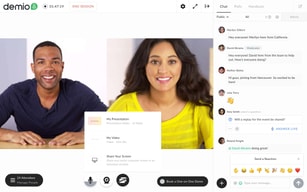






Demio Review: Is This Browser-Based Webinar Platform Worth the Hype?
In the past few years, more and more industries started adopting online solutions for traditional in-person events and campaigns. Webinars are at the helm of this transformation. 95% of businesses believe that webinars are an important part of their marketing strategy, and it only makes sense. The average conversion rate for webinars is 55%.
But you can’t pull off a successful webinar with Google Meets. You need a lot of extra tools to engage your audience and promote your products. That’s where Demio comes in. It’s one of the best webinar platforms, and it can help you kickstart growth with live and evergreen events. Keep reading our Demio review to find out more.
What is Demio: A Quick Overview
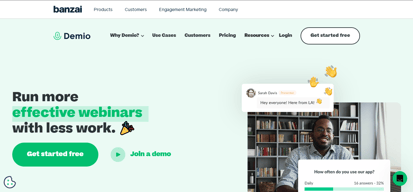
Demio is a webinar tool that simplifies hosting events online. Its features, integrations, and design are all focused on ease of use. After rigorous testing of Demio, I can confidently say: you’ll be hard-pressed to find a cleaner interface in webinar apps.
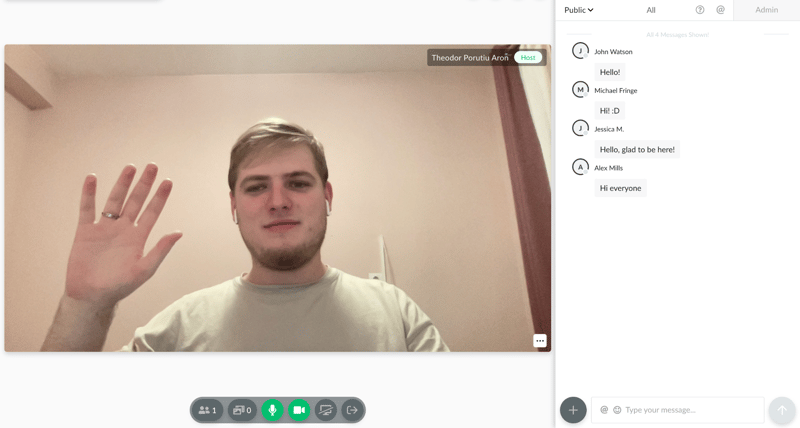
Not to mention, all of it happens in your browser. We love that. Demio lets you and your audience focus on the value you bring. You don’t need to worry about the tech side, you just need to plan and host killer webinars.
And it manages to do all of it without stripping too many features. You get decent options to plan events, create automated evergreen funnels, interact with your audience, and even get advanced analytics about your past webinars.
It’s not a perfect tool. We’re not big fans of its pricing, and you do sacrifice a bit of customization here and there. But all in all, it’s a decent choice. You can try it today with a 14-day free trial, and no credit card is required:
Background on Demio
Demio is made by Banzai, a company that creates lightweight, yet powerful engagement marketing tools. Demio was launched back in 2014, and it was made by two marketers from Florida that wanted a webinar software fit for their needs.
Demio grew a lot since then. The Banzai team actively works on the app to make it better based on community feedback, which is a big perk when looking for any kind of software.
There’s a lot of value in tools built by people that want to use them. That’s what Demio is. And it’s part of the reason it was recognized as a Software Advice Front Runner.
But what makes it so great? Let’s dig in.
Getting Started With Demio
The platform itself is very intuitive. If you scroll through its dashboards for 10-15 minutes, you’ll know everything you need to host your first webinar.
On top of that, Demio created a pretty innovative starter guide. You’ll be invited to join after sign-up:
And I recommend you do. It’s a mock webinar, complete with simulated participants, and videos that explain how to host an event. In just 10 minutes, any new user will learn the ropes of Demio, regardless of experience level.
If all of this isn’t enough, Demio’s support center can help too. They have a solid knowledge base, fast response times from live chat support agents, and a University section where you can learn more about how to make the most out of Demio.
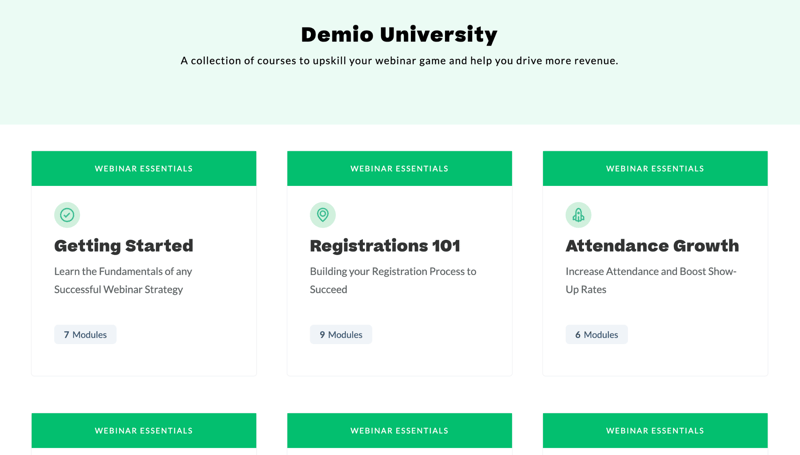
Overall, this is one of the easiest webinar tools I’ve ever tried. If WebinarJam, Livestorm, or GetResponse ever felt too intimidating, try Demio.
Key Features
Although it’s easy to use, Demio doesn’t chop features left and right. It has everything you need to create, promote, and host successful webinars. Let’s go over its main features.
Dashboard
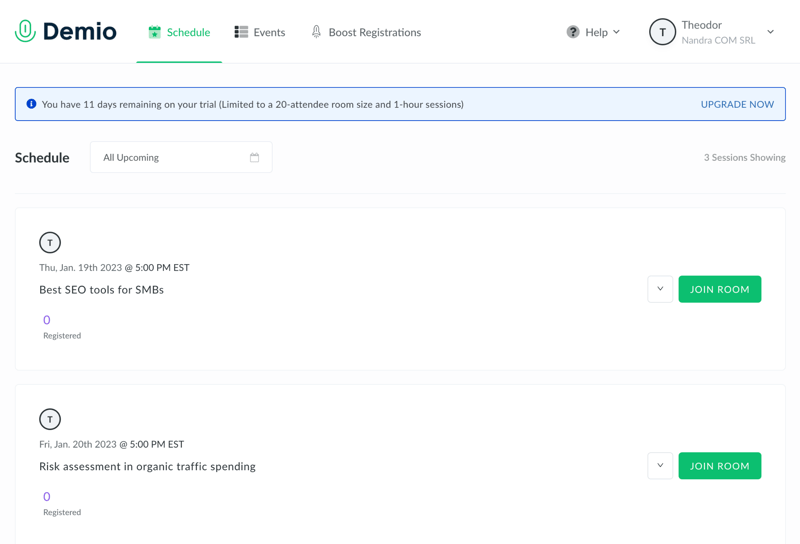
The main dashboard is where you can see the schedule of all of your upcoming sessions, as well as create new events, and adjust your profile settings.
Right off the bat, you’re not overwhelmed with options. You can do a lot. But in this initial dashboard, you only see what’s most important. To get started, you can click on your name in the top-right corner to open your settings. Here, you can modify things like your branding:
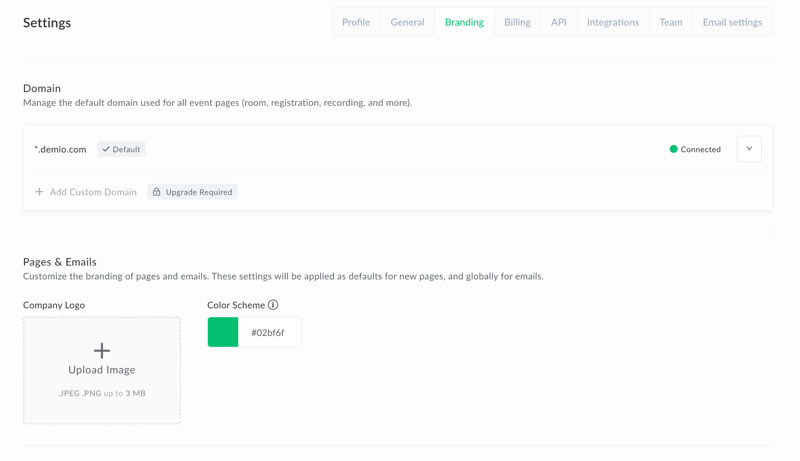
It’s also the place to manage general account details, integrations, or API. But we’ll talk more about them in a bit.
There are some settings you’d expect to see here, but they’re missing. For example, you can’t create general templates for emails or registration forms. You need to create an event, and then design pages or emails for each event in particular. But all in all, we’re off to a good start.
Easy event customization
After you create an event, you can build landing pages and emails to promote it. All the promotional options you have are available in the “Customize” menu:
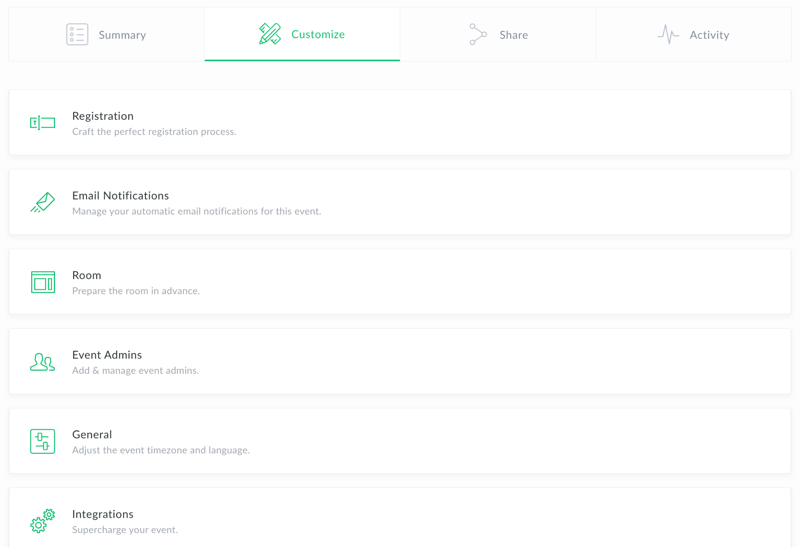
The most useful feature is the registration page, which makes it very easy to create a professional sign-up page in seconds. Unfortunately, the builder is pretty limited. It only has a tiny library of pre-built elements that can be added to any page.
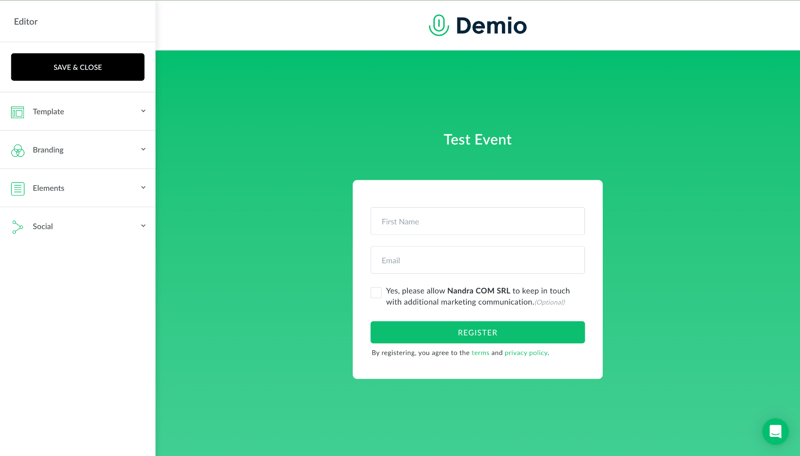
So it’s not comparable to a fully-fleshed page builder. If you want something more customizable, you’ll need to create the registration page with something else, then integrate a lead collection tool with Demio.
But Demio’s registration pages can help in a pinch. They’re clean, well-designed, and easy to deploy. All of them have a thank you page, and you can seamlessly embed it into your own site.
Email reminders are pretty much the same. You can send them at different intervals to improve attendance at your event:
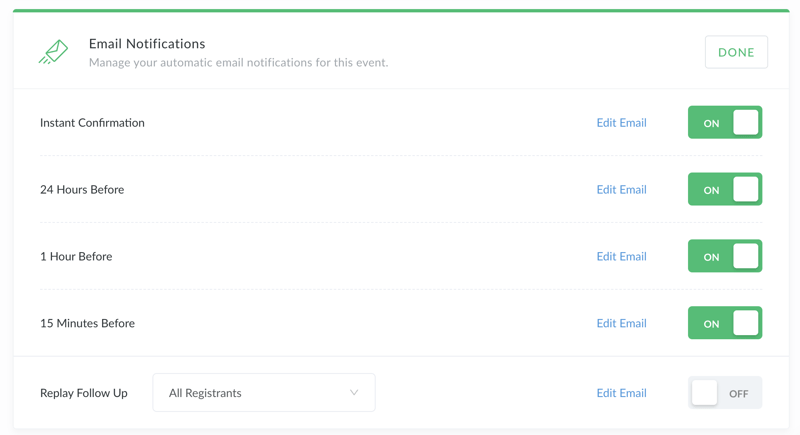
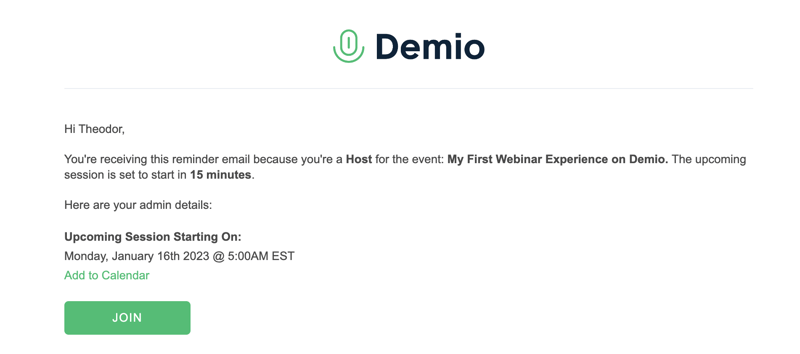
But don’t expect advanced email templates. You can’t edit much beyond the text. All emails you send with Demio look like this:
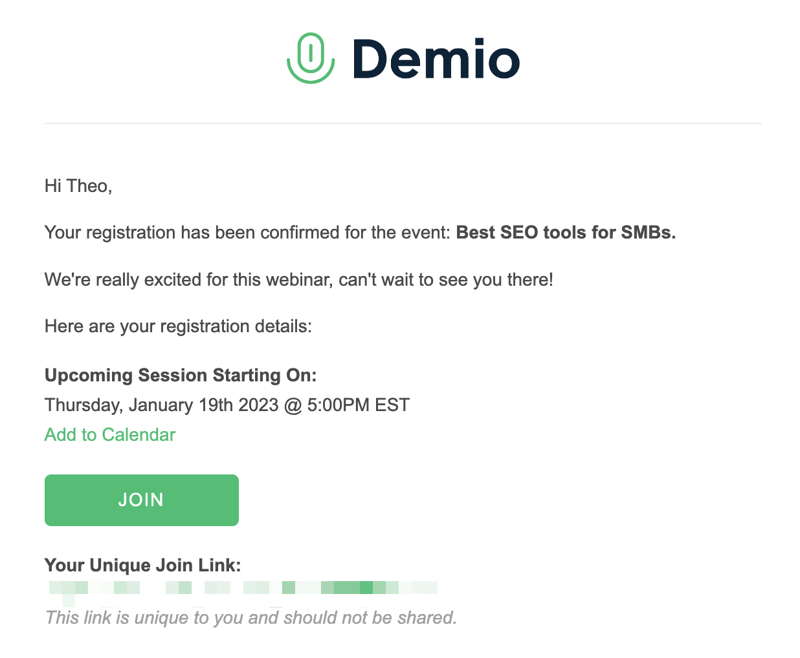
So they’re a decent option as a reminder. But not as promotional emails. If you want to do serious email marketing, you’ll need a tool like Mailchimp.
Besides pages and emails, you can also customize your webinar materials in advance. You can use Demio to create polls, handouts, and calls to action (called featured actions). These are saved to your event, and then you can seamlessly throw them up during your presentation.
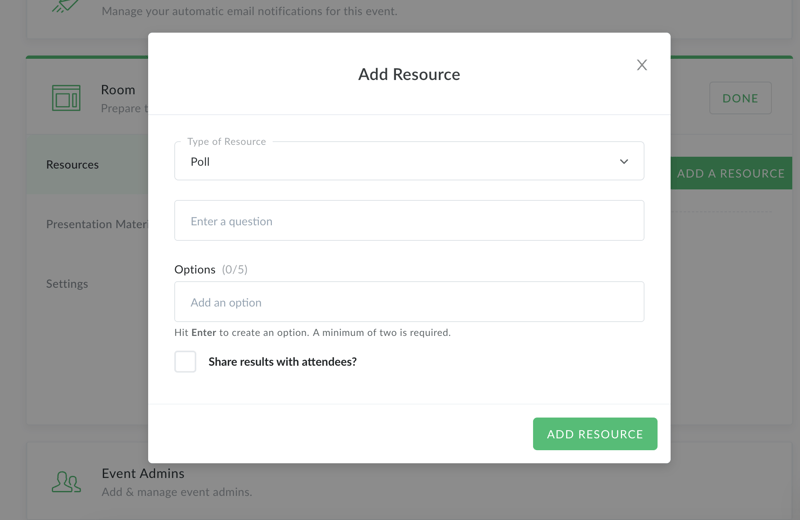
You can also upload presentation materials like videos or slide shows. They’re easy to add to events and showcase during a webinar.
Events
There are three types of events in Demio: standard, series, and automated. Standard events are just live webinars that you can plan and host straight from the platform. Series events are a bunch of live events that take place with the same group. Automated events are evergreen webinars that run on their own.
They’re all equally easy to create, and easy to access. From our tests, we also found that Demio events look great in any browser, even on mobile.
Live Webinars
Live webinars are Demio’s core feature, so we’ll spend some more time explaining how they work. You can join a planned live webinar from your schedule, and kickstart the session from the top-left corner of the screen:
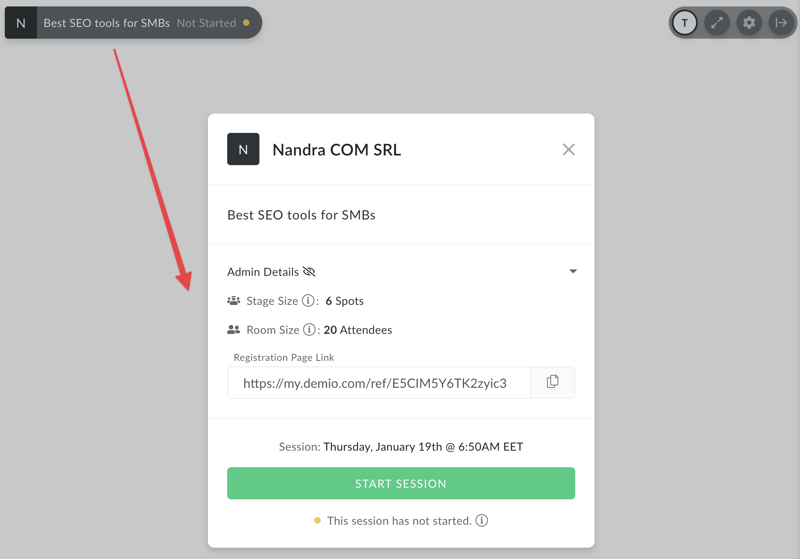
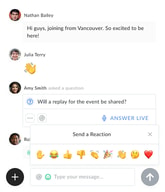
Interacting with your audience after you started the session is very easy. You can see the chat in the right tab, and you can easily delete messages, or mark them as a question to highlight and address them:
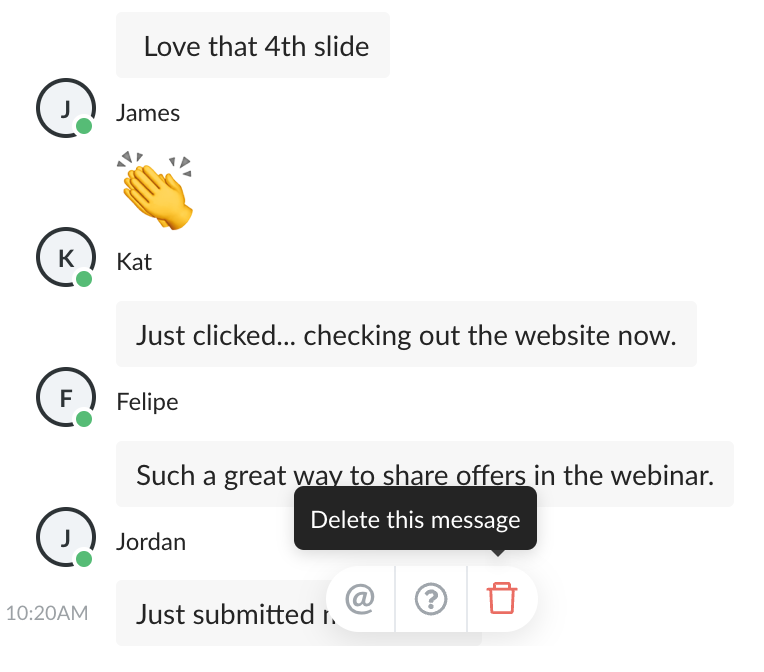
You can also start a private chat with anyone, or switch over to the admin chat if you want to talk to your moderators.
What you see is very similar to what your audience will see, bar from the moderation options. They can also choose to ask questions, instead of just typing in chat, which will highlight their query.
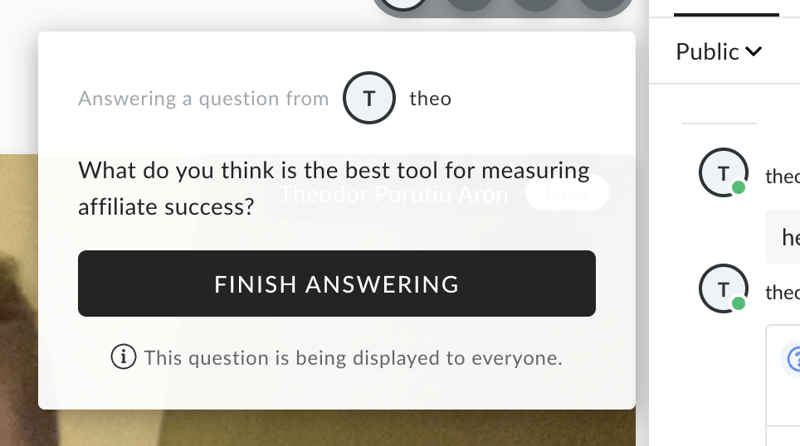
This makes it very easy to engage your audience during a webinar and keep chat interactions structured.
As a host, it’s also easy to share videos and slide shows:
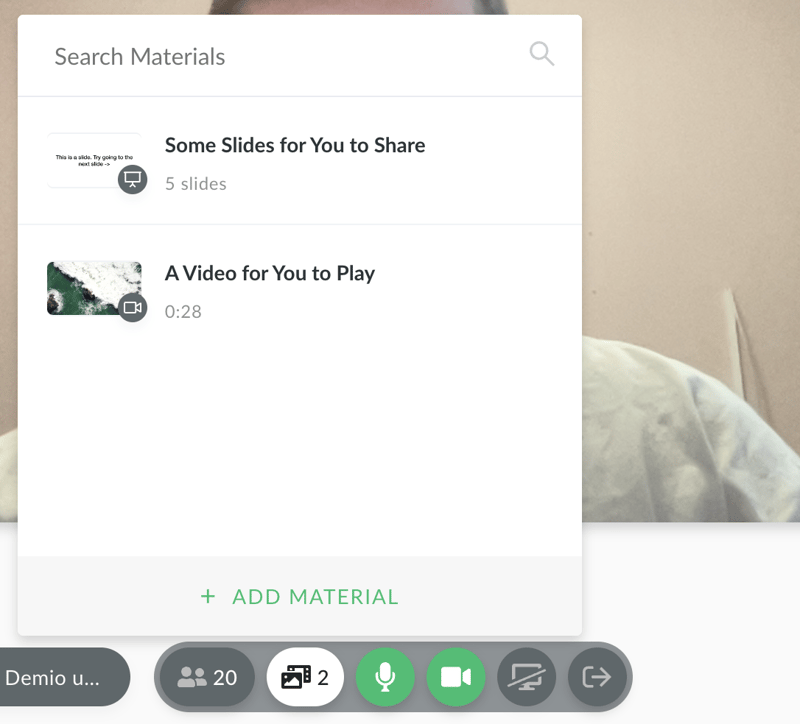
Unfortunately, you don’t get any control over how these are displayed. They’ll take up most of the screen, and you’ll be on top of it. That layout might work for most people. If you want more control over this kind of thing though, you won’t get it from Demio.
You can also share your screen, much like you would in Google Meets or Zoom. What I really like though is that you can quickly switch from the tab you’re showing:
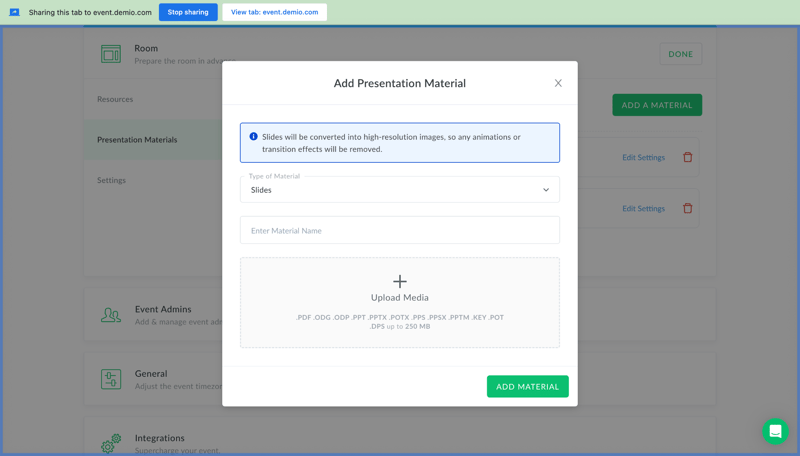
To the webinar tab, with just the press of a button:
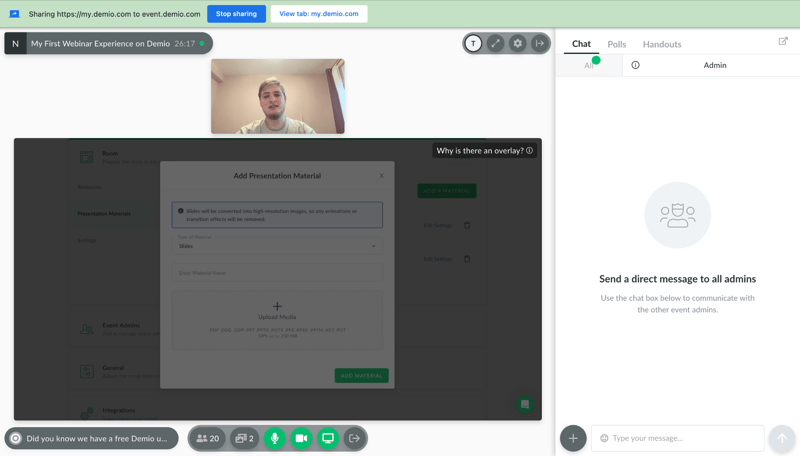
You can share other materials from the bottom-right corner of the screen. These include downloadable files, polls, or featured actions. You can pick one that you created beforehand, or even create new materials mid-webinar.
Files and polls are good to have, and they’re industry standard in webinar software. So are calls to action, but I really like the featured actions here in Demio. They’re easy to create:
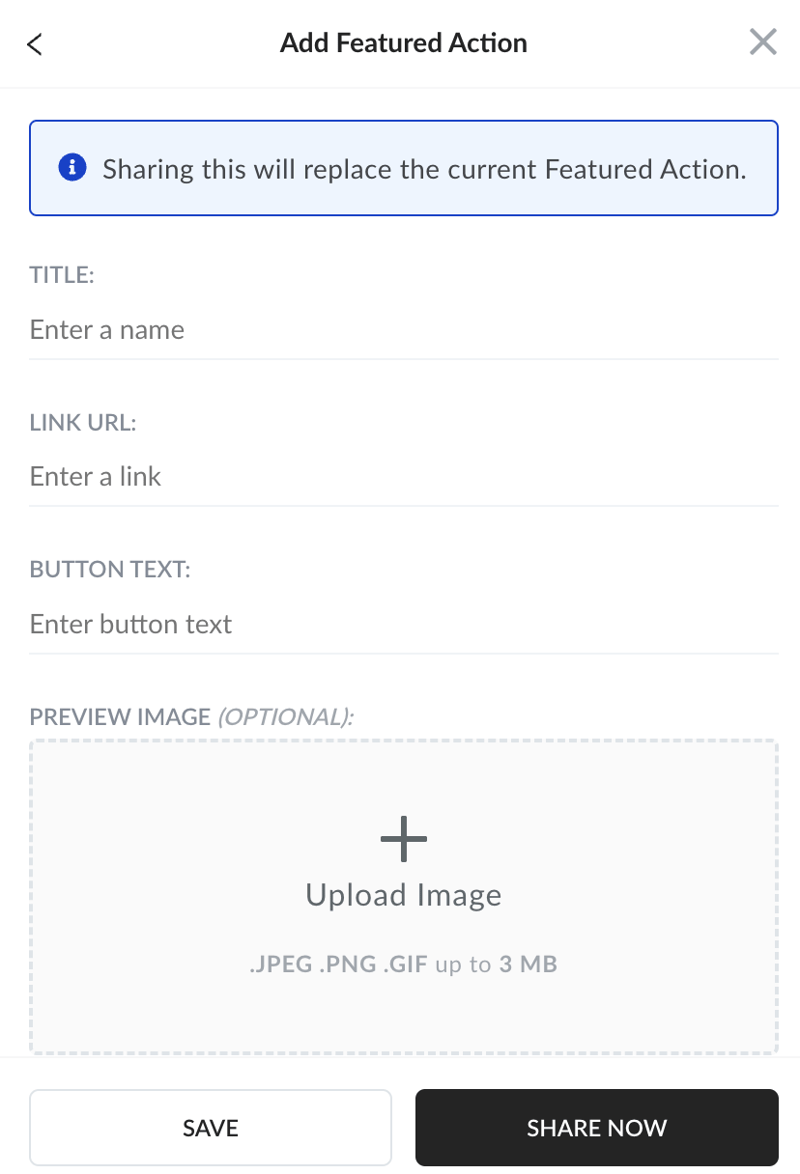
And throw up on the screen at the right moment:
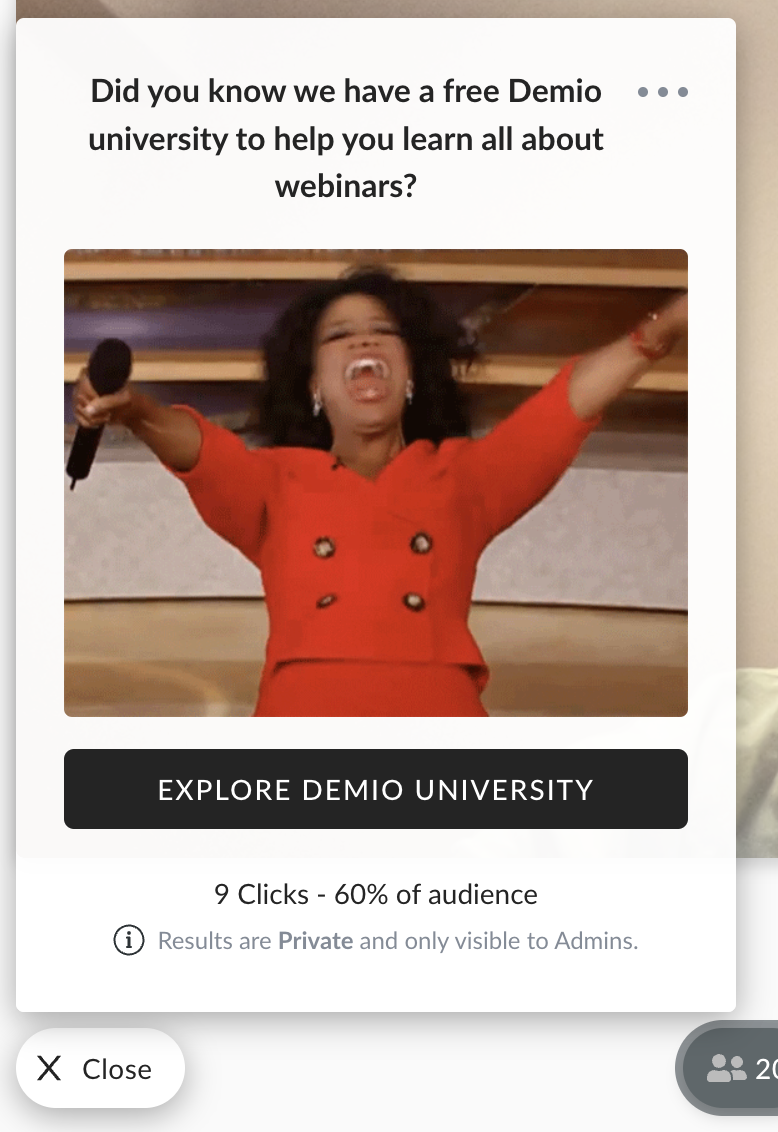
The way you see it as a host is exactly how your audience will see it. This isn’t a revolution in marketing, and experienced users might miss some advanced settings, like the ability to A/B test. But it’s still a very easy way to push your audience down a funnel.
Live events aren’t as customizable as some experienced users might want. But all in all, they’re pretty easy to pull off, beginner friendly, and can be extremely effective.
Automated Events
Automated events are quick to set up from the main dashboard. You can turn older live events into automated webinars, or upload any recording of a webinar you have.
After you upload a video, you can edit a few details about your automated event. You can set up registration and reminders in advance like you would with any kind of Demio event. And you can also automate resource sharing during the webinar:
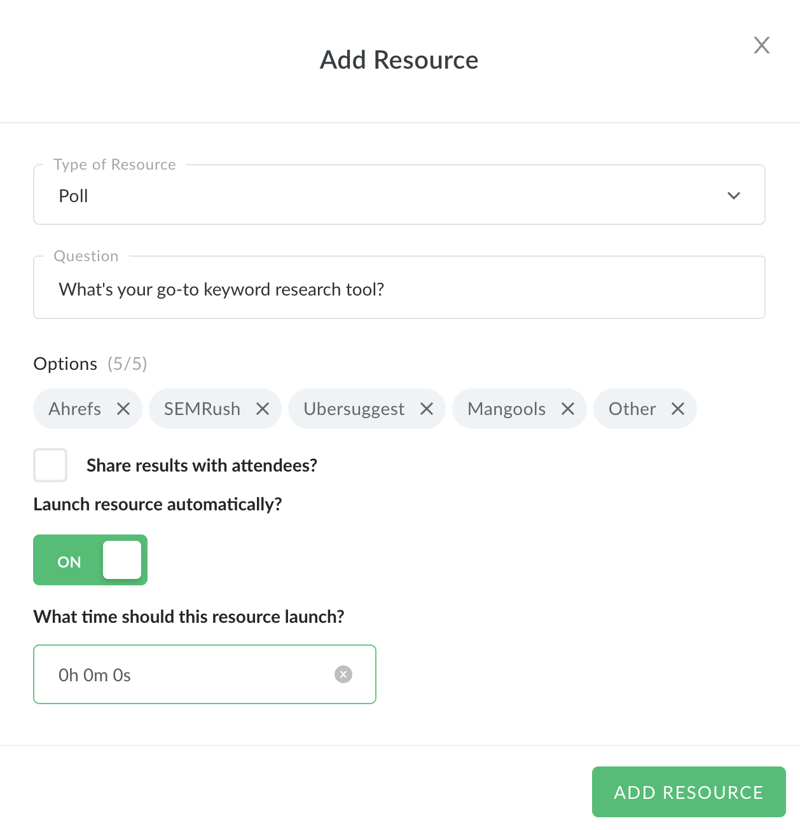
If you want, you can join the event at any time, and interact with anyone in the chat. But you don’t have to. With a little bit of prep, this funnel will work on its own. It’s a very powerful evergreen tool. But unfortunately, it’s not available in the cheaper Starter plan.
Post-Webinar Tools
Demio’s post-webinar tools are stellar. You can get a replay of your event the second it’s over:
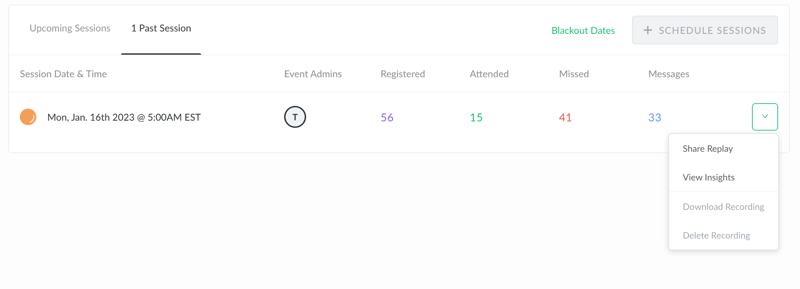
And share it instantly with different segments of your audience. Moreover, you can access insights about your event:
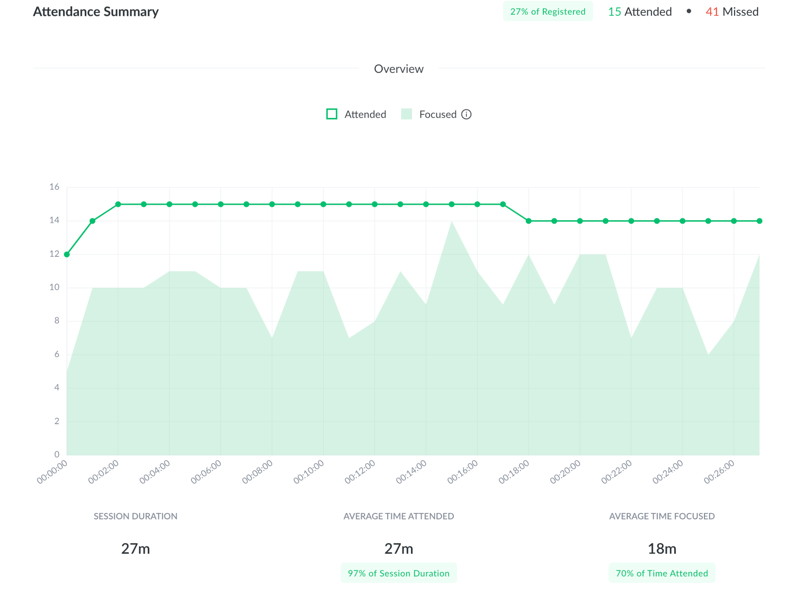
The general analytics are useful. You can see how many people registered, how many of them attended, and even when people generally closed the webinar. This can help you fine-tune your sessions and improve your conversion rate.
On top, you can get a detailed transcript of all messages in the event, as well as a breakdown of each participant, when they logged in, and other useful details:
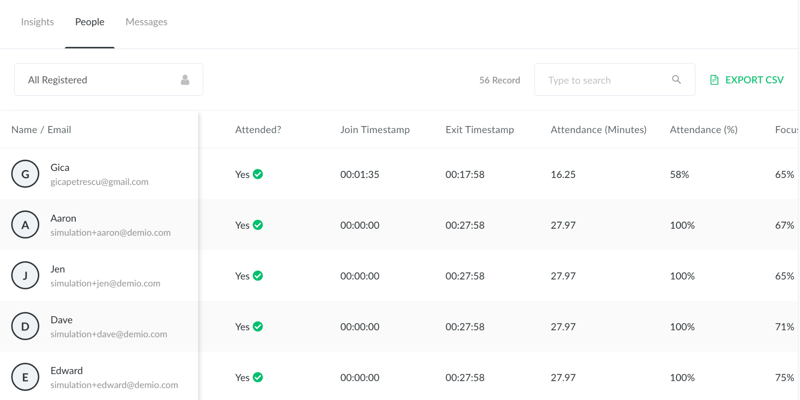
Demio analytics won’t be enough for data junkies. But for most businesses, these insights are good enough to optimize both live and evergreen events.
Integrations
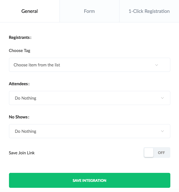
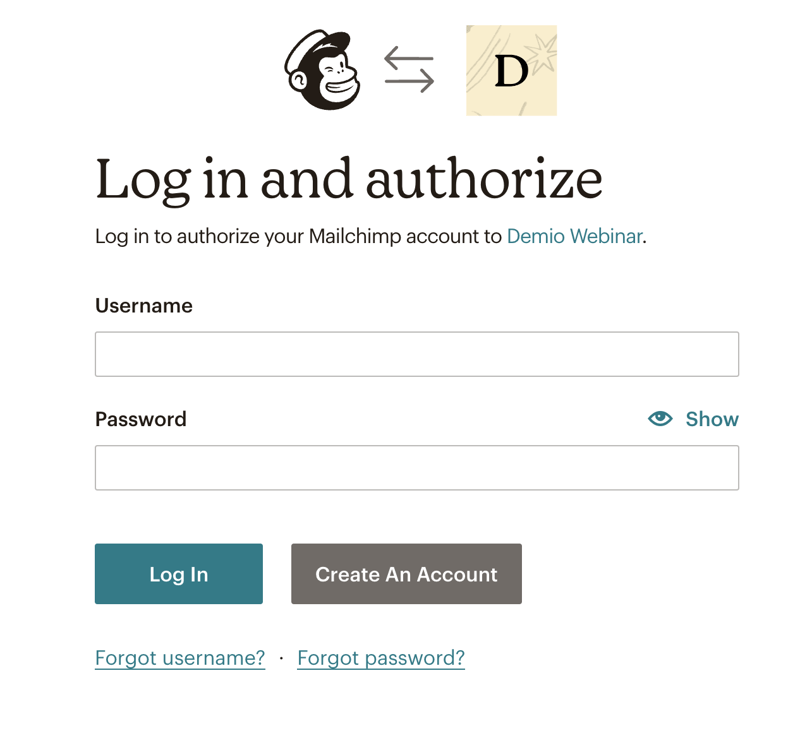
It’s very easy to integrate Demio into your existing suite. You get basic integrations like Mailchimp or GetResponse. And you can easily connect your accounts by pasting an activation key, or logging in:
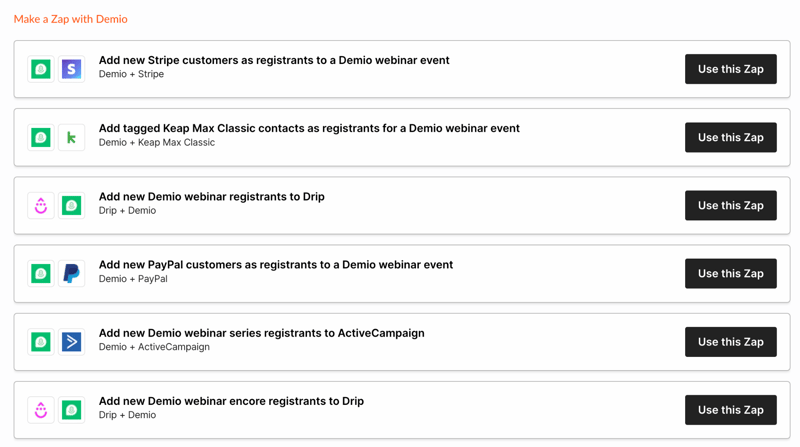
Demio also integrates with Zapier, and you get a ton of pre-made Zaps. With a little bit of work, these can set any webinar on autopilot.
Demio itself has an API key for you to integrate into other apps. And it’s really easy to add integrations to existing events when you plan a session.
Demio Use Cases
Demio has plenty of use cases. We tried to showcase what it can do in this Demio webinar review. But to make things clearer, here are three distinct use cases:
Your marketing team can use Demio for simple and evergreen campaigns. It features a bunch of marketing automation features, as well as readily-available data for how a session progressed, its ROI, and where people dropped off.
Demio can also be used for sales demos, whether live or “simulated live” with automated events. The actionable data you get helps with funnel optimization and improvements to the sales pitch.
Lastly, Demio’s webinar can be handy to customer success teams. Live sessions are perfect to welcome non-techies, and automated events are a great onboarding method for new customers. Its data can also pinpoint potential brand ambassadors based on event engagement.
What makes Demio stand out from other webinar platforms?
Demio does a lot of things right. Its webinar interactions are seamless, sharing materials with participants is easy, and the data you get is very useful. Not to mention, you can manage both live events and evergreen webinar funnels from the same app.
But Demio stands out thanks to its ease of use. The interface is self-explanatory, no dashboard is bloated with hardly-used features, and beginners can make the most out of it without extensive training.
Demio Pricing
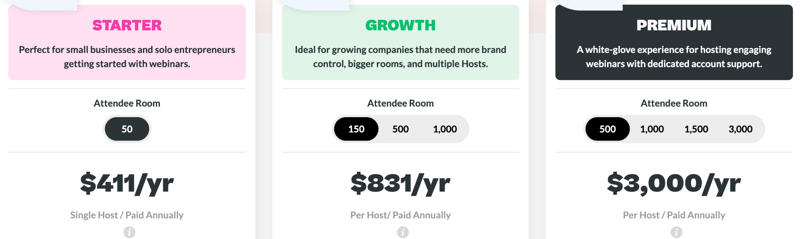
We’re not big fans of Demio’s pricing. It’s not expensive, Demio’s price is average. The problem is that the Starter plan lacks a lot of Demio’s core features. Unless you get the Growth plan you’ll miss out on things like automated webinars, advanced tracking by registration source, or custom branding.
Demio is a smart choice if its feature set meets your needs. Here’s what each pricing plan features:
Starter:
- 1 host limit
- Standard webinar features
- 3-hour limit on sessions
- Live and Event Series
- Standard support
Growth:
- 5 hosts limit
- Everything in Starter
- Automated events
- 8-hour limit on sessions
- Custom room, forms and email branding
- Registration source tracking
Premium:
- Premium integrations with Hubspot, Salesforce, Marketo, and Pardot
- No limit on hosts per account
- Everything from Growth
- Custom domains
- 10-hour limit on sessions
- Priority support
- Access to Beta features
- Dedicated Account Manager
See Demio pricing for current rates.
Summary of Demio’s Pros and Cons
Pros
- Easy to use
- Live events and evergreen content in the same app
- Easy to host and interact with your audience
Cons
- Some users reported bandwidth issues
- Limited customization at times
- The starter plan could do with more features
In our tests, we mostly appreciated Demio’s ease of use. Beginners or non-tech-savvy people will be able to make the most out of the app without any specialized training. Best of all, Demio doesn’t sacrifice too much control for this ease of use.
On the other hand, the lowest pricing tier doesn’t really feel like “Demio.” It’s a bit stripped of features. And if you can’t rely on your internet connection at all times, you might want to look into Demio alternatives. We haven’t experienced any issues with connectivity, but multiple users reported problems with this.
Quick Conclusion
Demio is a reliable webinar tool. If you’ve ever felt stumped by its more complicated cousins, you should really give it a try. We hope our Demio review helped you see whether or not it’s the right pick for you.
If you’re still not sure, here’s the bottom line: Demio is not skimping on any crucial features, and you can use it without a degree. If that sounds like a great deal, check it out with a free 14-day trial, no credit card required:

Compare Demio with other popular tools in the same category.
There is a lot that I love about Demio. I have been using it for over three years and it has continually delivered an excellent experience everytime. Having run 100s of events and spent $100,000s in ad spend to my Demio events here are some of things I like the most. - extremely tidy user interface at every point. For both presenters and attendees. - it is very quick to set up and manage my events. The logical layout is excellent and the settings load quickly. - it has excellent user experience for event attendees on the mobile device. I find this to be surprisingly rare amongst the competition. - it has the full set of foundational features that you need inside of a webinar tool. Specifically, tidy chat area that enables both public or private chat depending on your preferences and settings. The ability to engage in one on one chat with attendees, it has an excellent Q&A feature that lets you mark questions and answer them during Q&A time. It has a great featured action feature that lets you promote your offer so that attendees can click through and take action. As well as polls and handouts etc... (I am continually surprised by alternative platforms and how they lack basic features when compared to Demio.) - best in class for customer support. You can chat to their team via webchat instantly at anytime of the day or night any day of the week! This has been amazingly helpful for us knowing that the team is there to help us overcome obstacles and answer our questions. The support is detailed and connects departments to provide insight and resolve problems. - the price is very good as well when compared to alternatives.
A few things that I would like to see developed. - direct integrations are a bit limited. It would be great to have more direct integrations with a wider range of CRM software. Or a webhook. - It integrates very well via zapier. However zapier is expensive and it would be great if they had more robust integrations with other automation tools such as make.com or via their API. - updates to the integrations are currently on the roadmap... Hopefully it will come soon.
Demio is a key marketing tool for us. It is helping us to connect with our customers and to build rapport using the webinar format. It is making is easy for our attendees to join us for our events.
So user friendly and excellent support when needed! Great number of features for the price.
Haven't had any issues or concerns with it yet!
The ability to provide recorded workshops and make money without having to spend time doing workshops live every week!

I love the customization options for the event itself as well as promotional tools built in.
Because it's a browser based application, the event is more suceptible to problems with internet connectivety between presenters and panelists.
It helps create a custom branded event with CTAs, polls, featured actions, and resoures that are all really easy to trigger during the live event.

Demio is an easy-to-use webinar tool that makes it easy to host panel-style discussions with on-screen presentations. I use the tool for co-branded webinars, and my guests always have an easy time learning the interface. The public chat is intuitive, and I like the poll options and ability to mark audience chats as questions to return to later for Live Q&A portions. The audience insights and auto-recording for later distribution are excellent tools, demonstrating the length of participant viewership, focus, and dropoff points. I also pair Demio to Hubspot events through Zapier integration, making it easy to connect to my marketing tools and Salesforce CRM.
Not a dislike so much as a feature request - it would be nice if both the live webinar and the recording had options on how to position panelists and on-screen presentation materials. I believe they are in fixed positions right now.
Demio helps me to conduct live webinars with our business partners to large audiences (several hundred participants at times). It allows me to share slide presentations, conduct polls, and engage with audiences in a chat. These tools help drive new customers and inform them of the benefits we offer.

Demio is a webinar and event platform that helps businesses and organizations host interactive online events, including webinars, workshops, and conferences. It offers a range of features that make it easy to engage with attendees and provide a professional online event experience. One of the standout features of Demio is its user-friendly interface, which makes it easy for anyone to host a webinar, regardless of their technical expertise. The platform also offers a variety of customization options, including the ability to brand your webinars with your own logos and colors. Another notable feature of Demio is its robust integration capabilities. It integrates with a wide range of popular marketing and CRM tools, including Google Calendar, Mailchimp, and HubSpot. This makes it easy to promote your webinars and manage your attendees.
It may be a bit pricier than some of its competitors. However, it offers a free trial, so you can test out the platform before committing to a paid subscription.
It is designed to solve the problem of hosting professional and engaging online events, which has become increasingly important in the age of remote work.

Demio is a software that I like for a variety of reasons, but mainly, I like the number of features that it provides for a great webinar experience. It has beautiful templates that help promote the webinars and collect information from all the participants; this way, it is easier to cater to each person individually and create a nice experience for them. Another tool that became my favorite is the fact that I can create different polls and have the choice to keep them anonymous or share them with everyone else; it is easy to raise engagement with this kind of tools that are easily available to us. There is also the option to let people ask questions that can be answered to during the live wbinar, which keeps everyone focused and engaged in the webinar. i like the fact that Demio is so easy to use, and it has many tools to make the webinars so interactive and successful.
I really like using Demio so far, and I haven't found something that I dislike about it. It works really great, and its platform is very user-friendly and easy to adapt to the business. The only negative thing that I would say is about the pricing plans available, I feel like they are a bit on the expensive side compared to other solutions, but I think it is worth it as it provides so many tools and guides you through each of them, making the use of the software so much simpler.
The main problem that Demio is helping solve is the amount of engagement that we get during our webinars. We have recently started using Demio, but we have already seen great results when it comes to the way that our participants engage; our webinars have become more interactive and overall more fun to be in. It has also facilitated our planning process. It is easy to plan a webinar from scratch with Demio's easy user interface and its unique tools, it makes all the work to be done easier and faster, and it provides a better experience for everyone involved.

The featured actions and ability to prepare the assets ahead of time is bar none. No other webinar platform I looked at has an elegant and non-invasive CTA popup like Demio has. We're able to use our own UTM'd links and see who clicks through and engages with certain content. We've driven registrations for future events as a result of the Featured Actions feature. The customer service is top notch too. I get fast and friendly responses.
Nothing really. Sometimes the video quality can be a bit unstable but I'm not sure if it's because of the panelists' on wifi. For the most part, I try to prep my speakers ahead of time to ensure they have reliable, stable wi-fi and good cameras and mics to ensure the highest quality.
Demio helps us deliver a cool audience experience with a clean interface and emojis. On the backend, I love being able to see engagement in real time and pre-load assets. This helps us better engage our audience members and get repeat attendees.
The upsides of using Demio are that it's easy to host live sessions and pre-recorded sessions as needed for your business. Also, during any session, the platform lets users download additional materials, but also gives you data on the engagement on the download links from the audience. Without covering the main presentation, Demio has a separate handouts section as well which makes sure there is no distraction from the main presentation. The biggest advantage IMO is the in-browser app vs a downloaded app to join a session. It removes another hurdle for a prospect to take when signing up for a webinar.
One downside is that the emails are not very customizable. However, they are simple and ok as a first set of email series for invites and follow-ups. I wish the button could be customized to followup attendees and non-attendees with different links rather than just the recording.
It allows us to provide a 1-to-many onboarding experience for new users, saving time for our sales and support teams. This will enable them to focus on servicing more nuanced questions from users.
It's web-based which makes it easier for attendees to join, very user-friendly and intuitive for both event organizers and attendees
Some webinar features are not as comprehensive as other platforms yet (ability to customize recordings, etc.) but they are continuing to improve
Solved our problem of finding a webinar platform that's easy to use for hosts, user-friendly for attendees for a fair price. Our webinars run much smoother now
Compared to the other platforms I researched before choosing Demio, this one is straightforward, and the support team is extremely helpful and quick to respond. They were always available to answer my questions. Another feature I like about Demio is that it has native integrations, which make it even easier to connect our CRMs.
So far, the platform has been an excellent addition to our marketing efforts. I didn't have any problems, and I don't have any major dislikes. It may be a little pricey, especially if you want multiple hosts.
Demio adds value to our marketing campaigns while being an easy-to-use tool with a short learning curve. I enjoy the post-webinar analytics, which I think are very insightful.

Demio is the perfect platform for webinars. It's reliable, easy to use, and has all the features you need to deliver a successful presentation. Whether you're new to webinars or a seasoned pro, Demio is your platform. I've done more than 500 webinars using Demio I've needed support three times. They responded quickly and resolved the issue immediately.
On the low end of attendees, I feel the pricing is just a tad bit too high. I'd like to see a slightly lower price point while a new member builds an audience.
My mission is to provide weekly training experiences with various audiences. Demio allows me to automate almost every requirement to notify my audience and send them timely reminders. This allows me to focus on the webinar experience rather than the details.
I spent a long time researching various webinar platforms and eventually chose Demio, as I loved the clean design and user-friendliness of the webinar room. I also really like how easy it is to create customised webinars. Demio's support team are fantastic and reply really quickly.
No downsides so far and I've been using them for over 2 years.
Demio creates a custom webinar platform that my clients can easily register for.
The initial onboarding from the Demio team was fantastic. The platform is very easy to use and we've liked it so much that we are rolling it out to 5 other teams in our company. So far in the last month we have hosted (3) webinars, each of which we sold out 500 seats in less than 2 weeks total. I was very impressed with the ease of use during the live performances - distributing handouts was great. We also really like the ability to mark questions and answer them as we go.
The only downside to demio, which I understand they are working on is allowing us to get more detailed analytics on who watched our webinar recordings. Our company is very big on analytics and demio already provides a lot of data from our past webinars, but we are just looking for a little bit more.
We needed to engage with our existing audience in a one-to-many relationship. The economies of scale don't allow us to talk 1:1 with our users, and demio helped bridge the gap by allowing us to delivery really, really smooth webinars to our attendees. The responses from our customers have been incredible.
The platform itself is great, but what I appreciate the most about Demio is its Support Team. They're always so friendly and helpful. Usually, reaching out to Support can be a bit annoying, but if I ever need anything I am confident that my interaction with the Demio Support Team will be positive and hassle-free.
So far, the platform has been great. The only thing that I would say is that I wish there were some more advanced features like making the chat visible on the replay page (like the Zoom recordings), and that Demio had a feature for you to be able to trim the replay. Also, I wish the recordings were slightly better quality.
We use Demio for product education and to provide onboarding webinars for our customers. It has been really great using Demio where we can connect with our customers. I love that we can easily get feedback from our customers during/after the event.
I love the capabilities that this tool provide the host i.e creating recurring webinars, setup webinar page quickly, engaging audience through the polls and sharing other helpful material while in the webinar and also the reports that it shares with you at the end.
No dislikes. It would be great if it allows to take payment on webinar registration page using a payment gateway like Razorpay or Instamojo etc.
Demio helps we run online webinars for my audience to whom I pitch my paid course at the end after providing value in the webinar. It helps me in running those webinars successfully, getting reports in the end of the webinar and much more capabilities I can access using it.
The tools you can add before entering the session. File and link sharing is super useful Integration with the CRM systems is absolutely valuable!
There are no different rooms for different sessions at one time. Although, they informed me that this feature is in consideration.
Problems that demio solves: - Easy engaging with audience - Automated CRM information exchange - No latency or lag during streaming at all - Very user friendly
The interface is clear and easily understandable for a first-timer. Love the Branding section where one can upload their company branding on the webinar landing page or even in the waiting room. Overall the functions are easy to use. One of the best aspects is the study of demographics post the webinar. One gets an idea of how many people attended or missed or left midway. There are a lot more features to understanding your target market. This tool helps create a sales strategy. Their customer support is prompt and swift.
With these features one can get immense benefits from understanding the participants better, therefore it could be great if more people can be allowed to register and enter the webinar. Also sometimes one may have last-minute changes or additions to the PowerPoint. It would be great if one can directly share the screen instead of uploading it before the webinar. There is a limit to allowing participants to unmute or interact. It would be great if this feature could be enhanced and the host or the presenter could unmute more participants as sometimes the text chat may not give clarity to the doubts or concerns. An audio interaction can help in understanding and addressing the concern in a timely fashion.
It is cost-effective and saves money. Helps in creating webinar registration pages as per company branding. The timer option that leads to the webinar is a blessing as it helps me in keeping myself organized and prepared-this avoids last-minute delays. Post the webinar, it helps me in understanding the participation count and other details. This helps me in preparing for the next webinars as well as ads.
I love that you can teach and engage without the pressure of having to talk about cameras being on. Nobody likes to be bothered with these requests, and many people are "Zoomed Out." Demio blends the best of both, live feed and comments. This way, your participants can easily engage without the pressure of being "camera ready."
The only issue I have so far is the output quality of videos. I would love it if they didn't compress to smaller than 1080. But the other features still make it a premier place to teach and record.
See above :)

Their incredible customer service Their seamless integrations with all the cloud-based software used to run my business Audience insights Incredible streaming quality & all-round premium feel for myself as a host & my viewers
Cant name anything I didn't like. Their customer support team was incredibly friendly and helped me solve every question I had.
The benefits are the ability to create short links to share registration. The ease with which I can handle and manage my incoming chat & questions. Their "demo webinar" feature takes me through everything they have to offer Their web design is superb.
Amazing customer support, they respond in less than 1min and are always helpful. The software is really intuitive and easy to navigate. I highly recommend them to any business owner.
Haven't found anything to dislike, it could be seen as a little expensive, but it brings a lot of value with their automated webinars
Automated webinars

The platform is easy to use, but when I had a problem right before a webinar, the customer service chat was phenomenal! Jodian was great at getting me set up and running.
I couldn't find the answer to my problem in the help articles, but as I said, when you get a person, they know their stuff!
I needed a way to offer free content leading to my online course. I have used Facebook Live before but wasn't completely happy. Demio was recommended to me and I feel comfortable and professional giving masterclasses on that platform. ANd the availability of automated email sequences and replays is very helpful.
We've just started using Demio. The support is super speedy and courteous. We switched from software that had not responded to a request for contact in over two weeks! Demio responded right away.
I have nothing to report at this time. I will update if and when we find something.
We are using Demio to provide training to our current customers and demos to our potential customers.

Automated Webinars Makes Me Easy to make more sales in My business. I suggest that every business owner use Demio for More Conversion to Get More Sales in Your Business!
Every Future in Demio is Good; I wanted to suggest they work more on Landing Pages, other than Every Future is Good and Make you Interesting work more and scale your Business.
When iam Using Demio in my Business, I can solve big Problems about sales because everyone can run the business but need to scale your Business also, that might be happening with Demio :)
Demio is the only software that allows you to connect from the browser, even for Admins. It's super simple to customize your webinar form, room and even the branding. It looks super cool. Even the attendees will love the environment provided inside the event room.
Nothing as such. I only have complaints about its non-availability as a desktop app. It is not even on the Play Store or Apple. Other than this, everything else seems to be excellent, and there is no match to Demio.
I am using Demio to host webinars for Educational events to help my students understand the basics and enroll in high ticket Products. I find rooms to be super beneficial. I can add my presentations and videos beforehand. Even shareable can be set ready before the event.
❤The support is quickly accessed. I like the reg page feature also.
Some of the features are hard for me to understand, but I"m getting there!
With help, I learned about events and how to make them NOT a series.
The platform is very easy to figure out (compared to two others I tried before purchasing), and their support staff is super responsive and helpful. They were always readily available when I had questions.
There is nothing I've found that I dislike. I can do live webinars and also make recorded versions available for on demand viewing. It's been a lifesaver during the pandemic as I had to transition to offering my curriculum online.
I usually teach all my curriculum in hands-on working lab in our teaching gardens. In pandemic times, I'm unable to hold any in-person classes and have had to transition to online education (webinars). It's been terrific. I've been able to market the webinars and still generate much-needed revenue for my program and organization, and I've been able to continue to educate home gardeners and support their efforts to grow more of their own food.
Easy to use, very intuitive, great for running webinars, chat super useful
Nothing really, it's a very good software
Running webinars, integrate with other softwares, perfect for what we need
Demio's customer support was incredibly helpful - at all hours. You and I both know entrepreneurs work around the clock and their support was unparalleled. They were thorough, incredibly helpful, and helped me navigate all the tools in a way that helped me feel confident and prepared to host my very first series of webinars. Demio has ALL the tools to make my webinars come across smoothly and uber-professional. Their chat feature worked so well and the share feature - where you can pre-load class materials like links and workbooks and then share at whatever point you like during the webinar is particularly amazing. All good things to say about their features. I love that they have tiered pricing as well so that when I was in the season of hosting multiple webinars, the cost was affordable for such amaing tools, and when I took a break for a couple months, I could transition to a "paused plan" and keep all my settings and branding for a reduced fee - so helpful for a small business like mine.
The integrations with other software (like Convertkit) are still a little glitchy, but it's not enough of an issue to make me look anywhere else. They're always making improvements to the platform; I'm a huge fan.
I was a first-time webinar creator and knew next to nothing about hosting an online workshop/masterclass. Demio's features were incredibly easy to use and implement and created a beautifully professional finished product for my students.
Things I loved about using Demio: I was able to brand my webinar with my company colors and logo. It was easy to create an event that had multiple viewing times. It was SO easy to download the video or share the link after I finished my session.
It was sometimes a little tricky to figure out how to upload my presentation materials, but it got easier the more I did it. In general, there may be some more intuitive ways to design the presenter's user experience, but I am generally pleased with the service.
I am helping people; specifically women take control of their lives instead of falling into the adulting/parenting rut that is far too common. I was able to serve a lovely group with my first launch as a result of Demios tools.
Demio is so easy to set up and use! I also love the interactive features during a live event. Attendees can submit questions, react with emojis, and go onstage. Demio also doesn't require a software download making it super easy for all attendees to join.
Just as the browser experience makes it easier for attendees to join, I've noticed that if you don't have a strong internet connection you get dropped from the event pretty easily.
We are solving for lack of engagement during webinars. The call to action feature is such a great tool to drive meetings during an event. We have seen meetings booked from an event triple.