
Unclaimed: Are you working at Demio?
Demio Reviews: 4.6/5 — Highly Rated
Demio is a webinar platform designed in mind with helping marketing professionals generate leads by leveraging powerful personal conversions. The software offers a wide arrange of features that can help create, host, and market webinars effectively to support business growth. The platform also offers comprehensive tools that ensure everything a user needs to host a full-scale event is within reach. From webinars to Q&As, live webinars to meetings, users can enjoy seamless HD streaming. Additional features include automatic replay viewer and analytics to measure webinar campaigns.

| Capabilities |
API
|
|---|---|
| Segment |
Small Business
Mid Market
Enterprise
|
| Deployment | Cloud / SaaS / Web-Based |
| Support | 24/7 (Live rep), Chat, Email/Help Desk, FAQs/Forum, Knowledge Base, Phone Support |
| Training | Documentation |
| Languages | English |
Demio Pros and Cons
- Offers easy email integration and automation with event reminders
- Distinct waiting room experience
- Comes with extensive marketing features and webinar tools to support lead generation
- Added cost for over 50 live participants
- Doesn’t offer a registration page making it difficult to determine number of attendees








Demio Review: Is This Browser-Based Webinar Platform Worth the Hype?
In the past few years, more and more industries started adopting online solutions for traditional in-person events and campaigns. Webinars are at the helm of this transformation. 95% of businesses believe that webinars are an important part of their marketing strategy, and it only makes sense. The average conversion rate for webinars is 55%.
But you can’t pull off a successful webinar with Google Meets. You need a lot of extra tools to engage your audience and promote your products. That’s where Demio comes in. It’s one of the best webinar platforms, and it can help you kickstart growth with live and evergreen events. Keep reading our Demio review to find out more.
What is Demio: A Quick Overview
Demio is a webinar tool that simplifies hosting events online. Its features, integrations, and design are all focused on ease of use. After rigorous testing of Demio, I can confidently say: you’ll be hard-pressed to find a cleaner interface in webinar apps.
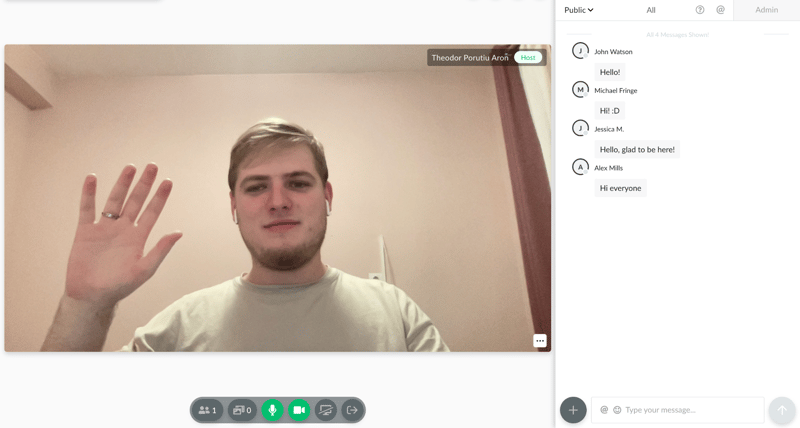
Not to mention, all of it happens in your browser. We love that. Demio lets you and your audience focus on the value you bring. You don’t need to worry about the tech side, you just need to plan and host killer webinars.
And it manages to do all of it without stripping too many features. You get decent options to plan events, create automated evergreen funnels, interact with your audience, and even get advanced analytics about your past webinars.
It’s not a perfect tool. We’re not big fans of its pricing, and you do sacrifice a bit of customization here and there. But all in all, it’s a decent choice. You can try it today with a 14-day free trial, and no credit card is required:
Background on Demio
Demio is made by Banzai, a company that creates lightweight, yet powerful engagement marketing tools. Demio was launched back in 2014, and it was made by two marketers from Florida that wanted a webinar software fit for their needs.
Demio grew a lot since then. The Banzai team actively works on the app to make it better based on community feedback, which is a big perk when looking for any kind of software.
There’s a lot of value in tools built by people that want to use them. That’s what Demio is. And it’s part of the reason it was recognized as a Software Advice Front Runner.
But what makes it so great? Let’s dig in.
Getting Started With Demio
The platform itself is very intuitive. If you scroll through its dashboards for 10-15 minutes, you’ll know everything you need to host your first webinar.
On top of that, Demio created a pretty innovative starter guide. You’ll be invited to join after sign-up:
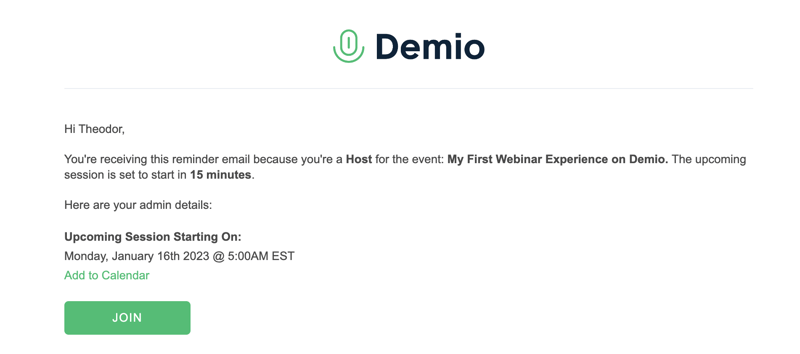
And I recommend you do. It’s a mock webinar, complete with simulated participants, and videos that explain how to host an event. In just 10 minutes, any new user will learn the ropes of Demio, regardless of experience level.
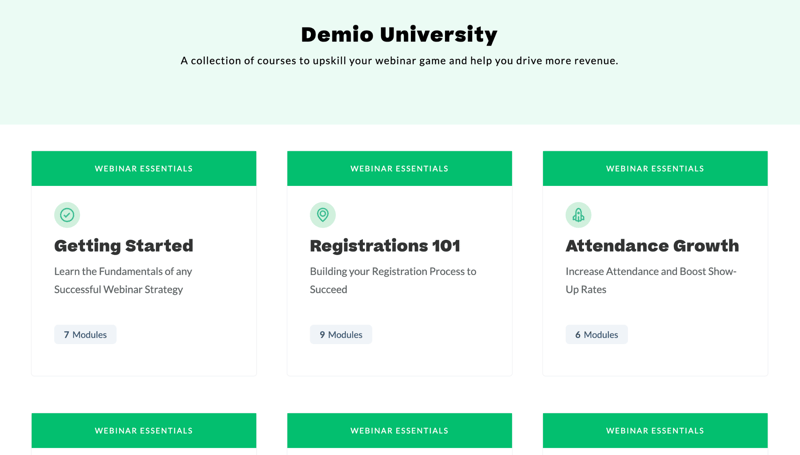
If all of this isn’t enough, Demio’s support center can help too. They have a solid knowledge base, fast response times from live chat support agents, and a University section where you can learn more about how to make the most out of Demio.
Overall, this is one of the easiest webinar tools I’ve ever tried. If WebinarJam, Livestorm, or GetResponse ever felt too intimidating, try Demio.
Key Features
Although it’s easy to use, Demio doesn’t chop features left and right. It has everything you need to create, promote, and host successful webinars. Let’s go over its main features.
Dashboard
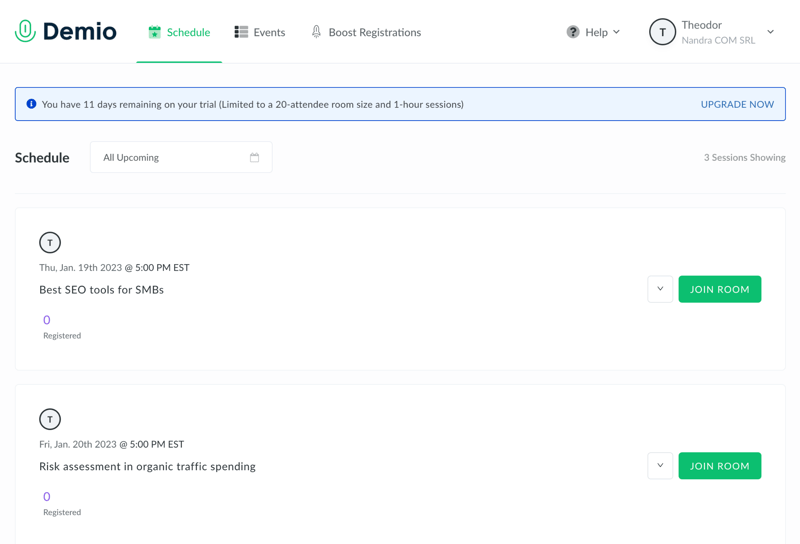
The main dashboard is where you can see the schedule of all of your upcoming sessions, as well as create new events, and adjust your profile settings.
Right off the bat, you’re not overwhelmed with options. You can do a lot. But in this initial dashboard, you only see what’s most important. To get started, you can click on your name in the top-right corner to open your settings. Here, you can modify things like your branding:
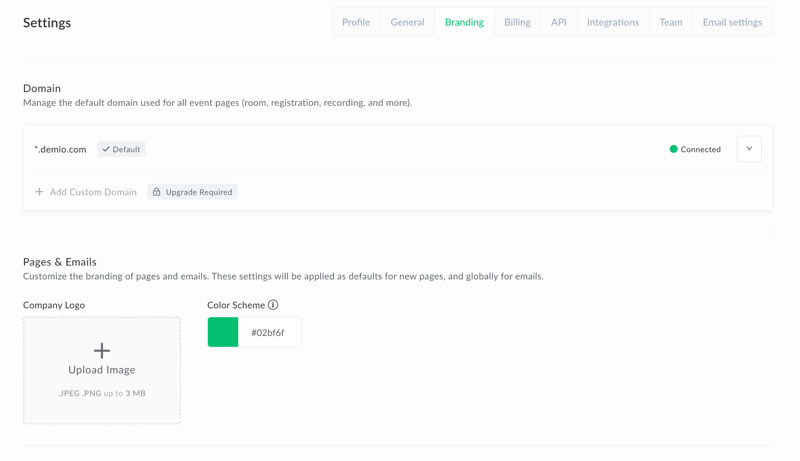
It’s also the place to manage general account details, integrations, or API. But we’ll talk more about them in a bit.
There are some settings you’d expect to see here, but they’re missing. For example, you can’t create general templates for emails or registration forms. You need to create an event, and then design pages or emails for each event in particular. But all in all, we’re off to a good start.
Easy event customization
After you create an event, you can build landing pages and emails to promote it. All the promotional options you have are available in the “Customize” menu:
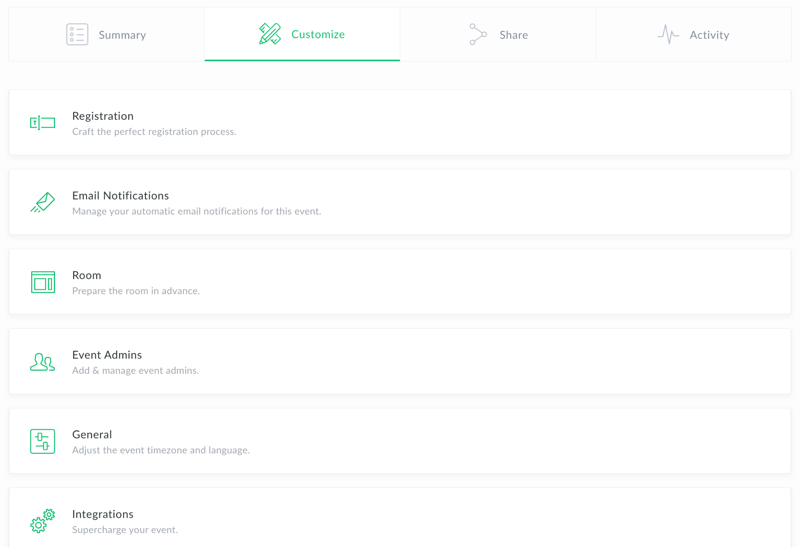
The most useful feature is the registration page, which makes it very easy to create a professional sign-up page in seconds. Unfortunately, the builder is pretty limited. It only has a tiny library of pre-built elements that can be added to any page.
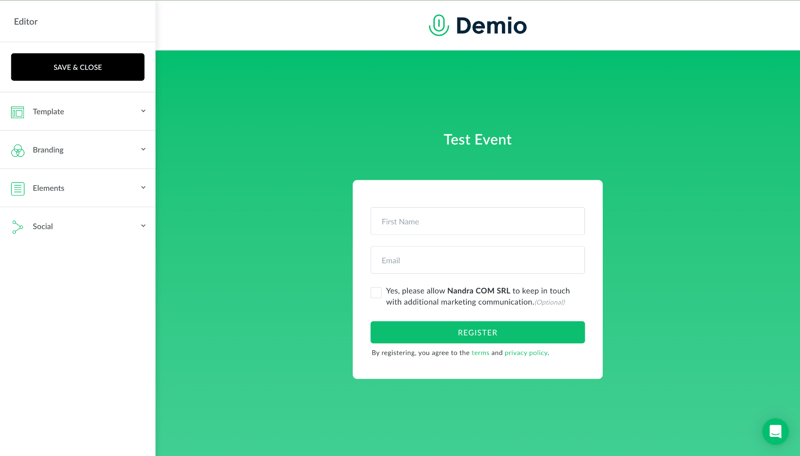
So it’s not comparable to a fully-fleshed page builder. If you want something more customizable, you’ll need to create the registration page with something else, then integrate a lead collection tool with Demio.
But Demio’s registration pages can help in a pinch. They’re clean, well-designed, and easy to deploy. All of them have a thank you page, and you can seamlessly embed it into your own site.
Email reminders are pretty much the same. You can send them at different intervals to improve attendance at your event:
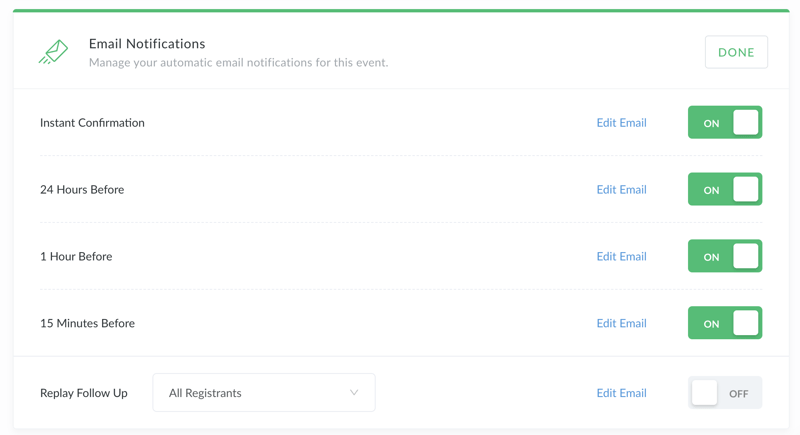
But don’t expect advanced email templates. You can’t edit much beyond the text. All emails you send with Demio look like this:
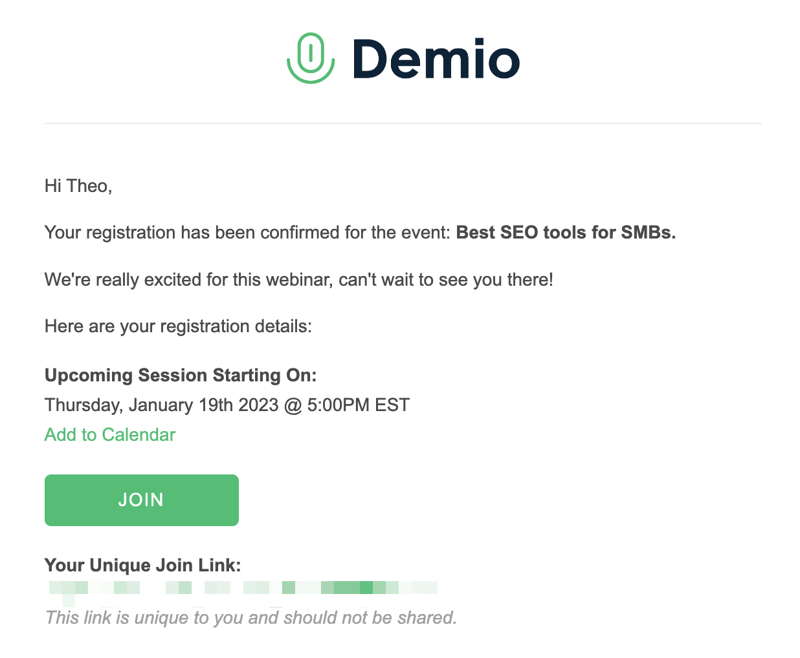
So they’re a decent option as a reminder. But not as promotional emails. If you want to do serious email marketing, you’ll need a tool like Mailchimp.
Besides pages and emails, you can also customize your webinar materials in advance. You can use Demio to create polls, handouts, and calls to action (called featured actions). These are saved to your event, and then you can seamlessly throw them up during your presentation.
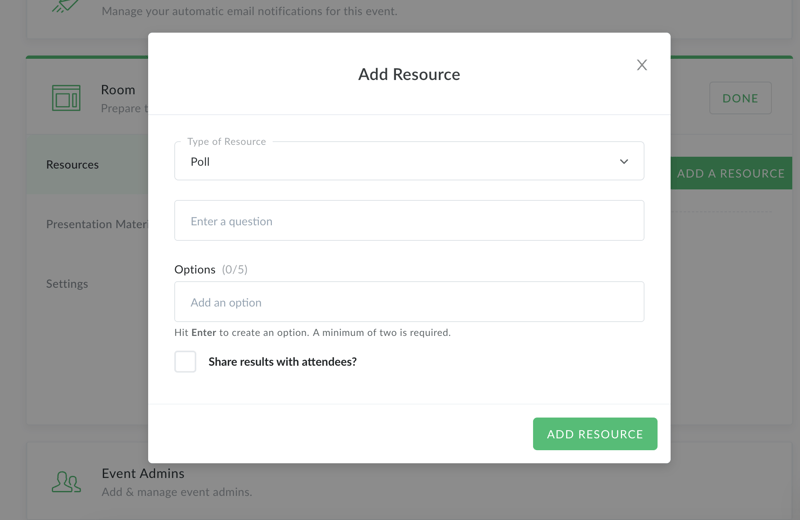
You can also upload presentation materials like videos or slide shows. They’re easy to add to events and showcase during a webinar.
Events
There are three types of events in Demio: standard, series, and automated. Standard events are just live webinars that you can plan and host straight from the platform. Series events are a bunch of live events that take place with the same group. Automated events are evergreen webinars that run on their own.
They’re all equally easy to create, and easy to access. From our tests, we also found that Demio events look great in any browser, even on mobile.
Live Webinars
Live webinars are Demio’s core feature, so we’ll spend some more time explaining how they work. You can join a planned live webinar from your schedule, and kickstart the session from the top-left corner of the screen:
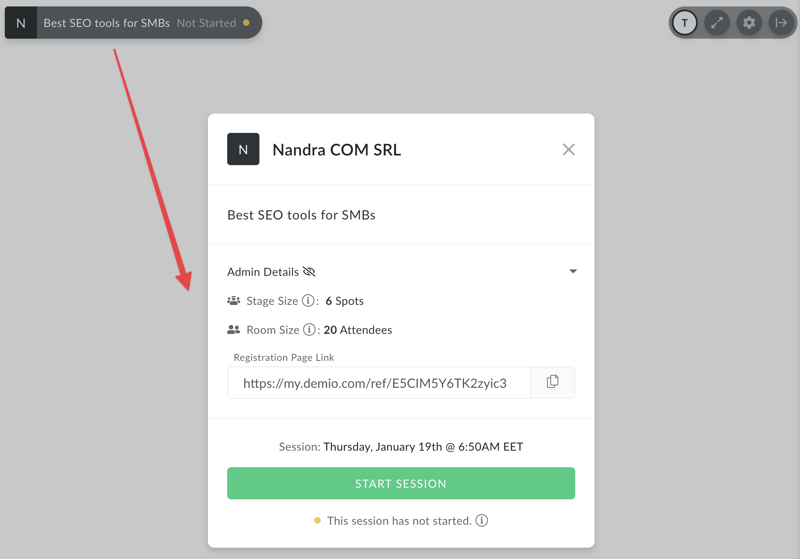
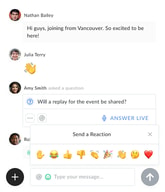
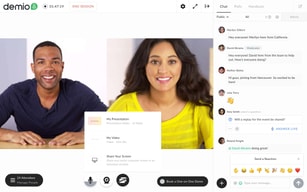
Interacting with your audience after you started the session is very easy. You can see the chat in the right tab, and you can easily delete messages, or mark them as a question to highlight and address them:
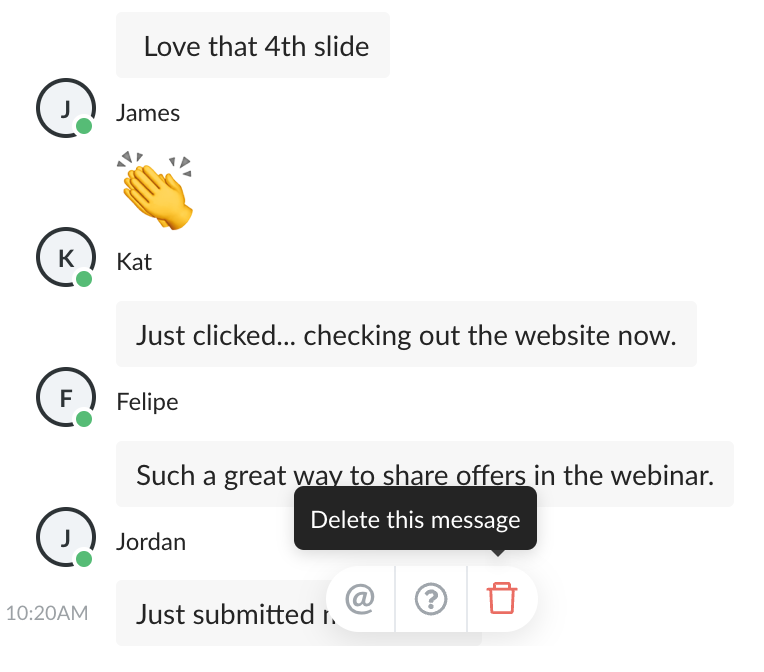
You can also start a private chat with anyone, or switch over to the admin chat if you want to talk to your moderators.
What you see is very similar to what your audience will see, bar from the moderation options. They can also choose to ask questions, instead of just typing in chat, which will highlight their query.
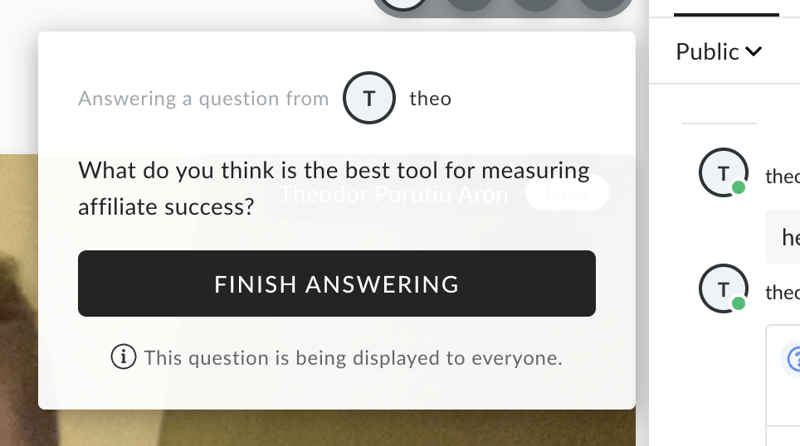
This makes it very easy to engage your audience during a webinar and keep chat interactions structured.
As a host, it’s also easy to share videos and slide shows:
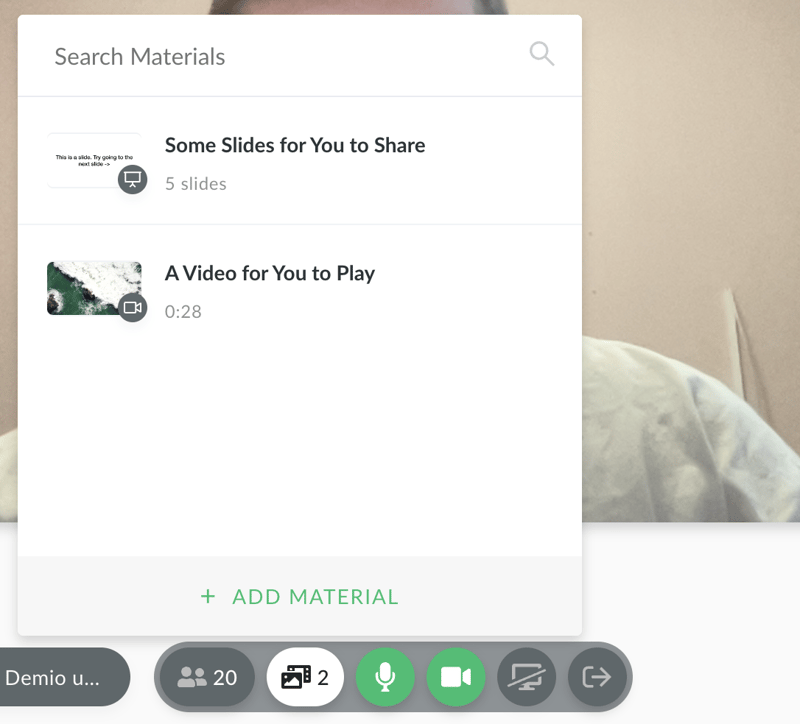
Unfortunately, you don’t get any control over how these are displayed. They’ll take up most of the screen, and you’ll be on top of it. That layout might work for most people. If you want more control over this kind of thing though, you won’t get it from Demio.
You can also share your screen, much like you would in Google Meets or Zoom. What I really like though is that you can quickly switch from the tab you’re showing:
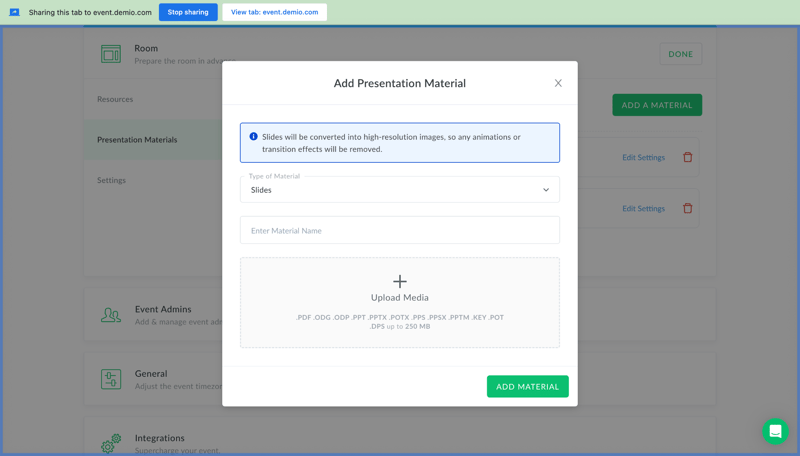
To the webinar tab, with just the press of a button:
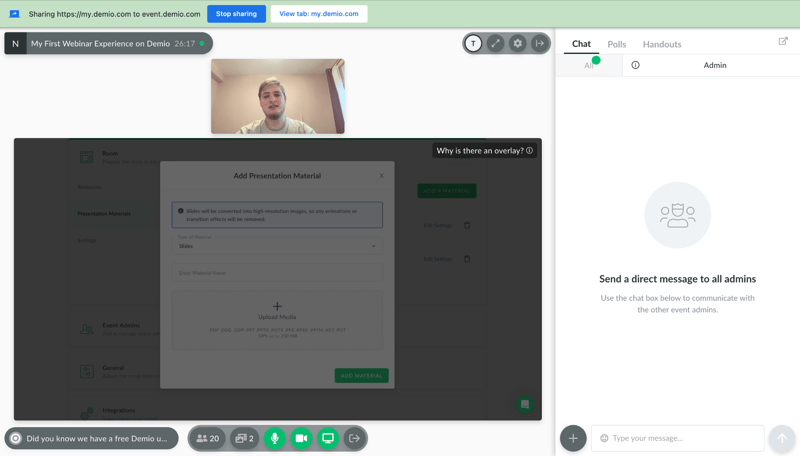
You can share other materials from the bottom-right corner of the screen. These include downloadable files, polls, or featured actions. You can pick one that you created beforehand, or even create new materials mid-webinar.
Files and polls are good to have, and they’re industry standard in webinar software. So are calls to action, but I really like the featured actions here in Demio. They’re easy to create:
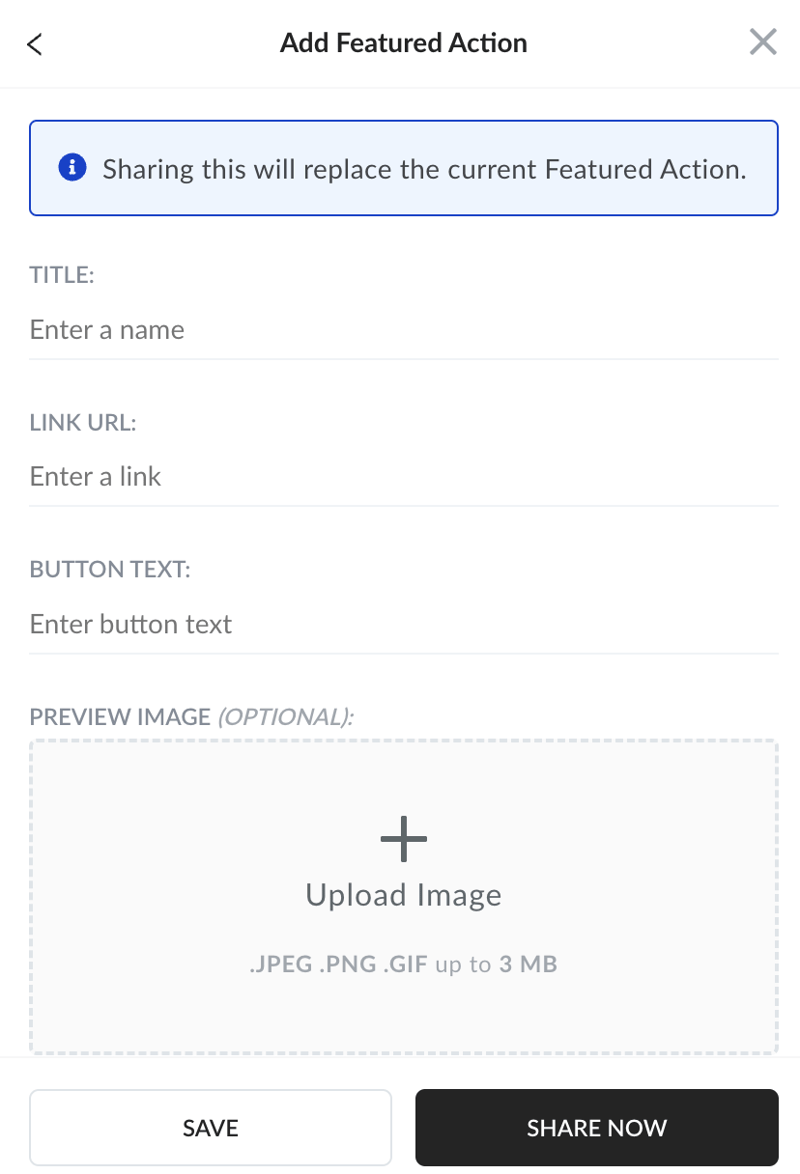
And throw up on the screen at the right moment:
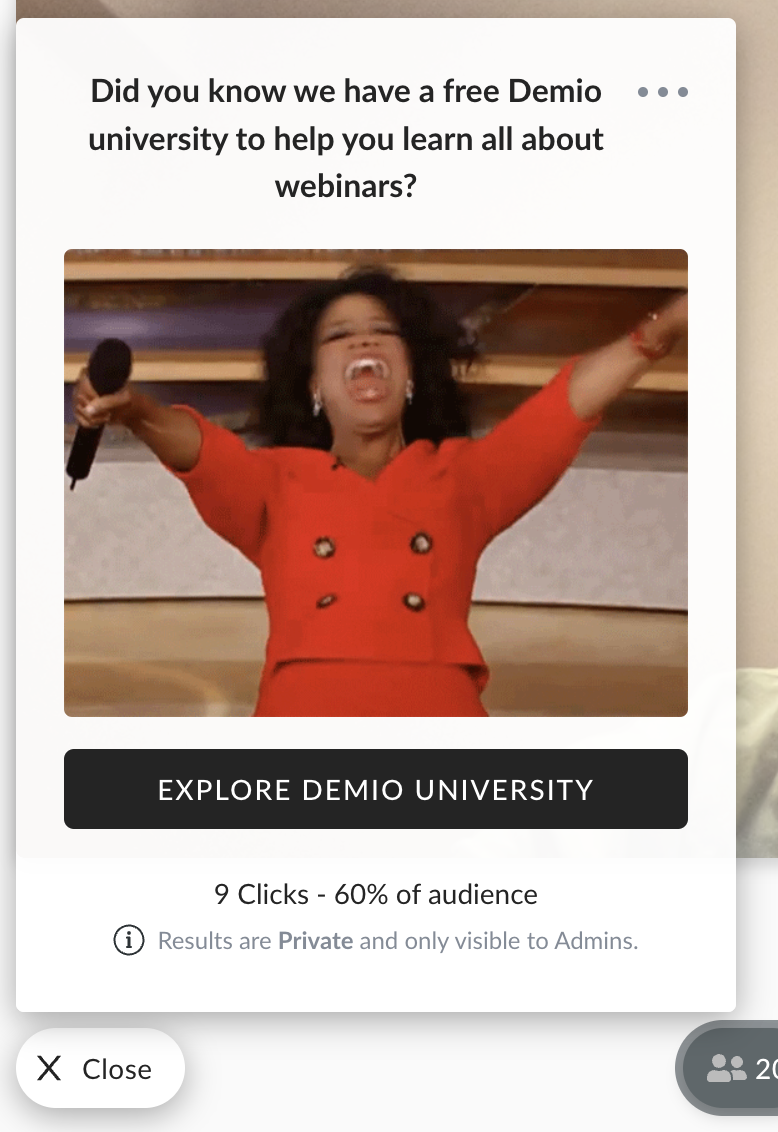
The way you see it as a host is exactly how your audience will see it. This isn’t a revolution in marketing, and experienced users might miss some advanced settings, like the ability to A/B test. But it’s still a very easy way to push your audience down a funnel.
Live events aren’t as customizable as some experienced users might want. But all in all, they’re pretty easy to pull off, beginner friendly, and can be extremely effective.
Automated Events
Automated events are quick to set up from the main dashboard. You can turn older live events into automated webinars, or upload any recording of a webinar you have.
After you upload a video, you can edit a few details about your automated event. You can set up registration and reminders in advance like you would with any kind of Demio event. And you can also automate resource sharing during the webinar:
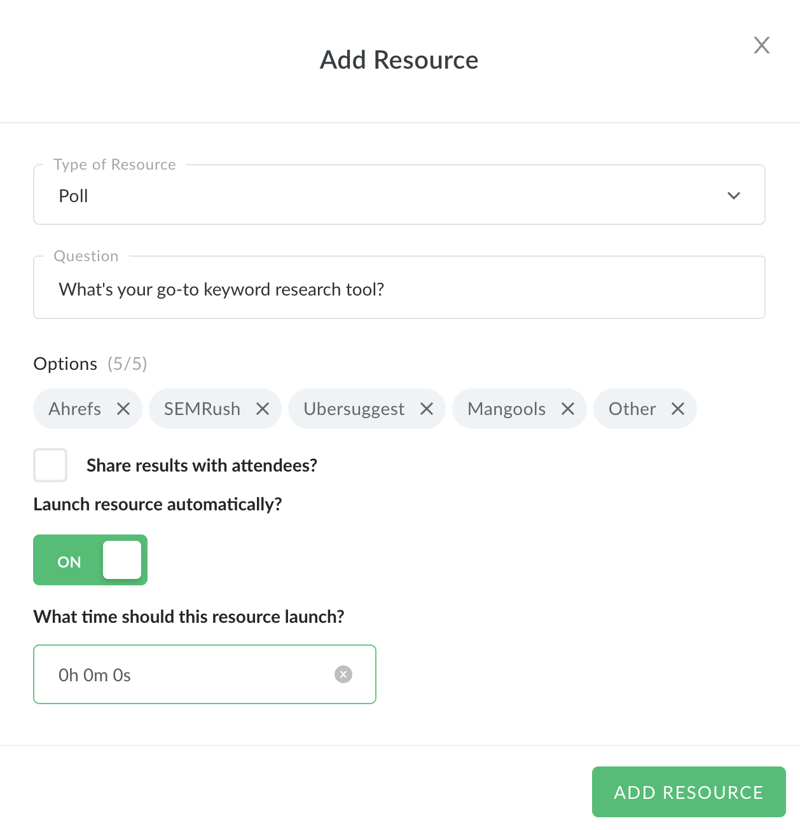
If you want, you can join the event at any time, and interact with anyone in the chat. But you don’t have to. With a little bit of prep, this funnel will work on its own. It’s a very powerful evergreen tool. But unfortunately, it’s not available in the cheaper Starter plan.
Post-Webinar Tools
Demio’s post-webinar tools are stellar. You can get a replay of your event the second it’s over:
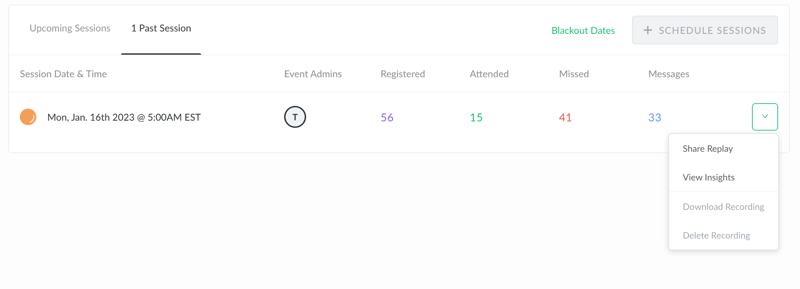
And share it instantly with different segments of your audience. Moreover, you can access insights about your event:
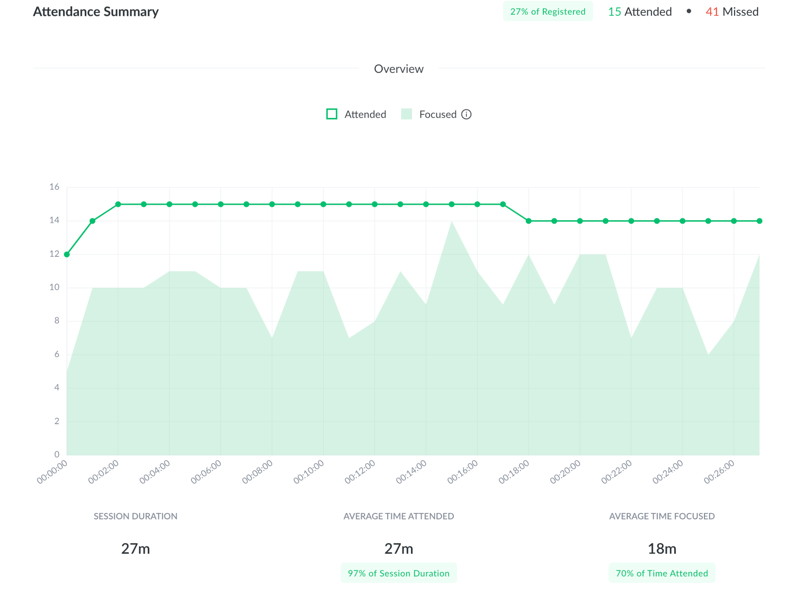
The general analytics are useful. You can see how many people registered, how many of them attended, and even when people generally closed the webinar. This can help you fine-tune your sessions and improve your conversion rate.
On top, you can get a detailed transcript of all messages in the event, as well as a breakdown of each participant, when they logged in, and other useful details:
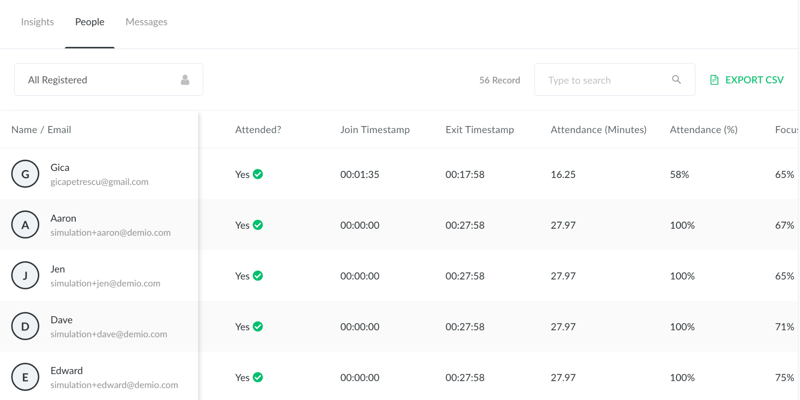
Demio analytics won’t be enough for data junkies. But for most businesses, these insights are good enough to optimize both live and evergreen events.
Integrations
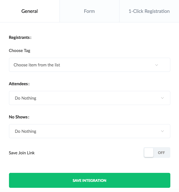
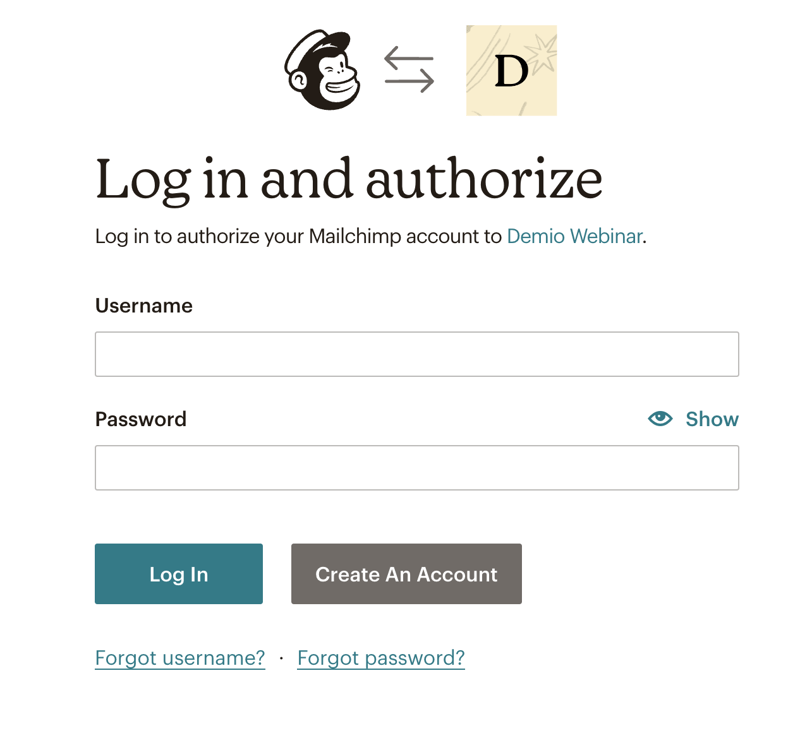
It’s very easy to integrate Demio into your existing suite. You get basic integrations like Mailchimp or GetResponse. And you can easily connect your accounts by pasting an activation key, or logging in:
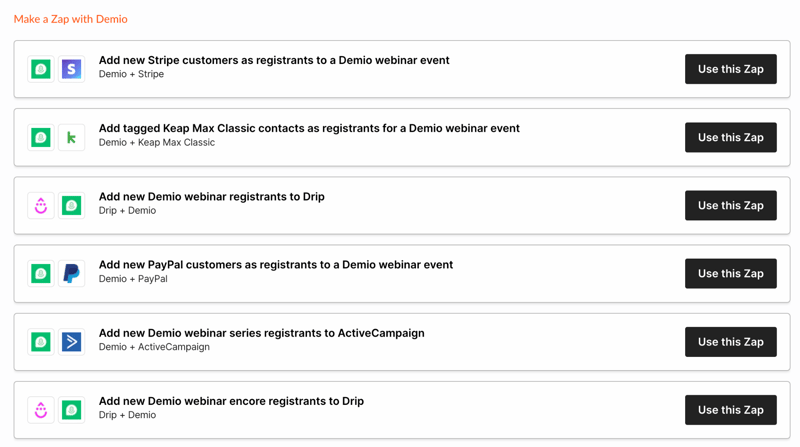
Demio also integrates with Zapier, and you get a ton of pre-made Zaps. With a little bit of work, these can set any webinar on autopilot.
Demio itself has an API key for you to integrate into other apps. And it’s really easy to add integrations to existing events when you plan a session.
Demio Use Cases
Demio has plenty of use cases. We tried to showcase what it can do in this Demio webinar review. But to make things clearer, here are three distinct use cases:
Your marketing team can use Demio for simple and evergreen campaigns. It features a bunch of marketing automation features, as well as readily-available data for how a session progressed, its ROI, and where people dropped off.
Demio can also be used for sales demos, whether live or “simulated live” with automated events. The actionable data you get helps with funnel optimization and improvements to the sales pitch.
Lastly, Demio’s webinar can be handy to customer success teams. Live sessions are perfect to welcome non-techies, and automated events are a great onboarding method for new customers. Its data can also pinpoint potential brand ambassadors based on event engagement.
What makes Demio stand out from other webinar platforms?
Demio does a lot of things right. Its webinar interactions are seamless, sharing materials with participants is easy, and the data you get is very useful. Not to mention, you can manage both live events and evergreen webinar funnels from the same app.
But Demio stands out thanks to its ease of use. The interface is self-explanatory, no dashboard is bloated with hardly-used features, and beginners can make the most out of it without extensive training.
Demio Pricing
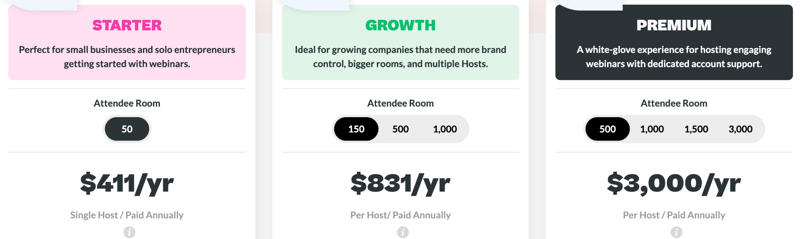
We’re not big fans of Demio’s pricing. It’s not expensive, Demio’s price is average. The problem is that the Starter plan lacks a lot of Demio’s core features. Unless you get the Growth plan you’ll miss out on things like automated webinars, advanced tracking by registration source, or custom branding.
Demio is a smart choice if its feature set meets your needs. Here’s what each pricing plan features:
Starter:
- 1 host limit
- Standard webinar features
- 3-hour limit on sessions
- Live and Event Series
- Standard support
Growth:
- 5 hosts limit
- Everything in Starter
- Automated events
- 8-hour limit on sessions
- Custom room, forms and email branding
- Registration source tracking
Premium:
- Premium integrations with Hubspot, Salesforce, Marketo, and Pardot
- No limit on hosts per account
- Everything from Growth
- Custom domains
- 10-hour limit on sessions
- Priority support
- Access to Beta features
- Dedicated Account Manager
See Demio pricing for current rates.
Summary of Demio’s Pros and Cons
Pros
- Easy to use
- Live events and evergreen content in the same app
- Easy to host and interact with your audience
Cons
- Some users reported bandwidth issues
- Limited customization at times
- The starter plan could do with more features
In our tests, we mostly appreciated Demio’s ease of use. Beginners or non-tech-savvy people will be able to make the most out of the app without any specialized training. Best of all, Demio doesn’t sacrifice too much control for this ease of use.
On the other hand, the lowest pricing tier doesn’t really feel like “Demio.” It’s a bit stripped of features. And if you can’t rely on your internet connection at all times, you might want to look into Demio alternatives. We haven’t experienced any issues with connectivity, but multiple users reported problems with this.
Quick Conclusion
Demio is a reliable webinar tool. If you’ve ever felt stumped by its more complicated cousins, you should really give it a try. We hope our Demio review helped you see whether or not it’s the right pick for you.
If you’re still not sure, here’s the bottom line: Demio is not skimping on any crucial features, and you can use it without a degree. If that sounds like a great deal, check it out with a free 14-day trial, no credit card required:

Compare Demio with other popular tools in the same category.
Managing and recording a webinar using Demio is really smooth and i didn't encounter any problem while using it. The webinar session can be schedule a month before the event and that really helps me to manage our future webinar session.
The package that are offering decent size of webinar attendee is quite pricey but still worth it as they comes with e-mail branding.
Using a webinar as another platform to connect with our customers really help us in long run. We have a better engagement with our future customer as they can better informed about our service and product from the webinar that are conducted.

I love the beautiful interface of Demio - both during the webinars and connecting with attendees (registration, reminders, replays). All very professional looking. Super simple to set up. The whole experience is very intuitive. My attendees felt the same way. Support team is outstanding!
Took me a little bit of effort to integrate with other apps, but that's not unusual.
I could easily set up a series that kept people registered and my resources in place with little effort. I felt able to focus on my attendees during our sessions because I had the room set up in advance with all my resources, including handouts and videos, and was able to do a test-run in advance.
I have so many things to say and praise about Demio. As a virtual events planner, I was thrilled to find a platform that checks all the boxes- intuitive and easy to use for organizers and attendees, beautifully designed, compatible / integrates with numerous email marketing platforms and Gsuite, and is just an overall great product and excellent team behind it. The customer service, like the platform, is top notch. I’ve never waited more than an hour or so to get my questions answered in a true and helpful way. My firm has now had 3 very successful fundraising virtual galas on Demio. One of which nearest the maximum number of attendees of 1000 and was written about in the NYTimes. I look forward to continuing to recommend Demio to my clients for all of their virtual events needs.
Two features I would like to see- 1) streaming to social media 2) ability to upload video directly to Demio
We’re using Demio to create virtual community gatherings/galas, in an effort to raise funds for our non profit clients who’ve had to cancel their in person annual events.
We researched many webinar softwares, but this seemed like the most user-friendly option for our office.
I wish there were more integration options with Salesforce. Gathering post-webinar data takes longer than it should.
With COVID-19, we had to stop our in-person seminars. Demio has been a great platform to move our marketing strategies more digital! People are loving the live webinars.
The setup and software is super intuitive and easy to use. I love that I'm able to connect it with my email provider (ActiveCampaign) directly and through zap to get the exact information I want into my CRM. Presentation and chat are a breeze and easy to engage with attendees once it's started. I also love that the recording is automatically made for you - I don't have to remember to hit record or upload it later! It's all done with my branding without me having to lift a finger. Support and customer service are top notch and I've always been able to get quick and detailed responses to any questions!
I had some difficulty getting my presentation exactly as I needed it. Not Demio's fault necessarily, but since I created my presentation in Keynote (which I assume many people are also using) it would have been helpful for them to have some documentation on preparing my PDF from Keynote into Demio (the color profile wasn't correct and after furious YouTube watching and googling, I was able to figure it out).
It makes delivering webinar's super super easy. I'm looking forward to continuing to use the software for evergreen webinars in the future (I'm still enjoying delivering them live)

- Customer service rocks (real 24/7) - Easy to use, very intuitive - Clean UI/UX
- Notification emails aren't that flexible. I'd like them to be more brandable as well.
Automated webinars, works like a charm. I'm out there marketing my trainings 24/7
I love the ease of use and simplicity of its interface. Practically in one day I started using it and it was very easy to understand. The few times I need support, I had an immediate response even outside normal hours.
Some features are missing to make it perfect. Nothing serious. It's overpriced compared with the alternatives. The lack of customization of landing pages and emails.
The first webinar I did already paid me over a year of service. And I was able to implement it in less than a day!
User experience, support and streaming quality.
There is nothing in particular that I've disliked, but the product could add more features.
Host a webinar. My first attempt was to use OBS Studio with Youtube, but it was really messy and not very good streaming quality. Also, the registration management was not very good. I was manually sending email marketing reminding people about the event. Then I started to try different platforms and Demio was the best I've used.

Really easy to use and setup with great functionalities. It doesn't need to install anything to work for participants or hosts.
It could have a control screen functionality like zoom.
Webinar's common tasks, like setting up the streaming, sending invites, reminders and overall providing a great experience are all solved here in a really effective and fast way.
I have been teaching online courses and doing webinars for years. I have used AnyMeeting, WebEx (back in the day), Zoom, etc. and Demio is by far the simplest, fastest, and most effective resource I have found. I specifically wanted a way to record and then provide automated replays of the webinar, and Demio offers it, and with ease. Very happy, highly recommended.
Really don't have any dislikes tbh. Sorry!
So far any issues (minimal, and really were more so questions) were answered fast through chat. They are not lying about tech support, they are really there to help and do a great job.
I love how easy it is to get started with this tool. The pre-recorded simulation tools and built-in interaction was fantastic. It gave me hands-on learning Iike with just enough prompts and guidance. The team has been great to answer my questions, direct me to beneficial articles, and have been my "cheerleaders" as I set up my first event. I love that it integrates with ConvertKit without any additional 3rd party needed.
It's definitely an investment for a small business. That said, it's been worth it so far. I will certainly update this if I find anything else worth noting.
I'm solving the challenges of a small business with limited resources and need to scale marketing outreach. Demio has been able to fit in perfectly with ConvertKit and my need to automate certain webinars.

Easy to use interface. The ability to jump in the chat in an evergreen webinar is wonderful. I also love the feature that you can promote your products & add surveys.
Would like to have the video window to be larger should someone decide to be on video all through.
I am now being forced to do regular webinars.

The construction of this tool shows that it is really based on the simplicity of the interface and flexibility in its operation. The recording of webinars automatically is useful and differentiating from other platforms. The meetings are dynamic and of quality. They do not offer a referral plan, where we obtain credits from the platform, thus building a win-win relationship between the platform and the users, 25 Usd in credit per referral.
The orientation of this platform for the world of marketing demonstrates what it is to generate solutions based on market segmentation, it is an answer that I have achieved with Demio and contrary to disadvantages, there are many advantages that I find with the use of it.
I participate constantly in webinars that feed me positively to be able to essentially increase the level of my strategies and attract prospective clients.
Ease of use, customer engagement software during actual webinar. I like that the trial is the mid-range version. This way, the user can determine if the software is an appropriate solution for themselves.
I am a new user, like all thus far. Some other reviewers have mentioned beta-like bugs.The support has been helpful when I have asked them any questions. I am currently using Zoom. I like Zoom; however, Demio has many more features. Of course, these features come with an increased price.
Customer engagement options are increased with Demio. To me, having an option for an auto, on-demand webinar is helpful for busy times.

At its heart, Demio is designed to run webinar. It is extremely user-friendly for both the presenter and viewer. So unlike any other of the webinar marketing services out there it has also been designed to do the more touchy-feely small presentations that you would have needed another service like GoToMeeting, Skype or UberConference to do.
Demio has been in beta for a long period of time, had over 1500 webinars run on the platform before it was released to the public. However, like any new service there are going to be issues when it is released on mass to the public. So as much as I am sure the Demio team will do as much as possible to fix things, it’s always worth bearing in mind when using a relatively new service.
I couldn’t decide if the fact the platform is extremely simple should be my no1 benefit in this Demio review or not. What I and I suspect you primarily want from a webinar platform is high conversions. However, now I just expect marketing services to be optimized for conversions and the main issue I struggle with and I hear others struggling with is ease of use and getting the maximum from the system. So I decided the fact Demio is easy to use should be first on my list. In all of Demio’s marketing, they talk about keeping it simple. From my experience, they have achieved that. It took me 3 mouse clicks in 3 minutes to setup my first webinar, including setting up my autoresponder integration. Then when running my second webinar it took a whole 1 minute to get a brand new webinar set up. To make it even faster I could have just copied my details from the week before. However, easy to use hasn’t meant it doesn’t have all the powerful features you would expect from WebinarJam or another one of the top system’s there days. It still has all the ability’s to set tags based on people showing up or not and how long they attended. Just in Demio, it’s all done with just a few simple clicks.

I like that it's browser-based and I can easily find everything I need within the simple interface! Demio makes webinar engagement and audience participation a breeze. On the analytics side, you can see engagement data to help qualify attendees!
There's nothing I can think of at this time.
Webinars are hard enough on their own but the existing tech is also pretty clunky and hard to implement. With Demio, spinning up webinars is super simple and it makes us look dang good.
Demio allows us to deliver our customer education sessions to multiple clients at the same time. This saves a lot of our time and also helps with resource management. The on demand webinars are even better at this, since by recording a good version of the webinars we can share it with more people - they can watch it on their own time, from the comfort of their home if needed, and we can answer their questions afterwards as well. Last but not least, their Customer and Product teams are ace! They always reply and help, very friendly and find solutions to our problems. Super easy to integrated with our own tools, easy to use and implement. We use it very frequently in our team.
Video quality could be crispier sometimes.
We hold our Customer education sessions. The benefits are that we can reach more customers at the same time, and minimize the resources used on our side.
Demio is an insightful software that works really well and achieves the objectives and goals that we set. What I like best about Demio is the fact that its interface presents all key features in a modern manner, and it displays all the necessary tools to start planning events and webinars in an effective way. Firstly, the software allows us to create distinctive invitations to attendees that increase engagement and set reminders so that no one misses the webinar. During the webinar, there are many tools integrated in the Demio interface to communicate with the attendees and increase engagement by the implementation of polls, questions, file-sharing, and more; through the ability to screen share we are able to complete our webinars.
While Demio's set of features works very well and provides good results in the engagement area, I think that one of Demio's disadvantages comes with being a web-based application because it requires the internet connection to be good in order to have a good experience and not have any delays in the audio or video, it is a very important thing to consider when planning the events in order to offer the best of experiences to all attendees. Thankfully, Demio does have a tool that allows the events to be recorded, and they are easily accessible once the event has finished.
Demio continues to be a software that exceeds the expectations and goals that we set for our webinars, it is a solution that has slowly increased our engagement during every event, and it has allowed us to study and analyze our webinars' data with our CRM tool, in order to make very big and conscious steps towards increasing our leads and as a result, increasing the sales in our business. Demio has helped us automate the process of every webinar that we plan through the addition of tools that help customize every aspect of the event before it starts so that it is presented automatically and the timed actions are presented during every specific moment of the event, to make sure that the audience remains entertained and keeps the attention for the entire duration of the event.

I've been impressed with the platform's user-friendly interface and range of features for conducting successful webinars. The scheduling and reminders feature has been a lifesaver, making it easy to keep track of upcoming events and ensuring I never miss a session. The platform's robust analytics provides valuable insights into my audience's engagement and behaviour, which has been instrumental in improving the overall experience for attendees.
The social media integration options could be improved to drive engagement and reach a wider audience.
The platform has truly impressed me with its wide range of features that make creating and hosting engaging webinars a breeze. Thanks to Demio's ability to support large audiences, I have reached a wider audience and made a more significant impact with my virtual events.

The best thing about Demio is the platform's ability to automate the management of webinars. From creating a registration page to sending automatic email reminders, Demio has significantly improved the efficiency and productivity of my work. The platform's intuitive design and easy-to-use interface have also made it easier for me to plan and execute webinars from start to finish.
While Demio has met my expectations in terms of cost, ease of use, and simplicity, there are a few areas where I think the platform could be improved. For example, I would love to see more social media integration during webinars. Additionally, I would appreciate the option to choose a customizable background image or at least make the background hazy/opaque.
I was looking for a solution to streamline my webinar management process, and Demio has exceeded my expectations. The platform has allowed me to reach a larger audience, and its advanced analytics suite has provided valuable insights into the effectiveness of my webinars. With Demio, I have implemented a new business strategy and achieved better results than before.

I was looking for an easy webinar solution, and Demio delivered. The setup process was intuitive and clear, and the customer support team was responsive, fast, and kind. I was impressed with the quality of the software, from the customisable branding and logo options to the ability to host pre-recorded content as if it were a live webinar. The software even provided statistics on how my attendees engaged with the content, which helped me measure and improve my webinars.
I have observed a lag in the chat function, causing frustration for attendees trying to communicate in real-time. Furthermore, Demio lacks an integrated video editing tool, requiring any post-production work to be performed outside of the platform.
Demio offers a simple solution to host efficient and effective webinars, making it easy to create and deliver a top-notch experience for attendees. The platform includes interactive tools, chat, comprehensive stats, and the ability to host pre-recorded content as if it were a live webinar.

The best thing about Demio for our business is its clean and intuitive user interface. The platform is easy to use and customize, making it a perfect solution for hosting webinars and live events. The ability to replay webinars and automate replays is an invaluable feature, allowing our attendees who may have missed the live event to catch up. The public and private chat feature also prove to be extremely helpful for me to engage with attendees and answer questions in real time.
I have had issues with attendees being unable to log in or being kicked out of the live session. This can be frustrating, especially when you have spent a lot of time and money marketing the event.
Demio is an excellent tool for solving the problem of engaging with existing audiences in a one-to-many relationship. The economies of scale don't allow us to talk 1:1 with our users, and Demio helps bridge the gap by allowing us to deliver smooth webinars to our attendees.

I've been using Demio for hosting webinars for a few months, and it's been a great experience. The platform is incredibly user-friendly, making it easy to host webinars without any hassle. The design is visually pleasing and professional, which helps to engage my audience. The ability to jump into a live webinar while recording it as an evergreen webinar is a game-changer for me. It has helped me increase conversions and gather valuable feedback from attendees through survey questions. One of the best things about Demio is its level of customisation; I can easily add my branding and logo across all of my event materials. The third-party integrations and analytics feature also help me to keep track of my webinar's performance.
I would have liked more social media integration during the webinar and more payment options than a monthly requirement since we don't do calls that often.
Demio is a powerful webinar tool that effectively addresses the challenge of hosting engaging and interactive online events. Having used the platform for several months, I can personally attest to its ease of use and effectiveness in hosting webinars without hassle.

Demio is an excellent platform for hosting webinars, with various features that make it easy to use and engage with the audience. The platform has a sleek and intuitive design, with multiple templates for creating effective registration and thank you pages. Additionally, the platform offers a range of tools for managing events, including automatic email notifications, polls, and featured actions that allow me to link the audience to specific offers or URLs during the event.
The Starter plan may be restrictive in terms of the number of attendees allowed, making it challenging to expand webinars as the audience increases.
The problem that the Demio tool is solving for me is the difficulty of managing webinars and keeping track of attendees.

One of the standout features of Demio is its ease of use, both for the host and the attendees. There is no need to download any bulky software, as attendees can join with just one click right in their browser. Demio also allows hosts to customize and brand their event materials, including the registration process, and to collect any desired information from registrants. The platform also offers a range of interactive features, such as polls, featured actions, chat, and the ability to give microphone or webcam permissions to attendees.
One potential downside of Demio is that it may not have as many advanced features as some of its competitors, such as the ability to offer live translation or host large-scale events with thousands of attendees. However, for smaller businesses or individuals looking for a reliable and user-friendly webinar tool, Demio offers a solid selection of features at a reasonable price point.
As an individual looking to host professional and engaging online events, Demio offers a range of benefits. One problem that Demio solves is the need for a reliable and intuitive platform for hosting live presentations with real-time HD streaming. This is particularly beneficial for me, as it allows me to deliver a high-quality experience to my attendees without worrying about technical issues or distractions.
Demio is an essential platform for creating seminars and for creating new meetings. The main feature that I loved about this platform is the fact that it allows me to have a system of surveys and questionnaires implemented in each session; this is quite beneficial since when I need to ask the participants something specific, I can get a answers lot. More optimized and organized, the polls system allows you to obtain opinions on any question from your meeting participants. Also, I liked the excellent video quality that Demio provides for each meeting; this is fantastic sice several organizers can be connected to webinars, and all the participants will optimally see us, since it has a good quality but also it has excellent fluidity in streaming video. The third feature that I liked about Demio is that this platform allows me to receive attachments within the chat channel of each webinar; the participants will be able to send attachments, images or some document, although I can block this option in case they don't if you want the participants to share a file, the file sharing system works perfectly as well as the emoji sending system.
Demio's main negative point regarding the system is that I can't send automated reminders to participants who have registered for a meeting or a webinar; this platform allows me to set up a reminder and create it from scratch to give it a much better design, more optimal to the reminder email. However, there is no function to send automated reminders to customers who have confirmed their attendance in future webinars, we have to do the sending manually. The second negative point of Demio is that this platform currently does not have any type of app for mobile phones capable of creating a webinar or entering one as a participant, you cannot join Webinars from your mobile phone. Currently, the only existing version (for PC) must be used. Demio must create an App as soon as possible; this would help our clients to have an easier time accessing our webinars from their cell phones.
Demio is an optimal platform to achieve a perfect administration of all the webinars within a company; I recommend it for any company since it has low consumption in the W¡-Fi network, which allows you to enjoy excellent video quality and smooth video without directly affecting your bandwidth. Demio has achieved that in our company we can have a creation and administration of all kinds of webinars, we have managed each of the participants even better. We have been able to manage the participants who want to give their opinion within the webinar; in addition, we have also really enjoyed the polls system, which helped us to make our webinars more interactive, with the participation of many people who gave their opinions in each poll. I loved my experience within Demio; I was delighted with the results; this platform helped me create a quality webinar in very few steps and with an easy administrative system.
It is a new platform that brings innovation to webinars, opening up a wide range of possibilities, thus expanding the use of different formats such as videos, images or documents to implement them within the seminar; with this, we have helped to make this type of event much more interactive. It is a completely new virtual world and a different space and completely innovative experiences for our audience and our clients, and this is undoubtedly one of its plus points. It has a wide and flexible interface, it integrates openly with other platforms that complement webinars, and the ease of configuration is highly customizable and completely adjusts everything we require. In the same way, the planning and programming of all our seminars are done in a simple way and are easily shared, allowing this entire process to be completely automated. It is important to note that the integration with HubSpot will allow them to track potential customers efficiently, thus covering each person to whom we want to reach our services. In the same way, the implementation of forms is representative of obtaining information, and the reproduction of this is simple and easy to execute.
Since we have been using Demio, we have noticed a constant effort on the part of the board to improve many features with constant updates, which is undoubtedly a positive point since they evaluate various scenarios to always offer the best through their different changes. Despite this, we still have difficulty getting a fast flow in the seminars since sometimes it tends to get slow, and this represents interference during our presentations which is not at all comfortable and somewhat cumbersome. We recognize that this may take a while to improve, and that is why my team continues to bet on the use of Demio to present all our webinars.
The use of a new platform for seminars, varying a little from the habit we have of very specific programs, and bringing a fresh and innovative image to our entire audience, has been Demio's great contribution to our team. It is an effective solution that offers a creative and dynamic experience, where all our effort and dedication can be rewarded by capturing our information from all our potential clients since this has been the ideal tool for all our work to reach the doors we need and thus cover the right audience. This has been one of the many benefits since it is also a fairly easy-to-use platform, with tools that are still of equal or better quality compared to others on the market, for which our team is highly grateful.

The first important point is the ease with which we can implement the use of Demio, it is a completely innovative platform that brings webinars to our work system, and these have been the perfect complement to start implementing new marketing strategies and bring our voice to new customers. The system offered by Demio is automated, giving us the advantage of saving a lot of work effort. The promotion of seminars has given us the advantage of acting preventively in the preparation of the content according to the users present. The tools are intuitive, and having this point in favor gives us the advantage of being able to work in a much more fluid way. In addition to this, it provides important features for webinars, which is the delivery of brochures successfully. At the same time, carrying out surveys is one of the important points of Demio since it highlights its ease of implementation as well as being able to configure them anonymously or not and being able to fill them out easily. In the same way, automation has helped us to schedule webinars and to process all the configurations in a much more efficient way; interaction with all our clients or partners in a virtual and totally live way, in addition to being in real-time, has been a success since we can interact on both sides in order to reach a much more optimal understanding.
Sometimes the exhibitors present some inconveniences during the presentations because they should not have a pointer yet, which is essential during these presentations to be able to present the information in a much clearer way. We believe it is essential for a live broadcast tool that the platform be lightweight, as this would allow a better connection for all those present. Demio still has this deficiency as it may sometimes not be compatible with some browsers, which limits the experience; sometimes, it has gotten stuck and does not respond right at the time of exposure.
The benefits that we have obtained thanks to the webinars have been impressive since the information has had no limits or barriers to really reaching the people we need. Now it is an open door to the world and to millions of possibilities to cover much more than we could do before. We reach potential customers and scale our company's marketing to the next level since we significantly achieve that our information reaches where we need it and with this our service is really useful. In addition to this, we improved the efficiency and productivity of our work thanks to automating the management of webinars; we also implemented a new business strategy and achieved better results than we had before.

I recently started using Demio for hosting webinars and events, and I have been blown away by how seamless and effective it is. As a marketing professional, I have found it to be the perfect solution for hosting lead-gen webinars that drive dialogue and participation among my attendees, panellists, and partners. Not only is Demio incredibly user-friendly, but it also has many powerful features that make it easy to automate and streamline the entire webinar process. For example, the ability to schedule and automate webinars has been a game-changer for me. Instead of running the same content multiple times a week for my prospects, I can now do it once and let Demio take care of the rest.
While we are still in the process of implementing Demio, it has already made our work significantly easier. We are not yet sure how much ROI we will be able to get back from using the platform, but so far it has been a positive experience. We are excited to see the results as we continue to use the tool.
Demio's user-friendly interface and powerful features have streamlined our webinar hosting process and made it much more efficient.

I love that you can do hybrid webinars. This is where you can record the content, but be in the chat with the audience answering questions. I have a lot of social anxiety and being able to do this makes a huge difference!
I like most things Demio has done, they work really hard to make things easy for you.
Demio is helping me to present in a one-to-many capacity. It means I can reach more of my audience in a way that's enjoyable