
Unclaimed: Are you working at Demio?
Demio Reviews: 4.6/5 — Highly Rated
Demio is a webinar platform designed in mind with helping marketing professionals generate leads by leveraging powerful personal conversions. The software offers a wide arrange of features that can help create, host, and market webinars effectively to support business growth. The platform also offers comprehensive tools that ensure everything a user needs to host a full-scale event is within reach. From webinars to Q&As, live webinars to meetings, users can enjoy seamless HD streaming. Additional features include automatic replay viewer and analytics to measure webinar campaigns.

| Capabilities |
API
|
|---|---|
| Segment |
Small Business
Mid Market
Enterprise
|
| Deployment | Cloud / SaaS / Web-Based |
| Support | 24/7 (Live rep), Chat, Email/Help Desk, FAQs/Forum, Knowledge Base, Phone Support |
| Training | Documentation |
| Languages | English |
Demio Pros and Cons
- Offers easy email integration and automation with event reminders
- Distinct waiting room experience
- Comes with extensive marketing features and webinar tools to support lead generation
- Added cost for over 50 live participants
- Doesn’t offer a registration page making it difficult to determine number of attendees








Demio Review: Is This Browser-Based Webinar Platform Worth the Hype?
In the past few years, more and more industries started adopting online solutions for traditional in-person events and campaigns. Webinars are at the helm of this transformation. 95% of businesses believe that webinars are an important part of their marketing strategy, and it only makes sense. The average conversion rate for webinars is 55%.
But you can’t pull off a successful webinar with Google Meets. You need a lot of extra tools to engage your audience and promote your products. That’s where Demio comes in. It’s one of the best webinar platforms, and it can help you kickstart growth with live and evergreen events. Keep reading our Demio review to find out more.
What is Demio: A Quick Overview
Demio is a webinar tool that simplifies hosting events online. Its features, integrations, and design are all focused on ease of use. After rigorous testing of Demio, I can confidently say: you’ll be hard-pressed to find a cleaner interface in webinar apps.
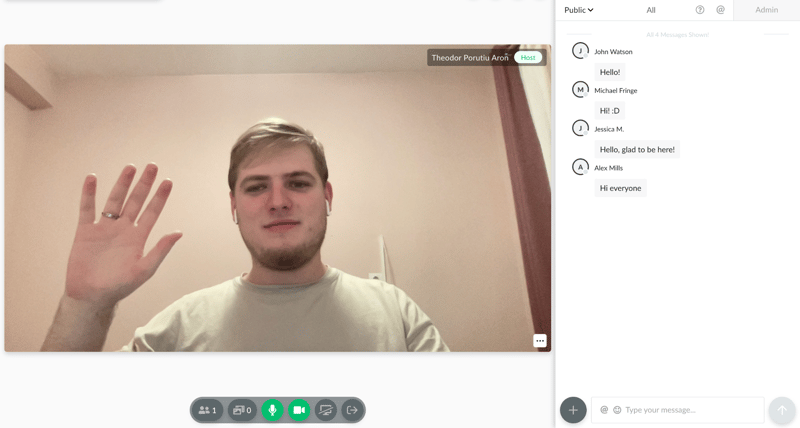
Not to mention, all of it happens in your browser. We love that. Demio lets you and your audience focus on the value you bring. You don’t need to worry about the tech side, you just need to plan and host killer webinars.
And it manages to do all of it without stripping too many features. You get decent options to plan events, create automated evergreen funnels, interact with your audience, and even get advanced analytics about your past webinars.
It’s not a perfect tool. We’re not big fans of its pricing, and you do sacrifice a bit of customization here and there. But all in all, it’s a decent choice. You can try it today with a 14-day free trial, and no credit card is required:
Background on Demio
Demio is made by Banzai, a company that creates lightweight, yet powerful engagement marketing tools. Demio was launched back in 2014, and it was made by two marketers from Florida that wanted a webinar software fit for their needs.
Demio grew a lot since then. The Banzai team actively works on the app to make it better based on community feedback, which is a big perk when looking for any kind of software.
There’s a lot of value in tools built by people that want to use them. That’s what Demio is. And it’s part of the reason it was recognized as a Software Advice Front Runner.
But what makes it so great? Let’s dig in.
Getting Started With Demio
The platform itself is very intuitive. If you scroll through its dashboards for 10-15 minutes, you’ll know everything you need to host your first webinar.
On top of that, Demio created a pretty innovative starter guide. You’ll be invited to join after sign-up:
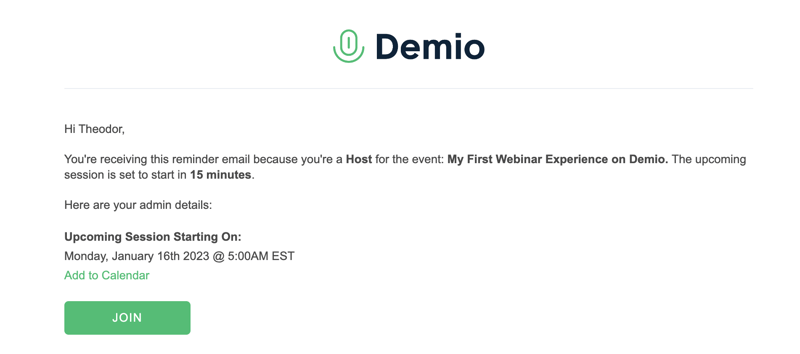
And I recommend you do. It’s a mock webinar, complete with simulated participants, and videos that explain how to host an event. In just 10 minutes, any new user will learn the ropes of Demio, regardless of experience level.
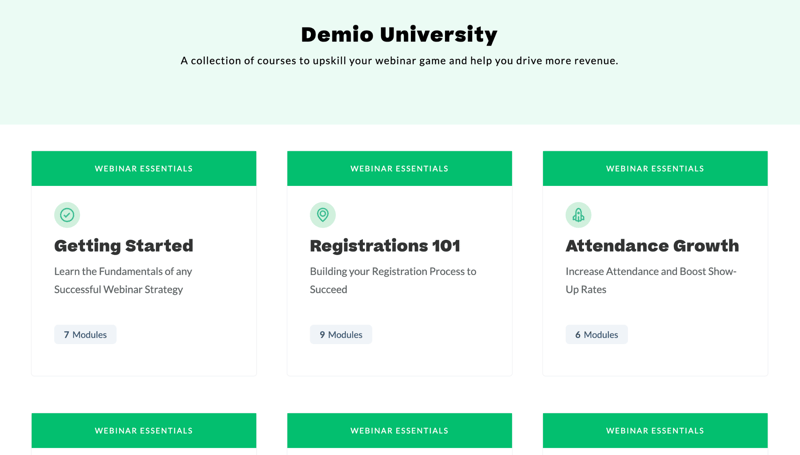
If all of this isn’t enough, Demio’s support center can help too. They have a solid knowledge base, fast response times from live chat support agents, and a University section where you can learn more about how to make the most out of Demio.
Overall, this is one of the easiest webinar tools I’ve ever tried. If WebinarJam, Livestorm, or GetResponse ever felt too intimidating, try Demio.
Key Features
Although it’s easy to use, Demio doesn’t chop features left and right. It has everything you need to create, promote, and host successful webinars. Let’s go over its main features.
Dashboard
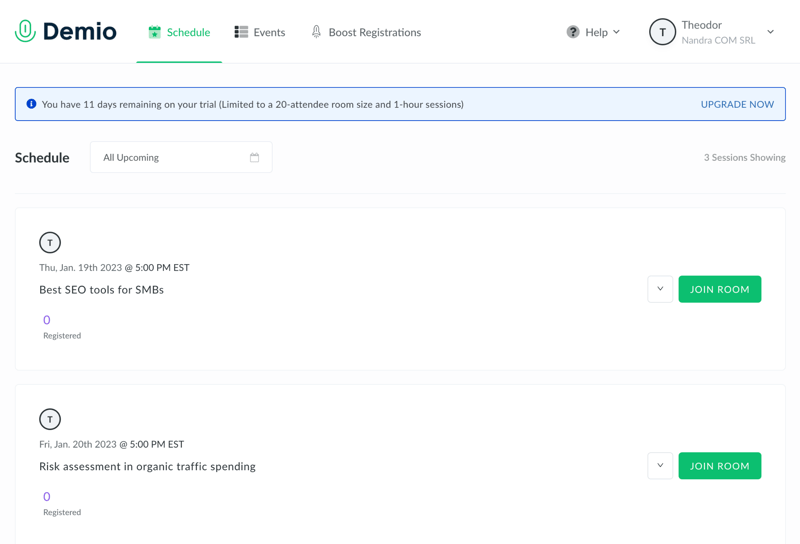
The main dashboard is where you can see the schedule of all of your upcoming sessions, as well as create new events, and adjust your profile settings.
Right off the bat, you’re not overwhelmed with options. You can do a lot. But in this initial dashboard, you only see what’s most important. To get started, you can click on your name in the top-right corner to open your settings. Here, you can modify things like your branding:
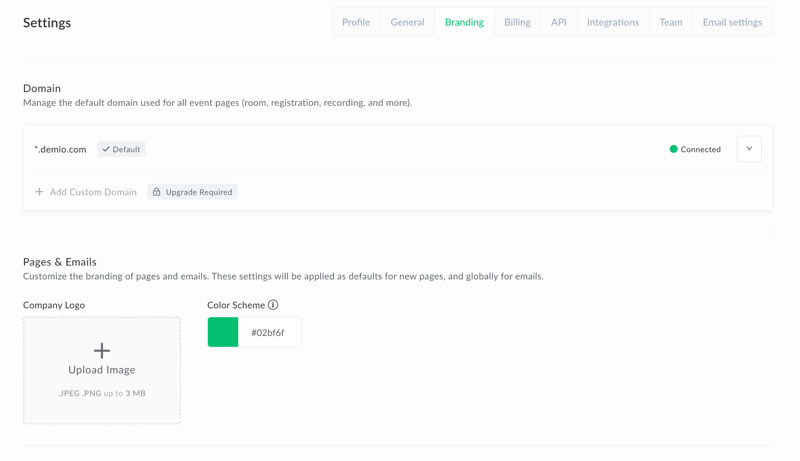
It’s also the place to manage general account details, integrations, or API. But we’ll talk more about them in a bit.
There are some settings you’d expect to see here, but they’re missing. For example, you can’t create general templates for emails or registration forms. You need to create an event, and then design pages or emails for each event in particular. But all in all, we’re off to a good start.
Easy event customization
After you create an event, you can build landing pages and emails to promote it. All the promotional options you have are available in the “Customize” menu:
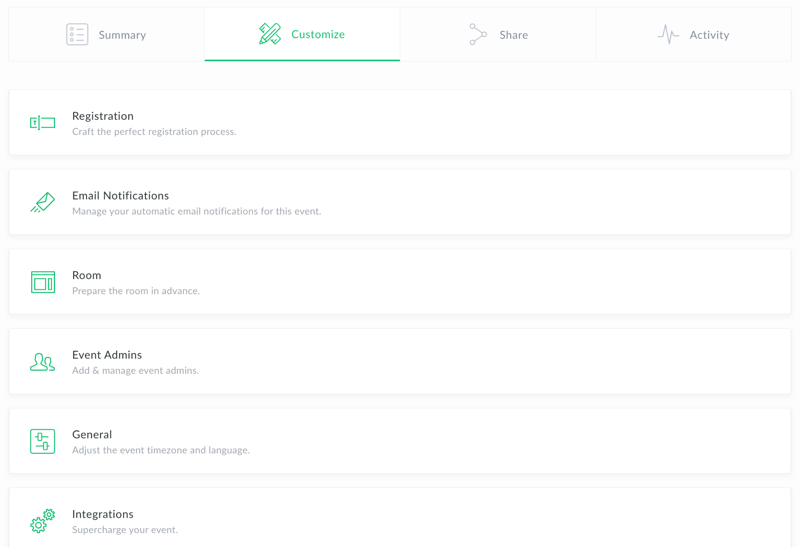
The most useful feature is the registration page, which makes it very easy to create a professional sign-up page in seconds. Unfortunately, the builder is pretty limited. It only has a tiny library of pre-built elements that can be added to any page.
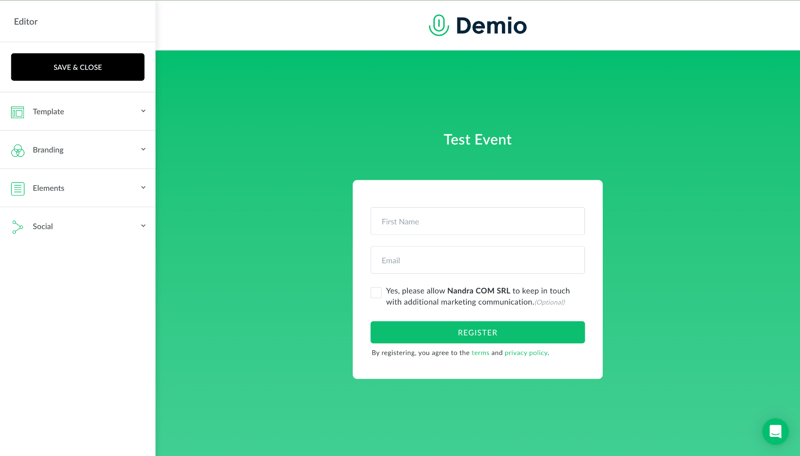
So it’s not comparable to a fully-fleshed page builder. If you want something more customizable, you’ll need to create the registration page with something else, then integrate a lead collection tool with Demio.
But Demio’s registration pages can help in a pinch. They’re clean, well-designed, and easy to deploy. All of them have a thank you page, and you can seamlessly embed it into your own site.
Email reminders are pretty much the same. You can send them at different intervals to improve attendance at your event:
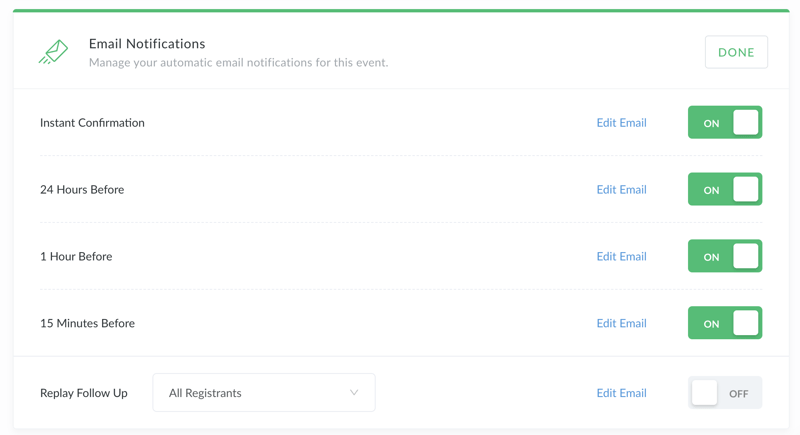
But don’t expect advanced email templates. You can’t edit much beyond the text. All emails you send with Demio look like this:
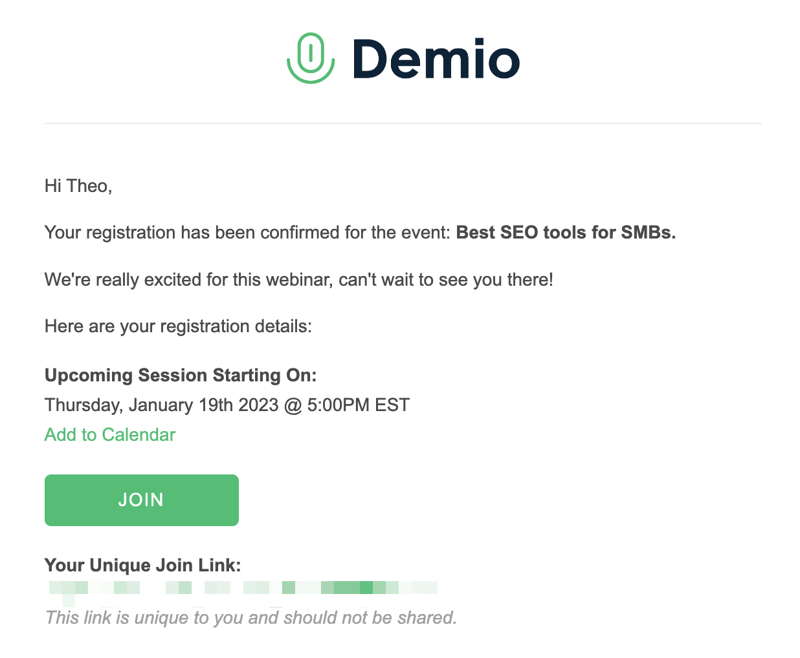
So they’re a decent option as a reminder. But not as promotional emails. If you want to do serious email marketing, you’ll need a tool like Mailchimp.
Besides pages and emails, you can also customize your webinar materials in advance. You can use Demio to create polls, handouts, and calls to action (called featured actions). These are saved to your event, and then you can seamlessly throw them up during your presentation.
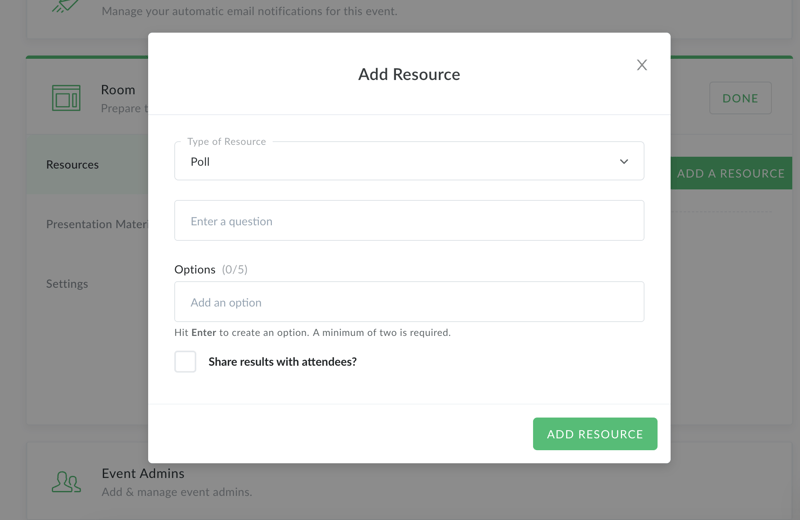
You can also upload presentation materials like videos or slide shows. They’re easy to add to events and showcase during a webinar.
Events
There are three types of events in Demio: standard, series, and automated. Standard events are just live webinars that you can plan and host straight from the platform. Series events are a bunch of live events that take place with the same group. Automated events are evergreen webinars that run on their own.
They’re all equally easy to create, and easy to access. From our tests, we also found that Demio events look great in any browser, even on mobile.
Live Webinars
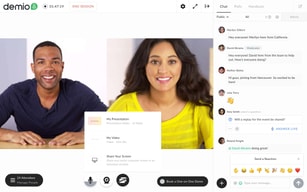
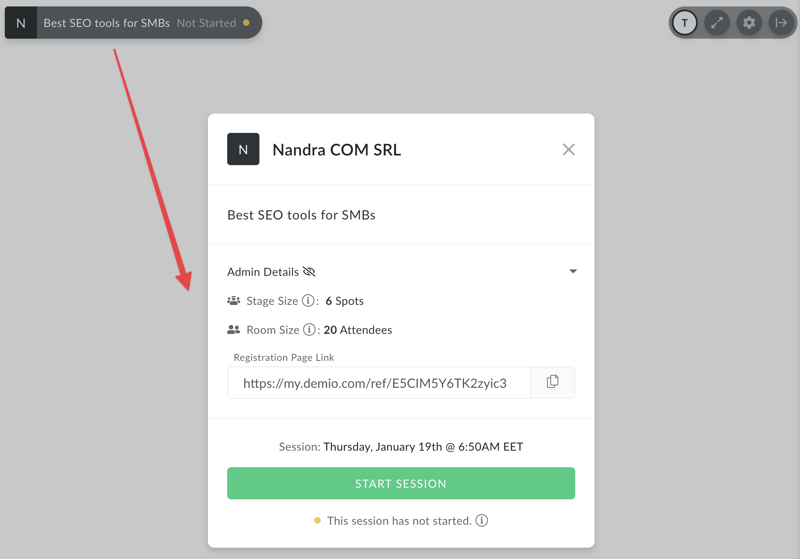
Live webinars are Demio’s core feature, so we’ll spend some more time explaining how they work. You can join a planned live webinar from your schedule, and kickstart the session from the top-left corner of the screen:
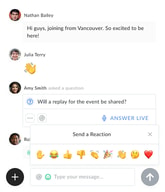
Interacting with your audience after you started the session is very easy. You can see the chat in the right tab, and you can easily delete messages, or mark them as a question to highlight and address them:
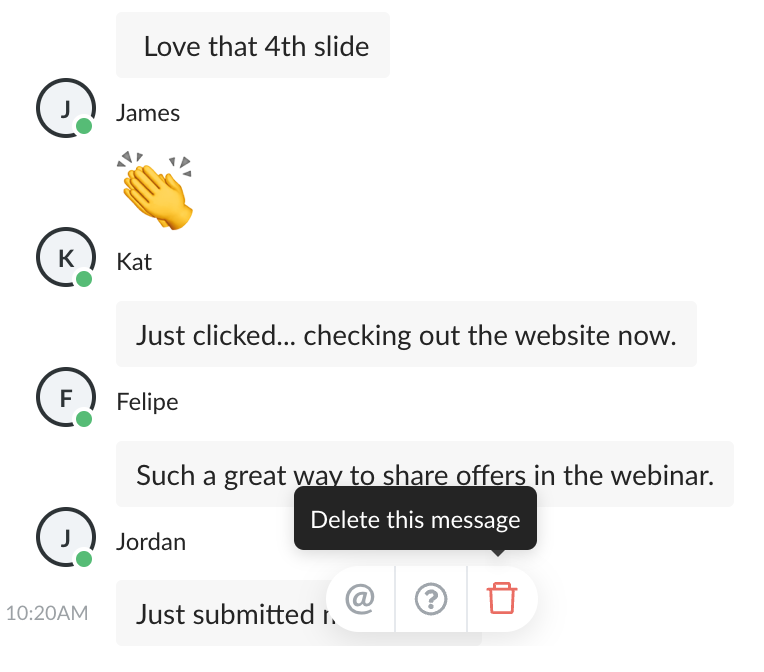
You can also start a private chat with anyone, or switch over to the admin chat if you want to talk to your moderators.
What you see is very similar to what your audience will see, bar from the moderation options. They can also choose to ask questions, instead of just typing in chat, which will highlight their query.
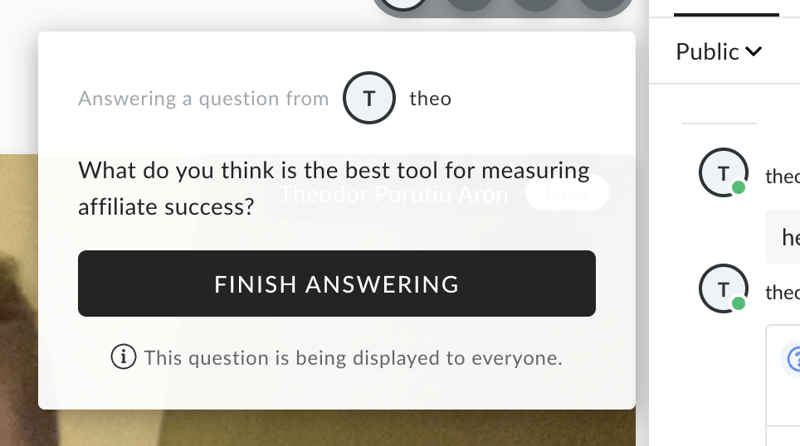
This makes it very easy to engage your audience during a webinar and keep chat interactions structured.
As a host, it’s also easy to share videos and slide shows:
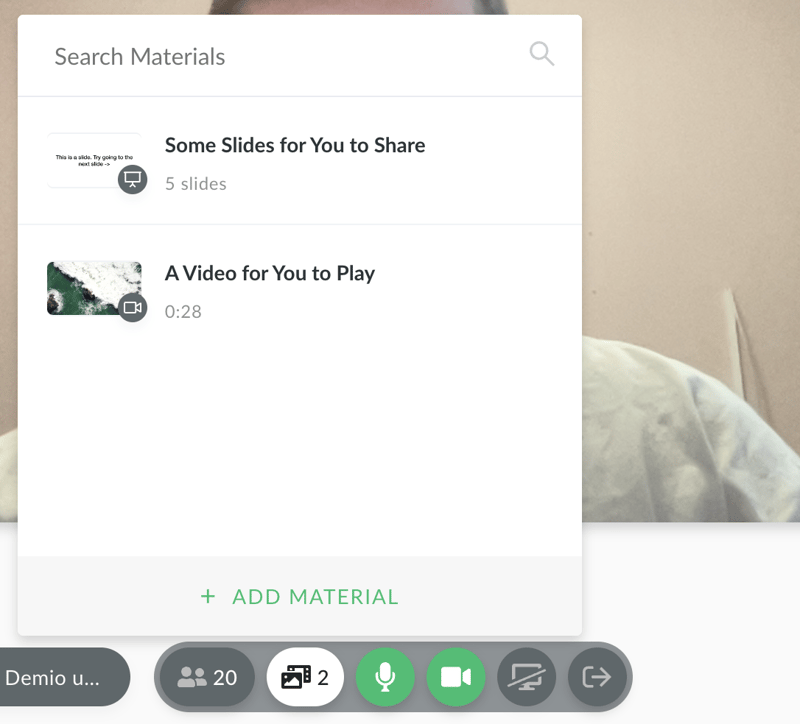
Unfortunately, you don’t get any control over how these are displayed. They’ll take up most of the screen, and you’ll be on top of it. That layout might work for most people. If you want more control over this kind of thing though, you won’t get it from Demio.
You can also share your screen, much like you would in Google Meets or Zoom. What I really like though is that you can quickly switch from the tab you’re showing:
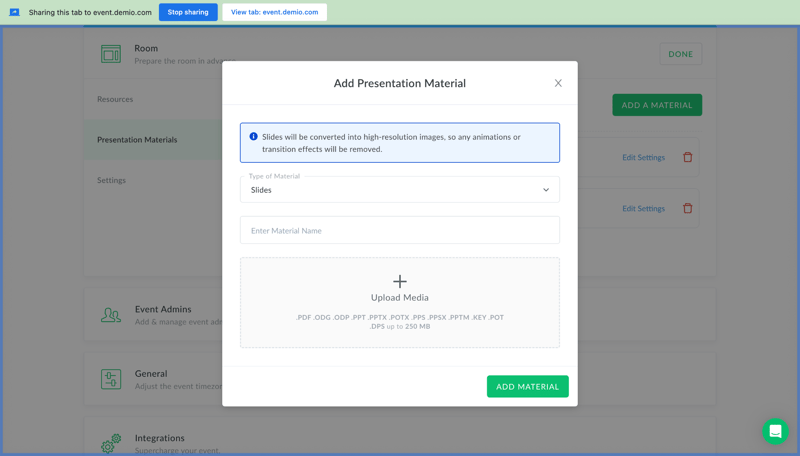
To the webinar tab, with just the press of a button:
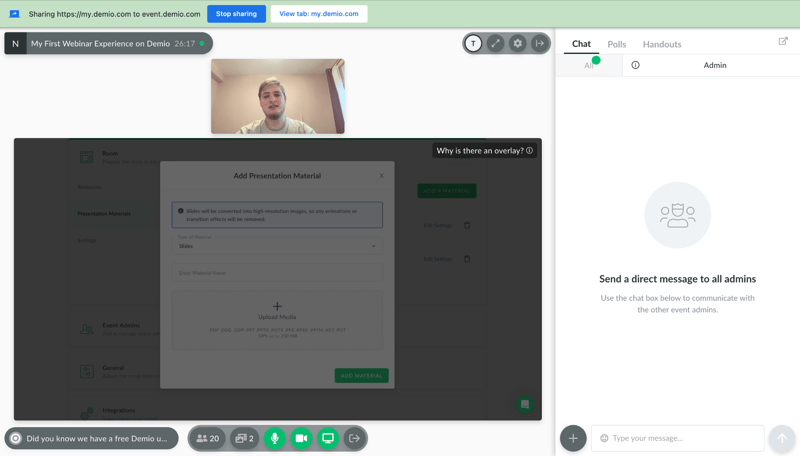
You can share other materials from the bottom-right corner of the screen. These include downloadable files, polls, or featured actions. You can pick one that you created beforehand, or even create new materials mid-webinar.
Files and polls are good to have, and they’re industry standard in webinar software. So are calls to action, but I really like the featured actions here in Demio. They’re easy to create:
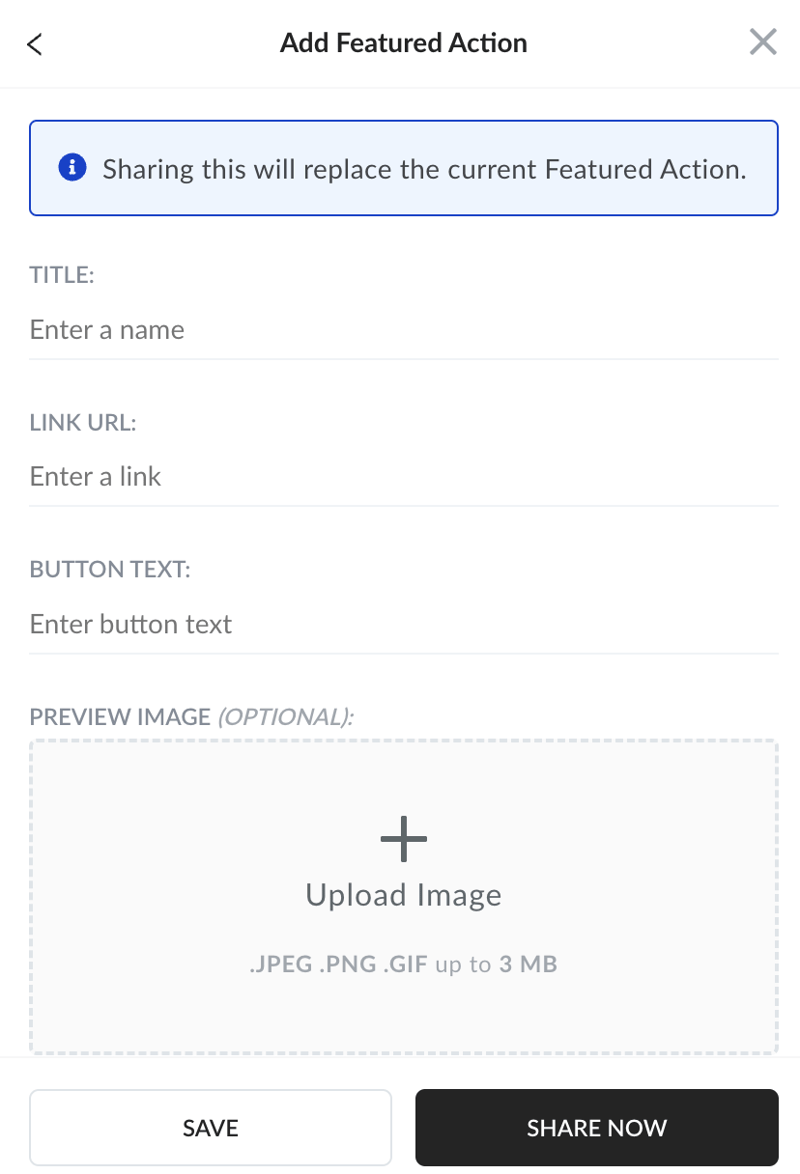
And throw up on the screen at the right moment:
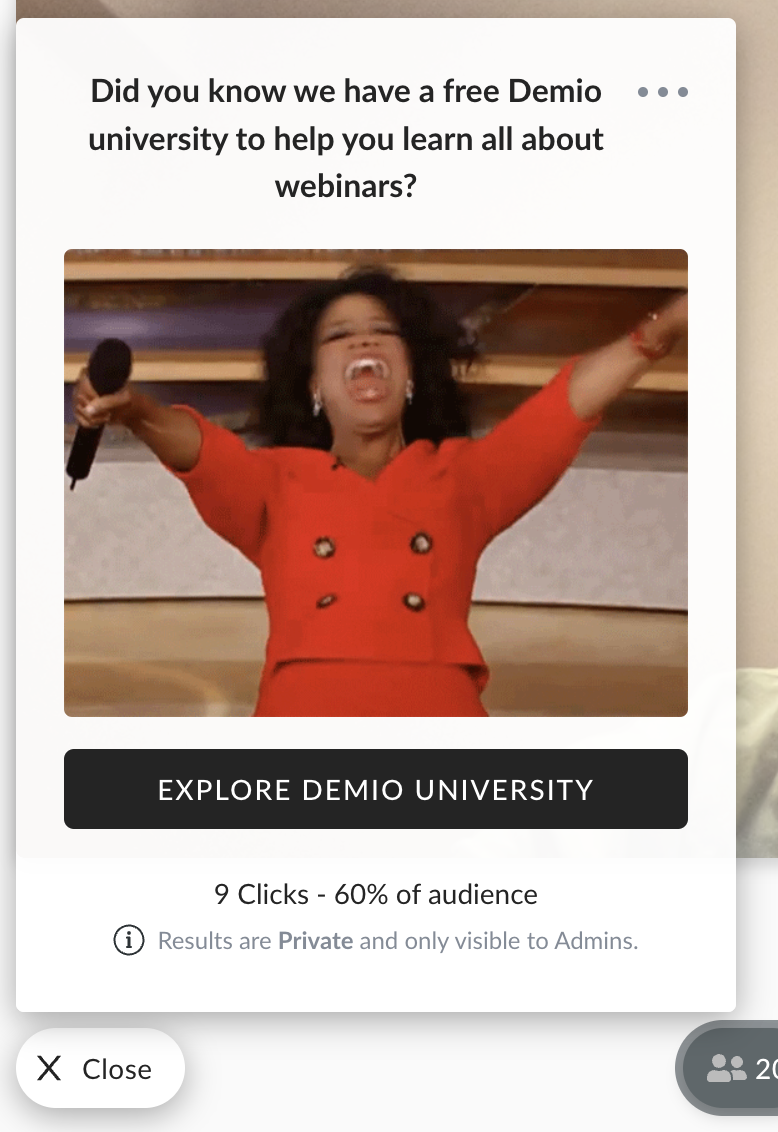
The way you see it as a host is exactly how your audience will see it. This isn’t a revolution in marketing, and experienced users might miss some advanced settings, like the ability to A/B test. But it’s still a very easy way to push your audience down a funnel.
Live events aren’t as customizable as some experienced users might want. But all in all, they’re pretty easy to pull off, beginner friendly, and can be extremely effective.
Automated Events
Automated events are quick to set up from the main dashboard. You can turn older live events into automated webinars, or upload any recording of a webinar you have.
After you upload a video, you can edit a few details about your automated event. You can set up registration and reminders in advance like you would with any kind of Demio event. And you can also automate resource sharing during the webinar:
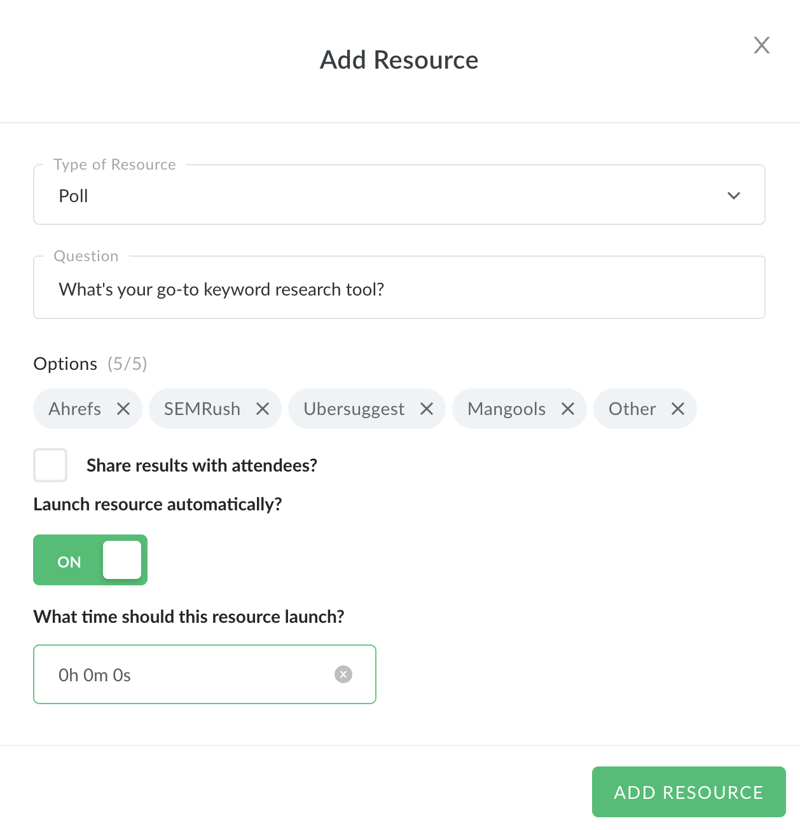
If you want, you can join the event at any time, and interact with anyone in the chat. But you don’t have to. With a little bit of prep, this funnel will work on its own. It’s a very powerful evergreen tool. But unfortunately, it’s not available in the cheaper Starter plan.
Post-Webinar Tools
Demio’s post-webinar tools are stellar. You can get a replay of your event the second it’s over:
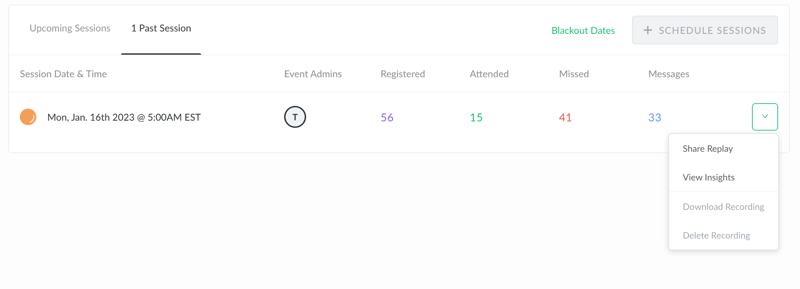
And share it instantly with different segments of your audience. Moreover, you can access insights about your event:
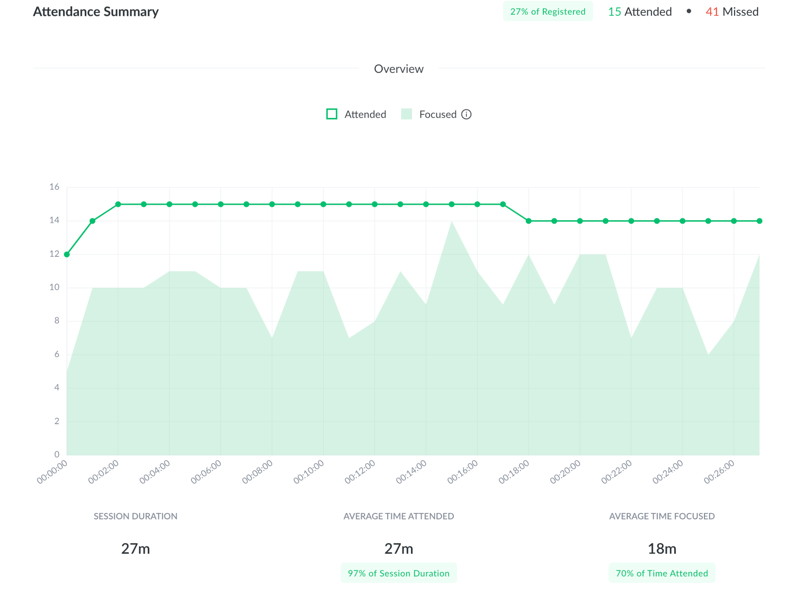
The general analytics are useful. You can see how many people registered, how many of them attended, and even when people generally closed the webinar. This can help you fine-tune your sessions and improve your conversion rate.
On top, you can get a detailed transcript of all messages in the event, as well as a breakdown of each participant, when they logged in, and other useful details:
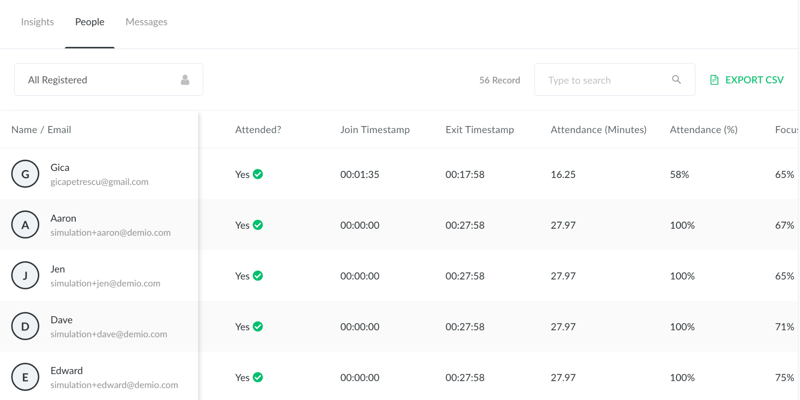
Demio analytics won’t be enough for data junkies. But for most businesses, these insights are good enough to optimize both live and evergreen events.
Integrations
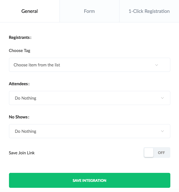
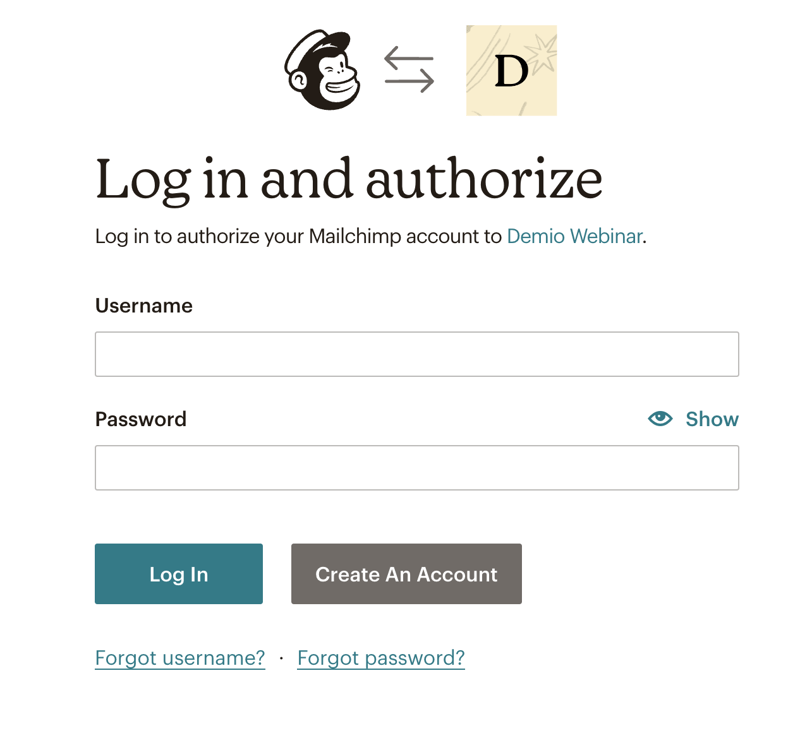
It’s very easy to integrate Demio into your existing suite. You get basic integrations like Mailchimp or GetResponse. And you can easily connect your accounts by pasting an activation key, or logging in:
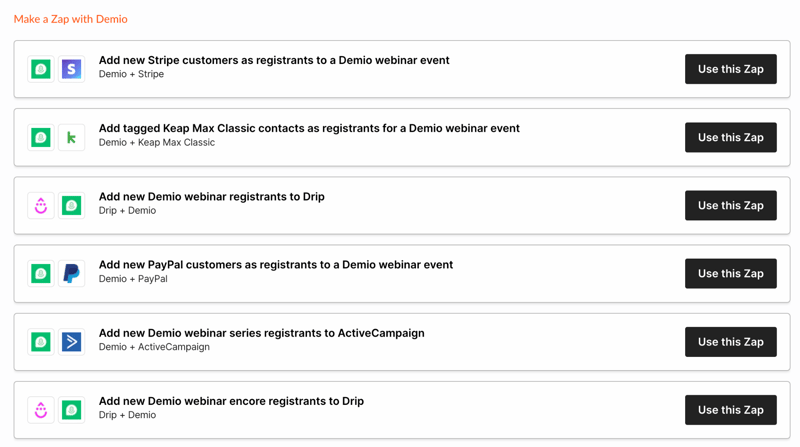
Demio also integrates with Zapier, and you get a ton of pre-made Zaps. With a little bit of work, these can set any webinar on autopilot.
Demio itself has an API key for you to integrate into other apps. And it’s really easy to add integrations to existing events when you plan a session.
Demio Use Cases
Demio has plenty of use cases. We tried to showcase what it can do in this Demio webinar review. But to make things clearer, here are three distinct use cases:
Your marketing team can use Demio for simple and evergreen campaigns. It features a bunch of marketing automation features, as well as readily-available data for how a session progressed, its ROI, and where people dropped off.
Demio can also be used for sales demos, whether live or “simulated live” with automated events. The actionable data you get helps with funnel optimization and improvements to the sales pitch.
Lastly, Demio’s webinar can be handy to customer success teams. Live sessions are perfect to welcome non-techies, and automated events are a great onboarding method for new customers. Its data can also pinpoint potential brand ambassadors based on event engagement.
What makes Demio stand out from other webinar platforms?
Demio does a lot of things right. Its webinar interactions are seamless, sharing materials with participants is easy, and the data you get is very useful. Not to mention, you can manage both live events and evergreen webinar funnels from the same app.
But Demio stands out thanks to its ease of use. The interface is self-explanatory, no dashboard is bloated with hardly-used features, and beginners can make the most out of it without extensive training.
Demio Pricing
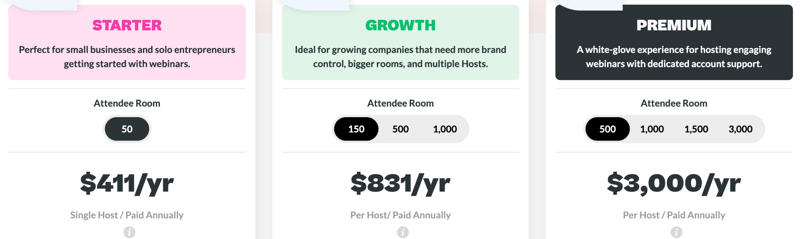
We’re not big fans of Demio’s pricing. It’s not expensive, Demio’s price is average. The problem is that the Starter plan lacks a lot of Demio’s core features. Unless you get the Growth plan you’ll miss out on things like automated webinars, advanced tracking by registration source, or custom branding.
Demio is a smart choice if its feature set meets your needs. Here’s what each pricing plan features:
Starter:
- 1 host limit
- Standard webinar features
- 3-hour limit on sessions
- Live and Event Series
- Standard support
Growth:
- 5 hosts limit
- Everything in Starter
- Automated events
- 8-hour limit on sessions
- Custom room, forms and email branding
- Registration source tracking
Premium:
- Premium integrations with Hubspot, Salesforce, Marketo, and Pardot
- No limit on hosts per account
- Everything from Growth
- Custom domains
- 10-hour limit on sessions
- Priority support
- Access to Beta features
- Dedicated Account Manager
See Demio pricing for current rates.
Summary of Demio’s Pros and Cons
Pros
- Easy to use
- Live events and evergreen content in the same app
- Easy to host and interact with your audience
Cons
- Some users reported bandwidth issues
- Limited customization at times
- The starter plan could do with more features
In our tests, we mostly appreciated Demio’s ease of use. Beginners or non-tech-savvy people will be able to make the most out of the app without any specialized training. Best of all, Demio doesn’t sacrifice too much control for this ease of use.
On the other hand, the lowest pricing tier doesn’t really feel like “Demio.” It’s a bit stripped of features. And if you can’t rely on your internet connection at all times, you might want to look into Demio alternatives. We haven’t experienced any issues with connectivity, but multiple users reported problems with this.
Quick Conclusion
Demio is a reliable webinar tool. If you’ve ever felt stumped by its more complicated cousins, you should really give it a try. We hope our Demio review helped you see whether or not it’s the right pick for you.
If you’re still not sure, here’s the bottom line: Demio is not skimping on any crucial features, and you can use it without a degree. If that sounds like a great deal, check it out with a free 14-day trial, no credit card required:

Compare Demio with other popular tools in the same category.
I am a longtime Zoom user and have tried a lot of platforms out there like Zoho,WebinarJam etc. I have gotten so frustrated by poor customer service, unstable software and platforms covered in branding even when you pay to use it. So when I found Demio, It was it. The process of setting up your webinars is so quick. And what's more, I teach others how to do webinars, and teaching them how to use Demio is so easy.
I have not experienced any problems at all yet. The customer service is excellent and the platform works flawlessly.
Ease of use, features, fast support with intercom.Had some embarrasing moments as well during other platform webinar.
The systematic control provided by demio's programming allows me to make a considerable escalation of digital markets and information systems where everything related to the companies that make life within the corporate system of an industry is offered, managing auctions, live chat to make an interaction according to the excellence of this software. Being one of the most powerful and controllable automated marketing systems, which can generate a systematic reform, promoting the proportion of the best results in sales and productivity.
Your customer service panel does not seem so effective to me, since on multiple occasions I have realized that it takes you time to manage to respond to the concerns of users, where you do not always get an immediate response to customer demands, taking a considerable time to generate an action corresponding to the demand required, which deserves a prompt resolution to end this problem, by automating an immediate response system hand in hand with an intelligent programming through improvements in your software.
It has an excellent interface and a very established marketing management service programming which enhances the resolution of corporate problems of advertising and strategic scope through business action plans aimed at obtaining the greatest, having the ability to activate the interest of users who observe the proper functioning of the platform, forming objective relationships between customers, reducing losses and increasing sales of products and services offered by the company that runs the system demio.
We use Webinars to bring in sales and leads and have found using Demio is great because you can create an Evergreen webinar after you find a sales pitch that works and have it run on autopilot! I also like that you can set up triggers based on a users actions that helps when re-marketing through different platforms.
Cost is the biggest downside. Demio works incredibly well, but it costs quite a lot.
I'm able to create marketing webinars to bring in sales and leads.
Demio is a very reliable software which is user friendly and easy to learn for all ages. The presenter and viewer can easily see what the other person is doing and the features in each presentation are layed out precisely. The customer service is also helpful and is always there for your questions or comments or if you need any feedback. There is also a section where you can give your own input into the software. Aside from that, overall it is a good video conference platform with a multitude of features that not every other product has.
There are a few bugs here and there. Also, you have to keep paying to use across the trial version and these new features can be a little more on the pricey side.
If my team and I cannot hold physical conferences it is still good for meeting up and getting our points across in a very interactive way. A benefit I used from using Demio is that you can save your conferences so that you can add them to your portfolio later, which is good for future referencing if you or your team ever needs to pull something back up.

On-demand Webinars. We can store a lot of webinars
It is difficult to make the analytics of the visits.
Allow us to store on-demand webinars, ask for a form of each participant and integrate it on the website.
Demio is a solid live webinar platform. We like the feature of having multiple different event types and times.
It's hard to integrate into Hubspot. We use a third party capture form and had to do several zaps to get all data to flow accurately from our form to Hubspot to Demio. It also doesn't have automated texts able to go out to participants, just emails, and it seems like that would be a helpful function.
Demio is helping us inform our leads about our products and solutions at the top of the sales funnel.
I find the integration with Hubspot to be super helpful when tracking leads, and I also love the featured actions within the webinar to engage the audience.
The only downside for us is that we have found a few limitations with the Salesforce integration.
Hosting a seamless webinar with an engaged audience.
Easy to use, schedule and send out invitations
Only allows for 1 guest at a time to come on stage. Does not offer any custom backgrounds
None currently

I love how simple it is to use, and how good is the user experience. Demio is simple but at the same time powerful.
There are some features Demio can add to be even better.
Demio allows you to create Webinars easy and quick, without hussle

I like the ability to run automated even. Also, it is very easy to embed the registration form into your website as well as the player. The interface is very simple and easy to run.
You can't delete the logo once you have it uploaded. If you don't have your logo, which shows very small and has very limited ways to customize the format, Demio's logo will show up. But there are situations when you embed certain forms and you don't want the logo at all. There is no ala carte way to get adons. For example, when you want to have an option of an automated event, you have to increase the size of the audience, And that can get very expensive.
The Demio allows me to run large attendance webinars with the ability to embed certain functions on my website. Being able to customize forms and colors is very important to me.
Easy to use, lots of features to organise your webinars the easiest way possible... the real plus is the customer service! The team is quick and super helpful.
The interface is not super sexy or straightforward sometimes I think.
It helps me to engage with our community and offer them real insights in our business.
Easy to use interface. Great CS that response to my request very quickly
Expiring trial cause event to be deleted
It 'archived' all my events upon trial expiry, losing all my event data and invitations. CS was able to help me restore the event to how it was before expiration in under 5 minutes.
It was simple and Darby was very helpful with my Webinar
I wish you could stream directly to Youtube....this is the only thing that makes me consider another webinar provider at the moment
We use it for our Piano Studio recitals and discussions
1) The ability to upload presentation material such as video and slides and share with. 2) The ability to do hybrid webinars 3) The simplicity and the ease of use for the attendees and the guests. 4) The ability to brand and with custom content.
1) It takes way too long to upload the presentation material. 2) It does not appear to have a notion of a library of material whereby I can upload and share material across multiple webinars. 3) There is no process to approve registration for on-demand webinars. This means I do not have much control over who gets to join the on-demand webinars. 4) The pricing model makes it difficult for smaller organizations to adopt it and pay up as they increase their usage.
I am trying to solve the challenge of hosting webinars, especially a combination of live and automated webinars. Demio has allowed me to do so.

The simple, user-friendly interface is great. I also like that videos, ppt's, etc can be pre-loaded into the platform instead of having to screenshare. Pop-up link box is cool, polling is great. Overall, just easy to use. A great choice for people doing very simple webinars/virtual events. Our audience enjoyed getting to be on the platform, liking the simple interface and the fact that it wasn't Zoom made it feel like a special space. Also, customer service is fabulous.
Only 3 webcams at once and it puts them side-by-side in the recording which minimizes the size of each speaker (should allow 4 webcams at least to make a perfect square, and stack images 2x1 when it's 3 webcams to avoid white space), glitchy for a second when turning webcam on/off, no upvoting Q&A, powerpoints are uploaded as individual image files per slide so you can't have transitions/animations/sound, recording quality is just OK. Also wish you could test the room more than 24 hours out. I scheduled prep sessions with our speakers 1-2 weeks out and had to recreate the room, polls etc instead of just being able to do the prep session in the actual room
People are tired of Zoom, so it was nice to offer a different space for a virtual event. It set the event apart. It was also really easy to use both on the admin end and participant end.
Demio is a high level solution, which is responsible for helping marketing teams to organize events that provide a communication with potential customers for any company that wants to use this solution as a tool, noting that Demio has both live video transmission, as hybrid or automatic where you can present various slides for analysis, reminders, among others. This solution is very complete since it has a reliable, fast and easy to use customer service support
Although Demio is one of the most complete solutions in functions and leader in the market, they need to improve functions like easy integrations such as with Facebook Live, being a marketing tool it should have an easy synchronization and integration with other applications to achieve a wider range at the time of execution to capture customers in the market
It is important to highlight the problems that Demio has been solving within our company, one of the main ones is that thanks to this solution our professionals have been able to design highly personalized registration pages to our benefit by creating interactive sessions. All this thanks to the application of a survey to measure the commitment given by our company at the time of fulfilling the obligations or priorities of our customers. In this way Demio has been of great help to us within the restructuring of the obsolete marketing system with which we had

Demio is clean and simple to use, and also doesn't require an app to be downloaded. I also love how you can load mp4 video files and play them during your webinar...no need to use YouTube. Also, the fact that you can completely customize and brand your registration page for each event is awesome, and the analytics are great.
I do wish there was a little more mobile support. The majority of our attendees are viewing from a mobile device, and while it works - it's clear Demio was built with computer at top of mind and not mobile. We've also had a few technical issues with some of the interactivity features messing up on people's mobile devices.
We have to deliver so many virtual trainings for various audience in various sizes (5 people to 300 people) and with people with all different devices. With the COVID-19 Pandemic, our entire operation had to move virtual. Demio made that transition easier for us and we've actually realized that we can train and reach people MORE EFFICIENTLY than the in person traveling we were doing. In addition, gaining all the analytics we need is a huge plus as well. Honestly, it has completely changed the way my team can perform our job duties.
The use of Demio does not tire you and is user-friendly. The software is extremely easy to learn. It will make the first users smile. It takes a few minutes to log in and start using. In addition, customer service is there to help you with any problems and feedbacks. There is an innovation that you want to be added about the application and if it is reasonable they give you what you want.
Demio should have better functionality for audience participation, but that doesn't seem possible. The simultaneous planning process for daily webinars is exhausting and takes your time. This issue needs to be given importance.
- Users do not need to download anything to use the webinar without an easy way to enter. It can publish surveys, update downloads, ask questions, and be anything that interests audiences. It also integrates with all the tools I use. It automatically records the entire webinar and User support is great. In a short time you are responsive, and supportive of your return.
I like preloading the event with my assets.
The interactive items sometimes go haywire on my machine. Screen goes blank and have to rejoin the event.
Retains a recording of the webinar, gives us the ability to ask our audience questions and visa-versa.
I loved the email prompts demio has to get you started. It offers you the confirmation email along with other parts to your sequence to make sure your usrs get the infromation you need for your webinar. I also love the resource feature demio has. You can prepare your webinar with links, slides and resources and then when you are ready to share it with the room - a convenient opt in button pops on the screen . Demio is also a very attractive software and incredibly easy to use. I wasn't confused setting it up and it made the rest of my job very easy
I didn't love how you couldn't customize the emails - though I was on a very simple plan so it might be in the upgrade. I also had many people connecting with me asking what time zone the event was in. The drop down feature didnt specify that the times were shown in their time zone which caused some confusion. I was also desperately missing the ability to interact with the audience. I really wanted to be able to open the room to see everyone participate
Demio is providing a way for business owners to communicate with potential clients in an easy to use way - This helps me with building my email list as well as gaining trust with potential clients
Integrations. User Experience. Automated e-mails. The chat. Automated webinars.
The price. Too much clutter in the automated e-mails. The touch'n'feel. Editable interface.
Showing how to use our complex features in the best way, to persuade people to use MuchSkills more and help them utilize it fully.

It is easy to use which allows anyone to be able to use it without problem. In addition, its interface has a simple and neat design, very user-friendly. The attention from their technical service is excellent, they respond quickly and very empathetically which encourages a greater connection between the support team and the user. In addition, it is not necessary to download an additional application for its use, since it works excellent from the web browser, its configuration is not very complex, that is, it is very simple and easy to perform, which allows you to start using this tool almost immediately . It provides an excellent communication environment, since it has a live chat that allows me to communicate with my clients in an easy way, and through this chat I am able to send them live information on how their campaign is developing. digital marketing. It allows the option of sharing control of your rooms through the option of multiple hosts, which provides a better option to maintain control of the room.
It does not have many tools that generate reports and statistics of value for decision making, which is a shame since this constitutes a key element to make progress in our campaigns.
It was used as an alternative to manage the digital marketing campaigns of the companies to which I am in charge, also thanks to its live chat we managed to channel meetings with my clients through this same route, which greatly simplifies the processes communication with the client.
Simple to use and effective, didn't have to be an "expert" to find my way around the platform
This platform is a little too expensive for our current budget
We've managed to run successful webinars during our trial period
This is a user friendly platform and is easy to use.
Audience can’t use microphone to make comments which is frustrating.
The scheduling process saves so much time!
Easy to get set up and spin up registration pages
The two webinars I have run so far have been littered with audio issues. There have been delays, feedback noise, echos, people not being able to come off mute. It's difficult to trouble shoot these issues, everything basically has to be perfect in order for it to work. I've never had these issues using Zoom webinar software.
It's easy to get signed up and get registration pages live.
It supposedly provides good analytics about behaviour of participants. That may well be true, however, webinar product must just work in the first place. If it doesnt, it is less than worthless.
We had an important webinar yesterday with over 100 participants registred. A thing where you put a lot of money and effort to run. We decided to connect a full hour before on Demio to check if everything is ok. It was not. First of all, it took very long time to connect. You just wait trying to switch browsers and see if it helps to get it working. My experience is that many things do not work as they should. So instead of being able to rely on product, you are left extremely stressed (we talk of a live webinar here!) with a hope that it will work. During live session one of admins was just disconnected. Fortunatelly other one was running the slides. I also was not getting sound from the other speaker, while people in audience were able to hear him. Sometimes sound returned. That alone is enough to spoil the day. Moreover, this causes significant reputation risks with the audience we invested huge efforts to get. Then today I cannot log into tool to get a recording. I asked for password and still didn't get the email. And that is a product we pay real money for.
It turns out, it is creating problems instead of solving them. If a webinar tool doesnt work, the rest of benefits doesnt matter. We experienced lots of stress and webinar participants had poor experience.