

( 71 )
iSpring Learn Reviews: 4.6/5 — Highly Rated
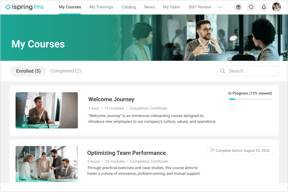
iSpring LMS is a learning management system that supports the full employee development cycle, from onboarding to continuous skill growth. It allows businesses and organizations to create and deliver eLearning content as well as launch training quickly and efficiently on a single platform, backed by award-winning 24/7 support.
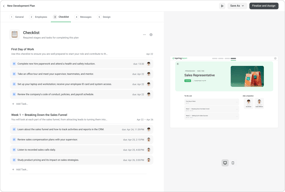
Companies can create and scale targeted learning programs with individual development plans, onboarding checklists, and interactive courses. The bundle with iSpring Suite AI, a powerful authoring tool with a wide range of capabilities, makes course development fast and simple even for those without instructional design skills. Internal knowledge base supports resource sharing and SME collaboration, while 360° feedback helps evaluate employee skills and make informed promotion decisions. On-the-job training allows managers to assess and improve hard skills through real-life job tasks.
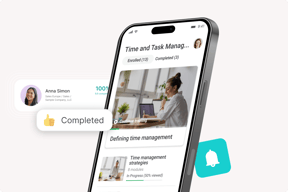
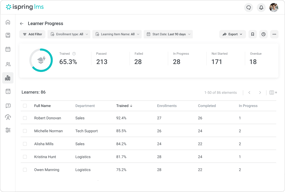
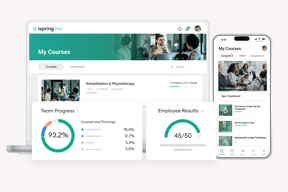
Detailed analytics helps leaders and trainers identify and address skill gaps. Gamification mechanics increase learner engagement and completion rates. Trainees can also learn on the go online and offline, thanks to the native mobile app. iSpring LMS is a secure and customizable platform with cloud and on-premise hosting configurations.
| Company | iSpring Solutions Inc |
|---|---|
| Year founded | 2001 |
| Company size | 201-500 employees |
| Headquarters | Alexandria, VA |
| Social Media |

| Capabilities |
API
CLI
|
|---|---|
| Segment |
Small Business
Mid Market
Enterprise
|
| Ease of use |
Beginner
|
| Deployment | Cloud / SaaS / Web-Based, Mobile Android, Mobile iPad, Mobile iPhone, On-Premise Linux, On-Premise Windows |
| Support | 24/7 (Live rep), Chat, Email/Help Desk, FAQs/Forum, Knowledge Base, Phone Support |
| Training | Documentation, In Person, Live Online, Videos, Webinars |
| Languages | Arabic, Azerbaijani, Catalan, Chinese, Croatian, Czech, Danish, Dutch, English, Finnish, French, German, Greek, Hungarian, Indonesian, Italian, Japanese, Kazakh, Korean, Mongolian, Norwegian, Polish, Portuguese, Romanian, Russian, Spanish, Swedish, Ukrainian, Uzbek |




Compare iSpring Learn with other popular tools in the same category.
The most valuable part of iSpring Learn is the multiple tutorials available. As a novice with no knowledge of Instructional Design and LMS platforms, iSpring has made it simple to set up and ready for use.
I don't particularly appreciate that features available without additional purchases are visible on the platform. It's very misleading that a particular function is available when it isn't
iSpring resolves the issue of not having a centralized information and learning platform.
iSpring provides a self-explanatory, versatile suite of eLearning development tools and end-user portal. The learning curve is simple even for more advanced features.
Lack of reports or filters for follow-up or comparison. Archiving older learning paths is not available in our current portal version.
iSpring enables us to provide technical training to remote students that include internal employees and customers. This had been a critical solution in the last two years.
We have been using iSpring for a couple of years now and are overall very satisfied with the product. When we have an issue we typically get a very quick response. My most recent issue was involving a quiz publishing error and I worked with Paul B. who took the time to look through my quiz history and found the reason for the error to be a glitch from a previous version. Once he told me how to fix it I asked if there was a way to find any other quizzes published with the same error and when he got back to me he stated that he went through each learning path to find a quiz and then checked the version of the quiz for me. I appreciated his dedication to helping solve this problem. I was actually expecting to hear that it would take too much time for them to look through individual courses and it would be up to us, so this was a nice surprise from him!
When using audio editing on iSpring Suite through powerpoint you do not have the same noise reduction capabilities between straight audio and a screen recording. I wish that the screen recordings had the same editing capabilities as the sound. Sometimes when we go back into a presentation after a software update it will erase the sound file or in the case of a quiz, all questions get deleted. We have had this happen on a variety of quizzes and one presentation. Even if you open the file and tell it not to save changes, this still happens.
At one point we used outside sources to provide CBT and now we can create our own and manipulate it to be exactly as we wish.
We are a School management Company and we have used the product for some of our clients and also tried it out for internal use. These are the qualities we really liked about iSpring. >Integrates with Moodle. >Very intuitive user interface. >Works on Smartphones and Tablets. >There is a limitation to the file size, but almost no limitation to the number of files uploaded.
Expensive if you are a small company. I think the performance and pricing can be improved somewhat. But I would be nitpicking there.
Internal Training & tracking, Learning content management. Onboarding of new employees.
I think it's fairly intuitive. I like the Admin portal for managing the company through Departments and Groups. We have an easy setup for self-enrollment which works well. Their customer support is quick. The Admin portal features made it fairly simple to organize content. I like the Catalog organization.
My least favorite thing is the Functional or Supervisor not being able to enroll a team member in a course, from the User portal. They want you to use the Admin Portal for managers to enroll their team. But I think that is the wrong way to go.. Managers should be able to enroll in User Portal without requiring approval from the Admin. That is a waste of time.
We have compliance courses that we can auto-enroll people in. Also, the new hire auto-enrollment is very helpful - and organized. You can set up auto-enrollment by groups or departments.
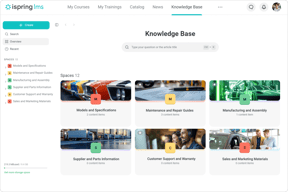
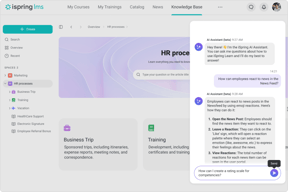
The Knowledge Base section has become a great hub for data for our contractors. I also find the export function on users incredibly helpful. I'm able to pull my current roster up in just a few seconds.
I can't message my groups. It would be incredibly helpful if I could message each of my teams and specific groups. I also haven't figured out a way to assign my team to upload photos of their work.
I have abotu 120 contractors around the world, and iSpring is allowing me accountability on whether they're accessing updates nad training informaiton - with just email, I never know if they've accessed new information.
It is very user friendly for both learners and trainers. I can quickly create a course, interactive quizzes, record and much more without much hassle. The best part is it has lot features at very fair prize.
Everything is working good so far for me.
It is helping automate corporate learning without any hassle. The best part is it recognises most of the file formats. Also tracking results and course effectiveness is very easy through its comprehensive reports and completion rates.
Its study material are good enough to understand
Sime things are so complex i guess terminologies might have been more easier
It solves understanding the product more
iSpring Learn has a simple tab system for navigating the site, marked with intuitively designed logos and unobtrusive labels which gently fade in when the cursor is moved overtop.
The Progress Achievement Reports which you can generate through the site are unweildy, ugly, and difficult to customize. Reports should be visually scannable for getting a quick gist, and should appear somewhat more polished.
iSpring helps the company track progress and training history for each employee in each department, and keep tabs on when employees are due for a refresher. iSping also helps the company maintain ISO certification.

ISpring has a free version that helps to convert ppt to a web multimedia product. It helps you to get out of the upload and download routine and is free. The final product is more attractive to the teachers. Old students (senior or postgraduate) doesn't care much about presentation. So this is a product for younger fresh generations.
I wish it has more visual objects. Is very helpful for teachers that are learning to create this kind of multimedia products, but for visual communicators or graphic designers os very frustrating. We are a small group, though. The html product doesn't work very well with cellphones, that is kind of annoying because younger students use more their cellphones.
When i started with Ispring i like that is was easier than to use articulate. The new Articulate version is better now, but is expensive. So, I recommend Ispring to some of the teachers at the university where I work. The bet part is that it has a free version.

