
Unclaimed: Are are working at Jibble ?
Jibble Reviews: 4.6/5 — Highly Rated
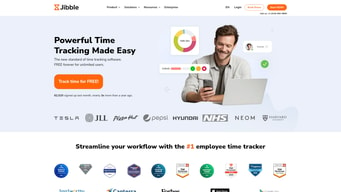
Jibble is a cloud SaaS time tracking and attendance solution designed for desk, field, and hybrid teams. It offers unlimited users on a generous free tier, multi-device clock-ins (web, mobile, kiosk, Slack/Teams), attendance verification (face recognition, geofencing), project time tracking, payroll-ready timesheets, reporting, and integrations for payroll, HR, accounting and communication tools.
Jibble is also often used as Time Tracking of choice in Vue.js and Swift (iOS) tech stacks.
| Company | Jibble |
|---|---|
| Year founded | 2017 |
| Company size | 1000+ employees |
| Headquarters | Remote (multiple countries) |


| Capabilities |
AI
API
|
|---|---|
| Segment |
Small Business
Mid Market
Freelancer
Enterprise
|
| Ease of use |
Beginner
|
| Deployment | Cloud / SaaS / Web-Based |
| Support | Chat, Email/Help Desk, Knowledge Base |
| Training | Documentation, Videos |
| Languages | English |
Jibble Pros and Cons
- Very generous free plan with unlimited users and many core features
- Strong attendance verification (face recognition, geofencing, selfie capture)
- Cross-device support: mobile, desktop, kiosk, Slack/Teams, offline mode
- Robust reporting, project tracking and invoicing capabilities
- Some advanced features (live location, attendance insights, SSO, audit logs) are reserved for higher paid tiers
- No clear self-hosting or open-source option verified
- Per-user pricing can add up for large teams needing advanced features
- Regional/localized pricing eligibility may vary




Compare Jibble with other popular tools in the same category.
I love the chrome extension and the daily/monthly timesheet views.
The sign can be slow at times. Also, I don’t scrolling through all of the members to get to my name, since I’m the administrator.
We needed a simple way to track employee hours in a detailed way.
The slack integration is very useful, and also the reporting makes it easy to see numbers and understand how much to bill clients quickly and easily using my accounting software, Xero. I also think the arhcitecture of the front end of the webapp is very clear and intuitive.
I'm not a fan of the new feature where you cannot jibble out when you already are jibbled out. When I am backdating jibbles, sometimes I need to jibble out when the autojibble already has me out, which is a bit of a pain. Also, it would be handy to include ex-employees (those removed from the current workspace) in reports. For example, one of my employees has left, but in my project planning and client billing, I still want to include his hours into the situation. However, I don't want him to be appearing on weekly timesheets. The billing model could be improved in my opinion. When I upgraded to the paid plan, I actually only wanted access to one or two of the paid power up features, but there is no option to purchase only access to a couple of these. This could make jibble more profitable as well as you could charge more for all power ups and lower for one or two.
Client billing has become a lot easier since using jibble, along with the ease of organising my time management. this in turn gives me more time to focus on core business activities and delivering services to clients.
Its so simple and fun to use! With location tracking and facial recognition we are sure that the check-ins and check-outs are indeed valid.
Nothing! This product is really fun and easy to use!
Jibble has made attendance tracking fun for the team! Since its a cool app on our phones, everyone is excited to use it.
Jibble can be integrated with Slack and is great at tracking how much time Is being spent with each client and our different tasks.
It occasionally fails to recognize logins and descriptions posted within Slack and needs to be edited on the website dashboard.
We have started using Jibble Bot in place of Toggl which was not able to integrate into Slack and was limited in being able to determine how much time we were spending on each client and specific projects.

Jibble is one of the best time tracking app. The interface of Jibble is user-friendly and is simple and easy to use. I can track productivity and the working hours of my remote team at one place without the need of time tracking softwares and all. It is as easy as to just a single click on "Jibble In" and the clock starts and "Jibble Out" to stop the clock. Fantastic tool! I must say.
Well, there is not so much to dislike in Jibble, but once we click on "Jibble In" or "Jibble Out," it simply logs on and off on the platform. There must be something like "Jibble Break" while a person is on a break and all.
Jibble is helping me to track the working hours of my employees in a team. I can track the operating hours on any project or task easily and bill the client accordingly. It has made my team reporting transparent and fair. Thanks to Jibble.
Simple, yet friendly to use and easy to check time management of clock in and out of staff management resources while working remotely.
Sometimes when staff forgot to clock out, and when next day staff clock in, the calculation went slightly wrong.
Control my developer when working remotely. To be able to track when does my developer clock in , working, and clock out.
Easy to use, functional. A good way to keep yourself on track
An extra step to remote working that is not necessarily necessary should people prefer to work odd hours rather than regular ones
It's good for keeping track of time "worked"