

( 222 )
Unclaimed: Are you working at Leadpages?
Leadpages Reviews: 4.4/5 — Solid Choice
Leadpages is a website and landing page builder that is focused on helping small businesses engage their intended audience, capture leads, and acquire customers. Established in 2013, it’s one of the most recognizable names in the drag-and-drop landing page builder marketplace. It has a full suite of conversion-optimized, mobile-responsive templates and designs, from sales and checkout pages to newsletter signups, webinar registrations, and contest/giveaway mini-sites. As a marketing solution that traces its roots to lead generation, Leadpages differentiates itself with conversion-focused capabilities. One of these key features is the Alert Bar which enables marketers to deliver browsing behavior-based offers and messages across different sections of the website. Another built-in technology that is unique to Leadpages is Leadmeter which delivers real-time and data-driven recommendations during the build process. It analyzes content based on four key conversion categories (page layout, call-to-action, readability, and lead collection) and predicts page performance before publishing.

| Capabilities |
API
|
|---|---|
| Segment |
Small Business
Mid Market
|
| Deployment | Cloud / SaaS / Web-Based |
| Support | 24/7 (Live rep), Chat, Email/Help Desk, FAQs/Forum, Knowledge Base, Phone Support |
| Training | Documentation |
| Languages | English |
Leadpages Pros and Cons
- The drag-and-drop interface makes it easy to design a site
- Multimedia embedding means you can add videos and images by pasting an embed code
- Leadpages has terrific analytics for landing page monitoring
- It’s hard to fine-tune some design elements
- There are no follow-up trigger links for the Standard plan



Leads are the heartbeat of any company.
Without leads, you don’t get conversions, customers, or client loyalty.
Leads may start off as visitors to your website, or people who see your content on social media, but they quickly become the investors at the core of your organization, helping you to grow.
The more you build your leads, the more opportunities you’ll have to encourage conversions through things like email marketing and online offers.
So, how do you find leads?
Well, you can invest in PPC and organic advertising in the hope that companies arrive on your website. However, if they do make it to your content, that won’t necessarily mean that they’ll make the transition from visitor to lead. You’ll need something else.
Leadpages, the leading landing page builder and form creation tool, is a state-of-the-art solution for gathering and nurturing your leads.
Here’s your complete guide to Leadpages.
What is Leadpages?
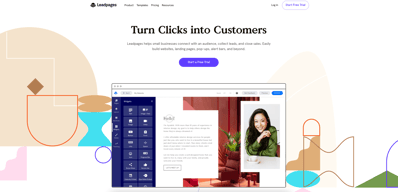
Leadpages is a software solution designed to help businesses of all sizes connect with their audience, close sales, and collect leads. Essentially, you can use this service to build a range of pages and online environments which encourage interactions with customers.
Options range from landing pages, where you might offer a free eBook or discount in exchange for an email address, as well as popups, alert bards, and even entire websites.
Leadpages advertises itself as the all-in-one tool you need to get on the web and grow your business. Aside from giving you the tools for building your “lead collection” assets, Leadpages will also help you to optimize your interactions and conversions with things like split-testing, and analytics.
With Leadpages, you don’t need to spend all your budget on expensive graphic designers, coders, and developers. Anyone can build the perfect touchpoint in their customer’s buying cycle, just by dragging and dropping modules into place.
Leadpages Review: Features
Leadpages is quite an immersive solution for lead nurturing.
The service used to focus only on landing pages, but you can now use the same software to create high-converting websites and popups too. We’ll take a closer look at how you can use Leadpages in a moment, but let’s start by listing some of the most valuable features:
Website building
You can instantly design and publish simple websites in a matter of minutes. Leadpages offers conversion-optimized templates that are mobile responsive. You can also customize your templates within the included drag-and-drop builder.
Conversion assets
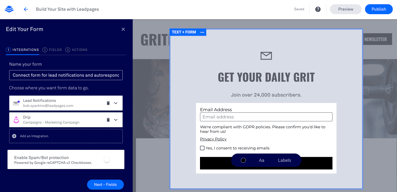
The core of the Leadpages offering conversion assets include alert bars, popups, and opt-in forms that you can embed into your sales and marketing pages. Once again, you get a range of templates and customization options to work with here.
Landing pages and forms
The most obvious way to turn visitors into leads, landing pages and forms allow you to convert potential customers with compelling experiences.
Analytics
You’ll be able to see which of your campaigns are driving the best results with detailed reports. You can use things like Facebook Pixel and Google analytics in your accounts and even set up A/B tests to see which of your pages perform best.
Integrations
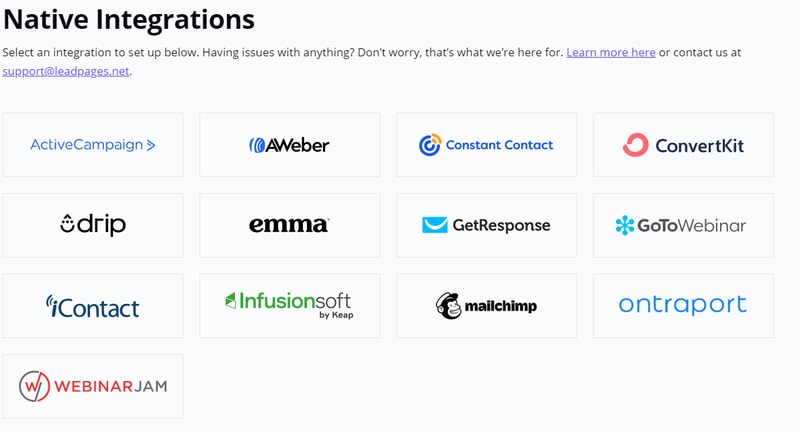
Integrations from Leadpages include options to add your pages to an existing website, WordPress plugins and integrations for Squarespace too. You can also connect to your email marketing service provider, CRM, payment gateway, and more.
The further you dive into each element of the Leadpages platform, the more features you discover. For instance, the central landing page and website builder comes with 5 free sub accounts, so you can connect with your team as you work, and 99.9% uptime for peace of mind.
The Builder
The builder automatically saves changes as you work and allows you to preview content according to device or social media channel. You’ll also get digital file hosting, duplicate and editing features, extra-fast page loading speeds, and a comprehensive image library for visual appeal.
Bonus features include CSV downloads, lead information, drag-and-drop editing and page grouping. You can use your landing page and website builder to take payments or build entire sales funnels with connections to your CRM or email account. There are also a host of awesome widgets available for things like countdown timers, and unique forms.
Conversion tools
The builder is just one component of the entire Leadpages experience. Once you’ve designed the assets intended to bring leads to your organization, you’ll also get a host of conversion tools, including 10 opt-in text campaigns for SMS, and email trigger links.
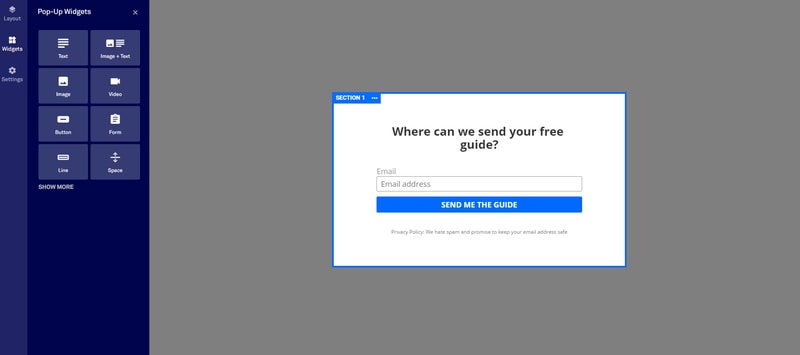
Unlimited alert bars and popups allow you to capture the attention of your customers any way you choose. There are even plenty of ways to customize the popups you create, through things like button changes, image integration, and privacy policy attachments.
Designs and templates
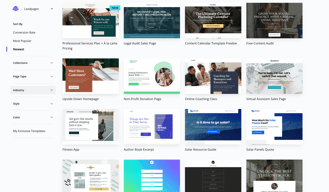
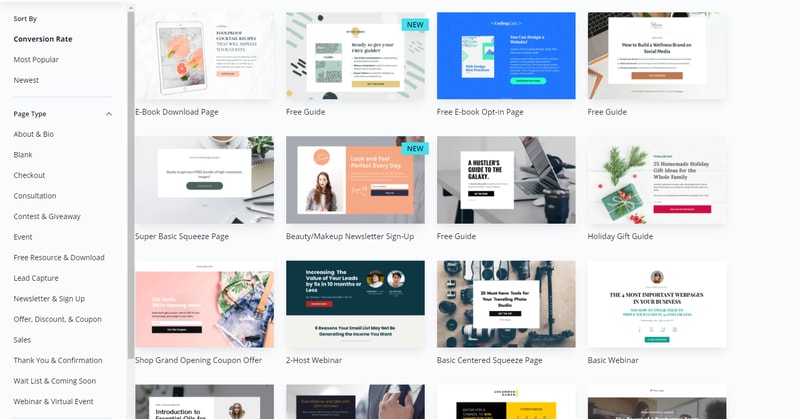
One of the most impressive features of Leadpages is all the access you have to amazing designs and templates. You’ll get section templates, (over 100 to choose from), Shutterstock premium images, a built-in icon library, and countdown timers. When you click on the “Create a Page” option within Leadpages, you’ll visit a massive repository of template options, which you can search through by choosing the kind of page you want, or the industry you’re in.
If the templates available don’t suit your needs entirely, don’t worry. It’s easy to change various aspects with HTML, CSS, or just the drag-and-drop visual editor. You get the same robust template and editing experience with both landing pages, and websites on Leadpages.
Further education, support and security
Leadpages ensures you can set your entire lead capturing strategy up in a way that suits you. When you purchase your package, you’ll get as 1-on-1 start call, phone, chat, and email support, and a free set of Leadpages virtual workshops to check out.
If you’re comfortable seeking out help yourself, the knowledgebase is a great place to start, but you can also take weekly coaching sessions to develop new skills or connect with the Leadpages community. On top of support and guidance, Leadpages also helps you to improve your overall experience with high-level security, custom Zapier integrations, and GDPR compliance all built in.
How to Use Leadpages?
As you’ve seen above, there are a ton of ways that you can access Leadpages to increase your leads and build stronger relationships with customers. However, the landing pages are still the most attractive feature for most Leadpages customers.
So, how easy are they to use?
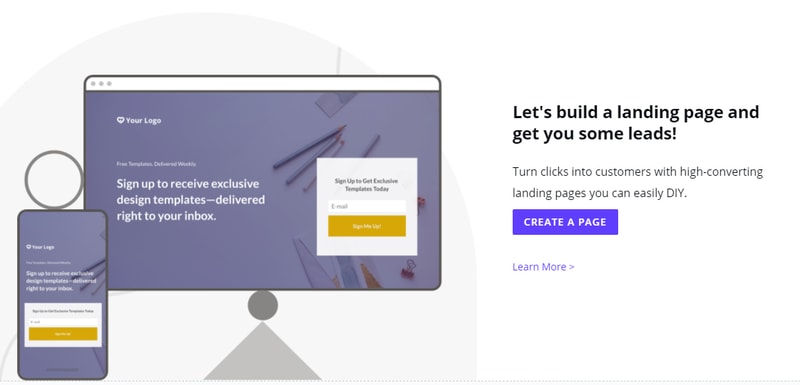
To start building a new landing page, simply head over to your Leadpages interface, and click the option for Create new Leadpage.
Once you’ve done that, Leadpages will give you a host of templates to choose from. Remember, you don’t have to love the Leadpage template completely because you can edit various parts of it with the drag-and-drop editor (or the standard editor if you prefer).
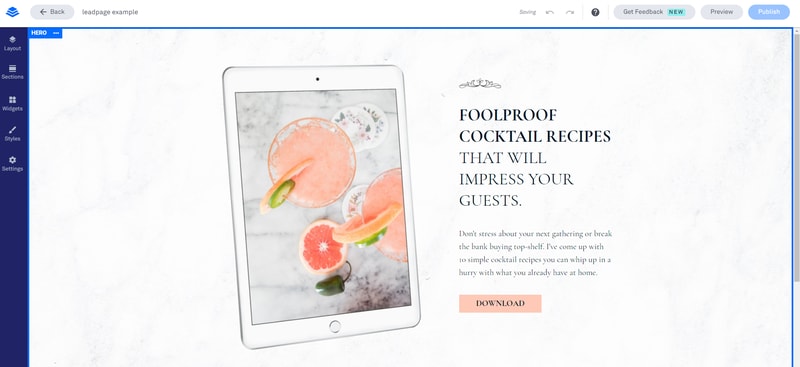
Leadpages will also give you the option to use a blank page as a canvas – although this might be a little tricky for beginners. We’d recommend using the templates initially, until you feel comfortable using all the unique components of Leadpages.
The drag-and-drop builder on Leadpages is by far the easier way to develop an effective landing page. You’ll get a live preview of what your page is going to look like on the right side of the screen, and a selection of modules to choose from on the left. These modules include:
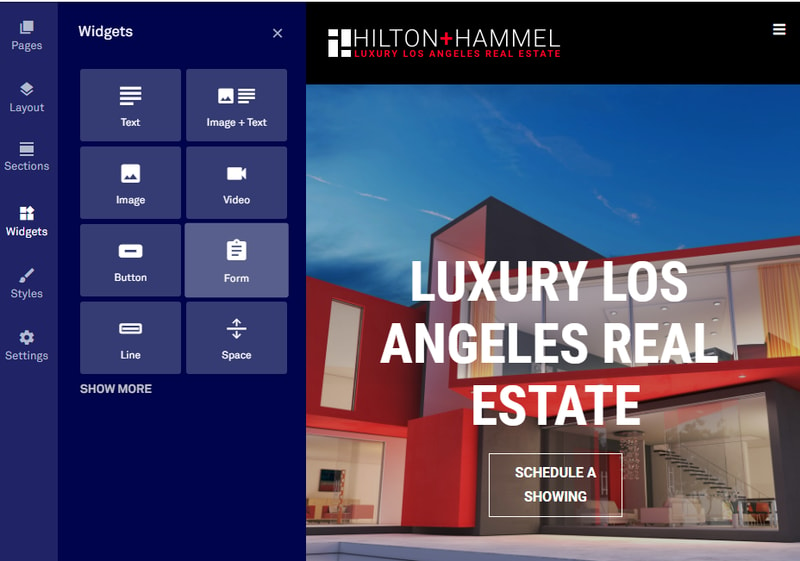
- Widgets: You can add buttons, opt-in forms, or even countdown timers here
- Page layout: Adaptions to the overall format of your landing page
- Page styles: The fonts, images, and colors that you use in your pages
- Page tracking: Basic SEO settings and tracking/analytics codes
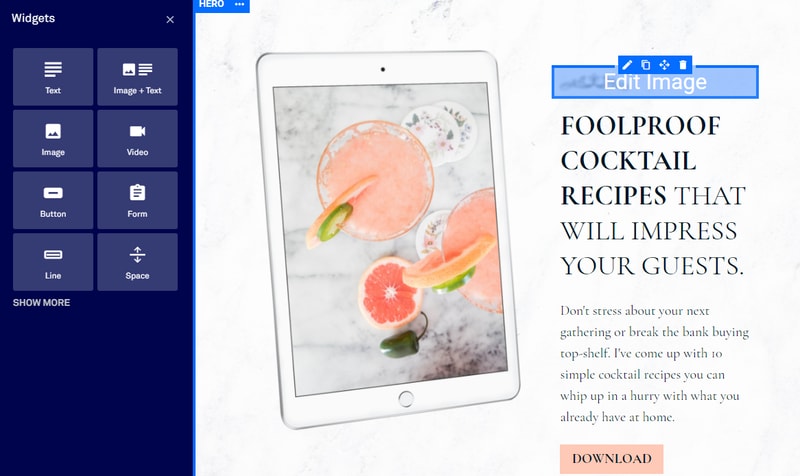
Each widget you add will come with dedicated settings for that widget.
Once you’re ready to publish your landing page, you have a range of flexible options to choose from, including:
- Connecting your own domain
- Hosting your page for free with a dedicated HTTPS address and SSL encryption
- Publish through the dedicated WordPress plugin
- Publish directly to your existing website or domains through Leadpages
- Create a Leadpages domain for free
If you already have your own website, setting up a landing page with Leadpages should be simple enough. If you don’t, then you might prefer to build a website right there on the Leadpages app. After all, it’s nice to have your landing pages and site in the same space.
Notably, Leadpages integrates naturally with most website building solutions and email marketing services. However, it also has a relatively high-quality website builder of its own. Not so long ago, you could only use the drag-and-drop functionality of Leadpages to create landing pages. Now, you can use the same drag-and-drop system to create entire websites.
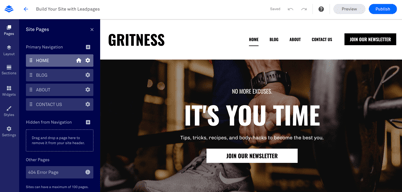
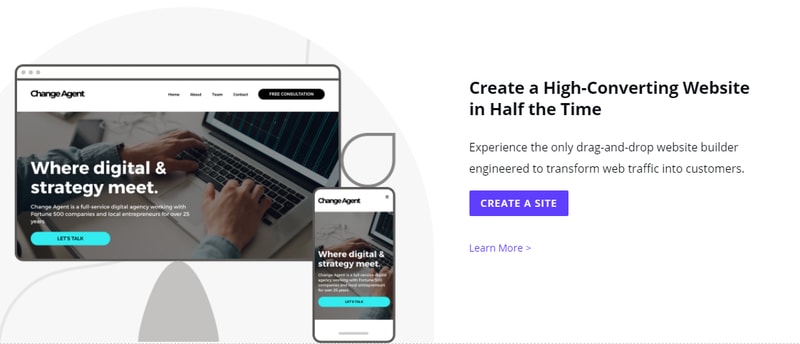
Just click “create a site” on your Leadpages account, and choose from the site templates:
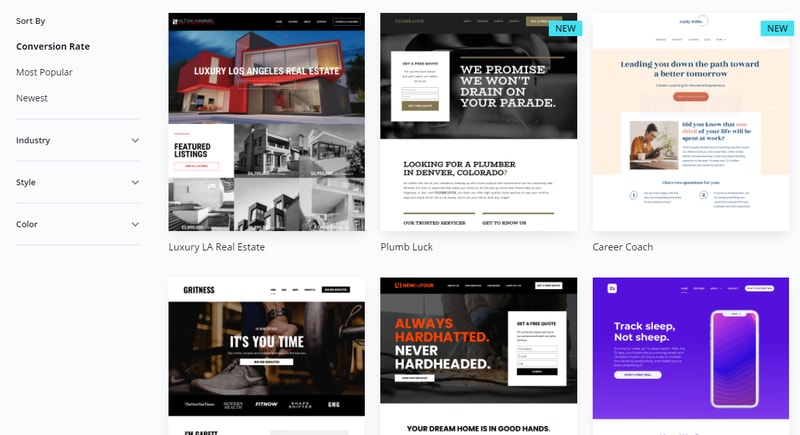
Appearing in 2019, the website builder is similar to competing solutions from Squarespace and Wix. The experience should be pretty similar to using the landing page builder, although you will get more settings, like navigation menus and integrated conversion tools. The site builder comes with:
You can design your site one section at a time, using a range of pre-made sections, for things like “About” pages, or “contact” pages. As you create your site with the drag-and-drop builder, you’ll also be able to access page previews to see what your creation looks like on any device.
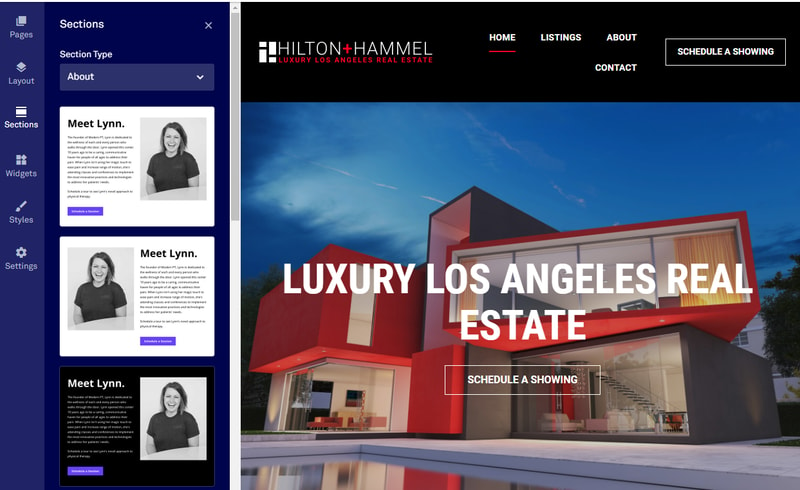
There’s support for various website settings, like creating global website footers, or embedding CSS. You can also access your popups, landing pages, and alert bars, to embed them into various parts of your site.
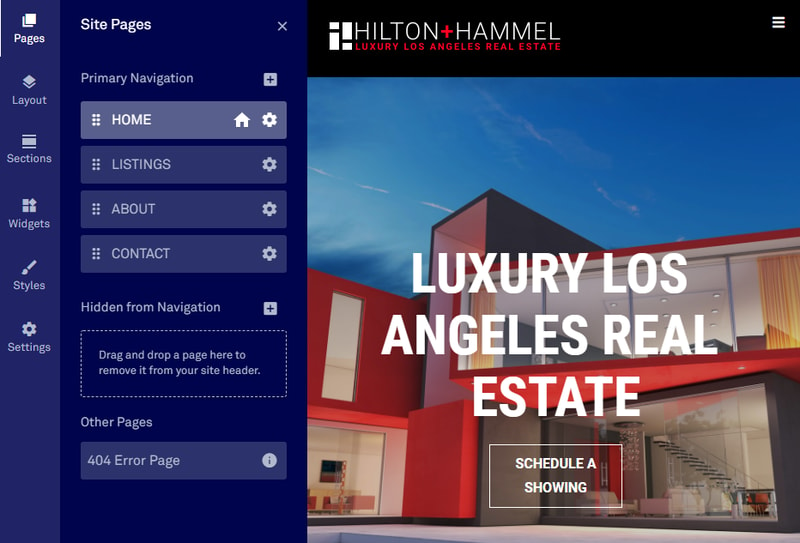
The “Settings” part of the builder also gives you access to various SEO features, like meta descriptions and alt text, so you can boost your chances of better ranking.
Whether you choose to build a single landing page or an entire website, Leadpages makes the process quick and simple with minimal coding (unless you want to use code) and built-in modules, components, and pages to speed things up.
Ease of Use
As we noted in the section above, one of the main selling points of Leadpages is its simplicity. The drag and drop editor that originally delivered landing pages and nothing else is now a component of all the assets you can built on Leadpages. Plus, it helps to know that you only ever have to start from scratch if you want to.
The templates available for your landing pages, forms, and websites are high-quality to begin with, and then you can edit them however you choose with the style settings and editor choices. You even get things like pre-built add-on pages, so setting up an entire site doesn’t take long.
Leadpages can essentially give you all the tools you need for a full online presence in one package, complete with the must-have functionality to collect leads through popups and forms.
There’s even a dedicated WordPress plugin if you already have a website of your own, so you just log into your Leadpages account through WordPress and start importing content. You can use your lead page as a welcome gate this way, or cache Leadpages to improve page loading speed performance.
In terms of usability, some people may argue that Leadpages is restricted compared to things like the Instapages builder. You drag and drop components into set environments, based on the format you chose for your original page. This means that the design functionality isn’t entirely free form. However, this could be a good thing, as it means you’re less likely to make UX mistakes.
Despite some restrictions, everything feels extremely intuitive and code-free. You can add your own CSS in if you like, but you’re not going to miss out if you’re not a coding expert.
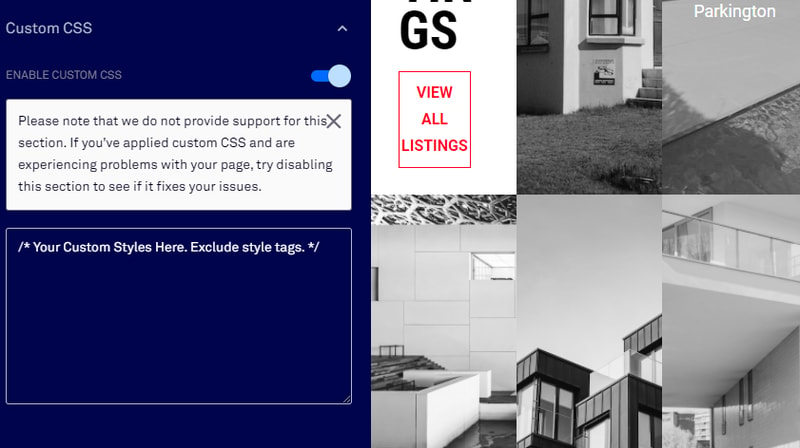
Most of the key functionality offered through Leadpages comes within the “widgets” section of your app, where you can add CTA buttons and experiment with different designs. Some of the key features that make Leadpages easy to use include:
- Easy access to pre-made content : You don’t just get a wide selection of templates for your sites and pages with this service, you get virtually every visual asset you need. You can browse through a built-in icon library and access Shutterstock images. There are pre-built thank-you and confirmation pages, as well as extra pages, like “Team” or “About Us” options. Dragging and dropping your way to a great page is simple.
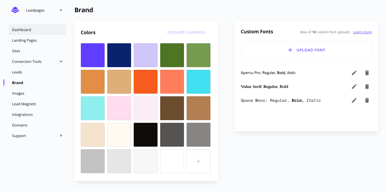
- Quick changes and updates : Once you’ve chosen components that you like for your brand, you can apply global style settings to your entire website, or multiple pages at once. Leadpages allows you to copy elements from one page to the next, add custom branding wherever you like, and maintain a consistent website template from one environment to the next. You can even set a universal footer.
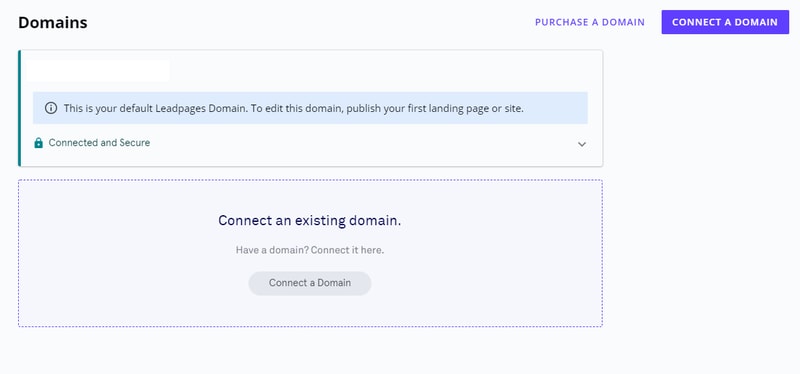
- Convenient publishing and hosting: All websites and pages come with plenty of hosting and publishing options to choose from. You get a free custom domain with an annual purchase, and you can publish pages through things like WordPress in a matter of seconds. SSL encryption is applied automatically, and there’s no limit to the number of pages you can publish.
- Integrations: Life is always easier when your essential apps and tools work seamlessly together. You get countless standard integrations with Leadpages, including connections to various website builders and email service providers. Plus, you can set up more advanced integrations with Zapier and code.
- Flexibility: You can add functionality to your site or page one widget at a time, form social sharing buttons, to Calendly integrations, or you can design your components from scratch with custom HTML and CSS, or JavaScript. Leadpages gives you the freedom to access as much versatility as you like.
Customer Support
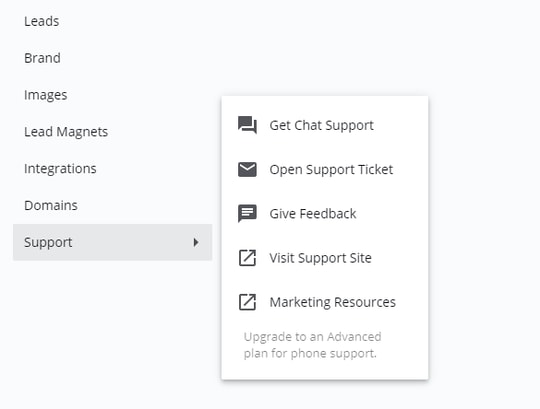
Leadpages is a very straightforward service, great for people who don’t want to get muddled with code when they’re trying to convert their customers. However, no matter how intuitive a builder might be, there’s always a chance you’ll need some extra help.
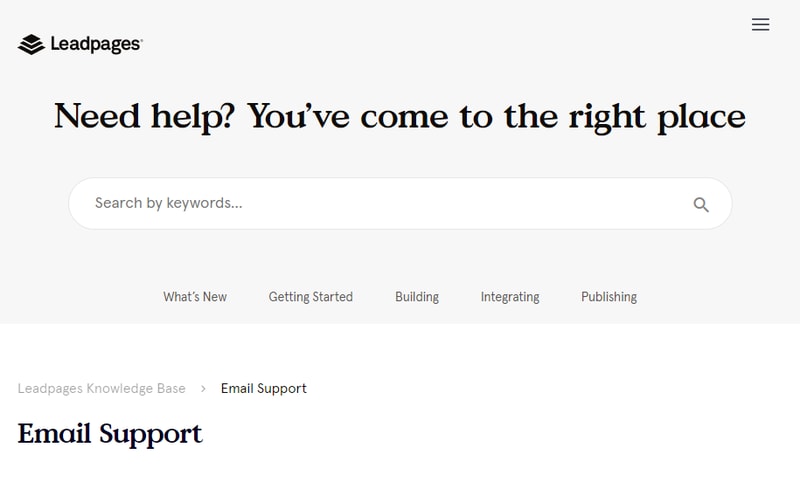
Fortunately, Leadpages does make a lot of effort to make accessing support as simple as possible. In the past, the only option was to send an email support ticket and wait for an answer. That’s still the case for the Standard plan. However, you will have access to a few tools that can help you to help yourself in this case. If you’re using the basic product, you can search for answers via the Leadpages knowledge base, which is packed full of articles, how-to guidance, and more.
There’s also the option to check out the free Leadpages virtual workshops. These are online lessons where you can gain insights from professionals on how to do certain things with your campaigns. There are also weekly group coaching sessions available too.
For people on the Pro plan, support is available through Chat and Email, where you get priority tech support via both platforms and access to phone calls with real human beings.
You’ll also get the bonus 1-on-1 quick start call from Leadpages on the Pro package, which basically walks you through everything you need to know.
In simple terms, if you’re willing to pay, you’ll have plenty of support.
Leadpages Pricing
Leadpages offers Standard and Pro plans, with discounts available for annual billing.
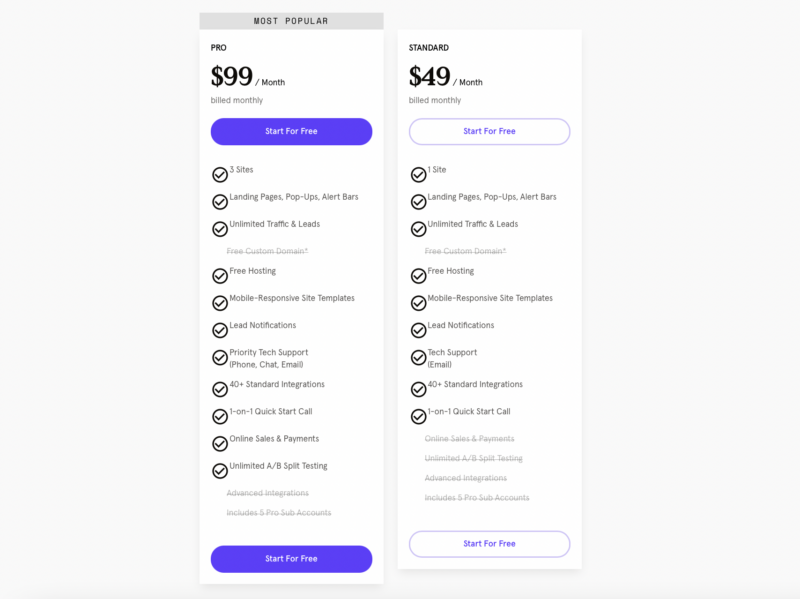
Options include:
- Standard: 1 site, landing pages, alert bars, and popups. Unlimited leads and traffic, free custom domain (annual), free hosting, mobile responsive templates, lead notifications, and email support. 40+ integrations available.
- Pro: All the features of Standard, but with 3 sites, priority tech support via chat, phone, email, online sales and payments, mobile-responsive site templates, and unlimited A/B testing. You also get email trigger links and up to 10 opt-in text (SMS) campaigns.
See Leadpages pricing for current rates.
To help you make your choice, Leadpages offers a free trial for 14 days. You’ll need to enter your payment details, and you’ll be transitioned to a paid plan unless you cancel your free trial within the time provided. You can also upgrade your chosen plan during your trial, or if you decide that you need to get more functionality later, you can switch to a different plan.
Leadpages Review: Verdict
Leadpages stands out as one of the most popular tools for lead nurturing and capturing. It’s easy to use, regardless of whether you’re just making a standard page or building an entire website. Leadpages also has some of the best templates around, so you can jump straight into action without any coding knowledge and create something stunning.
With a drag-and-drop builder and tons of pre-made widgets to make your life easier, there’s no need to brush up on CSS before you start building with Leadpages. Plus, if you need extra functionality, like email-triggered campaigns, you can simply take advantage of the numerous integrations that Leadpages has to offer.
The biggest problem with this product is the price tag. To truly experience all the advantages that Leadpages has to offer, you’re going to need to spend more than you would on the basic plan. You need at least the Pro plan to access things like A/B testing.
It’s also a shame that you miss out on next-level customer service unless you’re willing to spend a significant amount of extra cash. However, there are plenty of self-help resources that assist in evening this out.
Our advice? Go and check out your free trial of Leadpages. You might find that this tool is something you just can’t live without. Earn enough leads, and the tech could pay for itself.

Compare Leadpages with other popular tools in the same category.

I’ve learned so much since I subscribed to Leadpages. I’ve been struggling with Wix for ages but the one to one support I’ve received and the group coaching has really accelerated my confidence and progress.
I haven't found any downsides yet. Everything is easy to follow.
I've learned alot about what makes an effective landing page and I feel my time is well spent because I'm not struggling to understand how to build pages.
Besides how easy everything is to access, the resources and support are top notch. For the last two years I have used just about every site imaginable to convert my current and potential audience into paying clients and subscribers. So it took a little convincing to get me to start building my empire on yet another platform. I opted in to emails. The emails seemed like a platform really trying to help its users. They were very informative and helpful. The day I opened my Leadpages account, I was still skeptical and bounced around the site for about half an hour researching everything I could. From the time I pressed "Sign Up," I felt my experience would be different. Leadpages is just different. They are super supportive. They have a ton of resources and they are really experts at using the product. I am obsessed with the Leadmeter when building out my landing pages. Also the way that templates are listed by highest converting. This company is really focused on conversion. Integrating my Convertkit was super easy as was connecting my domain. I didn't need to reach out to support but I feel like I could whenever I needed to and they would be there and helpful. Leadpages makes everything easier and they're there to support you.
Finding how to create a form was the toughest part of my Leadpages journey. I needed to connect a form in order to make my Convertkit conversion happen. The support article didn't help and only made it more confusing. I eventually figured it out after about 5 minutes of digging and pondering.
Leadpages makes it really easy to build landing pages that I know will convert. They are solving the problem of using a template, editing the template and not knowing if your edits made it worse. Having a built in Leadmeter on my landing pages is very beneficial as well as having a success coach.
I love that LeadPages makes it quite easy for me to create clean, handsome, lightning fast pages for all manner of purposes. I've managed to replace a number of services with something less expensive, yet just just as satisfying, however LeadPages remains far ahead of anything else I've looked at... even the big names out there that actually cost (and promise) more. I'm very satisfied with LeadPages. It's one bill I don't mind paying—I feel like I get more than my money's worth.
It's a little awkward at first figuring out how to use the WordPress plugin to give your LeadPages pages a non "leadpages" URL. It's like an insider secret at first. And admittedly, LeadPages is robust enough that there's a learning curve, but I do find LeadPages to be intuitive once acquainted with its "personality."
I use LeadPages for sales pages and other pages that aren't complicated or bogged down with distracting elements from my website. I love how easy it is to not only build pages quickly, but also to connect with other service providers for a clean workflow and funnel.

Leadpages includes an extremely flexible landing page builder, and lead generation functionality (alert bars, etc.). I originally purchased Leadpages just for the landing page builder. But they now have a website builder included and it cost me nothing extra. In particular, I love that I'm not charged more for being successful. Most landing page builders will either charge you more for traffic and/or conversions. This makes Leadpages quite affordable as you scale, when compared to other tools. Also, they offer some of the best landing page (and website) templates in the business. A lot of competing tools tend to be quite disapointing in this area. I get a lot of inspiration from the templates they've included. Lead magnet delivery is another nice feature. You don't have to use it as you could use your email automation tool of choice for this but it's cool that you've got the option. The platform is also easy to use and customer support is excellent.
There are no specific deal breakers but I'd like to see more native integrations with newer email service providers. For example, MailerLite has a huge customer base but there's no direct integration available. Zapier is available as an option, but that adds unecessary costs.
Leadpages helps me to build and deploy landing pages quickly. Landing pages that can convert and I can run A/B tests on to improve conversions.
I've been a Leadpages customer for several years and have always loved their product. The templates are easy to use and customize, and their customer support is great. I recently needed to launch a new website and used their Sites feature to create it in a few hours. Compared to creating it on Wordpress (which would require set up by my web developer, design decisions, purchasing themes, plug ins, etc), this was a much easier and inexpensive way to go. The templates are well designed with conversions in mind. I also love the integration with Calendly. I simply put my Calendly link in and it made a seamless way for prospects to book a consult. I'm very happy with everything Leadpages has offered
Check the mobile version before publishing.
Effective website to generate leads and inform people about our company.

Easy to use and great support if question arises
Sometimes need to hire help for more complicated websites
I am able to not only capture leads, but I also create sales pages for numerous products. That is the most beneficial in my case
I love that Leadpages allows you to easily create unlimited landing pages, no matter which you plan you're on. Landing pages work when used correctly, such as (when applicable) giving visitors a single directive (CTA) rather than multiple ones. Their landing page templates are nicely designed and proven to convert with a real-time meter providing feedback. Their marketing resources are plentiful and robust, the product builder continues to improve, and I get the sense that they genuinely want each of their customers to succeed. They produce a newsletter I actually look forward to and I learn so much from their insights.
I wish Leadpages could "handshake" (integrate) with other major platforms (like Zoom) w/o the use of Zapier. Though I know things like that depend on both sides developing the proper API's. That said, it does integrate with Zapier and that's a solid consolation prize. I also think their product builder could run a little more smoothly - it uses a lot of RAM and I often have to refresh the site. It sometimes conflicts with certain extensions on Safari on Mac. And it's not always easy to embed code from other apps/platforms into pop-ups in particular.
The biggest problems involve (A,) whether leads can find you and (B,) whether you can convert those leads. Leadpages helps me solve both. My content is now more discoverable and landing pages with singular CTAs keep visitors focused on the action I need them to take. Furthermore, this helps me broadcast my brand and unique offers, so I can then expand my outreach and grow my audience. I think this ultimately allows content creators like myself to be in more than one place at the same time. It gives you that appeal that you're everywhere at once. The other part to this is that it is very easy to build a page or website in such short time due to their templates and optimization tools.
Leadpages is very easy to use. They have several templates to choose from without it being an overwhelming amount. The customization options are excellent and the pages are beautiful. I use Leadpages in addition to my own website--it's easier to create and edit Leadpages than my website!
I wish there was a way to quickly learn how to get more granular with some design elements--but I finally learned how to use the help button and that they'll even personalize their assistance, so I'm excited to use that!
Easy to set up quick landing pages for special events or seasons without having to change my main website design.
It offers a very intuitive and easy way (without requiring any coding knowledge) to create and host a website on your domain.
There honestly isn't anything I find about it that I dislike, LeadPages really is a fantastic, code-free solution for anyone who wants to create & maintain a website on their domains.
Leadpages solves the problem of typically needing to know code in order to be able to set up and run a website from a purchased domain. They offer a reasonably priced solution for getting this done, and also give you the option to include code into your website/landing pages when you do understand it more (if you go that route) and incorporate it in successfully and beautifully.
I'm just learning Leadpages and couldn't figure out how to connect everything. Customer support was so patient with me and even stayed on the phone with me until I tested everything and made sure it worked. Excellent customer service.
There is a little bit of a learning curve if you're not very techie like me but with the amazing support, I wouldn't really consider that a con.
Leadpages is helping me to find my own leads so I don't have to pay for them
As a medium-sized company, it wasn't easy sometimes to get help from my IT team to create extra pages for our websites. What we like the most about Leadpages is how easy the page builder is. It contains all the basic widgets to get a clear and complete page. The automation tools for lead capturing are also beneficial; their integration with Mailchimp came in very handy. Overall, all the tools provided by the platform work 100%, and they are effortless to use. We've been in touch with their support team a couple of times, and they are fantastic: they give the fastest reply and follow through. Also, I've attended the online training on Zoom, and I've been following their posts on the Facebook Group for training, and it definitely has helped us understand so much better not only their tools but also the best practices for a high converting landing page.
Because of its nature, Leadpages focuses on creating fast and high converting landing pages. I would love to have pages for content, like blog posts and search bar widgets, to develop small to medium content specialized pages so that I could run our websites' blogs on the same platform. Also, it would be great to have on the Landing Pages section an option to create folders and group your different pages so your projects would be more organized.
We are in the transport industry, and changes happen every hour, literally. We realized our users are indeed digital users and search for information on our website during their trips. With Leadpages now, we can create landing pages with new information in minutes! The page builder is easy to use, and small changes are done within two clicks. Also, the analytics tools for each landing page have shown what content is performing best within our users.

The things that I like about LeadPages include: 1. The way you can simply pick a template, edit and publish it on your Domain with the help of a Plugin 2. The way it lets you create 404 page like it's nothing (compared to finding how to edit, and getting in code stuff of wordpress) 3. Integration Options it has with other platforms
Sometimes the way Leadpages editor handles element paddings part for elements, this can't seem to be that good compared to Elementor. And the way it handles element's css classes, made slightly difficult for me to implement changes using custom css.
Creating Lead Generation Pages using Leadpages is always easy. And specially when you need the pages that are tested, and can be easily deployed. With leadpages, creating appealing pages in minutes is just like you know, let's you feel like a Landing Page Rockstar :) Plus, it helps in Lead Generation.
Amazing interface, ease of use and briliant customer support
Occasionally the dashboard can b a little confusing if you have a large numebr of pages - pretty minimal nggle though
Multiple campaignas are easy to create
The landing page builder is full of options, and clearly laid out to start with. Add to that, the variety of great templates and the weekly Zoom support calls, and this is an extremely helpful tool for business owners building a presence online.
I wish that the yearly fee was less. Perhaps there could be tiers of membership based on amount of use?
Creating great looking landing pages. And the ability to get great individualized feedback on landing pages through the Zoom support calls. This has increased the professional look of my landing pages.
As a 'tech newbie' I appreciate the availability of tutorials and the live Zoom calls for landing page reviews and revamps. Bob is so knowledgeable and easy to follow!
The learning curve at the beginning is a little steep, but the support team is always ready and willing to help. It's a 'Cadillac' program, so the price is a bit daunting, but it's worth every penny when I don't know 'the ropes!'
Leadpages is helping me connect successfully with my audience, and has made it easy to build landing pages that attract conversions. And I love how easy it is to create 'pretty links' on my website through the Leadpages plugin!
I love Lead Pages for its user-friendly interface, excellent support team, and extensive training resources. As I embark on my journey , I’m filled with hope and for the results I’ll soon see. With their platform and helpful assistance, I feel confident that I’m on the right track towards achieving my goals. Thanks
One challenge I faced while using Lead Pages was the integration with Zapier, Gravity Form, and WordPress. Unfortunately, I didn’t see the changes I made en my live landing page right away, which was a bit frustrating.
Lead Pages solves the problem of creating landing pages with ease. Its flexibility, pre-defined templates, and user-friendly interface allow me to build a landing page in just one hour. Having everything in one place is incredibly convenient. Lead Pages save me a lot of tome.
LeadPages has been a real gamechanger, providing a means of quickly developing and posting high-quality pages, funnels and sites we need for our business. On top of that, LeadPages has provided me and my team with the training we needed to understand how prospects and customers interact with our webpages and what copy, layout and action buttons will maximize conversions - with LIVE support and site reviews available on the weekly coaching calls! All at a price we can afford!
We've been very happy with LeadPages - no complaints! When they switched from templates to drag-and-drop format, we had to recreate a few pages but great support was provided!
Our LeadPages pages, funnels, and sites provide our prospects, partners and customers with the information they need to make a decision and a pathway to purchase our products and services!

Leadpages is very easy to use. It comes with many, many premade templates. It saves your leads or hooks into other software to follow up with leads. Leadpages coaching to help get a review of your page is free every Wednesday too! It counts conversions, and has a variety of tools to make organizing and optimizing images easy.
Some of the features require a lot of clicks to find them, such as animations. There is a photo editing tool, but it's not that intuitive yet. It's a little expensive, but if you are using it, it's worth it!
Fast and effective landing page creation is easier with Leadpages. With excellent support, it's hard to beat!

- Ease of use - Simple integration with email newsletter programs - It used to take us hours and lots of coding hours to set up nice- looking squeeze pages - now it's done in minutes - Now we use the templates and customize them to match our branding - Can sort the templates by best conversions - LeadPages tracks conversion rates for us (no complicated Google analytics setup!) - A/B testing is also offered - Training is excellent!
As a minor thing, it would be nice if they had a built in video player - but right now it DOES work with YouTube, Vimeo, Easy Video Player etc.
We use LeadPages every day to build our email list and creating gorgeous landing pages for our offers. It has made us smarter and better marketers because of the tracking and how easy it is for our visitors to sign up for our various offers. It has become integral to the functioning of the business. We now know what landing pages are working the best to get new leads.
What I truly appreciate about Leadpages.com is its remarkable ease of use. As someone who can quickly adapt to various software platforms, I was genuinely impressed with the efficiency Leadpages brought to my workflow. In comparison to my previous experiences with GoDaddy, where it would take days or even weeks to accomplish certain tasks, Leadpages allowed me to achieve the same results in just a single day. The intuitive interface, coupled with a wide array of customizable templates, streamlined the process of creating stunning landing pages that effectively engage visitors. The platform also offers seamless integration with popular email marketing and CRM tools, making it a breeze to manage and nurture leads. Moreover, the responsive customer support and extensive knowledge base further enhance the overall user experience, making Leadpages an invaluable asset for any business looking to improve its online presence. In a nutshell, Leadpages has not only saved me time but also contributed to the growth and success of my online ventures. I highly recommend it to anyone seeking a user-friendly and feature-rich platform for creating high-converting landing pages.
There's not one thing to dislike about Leadpages. Their customer support is there when needed and they follow up with you like your doctor every now and then. The one gripe I have with Leadpages? They clearly didn't splurge enough on ads, because it took me ages to find them! If only they'd found their way into my life sooner, we could have been a match made in digital heaven.
The ability to update your SEO description from each individual page sold me. But the features, ease of use, neatly organized and structured. If Leadpages had an AI that listens to the way you want your website, they might be able to make that happen as well!
A lot of landing page builders don't give you the freedom to customize and build like you would want. Lead pages is very customizable and easy to work with. It also has many amazing templates to chose from.
This is not a Leadpages downfall as they offer the integration through Zapier, but I am having a hard time integrating tracking from Leadpages into my HubSpot CRM.
Helps me build beautiful and effective landing pages. Other landing page builders don't allow you to custmoize as I would like, but Leadpages is very customizable.
Leadpages is the easiest platform to build a sales funnel. Their templates are great, and their free advice is priceless.
I didn't find any downsides to leadpages
An easy to follow, clean sales page template. No more hiring designers, web developers, or copywriters. Leadpages has everything I need to make it look professional.
It is very intuitive. Instructions are well presented and the customer service is excellent. The one real advantage of this programme is how marketing is so accessible.
Like all business ownersw, if I coujld pay less, then I would. I have looked for cheaper alternatives, but there is no real saving because the only way to cut the cost is through a reduction in services in staff or operational opportunities
It helps my be compliant with leadpages and websites for my business. One major benefit is to produce single page websites for some items. I make sure that each day that my bill is due, the bill is paid
Often I am asked about the services I use to help make tracking my results fast and easy. One that I am always happy to recommend for opt in pages that convert is Leadpages. I have been a happy and recurring client of Leadpages since 2014. Stories of my business successes have also been showcased on the Leadpages blog* through the years, and that has been thrilling to say the least. * https://www.leadpages.com/blog/case-study-nancy-juetten/ I really appreciate being able to whip up a fabulous opt in page that converts powerfully from click to lead — without having to know how to write code or deal with too much technology. My email opt in list continues to grow as a result of the lead magnets and online event registration pages that my virtual assistant and I co-create. I always aim for my opt in pages to convert better than 50% from click to lead. Leadpages makes it fast and easy to search by industry to find already proven templates that work for big names in my industry. Their system even “does the math” so I don't have to. That makes it even faster and easier to use similar templates, revise the messaging, hit SAVE and start attracting leads to my business. How do I share my opt in gifts with others? So many ways. Here are three: I share my easy to spell and say URL as a call to action when I am guesting on podcasts or train on the virtual stage. I showcase event registration pages in my eblasts and ezines when I have something coming up that can make a difference for my community. I post to social media — especially in groups where group leaders allow for promotional postings. As you consider what services or products to add to your marketing toolkit, consider if Leadpages can be one you will gladly invest into so you can benefit as I have for so many years.
Because my assistant does most of the work for me, I do not have complaints.
I continue to improve my conversion numbers by refining my messaging and testing new approaches.
I love the analytics feedback I get when using LeadPages, as well as Bob Sparkins's free training videos. LeadPages offers support for creators, they don't ghost you!
I'm not techy, so the back end isn't always intuitive to me. But support always helps me figure it out.
It helps me eliminate resistance in my sales funnels, and make beautiful landing pages.
I have used a few landing page design websites in the past, and Leadpages is far superior. It is intuitive, very user-friendly, and provides excellent customer service. I can highly recommend this platform.
I have not personally encountered any difficulty or negative aspects of using Leadpages.
I have used Leadpages to design landing pages for my business and have been given access to excellent templates, intuitive design and very helpful customer service when I have had any questions.
Leadpages is user-friendly, intuitive and has an excellent support team. They also provide group live training sessions where you can ask for a review of your landing page or website. After trying a few other companies first, we were relieved to find Leadpages and will definitely stay clients.
There isn't anything that I dislike about Leadpages. It's the best landing page design platform that we could find, and it does exactly that very well. I'm not expecting the platform to do anything else.
Leadpages provides an excellent platform for creating and managing landing pages. It's intuitive and easy to use, so we can create new pages very quickly.
The most helpful are the templates that make it extremely easy to set up a lead capture page and a delivery page. It's also extremely helpful when building sales pages for my business
Because I'm not very technical sometimes I need a little extra help in building a complicated sales page but it would be virtually impossible given my technical skills had it not been for Leadpages and getting help is extremely easy
Leadpages had made it extremely easy to get leads into my business whether I'm hooking it up to a WordPress blog or Facebook or a standalone page. It also was extremely instrumental in helping me sell several digital products

Leadpages is perfect for any online entrepreneur who wants to make marketing your products/services easy. I use it for hosting my free webinar/masterclass and connect it with ConvertKit to build my email list and convert sales to my online course! Their customer support is extremely helpful, and they have tons of beautiful templates to choose from, so you don't have to start from scratch.
I have no major complains so far about using Leadpages! The only thing that may deter some from joining off the bat, is the price. As a entrepreneur who's still working to grow their income - It's a leap! But it's worth it.
I needed something to serve as a landing page for my masterclass, that leads into an email funnel selling my online course. It was super easy to do this with Leadpages!
leadpages can handle huge traffic. if you area having a landing page with huge traffic go for it
the thing which i dont like is having less widgets and options
handling traffic