

Unclaimed: Are you working at Loom?
Loom Reviews: 4.7/5 — Highly Rated
Loom is a video-making platform that is designed to help businesses facilitate better and more efficient workplace communication through video and screen recording. It empowers users to use a web-based interface that supports screen recording and screen capture, shared via a link for easy viewing.

| Segment |
Small Business
Mid Market
Enterprise
|
|---|---|
| Deployment | Cloud / SaaS / Web-Based, Desktop Mac, Desktop Windows, Mobile Android, Mobile iPhone |
| Support | 24/7 (Live rep), Chat, Email/Help Desk, FAQs/Forum, Knowledge Base, Phone Support |
| Training | Documentation |
| Languages | English |
Loom Pros and Cons
- Dedicated mobile apps for Android and iOS
- Quick screen recording with handy webcam overlay
- UI is clean and easy to navigate
- Loom Chrome extension has multiple recording options
- Transcripts aren’t always accurate
- The free version restricts videos to five minutes


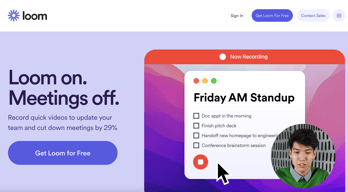
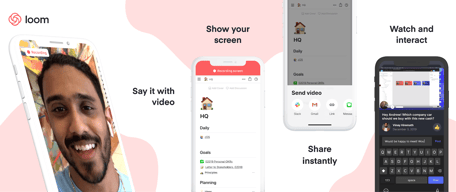
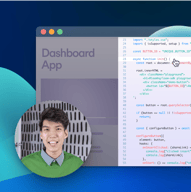
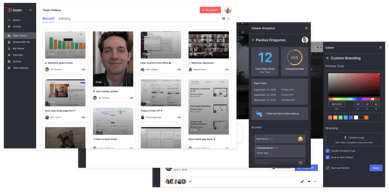

With remote and hybrid work now standard across industries, the way teams communicate has fundamentally shifted.
The distributed nature of the workplace today means companies need to invest in new tools to keep their staff aligned and connected. Whether you’re sharing messages in Slack, or video conferencing in Microsoft Teams, you’re probably already investing in tools that will support the change landscape of work.
Loom is quickly emerging as one of the most valuable platforms in remote and asynchronous work. It focuses on allowing users to capture video content, screenshots, and other information for recipients to watch whenever they choose. This can be a lot easier for teams looking to communicate when other staff members aren’t available for a real-time video call.
Today’s Loom review will explore everything you need to know about leveraging this video and screen-capture tool for the age of asynchronous and remote work.
Loom Pros and Cons
Loom Features
Loom is the leading video communication platform for asynchronous work. In October 2023, Loom was acquired by Atlassian, expanding its integration with tools like Jira and Confluence. Designed for speed and simplicity, the solution allows you to record, share, and interact with videos. Millions of users across hundreds of thousands of companies use Loom to work more collaboratively.
The primary features of Loom include:
- Screen recording: Record your camera, screen, or both simultaneously to share useful insights with your colleagues wherever they are.
- Chrome extension and desktop app: You can record videos with up to 4k quality with a desktop app, or leverage 1080p recording with the Chrome extension.
- Video stitching: If you need to record multiple videos for a tutorial or guidance for another employee, you can stitch them together into a full video.
- Screenshot: If videos aren’t necessary to share contextual information with a co-worker, you can take a simple screenshot and share that through the cloud instead.
- Automatic transcriptions: Using AI technology, Loom can transcribe your video, making it easier to access to a wider range of viewers.
- Filler word removal: If you’re worried about the number of “uhs” and “umms” included in your video content when sharing with a manager or supervisor, remove them with one click.
- Video hosting: Cloud-based video hosting is included with Loom, so you can store your content in an easily-searchable place. This is ideal for sharing the same video with more people, or checking back over previous videos.
- Backgrounds and frames: Add some personality and branding to your looms with custom backgrounds and designs. This can be a great way to make your videos more fun.
- Comments and reactions: Your colleagues can react to your looms with emojis, or leave comments and annotations to keep the conversation going.
How to Get Started with Loom
One of the things that makes Loom so compelling to modern workforces is how easy it is to use. It only takes a few seconds to sign up with Loom using your Google, Slack, or Apple ID. You can also create an account with an email address or SSO.
Once you’ve created an account, you can simply install your application onto your device. Downloads are available for Windows and Mac, and you can get the iOS or Android app directly from respective app stores. There’s also a Chrome extension for Loom.
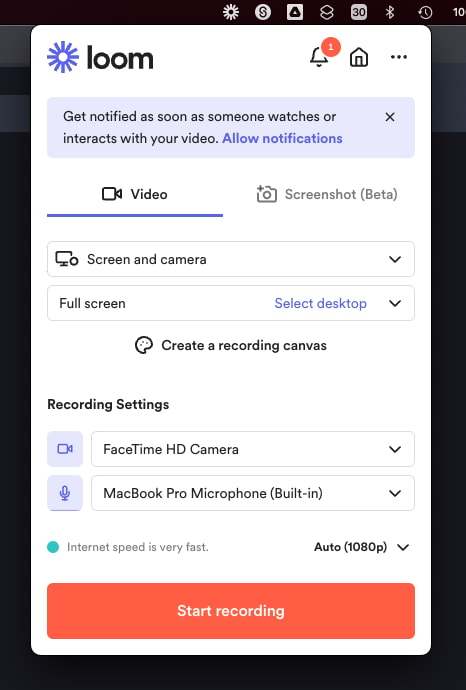
Mac OS app allows to record videos straight from the menu bar
After installing the application, you’ll have to make sure you enable permissions for recording from your microphone, webcam, and screen. The desktop application will appear in your system tray or menu bar, so you can start recording with one click. There’s also the option to set up keyboard shortcuts.
When you’re fully setup, you can start recording your videos instantly. By default, the app records your screen with a webcam overlay, but you can also choose to record your face or screen individually. The iOS version of Loom does not allow for recording both your webcam and your screen at once, however.
Before you begin recording, you’ll be able to reposition and resize the webcam overlay, and choose whether you want to capture a portion of your screen or the whole thing. You can also decide whether to record system audio alongside your voice.
When you’re done recording, the entire video will automatically upload to the Loom cloud environment, and be accessible through your account. Here, you can edit the video in various basic ways, such as stitching different pieces of content together, cutting out the parts you don’t need, and adding “call to action” buttons which popup for users after the video finishes.
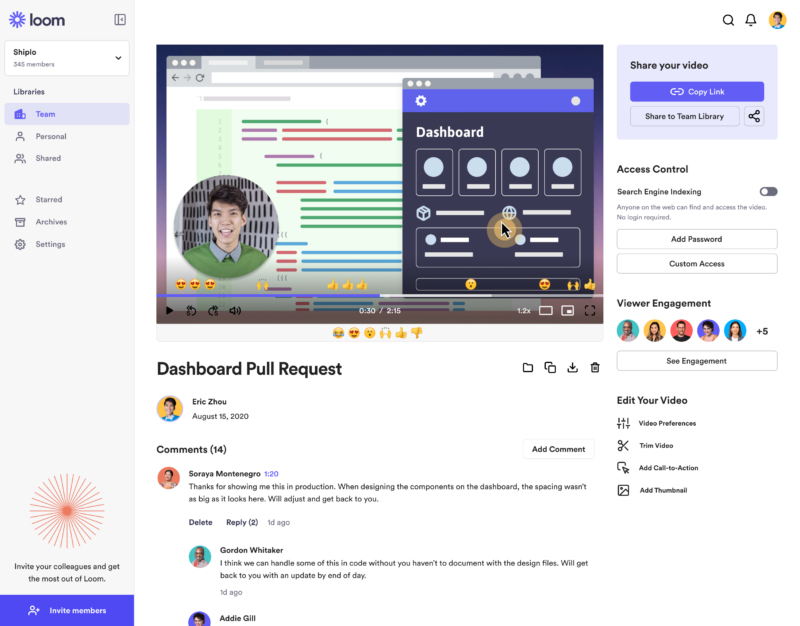
‘Looms’ are stored in the cloud making them easily available for your team
Notably, every video created with Loom is automatically made “public”. You can share the link to anyone, and they’ll be able to watch it without signing up for an account. The share button also offers one-click sharing for social media, and access to code for embedding videos on a website. The Chrome Extension will also automatically convert videos into embedded content for Google Doc, JIRA, Gmail, and GitLab.
Users viewing your video can speed up playback, react with emojis throughout the viewing process, see an automatic transcript, and leave comments.
Get started with Loom for free
Loom Pricing
Loom’s pricing structure is relatively straightforward. There are multiple plans to choose from, starting with an attractive free package. Visit Loom’s pricing page for current rates.
Starter
Loom offers a free plan with basic recording capabilities, including screen recording, cam bubbles, privacy controls, viewer insights, and unlimited transcriptions.
Business
The Business plan comes with all the free features of Loom plus unlimited creators and recording lengths. You also get high-def recording up to 4k, drawing tools, custom branding, filler word removal, engagement insights, closed captions, and security features.
Enterprise
Designed for companies with specific recording needs and privacy requirements, the Enterprise plan gives you more advanced admin and security settings, including SSO, SCIM, custom data retention policies, activity log reports, and priority dedicated support.
Loom for Education
If you’re a teacher in the digital world, you can access a specialist plan specifically for education. Loom offers qualified educators access to premium features and unlimited recordings for free.
Loom Alternatives: Your Other Options
Loom is an excellent tool for rapidly creating and sharing video content and screens with your colleagues. It’s easy-to-use, packed full of useful features, and relatively affordable compared to some other options. However, there are other solutions out there.
Some of the most compelling alternatives include:
Slack Clips
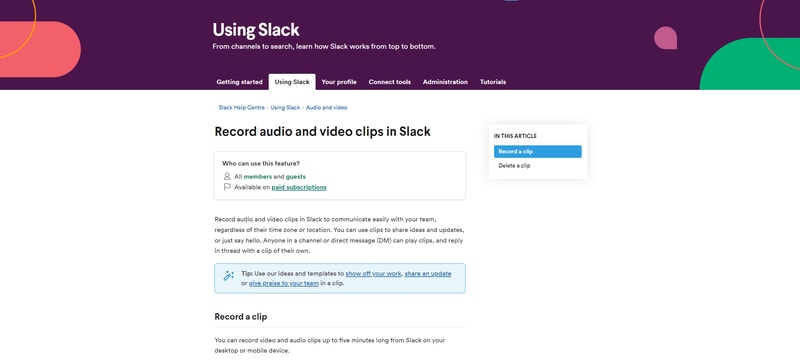
Slack Clips is the native screen recording feature built into Slack. If you’re already using the Slack service for asynchronous collaboration, it might make sense to choose this product over Loom. With Clips, you can not only capture screen information, but also add voice overs to something, and implement your webcam too.
The Slack Clips feature doesn’t work outside of Slack, so you will need an account to start using the service. Clips can also only be shared in channels or through Slack direct messages. There’s also a five minute limit with no way to increase your recording options.
You’ll also need a paid account with Slack to access this service. Clips is not included as part of the Slack free package.
Dropbox Capture
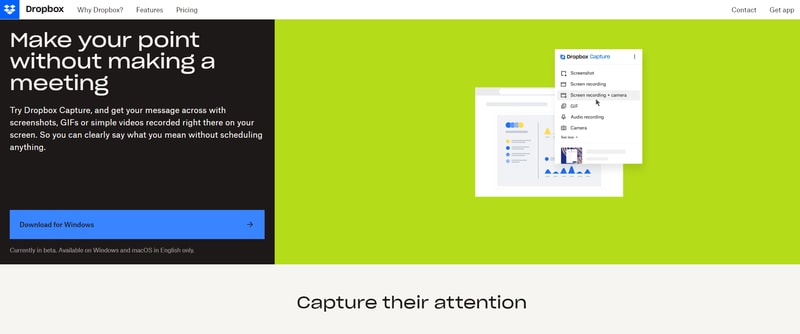
If you’re using Dropbox for storing and managing files in the remote working world, you can also tap into one of the most recent features introduced by Dropbox. “Dropbox Capture” automatically uploads the videos you create directly into your Dropbox folder, which makes it ideal for sharing with distributed team members.
Though still relatively new to Dropbox, the Capture function offers many of the same features as Loom, including the option to take a screenshot, record your screen, or combine your screen recording with a view of your webcam. You can also record audio, or make a gif this way.
All of the content you produce will be saved to the Capture folder in your Dropbox account. You’ll also be able to hover over the capture to collect an URL to share with colleagues. The “Markup” feature allows you to draw on your content and add annotations.
Asana
Another option for those who already have a dedicated productivity and collaboration tool in place with their team, Asana comes with a range of “add-on” features for screen recording and video. One of the most common options is the “Coview” service, which allows you to create detailed videos and screen recordings with a couple of clicks.
You can also use Coview as part of your customer service strategy, allowing customers to capture information and code-level insights into any problem they’re having. All of the content is stored to your Asana account, where you can export screenshots and recordings as Asana tasks.
While the features aren’t exactly the same as the ones you’ll get from Loom, they’re pretty straightforward, and ideal for customer service teams.
Mac and Windows Screen Recording Tools
If you want to avoid adding any more apps to your workplace, or you need to keep your budget as low as possible, Mac and Windows devices also have some of their own screen capturing options. You can capture an entire screen, window, or portion of a screen on a Mac by pressing shift, command, and 3 together on your device.
The QuickTime player on Mac also allows you to capture video recordings of your computer screen. Simply open the QuickTime player, then click on “File”, then “New Screen Recording”. You’ll be able to control exactly which portion of the screen you want to record, and decide whether you want to include your pointer in the recording.
On Windows, the best way to capture screen recordings is with the “Game Bar”, built for Xbox consoles. You can access this feature by going into “Settings > Gaming > Xbox Bar”. From there, enable the Xbox Game Bar, and you’ll be able to start recording videos or taking a screenshot with the click of a button. You can also trigger the game bar with shortcuts.
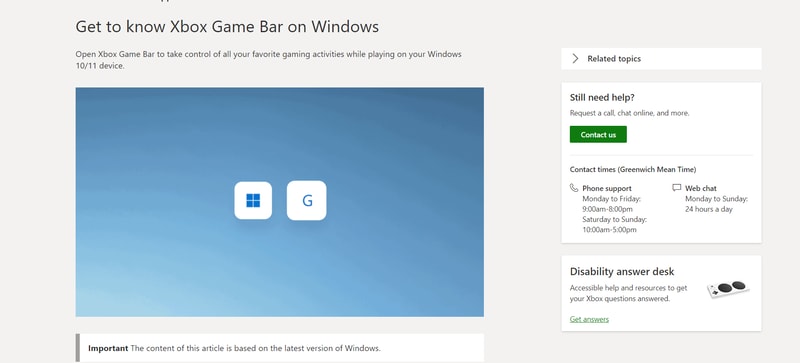
You should be able to record activity in most windows and applications with Game Bar, and there are various tools for allowing you to adjust your recordings, adding audio, and reducing the size of your screen.
Loom Review: Finishing Thoughts
For capturing asynchronous video messages, screenshots, and screen recordings, Loom is one of the simplest tools on the market. It’s ideal for beginners who want to be able to capture quick videos to share with colleagues in an instant. The fact that other people don’t need an account to watch your videos can make it much easier to collaborate with Loom.
Share your experiences with the Loom app in the comments below, and let us know if you prefer any of the alternative options available today.

It just works. It does exactly what you want from it and has the benefit of AI if you need. I have recommended it to everyone in my company, as it is sometimes easier to record a quick video with voice over (or not) to explain what you have issues with to IT helpdesk to showcasing results that can't be done on a presentation ie. flicking between screens. Which ultimately reduces the amount of presentations that need made. It also is great how you can see how many people viewed the video, which shows who needs an extra push if they didn't watch it. Nice to check up on people!
Nothing, it's really that good. I haven't found anything that is an issue.
Instead of getting 10+ people together in a room/Teams meeting, I can email/IM a Loom video with my presentation of multi-screen results and performance, flicking between Google ranking results to Google Analytics and other data centres, without having to use screenshots and Powerpoint. I can also see how many people have viewed it, which means I know if it hasn't been seen.

Loom is very easy to use. The features are not complicated. Such a very helpful tool.
I haven't found anything I don't like about it yet, might not find anything at all.
Loom makes sharing instructions easier for me and my team.
It is so easy to record a short 10 second clip or a longer instructional video
Nothing, it is everything I need for what I do.
It allows me to record how to do something and share with anyone quickly instead of hoping on a call or posting in Slack
The high quality videos I can create and the editable captionS.
Nothing, everything works well. I have not found an issue as yet.
Allows me to create tutorials for my clients.

There is little to no learning curve and videos can be made quickly. Therefore making "how to" videos for my customers does not disrupt my day to day work. For me Loom is an invaluble tool I didn't know I needed.
I always forget to move the video controls (stop, pause, confedete, ect) off the screen before I start recording. If there was an auto hide, that would be great.
Loom allows me to make quality support videos for my customers instead of creating written documentation. This frees up more time for me to focus on my day to day work.
I like the ease of use, the Chrome extension along with easy desktop access and the ability to quickly share videos and
There are no obvious downsides for Loom that my team and I have noticed. A wish item would be for ease of anyone to comment on videos regardless of status.
Loom solves the problem of quickly providing feedback to clients or addressing concerns about projects that aren't easily addressed in email. BY using Loom, we can quickly show what the area of concern is or educate the client on how to use a specific tool function saving time and money.
Ease of use, the application was super easy to download and I required no demo or walkthrough to get fully acquainted with it.
N/A - Loom functions very effectively and I have no complaints as of now.
Loom allows me to demo new and updated functionalities of software and apps built by my company.

We love using Loom when supporting our clients. This tool allows us to create a quick how to video or explanation to a client related question or support need. They are a great tool to use to reduce back and forth.
Loom has a free version that only allows us to record up to 5 minutes at a time while the paid version allows for a longer recording time. Other than this most features are available and needed.
We use Loom when communicating with our clients about questions or help they need navigating our services or platform. By recording a video we are able to cut support time in half and help bring a visual aspect to our support communications.
Easy to use, great when needing to explain a problem or new process. Loom is very uself.
Nothing I dislike about Loom, it is very easy to use and smple to share.
When I have a problem with a program I explain the prlblem and record the screen so Loom makes it easy to get the message through.
Loom has been very handy to train new joiners. With the recorded video, you are basically reducing the need to hold meetings that can be long and unproductive. With the Loom videos, you can stay on topic and replay the video in case you need to get a reminder about any topic
I have noticed that whenever I am recording a video in 1080p my laptop temperature rises quite substantially. I am not sure as to why this is because I am using a high-end MSI laptop when big vents and fans.
Reducing the number of meetings to hold for trainings
Easy to use, especially when starting a video recording. Easy to share and works great also with Slack.
Time limit on starter plan but also great amount of free videos on this plan.
Avoid video calls by explaining something and sharing it to the team. Makes me more productive by saving me a lot of time.

Easily make high quality desktop recordings. Even just using the free version, you can make great looking how to videos from any computer. It's very easy to just hit record and make a video without any other software.
It can be difficult to output the video so it can be editted or included in another video. The built in editting tools are not very powerful, even just to remove a stub from the beginning or end.
We often get the same question over and over asking how to do something in a piece of software. This allows us to create a one and done answer that is reusable. It's a huge time savings for us and customers can refer back to the video whenever.
I love yo record sessions about new products, reviews and even a little monologue for later. It has helped me take control of the digital tasks and show clients and coworkers our products. i I loved the trial because it helped me get an overall look at Loom. I really like the record settings available, from recording my pc or an specific app.
The presets of the webcam ie. Height, width or position in canvas feels simple but sometimes you want to put in an specific location or size, and it doesn't let you. Sometimes I just record the screen because I'm not satisfied with the webcam options.
It has helped me get through a presentation or sheet that need a previous explanation. Also, it has helped me and my team get introductive videos for clients for our products.
I love how simple and organized this product is. Creation of videos is easy and straightforward. Attractive and user-friendly interface. Readily available and compatible with all devices.
At the moment none. I have not come across a dislike worth addressing.
I use it to create professional as well as attractive videos for my business and organisation.
I enjoy the ease of use when I'm on my calls, and I really enjoy how I'm able to search through the transcript almost immediately after my call has been completed. It's been absolutely instrumental!
I dislike how sometimes the audio from my other participants/other audio on the call isn't captured even if I have the proper settings enabled (as outlined in your help center docs)
Recording my remote calls hosted on other platforms & walking through my platform's Onboarding processes.
I love that I can record on my computer and my phone and share the videos quickly with a link!
I wish the Android recordings didn't show the start/pause buttons on it. it would be better if it was like ios recordings - nice and clean.
makes it easier to communicate - especially with people with a language barrier - they can connect the words with a visual at the same time.
You can connect with people in spite of their busy schedules. Video gives you a way to ensure the message is clear and correct.
None. Look has been aggressive when it comes to user feedback and developing solutions for their users.
Effective communication with parties that have conflicting schedules. I can send and explain quotes to my customers, be notified when they watch them and follow up.
From my extension, I'm recording in less than 3 clicks. The UI is super intuitive and not busy. Love the easy way to delete videos now and super easy to share. I'm a huge fan
Removing clips from the videos is a bear :(
Helping me explain something to Customers, and colleagues
Seamless and effective. I learned it within 20 minutes and was able to start saving time by recording an issue that would have normally been a 30 minute meeting.
I have honestly found no issues at the moment.
The ability to seamlessly communicate an issue without having to meet with any team members for a 'meeting'. Using Loom saves me TIME.
It's all a simple to use and intuitive, and allows me to instruct my team or share information efficiently without the need for meetings.
Occasionally, it takes a while to load, or I have to click the create a new video multiple times in order to start recording.
It allows asynchronous working and to distribute training videos very easily.
It's intuitive and easy to use, records the screen and my face while talking. Excellent to record short clips explaining a new feature or a bug that needs to be fixed.
To be honest it's great. I like that it's easy to stop the recording.
Recording of short clips where I explain how a feature works or how does it need to be altered.
It's the user experience because simple enough for beginners to use and advanced enough to cater to the user's needs. Also, their support is great, I had my issue resolved in less than 12 hours.
I have nothing I don't like in using loom at the moment.
Better to expressing the message I want to send that is not applicable in text only.
Sharing video and being able to comment on the same screens has been incredibly helpful. The product's main goal appears to be cutting down on meeting time and increasing the efficiency of back and forth between teammates. This is easily accomplished. I use loom for updates, spec creation and feedback for dashboards, and our help center. The more our team uses it, the more efficient we are with our time. Especially important since we are on both sides of the atlantic.
Honestly don't have too many complaints about loom. I love the product. It solves it's core issue smoothly.
Loom allows me to have less meetings. Which is one of the most important things for me to actually be able to do my job. Even 1 meeting canceled is a win. This has allowed me to focus on actually building the solutions our company needs.
The amount of features and ease of use. Has great sharing and organizational options.
Nothing. The tool does not have cons in my opinion.
Trainings for my team, corresponding with clients, course recordings, etc.
It's super easy to use. I always work out of Chrome. The extension is super handy. Vids are just a click away. It saves me a ton of time communitating back and forth by not only talking through content in the video, but also displaying what I'm seeing on screen.
The only downside is that the video and audio settings dont "stick." Every time I click into the chorme ext, I have to reselect my Yeti & Razer camera. It would also be helpful if loom indicated that audio isn't catching. I have recorded a few videos with no audio becuase that selection wasn't sticky.
Teaching customers how to use our product in an easy way. I send videos to our support team to help troubleshoot bugs and tech-issues. I also send intro videos to people for a personal touch!
It does that same thing as screencastify but with way less steps and a more streamlined interface that ends up saving lots of time in the end.
Its doesn't work well to have slides in present mode whole you make a loom video.
I am a QA for a software company. Loom drastically reduces the time it takes for me to document and explain how to reproduce a bug so it can be fixed.
Excellent tool for sharing videos of the system screen, with own video as well. Much required, and very useful tool
Limited edit options in free version hold back the utility
Training for office staff made easy Quotations to clients made on video, make it easier to explain
I can create videos, host my videos, share the link for the video, upload videos, insert links, and get responses back from viewers of my video. I can set accessibility. It transcribes my video and can correct word fillers.
The free version is very limited in the number of videos you can do and the features available. Sometimes what is in the desktop app in terms of features might not be available in the app for tablets or mobile phones.
Ease to create videos and host the videos at the same time. I don't have first to create them and upload a video; I can do it all at once easily in Loom. It saves me time and headache.
Simplicity, speed and comments and replay options
Sharing permissions, more control and options needed
Personal communication without calls and meeting when working remote or communicating with close partners
Aboslutely love being able to do screen shares while recording my voice over them for my clients. The benefit of being on or off camera is great as well. Loom absolutely saves me meeting time and phone time with all of my clients because I can send them these videos and they watch them on their own time and comment on them.
There is not anything that comes to mind regarding dislikes.
Giving me back more free time by allowing me to send clients videos of my thoughts instead of meetings