

Unclaimed: Are are working at Miro ?
Miro Reviews: 4.8/5 — Highly Rated
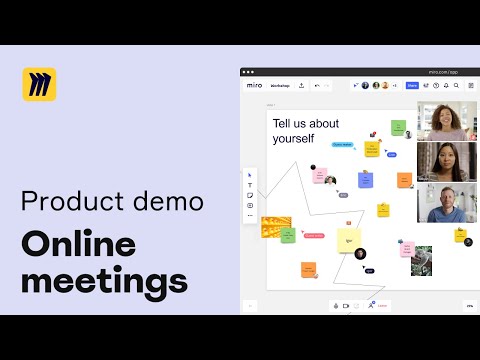
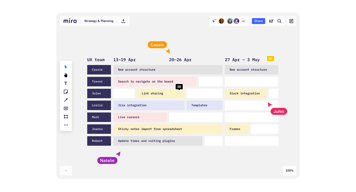
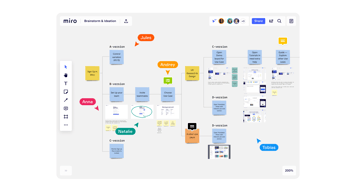
Miro is a whiteboarding platform online that facilitates collaboration in real-time. The platform allows teams to work together seamlessly and gives them access to customizable templates and supports integrations with tools such as Slack.

| Capabilities |
API
|
|---|---|
| Segment |
Small Business
Mid Market
Enterprise
|
| Deployment | Cloud / SaaS / Web-Based, Desktop Mac, Desktop Windows, Mobile Android, Mobile iPad, Mobile iPhone |
| Training | Documentation |
| Languages | English |


The graphic i so good, the app is awesome in usability. I'm a manager of UX and UI design in my agency, I write note, and in my working worflow Miro help me so much. I change my way to takes notes and develo idea.
Nothing, in Miro is not good. I dislike the people don't use it:) I use UX template and other template form make notes and all is good and simply to use. Thanks Miro Team!
I organize mind concept, UX designer path and notes. Take notes for meeting. Develop Idea process, Notes Archive. Share Idea and concept with collaboratos. Best way to take notes, for me is more helpfull than use simple write notes.

Miro helps us get in touch without being in the same room. The remote whiteboard is perfect for working sessions or just to gather all the ideas in one place. The video chat and integrations are awesome and they should be adding more and improving them. There's no one perfect platform to do everything, but if you can connect all your tools this comes pretty near.
The new history feature is useful but a lot of our team members are using the kanban board. That just has to be improved, regarding task tracking, start and end date, and progress of each task. Also people get confused and suddenly they want to do everything in Miro, We still have to make the differentiation between an open workings space, a task manager and a calendar manger.
Not being in the same room is not a problem anymore, actually is more convenient.
Miro allows for awesome visual flow documents to be created and updated in real time amongst multiple users
There has been no issue with Miro to date
Miro brings remote teams together to replicate our older ways of working in one office

Mega straight forward tool. Very friendly UI Made to colaborate.
not the cheapest solution once you go Enterprise.
It's a perfect tool to draw workflows and diagrams during the team online meetings. You can connect it with Smartsheet that is widely used in our Company.
We used Miro for a project management course for 16 people at the time. It was extremely easy to have an overview of each day and each module. Every team had their own discussion space where they could draw mind maps or add post its to express their opinions. See each other's cursors while working was the most fun :D
Sometimes it got a bit slow since it had to load the content for the full course.
We were introduced to Miro as the best colaboration tool for the online training Then I started using it most for mind mapping and process drawings in the field of process optimization.
Creative freedom and ability to scale the use scenarios, from individual brainstorming and idea dumping, to huge collaborative online/in person workshops.
Only minor, and not a huge thing, but confusion with filing/storing and finding files across teams. Probably user error on that one though.
Roadmapping Virtual whiteboarding A log of workshops to keep track of ownership, accountablilty

It helps you clear your mind, organize your thoughts, move forward, and get more productive. The fact that it is post-it based, because that's what I use on my desk.
I did not explore all the features that Miro offers, but It would be awesome if I can link my calendar to it and in a way all get synchronized together tasks,reminders.....
I am a designer and I am launching my start-up, a lot to do as I am juggling between a lot of tasks. I discovered that on Miro you have the option to write, modify, and thought/idea/task anytime, easily, and most importantly write them in your own logic! Furthermore, there are templates such as Eisenhower Matrix that you can explore and adapt.
The possibilities with Miro are endless. I use Miro from a wide variety of perspectives - planning, strategising, designing, reviewing and of course collaborating. I can design my own template, or I can dive into the "Miroverse" (a library of templates from others ranging from agile practices, to workflows and more) to allow me to get things done. I don't even have to worry about saving anything - it does it all automatically, which is so helpful when I'm in the platform 90% of my day!
I truly don't have anything that I dislike about Miro, other than big boards can be slightly glitchy on mobile!
Miro is helping me with collaboration and documentation in a hybrid, agile workspace. I no longer have UX'ers working on Sketch and having to share their screens to get my feedback - but instead they bring this into Miro so I can add comments, mark things up and more. This makes everything a whole lot more efficient. On top of this, I can quickly and simply plan out my work for the quarters and even link things with Jira, so I can share this quickly with leadership.

There are so many tools at our disposal - all are easy to use. My favourites are, notes, shapes, connectors, tables, voting.
No way to create reusable Patterns, so for example if I styled a text box and used this element 20 times. If I decide to change the style, i'd need to copy that style across and paste to all elements.
Team collaboration, mapping, visual aids when on calls and general team alignment. It also gives everyone on the team a voice and way to express ideas.
An beginner can use this tool and look like an expert presenter. Allows you to collaborate real time. Can be access easily on any browser I generally use. Can login easily and integrates into work I do on other problems because its eary to extract various file formats. I use this daily with no issues.
Nothing much. Most features allow me to be efficient with the work I do.
Quickest way to make a professional looking visual.


