

( 416 )
Unclaimed: Are you working at PostHog?
PostHog Reviews: 4.4/5 — Solid Choice
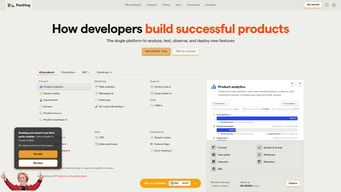
PostHog is an open-source analytics platform designed to help software teams understand user behavior, improve products, and drive growth. It offers a suite of tools for event tracking, heatmaps, session recording, and feature flags, enabling developers and product managers to gain insights into how users interact with their applications.
PostHog is also often used as Product Analytics of choice in Indie Hacker and Product Management tech stacks.


| Capabilities |
API
CLI
OSS
|
|---|---|
| Segment |
Small Business
Enterprise
|
| Deployment | Cloud / SaaS / Web-Based, On-Premise Linux |
| Training | Documentation |
| Languages | English |

Compare PostHog with other popular tools in the same category.
Tons of features and easy to implement. The UI is well-done and fun.
Too early to tell anything truly worth noting as a negative.
Using session replay for insights into what behavior is causing bugs. Planning to also use the feature flagging and other analytics once our product goes live.
After using MixPanel, migrating to Posthog has been one of the easiest ways of collecting analytics. Session replays are awesome
No mobile app for me to set up alerts for certain actions
Posthog helps me see how features are doing on the site and if they're causing users to fall off
- Excellent Documention - Hints all over the Dashboard - User Forum - Very easy to use - The easiest way I have found so far to get to know your users properly
So far I have not been able to find anything negative.
I used a bunch of tools to track my users beahvior. All other tools with this set of features weren't gdpr compilant!

Jumping into PostHog was like finding my tribe. It's got this vibe that's just... for devs, you know? The docs are a game-changer—clear, concise, and they actually make sense (a rare find in the dev world). It's like they've got your back before you even know you need it. And the people? Haven't jumped deep into the community pool yet, but the few splashes I've made? Super responsive. Feels good knowing there's help around the corner if you hit a snag.
It's not all smooth sailing—hit a few bumps here and there. Nothing that made me want to jump ship, though. The crew behind PostHog seems to be on it, patching holes even before they become real problems. More specifically, had some issues with their feature flags. So I implemented my own instead.
PostHog has been like finding a secret weapon in my coding arsenal. Before, understanding user interactions felt like guesswork, but now it's like having X-ray vision into how users engage with my projects. It cuts through the clutter, giving me crystal-clear insights that guide my decisions. No more piecing together analytics from different sources; PostHog brings it all under one roof, making my life a heck of a lot easier. It's not just about avoiding mistakes; it's about doubling down on what works, refining my approach, and delivering features that users actually want. This isn't just data for the sake of data; it's actionable intelligence that's supercharged my development process, saving me time, and boosting my confidence in every update I roll out. With PostHog, I'm not just coding; I'm creating with purpose, and that's been a game-changer.
Very easy to set up and to very good at identifying users in multiples sessions. I had a good experience with customer support after having an issue, submiting a bug and it being fixed in less than 24h.
I had a few issues related to cohorts and analytics. I know my user fit the criteria but it was not being shown in the dashboard
Knowing what our users do on the platform and how they interact. Rageclicks have shown to be a really usefull metrics. Session replays are also very good and easy to use
Custom event capture system as a developer adds next level ability to track all sorts of events
data pipelines system could be expanded, looks a little emtpy and unprofessional
Help us understand how users use the UI instead of guessing or asking them question in a survey
I like being able to see exactly where and how users use our platform
The home page where recordings are listed isn't that intutitive to me. I'm not sure how they set up the ordering for recordings that are displayed
It has helped me identify points on our websites that users find confusing
The documantation is really easy to follow and has guides for a lot of frameworks, like Remix. Was able to get started really quickly
Adding analytics to the dashboard was a bit hard and confusing.
Understanding where a user activate a feature in our app.

I think the best about is Posthog is easy setup and fast dashboard setup. I saw the sessions in a minute. That was crazy
The only thing I can complain about is website design. The righ suggestion panel is useful bot I dont like it show it opened everytime I login the posthog.
We used to using 3 different tools but now we are only using posthog. Also, the free tier is great!
Probably one of the best analytics tools out there, it automatically creates events if I didn't manually create any, based on the buttons on the webpage. Not just creating events but also gives insights right out of the box without any configuration on the dashboard. Integration just can be done with single line of code. The other best thing is Referring domain, I don't have to add UTM parameters manually it automatically detects the referring domain and gives a dashboard based on it. The session replays are also good to understand the user behaviour and know the edge cases that we might have missed while building. The toolbar is the best thing, let's us know which button has been pressed the most, is the CTA working or not also let's us A/B test using this. Last but not least, the free tier is just very generous and I love it.
A bit overwhelming at the start, moving from google analytics it's not just very intuitive, but now that I've used it for a while I love it
I've been using Google Analytics and Clevertap for a while and having two different dashboards for doing the same thing(understand user behaviour) was a bit painful, we found two options posthog and one more similar but posthog was best for our use case as we need session replays as well because we had a lot of edge cases and we knew we were missing out on lot of users because of the error cases.
I wanted something similar to Amplitude, which I've used professionally. I'm a big fan, and I'm glad to have found PostHog. It does the same things, plus more. The interface is intuitive. API and docs are well designed. I don't feel limited on the base plan.
Honestly, I can't find any downsides as of yet. I'm not working with it at scale just yet, and it meets my needs as a single-handed business.
Mainly, I wanted to know how my ads were funneling in customers, and what their actions were on my app. With PostHog I was able to identify breakages in my email system, and prioritize my feature roadmap, using real data.
It was quite easy to integrate in our app, and it provides a ton of valuable insights with the screen capture feature. It greatly improved our ability to troubleshoot and provide prompt customer support.
The web app interface is packed with features and can be a bit overwhelming when you are getting started
Giving us insights into which features are used, and how our features are perfoming. For example, we have been able to identify usability problems and monitor which features are most engaging for our customers
The amount of tools to measure user behavior, and also the overall friendliness towards modern web development tools and languages.
the lack of dark mode and the steep learning curve for new users that are maybe less tech-savy users.
Utilizing Posthog for my product's analytics has been a game-changer. It's like having a crystal ball that reveals exactly what my users want and how they interact with each feature. Every click, every navigation path, and every user preference is captured, analyzed, and transformed into actionable insights. This has empowered me to make each update more user-centric than ever. The session replay feature is like a window into the user's world, showing me where they struggle and thrive. It’s a bit like being a digital detective, piecing together clues to perfect the user experience. A/B testing used to be a shot in the dark, but now, with Posthog, it's a strategic tool that lets me experiment with confidence, knowing that I'm basing decisions on solid data. The result? My product has evolved into something that not only meets but anticipates user needs, making every feature release feel like a hit. It’s more than just analytics; it's a roadmap to user satisfaction.
Super easy to integrate, server side compatibiity and the screen recording and A/B features are a bonus.
Not much! I did get caught out a few times with the dashboards though and having to click the reload button to get the latest data, that wasn't obvious and it be nice if it reloaded when I come to the page. Especially when I created a real time dashboard, that'd be great if updated in actual real time. Other than that so far so good!
Easily capture all our analytics, quickly and easily on both front and back end. Saves dev time.

I love the session replay to debug user workflows, I love how much data it collects
Dashboards and graphs are a nightmare to make, it's difficult to understand how to wire everything up
I needed a comprehensive suite of web analytics that wasn't Google Analytics
I love how easy it is to use it and to integrate with the code, also it suports a lot of frameworks. I was surprise by how useful insights and the dashboards are. Feature flags is also another feature that I use a lot and that allows me to ship to production fast
I think the pricing for events is a bit expensive, also the free tier could have a bit more events, I am manly comparing to Mixpanel.
It helps to ship faster to production, and with more confidence. We can fix most issues quickers and deactivate what's not working using feature flags. We also can understand the pain points of our applicatio.
PostHog brings a whole toolbox of things one needs when running an early stage business - all with a generous free tier so one can really experience the product before switching to a paid plan. That they're OSS also gives me the peace of mind that i can self host if things go bad. Their SDK is easy to add, and they have a comprehensive API should you want to automate things further.
None so far really. I suppose competitors like Amplitude have more features, but that hasn't been an issue for me.
Easy to setup, privacy friendly user metrics, along with a host of other tools (feature flags etc)
I really like that PostHog is developer friendly. Everything about it makes me love using it. It's very very easy to integrate in my projects and the documentations are top notch.
Hmm, I think there's a lot of features that I haven't had the time to explore them fully.
We really wanted a way to track different aspects about our users including if they accomplish various tasks or events.
I like PostHog best due to its powerful open-source analytics platform that provides in-depth insights and data on user behavior. The user-friendly interface, event tracking, and funnel analysis capabilities make it easy to identify my website's performance. I choose posthog because it is the most mature opensource user analysis product after a investigation on about 5 different candidates.
I am using the self hosted version of posthog. It has some limit like you can only create one project and can not use group analysis. but since its free, I am OK with these limitations. BTW, while using it, I encounter a bug that I can not delete my project on the panel.
PostHog is solving several problems related to product analytics and user behavior tracking on websites include: 1. Privacy: PostHog is an open-source and self-hosted solution, which helps protect user data. User data are only stored in my own database, and I can delete them anytime I want. 2. Tracking website performance from basic pv/uv to user actions: PostHog provides a comprehensive set of features for tracking user behavior on websites, including page views, clicks, form submissions. 3. Easy to integrate with other system. It provide a simple API for data ingestion and data export. I can export the insights to other system for further analysis and visualization.

First I love the features the tool offer. Then, the simplicity of implementations and integrate with other tools. And the ability to create custom insights based on a lot of properties is crazy! Great tool
I would like to see the heatmap without going to the live page.
Thanks to Posthog I do not need 10 tools to make : analytics, heatmap, AB tests & dashboarding. Just one (and great) tool.
Data collection and analysis are accessible in this tool. I can check about the journey, retention, funnels and heatmaps using posthog.
What to do if I need a complete data download of my customers? This still remains a problem for me. There should be an option for this.
Everything.... But data integration team is not that working with posthog. If there is Customer Success Manager, it will be better.
Posthog is a feature rich service that worked for us almost right out of the box. It was quite easy to set up feature flags and monitoring.
Due to the large number of features the user interface can be a bit daunting at first. It takes some time to learn how to navigate and find what you are looking for.
I am using the feature flags and it has greatly simplified the process of enabling and disabling features in production.
The intuitive it is built The JS npm package which made it easy to integrate The Slack channel we have with the PH team that provides fast help and support The fast development of the product (for example surveys feature)
Replays sometimes appear broken Managing multiple projects causes links to break
First of all, using the A/B testing we are using it as sort of a CMS. This enables multiple roles to collaborate and ship product changes without needing developers. Second of all, we create product charts there to measure features' effectiveness after rollout and make decisions based on that Third, We are also using it to troubleshoot issues with the Sentry integration
Onboarding and setting up my PostHog instance was a piece of cake. Configuring my application to identify users and provide contextually relevant information to PostHog about the actions they were performing in my app went smoothly. I really love the session replay feature. It's honestly incredible to see exactly what my users are seeing, and to get feedback within the app with the new surveys feature. I'm confident that PostHog will 10x our customer support as well as they try and help users who run into issues.
It's pretty hard to dislike anything about the tool, at this point. If I have to provide critique, it seems like most of the dashboard templates and default insights are only relevant to SaaS companies, not companies building internal tooling for their employees.
Consistently, we've had internal issues bridging the gap between engineering and our end-users. Additionally, we have not equipped our support team with the tools they need to make a maximum impact on addressing issues. PostHog offers a solution to both. We can now see with granular detail exactly how our users are using our products, what they like and don't like about it, and track all of it over time. And, our support team has a place to go and consult when something goes unexpectedly for a user.

Generous limits and features on the free tier.
Some areas are overwhelming. The documentation is robust though.
They provide me valuable analytic and replay information.
- Very intuitive platform with good UI/UX - Easy to integrate - Feature flag has good limits for free plans
- I had a few problems with old documentations - Had a few problems with browser caching informations
Using feature flag we can launch features with secure that if something goes wrong we can just turn it off
Being able to easily view sessions and easily track stack of errors. Espacially I like your easy to use UX, the beautiful design and ease of use. For example, I really like the Netflix style automatic "next session" when viewing sessions.
A/B testing could be easier, viewing sessions idle skip doesn't always work
Tracking user sessions and making sure everything is working as expected, in addition detecting possible bugs in production and analyze A/B testing for new features
The sheer endless possibilities it gives me, in a very nice ui, that allows me to dig through milllions of events, to perfect our project in a privacy respecting matter. Very easy integration and implementation. Big Kudos!
Nothing, Google Analytics and other competitors really need to step up!
It does what no other tool can. With a simple script I can dive deep into millions of events, create funnels and find customer painpoints and perfect marketing acquisition.

It's easy to start with the snippet It's easy to integrate into Django backend It replaces what I have done previously with a hodgepodge of Google Tags/Analytics and HotJar.
Not really a downside, but something I would value: As a solo founder in a new company, I'm doing all the tech and everything else myself. PostHog has a MAD amount of features. I've really valued how they are documented, but it would be helpful to me to be guided as to where best to focus my attention based on the stage of the business. I've gone through your 'quick start' check list, but I feel this could be improved so that it covers more of the tooling (I don't think surveys or actions are in it?) and is potentially more clearly gated. I remember glacing at once piece of guidance that I know can't find where you suggested for early stage companies focussing on 2 or 3 core default insights and 'ignoring' the rest. That I thought was very helpful.
Proving (or disproving) that registered users are actually using the service, and which features they are using.
Comprehensive, customisable analytics, great dashboards and a very poweful SDK
A bit complex to setup for RemixJS - had to use quite a few workarounds. Ideally there would be docs.
Comprehensive analytics and building out a User Journey funnel