

Unclaimed: Are you working at Zoho Creator?
Zoho Creator Reviews: 4.3/5 — Solid Choice
Zoho Creator is a low-code platform for building custom web and mobile applications for businesses with an intuitive drag-and-drop interface, making it easy for non-technical users to create and manage their own applications. Some great features of Zoho Creator include a wide range of customizable templates, integration with other Zoho products, and a robust analytics platform to help users track their application's performance.
| Company | Zoho Corporation |
|---|---|
| Year founded | 2000 |
| Company size | 10,001+ employees |
| Headquarters | Chennai, Tamil Nadu |
| Social Media |

| Capabilities |
API
|
|---|---|
| Segment |
Small Business
Mid Market
Enterprise
|
| Deployment | Cloud / SaaS / Web-Based, Mobile Android, Mobile iPad, Mobile iPhone |
| Training | Documentation |
| Languages | English |
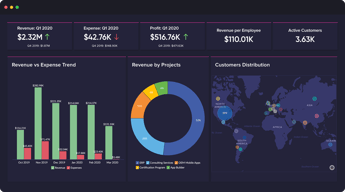
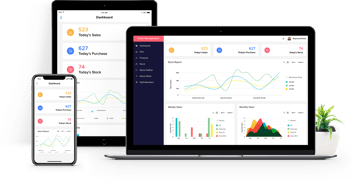
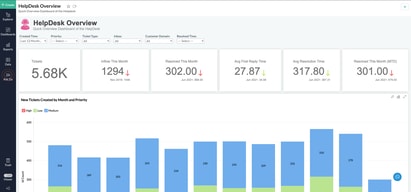





Compare Zoho Creator with other popular tools in the same category.
Pretty easy to put together an app quickly with little to no coding experience
Horrible and unflexible UI. Unable to publish our app to clients and customer support takes forever, IF they can even fix the problem. You are basically at the mercy of Zoho, which if they had better customer support would be ok, but they do not.
We use it for inventory management systems within a company of up to 50 employees.
Quick and easy to create a repository with detailed analytics.
Reporting capabilities are seriously limited. Even the most flexible “pages” reports are clunky and include a ton of unused space, while users have to scroll through tiny panels to see actual data. Competitor solutions are better at adjusting panel sizes on the fly so information takes priority. Backups do not work. I started paying for the feature 10 months ago, and still cannot generate viable backups. I cannot restore any backups and even creating them is sporadic. Tech support sucks. If you can find the right version of the user guide, the information is incomplete. Forum discussions with multiple people reporting the same issue remain unanswered for years. The only way I can get the team to answer is by copying the Support Manager on the emails, and even those responses usually take 2 weeks.
I am trying to create a repository of lab results for analysis and comparisons, but it is unreliable without backups.
Definetly the ZOHO Software is superbb but specialy chat support of ZOHO ONE is like nightmare
We are into Education industry. We have implemented ZOHO CRM in April 2023 with only 2 users and in just 6 months we have reached to 91 users just because of good chat support of ZOHO CRM. Recently we have shifted to ZOHO ONE because we have decided to implement ZOHO Tools in all other department also. Now we are facing very poor response from the ZOHO ONE's chat support. The agents are not knowledgeable enough, they just try to end the chat every time and they do not have prospective of solution. Many times, agents do not read our messages and asking same thing again and again and because of less knowledgable, agents escalate the issue to other team and said that you will receive an email, this happend most of the time even for just a small issue, this effects our growth. We have raised the issue with ZOHO ONE team but they also not able to give solution. Now we have decided to drop ZOHO ONE and back to ZOHO CRM, we will user other tools for our other departments. Based on our experience, we recommend that instead of ZOHO ONE, use individual tool so that you can receive good support from particular tool's expert. Sahil Chopra CEO - Aimlay
As i mentioned earlier, ZOHO ONE is awesome but the chat support is more than worse!!!
It is easy to stand up relatively simple, form-based applications. There is great integration for some features like barcodes, signatures, photos, etc. that not all app builders have. The mobile interface is a strong point vs. other options.
Support -- which used to be very available, responsive, and competent -- has taken a dive. While support reps used to be available via chat in near real-time, it's now been months since we can get a live chat rep to respond, and even simple or urgent issues take days to resolve. Recently, we had 2 business days of downtime because of a simple licensing allocation issue that 3-4 techs could not solve.
We use this to manage internal production tracking and invoicing.
I do not like anything about Zoho Creator. It claims to be affordable but you have to pay for each user that needs to access the app you've created.
The tool has high learning curve and not intuitive to use; we encountered issues on access and features available to us from the get go. IT Support is not knowledgeable and takes a long time to respond and when they do respond, they do not respond fully to inquiries; you have to pay per additional user so the tool is not scalable; you purportedly need to have super admin access to have most features available which does not make sense from a development perspective.
I don't see much benefit from this tool. It is very limiting in terms of features. They are not transparent in terms of what is included in the plan you purchased. I created a free trial and paid a premium plan and I can see so many features (which I think is a basic feature necessary to have to actually build something) not available to the premium plan.
I like that with enough knowledge, you really can customize endlessly. You can find a way to create pretty much any feature that you need.
I DON'T like that when you need help, it's nearly impossible to get it. Searching their endless pages of support information is the worst, and if you start a chat or email, they will send you a totally irrelevant link, so you're just back to searching endless forums, support videos that are all out of date, and instructions to a system they don't even use anymore. The customer service is lacking to say the least, but luckily for them they have a really great product that isn't matched by any of their competitors. Pretty sure they are trying to annoy me until I just hire them to do it for me.
Zoho is a great way to keep track of information and relate it to other information. Auto-populating, multi-directional relationships is not something that their competitors can provide as easily as Zoho can. That's our main use for it, and it is exactly what we needed. It is also used in my office as a way to track expiration dates and notify customers of their status in our system. It really is a great product, just awful customer service.