- AI Writing Software Compared
- Best All-Round AI Writing Assistants
- Best AI Writing Software for Editing and Rewriting
- Best AI Writing Software for Marketing Teams
- Best AI Writing Software for Books and Fiction
- What Happened to INK Editor and AI Writer?
- The Best Free AI Writing Software
- How to Choose the Best AI Writing Software
- AI Writing Software FAQ
- Choosing the Best AI Writing Software
The Best AI Writing Software of 2026 (Free & Paid, Compared)





Table of Contents
- AI Writing Software Compared
- Best All-Round AI Writing Assistants
- Best AI Writing Software for Editing and Rewriting
- Best AI Writing Software for Marketing Teams
- Best AI Writing Software for Books and Fiction
- What Happened to INK Editor and AI Writer?
- The Best Free AI Writing Software
- How to Choose the Best AI Writing Software
- AI Writing Software FAQ
- Choosing the Best AI Writing Software
Whether you write for your blog, your social media profiles, your website or your next novel, AI writing software can take a lot of the heavy lifting off your plate.
No matter how good a writer you are, finding the time to produce high-quality copy consistently is hard. The best AI writing software helps you get a first draft down faster, tighten what you’ve already written and keep your tone consistent across everything you publish.
The short answer: ChatGPT and Claude are the best all-round AI writing assistants for most people, Grammarly is the best editing layer to use everywhere you type, Jasper is built for marketing teams that need a consistent brand voice, and Sudowrite is the pick for fiction and book writers.
A lot has changed since the first version of this guide. General-purpose assistants now write better than most of the dedicated “AI copywriters” that used to top these lists, and several of those tools have moved into other markets entirely. We re-checked every tool’s official pricing page in November 2026 for this update.
Quick picks:
- Best overall AI writing assistant: ChatGPT, the most versatile option with a useful free plan.
- Best for natural-sounding long-form writing: Claude, especially for long documents and detailed instructions.
- Best for Google Docs and Gmail users: Gemini.
- Best for editing and proofreading: Grammarly.
- Best for marketing teams and brand voice: Jasper.
- Best for fiction and books: Sudowrite, with ProWritingAid for manuscript editing.
- Best budget pick: Rytr at $9 a month for unlimited content.
Jump to: Comparison table · General AI assistants · Editing tools · Marketing and brand voice · Books and fiction · Free options · Buyer’s guide · FAQ
AI Writing Software Compared
Here’s how the tools line up. Prices are the cheapest paid individual plan we could see on each vendor’s own pricing page in November 2026, in USD before tax. Several vendors show different prices by region, so check before you buy.
| Software | Best for | Free plan? | Starting paid price | Works inside |
|---|---|---|---|---|
| ChatGPT | All-round drafting and research | Yes | Plus: $20/mo | Web, desktop, mobile |
| Claude | Long-form, natural-sounding prose | Yes | Pro: $17/mo billed annually, $20 monthly | Web, desktop, mobile, Chrome, Microsoft 365 |
| Gemini | Google Docs and Gmail users | Yes | Google AI Pro: $19.99/mo or $199.99/yr | Web, mobile, Gmail, Docs, Sheets |
| Grammarly | Editing, tone and proofreading | Yes | Pro: $12/mo | Browser, desktop, mobile |
| QuillBot | Paraphrasing and summarizing | Yes | Premium: $19.95/mo or $99.95/yr | Web |
| Wordtune | Sentence-level rewrites | Yes (10 rewrites/day) | Advanced: $4.89/mo billed annually | Web, Chrome and Edge extensions, iOS |
| Jasper | Marketing teams, brand voice | Free trial | Pro: $59/mo billed yearly, $69 monthly | Web app, Chrome and Edge extension |
| Writer | Enterprise governance and compliance | 14-day trial | Starter (price on request) | Web app, integrations |
| Notion AI | Teams that already work in Notion | Trial only | Business: $20/member/mo | Notion |
| Rytr | Budget short-form copy | Yes (10,000 characters/mo) | Lite: $9/mo | Web, browser extension |
| Sudowrite | Fiction, novels and screenplays | Free trial | Hobby & Student: $10/mo | Web app |
| ProWritingAid | Manuscript editing and critiques | Yes | Premium: $10/mo billed yearly, $30 monthly | Web |
| Copy.ai | Sales and go-to-market workflows | Yes | Chat: $24/mo billed annually, $29 monthly | Web app |
Best All-Round AI Writing Assistants
For most people, a general-purpose AI assistant is now the best AI writing software you can buy. They draft, outline, rewrite, summarize and research, and the free plans are good enough to try before you pay.
1. ChatGPT
Best Overall
ChatGPT is the default AI writing app for a reason. It handles everything from a quick email reply to a 3,000-word blog post outline, and it’s the tool most people already know how to use.
For writers, the most useful features are Projects (which keep your briefs, style notes and reference files together), custom GPTs you can set up with your own writing rules, and deep research for pulling sources together before you start drafting. Memory means it gets better at matching your preferences the more you use it.
What we like:
- The most versatile option: drafting, editing, brainstorming and research in one place.
- A capable free plan, so you can test it on your own writing first.
- Projects and custom GPTs make it easy to reuse a style guide across pieces.
Watch out for:
- Default output can sound generic. Give it examples of your writing and clear instructions on tone.
- Always fact-check statistics and quotes before you publish.
ChatGPT Pricing
ChatGPT has a free plan with limited access to its tools. Plus costs $20 per month, and Pro starts at $100 per month for much heavier use. There’s also a cheaper Go tier between Free and Plus, plus Business and Enterprise plans for teams.
2. Claude
Best for Natural-Sounding Long-Form Writing
Claude, made by Anthropic, is the assistant many professional writers reach for when the output needs to sound like a person wrote it. It follows long, detailed instructions well, which makes it a strong pick for style guides, brand rules and long documents.
Projects let you store reference material and instructions for a recurring writing job, and Artifacts and Claude Docs give you a working document next to the chat instead of a wall of text in the conversation. You can also use Claude in Chrome and Microsoft 365 on paid plans.
What we like:
- Prose that needs less editing to sound natural.
- Handles long documents, such as reports, manuscripts and research notes, comfortably.
- Good at sticking to a voice or style you describe in detail.
Watch out for:
- Free usage limits reset every five hours and every week, so heavy users will need a paid plan.
Claude Pricing
Claude has a free plan. Pro costs $17 per month with annual billing ($200 billed up front) or $20 billed monthly. Max is $100 per month for five times Pro usage, and Ultra is $200 per month for the longest tasks. Team seats start at $20 per seat per month billed annually ($25 monthly).
3. Gemini
Best for Google Docs and Gmail Users
If you already write in Google Docs and Gmail, Gemini puts an AI writing assistant right where you work. Google says the paid plans help you proofread in Gmail and draft and refine documents in Docs and Sheets, so you don’t need to copy text between apps.
The standalone Gemini app also covers drafting, rewriting and Deep Research, which is useful for pulling sources together for a longer piece.
What we like:
- Built into Gmail, Docs and Sheets on paid plans.
- The Google AI Pro bundle includes 5 TB of storage, which adds value if you’d pay for Google One anyway.
Watch out for:
- The value depends heavily on whether you live in Google’s apps.
Gemini Pricing
Gemini is free to use. Google AI Pro costs $19.99 per month or $199.99 per year in the US, and there’s also a cheaper Google AI Plus plan and a top-tier Google AI Ultra plan. Availability and prices vary by country.
Best AI Writing Software for Editing and Rewriting
Not every writer wants AI to draft for them. These tools improve the words you’ve already written, from grammar fixes to full-sentence rewrites.
4. Grammarly
Best for Editing and Proofreading
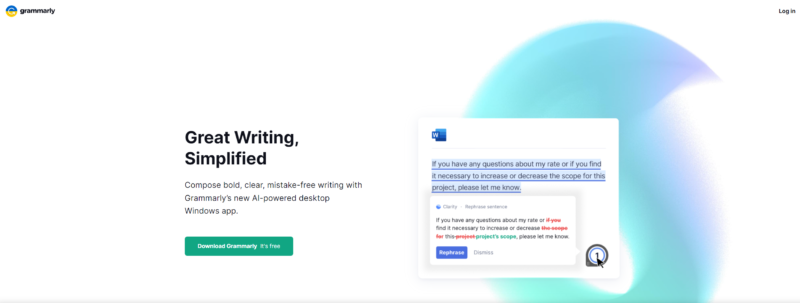
Grammarly is the best-known writing assistant on the market, and it says it’s trusted by more than 40 million people and 50,000 organizations. It works in your browser, on desktop and on mobile, so it follows you almost everywhere you write.
It started as a grammar and spell checker, but it now does much more: rewriting full sentences with a click, adjusting your tone, generating text from prompts and checking for plagiarism and AI-generated text.
What we like:
- Works almost anywhere you type, with very little setup.
- Tone suggestions are useful for emails and client-facing writing.
- The free plan is genuinely useful for catching mistakes.
Watch out for:
- It’s an editor first. For full drafts, pair it with ChatGPT, Claude or Gemini.
Grammarly Pricing
The Free plan covers spelling and grammar, shows your writing tone and includes 100 AI prompts. Pro is listed at $12 USD per month and adds full-sentence rewrites, tone adjustments, plagiarism and AI-text detection and 2,000 AI prompts. Enterprise pricing is available through sales.
5. QuillBot
Best for Paraphrasing and Summarizing
QuillBot is best known for its paraphraser, which rewrites a sentence or paragraph in different modes so you can find a clearer way to say something. It also bundles a grammar checker, summarizer, plagiarism checker, AI detector and translator into the same dashboard, which makes it popular with students and researchers.
If you mainly rework existing text rather than write from scratch, it’s one of the fastest tools for the job. For a wider look at this category, see our guide to the best paraphrasing tools.
What we like:
- Fast, flexible paraphrasing with several rewrite styles.
- Summarizer is handy for condensing research.
Watch out for:
- Free paraphrasing is capped at 125 words at a time.
QuillBot Pricing
QuillBot has a free plan. Premium costs $19.95 per month on monthly billing, or $99.95 per year (about $8.33 a month) on annual billing.
6. Wordtune
Best for Sentence-Level Rewrites
Wordtune focuses on making individual sentences better. Highlight a line and it suggests alternative ways to phrase it, so you can pick the clearest version. It works on the web and through Chrome and Edge extensions, and it’s a good fit for writers who already have a draft and want to polish it quickly. If you want more options like this, see our list of the best sentence rewriters.
What we like:
- Very quick to use for line-by-line editing.
- One of the cheapest paid plans on this list.
Watch out for:
- It isn’t designed for long-form drafting.
Wordtune Pricing
The free Basic plan includes 10 rewrites and AI suggestions per day. Advanced costs $4.89 per month billed annually for 30 rewrites a day, and Unlimited costs $6.99 per month billed annually. Both paid plans come with a 3-day free trial.
Best AI Writing Software for Marketing Teams
Marketing teams need more than a good first draft. They need every writer, and every AI output, to sound like the same brand.
7. Jasper
Best for Marketing Teams and Brand Voice

Jasper has repositioned itself as an AI platform for marketing teams. Rather than a simple “write me a blog post” tool, it’s built around creating content for multiple brands, collaborating on campaigns and keeping output on-brand.
That makes it a better fit for agencies and in-house marketing teams than for solo writers. It can create and repurpose content in more than 30 languages, and a Chrome or Edge extension brings it into the other tools you use.
What we like:
- Built for brand consistency across a team.
- Supports content for multiple brands on the Pro plan.
Watch out for:
- Expensive compared with a general assistant if you’re writing on your own.
Jasper Pricing
Pro costs $59 per month billed yearly or $69 per month billed monthly. The Business plan has custom pricing with extra controls, security, training and support. You can start with a free trial.
8. Writer
Best for Enterprise Governance and Compliance
Writer is aimed at larger organizations that need AI writing with guardrails. It grounds output in your brand guidelines, team decisions and compliance rules, which matters in regulated industries where a wrong claim is a real problem.
The Starter plan supports up to five users and comes with a 14-day free trial with no credit card required. Writer doesn’t list a public price for its plans, so you’ll need to start a trial or contact sales.
9. Notion AI
Best for Teams That Already Work in Notion
If your team’s docs, wikis and project notes already live in Notion, Notion AI can draft, edit and summarize without anyone leaving the workspace. It can also answer questions using what’s already in your Notion pages and connected apps.
The Free and Plus plans include a trial of Notion AI. Full access comes with the Business plan, listed at $20 per member per month. Notion says yearly billing saves up to 20%.
10. Rytr
Best Budget Option

Rytr is still one of the cheapest ways to get unlimited AI writing. It covers more than 40 writing use cases in over 30 languages, from emails and social posts to product descriptions, and its browser extension brings it into the apps you already use.
Rytr has also grown into a communication assistant that connects to tools like Gmail, Outlook and Slack, with features for follow-ups and meeting preparation.
Rytr Pricing
The Free plan includes 10,000 characters per month. Lite costs $9 per month for unlimited content creation, Personal costs $19 per month and Pro costs $49 per month. Yearly billing saves 20%.
11. Copy.ai
Best for Sales and Go-to-Market Copy
Copy.ai was once best known for short marketing copy. Today it’s a go-to-market AI platform for sales and marketing teams, with workflows for things like sales collateral and personalized outreach. Its Chat plan gives you access to models from OpenAI, Anthropic and Google for $29 per month billed monthly or $24 per month billed annually, with larger team plans above that.
If you want a tool for blog posts and long-form content, the general assistants above are a better fit. Copy.ai makes most sense when your writing is tied to sales workflows.
Best AI Writing Software for Books and Fiction
Novels, screenplays and long non-fiction need tools that keep track of characters, plot and continuity, not just individual paragraphs.
12. Sudowrite
Best for Fiction Writers
Sudowrite is built specifically for creative writing. Its tools help you write, rewrite, describe and expand scenes, match your own writing style and keep continuity across a series. It also offers developmental edits, line edits and beta-read style feedback, and uses its own fiction-focused models alongside more than 30 others.
If you’ve searched for the best AI book writer, this is the tool most fiction authors mention first. For lighter, playful storytelling, see our guide to the best AI story generators.
Sudowrite Pricing
Sudowrite lists Hobby & Student at $10 per month for 225,000 credits, Professional at $22 per month for 1,000,000 credits and Max at $44 per month for 2,000,000 credits, with unused credits rolling over for 12 months on Max. Yearly billing saves up to 50%, and you can start with a free trial with no credit card.
13. ProWritingAid
Best for Manuscript Editing
ProWritingAid is a grammar checker and style editor designed with long-form writers in mind. It goes deeper than most editors on style, and it offers story-focused features like idea feedback and chapter critiques on its paid plans. It also tracks your writing sessions and word count, which helps on long projects.
ProWritingAid Pricing
There’s a Free plan. Premium is listed at $10 per month billed yearly or $30 billed monthly, and Premium Pro at $12 per month billed yearly or $36 monthly. Lifetime licenses are also available. When we checked in November 2026, ProWritingAid was running a 50% discount on its yearly and lifetime plans.
What Happened to INK Editor and AI Writer?
The previous version of this guide recommended INK Editor and AI Writer. We’ve removed both:
- AI-Writer.com now positions itself as a research tool that answers questions using cited scientific papers, rather than a general article writer.
- INK Editor was a co-writing and SEO tool. We couldn’t confirm its current plans and pricing for this update, so we’ve taken it off the list.
Writesonic, our former pick for marketing copy, has also shifted its focus. Its plans now center on tracking your brand’s visibility in AI search tools like ChatGPT and Google AI Overviews, starting at $79 per month billed annually. If that’s what you need, it’s worth a look, but it’s no longer primarily an AI writing tool. For more tools built for content marketing at scale, see our guide to the best AI content generators.
The Best Free AI Writing Software
You can get a lot done without paying anything. The best free AI writing software in 2026:
- ChatGPT Free and Claude Free for drafting, outlining and rewriting, with usage limits.
- Gemini for free drafting and research, especially if you use Google’s apps.
- Grammarly Free for spelling, grammar and tone checks, plus 100 AI prompts.
- Wordtune Basic for 10 sentence rewrites a day.
- Rytr Free for 10,000 characters of short-form copy each month.
- QuillBot Free for short paraphrases.
Free plans are a good way to test which tool suits your writing. Once you hit the limits every day, that’s usually the sign a paid plan will pay for itself. For more options, see our list of free AI content generators.
How to Choose the Best AI Writing Software
The right tool depends on what you write and how much of the writing you want AI to do.
Decide what kind of help you need
- Drafting from scratch: ChatGPT, Claude or Gemini.
- Polishing your own writing: Grammarly, Wordtune or ProWritingAid.
- Rewording existing text: QuillBot or Wordtune.
- Team content in one brand voice: Jasper, Writer or Notion AI.
- Novels and screenplays: Sudowrite and ProWritingAid.
Match your writing style and brand voice
If your writing needs to sound a particular way, look for tools that let you save instructions and examples. ChatGPT custom GPTs and Projects, Claude Projects, Jasper’s brand features and Sudowrite’s style matching all help the AI stick to your voice. Whatever you choose, paste in a few samples of writing you like and describe your audience. That does more for quality than any template.
Check where it works
The best AI writing assistant is the one you’ll actually use. Grammarly, Gemini and Notion AI live inside apps you already have open. Others work best in their own web app. If you write mostly in Word, Google Docs or Scrivener, check each tool’s integrations before you pay.
Compare pricing models
AI writing software is priced in a few different ways:
- Flat monthly plans with usage limits: ChatGPT, Claude and Gemini.
- Per-seat team plans: Jasper, Notion, Claude Team and Writer.
- Credit or word allowances: Sudowrite and Rytr’s free plan.
- Annual discounts: Most tools on this list charge less per month if you pay for a year up front, sometimes by half.
Think about privacy and ownership
If you’re writing anything confidential, check each vendor’s data policy. Business and enterprise plans usually include stronger controls. For example, Notion says its LLM providers use zero data retention for Enterprise workspaces, and Claude’s Team plan doesn’t train models on your content by default.
AI Writing Software FAQ
What is the best AI writing software?
For most people, ChatGPT is the best all-round AI writing software, with Claude a close second for natural-sounding long-form writing. If you mainly want to improve your own writing, Grammarly is the best editing tool.
What is AI writing software?
AI writing software uses large language models to help you draft, rewrite, edit and summarize text. Some tools, like ChatGPT and Claude, are general assistants. Others, like Grammarly, Sudowrite or Jasper, are built for a specific job such as editing, fiction or marketing.
What is the best free AI writing software?
ChatGPT, Claude and Gemini all have free plans that handle drafting well. Grammarly’s free plan is the best free option for catching mistakes, and Wordtune and QuillBot have free plans for rewriting.
How much does AI writing software cost?
Most individual plans cost between $10 and $20 a month. In November 2026, ChatGPT Plus was $20 a month, Claude Pro $17 a month billed annually, Google AI Pro $19.99 a month and Grammarly Pro $12 a month. Cheaper options include Rytr Lite at $9 a month and Wordtune from $4.89 a month billed annually.
What is the best AI book writer?
Sudowrite is the most popular AI tool built specifically for fiction. For non-fiction books, Claude handles long manuscripts well, and ProWritingAid is a strong choice for editing a finished draft.
Which AI tools are best for matching a writing style?
Claude and ChatGPT both follow detailed style instructions well, especially when you give them examples. Sudowrite can match your fiction style, and Jasper is designed to keep a marketing team on-brand.
What is the best AI writing software for ecommerce?
For product descriptions and store copy, a general assistant like ChatGPT or Claude works well when you give it product details and a sample description. Rytr is a cheaper option for high volumes of short copy. Teams managing many brands may prefer Jasper.
Can AI replace writers?
No. AI writing tools are best treated as assistants. They speed up first drafts, rewording and editing, but they still need a human to add original insight, check facts and make the final call on what gets published.
Will Google penalize AI-written content?
Google’s guidance says it rewards original, high-quality content however it is produced. Using automation, including AI, mainly to manipulate rankings violates its spam policies, so edit, fact-check and add your own expertise before you publish. Our guide on how to use AI to write articles covers a practical workflow.
Choosing the Best AI Writing Software
There’s no single best AI writing tool for everyone. Most writers get the best results by pairing a drafting assistant with an editing tool:
- ChatGPT or Claude for drafting, outlining and research.
- Grammarly for polishing everything you write.
- Jasper or Writer if a whole team needs one brand voice.
- Sudowrite and ProWritingAid if you’re writing a book.
- Rytr if you want unlimited short-form content on a small budget.
Start with the free plans, test each tool on a real piece you need to write this week, and upgrade the one you keep coming back to.