

Unclaimed: Are you working at Airmeet?
Airmeet Reviews: 4.6/5 — Highly Rated
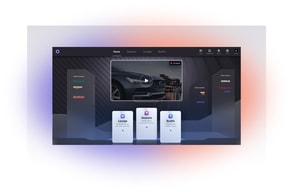
Airmeet is an all-in-one video conferencing platform that offers an advanced and immersive virtual venue where speakers and audiences can connect. It features a lot of innovative interactive features that are designed to drive engagement. The platform is also known for letting users curate virtual booth experiences and easily allows users to add unlimited sponsors. The platform is capable of scaling up to 100,000 participants, with options for four streaming models. To date, over 2500+ businesses use Airmeet, citing the software’s speed and user-friendliness.

| Capabilities |
API
|
|---|---|
| Segment |
Small Business
Mid Market
Enterprise
|
| Deployment | Cloud / SaaS / Web-Based, Desktop Chromebook, Desktop Mac, Desktop Windows, Mobile Android, Mobile iPad, Mobile iPhone |
| Training | Documentation |
| Languages | English |

Compare Airmeet with other popular tools in the same category.
How it felt that people from different parts of the world were together at one place.
The backstage mechanism. It could get more friendlier for the hosts.
Getting people from all the world together. One major benefit is to have multiple options like speed networking, reception area and parallel sessions.
Access to portal is so easy for registrants and they can have experience closest to physical one.
not much, maybe the fact that you are very much on your own organising the event.
It s really easy to set up online events with as much interactivity as possible. Not much of onboarding is required for participants and team members.
So many things. Features that matter to me are like the "play video" during a session. I do that a lot. Other things, I like their 24/7 Support Lounge is fantastic where I can drop in, and there will always be somebody to entertain my questions. And overall, I like that Airmeet is improving more and more. I used Airmeet last year, and so many things have improved this year. And all the other features are great too like the Lounge with the video conferencing tables for participants, the speed networking, the sidebar chat, alert & notification that organizers to do to participants, the booths with flexible customization option that exhibitors can do themselves, the reception that is customizable with backgrounds and videos... like I said, so many tihngs.
I'm not too fond of that stage backdrop. While it is good for branding and sponsorship, it makes the focus of the session smaller, like screenshares, slides, and the speaker's webcam view. And bear in mind that your recordings will contain the stage backdrop too. About the recording, with the paid option, your recordings are in 720p HD format. I wish they would also record in 1080 if available. One more thing, it is a bit confusing that the person that manages the sessions in the back are called Host. In our case, we'd like this to be called Production Admin or Tech Admin, while our actual host is one of the speakers that talks to guests.
Taking our event online due to Covid-19. Our physical event was great. But one benefit of taking it online, we are seeing participants who never joined because of distance now get to experience the event as well.
I've used the free version to organise a few training sessions and webinars. The interface is simple but appealing to me. I also like that, by default, participants are muted, and all sessions are recorded automatically. I love that we can invite non-speaking participants to the "stage" to interact with the speakers - much like in real face-to-face conferences where speakers on stage would interact with the audience once they come up to a mic. The chat function is a great way to disseminate info to the participants without having to interrupt the speakers. I also loved the Q&A tab - great way to keep tabs of questions from audience and to ensure they are adequately addressed.
The chat function, whilst great for disseminating info to the participants, has been "abused" somewhat by "friendly" participants to the extent that it diverts attention from the speakers on stage. A moderated chat functionality would be welcome. Furthermore, some participants have complained about the difficulty in registering for an event (usually older, less IT savvy participants) so maybe this could be more simplified. Finally, it would be great if a "broadcast message" function can be added when in the lobby - I find that once people are engaged in the social lounge, especially when they are seated at the "tables", it is difficult to communicate with them without actually entering said "table". Having a broadcast functionality available to the host would help with this aspect.
I've been using a few platform during the pandemic to organise a few talks/webinars and even training sessions. It has helped tackle the issues of speakers being interrupted in the middle of their talk (sometimes in the middle of a sentence!) by over-enthusiastic participants. Platforms like Zoom, Gmeet at the like does not have this function (either by default or at all). The "tables" in the social lounge have also been utilized as interview stations during medical student admission - candidates move from one table to another to be interviewed by different people on different aspects of the requirements.

Great experience to make a simil for on-site events. The networking possibilities are great (the lounge space is the key) and great capabilities for interaction with the audience. Here they don´t feel are invisible. Very easy streaming configuration, good branding options.
The host cannot be assigned to others. You should have the possibilities for large events or sessions. Co-hosts should have the ability to be visible on the agenda. More personalization options should be present (color palettes) A big problem is the fact that when some speaker or someone in the audience has a slow internet connection the first thing the platform discard is the audio. The first thing it should discard is video.
Remote events have been a must in this year and a half, Airmeet is a great tool for us that were performing events before the pandemic. We tried with other tools, but the experience Airmeet is capable has no comparison for us.
Airmeet is a lightweight way to get started with a virtual meeting platform. Most, if not all, alternatives require speaking to expensive salespeople and require significant investments.
Airmeet isn't the most flexible tool; there are ways in which it has to be used that aren't always easy to understand.
Holding events that are engaging and try to replicate the in-person experience as much as possible.
The lounge is an excellent feature. It is very stable on google chrome and hosted a couple of events with good feedback from the people attending the event.
The reporting could show information of who logged in, when, and how long they were logged in.
I was looking for a better solution for Zoom. I had too many issues with Zoom and wanted to move away from them.
Airmeet has well-balanced features between aesthetic design and usable functionalities. We have reviewed some other solutions like GatherTown, WebinarJam, LiveStorm, ZoomWebinar, and of course, Google Meet. Airmeet had us at Speed Networking / Meeting Tables. Other features are designed to look like a normal offline event, as such are easy to know what we (and users) CAN or CAN'T do: - networking lounge / lobby (for everyone) - backstage for host, cohost, speaker (no one else can access) - "stage" for keynote / discussion sessions - attendees can listen only, and can be invited to "stage" to interact - can show questions, chat, reactions (applause) on "stage" (I like that too) - recordings are good (with branding, spacing), livestream needs improvement - zapier integration works well but limited (I guess they would add more triggers) There are lots of use-cases for Airmeet, besides those meetings, conference, exhibition... we can also do: - group-work / classes with 8-student each table - 1-on-1 support / consulting session each table - company / team / department discussion (they can go around and join other co-workers)
- more customizable and automatic emailing (like thank you email after events) - more integration with event reports - whiteboard during sessions, as well as the ability to upload more files (DOCX, PPTX...) - livestream need improvement (branding, spacing, reactions...)
We have chosen Airmeet as a stable platform to host our webinars/conferences in long-term. - save all recordings for further use - manage attendees through Zapier and our CRM - livestream to social for public events - use API to manage registrations from our side
The UI and UX are amazing compared to others
There is no noise cancellation or filter
Can host a full event with multiple sessions, unlike Zoom which has only a single event.
Backstage is great. Also waiting room is cool
Low definition recordings in the free plan.
Free platform for online courses
I like that the team at Airmeet continually add new features and makes small changes to improve the usefulness from both a presenter and an attendee.
I did not like that you could not join breakout tables from the mobile app, but the team at Airmeet fixed that, so everything is great.
A few problems can be solved. From smaller less formal events, with speakers and breakout/tables, to larger event with vendor booths and multiple sessions.
I love that Airmeet is trying to reimagine the Video Conferencing arena and really love they extremely attentive and available customer support. Great UI!! Amazing options for a host to do several things including uploading videos they wish to stream to an audience, and multiple other things, that make it great for webinars.
The only downside is the unavailability of an option of making video conferencing possible for attendees as well. Similar to what Zoom and Gmeet offer. Because with this UI, daily meetings with smaller groups would be a delight.
I host webinars using Airmeet, and it's a great tool to assist speakers while managing the attendees.
Programacion de las sesiones y de los conferencista, con inclusion de su bio; permite hacer el programa del evento o congreso; permite diseñar salas de networking que sirven para intearctuar antes o despues de cada participacion de conferencia, la cual sirve de manera simultanea estar en varias salas ideal para networking o coworking; premite preparar al conferencista antes de ir ala aire. Se utilizo el pasado año 2020 en un evento anualizadoy se utilizo toda la plataforma sin ningun problema
No tiene una plataforma de videoconferencia donde se pueda compartir pantalla de manera mas interactiva, y que comparta la pantalla de una manera mas agil y rapiad
con la incorporacion de las sesiones para patrocinadores es excelente para incorporar a los patrocinadores de eventos a que puedan tener su espacio, pudiendo ser mas actractivo y rentable al organizar eventos, congresos en Airmeet
The appearance and interface are very clean and simple.
A little bit of a steep learning curve on the different types of sessions and how to do branding, but not too bad.
We wanted a professional networking platform, and Airmeet provides that in a n environment that is easy to use, does not require an account, and is appropriate for corporate events (unlike some other platforms).
The networking option was the best, we at Zenoti loved the opportunity to randomly connect with rest of the collegues across the globe. Specially since the pandemic started, the casual interactions have come to a halt and this platform came as a welcome change.
Nothing that we disliked about the platform, however there are few feature requests that we provided to the team.
Our biggest challenge was to engage and involve the entire organization during compaby wide events. Airmeet worked beautifully in terms of engaging the crowd using emoticons, raising hands, responding to polls, and chat options. We had 93+% participation till the end of the event.

I've been using Airmeet for a while, and this is one of the best tools to organize virtual conferences. It has so many functions that it has replaced a lot of my other tools. I love the tables and the networking functionality and the fact it allows me small networking session
I think it does not allow me to do big classes where everyone can see everyone.
Mostly for conferences
meeting tables, ticket sales, and backstage area
some connectivity issues were experienced: audio but no video or the kicking out of presenters when sessions started. Also (and I know the Airmeet team is working on this) a more fully funcional ipad and iphone experience is important.
Excellent networking possiblitibies within Airmeet. Issues around selling tickets and connecting with bank accounts were bypassed with Airmeet connecting seamlessly with Stripe.
The Airmeet platform is very interactive and engaging. The different small tables allow you to network closely with peers. I also love that every event includes tech support who are able to answer questions right away.
I hope it can be used more widely, and more people know how to use it, and enjoy using it.
In conducting more engaging internal events within the company.
The different set of options and personalisation levels that AirMeet allows, yet without being 'too much' and complicated.
Some restrictions seem not to make sense. For example: Minimum number of networking tables.
We hosted an online hackathon on AirMeet. It was possible to have workshops, feature sponsors and have networking sessions on AirMeet.
The best part of Airmeet was the back stage wherein the speakers and organizers could interact before the event
During training, we had interaction using Google meet in parallel. That was a bit messy, and I prefer to be on the Airmeet platform itself.
We were looking for better control of the event without any background noise by any of the participants. Airmeet Platform well took that care. We realized this benefit after completing our event.
Our company loves the lounge stables. It brings some serendipity into virtual virtual events.
That you cannot record the lounge table conversations. That the lounge fearure is not available on the app yet. But excited for it to arrive. That a speaker cannot join from the app.
Ture networking has been hard in a virtual world, but airmeet allows us to freely network again. It allows a simple to use platform for our owners to use. I like that we can host as many events as we like with a monthly payment. We host 30 events a year and paying per event can get extremely pricing. Airmeet allows us to do this at a cost that makes sense.
Airmeet is a wonderful platform for hosting large-scale conferences, meetups and more. They have incredible networking features (including speed networking), exhibitor booths, great quality video, and much more.
Overall great. The ux design has gotten much, much better and they are constantly soliciting feedback. The apps for airmeet need more functionality.
Providing a space to network, host speakers, exhibitors and most importantly build strong connections.

Airmeet is robust, relatively easy to use, and is great visually. It offers all the elements of a real, live event or conference but in a virtual format which is amazing. Their support is stellar and even though they have had minor issues, their support team has always managed to stay on top of things.
I would like to be able to customize the emails that are automated from their end. The virtual backdrop design can be updated to show the speakers a bit larger on screen, especially if there are more than three speakers. Maybe they could utilize the top of the screen for a banner style customization option and leave the rest of the space for better optimization of the speaker screens.
We've managed to do 4 events in a space of three months, something we would never have been able to do in the past. I've also tried doing these with other services like Zoom etc and there were too many things to stitch together but Airmeet makes it easy to manage almost everything in one place. Once they offer email integration with major email providers, the platform should be close to being comprehensive.
Network Area, Booths & Stage and Back Stage Features
It require, PC or Laptop for best experice
Community Meetups, Networking & Users Enagements
The platform is easy to use, works amazingly well and allows attendees to stay within the platform at all times. The development team at Airmeet is constantly iterating the platform and making it better. The customer support is fantastic and highly responsive using different communication methods -- chat bot, email, live video chats, etc...
While Airmeet now has an integration with Eventbrite, how it works and functions is still not ideal. When someone registers for an event in Eventbrite that is connected to an Airmeet event, the registrant receives 2 emails - one from Eventbrite and one from Airmeet. It's not ideal from a scheduling perspective for the attendee.
Our core objective is to provide an amazing event experience that we were able to achieve with in-person events. So far, Airmeet has allowed us to be as close as possible to the in-person experience while being in a virtual environment. It provides many different ways for attendees to participate and engage.
I love the table networking feature, where the participants are able to talk amongst themselves
Their mobile offering feels like a work in progress. It isn't as intuitive as just receive a link and join. I am sure they will get there though
Weekly Meetups between Founders are held on Airmeet
The backstage feature really helped us in planning the next steps of the event in real time
Nothing much to dislike. We were just stuck on the youtube live part which was then taken care by the Airmeet support team very quick
The problem of having a large number of audiences was catered very efficiently
We loved the option for our guests to convene at 'tables' before and after the presentation. Our guests felt like this was the next best thing to being together in person.
When we used the platform, Airmeet wasn't accessible on mobile or tablets. This was alienating for some users.
Airmeet allowed us to shift our in-person gala to be a successful and fun virtual event. We were able to host a live appeal and raised even more than we have at our in-person appeals.
The platform is quite robust, supports many users at the same time. There are many social networking features as well and polls and QnA section is often quite helpful.
It is not like zoom, wherein anyone can switch on their audio or video and interact. Here on airmeet, all the participants who want to speak have to first raise their hand and then be invited to the stage. So its not really helpful for small meetings or one on one live training sessions.
One of the major benefit of airmeet is the participant analytics that is shared after the airmeet. It is one of the most useful features and is quite unique to airmeet. Also at the same time, Airmeet also allows us to stream live to FB and Youtube, which is also a huge added advantage.

Host and live streaming Experience is at most 🔥🔥
Is it not available in some browsers. One of our guests faced difficulties to join Airmeet from USA.
Streaming and setup.