

Unclaimed: Are are working at Dashlane ?
Dashlane Reviews: 4.5/5 — Highly Rated
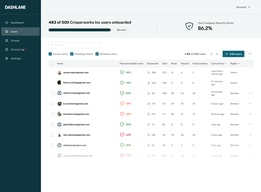
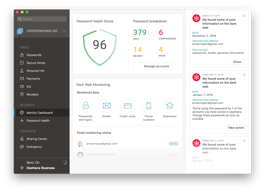
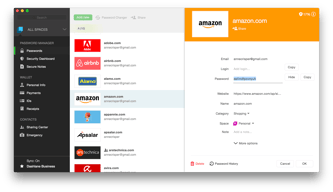
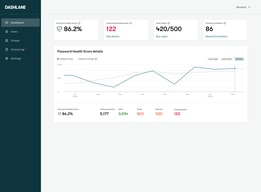
Dashlane is a simple and easy-to-use paid password manager that also comes with a free version. It’s available as a desktop app for both Apple and Windows computers, and a mobile app that works on both Android and iOS. All necessary security features you would expect from a password manager are available on Dashlane, with a host of additional features, including CPN for WiFi protection, dark web monitoring, automatic password changer, emergency access features, and advanced two-factor authentication and biometric login.

| Capabilities |
AI
|
|---|---|
| Segment |
Small Business
Mid Market
Enterprise
|
| Deployment | Cloud / SaaS / Web-Based, Desktop Mac, Desktop Windows, Mobile Android, Mobile iPad, Mobile iPhone |
| Support | 24/7 (Live rep), Chat, Email/Help Desk, FAQs/Forum, Knowledge Base, Phone Support |
| Training | Documentation |
| Languages | English |






Compare Dashlane with other popular tools in the same category.
I feel great confidence in storing passwords for our whole company in Dashlane. I also like that the VPN is included. The sharing feature is easy with individuals or groups as well.
Sometimes the autofill feature doesn't work as well but I've noticed that on some sites it all of a sudden starts to work so I can tell they are improving. The mobile app could be improved in terms of suggesting/generating passwords on mobile. There's a lot of clicks to do that and I wish it was as easy as it was on the desktop.
Keeping passwords secure, removing access when someone leaves, and having a built-in VPN.

Easy to share passwords between groups. Also very handy to have an authenticator inside the application. Mobile applications works very well to (iPhone user). Came from LastPass but never heard any leak from Dashlane!
When you want to remove an password which is shared with you by only group you need to share the item with yourself, than remove the share with the group and then remove the password. Thats not possible in bulk so sometimes it takes a lot of time to cleanup some passwords.
We have many passwords for business use and Dashlane is great when wanting to share your passwords internal. Also its easy use when you want to share some passwords with job titles like servicedesk, and you dont want them to see all the passwords which are only available for the engineers.
Sharing and revoking password access is great and essential for business/employer/employee use. The password search and browser plugins and phone app are great. Overall this is the best password manager I've ever used (I've tried 3 other major ones before finding Dashlane).
Sometimes duplicates password/logins are created. I think this is a glitch that will hopefully improve over time. Sometimes password/logins go missing or seem to be removed, which has caused us business disruption. I think this too is a glitch and hope it gets better over time as well (doesn't happen as frequently, but is quite alarming when it does). I wish there were a password/login compare tool to help safely cleanup my password/login library/list. I wish there were a way to display longer names, for example "America Frist C.U. - Bill's personal" vs "America First C.U. - Bill's business" vs "America Frist C.U. - Bill's Secure e-mail". Right now all three of these login/password names just appear as "America Frist C.U. - Bill". You have to either hover over each one or open each one in order to distinguish which is which. My previous password manager didn't have this issue.
Ability to share a password with an employee. Terminate that employee and remove that employee's password access at the same time.
A good password manager, can be managed centrally. Support is good. The main thing - the password manager is secure.
It was strange when they divided Dashlane Business into Business and Team versions...
Help to avoid writing down passwords on sticky notes...
Dashlane is easy to set up and very efficient to share passwords between colleagues. Dashlane is a very convenient password manager, the user administration is easy.
Honestly not a lot of things, If I have to find something I will see the UX, and maybe the lack of authenticator included in the extension: it could be nice to be able to generate 2 authentification factors directly from the chrome extension.
We are using Dashlane Business to exchange passwords between colleagues securely. We are also using it has a password vault for our users, to allow then to generate and use secure password
All passwords and information map from desktop to phone with ease.
It could be more informative of how to set up for other users.
The sharing and updating of secure passwords that multiple people need day-to-day.
Password sharing, group permissions and security scanners
Poor admin console, bad UI for group members
Share password across company and security scanners. Improve password security. We don't remember password anymore.
Very clear GUI, fast, cross-devices, useful "bonus" tools (darkweb monitoring, vpn...)
The Admin interface lack some functionalities : an extract tool of the users, a centralized view on the different domains...
The globalized weakness of passwords, the sharing of passwords
I like being able to access the website.
Sometimes it doesn't autofill when I want.
I don't have to keep my passwords on a different application.
It's quick and easy to retrieve a user name and password.
I sometimes get annoyed by it asking me to save passwords or asking to auto-fill in passwords but I can't fault it for doing its job. There is a feature to ignore a domain which has helped with this issue.
The problem we solved is having all of our passwords stored in one place. A benefit we realized is being able to share passwords with coworkers as well as "secure notes".
