

Unclaimed: Are you working at Figma?
Figma Reviews: 4.7/5 — Highly Rated
Figma is a feature-loaded design tool with tools designed to help users mockup, edit and design websites. The platform takes a more collaborative, cloud-based approach to design, which means it allows team members to design simultaneously and give each other continuous feedback as they work. This makes collaboration simpler and more effective. A free plan is available on Figma, however, premium plans offer more extensive tools and robust capabilities for web design and development as well as collaboration.
Figma is also often used as Wireframing of choice in UI/UX Design and Product Management tech stacks.

| Capabilities |
API
|
|---|---|
| Segment |
Small Business
Mid Market
Enterprise
|
| Deployment | Cloud / SaaS / Web-Based, Desktop Mac, Desktop Windows, Mobile Android, Mobile iPad, Mobile iPhone |
| Training | Documentation |
| Languages | English |
Figma Pros and Cons
- A free plan is available.
- Premium plans are more affordable than the Creative Suite.
- Collaborative tools allow developers and designers to work together.
- Figma is a feature-rich platform with robust capabilities for mocking up websites.
- Figma only concerns itself with the design aspect; you’ll still need web developers to create and implement the necessary code using other software.
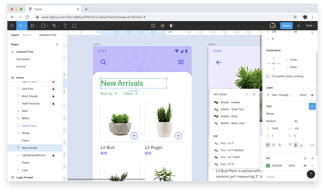
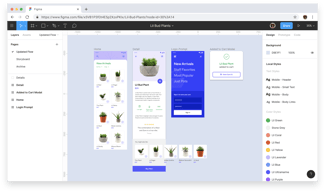


I love the intuitive UI/UX of the tool. It is also straightforward to use, drag and drop the design elements. A lot of ready-made templates make the work effective. It is a clean and smooth tool, I would like to say!
I am not sure, but I guess the only thing I miss is a step-by-step guide or tips. It would be great to get pop-up tips, as everyone using the software isn't a pro designer.
In my organisation, I used Figma to collaborate internally with the design team and build creative content templates. This helped save the designer's bandwidth and dependency too. It also acted like a Design Repository for our internal team.

I have been working on this tool since 2019, and it is the best design tool I have ever worked on. It allows multiple designers to work on the same project; this makes it easier for teams to work together. It helps create prototypes of their designs and has various plugins.
Nothing is terrible about Figma. It has all features which a designer needs.
Figma offers a range of features that make it easier for designers to create high-quality designs.
Figma is the best tool for designers and software developers. It allows the creation of wireframes, designs and layouts for web, mobile, and desktop applications. Using Figma, we can design pixel-perfect responsive web application design. The whole team of designers can collaborate on Figma and do their part of the design. There is a wide range of tools available. Figma has the best import/export formats to export designs in any required format.
Figma is the best designing tool so far, but now the era is of AI tools, so Figma should use these tools and allow users to generate and export responsive web applications source-code. Else everything is perfect.
I use Figma to design Wireframes for my company's Software and Web Applications. Figma provides many tools, and using drag-and-drop features, we can create wireframes and design beautiful software applications. Figma allows collaboration with our team members in real-time.

Figma helps me, a non-designer, become a designer easily. I can create beautiful product experiences, quickly test them with customers using prototyping, and collaborate throughout. Best design product out there.
Absolutely nothing. Figma has it all, so I have no negative reviews for it.
Figma solves the problem of previously not being able to collaborate effectively on design with my peers. I used Sketch before, and it was incredibly slow and required version updating if I wanted my coworkers to work on a file with me. With me being a PM and not a designer, that collaboration is incredibly important. I can also share prototypes directly with customers and stakeholders for testing and communication.
I love how easy to use Figma is, and it's also extremely easy to collaborate. Not only that, but the automatic saving is a life saver. All i need to worry about it my work, and the software syncs automatically across all my devices.
There is limited typographical adjustments which I know is because it's a product tool not necessarily a "design" tool. I wish Figma would give me control over font elements.
Collaboration across all different kinds of teams, and it's extremely easy to learn and use!
Easy to learn software with great features that set Figma apart from the rest of the design platforms
Definitely a learning curve for some features but in the end once you get the hang of it you'll be designing in no time
Figma creates an easy to use design platform that our whole team can use under one roof instead of having to switch back and forth between design platforms
- Very straightforward - Has everything you need - Free plan allows good adoption while making it useful enough
Overall it lacks a little bit of hierarchical organisation to keep things neat. The pages could be better organised, maybe allow for subpages.
It allows designers to have a complete prototype designed with flows and behaviors, which the developer can then check out to implement the actual solution.
The best thing about Figma, undoubtedly, is it's ease of use. My use of Figma was because of my marketing work and eventhough I had no background of design, Figma made it easier for me to understand the software. Unlike Adobe products that seem very complicated, Figma comes off as very simple and an easy to use software. Apart from that, it has uses in landing page design, social media creatives design etc and allows users to collaborate on the page itself. Another fact that it's available as a browser software is even better. A person doesn't require to download the software to use it.
As of now, I don't remember having any drawbacks of using Figma. However, it can take a few inputs from Canva where it can provide pre-made templates for different use cases since that would make it easier for a user (with no design background) to work on the software.
Figma is making it easier for users from both design and non-design background to learn a part of design without much hassle. Also, it's allowing users access to some amazing features at a fraction of cost that even helps them work in collaboration that saves time, energy and money.
Very friendly UI if you use other adobe tools. Once you understand the concept of frames, it's really great to use. Prototyping/sharing/commenting is helpful for stakeholder feedback.
No big glaring issues yet. I do need to spend more time understanding auto-layout, but that's on me.
I wireframe, design and prototype websites to iterate with others on my team. Also use it some for PDF creation.

Being able to convert your wireframes and ideas visually on a page
It is limited when creating lined graphics compared to Adobe Illustrator
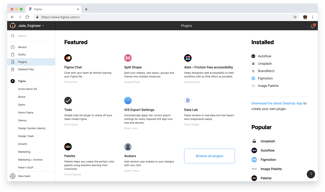
Figma has a wide range of free tools and templates to use in their community page, it also doubles up as a great way to inspire more ideas.


