

Unclaimed: Are you working at Figma?
Figma Reviews: 4.7/5 — Highly Rated
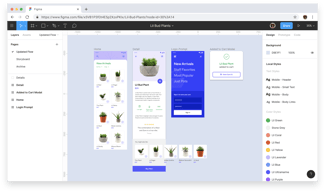
Figma is a feature-loaded design tool with tools designed to help users mockup, edit and design websites. The platform takes a more collaborative, cloud-based approach to design, which means it allows team members to design simultaneously and give each other continuous feedback as they work. This makes collaboration simpler and more effective. A free plan is available on Figma, however, premium plans offer more extensive tools and robust capabilities for web design and development as well as collaboration.
Figma is also often used as Wireframing of choice in UI/UX Design and Product Management tech stacks.

| Capabilities |
API
|
|---|---|
| Segment |
Small Business
Mid Market
Enterprise
|
| Deployment | Cloud / SaaS / Web-Based, Desktop Mac, Desktop Windows, Mobile Android, Mobile iPad, Mobile iPhone |
| Training | Documentation |
| Languages | English |
Figma Pros and Cons
- A free plan is available.
- Premium plans are more affordable than the Creative Suite.
- Collaborative tools allow developers and designers to work together.
- Figma is a feature-rich platform with robust capabilities for mocking up websites.
- Figma only concerns itself with the design aspect; you’ll still need web developers to create and implement the necessary code using other software.


Best tool for users either pro or amateur, easy to use. Using it in offline and online mode really helps a lot. Syncing files from desktop to web mode is really good.
In FigJam, it is really hard to make flowcharts and plan with peers in real-time. Animation import from adobe products is really tough and hence can't really add animations to app design
Great product UX/UI designing either for web or mobile. FigJam helps in planning, brainstorming and ideating on products and ideas. Collaboration with peers is really easy now with Figma.
The ability to quickly ideate, wireframe and prototype. It's easy to understand and would barely take an hour at max to understand the basics. It's the best tool for basics.
I wish it had more prototyping options and features. The only reason I leave Figma these days is to build animations and transitions, the way I desire. Figma could provide much more flexibility in this regard.
My team uses Figma to explore, craft better experiences and deliver designs for interfaces across our product suites. The 'export' feature is loved by our dev team as it helps them export the required assets from an icon to wallpaper, without reaching out to someone from the design team.
Figma allows for easy collaboration among peers and makes it easier for developers by providing easy export options and style details.
It can be overwhelming to navigate as a tyro to prototyping tools.
It has improved collaboration and communication between designers and developers.

1. Easily usable by design and product team 2. We can track and comment on the actionable 3. Easily sharable with cross-functional teams 4. Perfect for wireframes and prototypes creation
1. Consumes more internet bandwidth 2. Sometimes it is laggy
1. Easily usable by design and product team 2. We can track and comment on the actionable 3. Easily sharable with cross-functional teams 4. Perfect for wireframes and prototypes creation 5. Following the viewer of the file and connect via a call
It's easy to learn Figma. Beginners will find using Figma easyer
nothing. everything is great. i like the all features
using as a graphic design tool
All features of Figma are awesome when it comes to design, I can have all options handy. I loved the wireframe feature to visualize the product which is designed. And the confrencing feature is also very useful.
When it comes to reloading the page, sometime stuck feels like some cache issue. And, i am unable to find the new features.
I am making designs of new product with all latest designs I can work collaboratively.

Figma is an excellent tool for designers. If you are associated with the graphic design or web design industry and looking for an easy way to publish your work, you may choose to try Figma. It is particularly good as an end-to-end collaboration tool. We use it for wireframing websites and sharing different types of graphic design work, mostly infographics. It is web-based but the interesting part is that it also has a desktop application that supports offline editing. Not only this but it allows viewing prototypes on android and iOs apps. Recently, Figma has introduced the FIGJAM whiteboard feature which is awesome. You can use drawing tools, share sticky notes, and even have fun with emojis. It offers three packages and even the free version has unlimited files and drafts with unlimited cloud storage - isn't that amazing?
The initial learning curve is bothersome. I'm not saying this for me as I spent some time on Figma and got a fair idea of how to get the best out of it. However, some of my other team members did not like the idea to switch from traditional software to Figma. Everyone for their own I guess, I guess. The bottom line is that more people will love it and adopt Figma if it is easier to learn.
It is a modern way to present your work to clients. We at Fullstop are not shy to try new and modern ways to do things. Figma has really done well in a short span of time and it is getting popular every day. The particular problem that we solved with Figma was to wireframe websites and show prototypes to our clients.
The flexibility of the content creation, the user-friednly interface, good documentation to learn more about the product. The ability to modify the content at any time.
The functionality is pretty sophisiticated, so you need some computer design knowledge to use this software. I'd recommend to create more tutorials and explanations about the product.
I am able to create the marketing and other art related content to deliver it to the audience. The pricing is justified and the general process of working is very useful.

The tool helps to create attractive and interesting UI designs. Most amazing feature of Figma is that it allows us to easily collaborate within team members which saves time and cost during product development.
Figma is a heavy software which does not work without internet and requires a stable internet with good speed. Although there is nothing much in the tool to dislike.
Figma tool helps to collaborate within the team. This helps to share the design immediately resulting in saving time which further leads in cost reduction during the product development.
Easu to use interface. Works well for prototyping wireframes for dashboard design. Easy to add comments on specific areas of the design you are creating. You are also able to resolve the comments so it does not get too busy during the design phase.
Web interface does have some learning curve to it, there is some CSS so it's best if you are a technical person to jump into using this tool.
Easier more intuitive wire framing that is easy to share with stakeholders.
The best part is just use it anywhere in any system, it's web based and completely organized with out mess. If we install software in your system so many things we need to arrange, but this will do all for you .
Not much, it's heading into right direction.
Figma collaboration is a good option to use and discuss and work with other designers.
- Integrations will lot of plugins - Cloud concept is fantastic as no work is lost - Community work
- Onboarding is essential for new users. We have freshers and interns in our org that need some initial onboarding from seniors. Cost of training could be saved with proper onboarding
- Designing the cool designs on Figma. Community feature is amazing

The ease of use in Figma is the best part; one can learn to use it in almost no time and get familiar with all the tools; the team collaboration on a project is also extremely good.
I wish there were software which we could install on the system directly, which would be much more optimized for performance and power consumption and overall ease of use.
it uses quite a lot of power and RAM, which can indeed be improved; some tools are difficult to locate, more Mac optimized shortcuts can always come in handy and be helpful.

There are several things of Figma that I adore, and I'll list them here: 1. It creates UI designs that are of very high quality and professional. 2. You can also collaborate with other designers on the same project. This improves efficiency while lowering the risk of an error. 3. There are a variety of plugins available on figma that you may utilise to improve your creations. 4. By establishing permissions, it is simple to share the design.
I can't think of anything negative to say about Figma , nevertheless, I don't like how it displays updates. Although it updates when we open the app, it is preferable if it runs in the background. I'm a big user and I can't recommend this product enough!
Figma is used to create both low-fidelity and high-fidelity wireframes. Figma would allow my team and me to collaborate on the same design file at the same time. I also required an app that would allow someone with no prior design experience or access to design software such as Photoshop to do basic text modifications, among other things.Originally developed for the CIO design team, it has since been adopted by the rest of the company, particularly those who work closely with Product Owners.
Figma allows you to quickly prototype and then create very versatile prototypes to test with users or demonstrate with developers.
Figma has a learning curve with some of their functionalities, and they continually update and add more. Their auto layout function is a great concept but takes time to get used to.
Product problems are being solved. I'm able to do quick mock-ups, iterations, and visualizations to share with my teams and stakeholders.
I love how easy the interface is to use and how intuitive the mechanics are. It can get a little complex the further you dig in, but overall, it's straightforward to use and learn. I like how my entire team can view my work easliy, collaborate, and share between different memebrs of the team with ease. We have a general resources page with all of our brand modules and are able to use those accross team and category to ensure consistency amongst every team. Very easy, efficient and valuable to such a large company.
I don't like how glitchy it can be. Pieces disconnect, and links break randomly and are only solved by copy and pasting in a new template or module. It's annoying, but the pluses outway the minuses. I have found recently taht randomly my insituation mockups will glitch and show an overly cropped view of my work. This may not translate into my mockup but its a confusing glitch and makes me worry that something else will break at some point. But again this is a small issue and may be of my own doing. Another thing I find difficult is scaling my images when I place them in. In Adobe products you can either adjust the fame or the image but in Figma you cannot grab the image, only the frame, and it auto-fits the image to your frame. Again this may be my own ignorance in how to use Figma but it is very unclear how to change or turn off this feature and for a software so intuitive it seems weird to be gatekeeping certain information.
I am creating emails and web pages using Figma. It is effortless to share modules with the entire team and work from the same templates. It is easy to share your work with others and collaborate. Figma also will scale my work to fit both mobile and desktop, cutting my work time in hald and making me more effecient and effective as a web and email designer. You are able to do this same work in Photoshop but need more skill and time to do just as effective work in Figma.
The user interface is quite simple, which makes it very user-friendly and gives more control of the project; it helps us make banners and wireframes very easily and makes it very easy to integrate with the code
It consumes a lot of RAM in chrome which in turn slows down the other tasks; also, user collaboration can be done in a better way; currently, it's confusing for everyone to collaborate.
Figma would be even better if it were a software on the Mac app store for the mac, the major problem being on the browser is relying on the performance of the browser
Quick and easy file sharing tool where you can tag someone. It is easy to collaborate, intuitive file sharing, flexible styles and components, and enables you to add descriptions to your files.
It is browser based so you cannot see someone's design right away due to browser caches. Also, since it is browser based if you have connectivity issue, you cannot submit a design.
It is used for designing writeframes and prototyping. We collaborate with cross-functional teams for sharing design files, asking for feedback, commenting on the design comps, etc.
Love the lightness of the application, I can work on a lot of files simultaneously without getting frozen.
It doesn't have accessility built in. Also doesn't have the ability to hide art boards from prototypes.
Working on designs, interactions, design library and hand off with devs.
I like that Figma promotes collaboration and efficiently allows teams to work on the same prototype/design project, unlike Creative Suites. It's also very user-friendly relative to other design software programs, so easy for a beginner to pick up and learn.
Figma is lacking in tools/features. For instance, their pen tool feature is clunky and difficult to use compared to Illustrator, and their text styles don't allow font previews, which is annoying when you're working with typography.
Figma has provided a solution to a user-friendly design platform that an entire team can work on at the same time, increasing productivity since we don't have to waste time sending different versions back and forth.

It is very simple, elegant to use. Good training material is readily available. And as I said, it consists of all modern features which any designing tool should consist of; for instance, it includes prototyping inbuilt. So get rid of external third parties prototyping tools.
There are limitations with any advance,ents...in this case it is very slow...it lags sometimes.
I am using it for creating web UI and wireframes. Using it at my work for designing and prototyping.
Being able to have multiple people viewing/working in a file at the same time is really nice. It makes the review and approval process quicker and easier
I'm not too fond of the fact that users cannot set up files in inches or CMYK. I understand that the software is meant to be used for prototyping and digital projects rather than print media, but it would be nice to be able to use it for print as well.
In my company, Im the sole graphic designer. Figma is nice because its user friendly and allows my coworkers to view my work and make notes without having to have Adobe products.

It provides nearly all features required for Designing + Prototyping + Exporting. The best part is you can collaborate with your team. And a free version is available.
Working on the web is sometimes slow as compared to other designing tools like Sketch. And prototyping is seemed not fully evolved.
I am using it for conceptualizing, designing low fidelity and high fidelity wireframes and prototyping.

The best part of it is a collaboration between team members and easy to grab things in one go.
Lag of memory side usage. If you use components from the Design System then the file got stuck in between 50% to 60% and when you restore the version then it got again stuck due to memory... I have 16GB of RAM.
Almost all the problems you can solve in this tool, like using Figjam, you can do a design sprint or design collaboration in starting stage of the design VIRTUALLY.
There are various aspects which I truly love about Figma and I shall mention it here : 1. It provides a generates a very high quality and professional UI designs. 2. You can also collab with multiple designers to work along on the same project. This increases the efficiency and reduces the probability of any error. 3. On figma there are multiple plugins available which you can definitely use to enchance your designs. 4. One can easily share the deisgn, obviously by setting up the permissions.
There are some sections from Figma which I don't like : 1. I think there should be an option of creating your own custom canvas. On few instances the defaults don't fit into frames we are working with. 2. It's quite laggy when I try to work with low end systems. 3. I think the pricing is also not affordable and worthy when it comes on the features they offer.
Problems which I have solved using Figma are : 1. Now being a regular worker on Figma I have increased the quality of end product or designs. This platform provides a great output if you truly knows how to operate it properly. 2. Collaboration was something which we lacked so much in the past. But now after being on Figma we tends to have an effective alliance.
It is web-based and with a free plan which makes Figma a solid option to consider. I found some features missing in my primary UI design tool (Adobe XD), like adding links to websites or other prototypes using URLs. The focus of this tool is related to teamwork, where Figma shines, making projects accessible for any OS and turning work along with any other designer from other teams a simple task.
I wish Figma could include a feature similar to a repeat grid mixed with plugins; it is fantastic working with sample data for projects with complex information. I think there is room for improvement to Figma's "present" mode; Figma's header bar keeps displaying, interrupting with the actual design presented, ruining the experience when offering it to clients.
Compared with other software I've tried, Figma doesn't restrict opening files in specific versions; as for Figma, this concept does not affect file compatibility. This way, Figma avoids the exclusion of team mates that are not able to keep updating the software's last version frequently.
I like the simplicity, flexibility, and ease of use.
I don't like the comment tool. I feel like it gets in the way.
Easy collaboration and resource sharing between designers and developers.
I really like how you can create a design on the fly with the prototype. I also love the community that shares content.
I don't like how there's frequent glitches with toggling between pages created within a project.
I am solving ways on how to create user-friendly app's along with interfaces. I realized how sharing a project that is being worked out, helps out the team.
Performance, speed, interface, community plugins, live cross-team collaboration, auto-layouts, help center
Low level of support and feedback. Had a few incidents with a lost 2FA phone number and had no feedback.
UX writer -> UX designer cooperation, interface microscopy creation, review and approval processes