Unclaimed: Are you working at Google Workspace?
Google Workspace Reviews: 4.6/5 — Highly Rated
Formerly GSuite, Google Workspace is a preferred email hosting platform for anyone already using and investing in the Google ecosystem. Google Workspace offers a range of fantastic features for companies of all sizes and offers the advantage of being a familiar choice for a lot of users. And having your domain is as simple as signing up for the service. From there, you’re given your domain so you can brand all your email messages and access the platform’s robust integrations.


| Segment |
Small Business
Mid Market
Enterprise
|
|---|---|
| Deployment | Cloud / SaaS / Web-Based, Desktop Chromebook, Desktop Mac, Desktop Windows, Mobile Android, Mobile iPad, Mobile iPhone |
| Support | 24/7 (Live rep), Chat, Email/Help Desk, FAQs/Forum, Knowledge Base, Phone Support |
| Training | Documentation |
| Languages | English |
Google Workspace Pros and Cons
- Excellent AI features for better productivity
- Security and administration features are great
- Uptime guaranteed for peace of mind
- 24/7 customer support
- Plenty of cloud storage with upgrades available
- Not ideal for offline work
- Limited folder management

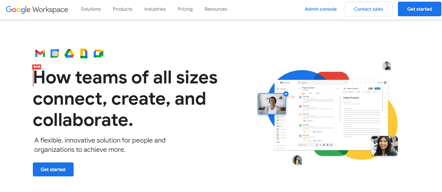


Google Workspace is the default productivity suite for a large share of the business world, and its entry plan has two limits worth knowing before you commit a company to it. Starter gives you 30 GB of pooled storage per person, video meetings that cannot be recorded, and Gemini confined to Gmail. The step up to Standard fixes all three at exactly double the price.
- What it is: A business email and productivity suite covering Gmail, Drive, Docs, Sheets, Slides, Meet, Calendar, and Chat with custom domain email.
- Best for: Almost any business that wants professional email and collaborative documents without running infrastructure.
- Pricing: Starter €6.80, Standard €13.60, Plus €21.10 per user per month, all billed monthly. Enterprise is custom. Verified in July 2026.
- The honest catch: Starter’s 30 GB is pooled across Gmail, Drive, and Photos, meeting recording is unavailable, and Gemini works only in Gmail.
What Is Google Workspace?

Google Workspace is the commercial version of the tools most people already use personally: Gmail, Drive, Docs, Sheets, Slides, Meet, and Calendar, with a custom domain, admin controls, and business support attached. Its competitive position is simple. Everyone already knows how to use it, so adoption is effectively free.
That familiarity is the product’s real moat. A new hire needs no training on Docs, collaborative editing works better than anything Microsoft shipped until recently, and the search across Gmail and Drive is genuinely better than the alternatives. For most businesses the question is not whether Workspace is good enough but which tier to buy.
In 2026 the differentiation has shifted decisively to AI. Gemini is embedded across the suite, with access expanding by tier, alongside Google Vids for AI-assisted video and Gemini Notebook. How much AI you get is now the main thing separating the plans.
The independent rating is strong on an enormous base: 4.6 out of 5 on G2 across more than 47,000 reviews, which is among the largest samples of any product in this series.
How Google Workspace Works
- Core apps. Gmail with a custom domain, Drive, Docs, Sheets, Slides, Meet, Calendar, and Chat, all browser-based with offline support.
- Pooled storage. Storage is per person but pooled across the organization, spanning Gmail, Drive, and Photos. This matters more than the headline number suggests.
- Meet. Video meetings scaling from 100 participants on Starter to 1,000 with in-domain live streaming on Enterprise, with recording available from Standard.
- Gemini. In Gmail only on Starter; across Gmail, Docs, Meet and more from Standard; with expanded model access and Gemini Notebook higher up.
- Admin and security. Basic controls on Starter, rising through Vault, eDiscovery, and Secure LDAP on Plus, to DLP, context-aware access, and data regions on Enterprise.
- Business tooling. Appointment booking pages, eSignature for Docs and PDFs, and mail merge, all from Standard.
Google Workspace Pricing
Three published tiers plus Enterprise, and the gap between the first two is the decision most buyers face. Figures verified on Google Workspace’s pricing page in July 2026. Google localizes currency, and all plans are billed monthly.

| Plan | Per user/mo | Storage | Meet participants | Gemini | Recording |
|---|---|---|---|---|---|
| Starter | €6.80 | 30 GB pooled | 100 | Gmail only | No |
| Standard | €13.60 | 2 TB | 150 | Gmail, Docs, Meet and more | Yes, plus noise cancellation |
| Plus | €21.10 | 5 TB | 500, with attendance tracking | Expanded access | Yes |
| Enterprise | Custom | 5 TB or more | 1,000, with live streaming | Full suite | Yes |
The three things that decide your tier:
- Meeting recording requires Standard. Starter’s Meet cannot record. For any team that runs interviews, training, or client calls it needs reviewing, this alone forces the upgrade, and it is not obvious from the plan names.
- Storage jumps 65-fold. 30 GB on Starter to 2 TB on Standard, with nothing in between. And 30 GB is pooled across Gmail, Drive, and Photos, so an employee with a busy inbox and a few years of attachments will exhaust it. This is the most common real-world reason businesses outgrow Starter.
- Gemini on Starter is Gmail-only. Given how heavily Google markets AI across the suite, buying Starter and expecting Gemini in Docs and Sheets is an easy and expensive misunderstanding.
- All plans bill monthly. Google’s pricing page states this directly, which is unusual in a category where annual commitment discounts are standard. Promotional discounts of 50% for the first three months appear regularly.
- eSignature and appointment booking are Standard features. Both are genuinely useful and both are absent from Starter.
Who Should Use Google Workspace
- Almost any small or mid-size business. Professional email on your own domain, collaborative documents, and video meetings for under €7 per user is difficult to argue with.
- Teams that already live in Google tools. Zero training cost is the single most underrated advantage in software procurement.
- Distributed and collaborative teams. Real-time co-editing in Docs and Sheets remains the benchmark.
- Organizations wanting one vendor. Email, storage, documents, video, and AI from a single provider with a single bill.
It fits poorly for businesses with heavy document formatting requirements, where Microsoft 365 still handles complex Word and Excel work better, for teams needing extensive offline capability, and for anyone whose compliance regime requires specific data residency below the Enterprise tier.
Honest Pros and Cons
Strengths
- Universal familiarity. Effectively no training cost, which matters more than most feature comparisons.
- Best-in-class collaboration. Real-time co-editing that competitors have spent a decade catching up to.
- Excellent search. Finding things across Gmail and Drive is genuinely better than the alternatives.
- Enormous positive evidence base. 4.6 on G2 across more than 47,000 reviews.
- Deep AI integration. Gemini across the suite from Standard, plus Google Vids and Gemini Notebook.
- Reliable and maintained. No infrastructure, patching, or uptime to manage yourself.
Limitations
- Starter’s 30 GB is genuinely tight. Pooled across Gmail, Drive, and Photos, and easy to exhaust with normal business use.
- No meeting recording on Starter. A significant gap that pushes many teams to Standard immediately.
- Gemini is Gmail-only on Starter. Easy to misread given how the AI features are marketed.
- No intermediate storage tier. 30 GB or 2 TB, with a doubled price between them.
- Formatting fidelity with Microsoft files. Complex Word and Excel documents do not always survive the round trip.
- Data residency requires Enterprise. Regional data controls are not available lower down.
Google Workspace Alternatives and How It Compares
- Microsoft 365 is the direct competitor, stronger on desktop applications and complex document formatting, and generally preferred in enterprises with existing Microsoft estates.
- Zoho offers a comparable suite at lower cost, particularly attractive if you use other Zoho products.
- Notion replaces documents and wikis rather than email, and pairs with Workspace rather than replacing it.
- Zoho Meeting is dramatically cheaper if video meetings specifically are your cost concern.
- Proton is the privacy-focused alternative for businesses where email confidentiality outweighs collaboration features.
For a broader view, browse our software directory.
The Verdict
Google Workspace is the safe default, and safe defaults deserve less scepticism than most software because the cost of a wrong decision is low. Universal familiarity, best-in-class collaboration, and a 4.6 rating across 47,000 reviews describe a product that works and that people already know how to use.
Choose Standard rather than Starter unless you have a specific reason not to. Starter cannot record meetings, restricts Gemini to Gmail, and gives 30 GB pooled across Gmail, Drive, and Photos, which is less than it sounds when an employee has three years of attachments. Standard doubles the price and fixes all three, jumping storage 65-fold to 2 TB. For most businesses that is the plan the product is actually designed around.
The one genuine competitor is Microsoft 365, and the choice usually comes down to what your documents look like. If your work involves complex Word and Excel files with heavy formatting, Microsoft still handles them better. If your work is collaborative and browser-based, Workspace is better and has been for years. Everything else is preference.
FAQ
How much does Google Workspace cost in 2026?
Starter is €6.80 per user per month, Standard €13.60, and Plus €21.10, with Enterprise custom priced. All plans are billed monthly, which Google states explicitly on its pricing page. Promotional discounts of 50% for the first three months appear regularly, and Google localizes pricing by region.
Can you record meetings on Google Workspace Starter?
No. Meeting recording requires the Standard plan or above. Starter supports video meetings with up to 100 participants but cannot record them, and Standard also adds noise cancellation and raises the participant limit to 150. For teams that record interviews, training, or client calls, this alone justifies Standard.
Is 30 GB enough storage on the Starter plan?
For many businesses, no. The 30 GB is pooled per person across Gmail, Drive, and Google Photos, so an employee with a busy inbox and several years of attachments can exhaust it without storing anything unusual. There is no intermediate tier: the next step is Standard at 2 TB, which is 65 times more for double the price.
Does Google Workspace Starter include Gemini?
Only in Gmail. Gemini across Docs, Sheets, Slides, Meet, and Chat requires the Standard plan, which also adds Gemini Notebook and expanded model access. Given how prominently Google markets AI across the whole suite, buying Starter and expecting Gemini everywhere is a common and expensive misunderstanding.
Is Google Workspace better than Microsoft 365?
It depends on your documents. Workspace is better for real-time collaboration, browser-based work, and search, and it has essentially no training cost for teams already using Google tools. Microsoft 365 is better for complex Word and Excel documents, heavy formatting, and organizations with existing Microsoft infrastructure. Both are mature and reliable; the decision is rarely about quality.

Compare Google Workspace with other popular tools in the same category.
Getting users into calls is easy. But hosts still have reasonable control over keeping unwanted callers out. Sharing screen options run well.
No way to see the chat if screen share leaves the hangout page. Sometimes playback from videos lags or is a bit off. Every time I join a meeting, I wish I didn't have to answer the same questions to prepare.
With Google Hangouts Meet, I'm helping to administer remote learning to students that require more support but can't get it much outside their classrooms. Students do well responding via chat. Doing work or forming breakout rooms can be more time-consuming, but in most groups, students are willing.

Not much to like. Everyone else does a better version of this product.
Call quality is poor. Interface feels very outdated, like Google gave up on the product. Joining group chats can be mildly confusing.
Meeting with a group. Didn't work too well, wouldn't go back.
All documents are currently saved on the web.
Everything. It saves over documents; you have to download each copy to save on your computer; you cannot print envelopes from Google Docs; You have to share every folder you create. Google Docs is an awful system. I loathe that we use it at work.
Absolutely nothing, and there are no benefits to using Google Drive.
Not sure that there's anything that I like about it. I find Google Drive and GMAIL to be clunky and not very user friendly at all. Not too mention that if you share your drive with someone, they have access to everything and can actually track your every move.
I dislike everything about it. It's not easy to use for people who aren't very techy. It's clunky and hard to figure out how to use it.
Sharing pictures with family but I came to realize that when my husband turned violent towards my daughter and I was trying to get out of my marriage, he was actually using my drive to track my every move.

Google drive functions quite well as a storage medium. I've had documents, images, and videos stored for years without issue. It was one of the first to offer free storage, and since it was the first cloud based storage I used, I've had it ever since inception.
https://reclaimthenet.org/google-drive-takes-down-user-file-plandemic/ In May of last year, Google decided that "they know best" and deleted any copy of "Plandemic" held by users in their private google drive accounts. The file contained no contraband, no illegal images, nor did it infringe on copyrights or cause any other legal issue for Google. Google just stated that "misleading content related to civic and democratic processes" is subject to removal. This means that if your video, image, or other medium is found to be "misleading," they can remove it without your consent. I would not place anything of value on Google Drive.
I have no real problems to solve per se. Since I was given a OneDrive through my company I use that to bypass the 25MB maximum of Microsoft Office. The only benefit I have found was in my previous position when I needed to work on documents in multiple cities using multiple computers.
WE like that Gmail email works. is good.
WE ARE UNABLE TO REACH GOOGLE CUSTOMER SERVICE FOR HELP!!!! I pay every month, for Google commercial email services for businesses. For about 6 to 8 months, now, some Google services have been hard to load and unavailable. Today.... ...Google Calendar is unavailable (and EVERY DAY, it takes 15-20 minutes to load) ...my Google Account admin console is unavailable ...Gmail attached document preview is unavailable ...all of the Google Customer Support Phone numbers I look up, don't work Most of these things happen almost EVERY DAY!!!!! Why do Google services suck EVER DAY????? Important tasks that should only take 15 seconds, now take 15 minutes or more, almost EVERY DAY!!!! WHAT IS GOING ON????????????
Please make Gmail services available, consistently, so that they are reliable for business use.
That it sends a clear alert when an outside guest joins.
Everything. Video quality is lower than Zoom's. There is no 'draw on screen' feature. There is no remote control feature. The chat wipes after every call. Zoom is superior in every way.
It's integration with google calendar.
It's added to the calendar invite on google
It's pretty slow to load, not as good as Zoom
It's free, so if you can't afford Zoom you could save money with Google
Real-time collaboration. (But MS 360 offers this as well)
Google Docs, before any add-ons, is extremely basic and the docs you create look more like a High School paper and is not appropriate for Business. You have to hunt for all of the add-ons you might need just to get close to a professional quality document. And if you are working in a team environment, each team member has to add those same add-ons, which is ridiculous for a business working environment. Companies should be providing their employees with a complete set of software they need; employees should not have to figure out what it is they need. Google Docs was not created for Business - it is more for personal use for basic users.
Real-time collaboration. It is the only benefit for me, but I wish the company would have selected Microsoft's solution.
That it is widely used amongst secondary education institutions. Not highly used in higher education institutions.
It is clumsy to find and share files. The security levels are minimum compared to other options.
Sharing student lists and process between institutions of higher education and secondary education.
Quality of search results. Purple Question Mark that can be assigned to any e-mail, indicating that message remains unresolved.
See scrn shot for the list. Need 5K char
None. Gmail CREATES problems and adds work to the smallest tasks in e-mail that don't exist with other common e-mail platforms. If you want to exponentially increase the time it takes employees to manage emails, and cut formatting options in half, so that all communications are sent at greatly reduced quality, get Gmail.

creativity and smoothness Accessability
Space is too low shpace should have been more
Space is bit less it can be more
ability to store files from email and use for email
files do not seem to be organized or does not offer organization. I don't know how to 'just use' -- so many people just expected you to know and use
sharing files
Very simple and intuative. Allows you video chat from a phone or computer and also allows you to call into a dial in. The screen sharing option is nice as well
It can only really handle a small number of people, after 5-6 callers the conference lags, starts to get echo-y, screen sharing is slowed, and it kills your phone/computer battery. No option to record, you need to use Google Chrome to launch it, trouble for some first time users.
Unplanned remote work without a video chat program in place was saved by Google Hangouts, but its not a long term solution for a team that video chats all day everyday.
The upside of google meet is that it is directly integrated into Google Classroom, which I use as a teacher.
I do not have access to breakout rooms, it is not easy to track attendance, students don’t have the background feature, it does not mute background noise as well as Zoom, the interface is not appealing, need I say more?
Meets obviously helps me hold class with virtual students. However, it is not nearly as effective as teaching students in person.
Nothing in particular stood out for me actually
Interface not as nice as others, and somehow just not as user friendly. Also dislike that gmail calendar automatically creates a Google Hangout despite me sending my own Zoom link, which confuses people
It's just another video conferencing tool
I like that it is integrated with the rest of the google suite products, and integrates nicely with google calendar, but other than that it is a pain to use.
The quality of calls is very under performing, when used in google chrome it becomes nearly unsuable. Screen sharing is impossible when in chrome because the system is non-responsive and very slow.
Before COVID, google meets was my company's go-to for video conferencing - it was good when only two or three people were dialed into a call and the majority of people in a meeting were all in one room. However, now that everyone works remotely, it seems that Google Hangouts cannot quite handle so many users dialled in at one time. I like that it doesn't have a waiting room and people can securely join, but other than that it is very slow to use.
Nothing. Nothing i like about hangouts. Hangouts is the most under developed professions chats app.
No proper app, No search of msgs, Android app is crapp, No bookmarking or making sidenotes in the app in a chat with user. UI is bad, No advanced collaboration features like MS Teams app. Sometimes msgs won't go.
We just use it for work collobaration purpose. Nothing more than that. No benefits relealized except that
if my laptop crashes I can at least retrieve my documents
everything else, its a pain to use . I find that its not really auto saving what it should be when I make an update to the document on my desktop. Doesn't seem to sync correctly.
only benefit is if I lose my laptop I can retrieve everything and not be completely lost and broken

it's an outdated messenger system that's been used by people who are pretending to be someone else, like recruiters
it has no security and google does not verify employers
none just issues that Encountered for the past 4 years, originally it was supposed to be used as screen sharing and video conferencing but due to the horrible security we switched to other products
None really I don't like this program, because is very limited
I don't like the security matters that use the app
None. We test many difffernts video conference software and check it into the test
It tends to be fairly reliable for video and audio quality. It is fast to start and it works conveniently in the chrome browser. It is free with Google Suite.
Lack of multi-screen support, lack of display controls, lack of default settings for video on or off. Presentations in Meet are difficult as the presenter as you cannot see the audience. While there are advantages to it being browser-based, many of the limitations are also a direct result of this.
Meetings with partners and remote employees. We mostly use it when it is the only software used by the partner. In general, we far prefer to pay for and use Zoom.
I like that it integrates with gmail so messages pop up in the same window
So many things. It defaults to not saving history, so unless you remember to go into the settings for EACH conversation and turn message history on, you lose everything. You have no ability to search messages or create named groups.
We solved the problem of needing an immediate way to communicate with colleagues. I don't know that any benefits were realized other than better access to co-workers
Google Drive is from a reputable company
Google Drive is not as user friendly as other software.
Google Drive provides electronic storage but no benefits have been realized from using this program.
I like that I can continue using google- I love google products but google hang just doesn't cut it for me.
I dislike how the camera options are set up. I don't like not being able to see clearly what I appear like to others (i.e. what's in the background, etc) I also don't feel like the video quality is as good as zoom either.
Meetings durring COVID. It's definitely an essential service (though I do prefer Zoom) for those who are working from home.
The integration with existing Google accounts.
It can feel clunky, and slow. It also doesn't feel as modern or agile as competitors.
It helps when within Gmail reviewing emails that need to be acted on immediately.

The software stability is what I like and the options are the best
The fact you can be hacked and someone else can take over your hangout account I really thing google really needs to beef up security in google hangouts I don't like when I logged on and someone has hacked my hangout with different languages.
No benefits and I don't recommend.
I like how it it formatted when creating a question: pictures can be downloaded. You can have Google Survey select a specific audience that matches the type of questions you are creating. You can have a good idea of demographics and it is broken down into categories. This is a solid tool for a business person. If you want to use another form, Google Docs, it is free if you have a google address.
It’s very limited You also have to pay for each question and it’s response, if you use Google Survey. If you create a survey on forms, then it’s free. You can add some graphics but not much. There isn’t much else it does.
Honestly, within my field of education, I use a different program. The cost is the main factor for me. If it was free for educators, I would use this more. It’s a good tool to break up data for students such as their gender, race, and learning strengths and weaknesses.
It's a free place to dump things you want to keep-- pictures, documents, e.t.c.
It's impossible to search through and terrible to share with others. We're using it at work and people must own all items within the drive which causes huge issues with turnover.
I'm using less space on my phone and laptop.
There really isn't much special about Google Hangouts Meet that I've found in my experience. It works much the same as every other conferencing software I've tried, but I guess the Google name does come with a lot more customer service and support than I might find from other vendors, which would be very handy if needed.
Google Hangouts Meet isn't anything special at all, and it doesn't provide any new or unique features that I could find to distinguish it for me or my team. In fact, it became just another thing to remember because it did not integrate into anything else we were using at the time.
I'm not solving anything with it, as our team decided to discontinue use after finding no inherent benefit in using it over any other product we had been using.