Unclaimed: Are are working at Google Workspace ?
Google Workspace Reviews: 4.6/5 — Highly Rated
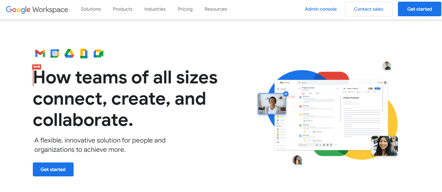
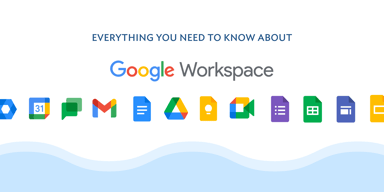
Formerly GSuite, Google Workspace is a preferred email hosting platform for anyone already using and investing in the Google ecosystem. Google Workspace offers a range of fantastic features for companies of all sizes and offers the advantage of being a familiar choice for a lot of users. And having your domain is as simple as signing up for the service. From there, you’re given your domain so you can brand all your email messages and access the platform’s robust integrations.


| Segment |
Small Business
Mid Market
Enterprise
|
|---|---|
| Deployment | Cloud / SaaS / Web-Based, Desktop Chromebook, Desktop Mac, Desktop Windows, Mobile Android, Mobile iPad, Mobile iPhone |
| Support | 24/7 (Live rep), Chat, Email/Help Desk, FAQs/Forum, Knowledge Base, Phone Support |
| Training | Documentation |
| Languages | English |
Google Workspace Pros and Cons
- Excellent AI features for better productivity
- Security and administration features are great
- Uptime guaranteed for peace of mind
- 24/7 customer support
- Plenty of cloud storage with upgrades available
- Not ideal for offline work
- Limited folder management


Compare Google Workspace with other popular tools in the same category.
Google drive is the best. It is central for all employee's to access and it is very easy to upload documents for the entire company to access.
Quite honestly there isn't anything that I dislike about Google Drive.
Easy access for all employee's so no excuses for access to what's going on. The benefits of having a one stop shop is awesome without having to get IT involved.
I love its simplicity. Workspace is very user friendly. I use it everyday. The ease of converting MS Word files into google docs is seamless.
I love workspace and I dont feel that there is anything not to like.
It is very eaasy to access all of my files.
Google work space is a design with a two software in one Google meeting and also Gmail therefore this creates one area for communication. It has large storage. the can be implemented on any device therefore is a to use. It also integrates with a wide range of apps and websites
The software is quite unique and no dislike so far because it is easy to use and has good customer support in case of any challenge.
The software has all of the problem of communication gaps and also creates the area of appointments.
The best part I love about it, can be accessed from anywhere. Easy to use, implement and easy to share it with your team or at organization members. I personally use more google sheets and google slides more. Can login through your email id and start using it without any hinderances. Features added for emails and others things to provide big help for user. I use it on daily basis because of report sharing to my reporting managers.
When cloud space exceeds, the cost can be a negative factor. As its google complianced so any change in policy will impact the user too. More advanced features can be provided in it.
As we are a startup, so g-sheets help us in sharing the reports at cost effective way. Also things can be shared with multiple people at a time. Any person from department is familiar or can learn easily to operate in google workspace.
The name is enough. The additional templates and questionnaire are a plus point.
Nothing as of now. Works best on all platforms.
The templates provide a good help in building perfect questionnaire and surveys for the team and clients, easy to use on all platforms and learn.

It makes the task to be done in very less time and gives us the more informative result as outcome. Customisation of mail for business purpose is the best feature. Same team members or different teams can connect, collaborate for the betterment of the organisation. It can be connected with other google tools as well.
No dislikes about Google Workspace. It is a must have tool for everyone.
With Google Workspace we can work from anywhere. All the work is saved online as well as we can share on gmail or anyother source so there is nothing to worry for data loss. It's Google tool so the issue of data leak or hack is also solved as google is one of the most trusted and secured software.
There are many things to love about Google Workspace, but the most useful aspect for my team has to be the shared Google drive. Great value for the capacity provided, and the collaboration is allows is limitless. Great apps for all devices, so everything is accessible, everywhere.
Accessing the admin properties is easy enough, but navigating them can be tricky, and getting help from live person takes maximum effort.
Again, the biggest thing is the document storage and sharing. We share across the organization, but also with clients. I know I can share a link with a client and trust that the rest of my data is secure. The sharing settings are easy to understand
Gosto da agilidade e concentração de informações em um único espaço
Não tem nada que eu não goste no Google Workspace.
Me ajuda a me comunicar com outros colegas, me ajuda a criar apresentações e tantas outras coisas.
It's so convenient having all of your tools in one space. Workspace is very intuitive, so even new features that are updated or apps that may not have been used prior are very easy to figure out.
There is very little not to love! Sometimes it can be hard to teach others when not all of our team is using workspace, but that's not so much a program issue as it is a people issue.
It is helpful to have apps integrated for a seamless workspace that you do not have to keep signing in and out to various programs.

The sharing feature of photos and documents. Is my favourite. Without using my storage I can have all the photos or documents. Now its has option of auto delete the photos after specific timeperiod and which is my perosnall fav.
The Recent tab. It would not delete the recent history. It is good but sometimes it's annoying. I was concerned with face detection feautre, which likely i am scred of my Privacy, If Data is privacy is protected then there is no disliked about it.
The problem I solves using Google drive are relate to storage of documents photos, videos and take the hwatspp backup securely, and when i reintall it in my new android device then it easily restore my data.

