
Unclaimed: Are are working at Google Workspace ?
Google Workspace Reviews & Product Details
Formerly GSuite, Google Workspace is a preferred email hosting platform for anyone already using and investing in the Google ecosystem. Google Workspace offers a range of fantastic features for companies of all sizes and offers the advantage of being a familiar choice for a lot of users. And having your domain is as simple as signing up for the service. From there, you’re given your domain so you can brand all your email messages and access the platform’s robust integrations.


| Segment |
Small Business
Mid Market
Enterprise
|
|---|---|
| Deployment | Cloud / SaaS / Web-Based, Desktop Chromebook, Desktop Mac, Desktop Windows, Mobile Android, Mobile iPad, Mobile iPhone |
| Support | 24/7 (Live rep), Chat, Email/Help Desk, FAQs/Forum, Knowledge Base, Phone Support |
| Training | Documentation |
| Languages | English |
Google Workspace Pros and Cons
- Excellent AI features for better productivity
- Security and administration features are great
- Uptime guaranteed for peace of mind
- 24/7 customer support
- Plenty of cloud storage with upgrades available
- Not ideal for offline work
- Limited folder management



Compare Google Workspace with other popular tools in the same category.

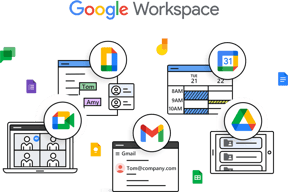
Google Workspace is the set of productivity tools that includes Gmail, Calendar, Drive, Docs, Sheets, Slides, Meet, Chat, Sites, and Forms. In our organization, we installed this because it is easy to use, easy to implement, and has a wide range of features. I use this regularly for business as usual. It was easily integrated with every google products. In addition to these, slack is added with google calendar and meet.Customer support is live and real time. The security system to protect the company information is totally acceptable.
Sometimes, it is tough to integrate other company applications with G Workspace.
Google Workspace is enabling me to manage my time while bringing much more efficiency in the performance. Gmail for formal and official communication. Google meet for remote collaboration and official Meetings.Google Docs, sheets, slides and forms are helping me to collaborate effectively. In our organization, we work remotely and the team is performing perfectly with the help of Google Workspace.

Google meet is the best ever software for online meetings I have used. In this pandemic time, it remains always very hard to communicate with your colleague, Google meet solved this problem. The best part is that it is easy to use and anyone who less less knowledge of technology can also use it properly.
The shortcoming I found is that it does not have whiteboard feature which is always required in an official meeting for making every presentation better.
I used this software for my video conferencings remotely when we all were not able to go to the offices and have some meetings with our clients and colleagues.

All-in-one solution for an enterprise. We can get all feature required for a organization. Easy to use, easy to integrate with other application from Goggle. Within few steps you can implement most of the feature. Greate customer support. Lot of companies use this workplace frequent.
Compare to Microsoft family is less number of apps or feature available to use, most of the applications web based. Sometimes it will be difecult for beginers to understand the functions of those applications.
Most of the applications are web based so very limited downtime compare to offline/desktop applications.

The way of communication and the discussion groups per topic
Nothing at all, it was all great experience
First the price is competitive and the solution is smooth

Custom survey forms. Overview of the data in easy to understand visual graphs. Easy to collect responses from large audience internal/external. Real time data updation.
The design customisation of the forms is limited. In case of long, verbose questions, the response from the data is not gathered effectively which might cause a misleading result.
Collaborative access to work on the data simultaneously makes it easy to share the load. It is a free tool which is very easy to understand and has a large "top of the mind recall" audience which helps gather feedback in a click without much serurity concerns on the link shared.
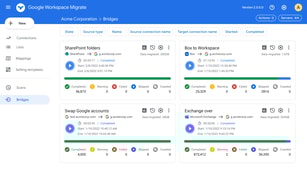
It is easy to work with google workspace as it's a tool we use on a daily basis and having it connected with Monday.com makes the process smoother
It dislike me that we can't connect more than 1 google account to it
It helps to provide a good visibility on the resolution of the tasks within Monday,com
My team is a little more old-fashioned, so having chats, group chats and emails all in one space is a game changer ! It's also a lot more visually pleasing than Slack. Everything we use integrates with Google and it was very easy to implement.
No amazing desktop app. The app isn't that great.
I can do everything I need to do in Google Workspace. And it's secure !
Google's workspace has its own best benefits for me and gives me my thinking to share the others for individuals, teams, or staff easly. One of my best benefits is creating meetings with individuals or my colleagues.
it has not a comfort way to collaborate outside company.
Oww, it gives me a lot of benefit . It has everything for me , like email, presentations, spreadsheets, meetings and so on...
The ease of using plugins to make your email and GSuite a powerhouse.
Organization of documents. This needs to have better options.
Allows our Microsoft and Apple team members to meet somewhere in the middle.

user-friendly interface and vast options for extensions so that users can increase automation in their respective industries. Its hassle-free login process helps us achieve our goals smoothly
Nothing as such, but sometimes the workspace's vendor's product not works properly.
Google Workspace solved my bulk mail problem and it helps my organisation by cut off the price of third-party software