
Unclaimed: Are are working at Google Workspace ?
Google Workspace Reviews & Product Details
Formerly GSuite, Google Workspace is a preferred email hosting platform for anyone already using and investing in the Google ecosystem. Google Workspace offers a range of fantastic features for companies of all sizes and offers the advantage of being a familiar choice for a lot of users. And having your domain is as simple as signing up for the service. From there, you’re given your domain so you can brand all your email messages and access the platform’s robust integrations.


| Segment |
|
|---|---|
| Deployment | Cloud / SaaS / Web-Based, Desktop Chromebook, Desktop Mac, Desktop Windows, Mobile Android, Mobile iPad, Mobile iPhone |
| Support | 24/7 (Live rep), Chat, Email/Help Desk, FAQs/Forum, Knowledge Base, Phone Support |
| Training | Documentation |
| Languages | English |
Google Workspace Pros and Cons
- Excellent AI features for better productivity
- Security and administration features are great
- Uptime guaranteed for peace of mind
- 24/7 customer support
- Plenty of cloud storage with upgrades available
- Not ideal for offline work
- Limited folder management



Compare Google Workspace with other popular tools in the same category.
Overall, Google Workspace offers several upsides for funeral homes, including: Streamlined processes and centralized access to information contribute to increased efficiency and productivity,timely and accurate communication, collaboration, and access to records enable exceptional customer service,real-time collaboration and streamlined communication promote a more collaborative and productive work environment, Google Workspace's cloud-based nature allows for easy scalability to accommodate changing business needs.
While Google Workspace offers numerous benefits for funeral homes, it's important to consider potential downsides as well: As a cloud-based platform, Google Workspace requires a stable internet connection for optimal functionality. This could pose challenges in areas with unreliable connectivity or during internet outages,transitioning to a new suite of tools can involve a learning curve for employees, necessitating training and adaptation to new workflows.
Fragmented Communication: Google Workspace consolidates communication channels into a single platform, eliminating the need to switch between different applications and reducing the risk of miscommunications. Inefficient Collaboration: Google Docs and Google Sheets enable real-time collaboration on documents and spreadsheets, fostering a more collaborative environment and accelerating task completion. Disorganized Document Management: Google Drive provides secure storage and access to essential funeral records and documentation, ensuring that all team members have the information they need to serve clients effectively.
se entiende super bien, muy amigable y con todo lo que se necesita para trabajar
creo que no tengo problemas con la app aun
pude realizar una pagina web que me ayuda a visualizar exactamente lo que necesita
the platform is easy to uuse and understand, support is available at any time, you can use it anny time and visualize ypure schedule clearly
sometimes platform can get a little bit boring because you have limited options to custumize
schedule optimization and an easy way to visualize to do list
Google Workspace essentially is a one stop business shop. Which is incredibly efficient for a mostly virtual team. It allows for the entire time to contribute to each project equally, regardless of being in the same office or 4 hours apart from each other. Having the ability to quickly use the chat feature or meet on video to discuss things quickly feels as if you're in the office setting entirely (but in pajama pants!) There is an ease of use with Google Workspace when it comes to their documents. Not to mention you can easily share these documents with your team, rather than having to email/download. Most importantly however, is the updated security and reliability GW offers. For an everyday business platform, having stringent privacy and security standards were a necesssary aspect. Google Workspace offers this with excellent customer support to assist. We also integrate many other programs such as Zoom, Cloverleaf or Asana. Google Workspace has allowed for the ideal frequent daily workspace platform, while having the ability to customize to fit my needs and the needs of our team.
I have not found anything as of yet -- but will update when I do!
Google Workspace allows for our team to connect and work efficiently with eachother from various office locations.

I love that google is not difficult to use..my parents also use it ans I didnt find it hard to explain them how to use google. I use it daily and cannt imagine my life without google
There is nothing so big that I dislike..the only thing I dont like is that the free space vanishes very quickly..
It helps me manage my work and personal life easily..I use it for presentations, maintating sheets and creating content in office and at home as well I create reminders for family functions etc so it helps alot.
I love the accessibility of the web based calendar and the ease of use. Even on lower end devices the web calendar looks and feels amazing. Creating appointments and meetings is simple and can be done with just a few clicks. Also great plus is the fact that it is a standard calendar for all of our android phones and tablets that we use.
The lack of proper desktop application created by Google themselves. Although you can probably use any other 3rd party solution to integrate with your Google calendar.
The simplicity of creating and inviting people to your meetings. As stated before, the Android integration is a great benefit.
It is so easy to use. The best part is the ability to share documents.
Other applications (Microsoft) is not compatible if you want to share documents. It only works from Google account users.
Sharing documents across my team. This is so very valuable to all of us.
Having all google features in a professional environment. It litterally changed my company organization for the best!
Storages options should not be correlated to users amount. It should be a separted in billing, to match the actual need.
It allow for setting a great professional environment without administrator skills. Settings were quite complex to achieve but now it's all set, I couldn't go without.
I love that the entire workspace is easy to setup (almost literally the same as using a basic Gmail/Google Drive account). The collaboration is so much easier, and the workspace subscription provides some enhanced security features as well as other enhancements that make it even easier to manage. It's a complete replacement for Microsoft 365 which really only works best with Windows OS devices. Google Workspace on the other hand works with all operating systems including Mac OS, Chromebook, iOS, Android and Windows. Even offers device security to protect your information and secure your business assets. It quickly beocmes your daily driver for email and collabtoration. Customer support is easy to reach, with loads of information available in public forums as well. Integration is available for almost all apps as well.
There is absolutely nothing that I dislike about Google Workspace. It works well and is easy to setup, even without a tech background.
The ease of collaboration, with folks internal and external to my firm. Also allows me to easily manage all users in a single easy to manage and easy to use dashboard.

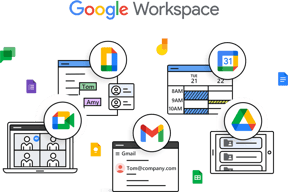
Google workspace is a web solutions for all your needs which includes like mails, chats, worksheet, document creation, forms. Since its paid serivce you can create your own custom email address with your own domain. Google workspace provides unlimited paid storage as well which is better compared to your normal Gmail. Google workspace incudes business version of mail,drive,calender,meet,sheets,documents,slides,forms, cloud search and jamboard. Work space admin user have greater control our the documents created by any user under their account.
There is nothing to dislike about google workspace. Only improvement needed is on google slides it a little bit not user friendly.
Since our organisation has more than 8 employees and some contract employees. We use it create our own custom email addresses under our companies domain. Also since the google workspace provide administrative control oour the account it is best suited for our small organisation. As an admin we have greater control on what documents are being shared. Google workspace provide paid unlimited storage spaces which can be used according to the employee needs.