

Unclaimed: Are are working at Keeper Password Manager ?
Keeper Password Manager Reviews: 4.7/5 — Highly Rated
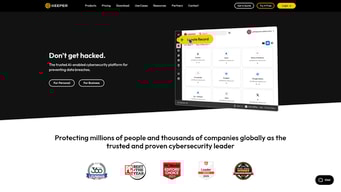
Keeper is the preferred platform for many major enterprises given its highly secure password management features that works on major web browsers and mobile devices. It features a highly secure master password keeper that’s the key for encrypting and decrypting information. The platform also has a KeeperChat function, deep-level encryption that is the strongest in its category, FIPS 140-2 validated, and offers standard multi-factor authentication. While popular among blue chip organizations, Keeper is also available on a personal scale at more affordable rates.

| Capabilities |
CLI
|
|---|---|
| Segment |
Small Business
Mid Market
Enterprise
|
| Ease of use |
Beginner
|
| Deployment | Cloud / SaaS / Web-Based, Mobile Android, Mobile iPhone |
| Support | Email/Help Desk, Knowledge Base |
| Training | Documentation |
| Languages | English |






Compare Keeper Password Manager with other popular tools in the same category.
Ease of use, ease of deployment, and the overall security of the solution. As a security architect, I evaluate password management solutions on a handful of stringent requirements, and Keeper has been the only solution to meet all of my security audit and posture requirements.
I do wish the mobile app had a better UI experience when pasting passwords from within another app. It would also be great if the Firefox extension received some love when it comes to inconsistencies with filling passwords with the extension.
I operate 2 companies, hold a senior leadership position with another company, and have over 300 personal passwords to manage. Keeper makes it possible to keep my passwords separate from "work" and easily monitor the security of my online credentials.
This product is exactly what you want, a solid password manager at an SMB price point.
Occasionally has quirkiness swapping profiles (work and personal) on mobile but getting better with every update.
Password management and security through complexity and unique passwords.
It is a great tool. We have been using this for more than a year with no issues.
It could do better with the admin functionality.
The password auto-fill addons and the One-time password functionality are the benefits of this app.
Keeper increases security, efficiency, and provides active reporting across our institution.
The auto-fill option can be bothersome on some websites, but keeper does allow an option to bypass that on a site-by-site basis.
Keeper ensures our staff's credentials are protected and not compromised. It makes logging into sites a breeze.
It is pretty straightforward the use of the platform, it does not require a lot of previous knowledge and the onboarding process is very good. One of the best things it that they provide a lot of onboard engineers that speak local languages, in my case it was Portuguese.
Nothing at the moment, they could just improve the Google Chrome Extension a little bit, depending on the use it can be a little annoying with all the on-screen alerts.
It is solving the unsecure way to store and share passwords and sensitive information across the company, we now have all the employees using it and the feedback is great.
Keeper helps you create strong passwords, stores them for you and helps you keep up with changing passwords when a website requires it. It is also helpful to be able to share certain records between staff members.
It takes a bit of time to set up, and occasionally, the autofill option pops up when you don't want it to. However, the positives far outweigh the negatives for our organization.
We need: 1) strong passwords 2) to be able to keep track of new passwords when we have to change passwords 3) to be able to share certain records
Its intuitive user interface, easy to use and administer
So far nothing. Everything has been excellent and pleasant.
Removed all different places/files to keep passwords. We now use only one password manager in one single place which is Keeper Password Manager
That it is user-friendly and easy to install.
Master Password resets of users who forget there passwords
User security and users forgetting their passwords.
Keeper is easy to use, scalable for holding a large volume of passwords, and holds notes and other information needed to track logins. I also like their support. I've only needed help several times over the years, but I was able to get great support when needed. The mobile app is a great tool too! Easy to use. Most importantly, I don't worry about the safety of my passwords. Please see my comment about two-factor authentication in the next response.
At first, I had a long, long login password, which made it a challenge to keep logging in. However, I changed to two-factor authentication, and this allowed me to use a shorter primary password. Much easier! I also utilized the built-in logout timer, so the program remains open and available while I'm working but logs out automatically when I close the browser.
I strictly follow the rule of using random passwords and never use the same password twice. Since I have over a thousand passwords, it would be impossible to track them easily. Keeper makes this easy. It also has a built-in random password generator. If I have a password that surfaces in the dark web, I am alerted to that.
Moved from Lastpass to Keeper because it is easier to use and auto log in to websites better. Very easy to control all passwords and log in's and it is easy to customise roles to allow for restricted access where necessary amongst our team for the purposes of GDPR compliance. The purchase process was simple and the help obtained from Federico was invaluable when posing questions prior to purchase.
Great software and we have no dislikes at all
GDPR compliance requires a robust system for sharing credentials across our team and this fits the bill perfectly.


