

Klokly
Simple time-tracking for teams
No reviews yet
Unclaimed: Are you working at Klokly?
Advertising disclosure: Findstack offers objective, editorially independent comparisons to
help you find the best software. Some links on this page are affiliate links — we may earn a commission when you
visit a vendor through our links, at no additional cost to you. Affiliate relationships never influence our ratings,
rankings, or reviews. Disclosure policy |
Methodology
Top Klokly Alternatives






Klokly Reviews — Pricing, Features & The Honest Take
Klokly Overview
What is Klokly?
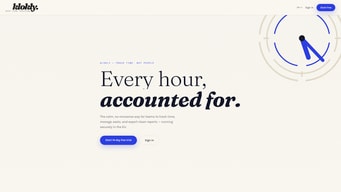
Klokly is a lightweight, web-based time-tracking and attendance tool aimed at teams. The product focuses on simple clock in/clock out time entry, team management, attendance reporting and basic notifications, with an emphasis on GDPR-compliant EU hosting. Public-facing information indicates a minimal, easy-to-adopt feature set rather than deep HR, payroll, or invoicing functionality.
| Website | klokly.app |
|---|
Klokly Categories on Findstack
Our Picks

monday.com
API
4.7
(10,454)
Free plan available
monday.com packages itself as a Work OS built for a new way of working. Providing businesses with a si...
Learn more about monday.com
Ask Questions about Klokly
What Klokly is best for?
How does Klokly compare to Time Doctor?
What are the pros and cons of Klokly?
Klokly Product Details
| Capabilities |
API
|
|---|---|
| Segment |
Small Business
Mid Market
|
| Ease of use |
Beginner
|
| Deployment | Cloud / SaaS / Web-Based |
| Support | Email/Help Desk |
| Languages | Danish, English |
Klokly Pros and Cons
- Simple, clean approach with lower onboarding friction.
- Focused on basic time tracking and attendance for teams.
- GDPR / EU hosting and compliance is mentioned.
- No public pricing or pricing transparency.
- Minimal or no published integrations with payroll, invoicing, or PM tools.
- Lacks advanced features like project-level tracking, PTO, mobile apps, or offline mode (not visible publicly).
- Limited public vendor and support/training information.
Klokly Features
Alerts/Notifications
API Access
Attendance Tracking
Attendance verification / anti-fraud
Automatic Time Capture
Billable & Non-Billable Hours
Break & Meal Compliance / Automatic Break Rules
Break tracking
Calendar Integration
Client Portal
Clock-in / Clock-out / Time entry
Compliance / audit trail / locking timesheets
Customizable Reports
Data Export
Desktop / Web time tracking
Employee Time Tracking
Expense Tracking
GPS Tracking
GPS Tracking / Geofencing
GPS tracking / geofencing / live location stamps
Integrations (Payroll, HR, Accounting, Communication tools)
Integration with Payroll
Invoicing
Invoicing / billing from time data
Invoicing or billing integration
IP Address / Device Locks (restrict where/what devices punches allowed)
Job / Project / Department / Location Tracking
Kiosk / Shared Device Punching (PIN or PIN/Kiosk mode)
Kiosk/tablet mode
Language / Localization Support
Leave / PTO management
Leave / time off / PTO management
Leave Tracking
Manual Time Entry
Mobile apps (iOS / Android)
Mobile Time Tracking
Multi-device Support
Multiple currencies
Multiple Punch Methods (PIN, QR code, username/password, facial recognition)
Notifications & Alerts (late clock-in, early out etc.)
Notifications & Reminders
Offline clock-ins / offline mode
Offline Time Tracking
Onboarding / Task Checklists
Overtime Calculation
Overtime calculation & rules
Overtime Rules & Automatic Calculation
Payroll Integration or In-house Payroll
Payroll support
Photos / Webcam at Punch (identity verification)
Pomodoro Timer
Project Budgeting
Project / client / activity tracking
Project Time Tracking
Reporting & Analytics
Reporting / dashboards / exports
Reporting & Export (CSV / PDF etc.) and Advanced Reports
Roles & permissions / group management
Scheduling / roster / shifts / work schedule planning
Scheduling / Shift Templates / Recurring Schedules
Security / compliance (e.g. GDPR)
Single Sign-On (SSO)
Task Management
Team Collaboration
Team member / multiple user support & roles
Time Audit Trail
Time Clock
Time entry / clock in-clock out
Time Off / PTO Tracking & Accruals
Time Reporting
Timesheet approvals / workflow
Timesheet Management
Timesheets & Time Card Editing/Approval Workflow
User Permissions
Web / Desktop Clock-in & Clock-out (browser)
Workflow Automation
Klokly Media
Popular comparisons
Compare Klokly with other popular tools in the same category.
Disclaimer
Our research is curated from diverse authoritative sources and meant to offer general advice. We don’t guarantee that our suggestions will work best for each use-case, so consider your unique needs when choosing products and services. Feel free to share your feedback.
Last updated: October 29, 2026
Sorry, no reviews are available for this product yet.
Be the first one to review Klokly !
Write a Review