
Unclaimed: Are you working at Miro?
Miro Reviews: 4.8/5 — Highly Rated
Miro is a whiteboarding platform online that facilitates collaboration in real-time. The platform allows teams to work together seamlessly and gives them access to customizable templates and supports integrations with tools such as Slack.

| Capabilities |
API
|
|---|---|
| Segment |
Small Business
Mid Market
Enterprise
|
| Deployment | Cloud / SaaS / Web-Based, Desktop Mac, Desktop Windows, Mobile Android, Mobile iPad, Mobile iPhone |
| Training | Documentation |
| Languages | English |
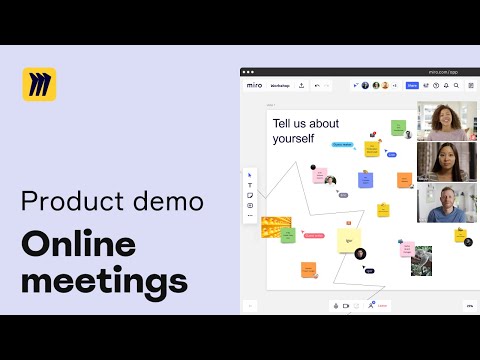


Miro is the default online whiteboard, and its free plan gives you three boards. Not three per month, three in total, permanently. That single number is what converts most Miro users into paying ones, and it is worth understanding before you build a workshop practice around the free tier. The product itself is excellent, with a 4.6 to 4.7 rating across more than 14,000 reviews.
- What it is: An infinite-canvas collaboration tool for team workshops and planning, covering diagrams, sticky-note sessions, roadmaps, and prototypes.
- Best for: Distributed teams running workshops, product discovery, retrospectives, and systems design.
- Pricing: Free for 3 boards. Starter €8 and Business €20 per member per month billed yearly. Enterprise is custom from 30 members. Verified in July 2026.
- The honest catch: The free plan’s three-board cap arrives fast, and performance degrades on very large boards heavy with images and PDFs.
What Is Miro?

Miro is an infinite canvas that a team works on together in real time. In practice that means the digital equivalent of a wall covered in sticky notes, except distributed teams can use it and nothing gets lost when the room is cleared. It has become the default tool for remote workshops, and for many teams it is the only reason anyone still runs a retrospective.
The scope has widened considerably. Alongside freeform canvas work there are diagrams, data tables for roadmapping, interactive prototypes, and, in 2026, AI workflows and agents. Miro also exposes Model Context Protocol endpoints, metered per plan, which lets AI assistants read and act on board content directly. Few tools in this category have gone that far.
The independent ratings are strong on a very large base: roughly 4.7 out of 5 on Capterra across 1,681 reviews and 4.6 on G2 across 12,674. Praise concentrates on the canvas, speed, templates, and integrations; criticism concentrates on price and on performance at scale.
How Miro Works
- The infinite canvas. The core, and what people mean when they say Miro. Sticky notes, shapes, freehand drawing, images, and embeds on an unbounded surface.
- Templates. A very large library covering retrospectives, user story mapping, service blueprints, and most standard workshop formats.
- Structured formats. Docs, tables, slides, and Kanban, so a board can hold structured artefacts as well as freeform thinking.
- Diagramming and prototyping. Technical system visualization and interactive prototypes on Business.
- AI and MCP. AI credits per member per month, plus MCP calls metered daily at 500 on Starter, 2,000 on Business, and 10,000 on Enterprise.
- Integrations. 250+ including Jira, GitHub, and Azure, which reviewers specifically cite as a strength for engineering teams.
Miro Pricing
Four tiers, metered mainly on boards, workspaces, AI credits, and MCP calls. Figures verified on Miro’s pricing page in July 2026, billed yearly. Miro localizes currency, and the euro figures correspond numerically to its dollar pricing.

| Plan | Per member/mo (yearly) | Boards | AI credits | MCP calls/day |
|---|---|---|---|---|
| Free | €0 | 3 editable | Explore AI | — |
| Starter | €8 | Unlimited and private | 25/member/mo | 500 |
| Business | €20 | Unlimited, plus unlimited workspaces and guests | 50/member/mo | 2,000 |
| Enterprise | Custom, from 30 members | Unlimited | From 2,500/month | 10,000 |
What decides your cost:
- Three boards is the free plan’s real limit. Not storage, not members, not time. Three editable boards, and a workshop practice generates boards quickly. This is the single most common reason teams upgrade, and reviewers say so plainly.
- Starter unlocks the thing most people want. Unlimited private boards, visitor editing, and high-resolution exports at €8 per member. For most small teams this is the plan.
- Business is for guests and structure. Unlimited workspaces and unlimited guests, which matters for agencies and consultants running client sessions, plus prototypes and AI workflows.
- Enterprise requires 30 members minimum. Below that headcount, Business is your ceiling regardless of which governance features you want.
- AI and MCP are metered per plan. If you intend to drive Miro from AI assistants, the daily MCP call limits are the number to check, and they differ tenfold between tiers.
Who Should Use Miro
- Distributed teams running workshops. The clearest case and the reason Miro exists. Retrospectives, planning sessions, and discovery work translate to the canvas better than to any document.
- Product and design teams. Story mapping, journey mapping, and prototyping in one surface, with Jira and GitHub connectivity that engineering teams value.
- Consultants and agencies. Unlimited guests on Business makes client workshops practical without buying seats for everyone.
- Anyone whose meetings need a wall. The straightforward test: if your team used to fill a physical wall with sticky notes, Miro is what replaces it.
It fits poorly for teams needing three boards or fewer, who should simply stay free, for very large media-heavy boards, given the performance complaints, and for cost-sensitive individuals, since per-member pricing adds up and reviewers in non-dollar economies specifically flag it as expensive.
Honest Pros and Cons
Strengths
- The best infinite canvas available. Fast, fluid, and the reason it became the category default.
- An enormous template library. Most workshop formats you would want already exist.
- Excellent integrations. 250+ including Jira, GitHub, and Azure, cited by developers as a genuine differentiator.
- Strong ratings on a huge sample. 4.7 on Capterra and 4.6 on G2 across more than 14,000 combined reviews.
- Serious AI investment. AI workflows, agents, and metered MCP access for assistant-driven work, ahead of most competitors.
- Unlimited guests on Business. Genuinely valuable for client-facing work.
Limitations
- Three boards on free. The hard constraint, and the reason most upgrades happen.
- Performance degrades on large boards. Consistently reported across G2 and Capterra for boards heavy with images and PDFs.
- Per-member pricing adds up. Frequently raised by freelancers and small businesses, and particularly by users outside dollar economies.
- Enterprise has a 30-member floor. Governance features are out of reach for smaller organizations.
- MCP and AI limits vary tenfold by tier. Easy to miss, and material if you plan agent-driven workflows.
- It can become a dumping ground. Not a product flaw exactly, but unlimited boards without conventions produces sprawl.
Miro Alternatives and How It Compares
- FigJam is the natural comparison for design teams already in Figma, cheaper and less feature-dense.
- Notion covers documents and databases rather than canvas work, and the two are complements more than substitutes.
- monday.com manages structured work; Miro handles the unstructured thinking that precedes it.
- Mural is the closest direct competitor, similarly workshop-focused, often chosen on procurement rather than features.
- Framer overlaps only on prototyping and is a website builder rather than a whiteboard.
For a broader view, browse our project management directory.
The Verdict
Miro deserves its position. The canvas is fast, the templates cover nearly every workshop format worth running, and the integration depth means it fits into how engineering and product teams already work. A 4.6 to 4.7 rating across more than 14,000 reviews is about as strong a signal as this category produces.
Plan around two numbers. The free plan gives three editable boards, which sounds workable and is not, because any team running regular sessions generates boards faster than that. Treat free as an evaluation tier and budget for Starter at €8 per member, which is where unlimited private boards live and where most teams should be.
The second number is board size. Performance degradation on large, media-heavy boards is the most consistent functional complaint, and it is worth designing around: split big workshops across boards rather than building one enormous canvas. Do that, and Miro is close to the best tool available for distributed collaborative work. Ignore it, and you will eventually be the team waiting for a board to load while everyone watches.
FAQ
How many boards do you get on Miro’s free plan?
Three editable boards, permanently. This is not a monthly allowance or a trial limit, it is the total, and it is the most common reason teams upgrade. Any team running regular workshops or retrospectives will reach it quickly, so treat the free plan as a way to evaluate Miro rather than as a working tier.
How much does Miro cost in 2026?
Billed yearly, Starter is €8 per member per month and Business is €20, with Enterprise custom priced and requiring at least 30 members. Miro localizes currency, so its dollar pricing corresponds numerically. Starter adds unlimited private boards, visitor editing, and high-resolution exports; Business adds unlimited workspaces and guests, prototypes, and AI workflows.
Does Miro slow down on large boards?
Yes, and it is the most consistently reported functional complaint across both G2 and Capterra. Boards heavy with images and PDFs degrade noticeably. The practical mitigation is to split large workshops across several boards rather than building one very large canvas, which is good practice for navigability regardless.
Is Miro worth paying for over FigJam or Mural?
For teams that run workshops as a regular practice, usually yes: the template library, integration depth, and AI capabilities are ahead. FigJam is cheaper and a natural fit if your team already lives in Figma. Mural is the closest direct competitor and is often chosen on procurement terms rather than feature differences.
What is Miro best for?
Distributed teams running collaborative sessions: retrospectives, planning, discovery, journey mapping, and systems design. It is the tool that replaces a wall of sticky notes, and it is strongest when the work is genuinely visual and genuinely collaborative rather than document-shaped.


On field engineering, I use it for architect drawing since it has diagramming design tools with mark colours, drawing collection templates. Possession of LMS pre-made templates enhance drag-drop for collaborative editing. It intrusive GUI/UI design is tailored for visual whiteboard technologised channels for team intranet wit BIM rooms, Ucaas VoIP and Ccaas options support.
Following my rating and recommendations, it has nothing wrong to note since multi-purpose software.
Incredible architect drawing and diagramming design tools integration. Secure information sharing using generated links. Team intranet channel. An exceptional mind mapping
Miro is great for working with our different teams to brainstorm sprints
Miro is great to use and the only thing missing is the integration with Google Workspace
Miro is allowing us to visually whiteboard and brainstorm ideas. It is a far better way than Google Drawings.
I like the user-friendly interface, even if this is your first time using Miro, you will get used to it and become professional in no time. The variety of options makes Miro very easy to express your thoughts and visualize your ideas on the board.
I assume that would be great if the company sometimes offers a promotional/discounted price.
Miro helps me visualize my ideas, especially when starting a new project and it is difficult to start. Sometimes a simple drawing becomes the starting point of the who project.
a lot of templates, tools and wide campus
little difficult to select plural objects and draw straight lines with one click
making easy way to share free boards for any type of meetings and manage access control for anyone
Data Analysts would appreciate Miro's collaborative features, which allow them to easily share visualizations and documents with colleagues and work together to gain better insights. They can also use Miro's digital whiteboarding tools to brainstorm ideas, provide feedback and generate high-quality charts and reports. Miro integrates with over 800 cloud-based tools, giving Data Analysts access to data from multiple sources.
It can be tricky to make edits and rearrange existing content, as the drag-and-drop functionality is slow and sometime inaccutrate. They need some updates soon.
I use Miro to brainstorm and share ideas, manage collaboratively, analyze data, create visualizations, and work together on significant projects. And it has helped develop and present reports, generate charts and diagrams and store data securely.
I like that Miiro is a cloud-based collaboration platform, which enables teams to easily communicate and work together of projects in real-time. Miro's board, mind maps, and post-its offer a visually-stimulating way to brainsftorm and organize complex projects. Finally, Miro's custom security and exportation features are ideal for Database Developers who need to protect sensitive information.
Miro needs more integrations. I mean, this characteristic is not really bad, but a developer should take notes about its integrations and determine if the software is good for them.
Miro is my tool for streamlining my project management efforts. With it, I have access to digital whiteboards and other online tools that make brainstorming ideas, breaking down tasks and collaborating with colleagues more efficient. Additionally, I can integrate the software with Salesforce to monitor and update project information. This system has been very efficient for my workflow.
As a consultant, I appreciate Miro's sleek, user-friendly design, which makes it easy to quickly and intuitively create art boards and collaborate with teammates virtually. It is exciting its range of powerful tools, including task management, advanced search and filetring and sticky notes.
Miro has important limitations on its free version, which limits the number of users, boards and views per month. And I also not like the fact that the paid tier require for additional features is higher than its competitors.
Miro is a tool used to help team collaborate on projects, plan and manage tasks, and visually communicate ideas with custom drawings, images and other visuals. In addition, it is a great tool for creating custom digital whiteboards, brainstorming new ideas and conducting remote meetings.

Miro is one of the best whiteboard-making tools. Miro is the most accessible tool to create a mindmap, sitemaps, flowcharts, etc and can also create a framework in kanban style. One of the best things I like about Miro is that I can manage multiple teams.
A lot of features and many whiteboards makes it complete. Initially, it was a bit difficult to understand this tool, but their free webinar helped me understand more.
As a team admin, I can say that Miro is the best tool for mapping and diagramming. It is also helpful for presentations. I can create website wireframes, app wireframes, product roadmaps, etc. Miro is the best tool for making strategy and planning for any business.
It is so easy visualize data, as well as its collaborative features that make it easy to work with others on data-driven projects. I like how flexible Miro is. It can be used for a variety of data engineering tasks with a great efficence.
Miro has a potential disadvantage from my perspective: it lacks certain features that some other data visualization tools have, such as the ability to create 3D visualizations.
I use Miro as a data visualization tool for a variety of tasks, such as exploring and analyzing data sets. I also use it when I need to design data-driven applications because it is quick. Other workers has been comfortable with Miro and its collaboration features.
A multi-purpose/language/device O-CL button from whiteboard visualisations and team intranet, collaborative edition with pre-made custom LMS for drag-drop enhancement, architect drawing design tools, CMS integrations, VoIP calls,encrypt UcaaS and UC platform for team BIM channels and file sharing.
Poor network connectivity bugs remain history since technical support team resolves any promptly incase.
Simplified whiteboard rooms support and drawing design tools. CMS integrations, Tremendous file sharing
Miro is the perfect platform to collaborate on simple code projects. This way, I can share my code, work on it with someone in real time and see the changes. It is a good way to work with new workers.
Miro is an overwhelming tool for new users. It has so many features that people don't know how to start. More tutorials and templates could help to get all this information.
I use Miro for wireframing, sketching and min mapping. It is great because all of this can be done on the same platform, and other workers can see it. Thanks to this, all projects have been easier to be done.
Miro is an intuitive and user-friendly online tool that helps team members collaborate. As a software engineer, I found Miro invaluable in coordinating with engineers and designers on complex projects. I especially like the ability to leave comments and mention specific team members so everyone is on the same page.
I would like a more robust search function that would allow me to quickly find specific items that have been added to the board. I think it is a necessary function that doesn't exist on Miro.
I use Miro as an essential tool for managing my projects. The drag-and-drop interface makes my life easier when I need to prototype ideas and visualize flow charts and workflows. And it is the primary via for coordinating different departments and teams on the same project.
Miro is the perfect tool for visual collaboration, allowing teams to work together on projects in real time regardless of location. It is incredibly user-friendly and intuitive, making it easy for even the most technologically challenged users to get up and running quickly.
Miro is hard to use for very large projects with many moving parts. In these cases, it can be difficult to keep track of everything that's going on. However, it is an excellent tool.
Miro helps organizations plan, develop, and track products from ideation to launch. It offers product roadmaps, storyboards, and Gantt charts to help teams manage every aspect of the product development process. And we integrate Miro with Slack to provide a complete picture of the product development process.
Miro a virtual withboard with an excellent interface that allows me to keep track of every steps of my projects. Every asset is on the Miro's witheboard, with its location and its value. And its version control makes easy to keep one eye on every change over the time, which is helpful in detecting trends and problems.
Miro is a challenge. It has various useful functions, but it takes time to get them all. You will need some days or even weeks if you want to know everything you can do with the software.
I use Miro as my main tool for tasks related to managing IT assets. These ones include tracking, assessing, detecting trends and planning for future needs. The result has been a good choice making, more productivity and a great communication with my superiors.
Best uses of Miro: - white boarding/brainstorming ability - timeline planning - superb visualization ability - ability to collaborate with teams and this is very well made with hardly any bugs or lag - works fabulously with people working all over the world
Least favorites: - lack of free form shapes that can be used as text boxes (like MS ppt) - lack of ability to slideshow - ability to use more fonts and bigger font sizes - really hope to see less crashes on windows
Miro solves the problem of collaborating with people who are all remote. White boarding and planning sessions go extremely smoothly and has greatly benefitted business from spending money on unnecessary trips

Miro is very useful and very easy to use. No prior skills are required if we are using it to create basic flowcharts, Agile Charts, and Implementation approaches. Unlike its other alternatives, it's very lightweight and requires no installation. Its Web UI is highly responsive which makes a tasks lot more easier and swift.
If you have to prepare a flowchart with very customized requirements, such as the creation of a very complex shape/vectors in the design document. Miro might not be a good fit, Desktop Flowchart creation applications are needed at that time. Otherwise, it's a good fit for 99% of your flowchart need.
Miro offers a wide range of templates for Planning, Decision making, Concept, Agile Workflow, strategy, Planning, etc. Which is quite helpful and eliminates the need of creating the flowchart from the scratch. It just removes the need of designing the flow from scratch. and saves a lot of time in day-to-day design creation.
I like how communications are inside Miro. It is an easy software with a good communication system. The interface is great and is made to boost creativity and problem-solving ability. This way, there are minor distractions.
There is a potential for theft or misuse of confidential information. We need to educate the team about cybersecurity. It could be nice to have more security options and a 2AF.
Since we used Mire, our team has improved our work quality and efficiency. Communications are better than ever, and projects are made smoothly. The creativity boost has been incredible, and we have been capable of solving problems with less effort.

Ease of UML drawing with advanced design tools integrations. Custom LMS WYSIWYG open-source scalable for collaborative edition. Team intranet SSO multi-device. Encrypt VoIP calls, UC BIM channels rooms and CcaaS Option support.
In relationship with my rating, nothing to complain since it bis a multi-purpose WYSIWYG open-source IT Product.
Team alignment and communication software. Seamless diagramming templates collection.
after you learn the basics it then becomes a valuable tool for almost every business need
takes a while to learn how to navigate smoothly
basically every business process, creating value maps, designing IT programme structures
Miro is so easy to use, and a fantastic tool for collaboration. It gives everyone a voice in a virtual room and enables easy and effortless sharing of concepts, ideas, documents, websites and processes. It's a great tool for workshops, and virtual collaboration alike. At it's simplest, it's a virtual whiteboard that's better than an actual one. I use Miro for everything from sketching out project plans with remote teams, to holding workshops in the real world. It's one of my go to tools as a Program Manager.
Very little. Sometimes it's hard to reframe, and move the frames around once set. Keep coming up with templates, those things are very handy. Extend the number of active boards for free users too.
With remote teams across different countries and time zones, easy to use tools that allow us sit around a virtual space are invaluable. I use Miro for everything from sketching out project plans with remote teams, to holding workshops in the real world. It's one of my go to tools as a Program Manager.
I like how remote teams can collaborate on the same board. The templates are great to get you started for brainstorming, synthesizing user research data, and building UX screen flows.
I have not found anything I dislike about it. I know I do not use all the features, and there is a lot more I can do that I either am unaware of or don't need at this time.
The biggest problem is collaborating with teams across the globe. SInce I work with people in different states and different countries, we can work together on one board since a physical white board is not an option anymore.
Great collaboration platform and many different tools to use (ie. post its, various templates flowcharts, roadmaps, etc.) Easy to view, and tag different users.
Sometimes overwhelming the amount of tools.
Collaborating and housing all the content in one board. Help consistency and transparency.
Graphic and Usability, the best way to show to your audience your result
Image Upload, not partnership with others tools
Meeting and sharing ideas, more new project thanks to brainstorming

The best thing about Miro is being able to have interactive sessions with people around the world in a virtual setting. Secondly, no need for "finite" powerpoints, we can just use Miro as both a collaborative and presentation tool!
I am still not sure on how to frame things together without all items moving around, also need easier ways of seeing people who I've shared boards with and manage their permissions... this may be my own user-error rather Miro though!
Inter-teams collaboration - this is extremely important, especially as we're all based in different countries and cities. Being able to properly collaborate and track comments, changes, etc is amazing!
How easy it is to use. Very little training was required my first time using it! I created a few Miro boards for a handful of virtual team members to collaborate on during a team offsite and I did not even have to bother with training them how to use the tool as well. Everyone caught on so easily!
I've only used Miro board a handful of times (to create org charts and to give my virtual team members a tool to collaborate on while the rest of us were collaborating in-person) and I have fully loved my experience with it.
Creating org charts with ease (while allowing other team members to easily make changes to it in an ever-changing environment) and allowing virtual team members to collaborate with each other in real-time with ease.
Miro is an excellent software that permits to share board among the people. It's a great way to collaborate among the member of a team! It has a web version of the software and also a desktop application
There are no more changes to do in Miro. Maybe Miro could be integrate a better way to visualize some type of documents that are most used. Like Word, Excel, etc.
Miro simplify the planning, the organization in a team. It permits to share anything in real time among all member. It's a perfect tool to share boards and to take notes.

The flexibility within the app allows you to use these for various document types. From mind maps, road maps to collaborative whiteboards. And if a collaborator doesn't have access to the app...no problem, as it can be accessed via a web browser!
There isn't anything I dislike if I'm totally honest! If I'm being picky, maybe include more text editing options such as bullet points etc.
Enabling cross-functional teams within my organisation to work collaboratively, individually or simultaneously. Also, being able to set different access levels.
I like this online tool, because make ease to manage dashboard and create things in a collaborative way with the other person of the team. I think it was created well.
I didn't find nothing relevant that is not ok inside this tool. Maybe the only one thing is that can be added some new feature to have more appeal, rather than other software doing the same thing
The issue that the online tool solve is capability to work together on the same page. That's a beautiful thing if we need to collaborate in creating dashboard, tables, create a map of activities to do (like a breakdown). Very powerful tool in my opinion.

A new facilitator's mode and frames are simply awsome. This are the best features from my facilitator's and trainer's perspective.
It does not help when it comes to saving notes or making follow-ups. The voting tool is also not so convenient for me.
Any collaborative work and discussions could be done easer. Miro also works well as a presentation tool.
The ability for creative collaboration during meetings. I know conduct most of my marketing workshop meetings using miro and so it is a great way to ideate and experiment as a team.
More integrations with google would be helpful. Also look forward to a day where more people are using it as registering new colleagues can sometime be a bother.
Somwtimes it can be diffciult to ideate and experiment digitally. most of my job is now working from home, but miro allows for creativity in a hybrid working model.