

Unclaimed: Are you working at Streak?
Streak Reviews: 4.5/5 — Highly Rated
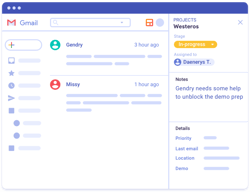
Streak CRM is a customer relationship management software built specifically for Gmail. This adds a layer of convenience to your processes as it helps minimize the need to jump between tools. The platform is a well-known solution for CRM, powerful conversion tracking, and delivering accurate engagement reports. Thanks to various email tools as well as available templates, users can deliver professional and personalized emails and implement mass email marketing campaigns.

| Capabilities |
API
|
|---|---|
| Segment |
Small Business
Mid Market
|
| Deployment | Cloud / SaaS / Web-Based, Desktop Chromebook, Mobile Android, Mobile iPad, Mobile iPhone |
| Support | 24/7 (Live rep), Chat, Email/Help Desk, FAQs/Forum, Knowledge Base, Phone Support |
| Training | Documentation |
| Languages | English |






Compare Streak with other popular tools in the same category.

The organization of different pipelines, the stages and reporting features. Tasking makes it easy to organize a call list and keep up with following up for prospects. Our deal pipeline is awesome because all of the emails are automatically stored into their 'box'. There have been a ton of updates recently (like the reporting feature) that has caused us to ditch all of our other prospecting software in favor of this one.
No way to call straight from the platform that works with my mobile device. There's a way to call straight from the platform to my phone - I can call from my Chromebook.
Transparency between business units, the ability to assign tasks and delegate responsibilities. I would recommend this to a friend for their business.

Since Streak integrates with Gmail, it makes it incredibly easy to attach email threads into one box. I like how easy it is to insert documents, screenshots into Streak as well. I like the Task feature and its reminder emails that you can opted into when needed. I like how simple and easy it is to send out mail merges since I send out hundreds on a daily basis. I like how through streak, you can send and receive emails too!
How long it takes for a mail merge to complete. I have sent a few hundred merges in the past few days and it is set to go out at 7am in the morning but it takes almost the entire day to send out. I don't like how we can't have multiple users on one account.
Our entire business model is on Streak. We track our sales, pipelines, stages, customer service and support issues all on Streak.

Streak is an ideal tool for all types of companies that want to simplify CRM activities, I love that I can use my own gmail account, and use it in my work, without needing anything else, just install the add-on and you're ready CRM in your email, your cost is also very good, and can be used by any person or company, you can provide customer support in gmail, facilitating communication with people, who want to contact us with your email account, this simplifies a lot of sales and all kinds of support, I love it.
The free version does not work, try to try another personal email, which I do not use at work, but I would like to use Streak there too, but it is not the same, it does not have the same features as the paid version, I do not understand why they offer a free version, if it does not work at all, I could not do anything with this application, I do up to a different configuration, in conclusion, I could not use it, like my work, this seemed pretty bad, it's better than Do not offer a free version, and better be clear, and say that you should buy and nothing else.
For a company this is an ideal investment, since low cost can have a professional CRM in a free Gmail account, open many costs, and the difficulties of installing a CRM, which can be a desktop software, or in the cloud, here you only need your gmail account, install the add-on pay and order, you can contact your customers, solve support problems and all kinds from gmail.
Streak makes it easy to quickly organize all of my leads within Gmail, so it's easy to navigate and integrated with my email easily. We can have different pipelines for different projects and it's simple for my manager to check in on the status of a project or remind me to follow up with a partner. Streak can also create follow up tasks for specific leads, which is a helpful too.
There should be a way to duplicate boxes! It's a pretty manual process to make copies of boxes for re-engaging previous partners and sometimes moving columns while viewing your pipeline can be glitchy. It's a new product, so I expect there to be tech fixes along the way as the product becomes more finessed.
It's a cheaper CRM solution for our team than Salesforce and it allows us to organize our Gmail inboxes in a shared and easily visualized way. It makes keeping up with email simpler because of the different views you can make. It's a deceptively powerful tool.
Easy way to manage funnels (sales, customer service) - great mail merge features, and all within your gmail inbox. Easy to work with across teams.
I wish it was easier to input users - the "add from Google spreadsheet" feature is a bit annoying, but it does work. Just a lot of steps.
Managing big sales funnels, keeping track of communications with leads and customers, mail merges and outreach. (Partner this with "Canned Responses" - a Google lab feature - and you're really cooking.
The ability to box opportunities to share
Contact management within is not the best
Cross functional communication
Pretty intuitive. Able to track emails and keep all files in one place. Very customizable.
For our business, I wish there was a way to categorize a company without having to create a "stage".
Keeping track of outreach and sending timely followup emails.
Streak CRM is a good service that is completely integrated to your Gmail/Gsuite interface. So, if you work with your e-mail on all the time, Streak can be a great way for start using a CRM in your workflow. The free version of Streak is great and has many features.
Streak CRM does not have more complex CRM features, so it might not be a good fit for heavy needs. For me, the bigger downside is that it lacks a more intuitive and complete way to manage your contacts inside the CRM and its funnels.
I use Streak as a control CRM for business e-mail conversations. I also use its great plugin features like "Send Later", "E-mail Tracking" and "E-mail Snippets".
Streak is an add-in to Gmail. As a professional who is already using Gmail for their core email, it is great to have this readily accessible. The ability to automatically track and add emails to the pipeline could be helpful to some users. It also has an iPhone app to keep up to date with summary level information when away from your computer. Streak also can create all sorts of visual reports and graphics.
It does not have the most robust set of features to track opportunities. I wish you could add some sort of probability weighting to each step in the sales funnel and have it import information more easily from other systems, such as email marketing like MailChimp.
Before Streak, I was tracking opportunities via spreadhseet. It is inconvenient to be switching back and forth between email and spreadsheets to keep an important file like a sale pipeline up to date.
- lightweight CRM - easy to use Gmail integration - great customer support - UX / UI is easy on the eyes - new features continue to roll out
- still in beta mode in a lot of ways (but their team is very supportive if you have questions) - can be clunky & slow to load sometimes (although we have a TON of data stored)
- streamlining sales team operations - more effective communication - better documentation
Shared canned responses increase efficiencies. Ability to integrate with other Google Apps and other tools through Zapier is streamlines processes. Email management with tracking, snoozing, and filtering into pipelines keeps us on task.
Interface is cumbersome, but filtered views help improve the experience. There are some missing shortcuts like not having a direct way to manage snippets. There are almost too many options that can make it difficult to want to explore (although this is a usual CRM problem). Pricing is a high per seat.
1) Manage pipelines consistently 2) Share progress with team members and provide shared efficiencies 3) Integrations into other online software like bookkeeping and forms
No additional software required to install, and no more sites make this a great CRM tool for Gmail.
The interface could use a bit of work to make it easy to move between emails and the CRM elements.
Organizing customer information, files and email in one system helped speed up our sourcing process.
Inline with Gmail and everything is great
Conflicting UI sometimes so noobies are overwhelmed
Sales pipelining easier
Streak is really powerful. What first got me interested in Streak was their email-open detection feature. By embedding an invisible 1 pixel image Streak can track when your recipients open your emails. This is invaluable for any sort of sales / bizdev work. Then they hooked me further with their awesome "return-to-inbox" solution that I used to use "Boomerang" for. Streak did it 10X better, including using really great natural language processing to parse dates like "three weeks from now" flawlessly.
The CRM portion of Streak is fairly heavyweight and confusing. Because of that, I don't really use it much. Maybe if I was in more of a sales job I would.
With Streak I get email-open tracking and return-to-inbox with natural language parsed dates solved. This is enough to sell me on their free plan.
I like the Mail Merge and "insert templates" fields.
Adding new statuses through the CRM system is very confusing. It also crashes frequently. I don't like how you can't use different tabs while your mail campaigns are sending. You can't add attachments through a mail merge :(
Generating leads through personalized email campaigns. We have generated new sales because we are customizing our messages.
My favorite part about Streak its email management, tracking, and templates. I initially used streak to track client emails and loved seeing how many times my email was opened. Streak also has many other features, including CRM.
My biggest dislike about Streak is the email notifications that it would send me such an enabling specific setting. The mobile version is not as functional as using it on my computer.
The biggest problem that Streak helped my company and me struggle with is email tracking. We were able to track which email campaigns were successful and which were unsuccessful. This allowed us to effectively follow up with the right clients and candidates as a recruitment agency.
That it's only a few clicks to start logging all the info and contact data
It's very cluttered when you're going back in to retrieve old conversations. It's not as easy as other crms to search for specific messages
Holding all prospect data in one place for follow up
Mailmerge capabilities, visibility into open rates and email views, pipeline management
Not much to dislike. The company sends a lot of marketing emails, which isn't much of a downside.
Mail merges are less manual. It's easy to train reps on using the platform with step-by-step instructions and an easy-to-use UI.
At a glance, I'm able to view several companies at a glance. Helps to organize and categorize companies in the pipeline.
There is one box for taking notes, but it doesn't save across different entries, so it's tough to record non-gmail related interactions (e.g. call notes).
Managing movements across the pipeline, categorizing groups of deals that require actions, share information and interactions with the rest of the team.
Streak is easy to use, and our team maximized the Email Snippet functionality the most, although there are other powerful functions in the tool, too.
Streak had a handful of functions that our team didn't use, so we couldn't find the right package tier that fit our needs. Unfortunately, we also couldn't export our snippets in a text-friendly format.
Email collaboration was the biggest win for us -- our team could share templates with one another across functions.
- Seamless integration with Gmail. Doesn't feel like I'm using anything other than Gmail - Easy to understand user interface, intuitive design that flows with Gmail's design - Need not login to another app just to send emails
- No option to send bulk emails to a set of users (some in 'to' and some in 'cc') - Can not edit a mail merge after creating it. I make some edits and save it, but it does not get saved. It should not even allow me to edit it if it is not going to change it. - Setting email sending times should be easier and their integration with timezones should be easier too.
- Sending emails to users to get feedback from them on email. - Sending emails to some users to schedule calls with them to get feedback. - Sending emails to users to inform them about changes in the app, new feature releases, etc. - Any bulk emails we need to send from a team email ID.
The Gmail integration is amazing. I can track all my emails with prospects without having to leave my inbox. It also simplifies my outreach with templates (called snippets) and mail merge.
Note - I am using the free version. Some of what I say may not be relevant for the full paid version. The user interface is not intuitive. It took me several weeks to understand how to best work with the flow. There are no automations for workflows. Tracking non-email correspondence is cumbersome.
I need to reachout to a relatively small set (50-100) of prospects and do it in a way that I can track conversations.
I love that streak in based inside of gmail. I have all my work in one place - my crm and outreach tool I use streak all by itself and I believe gsuite fans will love it best
I don't like that the pipelines make my inbox look clogged. Like I have things all over the place. I think I'll use the pipeline feature more if they have a section of their own
I stopped using most outreach tools because here at louwaby, my campaigns aren't large and most times, all i need is just to see who has opened my emails so I can follow up accordingly.
The functionality is very helpful -- sending reminders, keeping inbox organized, and view tracking are all helpful functionalities.
I don't particularly enjoy the UX of Streak, it feels a bit clunky at times and wish it integrated more naturally into Gmail
View tracking to be able to understand when is best to follow up
Streak is a great way to start organizing a pipeline and multiple contacts in business
Once you start to grow and require more data Streak loses its ability to provide
Organization problems and I was happy with it
I like that Streak can be integrated with Safari or Chrome. It is also available via mobile app. I also like that it is very informational when first getting started.
I dislike that Streak is no longer compatible with iPad. I primarily use my iPad Pro, so this limits my usage capabilities. I also don't like that everything on the app seems to be siloed. I'd like to see more features functioning together within the app.
Streak is a decent option if you are operating under a low-cost budget and cannot affort an expensive CRM. Its free option offers a Basic CRM of up to 500 contacts and 50 mail merges. It also offers email tracking capabilities via Gmail (which my company uses).
Streak is easy to use and has an excellent user interface. The pipelines are logical and easy to set up, and all in all, the software does what it promises. I love how it integrates into your email and makes it easy to access all the pipelines directly from where you use them.
Streak is slow. As incredible as it is that it integrates into your inbox, that makes your inbox load exponentially slower, making it very awkward to access your emails quickly. One more disadvantage I could find was if I used multiple Gmail accounts in the same browser. Streak would continuously pester me to enable it for the Gmail accounts I didn't want to.
Streak makes it easy to organize your contacts and make sure you provide them with the care they deserve. We use it to mark where in our process the customer is and whether they need any addittional training or support. It is a valuable tool that saved us embarrassment of losing track and letting problems slip through our fingers.
The best thing about Streak is that it's built on top of Gmail and nicely integrated, so instead of having to use the clunky email interfaces of other CRMs like Pipedrive, you can just rely on Gmail. Integrations with Zapier can also increase the power of Streak.
The analytics capabilities are minimal, as are the bulk email capabilities if you're planning on sending large campaigns.
Easy to manage multiple pipelines for functions like BD, investors, sales, etc.
I like that Streak allows me to send emails that are personalized to each recipient without me needing to write separate emails per person for do awkward copy/pasting.
Streak is not great for large email campaigns, as it's still restricted by the number of emails that your ESP will allow you to send (for Gmail, it's 500 at a time). There's also a paywall to access some of the more advanced features, which is understandable, but it'd still be cool to access some of them without having to pay.
Before I'd discovered Streak, I'd send emails individually by copying and pasting or I'd Bcc many people at a time, but Google ended up locking me out of my account for suspicious/bot activity for pasting the same content and using the same attachments for so many emails.
I like that you can use with your Gmail and send mass emails and also have customizations within the email. I can track that someone has read my email; what time and location if available. I can create several projects and use it to track all of them easily as I can customize colors and add several stages. I also love that you can connect emails to a box (company or contact) and easily see everything in one place and all the communication and notes. Our team can use it to be prepared for the next meeting. You can also assign tasks and reminders for yourself.
I find the reporting section a bit complicated. There are no simple pre-prepared reports that helps me to analyze the projects and the boxes performance. If I sent a group email I cannot see in a report format, how many times the email was opened and read or interacted with.
Better communication between my management and our team. Also being able to use my email and enhance a lot of the small and big things but still be personable from my own gmail account. I can think more critically about my emails and also our projects as I see the whole picture right then and there. Also it helps my manager to see the work I am doing and it helps us communicate better about the effort and results.