
Thrive Quizz Builder background blur-sm
Thrive Quizz Builder Survey Software logo
Thrive Quizz Builder
4.3

( 11 )

Why Findstack is free?
Findstack is free for users because vendors pay us when they receive web traffic and sales opportunities. Findstack directories list all vendors — not just those that pay us so that you can make the best-informed purchase decision possible.
Advertising disclosure: Findstack offers objective, editorially independent comparisons to help you find the best software. Some links on this page are affiliate links — we may earn a commission when you visit a vendor through our links, at no additional cost to you. Affiliate relationships never influence our ratings, rankings, or reviews. Disclosure policy | Methodology

Thrive Quizz Builder Reviews: 4.3/5 — Solid Choice

Thrive Quizz Builder Overview
What is Thrive Quizz Builder?

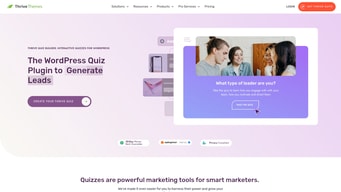
Thrive Quizz is an interactive quiz creation platform designed for businesses and marketers. It offers a range of customization options and features to help users create and conduct engaging quizzes for their audience. Thrive Quizz provides in-depth analytics, tracking, and reporting capabilities to help businesses monitor and analyze the performance of their quizzes. With its ease of use and robust features, Thrive Quizz is an excellent tool for businesses looking to take their marketing strategies to the next level.

Company Thrive Themes
Year founded 2013
Company size 11-50 employees
Headquarters United States
Social Media
Thrive Quizz Builder Categories on Findstack
Crevio E-Commerce Platforms logo
Crevio
Sponsored
5.0
(1)
Free plan available
Crevio is an AI-powered platform that runs your business while you sleep. Describe what you want to se... Learn more about Crevio
Ask Questions about Thrive Quizz Builder
What Thrive Quizz Builder is best for?
How does Thrive Quizz Builder compare to SurveySparrow?
What are the pros and cons of Thrive Quizz Builder?
Thrive Quizz Builder Product Details
Segment
Small Business
Mid Market
Deployment Cloud / SaaS / Web-Based
Training Documentation
Languages English
Thrive Quizz Builder Features
A/B Testing
Advanced Analytics
Anonymous Responses
Collaboration Tools
Custom Branding
Customizable Templates
Data Export
Drag-and-Drop Builder
Email Distribution
Incentive Management
Mobile Survey Support
Multi-User Management
Multilingual Surveys
NPS Surveys
Offline Response Collection
Panel Management
Partial Responses
Pre-built Survey Questions
Question Library
Real-time Reporting
Response Quotas
Response Validation
Skip Logic
Survey Embedding
Survey Logic/Branching
Survey Scheduling
Survey Sharing
Survey Templates
Survey URL Customization
Third-party Integrations
Thrive Quizz Builder Media
Thrive Quizz Builder video thumbnail
Thrive Quizz Builder - Thrive Quizz Builder Homepage
Thrive Quizz Builder Screenshots
Thrive Quizz Builder Homepage
Disclaimer
Our research is curated from diverse authoritative sources and meant to offer general advice. We don’t guarantee that our suggestions will work best for each use-case, so consider your unique needs when choosing products and services. Feel free to share your feedback.
Last updated: May 17, 2026
Thrive Quizz Builder Survey Software logo
11 Thrive Quizz Builder Reviews
4.3 out of 5
Small Business (50 or fewer emp.)
Aug 19, 2021
 Source
Overall Rating:
3.5
JG
Juan G.
Ceo
Share
"It's good within the Thrive Suite, it misses a couple of specific features."
What do you like best about Thrive Quizz Builder?

The quiz flow is great, and it will give you the options to create most of the quizzes you will need + the integration with your CRM or email marketing platform (like ActiveCampaign). You can segment the users based on their responses making multiple paths, and add tags that could fire specific actions on your CRM.

What do you dislike about Thrive Quizz Builder?

When you create an open-ended quiz, meaning that the user does not select specific options, there is no way to show the responses on the thank-you page. Also, it's not possible to edit the designs. You get four pre-designed templates, and that's it. You can't change fonts, colors, sizes, etc., making it a little limited.

What problems is Thrive Quizz Builder solving and how is that benefiting you?

Segmenting my audience based on the results of the quiz. It allows me to see what is their main problem with their business and provide a specific solution for them, making it more tailored.