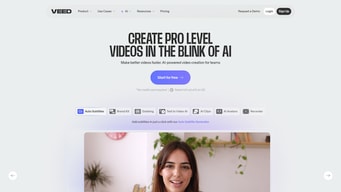
VEED background blur-sm
VEED Video Editing Software logo
VEED
AI-powered online video editing platform
4.6

( 333 )

Why Findstack is free?
Findstack is free for users because vendors pay us when they receive web traffic and sales opportunities. Findstack directories list all vendors — not just those that pay us so that you can make the best-informed purchase decision possible.
Advertising disclosure: Findstack offers objective, editorially independent comparisons to help you find the best software. Some links on this page are affiliate links — we may earn a commission when you visit a vendor through our links, at no additional cost to you. Affiliate relationships never influence our ratings, rankings, or reviews. Disclosure policy | Methodology

VEED Reviews: 4.6/5 — Highly Rated

VEED Overview
What is VEED?

VEED is an online video editing platform designed to simplify the process of editing and producing videos. It offers a wide range of tools and features, including trimming, subtitles, filters, and effects, enabling users to create professional-quality videos directly from their web browsers without the need for specialized software.

Company VEED.IO LTD
Year founded 2018
Company size 11-50 employees
Headquarters London, England
Social Media
VEED Categories on Findstack
Crevio E-Commerce Platforms logo
Crevio
Sponsored
5.0
(1)
Free plan available
Crevio is an AI-powered platform that runs your business while you sleep. Describe what you want to se... Learn more about Crevio
Ask Questions about VEED
What VEED is best for?
How does VEED compare to Wondershare Filmora?
What are the pros and cons of VEED?
VEED Product Details
Capabilities
AI
Segment
Small Business
Mid Market
Freelancer
Ease of use
Beginner
Deployment Cloud / SaaS / Web-Based
Support Email/Help Desk, FAQs/Forum, Knowledge Base
Training Documentation, Videos
Languages English
VEED Features
3D Editing
4K Support
Aspect Ratio Control
Audio Mixing
Audio Sync
Batch Processing
Chroma Key (Green Screen)
Clip Trimming
Color Correction
Effects Library
Export Options
HDR Support
Keyframe Animation
Motion Tracking
Multi-track Editing
Multicam Editing
Proxy Editing
Reverse Video
Screen Recording
Slow Motion
Social Media Sharing
Storyboard Mode
Text Overlay
Timeline Editing
Title Templates
Transitions
Video Cropping
Video Stabilization
Voiceover Recording
VEED Media
VEED video thumbnail
VEED - VEED Homepage
VEED Screenshots
VEED Homepage
VEED Homepage
Disclaimer
Our research is curated from diverse authoritative sources and meant to offer general advice. We don’t guarantee that our suggestions will work best for each use-case, so consider your unique needs when choosing products and services. Feel free to share your feedback.
Last updated: May 09, 2026
VEED Video Editing Software logo
333 VEED Reviews
4.6 out of 5
Small Business (50 or fewer emp.)
Aug 21, 2023
 Source
Overall Rating:
5.0
LN
Lisa N.
Social Media Manager
Share
"Satisfied user"
What do you like best about VEED?

It's really simple, yet powerful. For a lot of people things like ADOBE can be cuite overwhelming, VEED has everything you need for basic editing for content, major plus for storage!

What do you dislike about VEED?

A little bit more seamless would be nice. Like being able to copy from one project and paste into another. Maybe a bit more freedom? Basic masking for instance

What problems is VEED solving and how is that benefiting you?

Easy editing, fast rendering, storage online, very good UX - it's smooth and intuitive. Easy cutting, ok templates for basic needs for social media. I think people who doesn't know anything about editing would still be able to use VEED

Small Business (50 or fewer emp.)
Aug 17, 2023
 Source
Overall Rating:
5.0
KC
Karin C.
Founder
Share
"Such amazing features for novice video editors and business owners!"
What do you like best about VEED?

I love the built-in, Teleprompter, and I contact correction. My ads manager asked me to create a bunch of retargeting video ads on the fly. I opened up, Vito, dictated my script into the Teleprompter, hit record, and read from the Teleprompter, without ever looking at the camera lens. Then I clicked on iContact in the video editor, and it completely fixed where my eyes were looking. I was able to record, edit, and export three videos in less than an hour. VEED is a wonderful video editing program for someone who is filming videos to promote themselves on social media, small business owners, and people who like editing but don't do this full time.

What do you dislike about VEED?

Nothing! Truly, the only issue I've ever had is with buffering, because the Internet is running slowly, but that happens infrequently and it's not a huge problem.

What problems is VEED solving and how is that benefiting you?

I am not a wonderful video editor, nor did I want to be. I am the CEO of my business and the face of my business. I make a lot of videos for YouTube and social media but I do not want to spend 10 hours for every project with elaborate editing techniques. I don't feel that it's an effective use of my time, nor do I feel that it's necessary. VEED allows me to film, edit, and get a great looking finished product out the door in very little time.

Small Business (50 or fewer emp.)
Aug 17, 2023
 Source
Overall Rating:
5.0
Michael A. S. avatar
Michael A. S.
Owner
Share
"Perfect Software for Quick Video Editing"
What do you like best about VEED?

Love the interface. Easy Caption Creation Simple to export in different formats Free to use templates

What do you dislike about VEED?

It doesnt show where the different informations bars for Reels and Yt shorts. Other platforms show this.

What problems is VEED solving and how is that benefiting you?

It helps me get my videos out quicly to social media. It is really cool that it allows me to resize the videos for different formats

Enterprise (> 1000 emp.)
Aug 17, 2023
 Source
Overall Rating:
5.0
Anna Lisa J. avatar
Anna Lisa J.
Social Media Manager
Share
"Easy to use, professional looking content"
What do you like best about VEED?

It is very easy to use. I love the auto-closed captioning feature, and user-friendly (canva like) features! I can make very professional videos so much quicker in Veed compared to other softwares.

What do you dislike about VEED?

I think the export time for videos could be quicker, along with some minor saving glitches that have occurred when I am working on larger video files. Other than that it has been great.

What problems is VEED solving and how is that benefiting you?

VEED alows myself to make videos for social media very quickly. It has reduced editing time in half! It also has allowed us to always add closed captions to videos.

Small Business (50 or fewer emp.)
Aug 17, 2023
 Source
Overall Rating:
5.0
Mike K. avatar
Mike K.
Advisory Board Member
Share
"VEED Makes Video Creation Easier"
What do you like best about VEED?

I've experimented with multiple platforms for video creation and editing, and VEED.io is my favorite. For me, the auto-subtitling and ability to edit them is so helpful. The eye-contact correction is also a big plus. The ability to share on their platform (a link to view) or download in a vareity of setting, also excellent. I also like the brand kit, and the abilty to add images or text to the video, for the entire video, or just portions to highlight. You can record your screen, slides, templates, with or without your webcam. There's a ton of flexibilty I haven't even tried yet, but for what I do, it works great.

What do you dislike about VEED?

There is a phone app, but as of now, it's not connected to the cloud/desktop version. I'd like to be able to record on my phone and upload right into VEED desktop. I'm sure this is part of their roadmap, but it's not available yet. It's a minor inconvenience and I work around it easily.

What problems is VEED solving and how is that benefiting you?

It was taking me a long time to make a simple video. Now with VEED, I include video weekly in my LinkedIn Newsletter (Sales Enablement Straight Talk) and also upload to YouTube, which is building my YouTube channel. There are times when video is uploading, processing, or generating subtitles, that I can ither continue to edit, or do other work, so it's faster and easier than what I was doing before, and allows me to remain productive while still incorporating video into my newsletter or other projects, easily.

Small Business (50 or fewer emp.)
Aug 17, 2023
 Source
Overall Rating:
5.0
Audrey S. avatar
Audrey S.
School Social Worker
Share
"VEED is the only way I like to edit videos now!"
What do you like best about VEED?

User friendly and only has what you need. I love how royalty-free music is built in. I can always find music that perfectly matches the mood I'm looking for. It's a breeze to add captions, text, or any special elements you want. The new magic edit button automates the work of cutting out pauses for me! Everything about Veed is easy to understand and use. I've been a user for about a year now and will never go back to any other video editor. Oh, and they have a great selection of stock footage as well!

What do you dislike about VEED?

Sometimes the site glitches and I lose progress. I wish there were custom sizes, similar to using something like Canva Pro. Other than those two issues Veed is perfect and their customer service team is always quick to help.

What problems is VEED solving and how is that benefiting you?

Veed allowed me to quickly learn how to edit videos and create gifs. I tried other methods and found them to be frustrating and tedious. Veed does everything quickly and I love that I can switch computers partway through a project and all my work is easily pulled up on the site.

Small Business (50 or fewer emp.)
Aug 17, 2023
 Source
Overall Rating:
5.0
ID
Ian D.
Founder
Share
"The first online video editor that packs a punch at a affordable cost"
What do you like best about VEED?

The AI tools within Veed io it on of the most important features it has. The ai eye tracking and fixing works great - it has room for improvement, but so far it has fixed the issue of one of my eyes crossing that I haven't found in any other platform.

What do you dislike about VEED?

There is nothing I dislike about Veed so far - so far it has been very easy to use and user friendly - I have shared it with a bunch of people so far - and as long as they continue to improve it I can see it doing very well.

What problems is VEED solving and how is that benefiting you?

Ai eye trackinig - background remover, speech improvement, and editing capabilities all from your internet browser. I haven't found a better video editor for these three things yet.

Small Business (50 or fewer emp.)
Aug 07, 2023
 Source
Overall Rating:
5.0
Ajeya S. avatar
Ajeya S.
Co Founder
Share
"Pretty handy tool for Video editing newbies"
What do you like best about VEED?

Ease of use Stock Video Library No Installing, you can do pretty everything online on the web app

What do you dislike about VEED?

Stock music library is limited They can add more transitions and effects

What problems is VEED solving and how is that benefiting you?

Veed is simple, easy to use yet effective video editor for all my needs

Small Business (50 or fewer emp.)
Aug 04, 2023
 Source
Overall Rating:
5.0
JA
Jonathan A.
Founder
Share
"Great animations for subtitles"
What do you like best about VEED?

The animations are great. Wish there were more animations

What do you dislike about VEED?

I would like to see more control of the timeline

What problems is VEED solving and how is that benefiting you?

The animation of the subtitles are great.

Small Business (50 or fewer emp.)
Jul 30, 2023
 Source
Overall Rating:
5.0
DB
Deane B.
Founder
Share
"Veed is becoming a tool I cannot live without"
What do you like best about VEED?

I came to Veed for the AI subtitle tool. It has cut my work time in placing subtitles to my online courses from a day to just 2-3 hours. So that's what I really love the most about Veed. Lately, I also started editing, adding elements like Gifs, Giphy, sounds, and a lot more others to my vlog. And it's really very easy to add them. I have all that I need (to spice up and add details to my videos) from one platform. Oh, and in addition, I also love that Veed lowered their monthly subscription prices and offered more affordable options to their subscriptions. Hopefully, I can have a partnership with Veed because I really love using the platform and it has really helped me be efficient in my work and I'd love to promote it to my audience.

What do you dislike about VEED?

There are just a few things. One, The speed limit into how fast I can speed up my video. The other day I was trying to edit a reel for Instagram & Tiktok and I really need to speed up the video. The maximum was just 4x the speed when I needed like probably even 50x to make it seem like a timelapse. Another one, my current workflow with my online course and vlogs is, I edit them in Adobe Premiere first then use Veed for the finishing touches. For the heavy editing part like cutting the clips, and removing the parts not needed, I still find Premiere Pro to be easier to use when it comes to those things. For example, I find the part where I need to cut the videos easier in Premiere's interface compared to Veed. And also one reason for me of doing the pre-editing in Premiere first is I can do it offline with Premiere. For the pre-editing, of course, I have a number of large unedited raw files and it will take me a lot of time to upload everything online, then edit the raw footage in an online platform. Hence, that's my workflow and also the reason I do not use Veed for everything.

What problems is VEED solving and how is that benefiting you?

The first problem Veed solved for me was placing subtitles in my online courses. It honestly takes me almost a day to do that. But when I tried using Veed it cut the time and I just spend about 2-3 hours, or even less than that, depending on the length of the online courses. Recently I've also tried editing my vlogs and I am finding it fun to add GIFs and other elements to my vlogs making it more lively.