
Wondershare Filmora background blur-sm
Wondershare Filmora Logo
Wondershare Filmora
4.5

( 299 )

Why Findstack is free?
Findstack is free for users because vendors pay us when they receive web traffic and sales opportunities. Findstack directories list all vendors — not just those that pay us so that you can make the best-informed purchase decision possible.
Findstack offers objective and comprehensive comparisons to help you find the best software. We may earn a referral fee when you visit a vendor through our links. Learn more

Wondershare Filmora Reviews & Product Details

Wondershare Filmora Overview
What is Wondershare Filmora?

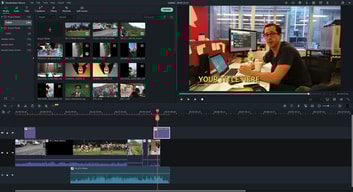
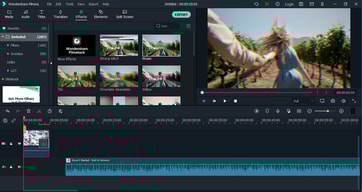
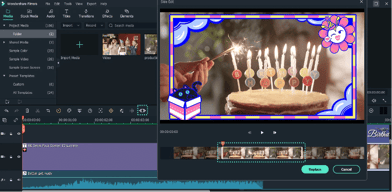
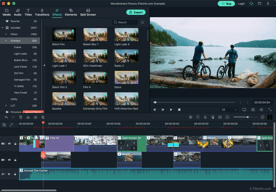
Best for social media and online videos, Wondershare Filmora is an easy-to-use and reliable video editing tool available at accessible rates. Filmora is feature-rich and provides access to motion tracking and custom animations that help bring videos to life. If you’re creating content for YouTube, you can even use suggested effects, filters, and titles. It comes with a library of sound effects and templates that boost your video’s professionalism.

Company Wondershare Technology
Year founded 2003
Company size 501-1000 employees
Headquarters Shenzhen, Guangdong, China
Social Media
Wondershare Filmora Categories on Findstack
Crevio Logo
Crevio
Sponsored
5.0

( 1 )

Free plan available
Crevio is a platform for creators to sell digital products, services, courses and access to other 3rd-... Learn more about Crevio
Ask Questions about Wondershare Filmora
What Wondershare Filmora is best for?
How does Wondershare Filmora compare to Capcut?
What are the pros and cons of Wondershare Filmora?
Wondershare Filmora Product Details
Capabilities
AI
Segment
Small Business
Mid Market
Enterprise
Deployment Cloud / SaaS / Web-Based, Desktop Mac, Desktop Windows
Training Documentation
Languages English
Wondershare Filmora Pros and Cons
Pros
  • Easy to use for beginners
  • Tons of great tools for social media videos
  • Easy to resize and adapt your content for different platforms
  • Extensive free version for testing functionality
  • Lots of animations, filters, and effects
Cons
  • May be a little limited for more professional videos
Wondershare Filmora Features
3D Editing
4K Support
Aspect Ratio Control
Audio Mixing
Audio Sync
Batch Processing
Chroma Key (Green Screen)
Clip Trimming
Color Correction
Effects Library
Export Options
HDR Support
Keyframe Animation
Motion Tracking
Multi-track Editing
Multicam Editing
Proxy Editing
Reverse Video
Screen Recording
Slow Motion
Social Media Sharing
Storyboard Mode
Text Overlay
Timeline Editing
Title Templates
Transitions
Video Cropping
Video Stabilization
Voiceover Recording
Wondershare Filmora Media
Wondershare Filmora video thumbnail
Wondershare Filmora 0
Wondershare Filmora 1
Wondershare Filmora 2
Wondershare Filmora 3
Wondershare Filmora 4
Wondershare Filmora Screenshots
Wondershare Filmora screenshot 1
Wondershare Filmora screenshot 2
Wondershare Filmora screenshot 3
Wondershare Filmora screenshot 4
Wondershare Filmora screenshot 5
Disclaimer
Our research is curated from diverse authoritative sources and meant to offer general advice. We don’t guarantee that our suggestions will work best for each use-case, so consider your unique needs when choosing products and services. Feel free to share your feedback.
Last updated: December 04, 2025
Wondershare Filmora Logo
299 Wondershare Filmora Reviews
4.5 out of 5
Small Business (50 or fewer emp.)
Aug 06, 2019
 Source
Overall Rating:
5.0
Philis W. avatar
Philis W.
Digital Specialist
Share
"Video Editing Software Of Your Choice. "
What do you like best about Wondershare Filmora?

Filmora is a video editor software that contains unique features and special tools that don’t require any special packages. It is easy to use even for a first-timer and the interface is friendly to anyone. Its’ options are always fixed therefore one can quickly use the video editor without any failures. With this software one can be able to add or remove customized backgrounds, filters, transitions, desired skin interface, remove background noise etc. on videos. The software has a trial version which is compatible with all windows.

What do you dislike about Wondershare Filmora?

I find the editing features minimal so adding more features will make it better.

What problems is Wondershare Filmora solving and how is that benefiting you?

For video editing and background noise removal since it is very easy to use and I can make as many edits with the software without any restrictions.

Small Business (50 or fewer emp.)
Aug 05, 2019
 Source
Overall Rating:
5.0
Joy A. avatar
Joy A.
Web Designer
Share
"Video Editing Program."
What do you like best about Wondershare Filmora?

It has a very easy and friendly interface making it the best software for video editing mostly for non experts or for someone who is aspiring to begin video editing. Allows me to work on more than one video format such that while using filmora i can even edit a video that is in 4K format, HD and many other. Enables me to use keyboard shortcuts in modifying and editing mostly while applying different effects on my work. It allows me to share my complete edited video on different sites mostly the social media which i find very helpful and a feature that allows me in showcasing my work.

What do you dislike about Wondershare Filmora?

Filmora is an incredible software but the pricing of the Pro version is unfavorable.

What problems is Wondershare Filmora solving and how is that benefiting you?

Have been using filmora in video editing and sharing edited videos for marketing purposes and more so its very easy to use and helps in coming up with an outstanding end product.

Mid Market (51-1000 emp.)
Aug 05, 2019
 Source
Overall Rating:
5.0
Chinthani G. avatar
Chinthani G.
Data Entry Specialist
Share
"Filmora video editor"
What do you like best about Wondershare Filmora?

FilMora is a video editing software with easy editing tools and high end quality. this is designed to make it easy for a stranger to use. The software is simple, but it can use create good video The software can be installed and used on a regular computer.

What do you dislike about Wondershare Filmora?

Some of these tools have no shortcuts, which can affect the creation time for video editing.

What problems is Wondershare Filmora solving and how is that benefiting you?

The components offered by the software are the most popular, and allow for high-quality editing in MKV, AVI, MOV, HD, Full HD,MPEG, MP4 UHD and 4k, and the end of the creation is very good i like and my best video editor

Small Business (50 or fewer emp.)
Aug 01, 2019
 Source
Overall Rating:
5.0
Mark G. M. avatar
Mark G. M.
Video Editor
Share
"The best and easiest video editing tool."
What do you like best about Wondershare Filmora?

There are many things that I can say that I like about FIlmora, this tool is ideal for all types of video editing projects, be they small editions, or works, that require different effects and all kinds of editions in them. A tool that I love from FIlmora, is the Instant Cutter, with this tool, I can make different video cuts in seconds, this helps a lot, to make different projects, where the editing is minimal. The complete editing mode, brings all the tools that an intermediate video editing software can have, with this tool you can create amazing videos, and very striking for the general public.

What do you dislike about Wondershare Filmora?

I would like filmora to have, with a much broader catalog of copyright-free music, we currently have the full version, in which we have acquired, the different update packages that filmora brings, including the audio package, and I feel that it is missing a lot in this, the used, audios should be repeated a lot, they are really good, but they need more, I wish this could be improved as soon as possible, since I do not like to be downloading audio from google, or other sites.

What problems is Wondershare Filmora solving and how is that benefiting you?

With Filmora we can create many projects that are of a basic - intermediate edition in a very short time, this helps us deliver the projects in the shortest possible time, our customers are satisfied because, with Filmora we can create effects, transitions, animations, all these in a professional way, in minutes, which is ideal for projects that must be delivered in a very short time.

Mid Market (51-1000 emp.)
Aug 01, 2019
 Source
Overall Rating:
5.0
Nimasha  E. avatar
Nimasha E.
It Teacher
Share
"Filmora"
What do you like best about Wondershare Filmora?

Filmora is perfect editor for home videos and professional application and this is a great video editing program with a powerful toolbar and a set of basic and advanced features that make it easy for any user to edit.

What do you dislike about Wondershare Filmora?

In this software, I don't think there are any disadvantages of the minimal unlimited export purchase version.

What problems is Wondershare Filmora solving and how is that benefiting you?

Filmora is a complete application with a very useful interface to make your work enjoyable, you have the tools to do professional-level editing work. High quality suitable for new users and users with advanced knowledge,

Mid Market (51-1000 emp.)
Jul 30, 2019
 Source
Overall Rating:
5.0
Sumedha W. avatar
Sumedha W.
Technical Specialist
Share
"Filmora Video editor."
What do you like best about Wondershare Filmora?

What I like about this is its simplicity and its ability to be well-crafted. This software is easy to work with even for the beginner in this field and there is a very good interface and it helps to create good creations

What do you dislike about Wondershare Filmora?

Overall there are not many problems and there are some shortcuts to other video editing programs that are not available here.

What problems is Wondershare Filmora solving and how is that benefiting you?

This is a very useful and easy to use interface for video makers. I use this for most of my editing.

Mid Market (51-1000 emp.)
Jul 27, 2019
 Source
Overall Rating:
5.0
AG
Verified Reviewer
Founder
Share
"video editing softwere"
What do you like best about Wondershare Filmora?

This software can be downloaded quickly and install to the computer and this product is easy to use for video creator and beginner There are several video timelines so you can add two videos and set the video.I use this to finish a good creation fast.

What do you dislike about Wondershare Filmora?

The problem with this is that some tools don't have shortcuts and The timeline should be set for a higher edit range

What problems is Wondershare Filmora solving and how is that benefiting you?

I use this software to make some videos of the company . so I create presentations and other videos clips and other presentations that my workplace college and children need

Mid Market (51-1000 emp.)
Jul 26, 2019
 Source
Overall Rating:
5.0
AG
Verified Reviewer
Founder
Share
"Friendly interfaces and functionality of Filmora"
What do you like best about Wondershare Filmora?

You can easily make a video and apply those designs or themes according to your requirements.

What do you dislike about Wondershare Filmora?

Free designs are limited and added feature should have subscription. It freezes if have too much photos import to it.

What problems is Wondershare Filmora solving and how is that benefiting you?

Not a major one, else I can do and create beautiful videos at the comfort of my home.

Small Business (50 or fewer emp.)
Jul 24, 2019
 Source
Overall Rating:
5.0
Shiru Q. avatar
Shiru Q.
Graphic Designer
Share
"Filmora-Totally worth it."
What do you like best about Wondershare Filmora?

It provides some many incredible features that makes video editing so simple and fun. -Allows you to focus on one portion and blur the rest. -allows you to add text on the video you are editing. -its super simple to use. -supports different video formats.

What do you dislike about Wondershare Filmora?

The pricing of Filmora is a bit high although its worth the feature that its bring along.

What problems is Wondershare Filmora solving and how is that benefiting you?

Enables me edit video clips and tutorial perfectly due to it friendly interface.

Small Business (50 or fewer emp.)
Jul 21, 2019
 Source
Overall Rating:
5.0
Hottensia W. avatar
Hottensia W.
Computer Technical Specialist
Share
"The Best Video Editor Software ."
What do you like best about Wondershare Filmora?

1.its very simple and easy to use. 2.provides you with endless video editing filters making it easer for you to make a perfect video. 3.It has special feature that are rare to find that allows you to add text to the edited video. 4.allows you to work with different video resolution from HD to 4K.

What do you dislike about Wondershare Filmora?

The free version which i use lacks features like watermark.

What problems is Wondershare Filmora solving and how is that benefiting you?

Has helped me edit videos like a professional and be able to share them on youtube adding more views due to quality.