

Unclaimed: Are you working at Wondershare Filmora?
Wondershare Filmora Reviews: 4.5/5 — Highly Rated

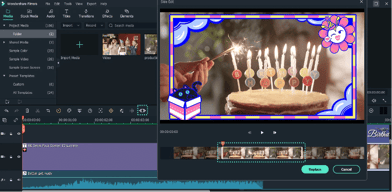
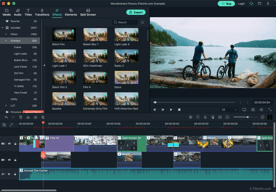






I'm a Graphic Designer and a Photo Editor. When I decided to try my hands in Video Editing, I entered this genre with Filmora. And after trying out my hands on this software for a while now, I'm writing down this review. Here are few things which I like about Filmora -It's a easy to learn software and because of it's smooth and simple UI one can easily get used to it that too in less time. -It comes with multiple inbuilt effects like Transitions, Subtitles, Overlays, Elements, Filters and stylish text title editor. -This is my personal favourite. Filmora has very good rendering speed and it export the video in very less time in coparison to Premiere Pro. -Filmora has a Store named FilmStock from where one can download different kind of Transitions, Audio, Stock Media, Video, and Effects Pack.
Filmora is good for a start, but when I started using it for some big projects, I started seeing some being drawbacks of it. Here by I'm mentioning some of them -Editing in Filmora is easy, but exporting a copy without their Watermark is tough in free version. The watermark acts as a headache. You will have to buy there subscription plan if you want to render the product without the branding. I guess they can remove this option in the trial version. -Options of Color Grading is limited, giving a Cinematic look becomes important for some project and Filmora lacks this thing. Thus it makes Filmora a basic Video Editing App. Also Curve and Color Wheel are some very important tools which I need while editing a professional video for a client. -There are many more tools/feature which lacks in Filmora like Speed remapping, motion tracking, bath rendering and more. These are some of the important features for a Professional Video Software
Editing video with Filmora is super easy and superfast. Filmora is a software that doesn't require high end system and because of this fact I use it for most of my standard work which doesn't need professional output. Because of less RAM consumption from Filmora, I can do multi tasking and It doesn't affect the performance of my system. Filmora is simple to use and any person can learn it in the first go, and because of this fact only I entered Filmora and after using it for some projects I got to know about the more capabilities of it. FilmStock is very useful for you if you want to do basic Video Editing for your small works. When you are working on other software you need to visit different sites for your project, but in Filmora things are different. FilmStock - The Resource website by Wondershare is a great platform for downloading all of your required things like Music, Effects, Transitions, and Stock Videos. Working in a Media Agency is not a easy thing and sometimes because of the software you have to suffer through a Mental Trauma or Time Crisis. Sometimes I'm editing the Photos, Sometimes I'm doing Video and in order to tackle this you need a software which doesn't affect your workflow. Filmora will never let you feel that you're stuck somewhere because of it's clean UI. The simple drag and drop feature and Timeline Management is very much different from other software and that is the thing which makes it stand among other softwares. Because of Filmora I have exported many of the videos in less time with the help of their inbuilt transitions and effects panel.
The best thing is that it is very easy to understand and navigate. It help me to create videos with lots of attached themes.
If I want to change the background image as video then there is no option to add it. Please improve it
My problem is while creating any video in another tool it will take too much time but by Filmora, It is so fast and easy to build any video and high quality render option as well.

Simple interface to use, less render time
Less options to create a better video as compare to adobe premiere pro or After effect.
Editing video for news and documentry.
Filmora is a very intuitive and easy software to use. You can adopt professional effects on your videos with ready-to-use pre-programed blocks. We use it constantly for business editions such as Culture, social events, product demonstrations.
The rendering & export tools are not too fast for heavier videos. And, many times, the size of the output file is bigger than expected. I would not use it to edit videos with more than 5 minutes.
We don't need a bazooka for daily editions, and Filmora can support a lot with that. A simple to semi-professional edition is an excellent result to expect.

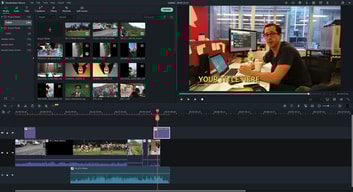
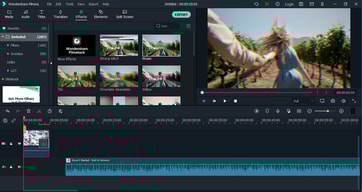
Filmora offers a fantastic level of simplicity and user-friendliness to most novice as well as intermediate-level video editors. It has a clean interface that is similar to most other video editors in that it is divided into three parts - the source content, preview on the left and right respectively, and the timeline at the bottom. Most controls are fairly intuitive. It offers a good amount of transitions, overlays, and other effects and renders quite fast. There is quite a bit of onboarding information available on their YouTube channels in addition to which there is quite a bit of user-generated resources available that's made by Filmora users which is great.
The interface is not designed for touch screen devices like tablets or touchscreen laptops. They do offer some more free stock footage and music but could do with some more. It doesn't crash often but it does happen from time to time. It also tends to log you out unexpectedly and it has happened to me multiple times when I've worked on a project and have started finalizing it which can get quite annoying. The mobile or Android version requires a separate licence (the last time I checked) which is annoying because you would imagine if you got the main version for desktop, you would at least get the lite version for your mobile phone to edit videos on the go.
Editing is relatively quicker with Fimora compared to if I were to use Adobe Premier. The learning curve wasn't as steep and the resources are quite plentiful. The quick turnaround enables us to edit and finalize more video content which is great for us and our clients.
Filmora is a handy video editor for creative creators, where functional effects and tools are required for videos with good visual finishes, also focused on making videos for multiple platforms and social networks, where we can have coloring and lighting effects as well as Easy to add nuances and special effects, it also has the essential tools for editing and inserting text and images, and also editing for adaptability to multiple playback devices
I would like the program to have more visual effects in addition to those it already has since they are often widely used by content creators on social networks
I use this editing software to develop the content that, in this case, is focused on hospital health, and the dissemination of disease prevention methods and free guidance in basic care, therefore we develop educational videos on these topics through editing . and add presentation effects to improve the visibility of our content. We also edit videos of our conferences and talks on human development, adding the brand openings and credits as well as the different changes of the presentations with text as well as improving the quality of the videos.

There are many things that I like about Filmora easy to understand interface multiple timelines with the freedom to overlay elements green screen feature the split-screen feature is also very good very less learning curve
limited library of elements Sometimes it becomes very slow The lower thirds are not very high quality can't remember any other thing I don't like about filmora.
I am using it to edit my long-form videos I shoot videos for youtube and Filmora is the best solution to edit these long videos. I can cut the unnecessary portion of my video and add effects to make it more engaging.
There's a lot of features in Filmora, which I didn't find in any other video editing software (like in Adobe Premier Pro). What makes Filmora the best is that the interface is user-friendly and easy to work on. Filmora is really great for minor edits and even for making any professional videos (be it for YouTube or any trailer/demo video).
Okay, quite honestly, the watermark in the free version is quite annoying. The watermark is really big (Filmra could have considered putting a decent size watermark on one side of the screen). This pushes you to upgrade to the next tier.
I have used Filmora for making video presentations for my projects which I had to pitch. I have also used Filmora for making the YT Trailer of my SaaS and also for making 20 seconds video ads of my application. Honestly, Fimora makes everything easy and presentable!
The overall user interface is quite friendly and easy to get hands on for beginners. Love its editing features, you feel like a professional while doing so.
If you are not using the premium/ paid version, it leaves a watermark on the edited video. So for editing professional videos, you will have to upgrade the software.
I have my youtube channel, and I use Filmora to edit videos, record background voice, transition videos, include text, and much more. This software is very smooth to operate and does not lag, and it does not take much time to convert the final video with effects.

Filmora is bunduled with plenty of features, which are easy use and take your video to next level in no time. Plenty of effects that can that can be easily used to enhance the video. Pan and zoom is awesome and pretty simple to use. It has option to reduce quality of video while editing for smoother operation without affecting the quality of final video. Beat detecter is really handy to sync changes in video with required beats.
Nothing as such, it does its job as expected.
Using it to create music video for my youtube channel and this software is empowering me with everything that I need to make awesome videos.


