Unclaimed: Are you working at 1Password?
1Password Reviews: 4.7/5 — Highly Rated
1Password brings together top-notch security with great design. It works as a desktop with browser extensions for Chrome, Firefox, Safari, Microsoft Edge, and Brave. It also offers an intuitive password sharing capability, which makes it perfect for families, with intuitive sharing options. For free users, 1Password also offers vaults that can be used for both personal and sharing purposes. The Watchtower feature crawls a website to make sure no existing passwords being used are compromised and it also comes with dark web monitoring. Data categorization also lets users store passwords in a very organized way.


| Capabilities |
API
CLI
|
|---|---|
| Segment |
Small Business
Mid Market
Enterprise
|
| Deployment | Cloud / SaaS / Web-Based, Desktop Linux, Desktop Mac, Desktop Windows, Mobile Android, Mobile iPad, Mobile iPhone |
| Support | 24/7 (Live rep), Chat, Email/Help Desk, FAQs/Forum, Knowledge Base, Phone Support |
| Training | Documentation |
| Languages | English |


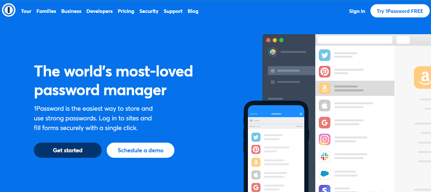






1Password’s Teams Starter Pack is $24.95 a month for ten people — about $2.50 per user. The Business plan is $8.99 per user. That is a 3.6× difference in per-user cost, and for a ten-person team it is $299 a year against $1,079. What the extra buys is identity-provider integration, vault-level permissions, and Watchtower breach monitoring. If you need none of those, the flat-fee pack is one of the cheapest credible options in the category.
- What it is: A password manager for teams and businesses, widely regarded as the best-designed in its category.
- Best for: Small teams on the flat-fee pack, or businesses that need identity-provider integration on Business.
- Pricing: Teams Starter Pack $24.95/month for 10 members; Business $8.99 per user per month. Both paid annually. Verified July 2026.
- The honest catch: Watchtower breach monitoring is a Business feature, not on the Teams pack.
What Is 1Password?
1Password is the design benchmark for password managers. The apps are genuinely pleasant to use — which matters more than it sounds, because a password manager only works if people actually adopt it rather than reverting to a browser’s autofill. It covers macOS, iOS, watchOS, Windows, Android, and Linux, with browser extensions across Chrome, Safari, Edge, Firefox, and Brave.

Two business plans are published. The Teams Starter Pack is a flat fee covering ten members, with up to ten additional seats available at per-member pricing — so it tops out around twenty people. Business is conventional per-user pricing with no ceiling.
1Password prices in local currency; our capture returned $24.95 and $8.99 in US dollars, and €21.95 and €7.99 on the euro list.
How 1Password Works
- Teams Starter Pack is a flat fee covering ten members, not a per-user rate.
- Up to ten additional seats can be added at per-member pricing.
- Business is per user with no published ceiling.
- Watchtower alerts arrive on Business, not on the Teams pack.
- Identity-provider integration is a Business feature — Okta, Entra ID, OneLogin, Duo.
- A 14-day free trial on both plans, with no sales call required.
1Password Pricing
Captured from 1Password’s business pricing page in July 2026. Figures below are in US dollars; the euro list showed €21.95 and €7.99 for the same plans.
| Plan | Price | Per user | Includes |
|---|---|---|---|
| Teams Starter Pack | $24.95/mo for 10 members | ~$2.50/mo | Sharing, security alerts, role-based permissions, developer tools |
| Business | $8.99/user/mo | $8.99/mo | Adds Okta/Entra ID/OneLogin/Duo, role-based vault sharing, Watchtower alerts |
| Enterprise Password Manager (MSP) | Consumption-based | — | Dedicated MSP console, no licence minimums |

What actually decides your plan:
- The Teams pack is exceptional value if you fit inside it. $24.95 a month for ten people works out at roughly $30 per user per year — cheaper than Keeper’s $48 Business plan and a third of 1Password’s own Business rate. For a small team that simply needs shared credentials with role-based access, it is hard to beat.
- The pack tops out at about twenty seats. Ten included plus up to ten additional at per-member pricing. Past that you are on Business, and every seat reprices — so a growing team should model $8.99 before they get there.
- Watchtower is the reason to choose Business. Breach monitoring, weak and reused password detection, and security hygiene alerts sit on the Business plan. The Teams pack offers “actionable security alerts”, which is not the same thing. If dark-web credential monitoring is why you are buying, that decides the tier.
- Identity-provider integration is also Business-only. Okta, Entra ID, OneLogin, and Duo. For any company with an identity stack, that is the practical requirement rather than a nice-to-have.
- Compare total cost, not headline rate. Keeper’s Business plan plus BreachWatch is $72 per user per year against 1Password Business at $107.88 — so 1Password is more expensive even after accounting for Keeper’s add-on. What you are paying the difference for is design quality and the identity integrations.
- There is an AWS purchase route, which matters if you have committed AWS spend to draw down or want consolidated billing.
Who Should Use 1Password
- Small teams up to ten people. The clearest case — the flat-fee pack is genuinely cheap for what it is.
- Companies where adoption is the problem. 1Password’s design is the reason people actually use it rather than working around it.
- Businesses with an identity provider. Okta, Entra ID, OneLogin, and Duo integration on Business.
- Developer-heavy teams. 1Password Developer tools and SSH key handling are included from the Teams pack.
It fits poorly for large teams on a tight budget, where per-user pricing adds up faster than competitors; for buyers who need breach monitoring cheaply, since that requires Business; and for organisations wanting a self-hosted option, which 1Password does not offer.
Honest Pros and Cons
Strengths
- A flat-fee pack for ten users at roughly $2.50 each per month.
- The best-designed apps in the category, which drives real adoption.
- Watchtower included in Business, not sold as a separate add-on.
- Identity-provider integration with Okta, Entra ID, OneLogin, and Duo.
- Developer tooling included from the entry pack, including SSH key handling.
- A 14-day trial on both plans with no sales call.
Limitations
- Business is 3.6× the Teams pack’s per-user rate.
- Watchtower is not on the Teams pack, only Business.
- The Teams pack caps at around twenty seats.
- More expensive than Keeper even once Keeper’s BreachWatch add-on is included.
- No self-hosted option, unlike Bitwarden.
- No free tier for business use, only a trial.
1Password Alternatives and How It Compares
- Keeper is cheaper per user, with dark-web monitoring sold as a $24 per user per year add-on rather than included.
- LastPass is the long-established alternative, with a security history worth researching before committing.
- Bitwarden is open source, the cheapest credible option, and can be self-hosted.
- Dashlane bundles dark-web monitoring and a VPN into its business plans.
- NordPass prices aggressively and comes from the Nord Security family.
- Keeper and Dashlane are the closest like-for-like comparisons on features.
For a broader survey, browse our password manager directory.
The Verdict
1Password remains the best-designed password manager, and that is a substantive advantage rather than an aesthetic one. Credential managers fail when people find them annoying enough to work around, and 1Password is the one users tend to adopt willingly. Coverage across macOS, iOS, watchOS, Windows, Android, and Linux with extensions for every major browser means there is rarely a device where it does not work.
The pricing has an unusually good deal hiding in it. The Teams Starter Pack is a flat $24.95 a month for ten members — roughly $2.50 per person, or about $30 per user per year. That undercuts Keeper’s $48 Business plan and comes in at less than a third of 1Password’s own Business rate. For a small team that needs shared vaults and role-based access without an identity stack behind it, that is the cheapest sensible option in this comparison, and it deserves more attention than the per-user headline gets.
Know what moves you off it. Watchtower breach monitoring is a Business feature, and so is integration with Okta, Entra ID, OneLogin, and Duo. The Teams pack offers “actionable security alerts” but not Watchtower, so if knowing when an employee credential appears in a breach is a requirement — and for most security-conscious businesses it is — Business at $8.99 per user is your plan. At that point compare honestly: Keeper’s Business plan plus its BreachWatch add-on totals $72 per user per year against 1Password Business at $107.88. 1Password costs more, and what you are buying for the difference is design quality and identity integration. Both are real; whether they are worth 50% is a judgement about your own team.
FAQ
How much does 1Password cost for business?
Captured in July 2026: the Teams Starter Pack is $24.95 per month including ten members, paid annually, with up to ten additional seats available at per-member pricing. The Business plan is $8.99 per user per month, also paid annually. On the euro price list those figures were €21.95 and €7.99. Both plans include a 14-day free trial, and there is a consumption-priced MSP edition.
Is 1Password’s Teams Starter Pack good value?
Very, if you fit inside it. At $24.95 a month for ten people it works out at roughly $2.50 per user, or about $30 per user per year — cheaper than Keeper’s $48 Business plan and around a third of 1Password’s own Business rate. The limits are that it tops out at about twenty seats and does not include Watchtower breach monitoring or identity-provider integration.
Does 1Password include breach monitoring?
Watchtower alerts are listed as a Business plan feature, under “everything from Teams Starter Pack, plus”. The Teams Starter Pack includes “actionable security alerts” but not Watchtower specifically. Unlike Keeper, which sells its BreachWatch monitoring as a $24 per user per year add-on, 1Password includes Watchtower in the Business subscription rather than charging separately for it.
When should I move from Teams Starter Pack to Business?
When you pass roughly twenty seats, need identity-provider integration with Okta, Entra ID, OneLogin, or Duo, or need Watchtower breach monitoring. The seat ceiling is the hard limit — ten included plus up to ten additional — but for most companies the identity integration or Watchtower requirement arrives first. Budget $8.99 per user per month at that point, since every seat reprices.
1Password or Keeper?
Keeper is cheaper: $48 per user per year on its Business plan, or $72 with BreachWatch added, against 1Password Business at $107.88. 1Password has better-designed apps, which materially improves adoption, and includes Watchtower in the subscription. If you are under ten people, 1Password’s Teams Starter Pack at roughly $30 per user per year undercuts both — provided you do not need breach monitoring or identity integration.

Compare 1Password with other popular tools in the same category.

Contracting for multiple companies where I require a multitude of access, this has been the most utilized one with all clients. The fact that I can easily be added to another company's account to gain the access I need, while maintain our company internal information and specific personal passwords I want to store, makes this the best service I've used yet. It so easily integrates with any browser I've tried but also has allowed me to setup protocals in the event of disaster recovery.
Also, while I appreciate it from a security standpoint, having to log back in after being inactive for a few minutes can be a pain when I'm rushing through various servers and sites I need to access.The only other drawback right now is server side authentications through htaccess, which generates a popup box on top of the browser, which 1Password doesn't recognize so will not allow you to fill in.
I get access quickly to client accounts I need but I can also share internal login and passwords to my team instantly and more securely than email or by messenger. Also, since I utilize a desktop, a laptop, tablet, and my phone in my day to day work life, it's made it easier to make sure I have access on demand when I need it no matter which device I'm on.
1Password is a breeze to use. The Chrome browser extension is super convenient, and the Mac app is a great backup. Honestly, though, I use the Chrome extension pretty exclusively. I have begun rolling out 1Password to my team, and we plan to roll it out across our entire company over the coming months.
On occasion, first-time logins don't save, so I typically always copy/paste the password I created into a document or new browser tab — just to be sure. Also, for my personal passwords, it's a bit of a pain to have to manually type passwords for my subscription services (Hulu, Netflix, etc.) into my TV. First world problem, I know haha
1Password gives me piece of mind knowing that my personal passwords, as well as the passwords I create and use professionally — both on behalf of my company, as well as our clients — are extremely secure. Being able to manage my team in 1Password also makes the process a lot simpler (and more sane) when we have to let an employee go, or when an employee transitions to a new job. There's no more "change all the passwords!!!" fire drills. We simply remove the employee(s) from 1Password and call it a day.
1Password organizing, creating, and managing passwords fast and easy across all of your devices and across your team.
I wish 1Password was easier to transition from a personal account to a team account and understand what happens if someone leaves a team and needs to keep their personal data.
1Password allows companies to share logins across whole companies or down to a small team level. It creates a more secure environment and encourages users to create more secure passwords.
it makes it so convenient to set up new accounts and keep passwords in one place!
nothing at all. it is a totally adequate service
none. it makes sharing passwords really easy as well.
I like the idea of having different vaults, so not only can we store team passwords but also our own private ones
There is nothing I dislike about it.....
Helping employees secure their passwords in a way to avoid tools/products to be compromised
I've used 1Password since before it was a subscription product. I don't mind paying for it monthly now, as it has remained updated, secure, accessible, and easy to use all this time. The ability to store information other than passwords is useful, as well as the secure browser and ability to paste username/password info into both 1Password's secure browser and other supported browsers. Great all-around program and worth the small monthly fee,
Transferring database access to a new device can be a bit tricky sometimes, but customer support has always been helpful if I needed their assistance.
When my wife and I ran our own business, we went from keeping all the various database and business account password on a sheet of notebook paper (oh-so-secure) to 1Password, based on my prior experience with it. It was more secure and saved time when time was money. Even though our business is no more, it converted my wife over to using the program after trying to get her to use it for years.
I like that I only have to remember one password and the software remembers all of my other passwords. Worth every penny! It even will create passwords for me, so I don't have to.
I wish the price was a little cheaper, but it is the price you pay for convenience.
Our companies employees and administration were able to stop remembering so many different passwords to the many different cloud-based applications and such that we use.

One of the best tools that focusses on true User Experience and delight. Case in point here, is the integration of 1Password in the iOS keyboards. It is such a delight to fill the passwords or OTPs with this integration, when earlier it was such a pain point. A true example of how software can solve real world problems and give super power for mortals when you are surrounded by phishing sharks and hacking whales.
To be honest, I don't like their subscription model. But I understand the need for having recurring business as a way forward. Still, the consumer in my is wailing to pay the one time fee and just forget everything.
A super cool password manager and authenticator. It is my lifeline to use Internet in a safe and secure manner.
Simple to use. Highly secure. Easy to make new passwords. iOS app is simple to use. Macbook app is easy to use. Chrome attachment is easy to use. I can't say enough good things about this app.
The only thing I think they could do better is more easily go from a mobile browser to using the password.
Onboarding and offboarding is much more organized and takes less time with 1Password. Passwords are more robust and secure now.
I like not worrying about not knowing my passwords (especially with the constant requirement to change them all)
The app I keep on my Mac doc is always slow or doesn't remember my username which can be annoying, it should easily sync with my gmail but doesn't
I'm more organized which makes my workday flow much smoother and easier
I love that it allows for you to always make sure your information is protected. I've had multiple accounts hacked and I have also lost information or passwords due to them being poorly kept.
I dislike the fact that it calls for a few different verifications to set it up properly.
I'm using this to make sure my information stays confidential. When starting at my company we are required to sign up and utilize 1Password to make sure that we keep all of our things kept private. I have realized that when in a professional environment, it is extremely important to keep the information you want held private, to stay that way.
This app has it all- literally all of my passwords. The thing I like best is that it will launch the website from the app and autofill my passwords.
Its a little glitchy. It doesnt always autofill when I want it to, and on the macbook it often stops letting me user my fingerprint to open it which requires remembering a password..
This is a major enhancement to security issues associated with letting google auto-fill passwords. It is also a time saver!
I used this app for now more than 3 years and was never disappointed because It is always getting better over the years, like with the integration of Touch ID and Face ID. The vault is easy to use and organized and can be implemented in most browsers.
Right now there is the new auto-fill feature in ios and I'm missing it on the mac because there I have to always do copy and paste.
I don't have to remember a ton of Passwords when I need them fast.
It's super easy to use and sort items, as well as access saved passwords on your mobile device
I have to link to dropbox, it would be nice not to have this installed everywhere I want to use 1password.
I use random complex passwords to access accounts and resources at my place of employment.
The best part about 1Password is that it integrates directly with Google Chrome, so you can autofill logins right in your browser. I also really love the "Generate password" feature. I use this when I need to create a new login, and I think it's way more secure because it creates a chain of random letters and numbers.
There isn't really anything I don't like about 1Password. The only thing I can think of is that it asks to update quite frequently.
I think 1Password makes everything more secure because people don't have to share passwords by writing them down, and people also use more secure passwords thanks to the "generate password" feature.
Where do I begin... Personally, this is the best App I own and use on a daily basis! It saves me time, money and allows me to keep control of all my top secret passwords and data. I have been using OnePassword for over 5 years, and I would never change (at least I don't think I would) to an alternative. The fact is the App is simple to use, secure and provides complete control over my password management, the days of notebooks or even protected spreadsheets are long gone. I have recommended OnePassword thousands of times to others. - The software is simple to use - Very cost effective Vs other similar Apps - Robust - Never had an issue or outage - Innovation - OnePassword are always looking at new tools or making existing processes better - Integration - Integrates well with other 3rd parties software such as Apples iOS - Great mobile App for access on the move, simple to access when you need a password or pin number - Cloud-based so syncs across all my devices.
Well... this is a tricky question to answer, as there isn't anything I can think of! Maybe the ability to unlock your vault on your laptop using your mobile device, thus saving your fingers entering your master password. So much easier on a device with fingerprint or facial recognition.
Keeps all my password protected, secured and under one master key. Allows me to share and control group passwords or important information with others in my team. And finally, ever password is different, less risk of data hacking or loss.
I've used others password managers but for me 1Password is as secure, reliable as other but have: .- the easiest user interface - the best integration in web pages and also on mobile devices
I dislike the price, it's no expensive but I would prefer it was free. Even though I think that it's a correct price versus the competitors.
I user 1Password on my business and also for my personal passwords. With this tool you can: - Forget your passwords. 1Password do this for you. With only One password you can access all your passwords. - Mange yours passwords in a distributed way. You have available your passwords wherever you are. Also without Internet connection. - Allow you share your passwords. This feature is useful in your business because you can centralise the password information of all your accounts (Data Base connection, Server logins, Services accounts login ...) and these are accesible the one sure way for all the team. But is also useful in your private life, because allow you share passwords with your family (Streaming video platforms, Streaming music platforms, ...). - Control the privacy of your passwords. Allow you to create different vouchers and leave the voucher private only for you or share the voucher with the users that you want. - Additional features of this password manager are: - Allow fill your passwords in your web (have plugins for the most populars web browsers) and also in your mobile applications. - Allow you manage no only passwords, you can store your credit cards, product licence, personal identifier documents, and else.
Simplicity, how it syncs all my passwords independently on operating system. And those guys care about security so. I am happy.
Well, it used to be one time fee, now it is subscription, but you get some cool features, like special things for crossing border without your data. It is interesting.
We can easily share passwords with the right circle of people. I do not have to care about small group of people, and they can even be distributed in few separate vaults.
Easy to use Secure Great user interface Affordable
Moderate learning curve for non tech savvy users
1. Sharing passwords in a secure way (ie not via text, email, or Slack) 2. Generating random passwords for each service
1Password is easily accessible with no complications.
This is a super simple program, so there really isn't anything to dislike as they didn't have a chance to screw it up.
My team and I all have access to 1Password, which allows us to login and interact with multiple sites without have to repeatedly search for their codes
That it will create a password for me for each login-and that it will prefill if I choose to.
There isn’t a feature that I dislike about the product.
This gives the security of truly having unique and difficult passwords for everything and not having a sticky note on your desk to try to remember them.
1Password is my most reliable password vault on all platforms I use because it works
Will provide suggestions once I find any dislikes but satisfied as of now
Security and reliability
Security, ability to share vaults, mobile capabilities, and the password generator. Solves for all my password organization needs. Had been looking for a tool like this for years and am so glad to have now found one! It's impossible to remember every password anymore because every site has specific requirements, so I love 1password for eliminating that stress. It is also not based on my web browser which is much better because many times I am using it for logging into apps on my phone.
Takes some getting use to at first. Not super intuitive, but once I understood all the capabilities it was easy. I have recommended 1password to a lot of people, but they usually need help understanding how to use it - the same way I was at first.
Our teams are able to share access to accounts based on permissions needed for specific projects, it makes for a more streamlined work flow. Huge time saver overall and peace of mind regarding security. Not stressed trying to remember which password combination I need to use for each thing.
I used this in a job where I had to use several different passwords to access different systems for my job. 1Password made it very easy to create unique secure passwords and store them securely
I had difficulty using the desktop app - I previously used it for another job on the same computer, and had trouble unsyncing that to setup the new one. Chrome plug-in worked great!
I feel confident that all my passwords are secure and the company's date is safe
One password is super easy to use, you can store your passwords, credit cards, have different vaults that you can even share out.
Once you stop updating the software of your license expires it basically becomes useless. I am also slightly paranoid that if somebody ever hacks the system all your passwords will get exposed.
Dividing passwords into vaults and sharing them with the team if it's a company login.
1Password makes it easy to avoid having to memorize my passwords, while keeping them safe from hackers.
Periodically, Chrome / 1Password updates break the integration - it's easily fixed by restarting Chrome however, so very minor pet peeve of someone that never closes their browser.
Password security & easily sharing passwords across a team.

I've been using 1password for about five years. I use it on my mac and all of my devices to manage all of my important data. I have over 175 passwords, and over 600 secure items in total. I enjoy the ability to easily access my secure information and add create passwords that cannot easily be figured out. Most of all, I love that, to my knowledge, none of my passwords/accounts have ever been compromised. For that reason alone, it has been a useful and powerful application.
I haven't found many issues with 1password. This is the best way to manage a large amount of passwords and information. I wish I could establish a workflow to remove outdated information, or accounts that I no longer use.
Being a graphic and web designer, I need access to a lot of client website, design resource websites (i.e. stock photography, code snippets, etc.) If I had to try to remember over 175 passwords, I would be resetting in often. My office has four mac users and the rest are PCs. They are using Roboform, which is comparable to 1password, but doesn't have the nice design and interface of 1password.
Great UI. Easy to use. Browser extension is very productive.
Windows version is so behind the Mac version.
Password management. I've realized I'm logging in to so many tools and I was reusing passwords, which was not a good security practice.
this is a great solution for people who has a lot of account, apps etc. very easy to use and all your passwords are secured. I am pretty satisfied with this product! it is great for both mobile and desktop
I would like to be able to attach photo to the record
great for a small teams who need to share account access to any tools
1Password easily integrates with my other iOS devices. This makes it great when I need a password but don't have my laptop. Look it up on my iPhone. When a create a new password on my iPad it automatically synchs with my laptop and other devices.
I'd be using 1Password for many years and resisted the Internet based option (old school-didn't trust the web). So I finally joined the 21 century and created a 1Password web account, but the transition/conversion wasn't as easy as anticipated. However, the great tech support explains and walked me through the process.
Great way to keep all your passwords and secure notes in one place.