
Unclaimed: Are you working at BlueJeans Meetings?
BlueJeans Meetings Reviews: 4.3/5 — Solid Choice
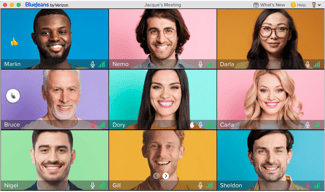
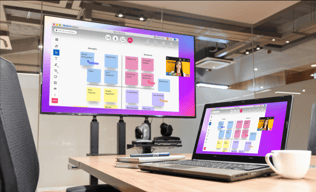
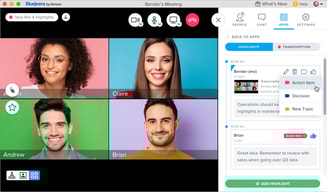
BlueJeans Meetings is a video conferencing software that lets teams connect remotely and collaborate through core features such as virtual whiteboarding, screen sharing, and recording capabilities. The platform is built to empower users to share information via a platform that lets them communicate and share data no matter where they are.

| Capabilities |
API
|
|---|---|
| Segment |
Small Business
Mid Market
Enterprise
|
| Deployment | Cloud / SaaS / Web-Based, Desktop Mac, Desktop Windows, Mobile Android, Mobile iPad, Mobile iPhone |
| Training | Documentation |
| Languages | English |









Compare BlueJeans Meetings with other popular tools in the same category.
It works for what it is meant for, however I have used webex and go to meeting previously and I much prefer the connection and clearness of the call quality through those other two. I’m not sure why companies are using BlueJeans but i don’t think it’s as good as some of the other companies out there like zoom.
It has some issues with connecting and clearness and quality of the calls, I’ve noticed. Sometimes the quality is lacking as well as the video quality can not be as clear sometimes but overall it works for what we need it to do, I just think there are better options out there available and not sure why people use this.
I guess it’s good for video conferencing and connecting with remote employees.
Nothing...we couldn’t Get the platform to work so switch platforms in order to complete a meeting. We did not use blue jeans for meetings again.
As user, hard to get in and participate. Host was unable to get access to controls In spite of multiple attempts.
none, Skype and Zoom accomplish our goals much more easily
Some features were interesting - and it seemed much cleaner looking with respect to controls.
Audio issues, some attendees could not get on with full audio and video capabilities.
We use it as a video and audio conferencing tool, but will be forced to use other conferencing vehicles if the problems persist (like GoToMeeting).
Scheduling and environment dependent joining links.
Sometimes there are some issues with either downloading the app or the chrome plugin, so I found it much easier just to join with the browser.
Mainly using it to set up conference calls and keep everyone up-to-date.
I do enjoy the video capability of BlueJeans and the screen share option.
Unfortunately, BlueJeans is never too reliable. I often have a difficult time signing into my own meetings let alone individuals joining my meetings. Currently, I am unable to use my own meeting room due to a moderator issue although I always use my moderator code but it will not let me join.
Not much at all.
The plug in on chrome is helpful. Also, having a consistent number is helpful.
The clunkiness of it - shutting down often, delays when sharing screen/video.
video conferencing. Being able to connect with teams across the country.
it's very easy to use the system even though who is not good at using computer.
We often have connection trouble not able to see the image or not able to hear the audio.
we can connect from anywhere in the world as long as we have internet connection!! we don't need to travel for the meeting.
I really find it awful and refuse to use it
Couldn’t login, couldn’t hear, couldn’t find group, not intuitive, why bother?
It was supposed to be an upgraded version of go to meeting but was anything but
What I like best is the ability to log in to Blue Jeans with my laptop - and then the ability to share my screen without having to use a dial in if I don't want to.
I seldom if never get the opportunity to use the sharing screen function because my customers have difficulty getting into the Blue Jeans app with their laptops. We have provided them the proper browser to use but some simply cannot download the app due to firewall issues on their side and have personally expressed this to me. So when I am performing a demo or a training I cannot use the Blue Jeans application. I'm forced to use a dial in and then use Webex in order to share my screen. This has been very frustrating to say the least.
I'm sorry - but at this time - due to the fact that I cannot connect properly with my customers I don't have any realized benefits at this time. (Please note - for the below question i cannot use blue jeans for Video Conferencing OR Webinar at all).
I can't say I like anything "best" with Bluejeans. For any web conferencing solution I just want it to work. Most of the time I have to kill all Bluejean processes on my Mac before starting / joining a Bluejeans session. This is such a common occurrence that I wrote a script to do it. I do like the link provided when you start a session, that is handy.
-Have to kill the Bluejeans processes prior to starting / joining a session -Sometimes it can take 30-40 seconds to start up -Customers routinely have issues joining sessions, with one of my biggest clients refusing to use it and instead sends me a Webex link for all our sessions
I just need a working web conferencing solution, more than half the time Bluejeans cannot deliver that.
The ease of sharing a set meeting with attendees, the integration with google calendar to automatically add events to your calendar, the ability to share your screen & change which attendees are in your view
BlueJeans is not a very reliable software. They have a lot of great features that you can utilize before & after the video call, but the call itself is always difficult. Very rarely do I get on a bluejeans call and seamlessly have all parties connect their audio & video. The connection is never great, and always has issues with being able to hear each other.
The ability to meet face to face with people across the country & minimize operations costs by doing these meetings from the comfort of our office. We definitely save a lot of money!
Bluejeans is the most frustrating web conferencing platform I've ever used. It takes something so inherently simple and over complicates it. This causes the lines to falter and calls are continuously dropped.
Not a fan of the constant call dropping and the fact that you have to download a desktop app instead of just being able to use it online to make calls.
It allows us to connect with our outsourced teams and clients.
Nothing really. I think it is a worse experience than some of the free tools.
It seems like every time someone wants to use BleaJeans for a call, someone has problems hearing, seeing or being heard. If you get too many people on the line, the people who join later can't hear.
We only use it when other teams that we work with want to use it.
It's easy to use with you calendar invite.
it gets stuck all the time and freezes your computer too. it needs fast internet connection. it is not very user friendly
we need a video conference platform and this is why we use it.
I'm a big fan of the meetings tool, its simple to use and efficient. Video conferences have always been high quality and I've never had an issue with connections or quality. The integrations for outlook and google are helpful as well. You can also set meetings with people without an account if you provide the meeting ID and passcode.
I honestly can't say there's much to dislike with this product. If anything, it can be a hassle for non-users to download the desktop app but as far I know you are able to join meetings as a guest from the webpage if you have the correct meeting ID.
Our company has multiple international offices and I primarily use Blue Jeans for meetings with our international sales team. Biggest benefit is ability to stream multiple live cameras with no dropped connections or quality issues.
Web based. No aoo required. Platform independent.
Totally unreliable connections. Customer service spends the time to analyze the issues retrospectively, but no resolution provided. They blame firewalls, but we too often had to jump on a facetime, or skype to continue a video conference call. And those work. We can't ask our clients to punch new holes through their firewalls for Bluejeans specifically.
Interviews, recruiting.
Bluejeans does not technically require users to download the application.
Bluejeans audio settings are not compatible with my earbuds, Bluejeans is difficult to use without downloading the application.
Have worked with customers to solve their questions.
Works most of the time. Video quality is ok.
Works most of the time. Normally. Having to wait for the moderator to join is a common problem
Still have a meeting without flying somewhere
the extension for outlook is easy to attach for meeting invites
It is unreliable you have to have the app in order for it to work properly and the call in feature never works
Conference Calls
Before it failed and no longer worked, the Outlook plug in was decent.
We had constant issues with insufficient BlueJeans bandwidth to maintain video. The Outlook plugin failed.
None. Replaced it
It integrates directly with our calendar making it easy to add a video conference link to meeting invites.
Takes a while to get used to the user interface. Video/audio quality is hit or miss. Its difficult to pass control of the screen from one user to the next. Its not uncommon to have to use separate devices for audio and video (laptop for video and dial in for audio).
Video conferencing with prospects or team members. Fosters better communication through audio and visual means.
BlueJeans has a few nice features that make managing and joining meetings easy; - Meetings can be set up and scheduled ahead of time, or on a recurring basis - An optional Outlook plugin allows you to schedule meetings directly from within Outlook - When joining a conference, you can have BlueJeans 'call you' and add you to the party automatically, without needing to call a number and enter a passcode - Meetings can be recorded for reference later - Integrations for Slack allow meetings to be created on demand while chatting with team members - Mobile apps work decently well (and in fact, audio/clarity on the mobile apps is more often than not, better than calling in via phone)
The platform itself is simply buggy and unreliable. I have heard from colleagues, and experienced first hand, that the audio quality is quite often lacking. We find ourselves either talking over one another or not understanding one another due to the audio cutting off. Additionally, when attempting to use screensharing, we find that some users experience a good amount of lag, to the point that it causes confusion on the part of participants in the meeting. Further more, there is a push toward using an actual Blue Jeans dedicated client, installed on your machine itself. While this is not necessarily uncommon, it is an additional step, and is not helped by the fact that browsing to a meeting in your web browser takes a significant amount of time to actually launch the app itself. I find myself being able to open the native app and manually specify my meeting ID before the website even detects it. For a number of my colleagues (and myself), the general attitude toward BlueJeans is that it is simply overly cumbersome. I have heard significantly more dissatisfaction than satisfaction with the tool. We frequently find ourselves using other tools (such as JoinMe) when we want to have a simple screen sharing session between colleagues.
There is a desire to have an enterprise-wide video conferencing service within our organization. BlueJeans has indeed provided us with a single unified platform for meetings, presentations, webinars, etc., however, the issues with the tool lend themselves to our users looking for alternatives elsewhere.
I like the UI and the fact that you don't have to download software to run the conferencing tool
It's super buggy. I use it almost everyday and there's always some small thing that keeps on crashing. Whether it's losing my connections and dropping the video altogether or missing the share and recording button option... it always something. Of all the VC tools I've used (WebEx, GoTo, Google Hangouts, Adobe, etc) Bluejeans by far is the most sensitive with voice and noise feedback. To avoid the issue, we make everyone mute themselves on the call--not because we don't want to talk over each other but because we'll hear an echo or intense mic feedback. Finally, I've noticed when sharing your screen, there's significant lag/delay. Not ideal when you're trying to present.
We're a remote team so a reliable VC tool is necessary. Also, most of our outside organization calls (i.e. meetings with vendors, recruitment, etc) require a reliable VC tool.