
Unclaimed: Are you working at BlueJeans Meetings?
BlueJeans Meetings Reviews: 4.3/5 — Solid Choice
BlueJeans Meetings is a video conferencing software that lets teams connect remotely and collaborate through core features such as virtual whiteboarding, screen sharing, and recording capabilities. The platform is built to empower users to share information via a platform that lets them communicate and share data no matter where they are.

| Capabilities |
API
|
|---|---|
| Segment |
Small Business
Mid Market
Enterprise
|
| Deployment | Cloud / SaaS / Web-Based, Desktop Mac, Desktop Windows, Mobile Android, Mobile iPad, Mobile iPhone |
| Training | Documentation |
| Languages | English |


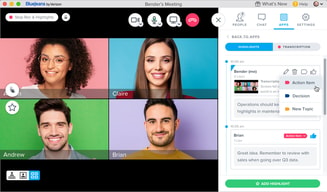






Compare BlueJeans Meetings with other popular tools in the same category.
This is an easy to use video conferencing platform and perfect for a small to mid-size business. Probably out of the price range for a solo-preneur
A little spendy for in individual or a sub-contractor. But other than that it is an ideal platform.
We use the for video conferences across the globe as well as working jointly with team members in different locations.
I like that I've never experienced any major issues while using it; it seems very reliable.
I dislike that it has a poor reputation and I know a lot of people really don't like it very much. I don't like the automatic video-chat feature.
Connecting with clients in an easy way and sharing a screen.
I use Blue Jeans for the majority of my meetings. It is nice to collaborate with everybody on my diverse team.
I would like to be able to quickly switch between meetings. Currently I have to exit Blue Jeans and re-open to start my next meeting.
We are able to collaborate on projects, train users on new features, have developers mentor each other and record trainings.

I enjoy blue jeans due to all the amazing qualities it has to offer. It allows participants to use a phone to call in and hear the presentation. There is a spot where you can chat with other participants, where the presenter can read them, and answer while still presenting.
In the past when we have used bluejeans the connection has been extremely spotty. Whether it is our wireless connection, or read th in the past when we have used bluejeans the connection has been extremely spotty. Whether it is our wireless connection, or the Program it self, there definitely needs to be some updates. Also there is a maximum amount of participants that can join a call.
This program is used nationwide to connect people across Nordstrom. It allows us to feel like we are all in the same room coming up with great ideas to better our business .
The ease of scheduling meetings. BlueJeans provides individual numbers so there is consistency with meetings.
Nothing
Bring staff from all over the country together seamlessly.
BJN is fairly easy to use, intuitive and does not require much english language knowledge. the local line dial in features makes international business much easier to conduct.
Land lines should encompass more countries, especially those in developing countries. the system is fairly data heavy so callers from low resource areas (kenya, uganda, bangladesh, to name a few illustrative examples) have a hard time getting reliable connection. a low bandwidth option for those countries would be appreciated
Bluejeans helps our partners and staff in other countries connect easily when not everyone has skype. however, it's not widely used so few have experience with it. partners in remote locations are able to dial in by phone (if the option is available in that country. would appreciate more countries on that list.

I most like the calendar functionality to click a button and have it set the dial in information automatically in the invite. My other favorite thing is when calling in from your phone, it auto puts in the code for you when you click from the link. It's so difficult on the go to stop and copy the code from your email and put it into your phone. The general UX/UI and design of the program is beautiful and really easy to navigate.
It's hard to review a meeting from a calendar invite once set up. You have to delete the original invite all together instead of just editing. Occasionally the system as a whole will go out and we will have to set up a meeting another way, although that is very rare.
It creates easy meetings that both remote and in office employees can easily attend. It's much more simple to use than other softwares I've tried, and it stops the struggle of having to remember or write down dial in codes before calling in on your phone. It's great while commuting! It's video meetings are nice too, and I like that you can use it as video, phone, mobile, etc. No matter what device you're using, it makes it easy to get in. The biggest problem it solves is just pure efficiency.
Blue Jeans is easy to use and allows to use a presentation mode and screen and application sharing.
It sometimes lose the quality of the connection
It makes easy screen sharing with others.
good product and all features
sometimes slow connection, i like it
my company meetings
I like the ability to record meetings. My company moves fast and folks aren't always able to be in every meeting I would hope them to be in so being able to record the meeting and allowing them to watch the recording later allows them to have a flexible schedule and still commit the same amount of time but choosing when they allocate that time.
The technology to dial in to BlueJeans within our office is a little tough at times since not every device is the same but for the most part it is easy and intuitive to adopt.
The benefits are being able to collaborate remotely with HQ or with other offices. It is easy to feel on the outside when you aren't in the HQ office but BlueJeans allows you to be a part of all the meetings and virtually attend.
Easy to use and intuitive. The quality of the video is great!
I have had challenges using BlueJeans for international videoconferencing.
We use videoconferencing for various meetings and this platform helps us to better connect to colleagues.
It's easy to use. I've had much fewer issues with people joining meetings, being able to mute them, and similar aspects than what was available when we were using GoToMeeting. Also, screen sharing is very easy, and I like the permanent personal meeting number that I can use at any time for an impromptu meeting with someone. I like the "screen sharing only" function, which is useful if a conversation begins on the phone, and then you realize you need to share something, you can avoid disconnecting and reconnecting for audio by choosing "screen share only." Finally, the sound is very clear. This is the most frequent comment I've gotten from attendees about BlueJeans compared to other products.
The biggest issue is that the chat box needs to be separated. This is especially important when I am screen sharing and I want to do a private chat with someone -- I can't, because the chat shows on the screen! This is a major flaw. Also, if I want to chat while screen sharing, when I click on the window to chat, it covers up what I was sharing and the whole BlueJeans window comes up front. Also, I don't like it that I can't copy the meeting numbers in my BlueJeans desktop app in order to share with others (except my personal meeting ID, which is copiable) -- that's a repeated nuisance. Similarly, in version 1 I could copy the chat box contents to keep for a meeting record, but in version 2 they won't copy. Finally, I'd like to be able to schedule meetings within the app. Currently, it forces me to go to a web page to do that.
We're a 100% online business with everyone working out of their homes scattered across the country; this is the way we meet. I also do quite a bit of technical assistance for employees and clients, and being able to see their screen is greatly helpful in resolving issues.
I previously was using iMeet for our conference lines and video conference software. The system always had issues and numerous times calls dropped or connection was poor. BlueJeans has been a great addition and super easy to use. Getting people up on video conference or screen share is very simple and works every time. The app also works very Well for both iPhone and iPads.
I’d like a better integration into outlook to automate some of the scheduling. Other than that the software works great.
Conference calls, video conferencing and screen sharing.
I like the variety that is available on Amazon. They have everything up to and including the kitchen sink (which I have actually ordered.) Prime makes waiting a lot shorter and returns are simple.
I don't have any dislikes of Amazon except there may be too many choices
We have employees in multiple locations internationally and use BlueJeans for meeting, interviews, and presentation.
Blue Jeans is extremely easy to use on the user side.
If the client isn't very tech savvy, they sometimes have difficulty downloading the app and following the steps. While it seems easy, it might not be for every user
Sometimes the video or audio would freeze, making the meeting experience not ideal
Seemless integration with minimal bandwidth impact across platforms (mobile, desktop, etc.)
Audio seems to cut out at high frequencies (although there may be a configuration or workaround); this is only an issues for atypical broadcasts (i.e., singing)
Great way to connect local/global teams on platform with minimal resource impact; also, ability to record and customize sessions is very useful

I like the ease of use with the product. Controls are clearly labeled so you know what to click if presenting, chatting, hanging up etc.
Occasionally there is a problem with echo where people do not mute their computer mics while using phone.
Being able to meet with people all over the world and see faces and demo products without having to travel there.
The ability to meet with co-workers across work sites with both video, phone and chat functionality.
Separate app and not integrated into my web browser.
Meeting with co-workers across multiple work locations.
The convenience and flexibility. When I travel internationally and need to take calls for work I am able to dial in via blue jeans and can save on international calling from my cell phone
dropped calls and poor connection, on numerous occasions my calls have been dropped or there are pauses in conversations without me knowing due to poor connection.
phone conference calls, document sharing, presentations. The versatility of the platform is key benefit as well as the ease of joining meetings right from my computer
video feature, recording feature and chat
does not announce participants when you are on audio via cell
F2F
All our meeting rooms can easily get into Bluejeans with just a touch of a button
none really. i don't have anything to share now
We've solved process efficiencies.
Bluejeans is very easy to join. What separates it from other programs is that it works very well in the browser.
The application doesn't always load on the iPad. We are constantly having to reset the system. There aren't any notifications when new participants have joined a conference call. Sometimes participants are waiting and everyone is already logged on.
This is great for international calls and video conferencing. It definitely makes partner calls a lot more personable.
Best audio and Video quality over the internet. It works best even in the low bandwidth speed.
Mobile and desktop app are not in sync. Not able to load all the meetings on Mobile app, even though they are available in desktop. Do not have the voting option either unlike other tools like Webex.
With blue jeans we are trying to connect remote teams and even individuals which give them the flexibility to be in VC despite being remote.
I love the easy of scheduling and use. I also enjoy the recording feature.
It can be a bit slow to load at times. The audio quality hasn't always been the best, but that could be because of individual users and not necessary Blue Jeans.
I use Blue Jeans either for Sync sessions with my professor that he/she sets up which I suppose would be considered a Webinar. I also use it with my peers for video conferencing regarding group projects.
It is very easy to schedule a meeting using BlueJeans. It is also very easy to launch a meeting and connect. There have been times when I have been away from a WiFi network, and the phone connection worked just fine for me.
At times the audio quality has not been great for some participants. However, this may be a function of the bandwidth we were using. I have found that sometimes using the phone for audio works better than the network.
I have used it to hold student coaching sessions for a college class that I assist with. By using BlueJeans, I can participate even if I am out of town. I have also used it to set up meetings where some of the students could not attend the meeting in person.
BlueJeans integrates nicely with Google Calendar via Chrome making it easy to schedule meetings. Once your profile is set with your re-usable conference number it is ingrained in the workflow of setting a G-Calendar meeting by adding BlueJeans info via 1 click.
Some times certain customer domains - like the DoD - can’t connect to BlueJeans for screen share.
BlueJeans is on par with WebEx or any of the other collaboration/screen share services. It reduces the need to always be physically in the same room to educate prospects and customers.
The start my meeting feature is great. i have a personal space where i can invite folks to come and interact with me by video conferncing. This is just awesome
Sometimes there is lag while connecting to meetings which participants dont like
Cross country or geography teams can now sit in one room and feel like working together
It's very easy to use and doesn't require several steps to join the meeting.
It's unclear at times to the person joining the meeting if they were supposed to download the app or if they can access it via a browser.
Being able to connect with more candidates and provide a more personalized experience than just connecting via phone.
The thing that makes BlueJeans useful to me is its flexibility. You can use it on several different computer platforms and also on IOS devices like the iPad or iPhone. You can use the audio on your device or can call into a local phone, which occurs fairly quickly and painlessly. This is especially useful in a conference room setting where the computer might now have audio capability but the room does have a speakerphone. The application seems to be pretty good and finding available video feeds and taking advantage of them.
Once in a while, the audio feed gets scrambled and mixed with other meetings. This can be fixed by dropping the line and reconnecting but it can be disconcerting at the time.
We have several collaborations that need weekly or semi-weekly status briefings. Each collaborator might call in an participate, even if they are on the road or at home. I have even tied into a teleconference from a hotel room on vacation. It is very easy to get everyone involved. It is fairly easy to set up a meeting and invite people and the meetings are automatically tied into my Outlook calendar.
Ease of use is probably my favorite aspect of using this service.
Every once in a while the system hangs, but that could be related to any number of things
Group meetings between 5-7 people all in different locations.