

Unclaimed: Are you working at BlueJeans Meetings?
BlueJeans Meetings Reviews: 4.3/5 — Solid Choice
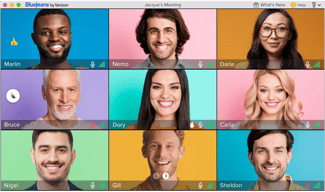
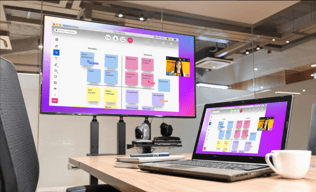
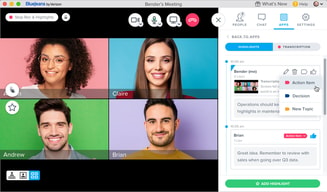
BlueJeans Meetings is a video conferencing software that lets teams connect remotely and collaborate through core features such as virtual whiteboarding, screen sharing, and recording capabilities. The platform is built to empower users to share information via a platform that lets them communicate and share data no matter where they are.

| Capabilities |
API
|
|---|---|
| Segment |
Small Business
Mid Market
Enterprise
|
| Deployment | Cloud / SaaS / Web-Based, Desktop Mac, Desktop Windows, Mobile Android, Mobile iPad, Mobile iPhone |
| Training | Documentation |
| Languages | English |








Compare BlueJeans Meetings with other popular tools in the same category.
Its a great experience by using Blue Jeans , which have very good & clear connectivity during the business conferencing even in comparatively low bandwidth through mobile, laptop or desktop . It is very easy to connect internal & external people in the call. And also can be joined to call through calling from mobile phone s also . Regular update is given to user & continuous customer support is provided to solve any issue about the tool is a great experience.
One concern is if bluejeans is connected during travelling connectivity is not good & it is frequently breaking , even the network is very good . If connected through mobile call , its some time breaking the voice and some connection error occurred . Connecting with social media platform not very clear to me . And the last thing , if pricing of the product is some thing reduced the more user ( company ) will connected through it.
Its a very good tool to use for video conferencing or webinar with internal as well external people. Low bandwidth also it is working well. It can be connected through the call from mobile also. It can be connected to multiple people & very east to share presentations, documents, video, adios with clarity. It is one short reduce the travelling & face to face meeting as each need to face to face meet ids fulfilled.
Mobile and desktop app of Bluejeans makes it super simple to get on calls across the world. The mobile app is seamless and can use it to dial in as well as use the network to take calls.
The desktop app is a little slow and sometime does not connect well. Have issues with clarity when there are too many people on the call
We work in a multi-country workplace. Almost all of our meetings happen via Bluejeans. Small or large. its pretty much being used daily for all work related calls.
The video feed quality is superior, when compared to slack/skype/google hangouts, it maintains a clearer picture, more consistently.
The older versions of the app seemed to have difficulty closing, which is troubling when dealing with an app that uses your camera
We do companywide conference calls regularly, with usually 5+ different cameras/microphones enabled.
The ease of use, even for those that don't have the software installed on their computer.
There aren't things to dislike about this product. I've used a bunch of them and this one stacks up near the top.
Sales meetings are easy and I don't have to worry about clients or prospects not having the software installed on their systems to have a productive meeting. I'm able to conduct both screen shared meetings as well as phone calls through the service.
The ability to share your desktop or specific app or even specific window within an app very easily. In some screenshare platforms, you can do something like this but if you look at another app while sharing, your audience will see a grey box on top of your shared app. BlueJeans is much more seamless and shows/hides exactly what you want extremely well.
The name of the product. BlueJeans is a terrible name, both because it invokes images and feelings that have no correlation with the product itself, and also because it makes people type "BJ" in professional settings.
BlueJeans makes meetings for folks in different locations feel much more connected. We can easily join from a room with a camera so everyone who's remote and can see us as we're speaking and feel as if they're in the room with us. And vis versa!
How it's easy to navigate, works on browser, and works on my phone
Would like it to automatically update, so that don't have version issues. Sometimes video doesn't work and it would be helpful for some troubleshoot steps to be an option to help me figure out how to fix what the issue is.
Connecting with internal team members that are remote as well as client meetings . It helps read the room better because we can see each other.
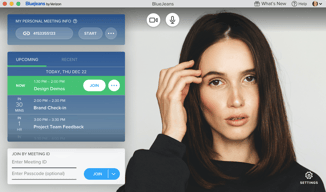
The fact I can use the app on the iPhone and how it connects to my calendar
When I connect it to the USB hub in my car but the audio doesn’t transfer.
I am able to conduct meeting with customers and easily invite them to the meetings from my OUtlook email. Very nice.
BlueJeans is simple and beginner friendly and I like how it is integrated into the browser
I have no complaints about it. Blue Jeans is great!
Blue Jeans was used to conduct interviews which proved very effective
More intuitive to use than other applications like Skype
Can be tricky to figure out what the issue is when sound or video isn't working. I have tried troubleshooting this with people using the "chat" feature but it's difficult to tell whose system is causing the problem.
Connecting students and professors/administrators.
It's easy to connect across different types of devices, and the URL screen-sharing process works flawlessly.
Sometimes audio doesn't connect to my bluetooth headphones correctly (although, that might be an issue with the headphones and not Bluejeans)
It's easy to work cross-functionally with groups outside of the office.
Full web-based client, multi-platform, good quality audio and video, easy to setup and simple to operate, plugin for Outlook, good interaction with Office365 and web browsers, federated login, cloud-based solution
Current version of the Windows client doesn't support the equipment installed in some of our meeting rooms. The web version does, but it lacks other features
I've used it to engage in meetings while working from home and my user experience was very good, perfect audio and video with no interferences or visual artifacts whatsoever
Ability to bring people together for a face to face meeting worldwide.
Not BlueJeans related. Bandwidth at times is an issue for our particular organization.
We are able to have people from all of our operating regions together for a face to face meeting, along with the ability to meet with vendors and customers without the travel requirements.
The Platform is very user friendly and is actually one of the best video conference tool I have used so far to enable business communication. You can easily share screen, host meetings with several people remotely This is our main tool for video conferences and use very often, as our team is located in 3 different countries and 3 different time zones
Every size can have some glitches. But 9.5 out of 10 the size works very well We did incur some sounds issues. Solution, disconnect from the video call and reconnect
Intern team and company communicaiton where team are located in 3 different countries
Works pretty good everywhere you are. Has a, nice and user friendly layout.
Being honest I don't have nothing to point. Only had problems when the web connection fails.
As a global company that we're with Bluejeans we can get easily in touch with everybody and easily solve problems. Also helps us call with agents outside the company.
The thing I like best is the fact that I can see the people in the other locations and easily share my screen with them. It is much easier than anything i've used in the past. The outlook plugin is so much easier to use than everything we have used before. I can easily setup a meeting and send it to vendors without worrying about the software crashing, or phone lines being messed up. It also works well when working with other countries. You can't get around the time changes and time zone issues, but with this software it is easy to talk to vendors in other countries as well as for them to easily contact and discuss items with us. The video feed has always been good as well.
The placement of the users cameras on my screen is sometimes difficult to figure out, especially in the middle of a meeting, the camera will swap around because everyone isn't muted. Its like the volume sensitivity could be better programmed in your system.
We are greatly solving manufacturing issues with this. I can easily call vendors in other states and hold up parts and discuss with them just like I am sitting across the table from them instead of taking a week trip to visit them. Much easier and much more effective.
That there is a chat feature to share links and the screen-share is simple. I enjoy being able to use the same link over and over and quickly start a meeting that wasn't previously schedule. I can decide to have a meeting and be connected with my team around the world within 2 minutes.
I dislike the moderator function to start meetings. I
International meetings that people can take at home or in the office. It is a very stable network.
Easy to jump on a quick unplanned call or schedule several days out
If participants don't mute themselves and are listening over speaker, the echo is horrendous sometimes.
Training teammates with a 12.5 hour time difference. This definitely helps because we can hop on a call anytime of day or night from phone or laptop.
User friendly, great UI, clear connections.
There wasn't anything I disliked about it.
Connecting remote and distributed teams.
I like that this product is easy to use, even for some of our clients who are not tech savvy.
The sound drops off in recordings if you're too quiet.
collaborating with clients all over the US
Great platform for video calls both internally and externally, reliable, easy to use and works across a variety of OS, browsers and apps. And it’s open source! Way better than WebEx, GoToMeeting, etc. We have used it to totally change the way we communicate internally and now have a culture (across the enterprise) where people naturally go to video for calls because BlueJeans is so useful to use. Even externally, we hear from customers and partners that BlueJeans is way better to use than whatever they have been offered by their companies.
Calendar intergration can be a little unreliable, otherwise it’s great. Sometimes it will not pick up on calendar invites that are scheduled (with a Bluejeans link) from people that have not used the Bluejeans platform initially to schedule the call, so that could be better.
Completely changed our internal and external communication. Greatly increased the scope of video conversations that we have. Works at an enterprise scale too.
its easy to use for both mobile people and also through decent VC systems. The mobile client is the best I have seen so far
Application sharing. In most cases I can only share my whole desktop screen and not just the relevant application e.g. word, excel PPT etc. Allowing a party to take over and make changes to an app like work or excel would be useful (if included) I don't like the additional cost per month if I want conference recording.
Team collaboration on specific projects
the simplicity and easy of use for our end users.
end user client continues to have high cpu demands on end user laptops.
we have consolidated multiple videoconferencing systems into one unified platform and streamlined meeting room setups reducing the support burdon we had before.
User friendly app. And easy to use,easily accessible across tablet,smartphones ,pc and browsers.The customer service is always on time to respond to queries we have raised with them and more importantly they are real people and not BOT customer support agents,which is becoming the norm for most software company these days.I like how Bluejeans makes it easy to record video conferences,albeit that this feature is not available on the basic membership plan. The quality of video conferences I have attended via Bluejeans is unrivaled and having used multiple video conferencing programs since 2010,I will rate Bluejeans as the best video conferencing tool as it provides a lag free video conferencing experience.I also like that Bluejeans integrates well with Workplace ,and makes it possible to stream departmental and brain storming sessions to my entire organization via Workplace.
Bluejeans can be more intuitive for new users.There have been times when I invite people to join meetings on Bluejeans,which they can normally do without downloading the Bluejeans app. But somehow they get the feedback that they need to download the Bluejeans app. First to allow them join the meeting.It is funny that they necessarily do not have to.
Bluejeans makes it possible to always have team meetings ,even when some members who need to be present at out of town.On such situations ,it is no problem as Bluejeans enable them join us remotely.
simplicity, recording and sharing with others, good connection even behind double firewall.
App loading time. takes awhile. sometimes the camera doesn't kick in because its connected to softphone.
Saving on travel by virtual meetings.
Bluejeans opens easily and has a friendly intuitive interface. I've even appreciated where if there is some bandwidth degradation, the video will slow, but the audio typically takes priority. So, even if it's not perfect on the visual experience, we can hear what the others are saying.
The thing I like the least is the name and the lack of awareness. People aren't accustomed to the name so it's a little bit of new education to tell them the service we use, but the functionality makes up for it.
My company has an enterprise agreement with another software provider and for internal meetings this has worked fine. But, my specific team interacts with a wide variety of clients who have various different firewall setups. As such, the enterprise solution I was given provides a very poor and inconsistent service for anyone NOT using that same service. I have "gone rogue" with using BlueJeans, but after a year of use, I polled my team of over a dozen users and we're continuing with the service because we rarely have any issues getting connected to other parties.
It consistently works and you have EXCELLENT customer service! I'm often frustrated at service I receive from major companies, but Bluejeans is top notch every time. Your agents are real people who don't use BS generic template email responses. They seem to get the correct answer the first time and only rarely do issues need to be escalated. The escalation techs are also excellent and resolve it without passing it to someone else. The turn-around time is quick every time. I also appreciate that you have telephone support that's easy to find.
Only three things I'd like improved: include the premium numbers for all accounts and have an option to participate in a browser without any downloads or browser extensions. The second may be a stretch to accomplish. Lastly, after hours is a generic call center that is shared. I don't love that.
Mostly meetings with folks in different locations--some in offices, some not. We have people who work from home or consultants. We previously only had point-to-point video calls, which didn't allow anyone that was remote to see video feeds or presentations, or share their own. They are now more inclusive. Your support for IP-based point-to-point connections is why we chose Bluejeans.
BlueJeans allows are research group to hold regular meetings across the Continental U.S., three Hawaiian Islands, and sometimes even internationally. Despite the distance between us, our team is able to bond and hold almost in-person meetings. The ease of use of BlueJeans is great. There are almost no delays or pauses in communication, it is real time! Overall, BlueJeans is an excellent online meeting platform product.
We thought the video recording was included in the basic membership as it was included in our trial. Oh well, one reason to upgrade as the feature is useful! I cannot think of anything else that is not likable about the product. Overall, it is excellent.
We are able to hold meetings with members from the East Coast, West Coast, and on three islands in Hawaii with ease. This is amazing! Our team has been able to bond despite the immense distance between us. Even more impressive, one team member could join while traveling abroad. Our NSF research project is a success, partly due to our ability to communicate through BlueJeans. We have been able to share screens, very useful in group work, as well as put BlueJeans up in a classroom to teach....it almost felt like they were there in person. I really hope to use the video recording feature in the future--another great feature that will be useful to our project. Thank you BlueJeans for such a useful product.
-easy access with login for participants
how the screen wont get to 1/4 the size of my computer screen
as a trainer and coach I am helping our church and denomination equip others
Great product for team collaboration. We use it for Always on live stream for distributed teams.
Nothing specific and I like what I use in the product
Collaboration between distributed teams
One of the easiest video communication tools to use
Not all countries have dial in numbers with the initial plan
Video communication, recording