

Unclaimed: Are you working at Butter CMS?





Butter CMS Reviews: 4.7/5 — Highly Rated
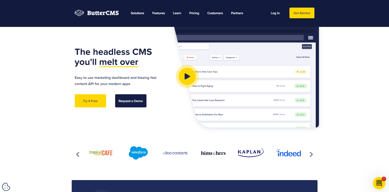
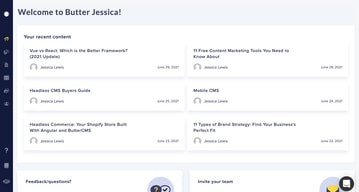
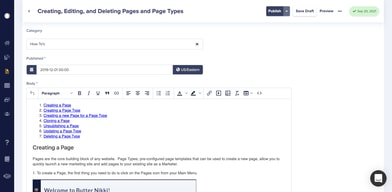
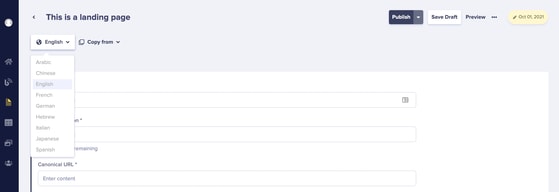
Butter CMS is a powerful and user-friendly content management system designed for small and medium businesses with a strong focus on simplicity, allowing users to easily manage their websites without the need for extensive coding or technical skill. Some of its great features include intuitive drag-and-drop functionality, customizable themes, and robust analytics and reporting tools. Butter CMS empowers businesses to take control of their online presence and reach their target audience with ease.

| Capabilities |
API
|
|---|---|
| Segment |
Small Business
Mid Market
Enterprise
|
| Deployment | Cloud / SaaS / Web-Based |
| Support | 24/7 (Live rep), Chat, Email/Help Desk, FAQs/Forum, Knowledge Base, Phone Support |
| Training | Documentation |
| Languages | English |

Compare Butter CMS with other popular tools in the same category.
I like the interface. It's very clear and intuitive. Everything is described in the documentation. Also the API is very simple to use. Using Butter as a CMS we were able to create rich blog (with categories, tags, multi-language), but also we built a documentation for our application with menu, which is generated directly from the CMS. Using this app you have great opportunities to built something awesome! And they have integration with a Filestack. It means that you can optimize your images very easily! Also ButterCMS has a great support team. They are always willing to help. I really appreciate it. And they react very quickly when there is some issue on their side (very rarely).
ButterCMS have great search engine, but it works only for blog posts. It would be good to have this rich search functionality also for pages.
We created a multi-language blog, documentation and other dynamic pages, which can be modified in the butterCMS without developers help. It's great solution when you want to update your data on the website and you are not a software engineer.
I like the easy to use page design functionality. It is super intuitive and works great. Additionally, when a certain aspect of the preview functionality wasn't working correctly with out setup (and this had to do with an issue that was specific to our existing website), Butter CMS Made a code change to fix our problem in UNDER 3 DAYS. This just shows their incredible customer service and willingness to do whatever it takes to meet your needs.
The only qualm I have about this software is the inability to push content from stage->production. Although, this can be overcome by simply creating a draft of your page on production, and waiting to publish it, it would be ideal to be able to work on stage, then push any content to prod. (You can push schema from stage to prod, but not page content)
We're solving the problems we were facing by using an outdated inefficient CMS, we have realized improved user experience from our customers, as well as an easier to manage CMS.
ButterCMS design is straight forward, easy to implement with fast API calls. Our admin people picked it almost immediately for day-to-day content changes via the online UI. They love see results immediately without IT support. The ButterCMS support team is excellent, fast and responsive.
The online UI could use some polishing including an option of a more detailed view of the various components such as a collection lists.
Off-loading content maintenance to our users is a real time saver for the developers.

- Easy to manage - Customer service was really helpful
- Nothing, I wouldn't say that there was something wrong along the way
- Content is easy to add and manage, useful tag management - I had a problem wit tags but it was solved quickly
The platform is very easy to use. We built our entire SaaS off of there API. In the few times I wasn’t able to figure something out, there support guided me through the entire process.
Not much to be said here. I wish they had some stronger filters on their API. I hope these are coming soon.
I wanted to create a SaaS with no backend. Using their CMS API I was able to create an entire SaaS with not a single line of backend code or infrastructure.
Easy to set up and use in development that after integrating it to our app, the marketing can handle content management even without the help of devs which helps improve efficiency in our workflows.
API documentation can be improved. It shouldn't be a problem if you know what you are doing but it can be frustrating at times, especially for less-experienced devs.
The marketing team can now add or update dynamic content without the help of devs which used to take away development resources.
Before Butter, we were locked into a self-hosted solution that commanded regular updates, plugin management, and a learning curve for any new joiners within our team reading documentation to get up to speed. We have just completed a website redesign project with ButterCMS as its backbone, one major plus we noticed from the get-go is the fact collections make it really easy to share data across the content platform. Our website is based on a component architecture and that was easily replicated in Butter using the component library, this was further advanced by re-using collections and for us, this has meant colors, image sizes, and other re-usable elements can be shared so our content editors can create pages quickly. From a technical point of view, we were able to get up and running in a matter of minutes using the API documentation and the ButterClient, after finding our feet using collections we were able to build a scalable architecture based on a React app. Since our website is built around component design, we now have a bunch of styled-components that allow any new pages to be quickly built up and deployed in minutes. This is mirrored in ButterCMS and therefore allows our content editors to build pages, send us the link and within minutes the page is created and live.
One of the biggest issues we're facing right now is the speed of the backend dashboard, this may be due to the number of collections we're running in order to create re-use of content across the platform. With that said the time-savings we get from architecting our content in this way far outway the degradation in the admin. It would be nice to see an easier way to manage collections to help page load times increase when managing content on the platform. Our second biggest gripe could be again down to how we've architected our solution, but since our components are mirrored both in code and the Butter component library it has meant when content editors build pages they are utilizing the drag and drop interface for the type builder. This process has two issues: - The first being that once a component is created, it cannot be updated, you are required to first add the component to a new/existing page, remove it from the component library, add your new field and then save it as a new component. It would be great if components could be edited which leads to our next issue (which is also true of page type configurations as well). - Secondly, if you edit a component that has been used on a page to add/remove a field this is then not reflected across all components where this instance is used. It would be great if the component schema could be shared across the board and those instances were used listed on the update to confirm where the changes will take effect.
The main issues we solved using butter was to migrate away from the old age problem or developing our own in-house CMS or absorbing the cost of licensing, running, and training our team on a platform that changed regularly. With Butter we're able to use our own architecture, coding standards and share content across multiple platforms from a single source.
I don't know where to start... I like it all! If I have to choose, I like the components in the Pages the most. I like how I can re-use page components. Second, I like how versatile the Collections are.
I may want to see more columns on my Collections view.
So many problems. We have quite a big Frontend system with upto 5 platforms running on the same API. ButterCMS helps us to minimize our platforms from 5 to 3. We want to have fewer platforms to manage all our content, and ButterCMS fulfils that need.
While I did not create the layout, I liked the ease of customization and data entry.
We ran into a few bugs throughout the process that delayed development.
We used Butter CMS to input content for our app build.
Butter CMS was extremely easy to integrate into our Node.js application and the docs made everything clear. The interface/UI was easy to use and packed with enough features to act as an excellent blogging platform. Post/Page data was always lightning fast to load. The support was always friendly and helpful.
The pricing tiers may not match all use cases.
Setting up a CMS was too much overhead for our lightweight application. Butter CMS made adding an SEO optimized block to your site extremely easy.

ButterCMS gives the flexibility to decouple from the traditional cms workflow. For me, this provides the ability for a more rapid development cycle and the ability to present multiple front-end designs using the same page data. Also, having the ability to integrate with any additional software is a breeze when using ButterCMS. You are no longer locked into a specific set of plugins/technologies or integrations that a more traditional CMS would provide. A very "Buttery" user experience that I look forward to using every time.
The ability to create reusable components within the ButterCMS GUI is great, but the ui/workflow for the process is a bit lackluster. There should be a menu item for a component builder. Each component could act as a master component. When a "master" component is updated, the user could be prompted to inflict the change on all implementations of the component or selectively change the implementations of them as needed.
Butter is allowing my company to decouple from the traditional cms workflow. This is allowing for unlimited integration possibilities without being dependant on the integrations allowed by other non-headless CMS options on the market. This is a powerful benefit because we now control what software we can integrate with.
I like the simplicity of ButterCMS. I used many platforms before and ButterCMS is the easiest to use as far as I know. Especially formatting texts such as font, text size, heading...etc is so flexible and I do not have to be limited by the given options.
Setting up takes time, but once you set up everything, it will go smoothly. Also, if it would be perfect if we can decide the space between the rows. For the technical writers, the size of code snippets might be a problem.
I am uploading technical articles and it makes uploading and publishing processes easier than other platforms. Simple and flexible. I can play with my texts like I am working on Word. That's the best part.

It was so easy to start using and publishing blog posts. Took less than an hour!
The standard design isn't great, but they've got a robust github with css files for customization.
Wanted a blog on our website to drive engagement and inbound. They helped do that easily.
The intuitive WYSIWYG interface makes it easy for users to create and update the blogs whenever they need to.
Image management was a little tedious. We store some of our images on S3 buckets and when trying to upload an image from a link, it would save the image as an audio file instead of as an image. Also you are only allowed one feature image. Would be nice to have an option for something like a banner image as well as a hero image.
We used to have our own internally managed blog, which was nice, but it meant that we had to consistently manage and update all the codebase. This draws on developer resources that weren't always available and eventually the code became more brittle and harder to maintain. ButterCMS has allowed our marketing team to do their work without feeling frustrated trying to build content. This means they utilize their time better and developers aren't spending all their time maintaining the codebase.
I've reached out to the Butter CMS support staff several times, and each time, they have been extremely responsive, helpful, and comprehensive! In her latest response, Nikki included a video and a screenshot to help diagnose and walkthrough the problem, which proved invaluable to my team.
I don't have anything to share for this.
I am primarily using butter to add content to our company's website.
They have clear documentations and an easy to use API.
They can send too many email reminders for various things at times.
It's a great headless CMS service to integrate a blog in custom coded sites.
Butter was easy to use and implement. I was looking to ship something quick and Butter definitely didn't disappoint!
We haven't found anything we dislike yet.
Replaced our custom CMS. Saved me a bunch of work. Increased our app performance.

The ease of use of the API in my blog has been seamless. The interface stays consistent so any between upgrades, and it's all restful. The CMS solution makes it very easy to live in the JAMstack world and manage my content from one place. For an example use case: if I wanted to setup content that defined how navigation looked, I just have to have the housing and design setup on the front-end and inject that data from their API. Simple! If I had to modify the content in any way, I can progressively enhance my content with ease pushing simply updates without much heavy lifting. Other benefits along the first example include the flexibility to define your content and collections freely for your needs. Lastly, the customer support is very responsive with quick resolution.
I like everything about Butter CMS so far. There was a hangup I had near the beginning of using the admin panel for creating collections and viewing the full list. I gave them a suggestion a while back on how to make this make more sense, and I see that they've improved on it so they do listen to the voice of the customer. The other thing I'd like to see better implemented is the response interface and accessing the inner content apart from the meta data.
The JAMstack is a growing entity, and this tool helps increase my development time by lifting logic I'd create in the front-end to the CMS.
Easy to use, amazing support team that are fast and reliable.
User management is a little clunky, but workable.
Butter CMS has really helped us manage our blog content in a consistent, reliable fashion.

I love having control of my website content without having to use WordPress or another awful CMS. The language option makes localization super easy. Their support is awesome. I made a complicated request and it was taken care of within 24 hours.
On some of the pages it can be problematic to have to scroll down to view all the content boxes.
Allow us to make all the changes we need to the site and nothing more. No WordPress!

I used Butter CMS for a project with one organization that I worked for, and when I had similar requirements at my next job, I immediately recommended it there because I knew that working with it again would be perfect for me. As a developer (formerly) and technical architect with a lot of experience with HTML, CSS, Javascript, and several server-side rendering languages, I prefer to build my UI from the ground up, so using a headless CMS is a no-brainer for me and Butter CMS is the best one I've found. It's been able to provide all of the functionality that I've needed on the projects I've used it on, and it's not overly complex so I don't feel like I'm only utilizing 10% of the product. Similarly, the simplicity implies to me minimal overhead. The documentation is great, and the support team has been excellent regarding both response time (usually same day - within an hour or so, even) and efficacy.
I don't have any particular thing that I "dislike" at the moment. As I mentioned above, the support team is great so any time I've had an issue I've reached out to them and resolved it quickly.
As I mentioned under "What do you like best?" the main problem for me is otherwise having to rely on CMS platforms that take too much control away from the developer and/or require you to essentially learn to use that CMS like you'd learn to write another language. I want to bring to the table my frontend, my backend API's, decisions related to authentication and all of that, and I just want Butter to house my content and provide an interface where the people responsible for content on our website can go and make those changes, and that's exactly what it provides: no more, no less.
I made the decision to switch from Contentful to ButterCMS after doing a bit of shopping around / research of the current HeadlessCMS offerings. ButterCMS is an API first platform, served in JSON in a mostly RESTful way. It was definitely built with developers in mind, which is what makes its integration, setup time, and delivery among the top praised aspects of the platform/service. Here are some of the best features: - Collections and the ability to order fields and items - The Page engine to build static and templated pages - A Blog engine that serves a collection of Posts with SEO in mind - Great documentation in multiple languages and frameworks - Integration with Filestack / CDN - Page Preview - And last but not least, an absolutely amazing Customer Service team, super responsive and helpful! Things that really impressed me: - I reported a bug and it was fixed over the weekend. That's dedication! - Our Marketing team loved the ease in which they can now manage content in comparison to their experience with Contentful - Real conversations with the Co Founder and Customer Success team - Getting informed of new features and being asked for input on what would make this service better Overall, I would highly recommend this over other Headless CMS services I have tried and evaluated.
I think the admin interface is showing its age from a UI perspective, but is generally great from a UX perspective. Regardless, it is very usable and needs little to no on-boarding to using it, which my team loves! There really just isn't much to dislike about this service!
Our team set out to solve the problem of having TWO CMSs run our marketing site. We had a blog in Wordpress and the rest of the site was in React/Gatsby/Contentful. Managing two CMSs was a pain. Matching UI elements in two completely different stacks was a nightmare. The marketing team in particularly dislikes Contentful for various reasons, so I was tasked for exploring alternatives. After integrating with Butter, we were able to get the best features of Wordpress (Preview, Edit history, Blog Engine, SEO) plus the ability to essentially build custom admin forms (Page engine), all through a single CMS. Pulling the site through a traditional SSR application gave us the ability to run our site similar to a Wordpress architecture, which was important to the Marketing Team.
ButterCMS is very useful in giving us the flexibility to create a website exactly to our liking through code, while still allowing the content to be edited without the need to know how to write code. I also appreciate the great customer support that is received when we have questions or issues.
there is nothing I do not like about ButterCMS
We are able to make changes to our website without having to always ask a developer to make the changes for us
The best thing I like about Butter CMS is their support and engineer teams. They're very helpful whenever you need them. Also I love the API and documentation, very handy with multiple programming language doc, make it a lot easier to integrate.
I would say the speed of the API a bit slow, but then I believe my query was collecting too much data and hence why it's slow. Still, the API-based CMS is very amazing, cannot go back to Wordpress once you starts with ButterCMS!
We want to make it a lot easier to publish our content. Now we can have anyone in our office to update content, and the engineer team wouldn't have to worry anymore.

They really make me feel valued as a customer. They work WITH you. It's not as though it's their way or the highway. They have amazing documentation for a variety of web frameworks (I'm using Gatsby).
The only downside I've experienced so far is that you need the Business Plan for Localizations but like I said previously they were willing to work with me to come to a solution. Also, having the ability to create some structure for all your Collections would be helpful.
I was initially only thinking of using them for my blog content but now all the static information for my entire site is hosted with them. What a great way to organize you content. Localization management is also a huge boon and it brings my site accessibility to a new level.

We were able to seamlessly integrate ButterCMS into our existing Progressive Web App (PWA) to help provide our community with more resources and grow our digital marketing. We are able to publish content regularly to our PWA and grow our marketing efforts.
It would be tough to say that there is anything in particular that we dislike. Our development team was able to hook up to ButterCMS's API relatively easily and get our blog up and running very fast.
We built our PWA using Stenciljs and since it is framework-free and based on web components we wanted something that would integrate seamlessly. Additionally, we wanted something that would allow us to publish new content to our website that did not require developers, designers, and QA testers. We discussed custom building a blog and a CMS but the time and investment was tough to justify because we dedicate most of our time to client work. ButterCMS allows anyone on our team to easily publish new content to our PWA without the need of skilled developers or designers.
The ability to publish, manage or update content without the help of our engineering team. Great documentation and customer support. Overall, great value at a great price.
Implementation is still a bit too technical for me to really say, with authority, that I dislike anything.
Removing the need for a WordPress blog and a redirect. Our ultimate goal was to gain the SEO benefits of having all keyword-rich content on our domain and Butter helped us do it with ease.

The simplicity of Butter CMS is the part we like the most along with how quickly we were able to adapt it for our complex requirements.
Nothing to dislike. It does exactly whats written on the tin and more.
Providing content for our realtime Travel Disruption Insurance product. We needed a headless CMS for storing content in multiple languages. ButterCMS was the best software we found. The technical support from ButterCMS has been among the best we've encountered among all the service providers.

Butter's most obvious benefit is simplicity. It does not require any specialized technical knowledge. It doesn't require digging to find solutions for simple problems. It doesn't need a lot of training to utilize. It's the epitome of plug-and-play simplicity for content creators.
The only problem: I would love if Butter automatically saved progress.
We can quickly: 1. Collaborate. Everyone on the team can see what's coming and what's being worked on. 2. Publish. We can publish straight to our web app's blog seamlessly. 3. Create and change URL slugs. Basic functionality that's easy to access and even easier to utilize. 4. Use simple SEO tools. It does what it's supposed to. No wizardry required. Less is more! 5. End-to-end solution. I don't need plugins or hackneyed daisy chains of mismanaged and deprecated software just to publish content. It's made publishing and drafting content a frictionless experience.
Documentation and customer support. Jake has responded quickly both times I had questions. The documentation is clear for just about any modern tech stack.
We were initially hesitant if Butter would work with our use case (a custom blog with specific routes, css, etc.) and nearly switched to WordPress because we determined we wouldn't be able to use the 300 blog posts included in the startup tier; however, after speaking with Jake, he informed us that we can do what we needed with the Page Types feature. I think they were able to work with us on the pricing given our particular situation. I think maybe adding a pricing tier that favors pages instead of blog posts would help those in a similar situation as us reach a decision. We are very glad to have reached out to the Butter Support team in retrospect.
SEO, hot swapping content, reusability within our own web application.