
Unclaimed: Are you working at Dashlane?
Dashlane Reviews: 4.5/5 — Highly Rated
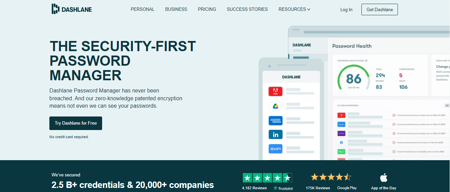
Dashlane is a simple and easy-to-use paid password manager that also comes with a free version. It’s available as a desktop app for both Apple and Windows computers, and a mobile app that works on both Android and iOS. All necessary security features you would expect from a password manager are available on Dashlane, with a host of additional features, including CPN for WiFi protection, dark web monitoring, automatic password changer, emergency access features, and advanced two-factor authentication and biometric login.

| Capabilities |
AI
|
|---|---|
| Segment |
Small Business
Mid Market
Enterprise
|
| Deployment | Cloud / SaaS / Web-Based, Desktop Mac, Desktop Windows, Mobile Android, Mobile iPad, Mobile iPhone |
| Support | 24/7 (Live rep), Chat, Email/Help Desk, FAQs/Forum, Knowledge Base, Phone Support |
| Training | Documentation |
| Languages | English |

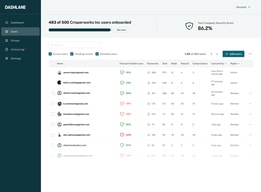
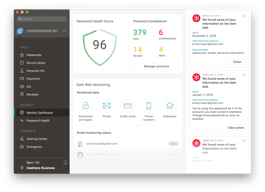
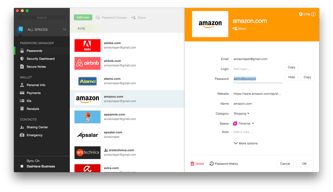




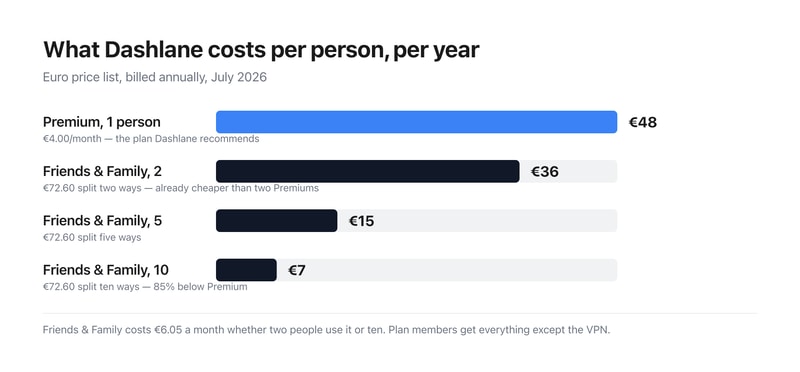
Dashlane recommends Premium at €4.00 a month for one person. Friends & Family costs €6.05 a month for ten. That means the family plan is cheaper than two Premium subscriptions — €6.05 against €8.00 — so the break-even is two people, not five or six. At ten it works out at €0.61 per person per month, 85% below the plan Dashlane badges as “RECOMMENDED”.
- What it is: A password manager with autofill, dark web monitoring, a VPN and scam protection.
- Best for: Households — the family plan is the value, and it starts paying at two people.
- Pricing: Premium €4.00/month, Friends & Family €6.05/month for 10, both billed annually. Verified July 2026.
- The honest catch: There is no monthly billing option, and the free plan is not on the pricing page.
What Is Dashlane?
Dashlane stores and autofills passwords, passkeys, payment details, secure notes and IDs across unlimited devices, adds dark web monitoring against a continuously scanned breach corpus, and — newly — real-time scam protection. It holds a 4.5-star average across more than 300 Findstack reviews.
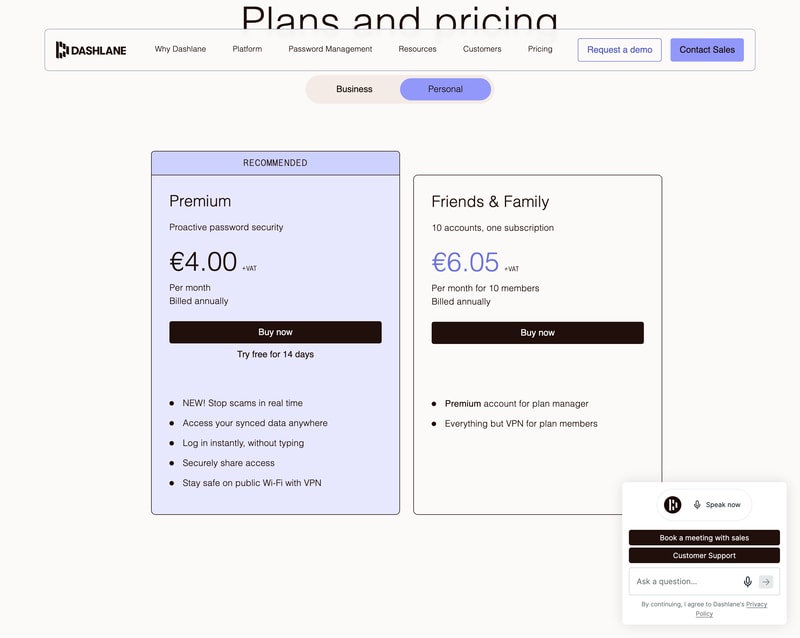
The pricing page splits into Personal and Business. Personal has two plans; Business has three, and one of them is not a password manager at all — more on that below.
How Dashlane Works
- Two personal plans, Premium and Friends & Family.
- Ten accounts on one Friends & Family subscription.
- Annual billing only — no monthly option offered.
- The VPN is manager-only on the family plan.
- A free tier exists but is absent from the pricing page.
- 14-day free trial on Premium.
Dashlane Pricing
Captured from Dashlane’s plans page in July 2026 on the euro price list, reading both the Personal and Business tabs. All prices exclude VAT.
| Personal plan | Per month | Per year | Members | Per person/year |
|---|---|---|---|---|
| Free | €0 | €0 | 1 | €0 — 25 passwords |
| Premium | €4.00 | €48.00 | 1 | €48.00 |
| Friends & Family | €6.05 | €72.60 | 10 | €7.26 |
| Business plan | Per user/month | Includes a password vault? |
|---|---|---|
| Credential Protection | €4 | No — detection and response only |
| Password Management | €8 | Yes |
| Enterprise | Custom | Volume-optimised |
What actually decides your cost:
- The family plan wins at two people, which is much earlier than these plans usually break even. €6.05 for ten accounts against €4.00 for one means two Premium subscriptions (€8.00) already cost more than the full family plan. Split ten ways it is €0.61 per person per month — €7.26 a year each against €48. If there is anyone else in your household with passwords, Premium is the wrong purchase.
- Members get everything except the VPN. Dashlane states it plainly on the card: “Premium account for plan manager. Everything but VPN for plan members.” So the plan manager holds the only VPN entitlement, and the other nine get the full password manager without it. Worth knowing if the VPN is part of why you are buying.
- There is a free plan, and it is not on the pricing page. Dashlane’s plans page shows only Premium and Friends & Family. A separate page offers a free account covering up to 25 passwords synced across unlimited devices, with autofill, the password generator and breach alerts. Twenty-five is genuinely tight for anyone with a normal number of accounts, but it is a real free tier and you have to go looking for it — the pricing page will not tell you it exists.
- There is no monthly billing option at all. Both personal plans say “Billed annually” with no toggle to switch. So the entry commitment is €48 or €72.60 up front rather than a small monthly charge — an unusually firm stance in a category where monthly billing is standard. The 14-day trial is what stands in for it.
- On the business side, the cheaper plan is not a password manager. Credential Protection at €4 per user per month sits left of Password Management at €8, and the comparison table marks it with a dash against Secure Vault, AI-Powered Autofill, Password Generator, Secure Sharing, Password Health dashboard and SSO/SCIM integrations. It detects and responds to credential risk; it does not store credentials. If you want Dashlane to manage business passwords, the price is €8, not €4.
- Prices exclude VAT. Every figure on the page carries a “+VAT” marker, so a European buyer should add their local rate before comparing against competitors quoting inclusive prices.
Who Should Use Dashlane
- Households of two or more. The clearest case by a distance — the family plan wins immediately.
- People with fewer than 25 passwords. The free tier covers you, if you can find it.
- Anyone wanting a VPN bundled in. Included with Premium and for the family plan manager.
- Businesses needing credential risk detection. Credential Protection is a distinct product, not a cheap vault.
It fits poorly for anyone who wants monthly billing, which is not offered; for solo users comparing on headline price, since €48 a year is mid-market; and for businesses shopping the €4 tier expecting password management.
Honest Pros and Cons
Strengths
- Ten accounts for €6.05 a month — the family plan is excellent value.
- A genuine free tier, if a small one.
- Unlimited devices on every plan, including free.
- A VPN included with Premium.
- Dark web monitoring against a continuously updated breach corpus.
- 14-day free trial, no card commitment up front.
Limitations
- No monthly billing on either personal plan.
- The free plan is absent from the pricing page.
- 25 passwords is a tight free ceiling.
- The VPN is manager-only on Friends & Family.
- Credential Protection has no vault despite sitting at the cheaper price.
- All prices exclude VAT.
Dashlane Alternatives and How It Compares
- 1Password is the closest competitor on polish and family pricing.
- NordPass competes hard on price with a similar feature set.
- LastPass remains widely used, with a longer breach history to weigh.
- Bitwarden is the open-source option, with a free tier far more generous than 25 passwords.
- Keeper and RoboForm round out the category at comparable price points.
For a broader survey, browse our password manager directory.
The Verdict
Dashlane is a strong password manager, and the interesting thing about its pricing is that the plan it recommends is usually the wrong one. Premium carries the “RECOMMENDED” badge at €4.00 a month for a single user. Friends & Family costs €6.05 a month and covers ten accounts — so two Premium subscriptions (€8.00) already cost more than the entire family plan. The break-even is two people, not the five or six you might assume, and at ten members it works out at €7.26 per person per year against €48. Unless you genuinely have nobody to share with, the family plan is the default choice.
Two things the pricing page does not tell you. A free tier exists — up to 25 passwords, synced across unlimited devices, with autofill, the password generator and breach alerts — but it appears only on a separate page, not among the plans. Twenty-five passwords will not cover most people, so this is a starting point rather than a destination, but it deserves to be on the page. And there is no monthly billing option at all: both personal plans say “Billed annually” with no toggle, so the real entry price is €48 or €72.60 committed up front. The 14-day trial substitutes for the ability to pay month to month.
The business tab needs reading carefully for a different reason. Credential Protection at €4 per user per month is not a password manager. It sits to the left of Password Management at €8, which invites the assumption that it is the cheaper vault — but the comparison table marks it with a dash against Secure Vault, autofill, the password generator, secure sharing, the password health dashboard and SSO/SCIM. It detects and responds to credential risk across your organisation; it does not store credentials. Businesses wanting Dashlane to manage passwords should budget €8 per user per month, plus VAT, and treat the €4 figure as a different product that happens to share a pricing table.
FAQ
How much does Dashlane cost?
On the euro price list captured July 2026, excluding VAT: Premium is €4.00 per month and Friends & Family €6.05 per month for ten members, both billed annually — €48.00 and €72.60 a year respectively. There is no monthly billing option. On the business side, Credential Protection is €4 per user per month, Password Management €8, and Enterprise is quoted.
Is Dashlane Friends & Family worth it?
Almost always, if more than one person will use it. At €6.05 a month for ten accounts it costs less than two Premium subscriptions at €4.00 each, so it pays off from the second user onward. Split across all ten it is €0.61 per person per month — €7.26 a year against Premium’s €48. Members get everything except the VPN, which stays with the plan manager.
Does Dashlane have a free plan?
Yes, though it does not appear on the pricing page. A free Dashlane account covers up to 25 passwords, passkeys, payment details, notes and IDs, synced across an unlimited number of devices, with autofill, the password generator and breach alerts included. The 25-password ceiling is restrictive for most people, but the plan itself is real and permanent rather than a trial.
Can I pay for Dashlane monthly?
No. Both personal plans display “Billed annually” with no option to switch, so Premium commits you to €48 and Friends & Family to €72.60 up front, plus VAT. Dashlane offers a 14-day free trial on Premium instead, which is the only way to use the paid product without an annual commitment.
What is the difference between Dashlane’s €4 and €8 business plans?
They are different products. Password Management at €8 per user per month is the password manager — secure vault, autofill, password generator, secure sharing, password health dashboard, SSO and SCIM. Credential Protection at €4 provides risk detection and response, phishing detection and SIEM integration, and Dashlane’s own comparison table marks it as having none of the vault features. It is not a cheaper version of the same thing.

Compare Dashlane with other popular tools in the same category.
The ability to create a random password that is unique, and secure. The VPN, and the ability to access those passwords from any platform securely. password generator,
Sometimes I get to a site that requires a certain amount of symbols or upper and lower case letters for a password to be accepted. This requires a manual entry, ands sometimes dashlane doesn't catch the save, leaving me to do a password all over again.
Never having to seek the password for a certain site, that I once visited years before. All passwords are securely in one place, and if I need to share it with anyone, its as easy as giving them access.
The Chrome extension and app are simple to use and provide options for you to navigate directly to the site to log in. Quick to change passwords if/when needed. The option to save as many different passwords for sites that I wish is the largest benefit for the platform. Notable changes could be to save payment information, this may be an option already however it's not one that I've utilized myself so I'm not sure if it has already been implemented.
There are times where the information does not auto-populate into a website's field. I find that this occurs on the same sites so it may not be an issue with Dashlane but rather the sites themselves. The workaround is to either 1) click multiple times on the login information fields e.g. where you enter your email OR to close the browser and then reopen the browser and extension/app then select the site you're wanting to log into from here.
Benefits - password management and sharing between a team. Does what you want it to do and ensures that your data is protected. Currently, I am using this for over 30 different websites, many of which require daily login. It also prevents teams from missing information/resetting team passwords for multi-user accounts and having to reset it, due to the sharing option that is in place for passwords.
I like that I am able to easily create and share passwords with other members of my team. The notes option allows us to keep all the information we need to log in in one place.
On some websites, it is difficult to disable it from automatically logging me in or to get rid of the dashlane auto-population feature.
Our company needed a way to securely store, share and organize our clients information. This has saved us so much time and effort in collecting and organizing our clients information and always ensures we have the most up-to-date information available to all the members of our team. The categories allow us to easily organize all the different passwords by client so pulling up info is always a breeze.
I have tons of passwords and it’s so much better to only need to remember one secure password. I can also share passwords with partners securely.
I wish I could use fingerprint recognition on my phone instead of constantly needing to input master password
Keeping things secure, knowing when a data breach has been reported.
This app installs and updates with ease and allows me to track and change numerous passwords
The interface between certain browsers fails but it is normally easily fixed
We have multiple passwords for many accounts and needed a way to track and keep updated across the board. This app makes it easy. When you need to change passwords, it always gives you pause, but this app allows for a seamless way to do so and not fear you will forget and get locked out of sites. It also reminds you to update and when passwords are breached.

I manage a creative agency, and with that comes hundreds of company and client passwords. Without Dashlane I would never be able to quickly log into various accounts throughout the day without wasting a LOT of time. Additionally, I trust Dashlane for security which is critically important for us and our clients.
Sometimes the autofill pops up at inopportune times which can be frustrating, but its. a small price to pay!
I never have to lookup client passwords or our own internal passwords. Our benefits are better efficiencies when working on clients websites.
With hundreds of passwords to keep track of for client projects and vendors, Dashlane allows me to track things, keep them secure and share with co-workers as needed. I used Dashlane personally for year or so before getting my whole team on board. Its fantastic how it syncs across devices, including my phone and tablet (using Touch ID).
There are occasional login forms that don't play well. I have found many of those to be resolved in updates, however.
Helps me keep site passwords secret and secure. Syncing login across devices has been huge. And sharing logins with co-workers without giving them passwords is helpful.
I have been using Dashlane for several years. Very easy to use, very intuitive. Such an efficient way to keep track of all of your passwords. Even has an area for secure notes that can be associated with finances.
Sometimes the automatic password pop-ups are hard to override, however it is workable.
The ability to never have to remember a password. Easy to change passwords when there are security breaches. Bonuses are you can save IDs, Social Security numbers and other personal info that is very helpful when creating new accounts.

Cross device and cross organization syncing is a life saver. We can manage all of our passwords and accounts in one place, grant and revoke access, while ensuring Dashlane will work with all devices our team uses.
Browser extension is still a little finicky - doesn’t always log in when the app is logged in, so you have to log in twice.
It’s not secure to send around passwords in email or slack. Without Dashlane, we would not having strong passwords used by members of our organization creates security risk for individuals and our company. Tough to enforce password policy.
I have used Dashlane for years. It is multi-platform friendly and saves me the headache of trying to recall passwords.
Occasionally it will glitch on my Mac, but logging out and back in usually fixes any issues.
It is a great time saver
Being able to access passwords across devices, and store CC info.
There is nothing that I dislike about Dashlane. That is why I've been using it for the last 5 years.
It has made it so much easier to access clients websites.
Great tool to access your passwords and has good security steps in place.
Would like it to update on all the platforms I use it on when I update a new password.
Quick access to my passwords.
I like the desktop app, the ability to save payments, passwords, personal info all in one place, and the easy integration in iOS
A nice upgrade would be the ability to list multiple sites for one set of credentials, manually.
Sharing credentials and standardizing deployment of new IT resources. Having Dashlane allows us to set individual passwords for devices rather than having one password for all deployed IT devices.
Dashlane allows my team a safe and secure option when saving passwords/personal data. I like that we no longer need to create passwords, but rather we let the program generate tough passwords that will keep our agency information safe. Also, there is a personal use component that is great. We, as individuals, can use the program, to keep our information safe and secure. So, if an employee leaves, they can take their personal passwords with them which, in essence, continues to support their safety online.
There are times when the sync does not work on a website and we have to copy a generated password and save manually into the program. This can be cumbersome. However, the IT team at Dashlane has always been ready to assist. A recommendation I would suggest is that there be a walk through training for employers. We were fortunate to have a training, but I think more personalized, one on one, with those who are not as computer savy, would be great.
We work with the public and they trust us to protect their information. Using Dashlane has allowed us to securely create new/tough passwords for our most used site/programs. The company is also HIPAA compliance which is very important to us. The most beneficial part for the staff is that, by using Dashlane, we have significantly decreased our individual use of repeated/easy passwords. Also, the fact that it signs you in and you don't have to remember a password is wonderful!
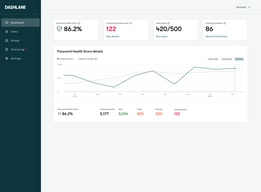
Dashlane allows me to keep all my password safely secured. The best feature for me is the fact that I can actively monitor my password health and in some instances updated them automatically via the app itself.
There is nothing that I dislike about using Dashlane, although if I could point something out to the development team, would be to perhaps look into the Chrome extension as sometimes it does not work correctly.
Dashlane has helped me keep my password secured as well keeping them different from each other.
What I like best about Dashlane is that it's very easy to use and I don't have to remember a ton of passwords anymore.
One thing I dislike about Dashlane is that it automatically fills out my username and password on different sites that I don't want it to.
Dashlane is making it very easy for me to login to websites that I don't remember the password to. It also generates a strong passwords so I don't have to worry about someone getting into my accounts.
Dashlane is a great central area to store passwords and sensitive documents. Digital security is more important than ever, so two-factor authentication and account monitoring, included in Dashlane, are great. Dashlane also gives you the option to sync your usernames and passwords to your web browser so they fill automatically, saving you time.
Really, no downsides come to mind with Dashlane. It does its job concisely and well.
Dashlane has enhanced my online security and most of all is amazing because all my passwords are in one place, so I never forget a password anymore!
The way how you can smoothly get your username and password saved to Dashlane. Even when you make any change to the password, this gets edited very smoothly. I also like it when you land on the login page and Dashlane just enters your username and password automatically and even logs in without you hitting the login button.
The tool sometimes gets stuck and I realize that my password or edited password hasn't been saved. I'm also not sure of the role of the desktop version if I'm using a Google Chrome plugin for instance. Logging in to the website is a great feature (as mentioned above). However, sometimes with an update on a username or password and not having the old ones removed, things get a bit messy when Dashlane tries to login automatically, as you will be faced with login failures automatically.
With the cloud based tools increasing nowadays, you find yourself logging in from one website to the other. Dashlane made it easier for me to login to the many websites/tools I use without even realizing it.
Dashlane for Business makes it so much easier to keep my business products and accounts secure by being able to have ever-changing and rotating passwords without the burden of manual recording or memory.
I dislike that sometimes the auto-population feature lags greatly.
I am solving time wasted and spent on password retrievals, manual password generations that have to follow a dozen security features. Dashlane has added productivity time to our staff.
Easy to use, intuitive and has plugins for browsers
I do not dislike anything with the platform
Storage of passwords and secure notes previously had been stored in a password protected spreadsheet. With dashlane my whole team can now get the passwords needed anywhere and on the go
I love that it auto logs me into all my programs so I don’t gave to scramble to remember my passwords.
Sometimes it lags upon opening but it usually works pretty well.
Password safety and security as well as speeding things up. I save a lot of time!

It is SO easy to use, never have to remember a password ever again. It also integrates with my phone and desktop browser so I can use everywhere I go.
Sometimes login info does not integrate properly and there will be duplicate logins or old passwords stored, so that can be a pain. Also, it is hard to save new passwords on your phone, you have to do it manually in the app.
We use hundreds of websites and accounts daily. My team is more productive and less frustrated because they no longer have to remember all of these account logins and passwords. Dashlane does that for us.
The Sync service and built-in VPN are the best
Sync should be free otherwise very little use and advantage.
As a digital marketer myself I have more than usual accounts so I need a password manager that saves all my password and Dashlane is Awesome for this.
The best thing About Dashlane for Business is that it keeps all of my daily logins secure.
Because Dashlane has to work for so many kinds of sites and interfaces, the experience isn’t always smooth or consistent.
More security Saves time Saves effort
Clean interface, works with all browsers, great phone application. Great organization of passwords and secure notes. 2-step authentication generator in the app. Easy sharing. Easy password changing on many sites if there is a breach at some large company.
Sometimes the browser extension can be slow at loading the password.
With any small business, you have passwords for services all over the place. Keeping them secure in one place and having unique passwords is important if your information needs to be kept secure. Dashlane has made that as seamless as possible.
I love that I can easily store passwords, and other sensitive data in Dashlane. It's also WONDERFUL that it auto-fills in forms. Such a time saver! You used to not be able to use Ctrl + arrow or Ctrl + Shift + Arrow to navigate in the search field of the desktop application, but it appears that you can now. I LOVE IT!
When I have the Dashlane app open on my computer if the cursor is in the search field and I have typed something, I can't use the "home" and "end buttons" to navigate. That can be annoying. Also, it does seem to have issues with some websites, but I think that is more a function of the website itself not the application.
I save a lot of time with Dashlane when I have to fill out online forms at work, or make credit card payments. Really the biggest thing is saving so much time.
I don't have to remember passwords anymore
Sometimes the browser integration is wonky. Occasionally a field that would not hold any login info is defaulted for Dashlane to ask about saving a password. Minor annoyance.
We were creating so many unique login combinations for multiple sites across multiple users - Dashlane simplified that.
Love this product. Makes logging in, storing and creating passwords very simple and easy, as well as safe.
Not much to dislike. Cannot think of anything.
Password management.
When I'm doing contract work for teams and businesses, nothing makes it easier than having secure password-sharing among these groups. I really don't know how I did without it.
Perhaps my needs are different, but I have not had the problems others have mentioned. So far, I don't have any dislikes.
Those who do website management or are on teams that have different websites, all of which have different passwords, will likely benefit from having these securely in a centralized location. Super-secure passwords really aren't, for the most part, all that secure. This also tells us on the team how well we're doing with being secure.
The in-app browser for iOS for logging into sites and online purchases
The Chrome browser extension has crashed repeatedly.
Unique passwords for every site. Also easily to share sensitive passwords temporarily with contractors.