

Unclaimed: Are you working at DigitalOcean?



DigitalOcean Reviews: 4.6/5 — Highly Rated
DigitalOcean is a cloud hosting platform built to serve the needs of startups and established businesses. The software gives developers access to building, deployment, and scaling applications. The platform is best known for its flexible pricing structure and global data centers, as well as an easy-to-use, intuitive control panel.
| Company | DigitalOcean Holdings |
|---|---|
| Year founded | 2012 |
| Company size | 1001-5000 employees |
| Headquarters | New York, NY |
| Social Media |

| Capabilities |
API
CLI
|
|---|---|
| Segment |
Small Business
Mid Market
Enterprise
|
| Deployment | Cloud / SaaS / Web-Based |
| Training | Documentation |
| Languages | English |

A DigitalOcean Basic Droplet with 8 GB of RAM costs $48 a month. The same 8 GB costs about $7 at Contabo and roughly €8.49 at Hetzner. On price per gigabyte, DigitalOcean is around six times the cheapest credible option — and it remains the right choice for a large number of teams, because the gigabytes are not what you are buying.
- What it is: A developer cloud — Droplets (VMs) alongside managed databases, object storage, load balancers and Kubernetes, tied together by an unusually good API and documentation.
- Best for: Teams managing infrastructure as code, and anyone who will genuinely use more of the platform than the virtual machine.
- Pricing: Basic Droplets from $4 a month; 4 GB / 2 vCPU at $20; 8 GB at $48. Dedicated-CPU families from $63. Verified August 2026.
- The honest catch: Backups are off by default and cost 20–30% extra, and if your Droplet is the whole infrastructure you are paying a large premium for capability you will never open.
What Is DigitalOcean?
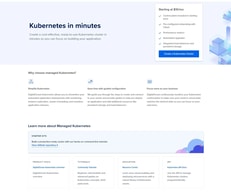
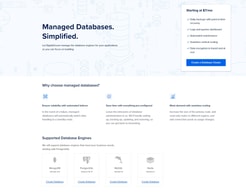
DigitalOcean is a cloud provider built for developers rather than enterprises. Its core product is the Droplet — a straightforward Linux virtual machine — but the reason people stay is everything arranged around it: managed PostgreSQL, MySQL and Redis, Spaces object storage, load balancers, managed Kubernetes, a first-class REST API, a mature Terraform provider, and a documentation library that has taught a meaningful share of the industry how to administer Linux.
That documentation is not a side benefit. Search almost any server-administration question and a DigitalOcean tutorial is near the top, usually correct, and usually dated. The company also dates its documentation pages — “Last verified 13 Jul 2026” appears on the recovery-console guide — which is rarer than it should be and worth something when you are following instructions at 2am.
DigitalOcean also owns Cloudways, which now brands itself “Cloudways by DigitalOcean” — relevant if you are comparing the two, because you are choosing between a raw cloud and a managed layer from the same parent.
How DigitalOcean Works
The Droplet families matter more than most people realise, and DigitalOcean is unusually clear about them.
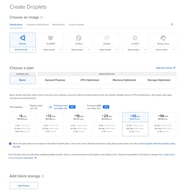
Basic Droplets share vCPUs with other Basic Droplets. General Purpose, CPU-Optimized and Memory-Optimized are dedicated — no noisy neighbours, no contention. The company documents this distinction under a heading called “Shared CPU vs. Dedicated CPU” rather than burying it, which is more than most of the market manages. The dedicated families differ only in memory ratio: CPU-Optimized gives 2 GB per vCPU, General Purpose 4 GB.
Billing is hourly against a monthly cap, so a Droplet that runs three days costs three days and one that runs all month costs the advertised monthly figure. That only pays off if you create and destroy servers programmatically — and note that stopping a Droplet does not stop the bill, since reserved resources continue to charge until it is destroyed.
Storage comes in two forms. Droplets include local SSD; Volumes are network block storage sold separately. Volumes are capped at 10,000 IOPS (bursting to 15,000) and 450 MB/s, and — importantly — that performance does not scale with volume size. Buy Volumes for data that must outlive the Droplet, not for speed.
The Marketplace carries 409 solutions at the time of writing, including a dedicated AI Agents category, with n8n, Coolify and Ollama with Open WebUI all available as 1-Click Apps. Each has its own documentation page explaining what the image installs, which is the part competitors usually omit.
DigitalOcean Pricing
Verified August 2026, in US dollars:
| Plan family | Example | Price/mo |
|---|---|---|
| Basic (shared) | Entry Droplet | $4 |
| Basic (shared) | 4 GiB / 2 vCPU | $24 |
| Basic (shared) | 8 GB | $48 |
| General Purpose (dedicated) | from | $63 |
| CPU-Optimized (dedicated) | 4 GiB / 2 vCPU | $42 |
| Memory-Optimized (dedicated) | 16 GB / 2 vCPU | $84 |
| Backups | add-on | +20% weekly / +30% daily |
Two things to sit with. The dedicated premium is about 1.75× — a CPU-Optimized Droplet at 4 GiB / 2 vCPU is $42 against $24 for the equivalent Basic. And backups are not included. On a $4 Droplet the surcharge is about a dollar; skipping it is nonetheless how people lose projects, because the default is off and nothing prompts you.
Measured as cost per gigabyte of RAM, Basic Droplets land at roughly $6.00/GB — the most expensive tier in our cheapest VPS index, where budget European hosts sit under $1.
Who Should Use DigitalOcean
Buy it if you manage infrastructure as code and will use the API, Terraform provider and managed services; if your Droplet is one node in a larger system rather than the system itself; if you want managed Postgres or Redis without operating them; or if you are learning Linux and want the best free teaching resource in hosting attached to your account.
Don’t buy it if your VPS is a single box running a single stack. At that point you are paying roughly six times the per-gigabyte rate of Hetzner or Contabo for a platform you will not open, and the honest advice is to take the cheaper server.
It is also not the best first VPS for a non-technical beginner, despite the documentation. A Droplet is a bare Ubuntu box with no control panel, so your first task is a shell session rather than a form — and backups being off by default is the wrong default for someone who does not yet know what they do not know.
Honest Pros and Cons
Pros
- Documentation and tutorials that are genuinely best in class, and dated so you can judge staleness
- Excellent API, CLI and Terraform provider — the reason hourly billing is actually usable
- Clear, documented distinction between shared and dedicated CPU families
- A deep Marketplace (409 solutions) with per-app documentation
- Out-of-band Recovery Console plus a Recovery ISO, so a firewall mistake is recoverable without a support ticket
- Managed databases, Spaces, load balancers and Kubernetes on the same bill
Cons
- Roughly 6× the cost per gigabyte of the cheapest credible European hosts
- Backups off by default at 20–30% extra
- No control panel on Droplets, so it is a poor fit for panel-oriented users
- Volumes capped at 10,000 IOPS regardless of size, which surprises people expecting NVMe speeds
- The Recovery Console can itself be blocked by an aggressive firewall rule, needing a temporary allow-all inbound rule to reach
DigitalOcean Alternatives and How It Compares
Against Hetzner — Hetzner is dramatically cheaper per gigabyte and its shared plans give more cores at the same memory. DigitalOcean answers with documentation, API maturity, managed services and a US-centric footprint. If you only need the VM, Hetzner wins on arithmetic; if you need the platform, it is not close in the other direction.
Against Cloudways — same parent company, and the specs line up exactly against the Basic Droplet ladder, so the markup is a near-constant ~2.2× (we break it down tier by tier in Cloudways vs DigitalOcean). Cloudways is the managed layer: you deploy an application and it provisions the server, with staging and backups included, from $14 a month for unlimited sites. Choose Cloudways if you want managed hosting and DigitalOcean if you want root and an API.
Against Hostinger — Hostinger is far cheaper on introductory pricing, includes a control panel and weekly backups, and is the easier first server. It has no comparable platform around the VM, and its advertised rates require long prepaid terms.
Against Liquid Web — Liquid Web sells managed infrastructure with a support organisation that will administer the server. DigitalOcean’s support covers the platform, not your stack. If you want someone accountable at 3am, that is a different product.
The Verdict
DigitalOcean is the most expensive way to rent a gigabyte of RAM in this comparison, and that framing is only damning if RAM is what you came for.
What you are actually buying is the surrounding platform — the API and Terraform provider that make hourly billing usable, the managed databases and object storage that mean you are not operating Postgres yourself, the recovery tooling that makes a firewall mistake survivable, and documentation that is better than everyone else’s combined. For a team managing infrastructure as code, that saves more engineering hours than the price difference costs, and the comparison against Hetzner’s arithmetic simply does not describe the decision being made.
For everyone else, the arithmetic is the decision. If your server is one box running one stack, and you will never call the API or attach a managed database, you are paying about six times the per-gigabyte rate for tooling that will sit untouched. Take the cheaper server and spend the difference on backups.
Whichever you conclude, turn backups on the day you create the Droplet. They are off by default, they cost 20–30%, and the moment you want them is the moment it is too late.
FAQ
How much does DigitalOcean cost?
Verified August 2026: Basic Droplets start at $4 a month, with 4 GB / 2 vCPU at $20 and 8 GB at $48. Dedicated-CPU families start at $63 for General Purpose and $84 for CPU-Optimized. Backups are an additional 20% of the Droplet price for weekly or 30% for daily.
Is DigitalOcean expensive?
Per gigabyte of RAM, yes — around $6.00/GB against under $1 at Contabo and Hetzner, roughly a 6× difference. Whether that is expensive depends on whether you use the managed databases, object storage, load balancers, API and Terraform provider that the price includes. If your Droplet is your entire infrastructure, you are paying for capability you will not use.
Does DigitalOcean include backups?
No. Backups are disabled by default and cost 20% of the Droplet price for weekly snapshots or 30% for daily. This is a reasonable default for teams who manage backups externally and a poor one for individuals, so enable them at creation time.
What is the difference between Basic and CPU-Optimized Droplets?
Basic Droplets share vCPUs with other Basic Droplets; CPU-Optimized, General Purpose and Memory-Optimized all have dedicated vCPUs with no contention. The premium is about 1.75× at equivalent specs — $42 versus $24 for 4 GiB / 2 vCPU. Dedicated cores are worth it for sustained load and wasted on bursty workloads.
Can I recover a Droplet if I lock myself out?
Yes. The Recovery Console provides out-of-band access that works regardless of your network settings, and a Recovery ISO lets you boot into a rescue environment to run fsck or chroot into a broken system. One caveat: an aggressive inbound firewall rule can block the console itself, in which case you temporarily allow all inbound TCP, fix the rules, and remove the temporary rule.
Does stopping a Droplet stop the billing?
No. Powering off a Droplet does not suspend charges, because the reserved compute, storage and IP allocation are still held for you. Only destroying it stops billing — and reserved IPs, Volumes and snapshots continue to charge separately until they are deleted too.

Compare DigitalOcean with other popular tools in the same category.
Digital Ocean is relatively affordable and considering I was just getting started in my career when I first used it, I could easily afford their services, which are more in value than what paid for. In addition, I enjoy the community part, which has always provided me with solutions whenever I am stranded.
Well, I can't quite identify a downside of the digital ocean as I have always chosen it any day any time over any other available solutions.
Digital Ocean has continually incorporated automation, which is good considering my work's nature. This automation has made it easier to use and, at the same time, made it more fun.
I like that DigitalOcean provides analogues for the truly useful services one finds in the BIG cloud providers. VMs, object storage, block storage. Oh yeah, great tutorials too!
I suppose it's necessary for every business to respond to the current technology trend, but I'd be sad to see DigitalOcean chasing every new buzzword technology that makes a big splash in the news. *cough* blockchain *cough*
Cheap, reliable virtual server in the cloud that does NOT run in AWS, GCP, Azure, or God forbid Oracle Cloud. This provides me a reliable anchor point for an office that uses consumer service for connectivity.
The digitalocean.com is my favourite hosting company after 16 years of using different hosting providers. Their droplets actually perform better over other same sized providers and save me tons of usd over other providers. Their support team respond to inquiries very fast and supportive.
Nothing special. Recently they have implemented a system to block users to create additional resources when there is an account due. This is not good as we are paying end of the month and the digitalocean.com bill on the 1st of each month.
Cost efficient reliable cloud hosting service that has limitless possibilities to to scale. We host over 400 websites and applications with them and some LMS have 50000 students.
The costs are predictable for everything I use for my startup, and very easy to setup.
There is no way to directly pay in Indian currency.
It provides easy to use servers with predictable cost unlike AWS.
Amazing service. I host all my digital products here for a fraction of the price of AWS plus they have great customer service.
There are absolutely no cons that I can think of.
I needed an alternative to AWS. It was getting ridiculously expensive and I couldn't even tell which buckets were taking up space and I received no support. Digital Ocean saved the day.
The Painel is very easy, I like the grafics and when I need help I have.
Nothing, every things in my host work as well
The better thing for me is the easy painel
The easy way to setup droplets, the managed databases, spaces are amazing also
I would like to see more projects in the marketplace
Digitalocean is solving the problem of cost cloud providers and learning curve, it's so easy to manage your infraestructure, and is so developer friendly

Use ssd for storage instead of hard drive
None so far that I can think of. Will let you know
Host websites

Simple and very user friendly website in compared.
I think you should added more server locations.
I used as own vps.
Easy to use, support your own iso image to install the operating system
Except for virtual server products, the app is not familiar with the usage steps, which is cumbersome
I deployed the docker program conveniently. There are many options and regions. It is very stable and basically has no faults.
The droplets let you control the OS completely. No annoying site builder for those of us that don't want it. DigitalOcean is the best solution for real nerds that want to configure everything themselves.
In all my time using DigitalOcean, I have not encountered anything that I dislike so far. They keep me notified about any maintenance that is scheduled- which also has not affected me.
DigitalOcean offers a very economic product tier that I was not able to find elsewhere. Other websites charge much higher prices because they add so much that I don't need right now.
Simplicity. Apps are my favourite service provided by DO, configuration is straightforward and easy, but also allows more advanced setup. Bringing up infranstructure is hassle free. There is no steep learning curve, you can always start simple and then do more advanced setups.
I'd like to say prices but it's really one of the cheapest cloud provider on market. Maybe an official mobile app for management would be nice but it isn't a must have.
It gives me an easy way to deploy my apps and do play with them when prototyping. Limiting the overhead related to infrastructure configuration and automation saves me a lot of time.
The easy setup and using, stable machines, cheap.
About K8S I think need to improve more, now is really good but I think can not compare to other big guys.
Fast & easy setup, stable, scalable vps/storage, cheap.
What we like the most is that everything works as expected and we haven't had any issue in 8 years. Maybe a couple of minor issues, but nothing that the support didn't resolve or helped us resolve in short time.
We don't have any diskile about DigitalOcean. Maybe the only thing that we would like to see are discount on bigger usage, maybe something proportional that would make them competitive with dedicated servers.
We needed a reliable supplier with an easy to use interface, with predictables prices, and when we tried Digital, 8 years ago, we were hooked by the products. It's been a long journey but very pleasant.
Reasonable pricing, simple API, coverage.
Monitoring could be improved. It's not easy enough to delegate management.
Providing VPS at the right price and high quality of service
Easy to set up, stable work, low-cost. I used it for the node.js projects for me and my children (the studied node.js).
It was not easy to set up access from other SSH clients, like SmarTTY. But probably, it is a lack of experience.
Hosting the node.js projects
Their systems are highly customizable on the web interface. Droplets are at a fair price. attachable volumes. wide variety of supported operating systems.
not able to download droplet states/images and restore new droplets from backups downloaded. not being able to easily downgrade to droplets with lower disc sizes
Affordable remote computing in a cloud environment at affordable prices.
simplicity. the UI is very clean, which makes it easier even for newbies
there's no servers on south america. this is something that led me to use aws
creating a VPN so I can expose my companys local server to the internet
DigitalOcean's cloud service brought security, stability, and perfectly suitable solutions to my business. Now, I can focus on what really matters: coding. When I was using cloud services from another provider, I spent more time configuring and trying to fit the service into my budget than actually coding.
I think the experience of doing everything online is good, but I miss human contact for support or even customer success. Perhaps having the option to buy online human support would be beneficial.
It is resolving issues about security, stability and budget. I spent less time as a DevOps and more as a Software developer and it increased my bussiness performance.
I have been using DigitalOcean for around a decade now for various sized servers, both for my own solutions as well as client solutions. In all this time I almost never had any interactions with their customer service - this in itself warrants for a review! However, for the last two weeks I was attempting something mailserver-related more complicated, and one particular support team member was amazing, and it is what is making me write this review... S*j*n (omitting actual full name for privacy purposes) is a legendary customer service representative and server administration expert. Thank you!
To be fair, not all team members at the support team were great, there were some canned responses on occasion, but for me it's the result that counts. From a tech point of view there have never been any issues.
Save time. Have a functioning server.
Digital Ocean is the best cloud service provider. They provide various services like Storage, Database, Computing (Droplets). The best thing I like about digital ocean is that they give free credits for 60 days, which helps a person to try their platform. They have one of the best & most up-to-date documentations.
One thing I dislike about DigitalOcean is that they don't have many geographical locations for the droplets; as feedback, I would love to see more locations, even in the India region.
I am using DigitalOcean droplets & Spaces to do most of my business, and that's the thing I love most about the DigitalOcean I can manage my whole business over one place.

They have servers in multiple regions worldwide, including my country India which makes the service faster. And I can also get a server worldwide instantly and on an hourly basis
They provide free credits when you first join their platform, but that credit expires in 3 months. In my case half of the credit was wasted as I was not able to use them
Helps me to get a better machine remotely at a very cheap rate
I like that it is so easy and straight forward to use to build simple projects on droplets. It is very stable and I did not experience any issues so far while using it.
When I started using DigitalOcean some of the functinality was not clear immedietly what it means so I needed to Google manually to understand. It would be helpful to have info icons on such places that go directly to knowledge base.
I am not aware of problems that DigitalOcean is solving or problems that needs solving from by perspective.
It's really easy to use and designed for startups as of price modeling and UX. We've used it for several services and websites. So far the security and quality of the machines are in really good service.
I'dsa it may be somehow limited for open source or sahred type services to host on.
It helped us to host our open-source projects and some websites of our projects.

Up-front and transparent pricing, beautiful and intuitive UI (Opposite of AWS console), APIs that make sense, easy to scale, lots of offerings.
Not much. While their object and data storage options are competitive, it would be nice if it were a bit cheaper.
I use it to spin up customer servers and environments and hand them off. I can do it very quickly via the UI, or if I want to get fancy, I can use the API.
I am extremely satisfied with the exceptional support and outstanding performance they offer. The support team is always responsive, knowledgeable, and goes above and beyond to assist with any issues or inquiries. The performance of their services is top-notch, providing fast and reliable infrastructure that consistently meets my expectations. I highly recommend DigitalOcean for their remarkable support and impressive service performance.
While DigitalOcean has many advantages, it's important to acknowledge a couple of limitations. One downside is the limited flexibility in terms of memory and processing combinations. Depending on your specific requirements, you may find it challenging to fine-tune the allocation of resources to match your needs precisely. Another drawback is the pricing structure when a droplet (virtual machine) is powered off. DigitalOcean charges for the allocated resources even if the droplet is not actively running. This can be a disadvantage if you frequently need to pause or turn off your droplets to save costs. Despite these limitations, DigitalOcean still offers a robust cloud platform with excellent support and performance. It's important to consider your specific use case and evaluate whether these disadvantages significantly impact your workflow before making a decision.
With DigitalOcean, you can quickly create and configure droplets without the need for complex setup processes. This benefits users by saving time and making it simpler to run their applications or websites in the cloud. In terms of security, DigitalOcean offers various features to protect your droplets and data. They provide firewall options to control incoming and outgoing network traffic, ensuring only authorized connections are allowed. DigitalOcean also offers private networking, which allows you to isolate your droplets from the public internet and enhance the security of your infrastructure.
Overall everything. It has a great balance between what it offers, Internet speed is very good, the option to choose the type of processor, locations, firewall configuration, in short. It is a very complete section. Everything is very didactic, there is detailed information about the costs generated by each instance, I love it.
What I don't like is the bandwidth limit that it offers. I understand that for the price, it's what they offer.
So far, I haven't had any problem with the product I've purchased.
D.O has good price and good availability of services.
I have everything I need there. Nothing to dislike
Fast to start a VM and deploy my app
I have been using it for years. The interface is so easy to navigate, find and use services. Clear pricing strategy. Both affordable and reliable service. The site is thoroughly informative and provides solutions for many issues.
I can't remember anything which, from my point of view requires attention.
It provides reliable service and excellent support when needed. Options to build infrastructure with a few clicks.
Ease of Use: DigitalOcean provides a user-friendly interface and intuitive tools, making it easy for developers to deploy, manage, and scale their applications and infrastructure. Developer-Focused Features: DigitalOcean offers a range of developer-friendly features, such as pre-configured droplets (virtual machines), one-click application deployments, and extensive documentation, enabling developers to quickly get started with their projects. Scalability: DigitalOcean allows users to easily scale their infrastructure as their needs grow. They provide flexible options to resize droplets, add more resources, or leverage load balancers to handle increased traffic. Cost-Effective: DigitalOcean offers competitive pricing and transparent billing. They provide various pricing plans to suit different project requirements, and their pricing structure is straightforward, allowing users to estimate and control their costs effectively. Community and Support: DigitalOcean has a vibrant community of developers and a vast collection of tutorials, articles, and Q&A resources. Additionally, they provide reliable support services to assist users with any technical issues or inquiries they may have.
Limited Service Offerings: DigitalOcean focuses primarily on providing cloud infrastructure services, such as virtual machines (droplets), storage, and networking. While they offer additional services like managed databases and load balancers, their service portfolio may be less extensive compared to some larger cloud providers. Geographical Availability: DigitalOcean has data centers in specific regions, which may limit the options for deploying infrastructure in certain geographic locations. Support Response Times: While DigitalOcean provides support services, Sometimes there are longer response times for support tickets during peak periods.
Making droplets and market place ready bundled applications easily accessible and deployable.