
Unclaimed: Are you working at Google Analytics?





Google Analytics Reviews: 4.5/5 — Highly Rated
Google Analytics is a platform that runs on the internet designed to give users in-depth insight into their website traffic as well as user behavior. Google Analytics is well known for its ability to track site visitors, monitor website performance, and review user engagement so users can improve their visitor’s site experience and boost conversions.
Google Analytics is also often used as Digital Analytics of choice in Indie Hacker and Marketing tech stacks.


| Capabilities |
AI
API
|
|---|---|
| Segment |
Small Business
Mid Market
Enterprise
|
| Deployment | Cloud / SaaS / Web-Based, Mobile Android, Mobile iPad, Mobile iPhone |
| Training | Documentation |
| Languages | English |

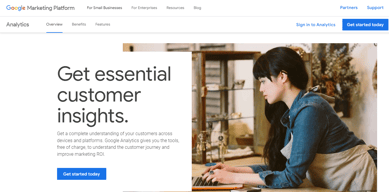
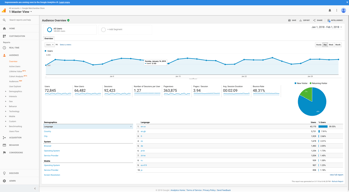
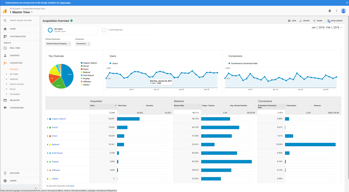

Compare Google Analytics with other popular tools in the same category.
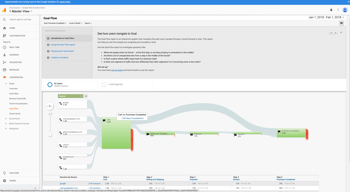
1. Website’s flow can be easily tracked using analytics. 2. It is simple to understand which sources send customers to our business website and what pages they visit. 3. Using Google Analytic tool is pretty simple and it’s used by SEO experts all over the world. 4. Catch Real time User Data location and traffic sources for business websites. 5. Connect Google ads and Search Console with Google analytic to track all data. 6. Set Conversion and goal for business websites to easily track sale of websites. 7. Improve Organic traffic for websites and Manage SEO Work by experts.
Google Analytic's old version was only for website tracking, but now we can track the whole data of mobile applications also. And New version is faster than the old version.
Use Google Analytics to learn what We can do to improve Our business marketing and sales. Google Analytics provides key data on visitor behavior and can integrate with just about any platform. We use Google Analytics as our main SEO reporting for the business. It gives us incredibly useful insights into traffic on our Business Website. We also use it to get a quick itemized sales history report. If we have an issue with a customer transaction, we can quickly check the activity to see if there was anything that went wrong. Google Analytics is detailed tracking of individual marketing campaigns and best for email campaigns.
Google Analytics provides very detailed reporting. Built-in reports are beneficial, but you can create custom reports if you need more detail with different dimensions and metrics. User explorer report allows looking at any user anonymously. It makes very easy to detect any problem.
Because Google Analytics uses samples when we look at very divided data, we might see different numbers for the same interval.
Google Analytics is a crucial tool for all our reporting needs. We can look at the performance of different users, devices, sources, etc. With alerts, we can automate our daily controls.
Easy to set-up and always evolving. Now in it's fourth version Google Analytics is a must have tool for webmasters. I have worked on many websites and the vast majority of them all use Google Analytics for their analytics of choice. It is easy to set-up and works.
There is no way to filter out bots or internal traffic historically. Bot detection still needs works. Your data can get very messy if you do not properly set it up. Referring to Universal Analytics not GA4
Understanding how many users are visting my website and where they are coming from. Also to understand the behaviour of the users on my site to see which content is performing the best.
Google Analytics (aka GA) is a great tool to monitor the performance of a website or, in my case, multiple websites. I like that it is very easy to find the indicators that are important to my clients and me.
Google, being Google, has a tendency to fix what is not broken. Quite often they make updates or changes that make a sizeable impact on the use of their products. That is true of GA as well, but less so than other Google services.
Google Analytics is a very useful and free tool to monitor your website performance. Whether you are a business owner and do it yourself, or you are an agency monitoring multiple sites for your clients, GA is a tool that you must utilze.
Google Analytics helps me track client Analytics for their Google Business accounts that I manage. I love Google Analytics because it helps me report Analytics easily and organized to my client.
Google Analytics is all around a great platform. It's super cool that I get to use Google Analytics to report important analytics to my clients that I manage daily.
We are able to receive website analytics for our clients and report how their page is doing in terms of SEO. Google Analytics helps tremendously in our business.
I love being able to see where my web visitors come from, and setting up goals and events within the platform. Makes it really simple to build a content strategy along with SEO.
They can make it easier for non technical people to use tags and create conversion goals.
Getting a clear picture of our website viewers and where they come from has been beneficial in helping us create content suited to their needs.

Instantly tracking the revenue and traffic is very helpful. I can notice immediately if there is anything wrong
If the traffic is too high, results don't show up instantly and it requires another tool to see actual results
I can track every interactions and funnels, so i know what part of the website needs development.

Tha it gives us the details of how many people visited our website and the session length too. Also, we receive reports explaining the overall performance and areas of improvement.
It takes time to learn how to use it and how to interpret the information if you are not an expert in marketing.
That we can identify what areas of our website can be improved and what could be the reason why people leaves the website sometimes, that's super important for every company
Universality, tons of online resources for training, insightful and actionable data
High barrier to entry in terms of web knowledge
Analyzing and optimizing our traffic and conversions

With seamless integration with numerous traffic sources, Google Analytics will always be the go-to for all analytics purposes.
Given Google Analytics is still relatively new, there are some hurdles that need to be ironed out before it can fully take over the universal landscape.
GA has always been the tried and true source for trusted metrics.
I like that Google Analytics has the ability to provide all the data points needed to conduct research and have a full understanding of what is happening with my website visitors
One item that i do not like is that it is not very user friendly for first time users. I wish there are more help and tool tip functionalities. I would love to see more recommendations of how to use the data or the filter to spark some creativity to the user.
Google Analytics helped me see which channel is struggling and which channel is bringing most of my visitors. It also validates the efforts I am doing and provides detailed performance.
I like that Google Analytics is a free tool available to anyone and can be used to track various traffic stats and sources from multiple websites and apps.
As with many of Google's tools, Google Analytics can be complicated to get set up correctly. Instructions and actions needed can be very complex and confusing.
I install Google Analytics on my websites to track performance and traffic.
I can get all the data from my website live and current. So I can get these data reports which are mostly really beneficial. In addition to that, I can control the performance of my marketing tools on the website. It is excellent to use the free version with part of data, so ıf you need fast information, you will get a piece of data almost immediately
I tried to get the big data, and if the data size is huge, it can take so long to get this from the analytics. The other thing is, if you are using the free version, you can never get the whole data; all time you have to do is get a part of it
I get benefits about marketing tool performance analysis, user behavior reports, and understanding with data, website technical performance tracking. This tool is integrated directly into google ads, so ads performance measuring and report is much easy and accurate
It is a powerful digital analytic stool that you can reach every digital data related with your user. You can take the data out to excell and make deeper analysis. Also, it is important tool for you to reach digital marketing campaigns performances.
If you use free version all the time you get sampled data, it is not useful most of the time. If you use paid version, even when you try to get to many data it might give you again sampled data. You need to get raw data to your email but it takes some time.
I am using it to analyze our website performance, user behaviour, and marketing activities performances. It can give you real time data too, you can look at your user number etc in real time. ıt is directly integrated with google ads, so you can tracj your ads performances easily with using this tool.

Full view of sales, conversion rates, user behavior and digital marketing performance.
It's difficult to determine when/if data is missing.
Working on enhancing navigation by analyzing user behavior data.

It's not less than a magic tool for site owners because we can quickly analyze our website traffic—the location of the users, their device, source, landing pages, etc.
So far, I have found this tool very helpful. I didn't see any disappointing or annoying features of Google Analytics. But one thing I will mention here is that its new interface is very dull, the old one was great.
I am analyzing my website's traffic. On which article, I am getting more views, engagement, bounce rate. I improve that particular article as well based on the information provided by this tool.
I love how intuitive it is to use and access the data i need. Most useful is seeing the acquisition channels and on-site behavior.
Detailed tree-map data on user journeys and funnels can be a little complicated to set up and understand.
It is vital for business intelligence that we have an understanding of where our users come from, which channels they come via, and what they do when on our site so we can improve our site design and marketing targeting.

the detailed view of website traffic organic, social, direct, give us and deep insight into the traffic and help us plan the marketing strategies accordingly.
In starting it's very difficult to use but when you start spending time with it you will learn a lot , and you will grow your skills.
It is helping in growing my marketing of the website, it gives me a deep insight from where the audience are coming from and where i have to put effort more and where how I can improve my strategies planning.
There are so many ways to gather different data points, it's just great! The depth of knowledge available to us with the tracking capabilities is so useful. Also, the ability to integrate tracking with software that does call tracking or anything else is super amazing.
I think as a beginner, even with the certifications, it can be a little clunky trying to find the right place for the right metric, but after some time, you get used to it.
Everything! We do marketing so we need to report on metrics to our clients. Using numbers and insights we get from Google Analytics helps us understand our clients' progress and helps them understand it as well!
There is a plethora of information within the google analytics platform. You are able to track the performance of your site as a whole or specific pages of your site. You are able to determine pages that may need work to perform better.
There are almost too many data options in google analytics so it can be confusing for new users. Some features can be confusing if you haven't used google analytics before.
I am able to determine pages on my site that have high user drop off and I can make changes to those pages which improve conversion rate and user retention. I am able to use the data in google analytics to show the work and improvements I have made to their organic search with the data tables in google analytics.

Google Analytics is the most popular tool amongst digital marketers. The flawless UI with the best visual graphics makes it very easy for a user to dwell deeper.
If you are a small website having lower traffic on a daily basis then Google Analytics surely comes with a few flaws. The filters will not work perfectly to give you accurate results. The overall precision decreases.
A Google Analytics user can perform multiple tasks based on their need. We perform A/B to check the efficiency of product experiments.

I like being able to track who is coming to different pages on my site and their behaviors.
It's alot to learn, but powerful once you implement everything.
I have been able to tweak pages based on customer behavior and see better outcomes.
The ability to track behavior flow on your website and see which pages cause potential customers to leave your site is a great feature. You can then work to maximize retention and use a call to action to keep your audience.
To be honest, I have not experienced anything on Google Analytics that I don't like.
I have been able to add a call to action on pages that entice potential customers to visit more pages on our site and stay on our site longer than before using this tool.

There are many packages in this software that allows business owners like myself to use different functions.GA makes it easy for business owners to provide valuable work and minimize time efforts all around.
I would personally say the main downside of GA is that there are many technical coding aspects necessary to integrate which could be a little bit difficult for business owners who mainly use GA for their business email and etc. Other than the technical difficulties I would say that this software is very useful.
I primarily use GA for tracking purposes to see where my customers are coming from. GA is an AMAZING tool for social media marketers as well! The help of SEO has also done of upsides for me as a business owner. I would say the biggest benefit realized is simply that I am able to utilize the results shown by Google to further enhance my business.
The ease of using and understanding analytics is helpful in the long run.
The amount it charges from its customers for data-analysis is a bit more expensive, So. price can be reduced to some extent.
Data-analysis problems, which can help in offering consulting services
Upsides to use google analytics is all the information they provide you after receiving market research. It's also free!
Nothing to dislike, but I think some feedback would be to have more detailed user data
N/A
I like how intuitive the interface is — even if this is your first time using analytics, you can slowly but surely teach yourself how to read it.
I wish there could be a better breakdown of traffic sources.
It's a great way to stay on top of articles that are performing well, especially in real time.
I love how easy it is to set up Google Analytics. You can use it for simple traffic stats or ramp it up to track affiliate links, traffic sources, and many other stats.
As with most of Google's tools, Analytics comes with a learning curve. The more you want it to track, the more difficult it is to figure out. BUT, once you have everything set up correctly, it does a superb job!
I install Google Analytics on every one of my clients' sites. It has become the baseline standard for tracking traffic and gauging the success of website changes.
Google analytics is a great tool to track your customer's behaviors on the mobile application and website. According to their behaviors, you can create different segments and target them with the related campaigns.
sometimes most traffic sources looks like direct, and sometimes it is getting slow with the big data set and long date periods but in general you can check lots of things so this is not a very big problem.
We track our customers in the funnel steps especially and try to offer them different products and trying to solve our problems in the shopping steps, and we make adjustments in our application.
How I can track visitors over time and follow their user journey. This allows us to improve weak drop-off points and improve them.
Sometimes the dashboard can feel overwhelming, so maybe more control is needed on the left-hand side toolbar so trim the options.
Mapping user journeys better, has allowed us to realise we had a dominant CTA button that was then taking traffic off the site too quickly. We have adjusted this and now we have better page dwell times