
Unclaimed: Are you working at Google Analytics?





Google Analytics Reviews: 4.5/5 — Highly Rated
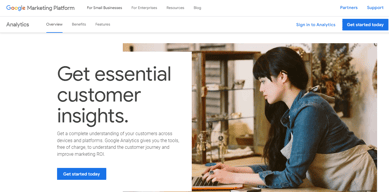
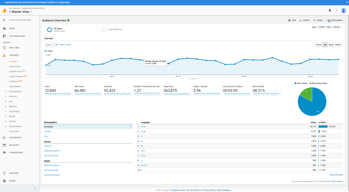
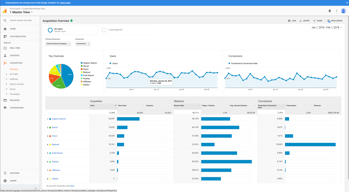
Google Analytics is a platform that runs on the internet designed to give users in-depth insight into their website traffic as well as user behavior. Google Analytics is well known for its ability to track site visitors, monitor website performance, and review user engagement so users can improve their visitor’s site experience and boost conversions.
Google Analytics is also often used as Digital Analytics of choice in Indie Hacker and Marketing tech stacks.


| Capabilities |
AI
API
|
|---|---|
| Segment |
Small Business
Mid Market
Enterprise
|
| Deployment | Cloud / SaaS / Web-Based, Mobile Android, Mobile iPad, Mobile iPhone |
| Training | Documentation |
| Languages | English |


Compare Google Analytics with other popular tools in the same category.
I like that they track users and their activity on our site. The ability to add events and other types of hits makes the tool extremely flexible and able to track almost anything you'd want.
The UI is always a challenge. I can never remember where specific views are or how to alter them to see what I want. It feels like people who are good with GA have no issues but the barrier to entry is very high.
I like to use the GA data in big query to track subscribers' movements within the site. Since this is the only tool we have that doesn't just track content consumed it has helped with product decisions.
delivers powerful data metrics, excellent free tier
seems like the interface is always changing and it can be difficult to locate what you need
provides data on who has visited your website, what pages they visited, and for how long. all are important in managing an online presence
I love seeing the interaction of my viewing audience on my site. I love seeing how my website is performing and being able to catch problem areas.
It's a love hate relationship with its complexity. I hate how google suites interact with each other. It's to complicated. I am relatively new to google platforms and most of the time I feel like I spend to much time trying to make sense of the data. Also, I wish I would have known Wix Ecommerce platform wasn't supported by Google Analytics ecommerce. I'm missing quite a lot of data. We were so far deep in wix we couldn't change.
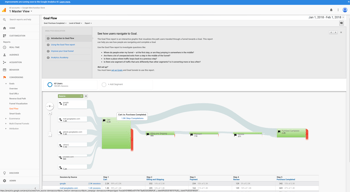
I am able to communicate our audience to my boss. Funnels are awesome and I can't wait to understand them better.
I like Google Data the best; this beta program has made me more excited about Analytics. I do love that they offer Analytics academy, and I have clearance from my boss to do the full sessions to make the most of GA.
There is probably a lot I don't know, but I do wish it was a bit more intuitive.
I use GA to track articles views from our websites, and I use the GA data (via Google Data studio) to build beautiful and user-friendly data reports.

Google is constantly updating their service, so the best thing about this platform is that there is new stuff all the time.
Google is constantly updating their service, and sometimes they ruin things. For example, they made a big change a few years ago in which anyone who is searching from a secure website no longer passes along their keywords. Since zillions of users are logged into Google when they search, their search keywords are now "not provided." Which pretty much makes that part of Google Analytics useless.
Figuring out what content is sticky.
Google Analytics is free, easy to use for evaluating website stats and there are several online-based tutorials (even videos) to help a potential user get up to speed. Google also has a training and testing module to test your knowledge base.
Google Analytics is free, so there is less back end support and no direct customer service demo or real-time support if you need it. Users may decide whether they value paying for that additional help or learning on their own time.
People use Google Analytics to measure: Website visitors What visitors do when they come to your website When they visit your website What website they came from - and where they go after they leave yours How many visitors clicked on a link you may provide

It's features are incredible useful in our work.
Sometimes very clunky system, with a slow onboarding process
I am solving our user engagement problem
The amount of data collected on one platform is very nice to have at your fingertips.
I wish that the product was a bit easier to navigate.
We are trying to gain more leads. We have realized that having this installed for our web site allows us to track the number of visitors to our web site.
When I was first assigned to look over our Analytics account, I was stumped, never used it before, I saw numbers, I saw graphs and it wasn't until you watch like 2-3 (12 if you're me) youtube videos on what does what. (then seeing that all videos are outdated) and everything has moved from what you're trying to do from the first tutorial you saw on goals. I like, nay, love that you can break down every channel and see the traffic if I was a numbers guy. (I'm guessing this is like their Playboys/girls) But, although its weird not getting all the facts, it's nice to see where drop offs and points for brainstorming for retention.
I really wish it was more clean and cute (never thought I'd say that about a product, but here we are. Some other services, really clean this up and with Google, you'd think they'd make it more polished and easy to read, edit and how to work it. without having to get a certificate or hiring someone to read it for you.
Drops in retention and flow around the website, shop and business partner
Google Analytics is fairly straight forward and easy to use/set up.
I would like to see more detailed metrics on my users.
Primary use to date has been for tracking the number of users that have visited and where they came from.
Comprehensive. Paints a full picture of where our audience is coming from, where they are spending their time and what is most interesting to them. Let's us see what is being clicked on and what our traffic patterns look like.
Hard to get setup. If you don't set it up correctly at the beginning, you will not be able to capture information from your website. Hard to understand and challenging to navigate. Not intuitive.
What time of day and what day of the week our readers are most engaged.
Being able to track unique visitors to the site separately from those that were returning.
Some of the numbers didn't seem accurate.
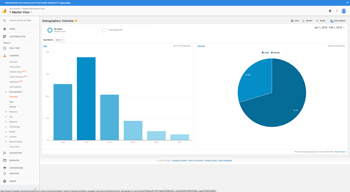
We were trying to gather data on demographics and gauge the stickiness of the website.
Access to tons of analytics that can be viewed from many "angles"
Almost overwhelming how many things you can see. It's hard to use if you're not an expert.
Website traffic and traffic flow from social media.
Google Analytics provides a look into how your business is performing. It shows you trends and with my company, we use it to see how to better market to our customers.
For me, Google Analytics is a bit difficult to understand. If it were more straightforward, or there were more resources available for interpreting, I'd enjoy it more.
I work for a marketing company, so we use google analytics when reporting to our clients. It is good for showing us what works and what doesn't.
I love the diversity of statistics you can get with this analytics tool. I love that you can customize it to identify types of users and track what's important to them or what devices they are using to visit your site.
The UI is a bit convoluted and a mess to navigate at times. I guess this can happen with any analytics or data collection software but its just a bit rough.
We are trying to figure out what OS and devices to support to better support our customers and keep them happy. It helps us make product decisions and shift our front-end development focus.
good data visuals from the presentation itself of the information. It look attractive and makes one pay attention
terminilogy of the use of the analytics like Bounce rate. These terms are sometimes confusing but give a good sense of whats going on
SEO problems and analytics can help but i use alexa
It includes customizable data and results for all reports that are generated. It has large data storage capabilities.
Confusing first time user experience. I had trouble generating reports with the right content. Not great support within the application.
We are passing customer statistics usage and feature usage into Google Analytics. Giving a good feel for overall feature and application usage.
I like that it seamlessly integrates into a Google dashboard and other apps, and has a number of basic features and useful features on the free tier. Google Analytics is my first go-to software for analytics of apps.
I dislike that it doesn't have the detailed analytics features of other software, such as Mixpanel. For example, we don't know as much about the demographic information about the people who go to the site. We also aren't able to track the clicking of a particular link at a very fine-grained resolution the way that you can on Mixpanel.
I am trying to determine how many people are going to our homepage and whether they are falling off, as well as how long they will stay there. Google Analytics has helped us track the usage of our website to the resolution we are looking for so far. We don't need such a high resolution as this is a very low traffic website. So Google Analytics is good enough for us for now, and we plan to use Mixpanel or another type of more detailed analytics software to learn about the users' behavior in more detail when we have a larger volume of traffic than we do now.
It's free & accessible from anywhere. It also plays relatively well with other google products like adwords and google search and can be useful if you are interested in SEO-type analysis. It does get the job done.
It doesn't play so well with other systems, and is not the most reliable when it comes to reporting accuracy. The info you can gather from google analytics is relatively simplistic and still requires a lot of manual processes to get the big picture.
Not provided
It provides data that helps us to improve our search performance.
The data is all over and not managed properly.
It solves the problem of finding out how oue users react to our websites so we know what steps to take.
Universal google analytics is useful for analyzing data and tracking metrics for goals and KPI’s. When tracking google ads, especially in relation to site traffic, this enables you to get accurate information (although some data can be delayed by a few hours for real time data at times).
The new GA4 version takes away some of the customizations and ease of exporting data that was a part of UA. This is a downside for me, as I really enjoyed the ease of tracking data and exporting very easily within google softwares.
Being able to track a mass amount of metrics for many accounts at the same time versus having to go through every single individual account to track key metrics for campaigns and ads.
I love that there's so much to understand from Google Analytics. You can gain information on SEO, landing pages, customer behavior and even more. These directives can provide insight on how exactly to manage your site and make it better for each customer experience!
Sometimes it can be difficult to find exactly what you're looking for, but doing a quick Google search can help tremendously. I think tutorials might be helpful as well.
Google Analytics help assess what campaigns, language/copy, and images are engaging our customers to convert. This in turn can tell a brand where to aim the focus and what to include more of or less of on their sites.

The customised dashboards are the best thing
Not super user friendly for a beginners and not much helpful demos
Track sessions to my website to improve content performance
The ability to easily share reports across different stakeholders who should not have access to all environment data or reports
Lack of ability to track metadata or collect demographic / segmenet data
Ability to track product analytics / feature engagement data

Help in Making Seo Website Report Data Analysis.
Not used for other websites if we donot have permissions.
It Helps in MAking Reports of the Websites.It helps in Making Ranking of Websites, Give Actual Details And Demographics Details.

I like that i can sort of get an accurate count of visitors my site is getting. And that there is a lot of opportunity to be had, if i understood it or needed it.
I don't like how insanely confusing it is. I somehow have 4 tags on my site and my like 7 properties on my analytics dashboard... for just one website. They all have different figures too.
I'm not really solving any. Like i said the numbers don't match up with themselves or other software that tracks my visitor count. I like to see real time users.
The most recent update to GA4 has been a quality release so far.
Ad filtering programs and extensions such as Firefox's Enhanced Tracking Protection, the browser extension NoScript and the mobile phone app Disconnect Mobile can block the Google Analytics Tracking Code.
Track website activity such as session duration, pages per session, bounce rate etc.
I like that once the platform is set up, you can log in and view a multitude of analytics. I also like that you can set up reports and view data in real time.
The platform is not very easy to set up. Google algorithms change often, so data you're used to seeing may appear different or have significant discrepancies. It's challenging when dealing with PPC analytics as Google will do whatever it can to get users to increase their budgets.
It is excellent for measuring website traffic and sources. The analytics provide great insights for areas of improvement and what we are doing well.
it is good for analysis google ads service
all is good not facing any issue so no dislike
no problem solve
The ease of use of google analytics is great for anyone to jump in
Some areas of google analytics are not totally understandable
I am monitoring my bounce rate on my website to see how often people leave