

Unclaimed: Are you working at Kintone?





Kintone Reviews: 4.6/5 — Highly Rated
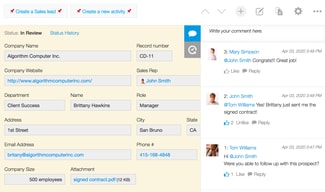
Kintone is a no-code platform that is perfect for non-technical users who want to create apps, workflows, and databases for their teams and organizations. Using clicks instead of code, Kintone can help you build apps that automate business processes, collaborate on tasks, and deliver comprehensive data. Kintone also has dozens of pre-built applications for a variety of use cases such as CRM, project management, inventory management, and much more.


| Capabilities |
API
|
|---|---|
| Segment |
Small Business
Mid Market
Enterprise
|
| Deployment | Cloud / SaaS / Web-Based, Mobile Android, Mobile iPad, Mobile iPhone |
| Support | 24/7 (Live rep), Chat, Email/Help Desk, FAQs/Forum, Knowledge Base, Phone Support |
| Training | Documentation |
| Languages | English |

Compare Kintone with other popular tools in the same category.

I have been searching for a user friendly cloud based database. Kintone helped with training, setup and made it very easy for me to help my Non-Profit clients.
I dislike that there aren't any plugins that I could input into our NPO site, to streamline our data collection.
Unified data collection, user error solving, and cross platform compatibility.
Kintone is easy to customize and integrate with existing business solutions. You are able to add-on functionality as you see fit for your business. Usability and modification to code and application is simple.
Elasticsearch is not a tool which is currently offered. Kintone is working on developing this and should be available towards the end of 2017.
Adding speed to our process. Kintone allows us to quickly enter data and validate it. We are also able to integrate across platforms, which allows us to avoid keystroke error.
I love how easy it is to create and link databases. It allows us to easily run reports that are clear and filter them by what information we need and how it correlates to other data.
I wish the platform was a little more trendy looking bu that is so miniscual in my book that it really doesn't matter.
we are able to keep all of our government clients organized and draft reports when they request on demand. I'm not sure how we would've been able to do applicant tracking without this database.
Ease to integrate with AWS. I needed serverless solutions to display bond price feed from third party vendor into social marketing microsite. I used kintone API with AWS API gateway to get data directly from kintone database. It was accomplished by a few lines of JavaScript code.
I hope there are more price options for small business users (Currently five users minimum). Also, I need more reporting capability with kinetone.
Serverless data integration between third party vendors. The client is able to provide curated information to their customers.
Its Interface and ease in application development and workflow automation
Lack of an on premise version to give clients a variety on deployment option to choose from based on their preference
Automating workflows E form creation
I am not a techie. We provided a detailed document of the platform we wanted to build. And they made it happen - fast, efficiently and affordably. This was driven by their platform, their team, knowledge and desire to help us. They helped me make a dream come true.
About the only thing I can think of is pretty insignificant: reports you build cannot wrap text - so columns in report headers can be quite wide.
We were working on creating a new business. The service is a system to audit/evaluate a specific area, and wanted this to also be a planning tool and resource center. We wanted a fully integrrated, self-managed platform - and kintone made it happen. Despite rolling out the product and our company just before Thanksgiving and the holiday season, after just 90 days we are beating break-even sales projections.
Easy to use, and easy to train others on. We use from start to finish on a job.
It may have just been my technical difficulties, but i had a problem importing information
We are better able to track a job, from start to finish.
The ease of creating database files and reports without any in depth knowledge.I was able to teach my office administrative person ,who was formerly one of our bilingual students, to use the system in a very short period of time
Importing more complex excel files involves a bit more work than I had hoped but part of that is being new to the system and will likely get easier as our experieince increases
We are increasing the timeliness and accuracy of our files,eliminating the need to maintain paper documents and the ability to access our data on a variety of platforms. We are a small nonprofit so we still have a lot of work left to do to take full advantage but there is evidence that we are moving in that direction
No need to know coding, doesn't have to be an engineer, you can easily create a database by intuitively drag&drop necessarily blocks onto the field.
Cannot find any disliking points now. I need to use it for some more time to find out negative points.
I have a big excel sheet. I also have a lot of scanned files of contracts. These two data are completely separate, but Kintone surely integrate these two into one.
Customization is the best feature of KINTONE
Data download of bulk records by PDF is not included in the original feature
Minimizing duplicate workflows. Shorthened consuming work time and unecessory tasks
It was easy for me to simply get up and running on my own with the available documentation. We had been managing ther operations with multiple spreadsheets (and spreadsheets of spreadsheets . . .) and quickly outgrew that. Kintone is robust enough to scale up, and the cloud access works great. We are still likely scratching the surface of what we could do. But the bottom line is that the barrier to entry (with regard to usability and cost) is low. That was key for us.
The default interface is sometimes not pretty or slick. That said, it is highly functional, which is what matters to us.
We needed to track multiple interactions and individuals in real-time. We also needed multiple individuals to access these data via the internet. Finally, it needed to be easy to use. Our processes run more smoothly with Kintone, and we have more ready access to metrics of our operations. Also, the support is EXCELLENT. We had a couple of sessions with the nonprofit specialist, and they were very helpful.
Very easy to set up apps. Great support.
Linking data between apps has been challenging for me (personally). But I'm working through it using the Kintone Help articles.
Originally we implemented Kintone to track parts and system inventories. The customer dashboard that we set up is used across the company.
Flexibility of application along with work flow
Will need to use add-on if it's out of scope
Human mistake or manual process will be eliminated due to the work flow built in

At first I wanted to implement an application that was only used internally by the company but it was difficult for me to do it. With Kintone it was much easier to do it since I had the support of an advisor who guided me in my process and implementation of what I wanted to do. really for the creation of reports they are much faster to create with data in graphics that make the information better understood
for now there is nothing to dislike about Kintone
easy creation of applications without code allowing to have own applications
Kintone training online https://www.youtube.com/user/kintoneglobal walks you through all the steps on how to create and set up apps. This is all the training needed on how to set up and manage the apps! I was able to get most apps up and running within a few weeks.
Many of the Kintone integration services/plug-in's are built by their parent company Toyokumo Ref: https://kintoneapp.com/ The help pages and training for these integrations could be better for English-speaking end users. It is well documented for those speaking Japanese.
We are using Kintone for a database of customer systems, customer information, system status, data entry, and I-frame data feed for websites built in-house. We integrate with Zendesk, and Microsoft Sharepoint and have migrated all the spreadsheets and lists into Kintone.

Kintone is the easiest and quickest app to come up with new purpose-based app tools, this is so good for sharing the information with the team members and also keeping the information, and data as part of logs and evidence.
Due to high-security reasons, it can not email the app contents but can chat with the team members to share the contents or in forms of the thread links, which is acceptable.
Trying to find and/or pull out the previous/old quotes, projects files, and business documents, etc. KINTONE is saving a lot of our time for the team members...by 30% or more.
have access to everything from any device
specialized setup required. everthing works well but still need assistance to be efficient
track business operations
The way different databases are interlinked
That at times it can be complicated to understand how the interlink is made, but thankfully kintone support is there to assist
It is allowing me to eliminate paperwork and countless excel sheets and centralize all of the data in one space for people to consult
Ease of making edits/developing our own applications A friendly and helpful front-end sales and support process Quick, easy to use online interface for reviewing our data on a weekly basis.
The pre-deployment test site was a little buggy and slow. These issues have been resolved since migrating to the full service. Managing user roles/departments can be a bit tedious.
We recently deployed Kintone as a bid management application/CRM platform that is aggregating all of our sales data together in one easy access location. Prior to Kintone, we had multiple spreadsheets or nothing at all.
It has been a great way to keep track of all our projects.
I'm having trouble figuring out the email notification system.
We are using Kintone for racking multiple projects, across multiple organizations. It has helped streamline our process.
Kintone"s best feature is its intuitive design that enables a user to create a database from scratch or by uploading a spreadsheet in just a few minutes. It was much more flexible than other tools.
Some features, such as assigning notifications, were not as intuitive and required help from customer support. More robust help documentation would fix this. Would appreciate a feature to delete notifications in bulk instead of one by one.
Keeping track of our learning content and the information we need to know about each record has helped us ensure that content is relevant and reviewed in a timely manner. Instead of using a spreadsheet with dozens of columns to track content updates, such as localizations, I simply created a database to manage it.
I can easily create apps that I need and set a dialog.
I could not understand how to edit a procedure sometime.
We use Kintone for all work flows.
You can customize and create databases based on your specific needs. You can use it as a CRM or even for basic billing functions.
It's a small grip, but you can filter or sort data from a table created. For example, say you create a table for customer contacts. If you put a customer in the table and another one thereafter, you can't change the order of the 2 listed. In other words, it would be great if you can sort by name or other points.
Allows us to track customer info., follow-up actions, etc. (i.e. all the functions of a CRM) but with input data fields specifically for our company. Has increased productivity and allowed us to keep all info. in one place in the cloud.
The software is very easy to get started. You can easily import your excel workbooks and create an app and database. We also use an account executed to help use get started right away and show some example of application development.
So features are not fully developed. I feel like the software is still in its infancy state. The software has the ability to evolve into something better. Examples of this capability missing is the quick searches by fields such as a button or field within the app. The import and export function is very difficult to understand. Especially when importing data to lookup tables.
Kintone is helping us set a standard in sales force management. The software helps us fine-tune the application toward the user's preferences.
I feel like this platform works with a variety of business models. For the most part, the app is self-explanatory and easy to navigate, especially because no coding is required. It's versatile and currently meets all of our needs.
Sometimes, it can feel a little too simplified; this could be because of the lack of coding. I also feel like it could use a few additional features: most importantly, being able to sort apps based on preference and not the date it was created. I use some apps more frequently than others. Finally, using the app can sometimes feel repetitive.
We now have a centralized location for all of our apps. We had issues with organization and this platform is helping mitigate confusion and keep us on the right track.
The multiple options that are available to help build a database. also, the possibility to link it to existing platforms I don't know much about the competitors, but Kintone answered most of our needs
missing the ability to have Other with the option to add a different answer in multiple choices or selection answers without coding. I don't know much about coding but I think that with some javascript this would be possible.
the possibility to build a small database to use within our teams that does not require going through IT and all the time and cost that it would involve in order to have a one source of contacts for our different programs
No more searching for emails with pertinent information related to assignments for a task. It's all in one place and easy to see who is assigned to what and when parts of the assignments have been completed so that I can move on with my task that was dependent on the completion of something previous.
Sometimes hard to find the right place to record something. For example on the Peer Support App Pack page under "assigned to me" there is something assigned that I completed. I feel like I should be able to toggle or click on the assigned wording to be able to change the status to complete.
Finding information related to a task is easier. It's also easier to see what was done by who and when making communication easier amongst colleagues increasing business performance.
For my team, Kintone has been helpful as it's a one-stop shop for a lot of our business needs. It allows us to organize tasks for our contractors as well as attach documents, databases and other resources they need to complete their work.
You could say it's a little pricey compared to other similar software on the market, but I will say the staff has been super helpful with any questions I have had so I think that makes it worth it.
Our company is made up of contractors and a lot of us work remotely. Kintone will allow us to stay on top of our cases and workload virtually. Although other platforms allow us to do that, thing one offers more than one feature we're able to utilize.
The title of this post notwithstanding, the main advantage/highpoint of the Kintone experience is the customer support. They're very responsive, knowledgeable, fun, and creative.
It doesn't have all of the functionalities an industry-specific solution might have, but it makes up for it with ease of use, and practical workarounds most of the time.
Kintone is helping us make our inventory management process much more robust and intuitive.
Ability to customize different database apps and the fields within them. Additionally, the "Lookup" function that references other apps is incredibly helpful.
Visually it can take some getting used to. Also, if a record is changed that has other linked records, if you don't realize that is the case it can break those relationships.
Tracking thousands of users, the organizations they are connected to, and which programs of ours they have used, along with records of all of our communication history with each user.