
Unclaimed: Are you working at LastPass?
LastPass Reviews: 4.5/5 — Highly Rated
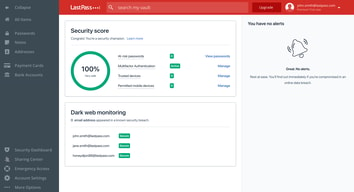
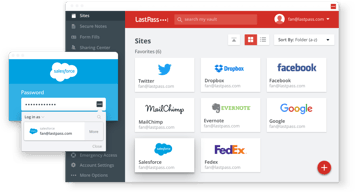
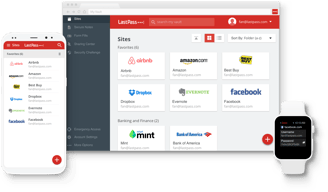
LastPass is a popular and easy-to-use password manager with premium features and great security tools and multiple account recovery options. Adding an advanced layer of security, the platform offers multi-factor authentication and time-based one-time password protection, dark web monitoring, a one-to-one authenticator, and secure notes. LastPass also offers effective pricing, with a freemium plan that covers extensive features and tiered plans with more robust security features and tools.
| Company | LogMeIn, Inc. |
|---|---|
| Year founded | 2003 |
| Company size | 1001-5000 employees |
| Headquarters | Boston, MA, United States |
| Social Media |

| Capabilities |
API
|
|---|---|
| Segment |
Small Business
Mid Market
Enterprise
|
| Deployment | Cloud / SaaS / Web-Based, Desktop Chromebook, Desktop Mac, Desktop Windows, Mobile Android, Mobile iPad, Mobile iPhone |
| Support | 24/7 (Live rep), Chat, Email/Help Desk, FAQs/Forum, Knowledge Base, Phone Support |
| Training | Documentation |
| Languages | English |






Compare LastPass with other popular tools in the same category.
Can manage more than just web based applications password's.
Nothing really, other than having to use a product like this to operate securely. Says a lot about our society that we have to always stay ahead of and outsmart attackers.
Sharing passwords amongst Admins without having to disclose the password itself.

LastPass has a lot to recommend it: 1. Works across devices. 2. Works across browsers. 3. Has native apps for a number of platforms. 4. It offers a powerful password generator. 5. Can save secure notes, bank accounts, etc. in addition to passwords. 6. Sharing, when it works, is intuitive and simple. 7. The free account is more than sufficient for the average user. 8. Pricing is fairly reasonable.
LastPass is a good product with a lot of rough edges: 1. Technical support is slow to respond and their answers have generally been incorrect or unhelpful - oftentimes involving resetting the pre-shared key - which is a real trial. 2. They require time consuming and involved steps to reset a pre-shared key if it becomes corrupted. 3. On multiple occasions I've been told the issue was a corrupt pre-shared key only to discover it was something else entirely (browser cache, need to change master password). 4. Some of the enterprise functionality doesn't work as anticipated - e.g., adding people to groups doesn't always seem to actually give them permissions to shared folders (told that admin logging out and then logging back in will solve this problem; but it has not). 5. Additionally, folks don't always receive notifications for shared folders when added individually (this has only been a problem with enterprise). 6. The granularity of permissions leaves something to be desired. One can either shared an item individually or as part of a shared folder, but these are exclusive. LastPasses' resolution is to create a duplicate key - but this becomes a maintenance nightmare. 7. Things have gotten better within the last year but used to see lots of problems with LastPass throwing errors when there was no internet connection (even though insisting it functioned fully offline). 8. Windows App has gotten better but doesn't have feature parity with the web interface. 9. The error messages thrown by LastPass (usually through the web interface) are very short and unclear, they provide little insight into the actual issue. 10. Web Support is poorly organized, sometimes confusing.
- Provides simple way for individuals to create secure passwords. - Allows intuitive sharing between co-workers and with external parties.
I like automatic password generator, I like that you can launch programs directly from lastpass and I like that i can feel 'at ease' that my passwords are protected.
my company oftentimes uses the shared login function which causes problems, and it's not always clear what the problem in I've also noticed that Lastpass seems to not completed update if I change my password with multiple tabs open... I could always be more careful, but it would be nice it it notified me if something would or would not be updated based on having another tab/browers open.
Keeps all my passwords in one place. I even use it for some of my personal password storate
The interface especially on PC is best in class and the features are all you could want in a secure password manager including generating passwords with unique password recipes and secure storage in the cloud.
The mac interface is not as appealing as 1Password which started out as a Mac and iOS app. My company gives me free enterprise account that give a personal account with all features including mobile (iOS) access.
Managing multiple passwords to multiple platforms and allowing you to create very secure passwords.
That it saves passwords across the board!
There have been moments where it logged my passwords out without my consent.
I was able to save passwords for all the websites I visited daily for work. Especially in media, you go to Getty a lot so with this I never had to remember my company password.
LastPass provides ease of access since your login and password information are automatically saved on LastPass’s servers, and are available to you from any computer with the extension installed. I also really enjoy the audit feature which will perform an scan all your passwords and then will highlight weak or duplicate passwords, and then even goes on to help you create more secure ones.
I found that the interface is a bit hefty and complex and not as user friendly as some other options out there.
LastPass helps to bring harmony between the user and an easy to manage password management.

Ability to fill forms using only one click.Secured browsing.
User interface is clunky. Mobile app requires authentication every time you switch between apps.
Storing business cards, partner profiles and all the passwords in one place.
I like that it keep everything in one place and your sites are categorized. Also when the last time you used a site is nice!
It does not update your passwords when you change them. It will keep you last one saved. Not good.
Keeping all our passwords safe and accessible to whoever may need it comes in very handy.
It definitely does that it's supposed to do! It's great at password management.
I hate how big and obnoxious all of the graphics are for the extension. EVERY site I go to has a huge banner added to it after I sign in, even if I already have that password saved! For a long time the "never for this domain" button never worked, but it hasn't happened lately, thankfully!
Secure password management
One master login to rule them all. This is a very secure method to store passwords so you don't get logged out from your accounts.
There are major sync issues if you need to combine two separate LastPass accounts. You are also screwed if you forget your master password.
Keeping business information secure.

I like that you can store your passwords as well as generate new passwords. You can adjust the password length and it also allows you to choose the types of characters, like upper and lowercase as well as numbers and special characters. I use it on the app and it copies the password into your clipboard so you can copy and paste it into the profile that you have created for a webpage. You can also store notes, to save things like your drivers license number and memberships IDs. I like that you can grant permissions to your vault in case of emergency
There doesn't appear to be a backup feature unless you upgrade to the premium version.
In an industry that requires you to have you change your password often, this helps keep up with the need to generate passwords, but also the storage so you don't forget. When you have to change your password every 21 days and you cant use one you have before, this helps tremendously
That it saves all of my passwords, meaning I don't have to log in each time. It auto-populates my username and password. The master password serves as a good way to secure logins. The extension is also great way to get to accounts easily
It makes me confirm logins too often. Sends me emails that my passwords are not strong enough. Reseting password scan be confusing. Setting up things correctly at first is important
Managing all my passwords and usernames in one place, placing them under different tabs types

Lastpass is great to store password and having a centralized search for it. The Chrome extension(I don't really use other browser) is really great for finding password and for generating new one. Since a become a Premium usern i can use the mobile apps and it's such a time saver. Also the support team is really quick to respond whenever we have a question or problem.
The main issue i have with Lastpass is storing the non-web user and password. It's not design to work well with RDP or other software like that. Also the sharing fonctionality is not exactly user friendly and lot of our users have duplicate password because of that. The UI of the version 4 is really heavy. I would like it to be more of an arborescence. We have lot of complaint about the UI because it's not really easy to view password. It need many click. In a lesser note, the Chrome extension doesn't update fast enough when we are sharing password between user.
Our goal was to create a way, where our user could have a list of password secure. Not like in a Excel file on their desktop.
It creates a much more secure experience than your manual password management scheme.
It is pretty tough to work with, when you connect to your accounts from multiple mobile devices. Their iOS stuff is less than great. When I was using their Firefox extension I found that it slowed down the browser. (This was more than a year ago, it may be better now.)
Security.
Simple and efficient tool to store your credentials
Nothing can replace old good security methods.
I can store all credentials in one tool and use them anywhere
It's free for personal use. It manages your credentials, allowing you to reserve precious memory (not the computer kind) for other things.
Cloud synchronization. While some users appreciate the convenience of their credentials synchronizing across all their devices, I am very leery of this as a valuable target for hacking (and LastPass did get hacked)
Not provided

LastPass' most useful feature is the ability to easily share passwords with any other LastPass user. Your not limited to sharing with people only in your family or organization as you are with some other password managers.
I prefer open source software as it tends to be more secure. I feel it's a drawback to LastPass that it is closed source.
LastPass makes it easy to share passwords with clients.
Insightful ,thought provoking in its service
Too much emphasis on its products marketing
Authentication became a challenge now , and it's helping me to solve this problem.

I like the browser extensions available and the shareable content in the admin console. It was easy to use and very helpful for account logins, and auto generated login information for sites.
It is less secure than other password management solutions and therefore not necessarily suitable for larger corporations or government entities. They should increase encryption methods used.
LastPass solves the need to remember all different types of passwords and auto populates regularly used websites to increase speed and effectiveness of logging in.
Works as expected with storing passwords
User Interface No Desktop tool, just a browser extension Sharing sucks, really really sucks
Storing shared passwords across the company
Ease of use, security, overall reliability
Sometimes buggy w/ login; prior hacks leading to concerns
PW centralization; web & mobile access; overall security & easy login access
It fills fields correctly in more websites than other password managers, Pricing is affordable and you can organize your passwords in multiple levels of folders.
Everything you do or close to opens the extensions in another annoying tab. Their security is questionable since the origin of their breach was definitively avoidable. It's a good password manager but far from a great one.
Sharing passwords and secrets with teammates and documenting the uses of those.

LastPass is simple to use, along with its clean and simple UI. Also, it's responsive and works well on every device I have tried until now, be it Android, IOS, Windows, Mac, or Linux. One thing which makes it better is multiple options for 2-factor authentication.
LastPass is unnecessary and expensive when you have password managers like Bitwarden with you. They are free, open-source, and provide almost every functionality of Lastpass. Also Lastpass has a history of data breaches.
LastPass solved the problem of remembering so many different passwords and using a sophisticated yet different password every time I was signing up on any website on the internet. It was the first password manager I ever used!
Can storage passwords and create random and high secure passwords, but as far as I know they had a security breach, exposing user data to hackers. Sharing features are good.
The old-style user interface, the lack of add 2FA and share the accounts with 2FA enable to others in a secure way. Also, the concerns about security is present since their last security breach.
Create secure passwords and storage login credentias from different services.
The Lastpass Chome extension makes filling in usernames and passwords super easy, especially when there are multiple accounts for one website. Feel very comfortable with the level of security and protection it adds.
I feel like the app isn't the most user friendly — sharing passwords between team members can be quite cumbersome and tricky at times, and passwords aren't always contained in the same space making it difficult to locate everything.
Folders with a large group of essential passwords make onboarding new team members very easy. The process is quick, simple, and secure, and my team is a big fan.
It's pretty slick. Looks good and does work well. Form Autofill mostly works correctly, Password Generator sits right in the password fields and saves time by not having to move your mouse over elsewhere. It has a very clean look and generally is very easy to use.
It has been getting heavier lately and I feel that the app is getting slower and more bloated. Speed is important. All the browser extensions add up so each individual one should be as lightweight as possible. There are some usability issues that results in way too many clicks and it could be very much improved.
LastPass solves the huge problem of managing large numbers of passwords. Saves time, improves security and ultimately make me more productive.
LastPass is amazing when it comes to it's core functionality. It's very easy to manage your password database, generate new credentials, etc...
Integrating with ADFS or Azure AD for Enterprise identity access is a nightmare. We have had a support ticket open with them for over a month and the issue still isn't resolved. To that end, their support is also somewhat poor. There is no option to call and open a support case. They force you to open a ticket on their site and then wait for them to call you. This is fine when opening a new case, but makes it extremely difficult to get case updates or escalate with them. I also dislike the way shared passwords are handled within LastPass. Rather than using a table field to tell you that a folder is shared, they add the word Shared to every folder that gets shared. This makes sorting excruciatingly painful and is a good example of how they took a feature from their consumer offering and slapped it into their Enterprise offering. They also don't allow you to control sharing permissions on child folders. The sharing permissions of the top level shared folder always apply.
None because we still don't have our enterprise identity system tied into LastPass to begin provisioning access to our users.
It manages passwords and meets all compliance requirements
The UI is terrible and not as easy to use as other platforms
PW management

I like the ability to share passwords with team members with out actually giving them the password and with out them or me having to remember all the passwords to all our software platforms.
The software is buggy. I often share a password yet my team members cannot log in, or the password I share comes across blank. We often have to delete the password share then re-share it.
The benefit of it is that you do not have to remember all your passwords for your multiple sites as well as you don't have to share the actual password with contractors or team members in the event they quit or leave you, you can remove them and not really worry that they have your password. Although there is a way to hack it and get the password but I won't put that out here on the internet.
Keeps my passwords safe, relatively easy to use.
The onboarding process for teams is way too difficult.
Needing to share passwords with a team — easier and safer to store them here.