
Unclaimed: Are you working at Miro?
Miro Reviews: 4.8/5 — Highly Rated
Miro is a whiteboarding platform online that facilitates collaboration in real-time. The platform allows teams to work together seamlessly and gives them access to customizable templates and supports integrations with tools such as Slack.

| Capabilities |
API
|
|---|---|
| Segment |
Small Business
Mid Market
Enterprise
|
| Deployment | Cloud / SaaS / Web-Based, Desktop Mac, Desktop Windows, Mobile Android, Mobile iPad, Mobile iPhone |
| Training | Documentation |
| Languages | English |
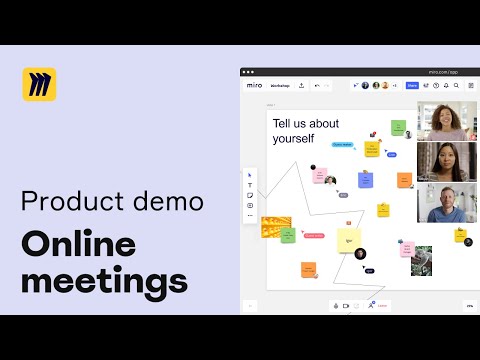


Miro is the default online whiteboard, and its free plan gives you three boards. Not three per month, three in total, permanently. That single number is what converts most Miro users into paying ones, and it is worth understanding before you build a workshop practice around the free tier. The product itself is excellent, with a 4.6 to 4.7 rating across more than 14,000 reviews.
- What it is: An infinite-canvas collaboration tool for team workshops and planning, covering diagrams, sticky-note sessions, roadmaps, and prototypes.
- Best for: Distributed teams running workshops, product discovery, retrospectives, and systems design.
- Pricing: Free for 3 boards. Starter €8 and Business €20 per member per month billed yearly. Enterprise is custom from 30 members. Verified in July 2026.
- The honest catch: The free plan’s three-board cap arrives fast, and performance degrades on very large boards heavy with images and PDFs.
What Is Miro?

Miro is an infinite canvas that a team works on together in real time. In practice that means the digital equivalent of a wall covered in sticky notes, except distributed teams can use it and nothing gets lost when the room is cleared. It has become the default tool for remote workshops, and for many teams it is the only reason anyone still runs a retrospective.
The scope has widened considerably. Alongside freeform canvas work there are diagrams, data tables for roadmapping, interactive prototypes, and, in 2026, AI workflows and agents. Miro also exposes Model Context Protocol endpoints, metered per plan, which lets AI assistants read and act on board content directly. Few tools in this category have gone that far.
The independent ratings are strong on a very large base: roughly 4.7 out of 5 on Capterra across 1,681 reviews and 4.6 on G2 across 12,674. Praise concentrates on the canvas, speed, templates, and integrations; criticism concentrates on price and on performance at scale.
How Miro Works
- The infinite canvas. The core, and what people mean when they say Miro. Sticky notes, shapes, freehand drawing, images, and embeds on an unbounded surface.
- Templates. A very large library covering retrospectives, user story mapping, service blueprints, and most standard workshop formats.
- Structured formats. Docs, tables, slides, and Kanban, so a board can hold structured artefacts as well as freeform thinking.
- Diagramming and prototyping. Technical system visualization and interactive prototypes on Business.
- AI and MCP. AI credits per member per month, plus MCP calls metered daily at 500 on Starter, 2,000 on Business, and 10,000 on Enterprise.
- Integrations. 250+ including Jira, GitHub, and Azure, which reviewers specifically cite as a strength for engineering teams.
Miro Pricing
Four tiers, metered mainly on boards, workspaces, AI credits, and MCP calls. Figures verified on Miro’s pricing page in July 2026, billed yearly. Miro localizes currency, and the euro figures correspond numerically to its dollar pricing.

| Plan | Per member/mo (yearly) | Boards | AI credits | MCP calls/day |
|---|---|---|---|---|
| Free | €0 | 3 editable | Explore AI | — |
| Starter | €8 | Unlimited and private | 25/member/mo | 500 |
| Business | €20 | Unlimited, plus unlimited workspaces and guests | 50/member/mo | 2,000 |
| Enterprise | Custom, from 30 members | Unlimited | From 2,500/month | 10,000 |
What decides your cost:
- Three boards is the free plan’s real limit. Not storage, not members, not time. Three editable boards, and a workshop practice generates boards quickly. This is the single most common reason teams upgrade, and reviewers say so plainly.
- Starter unlocks the thing most people want. Unlimited private boards, visitor editing, and high-resolution exports at €8 per member. For most small teams this is the plan.
- Business is for guests and structure. Unlimited workspaces and unlimited guests, which matters for agencies and consultants running client sessions, plus prototypes and AI workflows.
- Enterprise requires 30 members minimum. Below that headcount, Business is your ceiling regardless of which governance features you want.
- AI and MCP are metered per plan. If you intend to drive Miro from AI assistants, the daily MCP call limits are the number to check, and they differ tenfold between tiers.
Who Should Use Miro
- Distributed teams running workshops. The clearest case and the reason Miro exists. Retrospectives, planning sessions, and discovery work translate to the canvas better than to any document.
- Product and design teams. Story mapping, journey mapping, and prototyping in one surface, with Jira and GitHub connectivity that engineering teams value.
- Consultants and agencies. Unlimited guests on Business makes client workshops practical without buying seats for everyone.
- Anyone whose meetings need a wall. The straightforward test: if your team used to fill a physical wall with sticky notes, Miro is what replaces it.
It fits poorly for teams needing three boards or fewer, who should simply stay free, for very large media-heavy boards, given the performance complaints, and for cost-sensitive individuals, since per-member pricing adds up and reviewers in non-dollar economies specifically flag it as expensive.
Honest Pros and Cons
Strengths
- The best infinite canvas available. Fast, fluid, and the reason it became the category default.
- An enormous template library. Most workshop formats you would want already exist.
- Excellent integrations. 250+ including Jira, GitHub, and Azure, cited by developers as a genuine differentiator.
- Strong ratings on a huge sample. 4.7 on Capterra and 4.6 on G2 across more than 14,000 combined reviews.
- Serious AI investment. AI workflows, agents, and metered MCP access for assistant-driven work, ahead of most competitors.
- Unlimited guests on Business. Genuinely valuable for client-facing work.
Limitations
- Three boards on free. The hard constraint, and the reason most upgrades happen.
- Performance degrades on large boards. Consistently reported across G2 and Capterra for boards heavy with images and PDFs.
- Per-member pricing adds up. Frequently raised by freelancers and small businesses, and particularly by users outside dollar economies.
- Enterprise has a 30-member floor. Governance features are out of reach for smaller organizations.
- MCP and AI limits vary tenfold by tier. Easy to miss, and material if you plan agent-driven workflows.
- It can become a dumping ground. Not a product flaw exactly, but unlimited boards without conventions produces sprawl.
Miro Alternatives and How It Compares
- FigJam is the natural comparison for design teams already in Figma, cheaper and less feature-dense.
- Notion covers documents and databases rather than canvas work, and the two are complements more than substitutes.
- monday.com manages structured work; Miro handles the unstructured thinking that precedes it.
- Mural is the closest direct competitor, similarly workshop-focused, often chosen on procurement rather than features.
- Framer overlaps only on prototyping and is a website builder rather than a whiteboard.
For a broader view, browse our project management directory.
The Verdict
Miro deserves its position. The canvas is fast, the templates cover nearly every workshop format worth running, and the integration depth means it fits into how engineering and product teams already work. A 4.6 to 4.7 rating across more than 14,000 reviews is about as strong a signal as this category produces.
Plan around two numbers. The free plan gives three editable boards, which sounds workable and is not, because any team running regular sessions generates boards faster than that. Treat free as an evaluation tier and budget for Starter at €8 per member, which is where unlimited private boards live and where most teams should be.
The second number is board size. Performance degradation on large, media-heavy boards is the most consistent functional complaint, and it is worth designing around: split big workshops across boards rather than building one enormous canvas. Do that, and Miro is close to the best tool available for distributed collaborative work. Ignore it, and you will eventually be the team waiting for a board to load while everyone watches.
FAQ
How many boards do you get on Miro’s free plan?
Three editable boards, permanently. This is not a monthly allowance or a trial limit, it is the total, and it is the most common reason teams upgrade. Any team running regular workshops or retrospectives will reach it quickly, so treat the free plan as a way to evaluate Miro rather than as a working tier.
How much does Miro cost in 2026?
Billed yearly, Starter is €8 per member per month and Business is €20, with Enterprise custom priced and requiring at least 30 members. Miro localizes currency, so its dollar pricing corresponds numerically. Starter adds unlimited private boards, visitor editing, and high-resolution exports; Business adds unlimited workspaces and guests, prototypes, and AI workflows.
Does Miro slow down on large boards?
Yes, and it is the most consistently reported functional complaint across both G2 and Capterra. Boards heavy with images and PDFs degrade noticeably. The practical mitigation is to split large workshops across several boards rather than building one very large canvas, which is good practice for navigability regardless.
Is Miro worth paying for over FigJam or Mural?
For teams that run workshops as a regular practice, usually yes: the template library, integration depth, and AI capabilities are ahead. FigJam is cheaper and a natural fit if your team already lives in Figma. Mural is the closest direct competitor and is often chosen on procurement terms rather than feature differences.
What is Miro best for?
Distributed teams running collaborative sessions: retrospectives, planning, discovery, journey mapping, and systems design. It is the tool that replaces a wall of sticky notes, and it is strongest when the work is genuinely visual and genuinely collaborative rather than document-shaped.

The upside of Miro is the flexibility to make each board precisely what you need. There are numerous templates to help you get started but the more you use, you will begin to want to craft your own. It's the tool I reach for in this remote working environment that helps with almost every conversation.
While I didn't struggle to use it, I know some colleagues are less versed in using tools like these. It would be great to have a template board which is for totally new users (including those who may struggle to even do the basics)
I use Miro to host retrospectives, and team meetings, capture plans, and track actions. We also use it to play games and socialise.

It's easy enough to use that first-time users can participate with minimal instruction. This is important to me as we use miro often for workshops with people who have never used the tool before. There's no feature that I wish was there, it has it all!
I'm unsure how accessible it is, but I know it's hard to make these tools fully accessible. Otherwise, very little; I'm nitpicking here to be helpful. This challenge may be solved with an upgrade, I'm pretty sure (working on it!), but when inviting workshop attendees to the board, they have to join your team. Then, if you forget to remove them after (which I always do!), they can create new boards and do all sorts of things. There are no administrator privileges to delete their boards, so you have to contact the rogue participant and walk them through how to delete boards and create their own team. It would be nice if there were a way to prompt everyone to remember these things.
Working from home has made collaboration challenging for me as a public servant. The public service is also more behind when it comes to adopting tools like this. So Miro helps to facilitate research and collaboration in a way that most folks can participate with ease. The benefit has been that with the exposure, more teams are not only using more digital tools, but they are also collaborating more and better!
I like how easy and self-intuitive it is to use this app and all the solutions it offers to work collaboratively. As a visual person, I particularly enjoy creating mind-maps to make sense of my ideas.
There is nothing I can think of that I dislike - once you learn all the commands, it becomes easy to navigate through the app.
Miró is helping me creating visual tools that facilitate organizing my ideas, in addition to allow me to share information with colleagues easily.
The open interface where we can create our own flow and that guests have limited access, if I want. I can control the interaction completely.
Not too many templates yet to select from. The ones available are too structured. Would love to see some more "Play" or "Fun" features that we can integrate into the platform (maze, puzzle etc)
We got a team of 100 people to share their thoughts in the same place. It was a great way for them to own their work and collaborate with each other in real time.
It's so easy to use, I started using Miro a few months ago and because it's so intuitive I already feel like a pro. I have encouraged a few of my colleagues to move on from pencil and paper to using Miro too.
The paid account system is slightly complicated. We need some people in the organization to have full editing access and some people to be able to view the boards for presentation/review purposes but it's not clear how this is possible.
We use Miro for creating flow diagrams and user journeys and it's amazing for this. We have multiple users collaborating on these processes and it makes life so much easier
pre-defindes templates, hability to create as many boards
difficult to create arrows and align things
No problem, just organizing virtual workshops
Collaborative page that can be udpated during a conf call. efficient cut& paste from several other tools. Very useful with a tablet pen
probably nothing for the moment. I found everything I need and there is much more to explore
working on algorithm design and research issues in computer sciences
Miro offers us the ability to have a central location for our team to organize and share information in a visual way.
I wish there was additional design functionality, especially when formatting type and images.
Onboarding, server organization, brainstorming/ideation, project organization, and client meetings.
Miro has great flexibility. It can be an empty canvas, or you can select from a deep bank of templates to speed up your work. I am also thrilled that there is now a Teams integration and soon will be a Zoom integration.
There are a few formatting limitations that can make it a little challenging to style things, but it's really just a minor inconvenience.
I've used Miro to show a client what they could do to make their training more collaborative, helped another client do a series of process mapping workshops virtually, and often design learning activities that have a Miro component. Miro makes it possible to have meaningful virtual training sessions and productive workshops/working sessions in a distributed way.
The best thing I like about Miro is the possibility of sharing boards with my colleagues.
The free tier should include more boards.
I am using it to brainstorm and organize new research ideas.

A very powerful tool that has a range of functionalities. The weird thing is that even with such a plethora of features, it is easy to use. I'd recommend it both to remote and in-office teams.
There is no major disadvantage - it does its job really well.
- Brainstorming/ideating - Technical diagrams - UX Architecture/flows/logic - Basic Project management (for very early-stage startups)
Its flexibility, its essentially a whiteboard which I can do anything there. . I use Miro for a lot of things: creating a note, creating a plan for work or studies, wireframing, etc
Its gets heavy the more note you have. Which is normal, but I think miro should tell us if it's already too heavy or give us a tips to break down our board or don't upload to much picture, etc
-Making notes, I like to screenshot a PowerPoint for example, and put my sticky notes around it -Designing idea flow, I make a point and point after that like an idea tree -Wireframing, I like to make a wireframe a low fi design

It's great that project management, design, wireframes and team management can be done on one screen.
The system slows down when there are more than 12 participants on the same screen.
We get the designs and wireframes of our mobile applications here. We follow our actions from Miro using project management templates.

Easy to use, easy to share and very collaborative
Some of the controls are a bit wonky until you get the hang of them (selecting items, scrolling on the screen, etc...)
My workflows and requirements are much more visual, organized and easy to create. Turned static content docs of requirements into living and breathing visual workflows and my team is hooked! Cuts time to create business and functional requirements from hours or even days to sometimes only minutes!
Hard to describe what we like the best. It's just so easy to use and a must for remote teams! We love it!
Absolutely nothing. It's perfect! Its just keeps getting better each week it seems
Working remotely was the biggest, but now we use it for planning, for roadmaps, meetings, etc, etc
I push to use Miro for design tasks that start off with collective sharing of ideas, brainstormig, UX workshops and other "canvas-oriented" activities. I love the webpage feature and I use it basically on every board. It's so easy to get everyone on the same page. I like how the updates from my teammates are highlighted, and how the cover of each board reflects what's inside - much easier to remember which board is what based on visual memory, not just remembering the titles.
I think some icon choices in the interface are confusing. I find myself constantly pushing the wrong buttons, I struggled most with cards and comments for some reason. I also couldn't make the Web clipper work. I installed the Chrome extension but somehow nothing was happening and I gave up. Another piece of feedback that I shared previously is the insane number of emails I was bombarded with right after sign-up. It was annoying and overwhelming. The last thing is the team setup. I wish I could invite teammates with viewing/commenting right only to the whole project space, not just individual boards. For us, it doesn't make sense to have a ton of editors, but we need to share things with the team quite often. When I start a new board and I just want it empty, that modal that suggests templates to me always creates the impression that I can not get past it easily, there is no CTA - starts an empty board. I have to close it to do that and it throws me off no matter how many boards I start.
I love seeing all types of files and information in one place - texts, tables, charts, pdfs, pictures, web captures, etc. It helps me have a well-rounded view of the project. I realised that my colleagues have much more to say and show me besides shared files and folders in a different system.
the tool is very flexible and easy to use. It has many pre-made templates which are very helpful if you are hosting workshops regularly
When using some of the pre-made templates the tool can be a bit finicky if you want to change things around
Draw up processes, host workshops
Very easy to use and helpful in my daily work. Also all the templates
The way to organice all the boards and folders
Remote creative sessions. The people are more focus than in person, surprisingly
As notas autoadesivas e as ferramentas de assistência nas dinâmicas como cronômetro, modo apresentação.
até agora com o meu uso, na minha rotina o MIRO sempre atendeu e não tive problemas
Estou resolvendo problemas de comunicação dentro do produto que estamos desenvolvendo, e o MIRO me ajuda a colocar em prática as minhas ideias.
Miro enables people with all technical abilities to work together remotely, just as if you were stood around a whiteboard. The UI is intuitive for mind-mapping, note-taking, and basic diagramming.
For more complex diagramming, Miro becomes a bit more clunky, particularly when looking at tables.
We are using Miro for Systems Engineering to gather requirements from stakeholders in multiple locations. We use Miro post-its to arrange stakeholder needs by affinity before bringing the requirements offline into other software. It is also helpful for drawing system diagrams, such as functional flow diagrams, although if you dig into too many levels, it will become challenging to manage.
So much. Real-time visibility to what everyone else is doing online. The ability to use or create templates that can re-create in-person experiences for familiarity or take advantage of online templates to remove the barriers that physical space would make. I also like that you can anonymize participants to enter information without knowing who wrote what - very useful for honest comments.
There is a bit of a navigation learning curve which is expected with any technology tool. The learning curve is short but steep. Once you get participants over that initial hurdle, they are fine. Low-tech users sometimes struggle, but a little patience and good planning go a long way in helping them get familiar with working in the MIRO space.
So many things. Focus group feedback, customer and employee engagement, process improvements. The main benefit, the way we are using MIRO, is that we get great information and contributions because we set it so that people can join anonymously. Participants can write their truth without fear of repercussions. People who don't usually speak up or speak truth to power love using MIRO the way we set it up. We also find that introverts love using MIRO as there is a way for their voice to be heard without being drowned out by the talkers if we were in person.
It´s easy. It's intuitive. Have excellent templates. Give greats courses and tips.
Sometimes I cannot select many elements easily with the cursor.
Moderate efficient work dynamics and with good experience of the attendees.
We're a fully remote company, so this is the whiteboard we don't have. We use it for planning releases, for doing business analysis, and UX design. The best thing is the ability to see what other people are looking at, e.g. by following their mouse pointer. Then there's the infinite whiteboard space, easy replication of diagrams and long term storage. Miro is actually better than a real whiteboard!
There's very little to dislike. Out of all the SaaS subscriptions we have, this is the most valuable tool we have as a team.
Previously, we had trouble communicating visualising online. Now, we are able to workshop online effectively, saving us time and money that it would cost to travel to the same place and hire a venue.
The daily scrum template allows the team to collaborate effectively
For now, I have not figured out any undesirable features
I use it to demonstrate user flows and daily scrum
The customization in the app is the most useful part, you can adapt everything in order to work best
The learning curve is sometimes to much for students
online workshops and teaching
The great overview, different formats you can use
Structuring like in Excel is not directly possible, but you can add XLS-Sheets to your Miro Board.
Collaboration with our partner company.

Tools are easily displayed. Also, it's eye-catching, easy to understand.
While visiting the share option from a Board, I was a little bit confused because of sharing settings. I think this is an option for improving UI design. And required more easily display sharing settings.
Most of the time I'm using miro to solve pre-defined end-user problems. Team collaboration helps me to reach my absolute solution.
The Consultant mode to work together with clients and partners on projects, timelines, wallpapers, etc pp. Perfect for visual reports or project stati.
Mind Maps could work better, here Mind Meister works better for me.
Working together during the pandemic with partners and clients. Stakeholders and clients understand what we do during the project or during video calls. I like also the integrations to Zoom and Whereby.
This is an excellent tool for online collaboration. It's super, super easy to use, and super versatile with all the available shapes and templates. We use it in every stage of the design thinking process. I also use it individually to organize my ideas and thoughts.
Honestly, I can't think of anything I dislike.
Miro is helping me solve UX design issues and taking better product decisions by bringing the whole team (UX, product, it) to the party
Miro is the best online collaboration tool I have used so far and the team are really appreciating its power especially given that we are all working virtually. It has been easy to collaborate and drive team discussions, whiteboard concepts, run retro sessions. The simplicity of the UI shows how well thought through the product is for its users and even with the diversity in my team on technical tools skillsets, I have not seen any issues
Perhaps the pricing could be charged by the types of features relevant to the team
Collaboration, white boarding ideas, discussions, retros