

Unclaimed: Are you working at Streak?
Streak Reviews: 4.5/5 — Highly Rated
Streak CRM is a customer relationship management software built specifically for Gmail. This adds a layer of convenience to your processes as it helps minimize the need to jump between tools. The platform is a well-known solution for CRM, powerful conversion tracking, and delivering accurate engagement reports. Thanks to various email tools as well as available templates, users can deliver professional and personalized emails and implement mass email marketing campaigns.

| Capabilities |
API
|
|---|---|
| Segment |
Small Business
Mid Market
|
| Deployment | Cloud / SaaS / Web-Based, Desktop Chromebook, Mobile Android, Mobile iPad, Mobile iPhone |
| Support | 24/7 (Live rep), Chat, Email/Help Desk, FAQs/Forum, Knowledge Base, Phone Support |
| Training | Documentation |
| Languages | English |

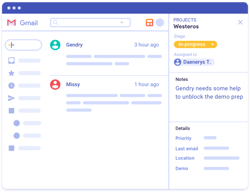





Compare Streak with other popular tools in the same category.
Easy to customize, organize emails into a visual pipeline, and create tasks for efficient follow-up, and access to relevant contacts. Truly increases efficiency, and productivity, and makes work so much more enjoyable! Adore this! THANK YOU, STREAK TEAM!
I don't see any downside, there are always things to improve, I could probably find things to nit-pick on, but I'm also sure it'd keep improving!
It really converts email clutter into a productive pipeline, project mangament software and CRM all in one.
We manage our Orders with Streak. It freed us to manager order status between departments on the cloud, so on phone or laptop while traveling now much easier.
Downside for us is we're a small company so not able to take advantage of the premium options.
We updated order status between departments on spreadsheets before Streak. But the big help was attached email to orders so customer requests could be reviewed by all.
I am user of Streak since last 15 plus months. It helps me to manage my emails. Collaboration is easy with Streak. I am able to share emails with my team by using share boxes.
Not having good experience in mobile with comparing desktop. Android app should have more features as desktop.
Their support pages are easy to understand and very clear to know all features they have in their tool. Even free version of Streak helps us to do so many task with ease.
As a hardcore Gmail users, Streak for Gmail extensions works well with all my requirements. Using Streak, tracking emails, followups, chat embeds, forms, etc, provide complete solutions in Gmail.
I don't have any negative points for Streak. But sometimes, some functions not works properly.
Streak for Gmail chrome extension features helps me to streamline my all task, and helps me to take regular followups and maintain pipeline.
The ease of creating mass/merged emails. I also like the ability to track all the emails I have sent to a person.
I don't necessarily dislike anything.I don't fully understand how to use the pipelines, but it is on my end rather than a function of Streak.
I primarily use it to send emails to 100 of volunteers. Streak makes it easy to send the same email to many at one time.
We are using streak for our corporations's CRM system. It is ease of use
Their price is little bit high for new corporation
We use it for CRM

I am user of Streak since last few years. Easy integration with Gmail is most like features of Streak. Get link and share it with other is most useful thing, when I need to share whole conversation with other person. It helps me to create and use various email templates for different purpose.
Honestly, nothing is disliking about this Streak CRM. But One thing I notices, which is some time it requires many refreshes as get disconnected from Gmail.
Easy to configure email tracking tool which is currently available in the market. It saves my lots of time in managing email templates. It also helps me to track, does my emails are viewed by my clients. And obvious it gives so much thing in free version too.
I started using streak about a year ago, I use the free plan and I find it useful to have a record of people reading my emails. With this tool I can be sure people read and open my emails and with this info I can have better control in my communication
I would like it to be easier to understand all the features so I can get the most out of this tool. I'm only using the basic features. Besides that everything is ok for me so far.
Streak helps me have a record of my emails and communications with clients and potential clients. It allows me to give follow up to my customers and also be aware if they are receiving and opening my emails.
The main thing I like about Streak is it's email tracking feature. This helps to find out who viewed your mail, from which location and how many times.
Everything is good about Streak. It would be great if it could track the mails sent before installing Streak
Tracking emails has been solved by using this product

- Their communication team is the most approachable and friendly I've come across - They regularly send informative mails about the software and the best way to utilise it - The free version also comes with a lot of features - They track your emails properly
- Nothing, I honestly quite liked their software. I found it quite easy to use and definitely worth investing in.
- Steak has pipelines which helped me track the status of my emails and move in into different buckets (such as follow up/send quote), while cold emailing multiple potential clients. I usually send mails to multiple people for two three different businesses and I could keep a track and sort these out through streak. They also let me know when the mails were read so I knew what my next step could be.
What I like the most is that it is a light tool, which allows fluidity and ease in everything, it is really intuitive, I love that it links perfectly with my gmail and I can work from there, it has powerful tools such as creation or administration of tasks, teamwork, it allows me to create templates, in addition to offering me a powerful and direct communication with my clients and potential clients, I like that it is a simple application and very easy to understand, it is efficient to organize emails and tasks, which I like the most is its integration with my Gmail.
It is a very friendly application, I have no negative things to say about the software.
It is fully customizable and easy to configure, it is one of its best benefits, it is very useful because it has a reminder and notification system, it also has automated functions such as the automatic response of emails or mass emails, it is very easy to work as a team I love that you can share attachments quickly and securely, it's easy to create clients and also classify them, in addition to being able to effectively follow up on each contact, I love that I can know when a client has read the email I sent them , integrates well with various apps like Asana or Slack (among others).

Can send 50 free emails per day Can add sequences Maintain pipelines Check the email views with the location Easy to integrate with Gmail Best tool for SDRs
Each time i change the gamil password i need to manually sync the tool
I can easily track the emails i have sent I can sent 50 emails at one shot I can also schedule followup email to the sequence Track all the email activities

With Streak I can easily keep track of leads, schedule emails to be sent at the right time and date and make sure my email campaigns are reaching as many people as possible. Also I can easily customize each email for each recipient with its mail merge feature. Streak has truly revolutionized how I work!
maybe customer support could be more responsive and better... also price could be more lower :) pro version and pro+ is kind of expensive and enterprise price is too much :)
Streak integrates into my existing workflow and making it so much easier to manage leads, and schedule and send mass emails. Furthermore, its lead management system is incredibly powerful, allowing me to see all of my leads from Gmail in one convenient place and increase my outreach and engagement.
What I liked the most about this application is that it has a really fast learning curve, and the best thing about it is that it enhances the relationship with the client and with future clients, the interface is super simple, the usability dynamics are really comfortable and very easy to understand, the tools panel is excellent, the integration with Gmail makes it perfect since I have everything in a single window, what I like most about this software is that it is both intuitive and automated and that is decisive, it is very useful for teamwork, I love that you can share channels and promote group work, it is a powerful tool that is also free.
The experience was full and pleasant, with no complaints about the app.
The integration with gmail makes everything simpler, it's really perfect, besides that at the function level everything works correctly, the tracking system for sent emails is the best, I love that I can see who read an email that I sent to you, It also has the reminder function, it has automatic message functions in a massive way, and I love the "postpone message" function, the notifications work correctly and in real time, I love the options it provides to organize my emails and even to associate them with a specific client, the format is very fluid and the user interface is really friendly and intuitive, it is very easy to navigate.
What I like the most is its flexibility, it is fully customizable and easy to navigate, with a straightforward and friendly interface for any user, it is perfect for communicating and interacting with clients, it is ideal for channeling and managing the workflow, I I like that I can archive emails and then quickly retrieve them, it allows me to easily set up a follow-up for clients, prospects or leads, I love its direct integration with Gmail, which also makes it simple that I can do everything from one place, it has a free version that works excellently.
I did not have any negative experiences with the platform.
Its link with Gmail makes everything easier and faster, I love the efficient tools it provides to follow up with my prospects and clients, I like that it allows me to automate my workflow, I love its reminders, it also has powerful features like automatic messages and messages massive, I can also track when a client reads an email that I have sent, creating and customizing the channels is something intuitive, I like that it has a fast learning curve, the search filter works perfectly, I love the function " snooze" when reading my emails, it's the best for business functions and marketing, even when it's mass emails I can track who read it, the free version is very comprehensive and doesn't limit anything.
Best of all is its integration with Gmail, it has a swift learning curve, I love its clean and aesthetic interface, I love it for team collaboration, it's excellent for managing clients, leads and clients. Upcoming prospects, it is easy to monitor the messages you send, it also has functions to automate the workflow, you can share pipelines with the rest of the team, it integrates excellently with Google and its tools and plugins, it is a flexible software, allows me to archive emails, it is ideal for optimal communication with customers.
I didn't have many negative details while using the software, so there is nothing to mention.
What I liked the most is the easy configuration for follow-up, I like the function to know who opened the emails I sent, it allows me to create a pipeline of potential clients easily, I love how practical the notification system is, I love that I have everything in a single window and I don't have to open another site to log in, it has efficient functions such as mass mailing and automatic mailing, all of this in a personalized way, as well as templates which are also customizable, I I love the search filter, it is very effective, it is ideal for sales flows, to collaborate as a team, and its integration with Gmail is really the best, it has a free version which is optimal.

It provides us exact information whether the other person has seen the mail or not and at what time just by a symbol so no spamming
If we send mails in bcc then it doesn't provide exact information that who all have seen the mail
I am using it for marketing purpose in our college cultural fest
The best thing about this software is its flexibility, it is straightforward to use, it has an effortless installation since it is a chrome extension, it has a spotless interface that allows you to develop everything in the best way, it is an application with a curve of really fast learning, I love that it integrates perfectly with my Gmail email and that I don't need to go to another site, since I have everything here, it has handy email templates, predesigned and that I can also customize as much as I want, It is convenient to keep track of the emails I send and receive, it is perfect for having closer communication with my clients, it is elementary to customize a flow for my work, I love its appearance.
I did not find negative details in the software, I have no negative comments.
Its interface is spotless, it is the ideal tool to manage everything related to my clients and my potential clients, I love that it integrates perfectly with all google products, its best tool is that I can see when a client opens the emails that I send you, which is a potent and valuable tool, the templates are excellent and I love the mass mail option, it allows me to keep each email in order and classify it, it is a very light and comfortable application, it has a series of automated features that make this software efficient.

How easy it is to integrate into gsuite products, especially gmail. it makes sending, tracking, and monitoring prospecting 100xs easiers and efficient.
It doesnt integrate with other CRMs like salesforce and Boostr. It sometimes is slow and glitchy.
It's a time saver and it helps show my work to my manager. It's a live CRM that is vital to my day to day sales outreach
It is very easy tool with great UI and can directly integrate with gmail.
The mail merge features need to be enhanced a bit. Else everything is fine
It helps in bulk email marketing with a limited audience free of cost which other providers don't offer for free.
1. 1 click integration with gmail. 2. Easily customizable. 3. Great way to manage the communication data with each customer. Overall it's a useful tool for small and medium size business
Not dislike but i struggled a lot to understand how to use to use the tool. So there's a bit of learning curve. They should add a feature for followup like Gmass.
Easily find each customer's data without muchc hassle. All the email clutter can be easily managed with Streak right into your Gmail.
Having a CRM implemented into my main communication funnel has been crucial in how smooth & organize I am with my contacts. I have yet to have a project go untouched or a client to be followed up with. I love how intuitive it is with the interface.
It has been tough to link it with my external systems. I know APIs are a two way street but it can be clunky to link this together with a project management tool right out of the box.
Streak is keeping me organized primarily with my client & project communication. My inbox of deals, projects, and support tickets is always organized as soon as I open Gmail. It's super easy to navigate to find the information quickly & efficiently.

I love the fact that everything is handled inside Gmail, so no need to leave and login in a separate website to handle CRM and tasks.
Sometimes it takes a long time to load the pipelines and sometimes I need to load gmail again.
I can set up reminders on different leads in my sales process and automate different email responses.
The fact that it's baked into Gmail is a game changer for us early on. Our team was able to hit the ground running without having to learn a new system
At times, the software loads slowly and needs a browser refresh.
We use Streak for client service management.
Keeps details organized and emails are easy to track and find.
Adding stages in pipelines is hard to figure out. Also the types views are difficult to understand.
Tracking emails and data in threads. I'm able to leave notes on emails files without recipitent reading that info.
Easy accessible organazaiton! No need for offline spreadsheets. Quick send out to multiple emails.
It all works well. Some of the buttons to add fields are not quite user friendly but are manageable.
Live database, accesible by add on to gmail, multiple email send outs, tracking progress of different stages in my business.

What I like the most about Streak is that it is easy to use as a powerful worksheet over Gmail - and when you go deeper it´s a powerful CRM like no other, and a lot more!
The to-do list could be a wider window, and the support could be a little bit faster. To be very honest, I don't see any downside to using streak, even in the beginning it is very easy to work with.
As I am a hard user of Gmail, it makes sense to use a CRM that works over the platform, the idea of the pipeline works very well and it can be customized as easy as a worksheet

Have a file for each customer, with all the communication record, and within a fully personalized sales funnel. It's the most amazing features.... I also really like the bulk sending of personalized emails.
You have a limited amount of leads in the funnel, but it's 500... which I think is a lot for my business model. But you can expand the capacity for a very fair price.
Streak helps me organize customer relationships... I also create processes and follow up on the streak pipeline. It is very versatile, and you can use it for various purposes of monitoring relationships with people.
What I liked the most is that it is very intuitive, it was very easy to understand what it is about and very easy to use with Gmail, I like that it is completely integrated into my Gmail tray, and the interface is very simple and intuitive, I I like the tools it provides to keep track of all my clients, it is a great tool for recruiters, it is really useful for sales and marketing, it provides tools such as mass messaging, this saves a lot of time, I can also know who opened the emails what I sent, when and how many times it was viewed, it's easy to add new clients and leads, and the organization is very easy, the workflow view is really great.
He did not present details while I used it, my experience was very good.
I loved that it was very easy to access, navigating it is simple and what I like the most is that I have everything in one place, it is really light and easy to use each tool, it increases and improves the direct relationship with your clients, I love that I can send mass messages and also scheduled messages, the notifications are top-notch and make an important difference, I love that it is free, I like that you can collaborate with the team and share work, the client viewing options are really useful and the configuration and customization of the software were really easy.
Streak is truly a collaborative tool that enables our team to work together to manage workflows, sales leads, and information storage.
The learning curve was a little rough at first.
Streak Pipelines help us manage our Order fulfillment process, from start to finish. It is easy for various team members to easily jump in and work together.