

Unclaimed: Are you working at webinar.net?





webinar.net Reviews: 4.7/5 — Highly Rated
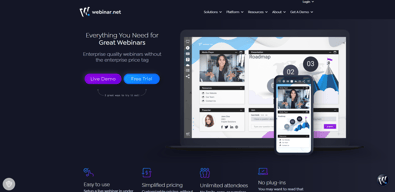
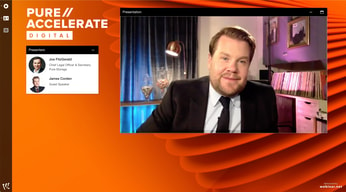
webinar.net is an online presentation software fully hosted in the cloud that allows users to reach massive audiences. Also known for their competitive pricing structure, webinar.net lets users host events without worrying about maxing out their capacity. The platform also simplifies the event hosting process by providing convenient support and offers insightful data into audience activity from users’ presentation. The live webinar features can also be used to host open attendee group chats that can help engage leads through better interaction tools.




| Capabilities |
API
|
|---|---|
| Segment |
Small Business
Mid Market
Enterprise
|
| Deployment | Cloud / SaaS / Web-Based |
| Support | 24/7 (Live rep), Chat, Email/Help Desk, FAQs/Forum, Knowledge Base, Phone Support |
| Training | Documentation |
| Languages | English |
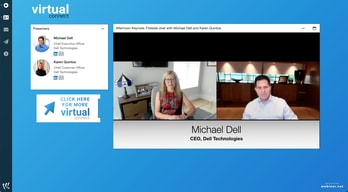
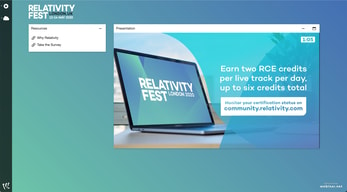
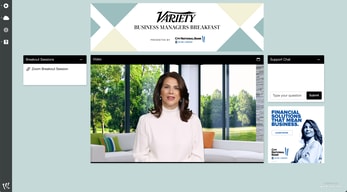
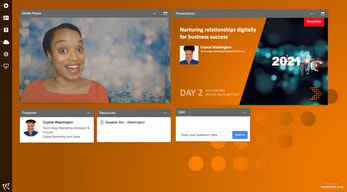
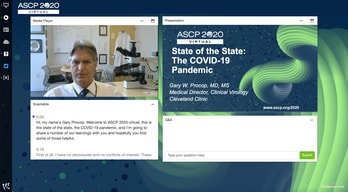
Compare webinar.net with other popular tools in the same category.

We had used a previous webinar platform from a larger organization. Webinar.net provides us with a higher end platform as it relates to tool set including: registration pages, customized campaign URL tracking, webinar event (Live, Pre-Recorded, or On Demand) all at a fraction of the cost of the annual renewal license we used to have to maintain. In addition the customer support is outstanding - they will jump on a call or screen share to assist us with no questions asked.
I have not found any dissatisfaction on the platform yet.
This is how we promote when to use the platform internally When to Use When u Require Pure Branded Console/Event Webinar Need detailed Registration Page/ROI Provide Campaign Based URL event Management Resources for additional info Live Webinars, Pre-Recorded or On-Demand Library of Recorded Events Strengths Unlimited attendees Automatic Emails (Sorry We Missed you, etc) Reporting & Analytics for each event Invite guest presenters, Q&A moderators and content providers Browser based…No plug in required
The interface is simple and controls are easy to understand with very little training. Resources for help and training are available as well, I got a helpful welcome email after signing up. Setting up the actual webinar was quick, several clicks and I had a working signup page with links to send out. The presentations are easy to access for attendees. A simple registration page is all they need to fill out before they are able to view.
Perhaps more controls to align elements within the presentation. I have only just begun using Webinar.net and have had no problems using the system. Best suited, as others have said, for large meetings / presentations.
Webinar makes it simple to launch virtual events without attendees having to download bloated software or deal with fussy logins, low barrier-to-entry is the major win.

The ease of use, internal team, and professional feel is exactly what you need in a webinar company! I'd recommend webinar.net to enterprise and start-ups. Recording it is simple for presenters and that's key because it makes it easier to get speakers.
I dislike the time it takes to set up a webinar in general, but webinar.net simplifies this. After the first one, you're looking at 10 minutes in set up.
Driving inbound leads, thought leadership and getting content out there is critical. Now with all in-person events being canceled webinar.net has been important for our growth strategy.

Designed with big audiences in mind. Much richer interface complete with easy-to-use components, such as company branding, slides, audio, video, multiple presenters, group chat, moderating Q&A, great service team. No software to download, or long waits for people to join a meeting. Very cost-effective.
It does not have the ability to bring attendees onto video chat.
We use it for internal company meetings. It has saved us a lot of money vs. using conference calls.
What immediately sticks out is that no one needs a special app or software to participate. Zoom and most of the others require an app to be downloaded before using and that is one step I did not want my users to have to take. This is a browser-based service, no apps required or even needed. That is one of the best features to my company because so many clients would rather not have to download another app just for a webinar.
This interface is extraordinarily configurable and is meant for the company who is hosting the webinar to have complete control over the webinar including detailed reports of each attendee as well as focusing on the company branding instead of the provider's branding. Consequently, it takes a little longer to set up than others, but branding my own company and having 100% control over what goes on in my webinar is very much worth the little extra time.
I am just learning about all of the different reports that I can use, especially when I need to convey details of my attendees via succinct and specialized information since I am responsible to keep detailed information about my webinars. This is the only platform I have used that is detailed enough to match these detailed requirements.
a) The interface is clean, modern, and the branding options make it a huge step up from Zoom and gotowebinar. b) No attendee download c) I LOVE the ability to host simulive webinars (record them in advance and set them to play at a designated time as if they are live)
There is no phone dial in option for attendees, but I don't think we'll really need this anyway since its so mobile friendly
Webinars are boring and it seems like everyone is doing them these days. Before webinar.net, the options to upgrade from the "me too" webinar services (Zoom, goto) were incredibility expensive. Webinar.net is priced very well for the value and functionality.
Excellent Audience Console interface, also to control speakers mics and cameras. I like some of the features on the console from a partner/sponsor perspective (resources, logo with link), and the customer service each time, if needed, is exceptional! Generally a great platform to work on!
Having the capacity to blur speakers' backgrounds or insert backgrounds similarly to Teams. Other helpful features include a multi-registration page and the ability to run two events under the same license simultaneously (useful if wanting to do concurrent panel sessions). I also think another great feature is being able to seperate the registrations once uploaded, certain ones marked with X or Y, etc., to help redirect attendees to the correct panel sessions, etc.
Delivering virtual events online via a good interface
Their platform is easy to navigate. They also allow multiple coding and edits in appearance and branding. You can use your own, or your clients, imaging. You have control over the audience view and features. You can also customize messaging for reminder and follow-up emails. Their customer service is also very prompt and focused on resolution.
Some of their features are basic, however, they are constantly working on adding updates and features.
Any issues have been resolved. No current issues at the moment.
I love how the platform is introduced to a newbie like me. I find it very user-friendly as it is easy to navigate. It is as much like the other platforms that i am used to using. However, given that webinar.net be out in the market, i'm pretty usre that it will be of great help to the netlandia and tech savvy individuals.
It is not much dislike about the platform, it is more of the slow-running internet connectivity here in the Philippines sometimes.
The opportunity to navigate
That the host has more control then in Zoom. Makes it easier when presenting.
It is so different the Zoom and Google Meets that it is hard to navigate
Easier to host education programs, and committee meetings.

The webinar.net team was incredibly responsive (even on weekends and late hours, which was not expected) and was always quick to help. They were understanding and patient when providing instructions to our team and always willing to go over things again and answer additional questions.
The speaker portal training didn't go as well as we had hoped but webinar.net was quick to connect with us about it and figure out solutions.
They allowed us to have semilive workshops from our virtual conference and provided technical support for each workshop. That aspect was incredibly helpful.

Setting up is quite a breeze with easy-to-use components. Our attendees also love it. The unlimited viewers and able to host unlimited video on demand really help to extend the reach of content.
The presenter console could be a little easier to use but still manageable. Also, if there is a better way to pull out batch reports instead of invididually, it will make it perfect
We were able to deploy a virtual webinar solution in the past year quickly
The audience feedback and user experience was excellent. The UX on the backend was easy to manager and provided a lot of options that Zoom just doesn't offer.
The only downside for me is the lag time on the presenters end, it can be disorienting to the speakers.
We have created a more robust event experience for our supporters.
The platform looks really nice once designed and is user friendly. It has all the capabilities for proper engagement. The team was also great and quick to respond to any questions or needs. Document that's provided is very organized and easy to follow to make sure everything is set up correctly.
Didn't integrate with pardot. Reports all separate, wish all sessions could be in one reporting link. Issues with external speakers logging in due to security. Screen share looked blurry at times. Wish there was a pointer on presentation. Be nice if the survey integrated with the leaderboard on 6connex
I think we chose it because we liked the way it looked overall and was recommended by 6connex. It's much more user friendly than Gotowebinar or what 6connex provides.
Easy to use, enhanced editing tool, great interactive features for the audience such as polls and surveys.
Everyone invited to the "presenter" side of the console has the same access, should be able to assing roles, such as QA screener, presenter, auditor.
Increasing audience reach with pre-recorded live sessions, the platform allows you to adapt well to a global audience.
I recently used the Webinar.net platform for a client interfacing presentation with multiple attendees and was not only pleased with the functionality on my end, but have received nothing but positive feedback from my client. I will definitely be using Webinar.net again
I wish that I didn't have to use services like this and get back to seeing clients in person.
Client Facing communication with multiple attendees. The fact that this was web based and there was not an app or additional software that was needed to be downloaded by my client was a plus.
Platform features are mostly intuitive. The company works very diligently to meet your needs.
Many nuances that you don't really discover until it's too late - then you must implement a plan b or c.
Hosting a virtual event
The program was very easy to use and required a minimal amount of setup and rehersal . The reporting capablilites were outstanding and gave valuable insight in a matter of minutes.
A few presenters mentioned they would have liked to be able to have a virtual backgroud during their presentations. There were a couple of issues with presenters that were using a VPN on their system which complicated the connectivity process but overall they were minor issues.
Webinar.net made the transition between pre-recorded content and live content very easy. The audience Q & A features along with the presenter chat allowed panelists to easily communicate amongst themselves and with the audience.
Webinar.net has proven to be a valuable partner. I enjoy working with their system, which is easy to use. Their customer support has been excellent.
Nothing to not like. They've been good about pushing the boundaries, adding functions, showing us how to customize.
Client webinars on demand. We've seen a significant increase with the pandemic in the need for client webinars. Webinar.net has made the scalability of webinars easy. Lots of custom functions available.
The ability to customize the platform, and move around different features.
The program seemed like it requires a large bandwidth for users which was challenging for some international participants
Taking an in-person meeting virtual
I like the options on switching the functionality, and how there are so many different options for presentations!
If you're wanting to have your presentation focus on a panels video webcams, that can be a little tricky. Although the majority of the platform is very customizable, you are unable to enlarge the webcams.
My company primarily used webinar.net for webinars and client presentations. The reporting and on-demand recording functions are great in comparison to other platforms.
The data they provide about the webinars
Nothing, in particular, to be quite frank
Great and engaging webinar experiences
I thought it was pretty straight forward, also the on demand, and the value offered on the mainpage
I had problems with volunteers that didn't have band width , buffering :(
Solving the no in person issue, I like the on demand , and the do-over ability, easy to edit
The platform integrates the use of phone and webcam seamlessly. Very easy to connect using multiple options for easy delivery.
The back-end of the platform does not allow you to see playback of content.
Allows you to connect and engage with a diverse audience and easy for attendees to navigate.
I appreciate that Webinar.net was simple to customize with our logo and event branding. The numerous widgets for chat, quick links, etc., helped customize each session. It also integrated well with our virtual platform provider, Swoogo. We used Webinar.net for our first virtual event, and our sessions ran very smoothly on the Webinar.net platform. Our speakers found the backend easy to use, answer attendee questions, and communicate with other speakers. The team appreciated the ability to respond to all or individual attendees to provide tech support without disrupting the session.
The set-up process was time-consuming, although we did have about 20 sessions to build out. It also took our team some time to learn and use the platform. The video upload process was also a bit slow. We used Webinar.net for all pre-recorded sessions. We could not host focus group discussions through Webinar.net due to the limited capabilities. The other significant downside was we needed to purchase multiple licenses to run concurrent sessions. For an event that offers up to five concurrent sessions, this was a high added cost.
As a small business that hosts healthcare tradeshows, the COVID-19 pandemic greatly impacted us and our ability to host live, in-person events. Webinar.net allowed us to continue offering high-quality education to our attendees through a streamlined virtual platform. We tested several platforms before selecting Webinar.net. Webinar.net offers the best frontend and backend experience for virtual sessions.
It works. Our attendees liked it. They have enough aspects/features to their platform to make visitors feel like they are at a summit vs. just a bunch of webinars. The support received was also quite strong.
It could have been the "template" we picked given very short notice in light of the developing pandemic, but the interactivity between attendees wasn't fostered as much was viewed as a weakness.
We got an amazing number of registrants and net-new prospects to the platform. Not sure if that was due per se to Webinar.net, but employing a virtual platform really did wonders for us.
That it was compatible with Swoogo, our delegate management system
That you cannot use iPad or mobile phones to watch streams properly and cannot use Safari and only google chrome or Firefox. Also the ability to manipulate video boxes should be easier, there should be an option to make moderator video bigger and the panellist smaller. Also hate the video arrow bottom right of the video screen to enlarge it, so many speakers would not drag this! Lastly, Firewalls of companies had a hard time connecting as it is always mostly blocked from their firewall.
Seeing if we still want to use you this May and if it will work, we had lots of problems of being kicked out last time mid-conference, suddenly it kept unmuting the AV production team.
The only thing we liked was how the Audience view looked during live taping of the webinar. The audience was able to view presenters while accessing other webinar feaures.
Price per event is very expensive. Nickle and dime you for every feature, including obtaining recording. Lack of technical support pre and post webinar is an issue. Editing content in the back end is very challenging. You need a seperate webinar platform (Zoom) to host breakout rooms. It takes a long time to get techincal support response.
A platform where our audience can view presenters while having branding visible and the audience can get event materials.
I didn't like the platform, period. Appreciate the attempt made but lack of attendees is proof the technology wasn't well received.
It wasn't easily accessible for volunteers and constituents to access. Why didn't we use other platforms that everyone is more familiar? For example, Facebook live or zoom? Technology capabilities are not easily accessible to many. Too tech savvy oriented and not easy for our audience to use or access.
The ease of accessibility by our constituents is vital to our mission.