
Unclaimed: Are you working at Adobe Creative Cloud?



Adobe Creative Cloud Reviews: 4.6/5 — Highly Rated
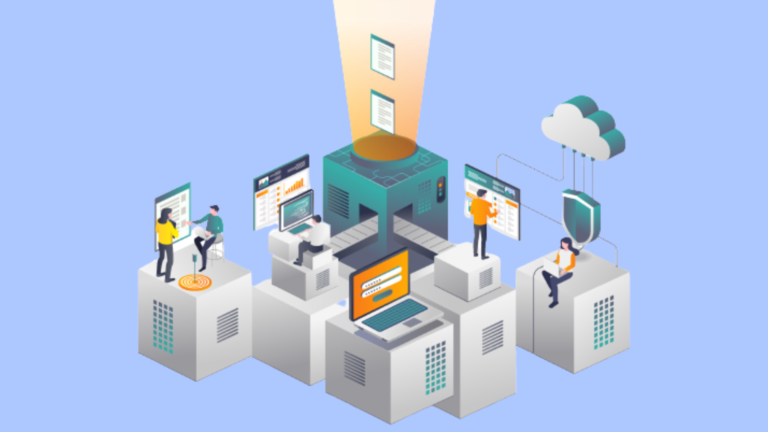
Adobe Learning Manager is a cloud-based learning management system (LMS) that creates personalized learning experiences at scale for customers, partners, and employees alike. It uses a headless learning platform that allows for integrations with Experience Manager Sites or any other CMS through open APIs.




| Capabilities |
AI
API
|
|---|---|
| Segment |
Small Business
Mid Market
Enterprise
|
| Deployment | Cloud / SaaS / Web-Based, Desktop Mac, Desktop Windows, Mobile Android, Mobile iPad, Mobile iPhone |
| Support | 24/7 (Live rep), Chat, Email/Help Desk, FAQs/Forum, Knowledge Base, Phone Support |
| Training | Documentation |
| Languages | English |

Compare Adobe Creative Cloud with other popular tools in the same category.

Ease of use and so many variations of features! The link to Adobe products is great also!
It's so powerful an application they you have to have a beast of a computer to get the most out of it.
Adding space and texture for compositions and sizing is a massive help!
The most helpful thing is that you can easily create things in an organized and simple way.
Illustrator crashes a lot, leading to loss of projects.
Create digital assets for a tech company

From simple pen tool to the most advanced effects, you name it and you got it in Adobe Illustrator. Whether it's a logo, banner, brochure, booklet, illustrations, vectors, shapes, assets for animation or even a UI, Illustrator has you covered with the best tool and features. Recently added 3D features in version 2022 is the best thing that happened to Illustrator since CS6 I was using Corel Draw and shifted to Illustrator in 2012 and I can say the change is totally worth it.
Sometimes the tools and UI feels a bit overwhelming and not as easy as Adobe photoshop. Specially color and gradient tools are not as easy and effective as other programs. I mean it's powerful but not exactly user-friendly. Some features are there but mostly stays hidden as it becomes complicated to use them.
I am using it for almost everything, making brand identities, style guides, Ui designs and most of all the assets for Animation in After effect. It's cool to make illustrations in Illustrator and Animate them in after effect.

Fully compatible with user experience and interface. Adobe illustrator is the best platform to create illustrations and vector-based projects to deliver the highest quality, especially for printing.
The most thing i dont like in adobe illustrator is thet its not fully equipped for photos and editing so the user might be a little bit stuck when uaing it for photo editing
Mainly i used adobe illustrator to create branding and branded documents along with posters flyers business cards brochures etc.. its the best way to execute your creative ideas in vector way
Whether you want to talk about exporting an image or any type of video you're here with the best software to render with the quality you want to get. simply the best.
the most annoying thing in Adobe media encoder is that when you open it and want to render the first file it will take some time to read the link and make the queue available.
Personally, I use Adobe media encoder to render files from Adobe after effects and Adobe premiere pro, not only videos but sometimes to capture scenes from a video.
I love how easy it is to use and how it works with the Creative Cloud
It is not great for audio editing or effects
I can edit videos very easy and efficiently.

I have used many different photo editing software programs in the past and nothing has ever been as intuitive or user-friendly as Adobe Photoshop Lightroom. It is super easy to import a photo and make changes as I go. The best part for me is how easy it is to share my photos with family & friends on social media!
I don't like that Adobe Photoshop Lightroom is a subscription service. I would prefer to purchase the software outright. I also don't like that it is not available for Windows.
Adobe Photoshop Lightroom is helping me solve the problem of managing my photos and keeping them organized. It is also helping me improve the quality of my photos.

I have been a user of Adobe Spark since its release and I have seen how the app has grown leaps and bounds. My favorite game changer is being able to use Libraries and managed brands to ensure brand consistency. This has allowed me to empower my clients with managing their own brand after we finish our work together.
Having a slow internet connection makes it a little difficult on loading time on my end, especially when needing to work on the web. I'd love it if there was a desktop app we could download and work offline. That would be amazing.
I build brands for businesses and often train my clients on how to use and manage their assets using Spark. Since using this process, I have seen my clients retain their branding and they have loved having full control of the content creation without having to use the tools we normally use like Illustrator/Photoshop. It's a win-win.
Adobe InDesign is an excellent design tool that has helped me produce flawless designs with ease. I love the simplicity of its interface and the different layers it offers to help you create beautiful pages without a lot of fuss. It's also great for beginners because it teaches you as you use it and it's really easy to navigate, unlike other programs that have an overwhelming number of menus
My favorite thing about Adobe InDesign is the way it lets me organize my layout in a very precise and easy way. I can use all these vectors and fonts to do what I want with my layout even if I don't know a single thing about Photoshop. It's so useful when you're doing projects with multiple people because it allows you to send the layout back and forth; Hopefully, it can be much easier to use
I like the new features in InDesign CC 2019. I love that it's now even easier to create web graphics with vector shapes. The web fonts make for really sharp, modern designs. My favorite thing about InDesign is the ability to easily export to Photoshop and Illustrator because it saves time when you have to share files with people who don't work in design.
The essence of animation and visual effects is in this tool. In each project that I carry out, it is like playing with the tools and achieving the objectives. I'm obsessed with After Effects
The rendering core and preview render it's poor.
All my audiovisual projects and the animation too in the last 15 years since After effects 7
I like to design my company brochures using Adobe Illustrator. I also love to build professional infographic templates using this platform. There are a lot of incredibly professional features and options in this software that allows me to work as an expert graphic designer.
As per my experience in this software, I always design the graphic stuff using Adobe Illustrator without any kind of technical issues. The software including tools and other features works perfectly without any cons.
Now we are working and preparing our graphic designing stuff using Adobe Illustrator. We are using these assets in social media and especially when our marketing expert runs the ad campaign, I prepare ad images in Illustrator then I give them to him.
I like the option where you can download presets from other websites and you can use them depending on which topic your photo is: For example, there are presets for nature which I find very awesome!
The user interface is difficult to understand at the beginning, but after one or two hours of using this programme, you get used to it, so it is not a big problem.
Fast photo retouching and adding. Our company works with digital marketing, so any raw photos that we are supposed to use are going though this wonderful program.
Adobe Illustrator has a great interface and lots of drawing tools. I use it to make vector designs all the time and there are also various tutorials to help people get started.
I don't like that it takes up a lot of disk space. It also takes a lot of time and patience to work on complicated projects. Also there's a steep learning curve to start using illustrator.
I use adobe illustrator to create vector designs and it is an extremely versatile tool. Also, I can do creative things with Illustrator which is always better than wasting time.

I like the layers which is most helpful for photo editing. Camera Raw is an awesome feature. pen tool,hilling tool mostly i am try all the tools. No one can be the competitor.
Nothing else, i love the software, its a fullfill software, in my laptop it works great. Till now all features are enough for me. Improving is... i don't know. its fine.
photo color,light, image crop etc. Its neber lose resolution. I am so benifitate. Yes i am productive. its my pleasure that i am a user of Photoshop. yes my bussiness increased.
The UI is really great. All tools are exactly at the right places. Many features are included in this software that are not present in the traditional segment. Also even begin one of the memory heavy software (both in terms of GPU and RAM) it somehow works on low end PCs too.
Not every media is supported for import, so that creates a issue. Rendering times are a bit more.
Creating beautifully edited video projects. Exporting at the best quality with limited resources.

- ease of use - short cut commands to speedup your working - audio and video editing separately - easy export of final product video -
- a little mess display of commands in it's user interface by default - captions are difficult to add - need proper learning before use - display interface dialogue boxes needs to be rethink and redesign
Captioning while editing videos

I have been using Illustrator as a professional designer since 2005 and use Illustrator for business cards, logos, and large format graphics.
There is nothing to dislike in Illustrator. Adobe has really perfected this software over the years.
I was solving the hero graphic for my website in Illustrator.
Here are the things I love about InDesign: Customization, Styles, File Compatibility, Book Feature and Master Pages, Combining Text with Images with Ease, Tutorials that are available!
Here are things I'm not a huge fan of with InDesign: It's expensive, not user-friendly if you're unfamiliar with Adobe products, when fonts or linked images go missing, formatting tables are a pain, etc.
Adobe InDesign is my favorite program for any publication / product formatting, especially compared to MS Word or Publisher tools. Our company products looks more professional and stand out!
I love creating logos and marketing collateral in Illustrator! I have learned a lot using their templates and tutorials for design work.
If you're not an avid Adobe Suite user, the tools may not be as user-friendly for some people. But overall, there isn't much I dislike.
Solving our marketing problems by creating eye-catching, visual branding elements for our organization.
Ease of use on both platforms. All of the settings changes are right in front of you. I use photoshop with this app for further corrections.
I haven't found anything I dislike yet. It's a pretty intuitive platform.
I can create quick corrections and custom corrections to apply to every phoot. I am benefiting financially from this product but I'm also using it as personal.

This Adobe XD is amazing for web design and prototyping ideas for your web site ideas or app.
I don't dislike anything about Adobe XD.
Web design, app design and prototyping

The Pen tool is my best friend, and the two options in using the Pen tools spell flexibility. What I love too is that there's a great level of comfort in drawing vector artwork without even the use of a drawing tablet. So if you're one of those who fear drawing either on paper or using the tablet, the Pen tool could just become your best friend after all. And not to mention those smooth curves, it just helps to make drawing with or without the table or otherwise look absolutely effortless.
The crop feature is a bit difficult to maneuver and unlike Photoshop it doesn't provide that versatility that is easy to use. It has its own unique feature such as the Mask tool, but it would have been lovely to adopt the Crop tool from Photoshop into Illustrator.
It's not even a matter of problems that exist with it. In fact, when I first started using it I was actually trying to become familiar with it based on a job requirement. My other bestie is Photoshop but since I tested Illustrator on that splendid Saturday, I believe Photoshop and myself have parted ways. The key behind Illustrator though is to know that certain features that might exist in Photoshop might not be the same with Illustrator. I mentioned the Crop tool as one, the Eraser too can be a little bit tricky if you're in the Newbie zone or importing an image that has a solid background and you want to remove it. There's a high chance you'll have to find quick and clever ways of fixing that in Illustrator or go to Photoshop and remove the background if you're not comfortable with certain tools, such as, Mask tool and do the cropping. I wish they could merge in some ways. Maybe food for thought in the future.

This is the best platform that allows me to apply digital visual effects and motion graphics. I create stunning compositions in Adobe After effects, then I apply so many effects to my images and video layers. Then I render a professional video with fantastic and phenomenal effects.
Sometimes rendering takes time if we have a slow computer. But if we have a powerful machine, then definitely this can export within a few minutes. All other features are remarkable without negative points.
I am a video editor even editing my videos in Adobe After Effects. I have designed a lot of professional animated ads for my clients using this platform. Even I am also designing motion graphic templates for my company using Adobe After Effects.
I love that I can edit photos on my phone and desktop. The features of this tool has been so wonderful and easy to edit. My images look like a professional photographer edited and changed the lighting/color of the photo.
I wish the process of uploading presets was a little bit easier. I tend to swap presets with other editors and it can be a bit annoying/hard process to upload.
I take images for marketing materials and for personal use and make them pop better with the presets I've created or uploaded. I also use this for editing out anything in the images I don't need!
It is the most simplified app for UI designing. This has an user friendly interface which will help the user to learn quickly. All the features are really helpful for web designing and UI designing.
I have used XD for a brief period of time and I am sure this application has no big disadvantages. This application is best for the beginners and they will find it easy to use.
I used it to learn UI designing. It required very minimum time to actually learn to use this application. I have tried to create few android app UI designs using this application. It was easy, fast and more over user friendly.

- Ease of Use, learning curve is small if you use Photoshop. - Assets and presets are easily available online, can experiment a lot. - Batch editing is available.
- Of course, the software has limited use in comparison to other softwares. - Expensive editing software. - Learning curve can be steep if using Photoshop for the first time.
- Editing multiple photos with ease. - Usually comes free with Adobe creative cloud, so that is convenient. - Love playing around with presets. Has helped in reducing time used for batch editing.
Feature and always upgrade with new AI make the software nearly perfect every year, i'm photographer and i could do 90% of my job in just 1 tool and save me lot of time for my clients
The only thing it could be improve is to be able to lock and unlock windows coz sometime it could be unconfortable with graphic tablet and maybe tools like C..1
edit more faster and better without to use lot of different tools, i save more time to learn tools and use it to improve my work and find customer and that is the point.
I love how easy it is to use presets. I much prefer to edit my photos professionally with Lightroom as opposed to in the social media platform.
I don't have any dislikes other than it can sometimes take a little bit of time to sync.
Quick application of presets which saves time adjusting lighting and colours manually.

Adobe Photoshop is best in photo editing. It allow you many features in free of cost. Adobe Photoshop contains many of the features which makes graphic design and editing very smooth.
I did not find any dislike till now. I didnot feel any of issue till now. Adobe Photoshop provide many features which is not provided by any time of the premium application.
Adobe Photoshop solve editing of photo without any experience. Adobe Photoshop makes graphic designing and editing very reliable. It contains both free and premium version with helps students to learn editing easily.
The best feature is noise reduction and lens profile correction. You can change the optics to set the lenses to any of the professional cameras and the photo looks like it has been taken from a DSLR!
All of the tools available are basic. Even premium doesn't provide us with tools for some heavy editing. Also a checkpoint feature button should be included on top while editing so that we can save versions much more easily.
Since my mobile doesn't capture good photos, everytime I upload a picture on Instagram and LinkedIn, I edit them on this app. I usually do noise correction, change lens to NIkon and adjust black and white shadows.