

Unclaimed: Are are working at Adobe XD ?





Adobe XD Reviews: 4.3/5 — Solid Choice
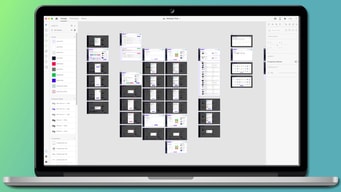
Adobe XD is an advanced n UI and UX design platform that can be used to create everything from apps to websites. The tool is popular among developers for creating and collaborating on wireframes, prototypes, and mockups. A platform is a vector-based software that is meant to turn flat images into 3D renderings and create augmented virtual reality experiences. It also offers access to features such as repeat grids, plugins, and extensions.




| Capabilities |
AI
|
|---|---|
| Segment |
Small Business
Mid Market
Enterprise
|
| Deployment | Cloud / SaaS / Web-Based, Desktop Mac, Desktop Windows, On-Premise Linux |
| Support | 24/7 (Live rep), Chat, Email/Help Desk, FAQs/Forum, Knowledge Base, Phone Support |
| Training | Documentation |
| Languages | English |
Adobe XD Pros and Cons
- 'Adobe XD boasts a functional, well-presented interface
- Prototyping is straightforward (for those with experience)- it doesn’t require additional plugins or services.
- Collaboration/co-editing is available so you can share files for review and work together in real-time.
- You can view prototypes on your phone and open files from other Adobe products.
- Although XD comes with illustration tools; you can’t draw custom shapes
- Although XD is constantly updating itself – although these provide users with great features, things are constantly changing, which can be annoying. Also, these updates sometimes come with bugs.
- If you don’t already have a ‘Creative Cloud’ plan, you’ll have to pay a monthly cost to get full use of the features.
Compare Adobe XD with other popular tools in the same category.
I like full control of the assets. It's very helpful to be able to use the same assets across multiple artboards and update them everyone as I continue designing.
There are a few missing features in the system (side-scrolling artboards, hover effects, etc.) however the feature request online lets others contribute to help make the system better.
Being able to fully design a system to send to the developer with ease. I can also create videos easily to show the developer how something should work whilst not wasting time creating animations.

its widely known an easy to work with. quick software with many characteristics
nothing. Honestly its a very functional tool and it might need a revision on graphics in terms of icons.
top software to work with docs
Adobe gives it one of important software as freemimun to use which is Adobe XD, it gives the facility to make lot of amazing and creative user interfaces whether its for creating for web or creating and utilize in other sources. It have a clean and clear canvas , where we can put component and make fabulous and beautiful design. Because its adobe product and lot of people already aware about the user interface of the Adobe software then it become very easy for them to get easily familiar with that.
There is already lot of good things in Adobe XD , it gives the freedom to explore a whole new way to think about your product design process and gives the free hand to make it real. Adobe XD now the one the important tool for every graphics or UX designer they all using this as a one of their primary tool. because it allow to maintain a standard format for creating and storing for future improvement in the design process.
First problem I resolve with this Adobe XD that making of wire-frames and few design related things now become easy. It runs of different OS so that I can easily migrate a file or doc from one PC to another kind of PC very easily without any kind of error in that

XD is straight-forward and easy to learn, especially for anyone who has used Adobe products in the past.
The interactivity for prototypes is limited. I like to be able to create complex interactions allowing test participants to do things like type in text fields, which is not possible in XD.
I am able to put together simple, realistic click-through prototypes very quickly in XD.
the features that are with any other paid software.Specially I am using the plugins that was suppored in the XD.
I still think a few things are missing in that. What if someone wants to create photographs? in cannot be created in xd. Not just a photogrpahs all the gifs files too,
I am creating a website and that was created in xd first to pitch the idea. Also. That was my inspiration before creating a website.
Adobe XD support to import asset for design. Support for collaborate with other designers who both use Windows and Mac.This tools can export many type of file. Live preview is awesome feature for live preview for prototype on IOS Devices. Adobe XD have good performance when we control with interface is extremely easy and fluent.
Adobe XD don't have tool for copy format like format painter it help to fast copy format. Sometime of the keyboard shortcuts feel get a hang of it quite quickly and we need to close and reopen the project. It can't export to generate css file for implement web design.
We use Adobe XD for create prototype to present and describe user before implement project.

Adobe XD is an Adobe tool for designing applications and websites. The main advantage of Adobe XD is the fact that the package has a free plan, another of the significant advantages of this solution is the fact that Adobe XD has a clear interface that facilitates work on the prototype/project. Using the program is very simple and enjoyable there is a possibility to share your work with your team, on your computer using links or mobile application available for free on Android, as well as IOS. It is worth mentioning that Adobe XD is compatible with formats of other Adobe tools thanks to which we can transfer our graphic design to Adobe XD in no time at all.
While using Adobe XD I didn't notice any significant drawback except the fact that the beginnings of the program are quite difficult due to a large number of functions.
Thanks to using Adobe XD I can make a prototype of the design, which I can then present to the client, so I can make improvements at the design level.
Interface is very clean. So if you are used to Sketch it will be easy for you to work in Adobe XD. If you use Photoshop or Illustrator for interface design Adobe XD may seem a little deserted in the begining. It has much less functionality but just enough to design awesome apps or websites.
No CSS export. Unfortunately there’s no way to extract CSS code from your design to simplify the work for developer. It is even possible in Photoshop (which is raster based) with the help of Zeplin plugin. But there is no such function in XD.
My recommendation will be to talk with developers you are going to work with if they feel comfortable using XD. Some developers prefer Photoshop.If you are Windows user then sure you should start using Adobe XD instead of Photoshop.
I love that Adobe has UI kits you can download to use in your own XD projects. Also, my favorite feature is being able to upload your projects online as an interactive prototype - very useful.
I don't really inherently dislike anything about XD. It is so much better than similar prototype software, like InVision, in my opinion. Watching the tutorial at the beginning is so helpful and insightful, but if you don't watch it, I guess XD would be considered slightly confusing to navigate/use.
The online prototype publish feature is the biggest benefit in my opinion. Being able to share an interactive version of your designs wit coworkers, peers, etc. is a huge benefit.
This new tool from Adobe could be the game changer. Not only can you design but you can prototype as well in this tool. I highly recommend.
Its still becoming better day by day The prototyping it's not the greatest yet.
Designing production ready files for the entire Org.