

Unclaimed: Are you working at Claritysoft?




Claritysoft Reviews: 4.3/5 — Solid Choice
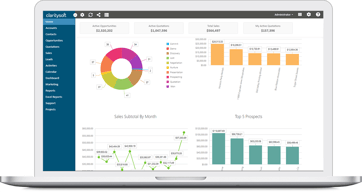
Claritysoft offers some of the most user-friendly and easy-to-use CRM solutions available today. Rooted in usability, Claritysoft focuses on account management, contact management, and Outlook integration functions. This is a cost-effective and easy-to-use solution coupled with an intuitive user interface.




| Capabilities |
API
|
|---|---|
| Segment |
Small Business
Mid Market
|
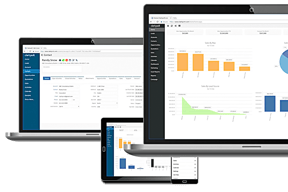
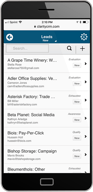
| Deployment | Cloud / SaaS / Web-Based, Desktop Windows, Mobile Android, Mobile iPad, Mobile iPhone |
| Support | 24/7 (Live rep), Chat, Email/Help Desk, FAQs/Forum, Knowledge Base, Phone Support |
| Training | Documentation |
| Languages | English |



Compare Claritysoft with other popular tools in the same category.
This system is easy to use and navigate but it's slacking on the analytics point.
It doesn't have as many capabilities as other systems
We were using it to drive activity
I find its ease-of-use is better than most. Navigation is also easy.
Not as robust in terms of trackability.
Tracking leads.
It is an easy to use and very practical tool. Its configuration is easy and practical to manage to improve relationships on the process and sales management.
I think that it lacks many functions to handle in a more useful way this process of relationships and remains pgado for some moments
is a dynamic and practical tool to improve and simplify the sales process
UPDATE: ClaritySOFT has contacted me, refunded the purchase price and apologized. I can not ask for any more than that. I would recommend this product.
All settled now. Sync feature was more involved than explained in the beginning.
None
Managing time & resources allotted per project.
The overall housing platform? It could be packaged better.
Clarity helps with keeping track of hours, you can go to one area and pull reports.
I like that it is relatively easy to use.
I feel like it doesn't offer great reporting.
I was a fan of Salesforce and Claritysoft is just not as good of a CRM. I don't really solve problems with the system just keep track of leads.
It's not hard to learn and use right off the bat. I figured out how to build a report on my own. I was able to use the tool immediately after training and could have probably figured it out on my own -- that's how fairly simple it is. Their customer service team is really responsive and nice. Sometimes they resolved things quickly, other times they did not. See below for additional feedback on this.
While it is simple to use, it is not very intuitive in certain areas. My biggest complaint is having the Lead activities and in a separate place than the Account activities. I think that's horrible. How am I supposed to access the historical conversation and activity if I can't see it all in once place? That is not efficient nor intuitive. That's probably the most important section of the software. That's where I spend most of my time when I'm using CRM systems. Additionally, the global search function is super clunky and not intuitive and too many steps. Design and interaction-wise it's not an ideal functional experience. It requires an extra click on a checkbox even after you click on the Globe -- doesn't a globe already imply global search? Why should I need to click on "include Accounts (which in Leads) if wanted to global search? I would much rather uncheck it than have to check it every time. Additionally, half the time stuff didn't show up when I searched for it even though it was really there. Either it required clicking on a "List All" button to make all the records reappear first before searching, or it would simply not show up. It was INSANELY slow! And oftentimes Claritysoft would point the finger and pointed the finger at my employer (internet connection or even the city's internet signal), who then would point the finger back at Claritysoft. And then there would be no resolution. This happened a few times. It frustrated me immensely that the tool I was relying on every minute of every work day was not working well often and affected my productivity.
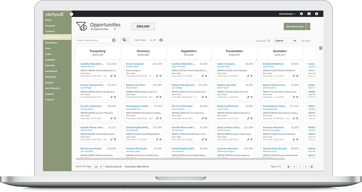
Sales activity management (calls, emails, delivering proposals, order management and tracking), pipeline management (what leads converted to Accounts, what Accounts had Opportunities, what Opportunities closed vs. lost), activity log reporting,
Not much. Everything about this product is a dead issue. I believe they've given up developing it.
Every feature you want 'will be in the next release'. No updates, no bug fixes. Desktop program is very clunky and old. Claritysoft outsources development to foreign countries and allows them access to your data. Be very careful!
We're in the process of converting from anyother CRM. The feature base and cost savings alone make it worth it to the bean counters. Myself, I love the customizable features.