Unclaimed: Are you working at ClickMeeting?
ClickMeeting Reviews: 4.2/5 — Solid Choice
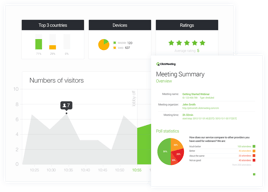
ClickMeeting is an efficient webinar management platform for businesses who want to boost their digital reach through professionally hosted and branded webinars. The platform’s tools and features are notably intuitive and user-friendly, making it one of the simplest options available today, especially for internationally hosted events. ClickMeeting is also customizable, with users able to tailor everything from the webinar room as well as other key elements needed to establish effective branding for any event. Types of content that can be hosted on ClickMeeting include Facebook and YouTube Live, presentations, surveys, and polls, just to name a few. It also comes with accurate analytics that can provide deeper audience insight for future events.
| Capabilities |
API
|
|---|---|
| Segment |
Small Business
Mid Market
Enterprise
|
| Deployment | Cloud / SaaS / Web-Based, Mobile Android, Mobile iPad, Mobile iPhone |
| Support | 24/7 (Live rep), Chat, Email/Help Desk, FAQs/Forum, Knowledge Base, Phone Support |
| Training | Documentation |
| Languages | English |
ClickMeeting Pros and Cons
- Supports full audio and video recording of live sessions
- Offers chatfunctionality and interactive sessions
- Integration with Facebook Live and YouTube for added engagement
- Supports HD video presentation for multiple presenters
- System delays caused by larger number of guests
- Lacks automatic transcription
- Relatively expensive

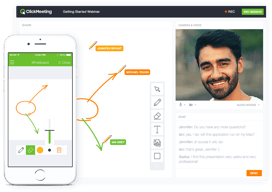
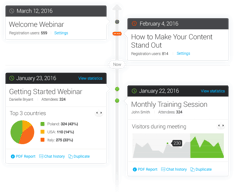
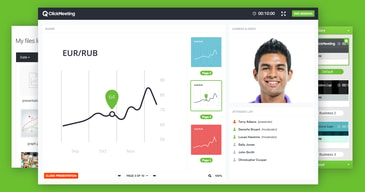
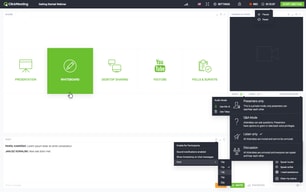





ClickMeeting is a European webinar platform that ships GDPR compliance and end-to-end encryption on every plan, including the free tier, and prices well below GoTo Webinar. For organizations that care where their attendee data lives, that combination is the reason to shortlist it. The trade-off is a smaller ecosystem and a less polished experience than the market leaders.
- What it is: Webinar and virtual event software covering live webinars, automated and on-demand webinars, meetings, and paid events.
- Best for: European businesses, educators, and trainers who need data residency and encryption without enterprise pricing.
- Pricing: Attendee-tiered. Widely reported entry pricing is around $32/month for Live and $48/month for Automated, with annual billing saving up to 20%. Verify on ClickMeeting’s page before buying, for the reason explained below.
- The honest catch: ClickMeeting does not publish prices in a way that can be read without configuring a plan, and prices scale by attendee tier from 25 up to 10,000.
What Is ClickMeeting?
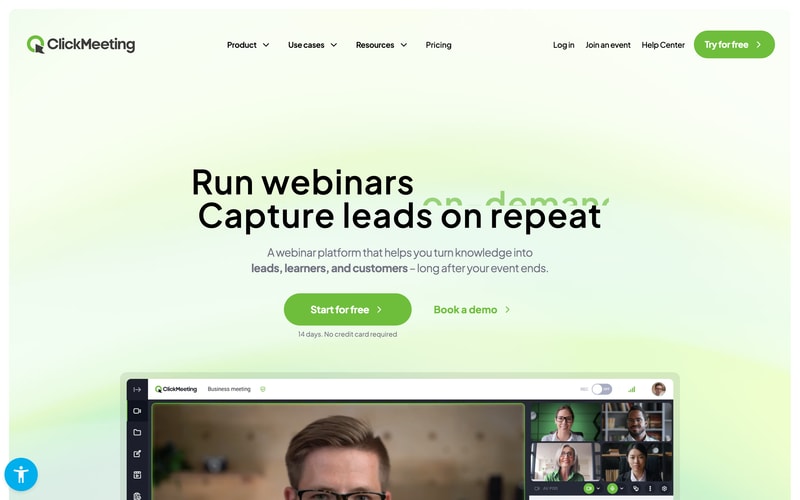
ClickMeeting launched in 2011 in Gdańsk, Poland, originally as part of the GetResponse group before becoming an independent company. It has stayed focused on webinars rather than expanding into unified communications, and it competes primarily on price and European data handling rather than feature count.
That European origin is the most useful thing to understand about it. GDPR compliance and end-to-end encryption appear on every plan including the free tier, and the company operates under EU jurisdiction. For a European organization running webinars with customer data, that removes a category of legal review that a US-hosted platform can require.
The product covers three event types from one account: live webinars, automated and on-demand webinars for evergreen content, and standard online meetings. Paid events and donations are supported, so a trainer can charge for attendance without a separate commerce tool.
The independent rating is solid, on a modest sample: 4.5 out of 5 on Capterra across 181 reviews, with 91% positive sentiment. That is a much smaller evidence base than Zendesk or Trello, so weight it accordingly.
How ClickMeeting Works
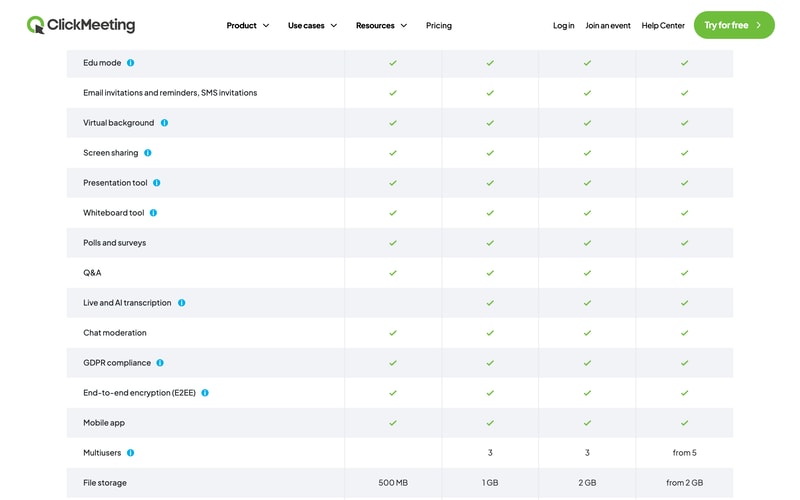
- Live webinars. Browser-based with no installation, custom room branding, polls, surveys, Q&A, screen sharing, whiteboard, and a presentation tool. Streaming out to YouTube, Facebook, and LinkedIn is included.
- Automated webinars. The Automated plan turns recordings into scheduled or on-demand events, with automated reminders, certificates, and auto-streaming to social platforms. This is the evergreen marketing pattern, and it is the main reason to choose Automated over Live.
- Meetings and collaboration. Standard meetings with breakout rooms, so one subscription covers both webinars and internal calls.
- Edu mode. A dedicated teaching mode, reflecting how heavily ClickMeeting is used in education and training.
- Security on every tier. GDPR compliance and end-to-end encryption are available across all plans rather than reserved for enterprise, which is unusual.
- Monetization. Paid events and donations on Live and above.
ClickMeeting Pricing
A transparency note first, because it affects how you should read everything below. ClickMeeting’s pricing page renders prices dynamically once you select an attendee tier, and the figures are not present in the page source. That makes independent verification harder than for most vendors, and it is a fair criticism of the buying experience.
What is verifiable on the page, in July 2026:
| Plan | Attendees | Recording | File storage | Notes |
|---|---|---|---|---|
| Free Events | 25 | 30 min | 500 MB | 14-day trial, no credit card |
| Live | 50 to 1,000 | 6 hours | 1 GB | Custom branding, 3 multiusers, paid events and donations, live and AI transcription |
| Automated | 50 to 1,000 | 10 hours | 2 GB | Automated and on-demand webinars, automated reminders, certificates, auto-streaming |
| Enterprise | Up to 10,000 | From 10 hours | From 2 GB | Dedicated account manager, white label and reseller options, from 5 multiusers |
On price itself, third-party sources consistently report Live starting around $32 per month and Automated around $48 per month at the smallest attendee tier, and ClickMeeting states annual billing saves up to 20%. Treat those as indicative rather than confirmed, and check the live page with your actual attendee count.
Two further points:
- Attendee count is the main cost driver. Tiers run 50, 100, 200, 500, and 1,000 on Live and Automated. Moving up a tier is the most common source of bill increases, so estimate your largest expected audience rather than your average.
- A promotion is running as of this writing. Code SAVE30 offers three months free on annual plans through 31 July 2026. Promotions like this recur, so if you have missed it, it is worth asking whether another is available rather than paying list price.
Who Should Use ClickMeeting
- European organizations with data residency requirements. The clearest case. EU jurisdiction plus GDPR and encryption on every plan is a genuine advantage over US-hosted competitors.
- Educators and trainers. Edu mode, certificates, and paid events make it well suited to teaching, and this is visibly a core audience.
- Budget-conscious webinar programmes. Meaningfully cheaper than GoTo Webinar for comparable core functionality, particularly since recording is included on the entry paid tier rather than gated to the middle one.
- Teams wanting evergreen webinars affordably. The Automated plan covers on-demand and scheduled replays without the price of a dedicated funnel platform.
It fits less well for large enterprises wanting a deep integration ecosystem, where Zoom and GoTo have far more partners, and for teams that prioritize interface polish, since ClickMeeting is functional rather than elegant.
Honest Pros and Cons
Strengths
- GDPR and end-to-end encryption on every plan. Including the free tier. Most competitors reserve comparable assurances for higher tiers or say little about jurisdiction.
- Genuinely affordable. Reported entry pricing around $32 per month undercuts GoTo Webinar substantially, and recording is not gated to a middle tier.
- Three event types in one account. Live webinars, automated webinars, and meetings without separate subscriptions.
- Browser-based with no installation. Consistently praised, and it directly improves attendance rates.
- Built-in monetization. Paid events and donations without bolting on a payment tool.
- Good reported support. Fast and responsive across multiple channels, per reviewers.
Limitations
- Prices are not readable without configuring a plan. A real friction point when comparing vendors, and the reason this review hedges on exact figures.
- A small review base. 181 Capterra reviews is a fraction of what the market leaders have, so the 4.5 rating carries less weight.
- Occasional quality complaints. Some reviewers report connection issues and video inconsistency, alongside the majority who report stable HD.
- Storage costs extra. Additional recording and file storage is charged separately, and reviewers flag it.
- A learning curve on advanced features. Basic use is simple; the deeper toolset takes exploration.
- A smaller ecosystem. Fewer native integrations than Zoom or GoTo, though ClickMeeting advertises broad connectivity through integration platforms.
ClickMeeting Alternatives and How It Compares
- GoTo Webinar is the enterprise incumbent, more expensive and with cloud recording gated to its middle tier, but with a longer reliability record and deeper CRM integrations.
- Livestorm is another European option, browser-based with a free tier and a more modern interface.
- Demio is stronger for marketing-led webinars and demand generation, and is US-hosted.
- WebinarJam targets marketers and sellers, with stronger evergreen funnels through EverWebinar.
- Zoho Meeting is cheaper still and adequate for straightforward webinars, especially inside the Zoho ecosystem.
For a broader comparison see our guide to the best webinar software.
The Verdict
ClickMeeting is a sensible, well-priced webinar platform with one clear differentiator: it takes European data handling seriously and does not charge extra for it. GDPR compliance and end-to-end encryption on every plan, including free, is a meaningful position, and for an EU organization it can shorten a procurement conversation considerably.
Set expectations on two things. The evidence base is modest, at 181 Capterra reviews against thousands for the market leaders, so you have less collective experience to draw on. And the pricing is genuinely awkward to compare, because the figures only appear once you configure an attendee tier. That is not a reason to avoid the product, but it does mean you should get a real quote before assuming it undercuts a competitor.
If data residency, price, and included recording matter more than ecosystem depth and interface polish, ClickMeeting is a strong pick and one of the better values in the category. If you need the deepest integrations or the most proven reliability at large scale, GoTo Webinar remains the safer enterprise answer at a higher price. Use the 14-day free trial with a real audience before deciding, since audio and video quality is the one dimension where reviewer experiences genuinely diverge.
FAQ
How much does ClickMeeting cost?
ClickMeeting prices by attendee tier, from 25 attendees on the free trial up to 10,000 on Enterprise. Third-party sources consistently report the Live plan starting around $32 per month and Automated around $48 per month at the smallest tier, with annual billing saving up to 20%. Because prices only appear after selecting a tier on ClickMeeting’s site, verify the figure for your own attendee count directly.
Does ClickMeeting have a free plan?
There is a free 14-day trial supporting up to 25 attendees, with 30 minutes of recording and 500 MB of file storage, and no credit card required. There is no permanent free plan. Notably, GDPR compliance and end-to-end encryption are included even at this level.
Is ClickMeeting GDPR compliant?
Yes. ClickMeeting is an EU-based company operating under European jurisdiction, and it lists GDPR compliance and end-to-end encryption across all plans including the free tier. For European organizations this is its main advantage over US-hosted webinar platforms.
What is the difference between the Live and Automated plans?
Live covers real-time webinars with custom branding, paid events, 6 hours of recording, and 1 GB of file storage. Automated adds automated and on-demand webinars, letting you run recordings as scheduled or evergreen events, plus automated reminders, certificates, auto-streaming to social platforms, 10 hours of recording, and 2 GB of storage.
What is ClickMeeting best for?
European businesses, educators, and trainers who need GDPR-compliant, encrypted webinars at a lower price than the enterprise incumbents, and who value having live webinars, automated webinars, and meetings available from a single account.

Compare ClickMeeting with other popular tools in the same category.
As a non-profit organization, we sometimes need to organize events for many people. Clicmeeting absolutely killed it and exceeded our expectations. We loved how easy it was to use Clickmeeting and switch to a new platform. Apart from that, our participants were really surprised by the quality of the event because usually online meetings are chaotic and problematic.
There was nothing that we disliked about Clickmeeting.
We had a big problem with finding the right platform for large events. Clickmeeting is outstanding, and we are not planning to look back.
Les différents outils sont très performants et utiles. L'application est plus ergonomique et visuellement plus accueillante que leurs concurrents. Le service client est très réactif et compétent.
Le stockage des enregistremenst qui est un peu insuffisant.
La possibilité d'inviter les formateurs en tant qu'animateur sans avoir à acheter des utilisateurs supplémentaires. Les questionnaires en ligne, type QCM ou questionnaire de satisfaction sont très utiles pour notre activité.
A big feature is also the extensive automatisation possibilities. It helps us with surveys creation and voting during the webinar. We are very much satisfied with our collaboration with ClickMeeting.
I never had a problem with Clickmeeting. Clickmeeting works perfectly.
Through ClickMeeting platform we do not only save money but also time. The whole vibe of the company and the people I got a chance to work with from Clickmeeting were kind and patient
- it's really an intuitive tool to use - it gives a chance to record meetings/webinars - technical support is always available and ready to help - technical support responds fast to all our questions
We have been using ClickMeeting for almost a year, and it's hardly difficult to find any disadvantages. For us, this tool is irreplaceable and it makes our work easier.
It gives us a chance to organize internal meetings with people who work remotely and live in other cities than Warsaw. Moreover, it provides the opportunity to organize webinars and share the knowledge among many in many target groups such as educators, teachers, and special groups who are looking for missing people.
I like great support when we need assistance, And intuitive layout and automatisation features.
I would appreciate more space for recordings and the possibility to personalize more e-mails sent from the system.
Thanks to ClickMeeting we can reach much more schools and teachers during our educational activities.
Support, clear design, good features, still growing, you can organise not only small meetings but also big webinars.
Sometimes they have technical problems. But it is fixed quickly.
Some things connected with menu, presenters etc.
I like the webinar automation the best! It's an amazing functionality, because with it I record the material once and can use it again and again! What's more, such recorded material can be interactive! I can put tests and quizzes in it. And even at the end a call to action (CTA), for example, to purchase e-learning training on preferential terms. And then such an automated webinar plays the additional role of led magnet. Brilliant :)
What is it that I don't like? Actually, that's a tough question, because so far I'm thrilled with ClickMeeting! It streamlines my work a lot. There is also super technical support. But at the very beginning, when I started with the trial version, I was a bit lacking in the possibility to test all ClickMeeting functionalities for free. For example, there was no possibility to run paid webinars and connect a payment gateway.
It saves my time! I don't have to attend every webinar live. It helps me build my mailing list, because people have to register for the webinar to get access to it. It also makes sure that as many people as possible show up for the webinar :) I set reminders the day before and an hour before and there is no fear that no one will be there :)

ClickMeeting is suitable for both small and large needs - attracts with features such as fast and easy UI, scalability for a large group of participants and personalized payment.
The scope of the organisation's needs is not advanced enough for us to notice any shortcomings of this tool. At the moment, the topic is developmental.
The tool appeared within our reach in the pandemic period, becoming the leading streaming platform for the needs of member companies and more.
CLICKMEETING CAN BE USED VERY WELL FOR ONLINE MEETINGS AND DOING SMART EXERCISES WITH AUDITIONS
I DO NOT MISS ANYTHING, TO SMALL PARTICIPANTS
CLICKMEETING ALLOWED THE GROUP OF TEACHERS TO UNITE
What impressed me the most was the helpfulness of the ClickMeeting Team. We were supported at every step. Our consultants patiently walked us through all the functionalities to make sure we and our participants will have a quality, smooth experience during the online event. Moreover, ClickMeeting is an intuitive, multi-functional tool which helps organize online endeavors from A to Z.
We don't see any downsides - we were completely happy with the tool. Everything worked perfectly.
ClickMeeting helped us to reach a large group of participants. We estimated up to 10,000 users to join the webcast. It was hard to find the right tool on the market. And then, we discovered ClickMeeting! We were able to customize many detailed functionalities to adjust the webcast to our needs and expectations.

User friendly, 16:9 resolution, HD quality
Maybe they could improve the quality of customer service, I have no complaints about the software itself
I'm sure that it is one of the best tools for webinar, and small/medium online events

I like the most: - ease of use - good communication tools with users - useful interactive features (presentations, chat, Q&A mode) - high quality records.
I have a little problem with inviting users from previous webinars excluding speakers.
I use ClickMeeting to organise webinars for meny users and also for small meeting with few persons webinars. I feel CM by useful tools improve communications with our users.
The tool is really user-friendy. Planning and streaming is really easy. ClickMeeting has a lot of usefull features. The option that automaticly sends certificates to participants is a real timesaver.
It's really hard to find cons to this tool.
From local workshop we became nationwide webinar platform.

- polish language version - easy to use - nice interface - great quality of picture and sound - stable connection
Nothing so far. . The quality of the service is really good, without any setbacks. We are using it very successfully! It's very useful!
The quality of the service is really good, without any setbacks. We are using it very successfully! It's very useful!
What do you like best? ClickMeeting is a great tool for organising online events, especially webinars. We have been using the platform for some time now and we are very happy to observe how it has been regularly upgraded to answer more of our needs. We particularly appreciate how intuitive it is and all the features that it offers in order to implement high quality online events (easy screen and files sharing during presentations, uploading files to the internal memory, interactive features such as Q&A mode, etc.).
Nothing to dislike, as we can observe ClickMeeting improving its features all the time :)
We use ClickMeeting to organise webinars for big audiences and smaller meetings such as online workshops. ClickMeeting also helps us to manage our internal work within the organisation by providing us with the feature of meetings recordings.
Excellent platform for webinars and meetings! Due to the many different tools we have been working with this platform for almost 2 years! ClickMeeting offers the possibility to organize live webinars, on-demand webinars or meetings - we use all of these in our company regularly and reliably! Especially noteworthy: great support with immediate help in the live chat!
The software and the support are very reliable, so nothing to dislike!
We are successfully doing live webinars, on-demand webinars and meetings with the help of ClickMeeting
ClickMeeting has features such as video conferencing and online meetings that bring people together.
Not used by many schools to have a truly collaborative experience.
It saves time when conducting departmental meetings. Teachers can join anywhere in the school or off campus.
Simplicity, Branding, reliability, technical support
Live chat available everyday but not 24/7
online presentations, daily meetings
Clickmeeting is the best platform out there for our event needs. It's been easy to integrate with and use it as an embed on our website together with the token protection available to keep hijackers away. With all the events we've done, we have never experienced any service interruption, which I really appreciate. Worth mentioning is the fact that the product is improving over time and in the last 2-3 months I've seen at least a couple of big improvements that helped us a lot with our events: the video playback and event recording quality were improved and the number of people that can show up on camera simultaneously was increased to 8 which allowed us to consolidate on using Clickmeeting alone and leave aside some other platforms we used before.
There's nothing major to dislike. However, the API may require some improvement as some settings are available in the UI but not via API (ex: setting the recording quality). Making them available via API as well would help with automation in our case. I also wish the platform offered a wider range of user roles during the meeting, maybe even the ability to customize your own. Although we managed to overcome this in part, it would have been great to have a role in between presenter and attendee that would for example allow joining the webinar with camera / microphone permissions but would not allow switching between presentation types and not allow starting/stopping a playing video.
In our case Clickmeeting is the platform we're using for our online events. It's really nice to have something that always works and you don't have to maintain it internally.
It has everything you need and amazing customer service!!
Honestly, there is nothing I dislike... If I have to say something maybe I would like a little cheaper ahah but it is already very affordable!
I can easily embed the video and I can add a call to actions!
This platform is easy to manage, contains all the tools you'll ever need to organize webinars, interactive relationship between the presenter and the participants. The company provides very responsive technical support.
Right now, I cannot imagine anything that I could dislike.
With Clickmeeting, we can organize huge events with up to 5000 participants. Automation processes regarding participant registrations and follow-up emails save us a lot of time.
Customizing the colors and logo of ClickMeeting to provide a custom branded webinar room to attendees. Pre-recording of webinars to play them at later time even when still engaging the audience. Use of surveys to keep attendees attentive throughout the meeting.
Limitation on the storage capacity to a maximum of 10 hours.
Running unlimited number of surveys to collect information from customers on specific subjects and products to help in making informed decisions. Showcasing the features of our brand by personalizing the pages of webinars to match our brand. Reaching and engaging a wider audience through Youtube and Facebook

I. Very user-friendly & lightweight II. Easy navigation has made it very good to go. III. Screen sharing IV. Video and audio conferencing as well as webinar V. Recording
I am cool with this application. I do not have any observations against ClickMeeting.
I. Meeting with my suppliers/clients/3P vendors. II. Webinar arrangement III. Project brief to the outsiders. IV. Real-time collaboration
Clickmeeting has the opportunity to tackle the world post covid with different tools that enable people to either work with a small company team, with subteams (like exercise partners or department partners within a company) or with big crowds and even gathering money by charging to access your webinar contents. Been using this software for about 3 years and really would like that more people in my network would use it.
So far not being able to use it in my school´s training because they stick with software such as google´s. But love to used it with my colleagues at work and even accessing to some paid content.
realiability is the main issue with this type of sowftware and the posibility to monetice is really really usefull in these times .

The platfirm is very interactive and easy to use for beginners, who are new to working remotely.
Screen share only work on one screen, which makes it difficult to share the content, if you have multiple screens.
Working and collaborate remotely as a team with an ease
The picture and sound quality its excellent. There was no lag with screen sharing as there is with someother online tools.
There wasnt much that I didn't like as it was a very effective tool for what I required
We were having really laggy sessions with another tool that we used, this eliminated those for the time it was used.
During the work from home duration I have had to pivot how I schedule meetings. Click Meeting is extremely efficent and simple to use whether you're on the computer or phone.
There are several other platforms similiar to Click Meeting that may be seen as compeititors with the same function
By using click meeting i have found it has been a lot more efficent than a normal dial in meeting. It allows all users to quickly join the call without any interruptions.
Helpful in conducting business with others
Everything is efficient and would make no changes
Connecting with clients and dealing with meetings while everyone is working from home.
Navigating on the app is very user friendly.
Nothing - I haven't experienced any negatives.
I wanted to ability to connect with co-workers.
ClickMeeting is an excellent tool for videoconferencing and webinars. It has been of great benefit to establish contact with third parties quickly and efficiently, we use it to communicate and collaborate remotely without limitations of space or physical presence, likewise, we have used it to establish contact with customers and provide attention when they need it.
The only thing I don't like (or like less) is that the videoconference host does not have the power to adjust the audio of the participants.
ClickMeeting has quickly and effectively solved problems that existed in the internal and external communication of my organization. With no on-site limitations, work teams have been able to meet and work remotely from anywhere, and it has also been extremely useful for communicating with clients and meeting their needs. ClickMeeting has provided us with fluid and stable communication through videoconferences and webinars with third parties.