
Unclaimed: Are you working at Dropbox?
Dropbox Reviews: 4.4/5 — Solid Choice
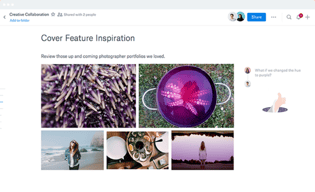
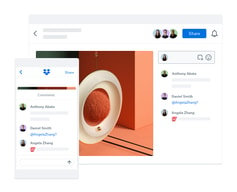
Dropbox is a storage and collaboration platform that runs on the cloud. Dropbox is best known for letting users store, share, and access files securely, as long as they have access to the internet. The platform empowers users with core features that make it easy to share and collaborate, such as file syncing, collaboration tools, and version history tracking.
| Capabilities |
API
|
|---|---|
| Segment |
Small Business
Mid Market
Enterprise
|
| Deployment | Cloud / SaaS / Web-Based, Desktop Mac, Desktop Windows, Mobile Android, Mobile iPad, Mobile iPhone |
| Training | Documentation |
| Languages | English |
Compare Dropbox with other popular tools in the same category.
I have been using the dropbox for more than 2 years i guess, and i like each and every function of the dropbox, it's so easy to upload your files in dropbox and keep your data safe and secure
I like everything except it's free strogae is only upto 2 gb , but yes you can get more storage uf you refer the friend and get 500 mb per referral
I upload my important documents in dropbox and after that I don't have to carry any laptop or flash drive with me if i go to the meeting at different company. Just open the dropbox account there and download my presentation easily
It allows for easy sharing of large files that are difficult to send via email.
Overall, nothing comes to mind that I dislike about dropbox. It's easy to use and straightforward.
The problem that Dropbox helps me solve is sending large files to colleagues. The benefit is that they can see the files and edit them because of the formatting. Dropbox allows you to send the files.
Dropbox has been around for a while, and it's a friendly productivity tool. It's perfect for sharing documents and also collaboration among team members due to their collaborative online editing feature, and also provides tools such as word and excel (online versions). Their policies and privacy features are ok, and Dropbox provides an option to disable downloads (only available with a business version). The storage capacity is relatively low (at least for new users), but dropbox gives the chance to increase the storage if you invite your friends to join Dropbox and they actually signup. Also, you can attach another account (you can have a personal and work account at the same time) and switch between them without logging out the current one.
The disable downloads feature is only available with the business version. And there's always room for Microsoft documents' improvements and also support for more apps integrations. The storage capacity is relatively low (at least for new users) but that is mainly for all storage applications.
Sharing documents and collaboration is a plus! Some apps such as Evernote and scanners support direct uploads making easy to gather information. If you use lot of devices you can edit or upload documents from anywhere and they will sync with all your devices.
Dropbox is a great storage program that keeps all your files stored in a secure place, and I love how you can retrieve your files from any device you have. You can also send a file to anyone from Dropbox. It is also very safe to store. Lastly, you can collaborate with others
Sometimes it's hard when others don't have Dropbox, and also, the organization is tricky at times.
It solves the problems of not having to worry about what device you are using and retrieving those files quickly.
I use dropbox for my company and I really enjoy it. My favorite part would be the option to set up a team dropbox. We have it setup with several differnet team members and we use it like you would a local server. I am very happy with it.
Honestly, I dont have any complaints with Dropbox. Any concerns I had in the past have since been fixed in an updated. Once again, I am very happy with Dropbox.
Using dropbox eliminates any possible storage corruption. We use it knowing we have a solid company with lots of backup solutions in place.
Es una aplicación para PC y móvil muy fácil de usar, tiene mucho espacio y es muy intuitiva
Todo me parece muy bien diseñado Desde el perfil gratuito tienes muy buenas opciones
Puedo compartir archivos con mi equipo de trabajo, de forma fácil y eficaz
Dropbox is a platform totally committed to the business information that we handle in the cloud, all content that is shared through the cloud can be compromised, however with Dropbox we feel safe to share important information with our work team since it has advanced encryption security features. Especially in our project collaboration, which is our daily task in the company.
I would like the software to have an option to prohibit certain users from deleting files from the cloud, since we have had problems with files that have been deleted from the device of employees who no longer work with us, I would like you to ask the main user if you authorize this change. It would save me a lot of hassle.
Dropbox is incredible for collaborative work, it makes it easy for us to work together on projects without being all in the same place, it is also safe and I can store information that I can see from any device where I am, and if I have lost my physical files, I just enter to Dropbox and in a matter of seconds I have the information I need.
The easy way to store and access the website design is very user friendly
Not anything specific, but if they can sync up my device contact files also like a clould, it would be great
I can access anywhere my data documents and get them printed or use them digitally. very easy to use free of cost
Dropbox real-time file synchronization makes my files accessible to me, from a variety of devices. Thus , making my files always accessible to me whether I am at work, working from home or even in transit. Nothing impresses me about Dropbox the most, more than this.
I cannot really think about anything I do not like about Dropbox. I love Dropbox over every other mainstream options I have tried.
Sharing and collaboration with team mates and external collaborators. My use of Dropbox makes it very convenient and fast to collaborate with team members on individual, group or departmental projects.
The ability to collaborate on projects and with customers.
I really have no dislikes at all. The system works as it should
Time management, collaboration, organization
Dropbox is easy and very fast. You can upload your files to your drive in a straightforward fashion. You can browse for your file or drag and drop it into the window, and Dropbox will do the rest for you. Files that you upload to your Dropbox storage will remain there forever, so you don't have to worry about ever losing them due to inactivity whatsoever. Dropbox is very secure, and by default, all your files are private. You can, however, share them with your coworkers seamlessly if you have their email address or by generating a link using which they can download the files. What I love about Dropbox is that although I primarily use it on my computer, I can use it on any device too. It is cross-platform and allows file transfer and data syncing between all of its supported devices. You can move your files from your phone to your computer and vice versa. It's a fantastic software for collaboration as it permits you to edit documents and create presentations through Dropbox Paper, which is one of its best features. You can simultaneously work on documents with other users and manage all of your projects in a streamlined manner.
Dropbox is excellent, and I don't dislike anything about it.
Dropbox acts as a virtual hard drive for me. It allows me to share files seamlessly with my team, making it easier for us to work from home and collaborate. For any projects and assignments that we work on, we rely on Dropbox very much as it allows us to edit source codes and documents with vital company data in a very secure manner. Every day, we back up all our files and updated them on the cloud so that when needed, another person can download and use them for reference or contribute their role in our projects. Dropbox can be integrated with Zoom and Slack, two of the software that we use daily for communication and task management. With the integration being possible, it allows us to manage all the tasks and necessary tools collectively in a single window. The most significant benefit of Dropbox is that when you edit and make changes to documents on the cloud, you can save each revision. So, if you need to undo all or some of the changes, you can revert to a previously made revision quite easily.
Dropbox is straightforward to use and accessible to users who may not be totally computer savvy.
I found that uploads of video files were a bit slow.
Video sharing and collaboration with music teachers
Using Dropbox allows the team to collaborate on and share files without having to sign into a vpn or connect to a remote server, which can often be time consuming.
Nothing specific. It is pretty useful...
Sharing and uploading files with colleagues, external parties, storage of files.
Dropbox is easy to use. It is useful when sending work documents to someone outside of the business. You can share documents quickly and make edits as needed.
Dropbox works very well, you do have to pay for extra storage which is the only downside i can think of.
The problem I am solving with Dropbox is document sharing within the business and with outsiders
Simple upload and organization of files.
Limited free storage—would love to be eligible for additional free storage.
Dropbox has helped me with client management both storing and sending design projects and final artwork.
I like the fact that no matter what device I am on, I can access Dropbox from anywhere, anytime.
When I share a link from the Dropbox, I should automatically receive an email as a cc of the link, without me adding myself to the email.
I have realized that sharing documents with different companies is beneficial. Being in the Legal Field, each office uses different softward. Having access to Dropbox is universal.
I like how easy it is to upload or download my files.
I dislike the dropbox application, I always just use the built in integration to the finder on Mac.
Easy to collaborate on video projects with all the different media and files being used.
Free Storage! It is very much needed and appriciated.
It has happened in the past where some saved files were deleted/corupted. So make sure you have a backup—customer/User Support.
It makes it easy to share files with individuals—extra storage space when you need it most..moving saved files around.
It offers seamless collaboration between teammates
Sometimes i find the syncing to be a little slow or behind so I have to manually sync it myself
Completing tasks faster and making it easier to split up work amongst teammates
I love that all of my files are in one place and that my entire team can easily access and view the shared files. The syncing between devices is fast, and as soon as I upload, my team can check out the same documents.
There really isn't anything that I can say that I hate, sorry.
Dropbox has helped our law firm become more organized and enables us to easily access the information in our files. We use Dropbox daily, and I can't imagine using any other application. The greatest benefit is being able to share links to access a document without giving out the entire access to our Dropbox.
The ease of saving from anywhere and accessing on any device later. While I get an important article during browsing or in email, but cant jump to read it; I save it in Dropbox. Later, I usually read it on my kindle fire. I simply save my important presentations in Dropbox after working on my desktop and easily access it in my other devices for presentation. Edits always get synched. The desktop app is icing on the cake. Just pick and drop your file there.
I do not know really what I don't like on Dropbox. I prefer it over my Google workspace Drive and window 365 Business One drive. There is enough space still available in my Dropbox.
I am operating on multiple devices. While I want my priority content in one place, I don't want to limit my access to just one device. Dropbox really helps me to solve this contrary preference.
muy facil de usar, la version gratis tiene muy buena capacidad
la version paga puede ser algo costosa de pagar a largo plazo
he resolvido el problema de guardar y encontrar documentos en cuarquier lugarq ue me encuentre
File sharing is the aspect of my Dropbox experience , which I cherish the most. Using a web link, I am allowed to conveniently share files with anyone, regardless of size or format. It doesn't matter if they are fellow Dropbox users like myself or non-Dropbox users.
To be honest, I am completely satisfied with Dropbox. Not only does it provide me with a distinct file sharing experience, it is also secured and usable across devices.
Dropbox has made my department more synchronized and productive, in terms of how we are able to organize team files securely and make it accessible for everybody, from their individual locations. I think the biggest benefit of Dropbox for me is the ability to share files with anyone, without necessarily giving them access to the entirety of my Dropbox account.
I can access files from multiple devices, including phones, tablets, and numerous workstations, even from the internet. The ease of accessing my files from anywhere with internet access is such a huge feature for me that I've grown not to be able to live without dropbox!
I find the downloadable desktop app user interface not to be very user-friendly. It can be frustrating to navigate and figure out all the settings for non-tech users. I feel like I always have to click on dozens of buttons in the settings area to prevent dropbox from automatically downloading everything on my computer, which makes take up so much of my storage. I wish this feature were more user-friendly and intuitive. Once I do have everything set to my preference, then I don't have any problems. However, anytime I set up the app on a new computer, I have to struggle all over again.
Dropbox allows my team to share files with colleagues with ease. It also allows us to access files from anywhere, which is great when teleworking. For example, I have files on my work computer, but when working from a different computer at my home office or when traveling, I can easily access those files. I love the ability to do this.
The ability to share files and folders with those that do not use Dropbox.
I haven't found any dislikes. I love using it!
Storage size on certain devices kept me from saving files, Dropbox solved that. When I first began to use DropBox, it solved my issue of accessing my files from any location. I have been using DropBox for over 13 years!
How easy it is to use and how quick it is
There is nothing that I don't like. I have used it for years and always had a good experience using it.
Everyone can get easy access to what you wanna share without individually sending it to each person. Not at all time consuming, I don't have to wait for long for anything to get uploaded fast.it's cloud based so no memory is used.
File security is what I like the best about Dropbox. I have used Dropbox for at least five year as a personal file storage tool and in my workplace, and never in this time have I had anyone infringe on my saved file contents on Dropbox. Asides the above, Dropbox makes it generally convenient to upload files into the cloud, arrange my saved files/ folders, and keep my shared files up to date.
Asides from the few occasions when synchronization across my devices suddenly stops working, I have generally had a good time using Dropbox for saving files and overall team collaboration.
Remote collaboration and work as a whole has become an important part of my job activity, and Dropbox simply makes remote collaborations a lot efficient by making it convenient to share files, access saved files from anywhere, and make edits in real time without difficulty.
Dropbox is like having a file explorer (Windows users) on the internet and makes it incredibly simple to organize and retrieve files from years ago. If you haven't used the site in years, it still stores your files, images, and any content type. I have been able to store information for entire websites without running out of space on the free tier, not considering that if you upgrade, you can get plenty of more storage. The ability to get content from anywhere you log in adds a layer of security to your documents that you will not lose them. Dropbox is continuing to add integrations to create better workflows for teams with better communication and better security. As mentioned before, there are many different plan options, including basic, family, business, etc. Files are backed up when uploaded to Dropbox automatically. Dropbox has improved its search feature capabilities and it is not all that difficult to locate files by search. Their interface is very friendly.
For businesses, it is essential to protect your passwords; otherwise, somebody may take your entire storage. I've read that some users have issues switching from one account to another in Dropbox, but that has never been an issue for me. I have not had the experience of managing a shared directory and permissions for different users, so I cannot input on that aspect. Dropbox is best used on the desktop, and mobile application use can be improved through better navigation and layout.
I am not solving problems with dropbox, other than having a 'cloud storage' solution to save my files on that I like the most. Dropbox has also given me the ability to share links that were too large to be shared otherwise when I needed to provide a link to a presentation.
Brings my files and cloud content together, so that I'll make easy to work.
Unfortunately fails to provide users with the latest technology for searches
My team can work together in one place. Seamlessly integrate our existing workflows.
I love it most because that is dropbox lives on your pc, in preference to the handiest in the cloud. Dropbox makes it easy to recognize how to use the software, sync specific folders to your laptop, carry out admin obligations, use paper, etc.
The storage area is pretty limited. We use dropbox for lively garage, for files that we recognize are going to frequently alternate or need neighborhood get admission too fast. While I suppose it can seem a piece steeply priced, as soon as delivered into your workflow and commercial enterprise usage, you'll locate it fundamentally.
The skills to share, cozy, save and manage to get right of entry to documents of every type are important for the normal workflow of maximum if not all agencies. It's brilliant! Dropbox has modified our workplace for the higher! A bit over a year ago, my boss came to me to search for cloud storage alternatives. I did a little research on storage area, price, protection, and so forth... Dropbox was my top preference proper away.