Unclaimed: Are you working at Dropbox?



Dropbox Reviews: 4.4/5 — Solid Choice
Dropbox is a storage and collaboration platform that runs on the cloud. Dropbox is best known for letting users store, share, and access files securely, as long as they have access to the internet. The platform empowers users with core features that make it easy to share and collaborate, such as file syncing, collaboration tools, and version history tracking.



| Capabilities |
API
|
|---|---|
| Segment |
Small Business
Mid Market
Enterprise
|
| Deployment | Cloud / SaaS / Web-Based, Desktop Mac, Desktop Windows, Mobile Android, Mobile iPad, Mobile iPhone |
| Training | Documentation |
| Languages | English |

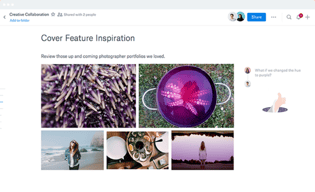
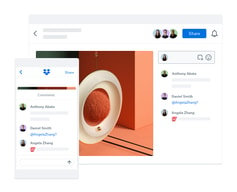
Compare Dropbox with other popular tools in the same category.
Easy to upload data and share it. Folder structure is very good
Sometimes it's take time to share else is fine
Sharing of data got easy

DropBox is been used by me from past several years. I can not imagine my phone and laptop to be without it. It gives imense space to fit in my needs. It's so very easy to use and provides a great user interface.
They have stopped the sharing of data from those who do not use dropBox. Sometimes it shows lesser photographs as compared to the actual loading. May be server problem from my end, but I noticed it many times.
I can better connect with my clients through dropBox. Sharing and storing files, data and photographs are so very easy and secured now. I can easily sort and find out what requires me, through dropBox cloud.
This was the first program I used to share projects and files with friends in university. The easy to use is great in this program. Being able to use it on any device and being able to augment the free space by sharing it with friends and make them register is a really cool feature especially for students. Being able to upload a wide varity of different document types is a huge plus for this program.
The limited space is a downside as soon as you want to save higher volumes of data, which actually made me switch to other free programs. The design is quite old look. Being able to get more free space in exchange for publicity for example could make this program more interesting to students with limited budget.
Sharing data with friends and for example sharing big amount of pictures with friends and family. As I started sharing more files I still use this program to save a few rather rarely used files but as I switched to google drive for more actual and regularly used documents I don't use this program as often as before anymore.

Dropbox provides one of the safest means of file storage available. The files you store on your account and only accessible to you and you can choose specific people you wish to share this access to. This can be done by adding their email address to the invite list or through manually sharing of the file's URL. Files once stored stay there forever until you delete them so you need not worry about losing important files without your consent. You can upload, access, edit, and download files through your mobile device as well. This makes Dropbox an all rounded storage platform as it can be accessed from anywhere.
I don't dislike any of the features of Dropbox.
Dropbox has been useful for me for file transfer and cloud storage. I often have to transfer files that I receive on my phone via WhatsApp to my computer for work and Dropbox makes it easier for me to upload and then download them to my computer, which is faster than having to use bluetooth or a USB cable. The benefit of Dropbox is that it doesn't require any set up as you can sign in with your google account.
The variety of files supported and the ability to work on the same CAD projects at the same time
I wish they collaborated with CAD software companies
File sharing. Keeping track of the most current cad revisions

Dropbox provide safe and secure cloud storage with 3 device link.
Only 30 days free trial given by Cloud Box . It should be increased to understand the application for user.
I can use my mobile data in computer without any transmission through Dropbox.

The most secure and best apps to store the data I have ever seen. It has best design and user friendly app.
Everything is good as of now. I feel comfortable using dropbox
I used dropbox for storing the data. I feel dropbox application fully secured.

Ease of use, speed,UI, versioning, tech support
Nothing. It's the best solution on the market
Our graphic designers crew are sharing all their files using Dropbox
The program is automatic. If you keep a simple file structure then nothing will get too complex. Transfers and backups just go to the cloud and are immediately available.
I don't like the online format.The structure seems difficult and you have to load each folder separate. The App is a lot more handy and simpler to use because its integrated with window.
We have a ton of shared files between us. we Back up major system files when out of the office. and Large images [100MB] can be uploaded and emailed a link for another associate to download. One right click gets me the URl link to paste into an email. The digital App helps with that.
Intelligently suggested files and folders keep your team one step ahead by giving everyone the content they need, when they need it.
There is no specific problem find butbsome time its difficult to manageable data.
Easily access your team’s work from your computer, mobile device or any web browser.
I have been using Dropbox for years. I back-up all my important files into Dropbox. Dropbox is a simple, reliable file-syncing. It lets users save space and share files quickly.
if sensitive data is leaked, admins have no way of knowing who may have accessed it.
sometimes we'll have syncing issues, but their file conflict solution has made it manageable
I can use this to share files that are too large for email
I cannot think of anything I do t like about it.
I can share files with people who do not have Microsoft Teams and files that are too large for emails. I can also receive files and keep a library of customer specific photos and product information.
This is the greatest app for sharing data if you are planning to sharing with a large grp. Very secured and robust.
Nothing as such. Just need to focus of maintaining the brand. Other than that its awesome.
We usually use it for business data sharing with each other. People upload their data and those in need search in the dropbox.
The shared folder option since everyone who has access can edit what's inside as needed. I also like being able to have your own personal folders no one can see.
Only getting 5gb of space as a base is not the best but if it's for business this is obviously upgraded. Although sometimes the upload time of documents and other files take too long to upload, even if they are only megabytes.
The main server where my company hosted our files is under maintenance, so this is the next best thing since Google Drive is only used for backups for my company.
I like that I can access drop box on all of my devices, from my desktop, to my iPad, to my android tablet and iPhone. I like that Dropbox has extra security and it is easy to find my files.
The only downside is the amount of storage space in the free edition.
I am able to share larger files quickly with friends, family, and colleagues.

This is best, easy to use and secure platform to share bulk files
Again and again you have to make owner of the file to download it
Bulk files sharing. Institutional date security. Easy to use.
I like the most - the way that file-sharing works, and sync the files in every device, easy to share with others, privacy.
I don't have any specific dislike for Dropbox because it's meeting my requirements.
I am using Dropbox for file sharing purposes mostly and sync my files with other devices.
My favorite attribute of dropbox is how seamlessly it integrates between devices. I can take a picture on my phone, share it to dropbox, and within 5 seconds I can have the file open on my laptop. I can also easily access any of my files from any internet connection by logging into my dropbox account online. Seamless integration across devices also means that I can edit documents from anywhere and have up-to-date files across my devices, and file organizing can also be done from anywhere.
Only complaint is that sometimes dropbox running in the background on my laptop can take up a lot of CPU power, but that is fixed easily enough by pausing syncing.
Cloud file storage and easily sharing files across devices. Originally purchased for file storage, but have kept it over other cloud storage solutions because of the seamless device integration.

Dropbox business has the best performance, speed, reliability and is the only solution I have total trust in. This is significant because as a decision maker, I still prefer it to my Google Drive despite the company using it.
It is by far the most expensive tool we use. Furthermore, note that all the attached additional functions like dropbox paper and passwords are just quite inferior to specialized tools
Sending and tracking files and as a shared enterprise drive set for multiple users to access.
I have been using Dropbox for a year now. The setup was so easy and was done within a couple of minutes. All I had to do was download the setup file and double click it and sign-up. My folders are synced quickly and readily available for online collaboration. The security features highlighted by Dropbox are high grade and has my trust. Like its name "Dropbox" the functionality is also the same - you just drop your file and it is uploaded instantly. One thing about Dropbox I feel superior to other options like Google Drive is that when I share a file-upload link to my group, they can upload without creating an account(they are just asked their email address). No fuss - just drop in the box.
I am not able to get a quick look at a document to know what it is, and have to resort to download it. And then I realize I have downloaded the wrong one.
We like most businesses in the world have translated to remote work. Dropbox is an imperative to collaborate with others. If I am editing a report, my group who I have shared the link can also view, edit, add comments which helps in closing the distance gaps between us. It also helps with regular sync (backup) of local folders which is necessary for IT people. Using Dropbox, we have realized that our productivity has increased as we can collaborate on the same report, presentation in real time; no need of sending files over mail with different versions and creating confusion.

Less time consuming multiple interaction and user friendly and easiest UI and also less costly
Nothing till date and niether i think i will find any bad vibes in future also.
Multiple file sharing options for multiple user ...easy alerts if anyone opens the same file.Easy availability of any files from multiple users via dropbox and also take lesser time to sync any file and also multiple users friendly interface makes it is easy to acces anyone files anywere from the country if we are connected through dropbox
It is the most useful cloud based storage tool which I am using from long time. I store my files and use from anywhere.
I can't say I don't like this product buy there is a limitation of storage in free version which can be increased.
It is a cloud storage tool which is helpful to share file anywhere and store files anywhere
I like the user interface. It is so friendly to understand.
There is nothing dislike here. It's just if a person is using it for the first time then a proper tour with information to be there to help understand it better.
Storage issues
it has an attractive interface with various features, can upload and share various types of files
the search feature of the software is quite bad
cloud storage, file sharing
Todo son ventajas; sincronización es lo que destacaria.
La usabilidad es lo único que se podría mejorar.
Poder compartir carpetas y trabajar en sitios al mismo tiempo

Being able to store files and the ability to access them from anywhere at anytime!
It is expensive and dosent suit my entry level budget unfortunately so I only use the free version which give you a few GB.
Benefits are i switch between devices and all my files are stored there.

Easy and Hassel free upload you dosc and photos either from laptop or phone.
Every time to external share We have to download that to your system than only we can share and storeage capacity.
Making upload easy from desktop site.
Auto uploading and easy user interface are few of the best feature of Dropbox. Dropbox is very useful when I want to store a file over cloud and share it with number of people by just sharing its link over mail or any other resources. Files once saved on Dropbox are never get destroyed on its own.
Very limited free storage is one of worst feature of Dropbox.
Cloud storage, auto upload , saving time and effort, access from any location.
How easy it is to use and allows you to organize all of your files. I also like being able to upload my documents quick and easy. It's very user friendly
The newest update is not my favorite. It requires more clicks and steps making it like any of its competitor.
Dropbox solved easily sending/uploading documents and pictures. The benefit is that it saves you time however with the new update its not as quick.
The product is easy to use through multiple devices.
Free storage space is limited however once paid you get to use it fully.
To be able to store multiple documents and collaborate with others.